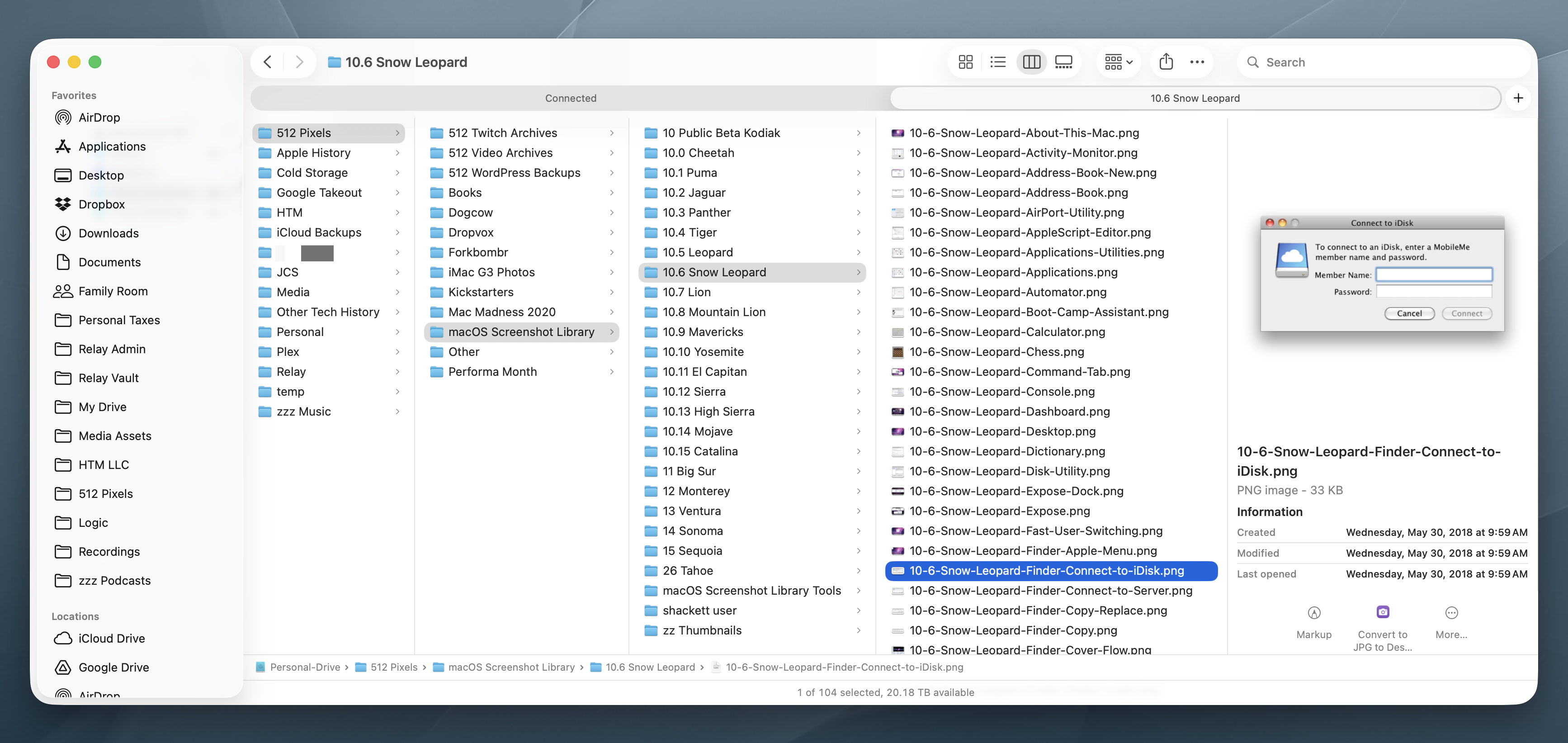
John Gruber is still using macOS Sequoia, but he recently came across one feature of Tahoe worth upgrading for:
But now that we’ve been poking around at column view in the Tahoe Finder, Jeff Johnson has discovered another enticing new feature. On Mac OS 26, the Finder has a new view option (accessed via View → Show View Options) to automatically resize columns to fit the longest visible filename. See Johnson’s post for screenshots of the new option in practice.
Turns out, this is available on macOS 14 Sonoma and macOS 15 Sequoia as well, via a hidden Finder preference.
I’ve used column mode since switching to Mac OS X back at my high school newspaper. It clicked with me much more than the various views offered by Mac OS 9.
Turns out, I could have been using back in those days too. Gruber continues:
Column view is one of the best UI innovations from NeXTStep, and if you think about it, has always been the primary metaphor for browsing hierarchical applications in iOS. It’s a good idea for the desktop that proved foundational for mobile. The iPhone Settings app is column view — one column at a time. It’s a way to organize a multi-screen app in a visual, spatial way even when limited to a 3.5-inch display.
Thanks to Greg’s Browser, a terrific indie app, I’d been using column view on classic Mac OS since 1993, a few years before Apple even bought NeXT, let alone finally shipped Mac OS X (which was when column view first appeared in the Finder). One frustration inherent to column view is that it doesn’t work well with long filenames. It’s a waste of space to resize all columns to a width long enough to accommodate long filenames, but it’s frustrating when a long filename doesn’t fit in a regular-width column.
I do not want to know how much time I have spent over the years adjusting the widths of columns. This is one of those “saved a dozen lives” kind of features. It’s great that Finder just does the right thing with this setting turned on: