I had the pleasure of hosting the latest episode of Charlie Chapman’s podcast to interview him about the history of Dark Noise and its recent business model change.
Kbase Article of the Week: AppleVision, ColorSync 20-inch Displays: Multiple Monitor Support ⇢
Question: I purchased two AppleVision Monitors and am trying to set them up, but my computer only has one ADB port on the back. I tried connecting the ADB cable from the first monitor to the side of the second monitor, but that did not work. Then I tried using a third party ADB splitter cable and the second monitor came up in 640×480 only. How do I set them up correctly?
Answer: To set up two AppleVision displays with a computer that has a single ADB port, be sure to use the recommended Apple shielded connector cable (ADB splitter cable), part number M5556LL/A. This is the only officially supported method of connecting two AppleVision Displays to a single Macintosh ADB port. Setup instructions are in the User Manual for the display.
When some third-party ADB splitter cables are used, AppleVision software may be unable to recognize one or both monitors as AppleVision displays. As a result, the screen resolution of the unrecognized monitor(s) will revert to 640×480, and the AppleVision control strip and control panel will not allow you to select any other resolution besides 640×480.
A Developer’s View of Vision Pro ⇢
Last week at WWDC I was extraordinarily fortunate to be one of the very few people in the world to try out Vision Pro for myself. The 30 minute session I had with it has been described in tremendous depth in lots of places (the best likely being Myke’s discussion on Cortex), so I won’t go into the content of that demo itself, but instead focus on what I think this platform means for developers, and [spoiler alert] why I’m incredibly excited to get started developing for it (and think you should too).
Sponsor: MarsEdit 5 ⇢
MarsEdit 5 is a major upgrade to the preeminent Mac app for editing WordPress, Micro.blog, Tumblr, and many other types of blogs.
The new Microposting feature makes it “as easy to post to your own blog as it is to post to Twitter.” When MarsEdit 5 is running on your Mac, just press a configurable global keyboard shortcut, write out your latest thoughts, and instantly publish to your blog.
MarsEdit supports editing posts in rich or plain text, and the latest update is especially great for Markdown fans. Now when you’re writing Markdown in plain text mode, MarsEdit applies live, beautiful syntax highlighting to make it easier to focus separately on the content and style of your posts.
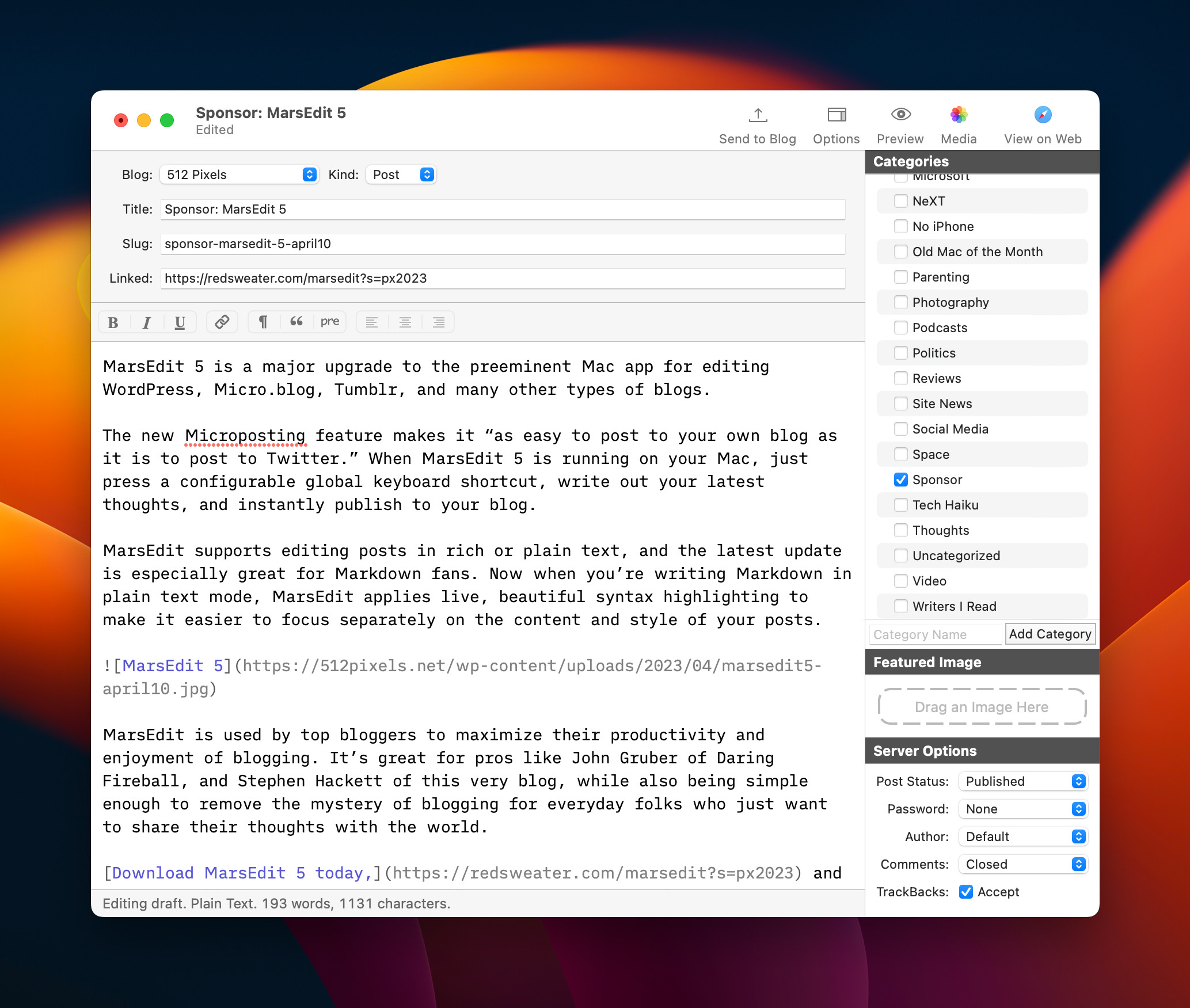
MarsEdit is used by top bloggers to maximize their productivity and enjoyment of blogging. It’s great for pros like John Gruber of Daring Fireball, and Stephen Hackett of this very blog, while also being simple enough to remove the mystery of blogging for everyday folks who just want to share their thoughts with the world.
Download MarsEdit 5 today, and see what all the hype is about. It’ll make you a better blogger!
The Vibe is Good
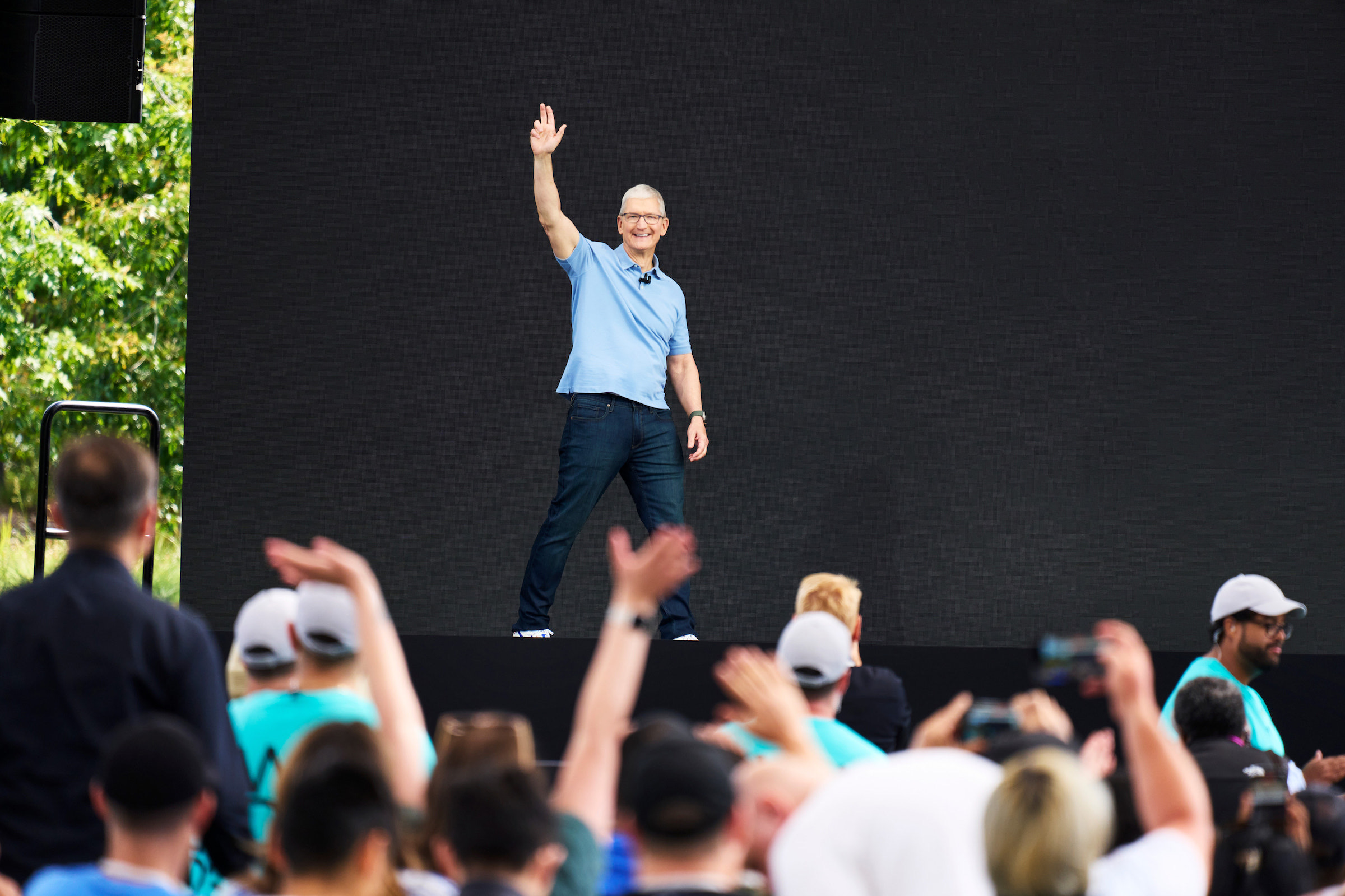
I’m writing this in the lobby of my hotel in Cupertino, a couple of hours before I fly home to Memphis and I am here to report that the vibe at WWDC is good.
The Annual March
For several years, Apple has been really good at keeping features across its platforms in step with one another. 2023 is shaping up to be no different, with core improvements coming to the company’s various operating systems at the same time, each tuned to the particular form and function of their host devices.
I think it’s past time Apple rework its keynote strategy, building these videos around features and not OSes, but that’s a blog post for a different day. For now, users can move between their Apple devices more fluidly and quickly than ever.
This has been one of Apple’s goals for its ecosystems for a long time,1 but the company has become more clear about it in recent years.
That’s not to say that these various platforms are merging. Each one still has its own flavor, with features that make sense for the context in which they are used. NameDrop comes to mind, making it easy to quickly share contact information to/from an iPhone and/or an Apple Watch. When I’m at my Mac, I have other ways to share my contact information that don’t involve bumping my MacBook Pro against someone’s iPad.
(And that doesn’t even take into account the new Macs which are all exciting in their own ways.)
Apple’s Vision for the Future
As good as the new OSes look, Apple Vision Pro stole the show this year, and it seems completely justified. I didn’t get to use it this week, but everyone who did is freaking out about it. The technology seems incredibly impressive, blowing away everything else in this space.
I feel pretty good about what I wrote back in April:
Apple’s rumored broad approach with the new device could prove to be a wise one. By supporting most of the things its customers use their iPads and iPhones for, more folks may look at the headset and think, “This does something that is important to me,” and be willing to entertain a purchase.
If the headset is pitched as the next great gaming platform, many people would not be interested in it. Likewise, if it’s heralded as just a new way to work remotely and connect with colleagues, a bunch of people would write it off.
In a sense, every new product needs to be broad now, because consumers assume that everything is a computer that can do computer things. Splashing cold water on the headset’s upcoming announcement because it appears to lack a killer app feels premature to me. Doing a bit of everything is mere table stakes now.
I didn’t have “spatial computer” in mind when I wrote that, but the way Apple is talking about the product shows this thing is about more than just content or just gaming or just productivity. I don’t know if visionOS is the future of personal computing, but it is certainly an intriguing and promising prospect.
It’s an also exciting prospect for developers. It’s been a long time2 since there’s been a new platform that is so fundamentally different than what came before. At launch, I’m sure there will be a lot iPad apps floating around in AR, but I am much more excited about what new apps this type of computing will enable. From talking with developers this week, it’s going to be a lot of fun to see what works well on the Vision Pro.
Together Again
On a personal note, seeing my friends at Relay FM and beyond is what makes this trip so special. When I first showed up at WWDC 2013, I knew a handful of people and we were on the verge of launching The Prompt. This year, we recorded Connected and Mac Power Users at Apple Park.
I’m an introvert, but I really missed being in Cupertino for a few days every June during the pandemic. Last year felt like a trial run, but this year felt much more like the old WWDC. I can’t wait to come back in a year, probably with a very fancy headset packed away in my bag.
- This dates back to iOS 8 and Yosemite’s first batch of Continuity features. ↩
- This summer marks 15 years since the App Store launched. ↩
Apollo Shutting Down June 30 ⇢
Christian Selig, writing on Reddit:
Eight years ago, I posted in the Apple subreddit about a Reddit app I was looking for beta testers for, and my life completely changed that day. I just finished university and an internship at Apple, and wanted to build a Reddit client of my own: a premier, customizable, well-designed Reddit app for iPhone. This fortunately resonated with people immediately, and it’s been my full time job ever since.
Today’s a much sadder post than that initial one eight years ago. June 30th will be Apollo’s last day.
I’ve talked to a lot of people, and come to claims with this over the last weeks as talks with Reddit have deteriorated to an ugly point, and in the interest of transparency with the community, I wanted to talk about how I arrived at this decision, and if you have any questions at the end, I’m more than happy to answer. This post will be long as I have a lot of topics to cover.
There is no way around it: this sucks. Reddit leadership showed its true colors here: dishonesty, ugliness and greed.
Mac Power Users #695: Live from WWDC23 ⇢
Recorded live at Apple Park, Stephen and David talk about some of the big announcements from WWDC23.
Don’t miss More Power Users, where David shared his feelings about the new Mac Studio.
Connected #453: By the Meat of Your Teeth ⇢
This week on a huge episode of Connected:
For the first time in four years, Federico, Myke and Stephen are together and in person to record an episode of The World’s Greatest Podcast. This week, they judge their picks for WWDC23 — and one from the past.
On Connected Pro, some feelings about being together again.
I Have Some Questions About the New New Mac Pro
It’s been one day since Apple announced a new Mac Pro, so we are now safely within the time period in which we can go back to worrying about the product and its future.
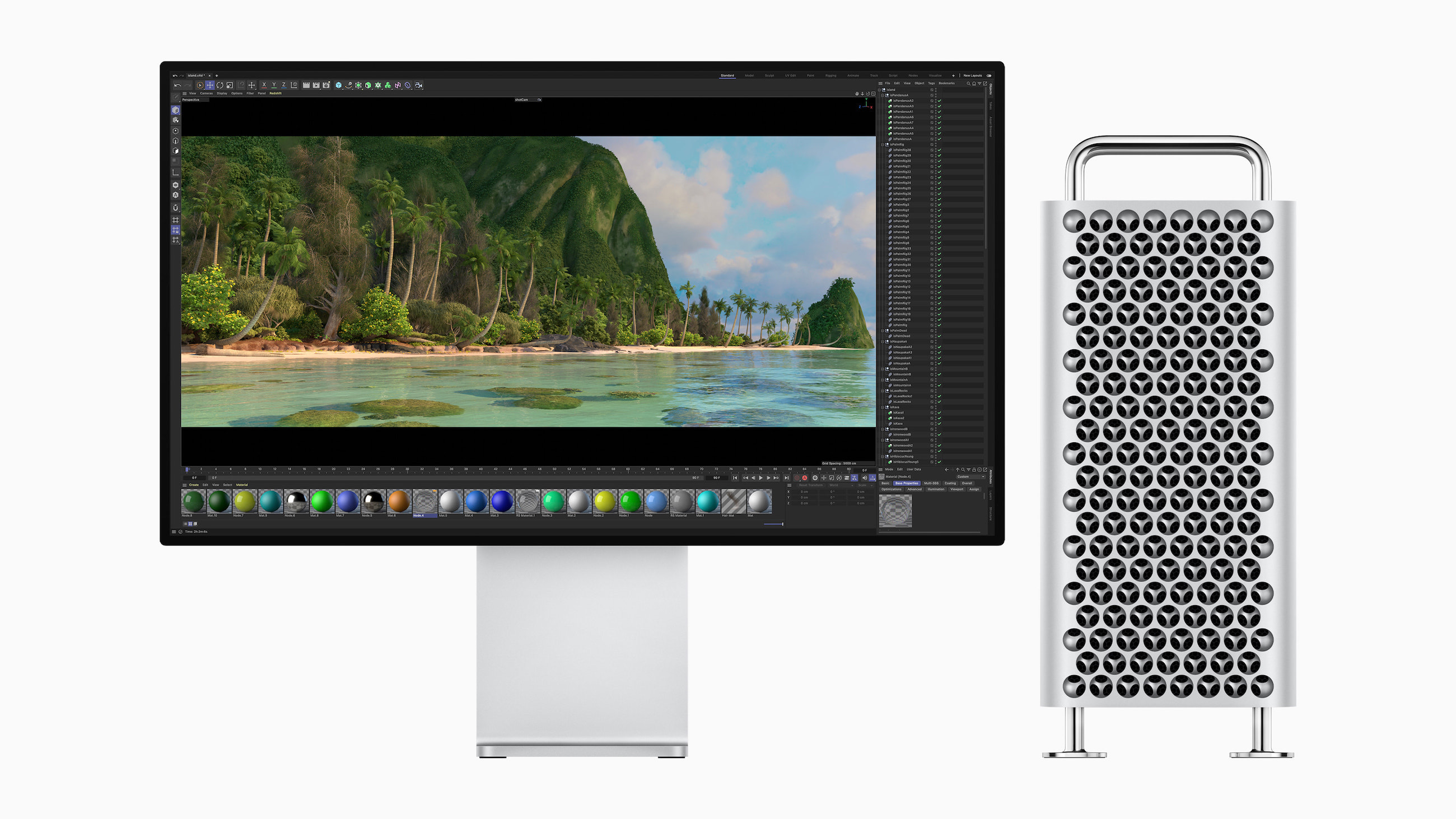
Back in 2006 when the first Mac Pro was announced, we were already at the tail end of the era of desktop tower Macs. 17 years later, notebooks are more popular than ever, and in the age of Apple silicon, they are more powerful than ever, too.
That puts desktop Macs on thinner ice than ever before in terms of unique capabilities. That’s not to say that Apple is abandoning the category — other than the seemingly-forgotten 24-inch iMac and the lack of a larger all-in-one, things are firing on all cylinders.
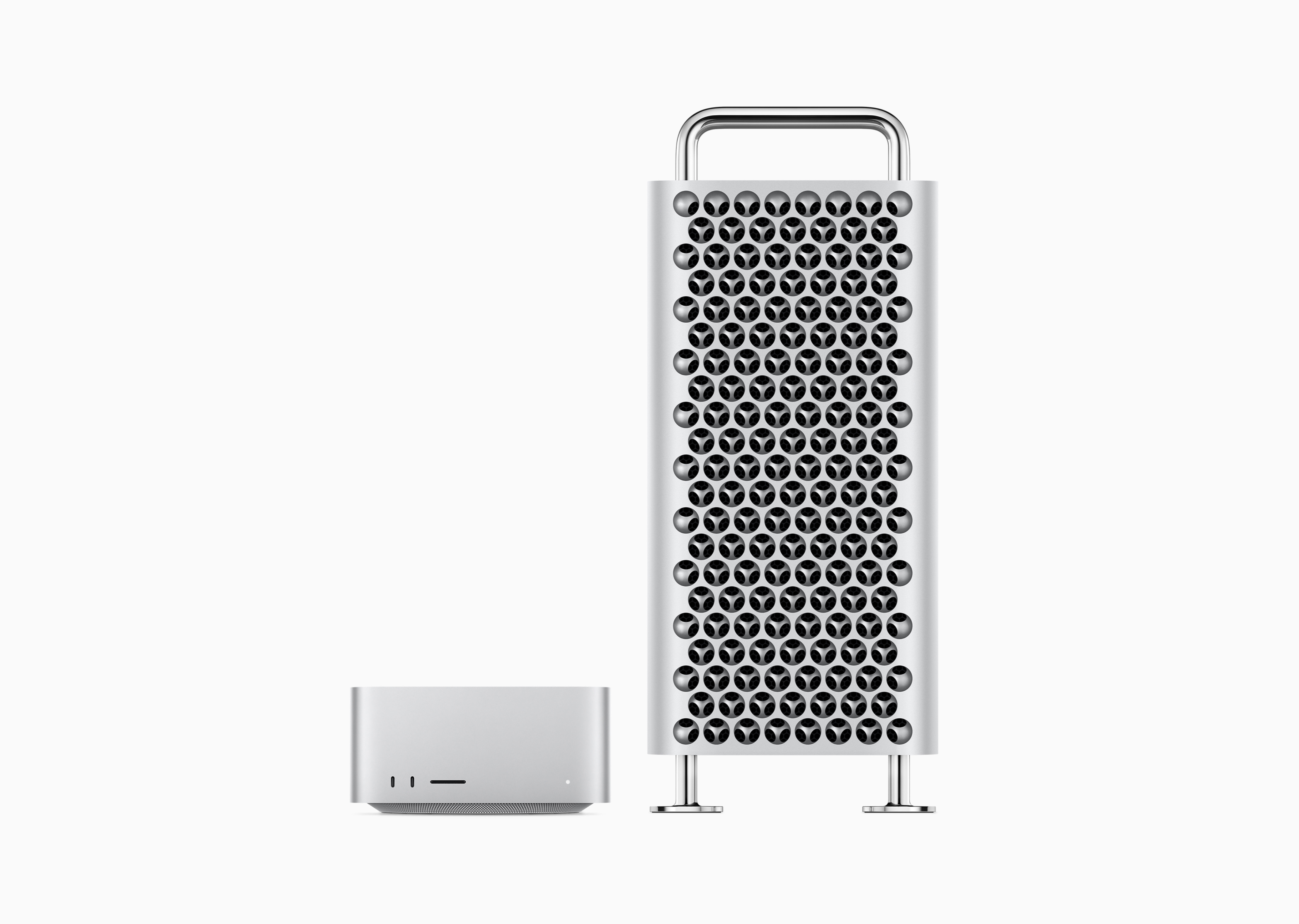
The Mac Studio is the greatest example of this. I don’t think anyone had “New Pro Desktop” on their bingo card for 2022, not to mention an update a year into its life. In my brief ownership of an M1 Max version of the machine, I was blown away by the performance Apple managed to cram into what is basically a taller Mac mini.1
Sitting between the Mac mini and Mac Pro, the Mac Studio has probably taken customers away from both, but I have to imagine the Mac Pro is on the losing side of that equation.
The new new Mac Pro is powered by the same M2 Ultra chip as found in the new high-end Mac Studio, with all of the good and bad that brings. It is amazingly fast, and the SoC blows away the old Xeon + Afterburner arrangement in the 2019 machine when it comes to encoding video.
However, it also comes with all the downsides of being an SoC. Gone is the 1.5 TB RAM limit of the 2019 Mac Pro, but more importantly, gone is the ability to add RAM after purchase. The same thing goes for upgrading the GPU.
The truth in 2023 is that Mac Pro you buy today will be the same core machine in five years, and that’s just not something we’re used to seeing when it comes to this machine.
Upgradability, of course, is just one side of the coin. The other is expandability. For those who rely on capture cards, huge amounts of internal storage and other PCI-based solutions, the Mac Pro continues to be their only option in Apple’s line.
The number of 2019 Mac Pros sold cannot be huge, but the new one’s numbers are going to be even smaller. As a Mac Pro fan that worries me. Yes, there are users who are reliant on PCI solutions and I’m sure those folks will upgrade to this new machine at some point. Those who purchased a Mac Pro in the past to have a machine they could keep current over the long haul are seemingly out of luck.
Are some extra Thunderbolt ports and a bunch of open PCI slots enough to justify the Mac Pro’s $3,000 premium over the Mac Studio? For most users, my guess is no. The days of the Mac Pro being the most powerful, most capable Mac are over, at least for now.
If a future Mac Pro has an SoC unique to it, as it was rumored a couple of years ago, that would certainly be exciting. M3 Extreme, perhaps? Off-die GPUs, anyone?
Several of us who cover Apple have heard that there are those inside the company that did not want this machine to see the light of day, believing the Mac Studio to be enough to hold down the high-end of the Mac line. Seeing the machine that Apple announced this week, I think they may eventually get their way.
- The fan noise also blew me away. I ended up mounting the thing under my desk. ↩
Download macOS Sonoma’s Default Wallpapers
I still think Big Sur had my favorite default wallpaper in the modern age of macOS, but these look pretty good!


Filipe Espósito over at 9to5Mac has details on how some of the fancier wallpapers work in Sonoma.
Some of my Favorite Small Software Announcements from WWDC 2023
…in no particular order, except the first two which I am psyched about:
- Interactive widgets.
- Find My items can now be shared with others.
- Offline access to Maps.
- Medication alerts can now repeat if medication is not logged, and can be sent as critical alerts. I bailed on Medication reminders last year due to a lack of this.
- Name Drop.
- Inner-app linking in Notes.
- Profiles and shared passwords in Safari.
- Mood tracking in Health.
- Widgets on the Mac desktop.
- One-time verification codes received in Mail are filled in automatically in Safari, just like ones from Messages.
- Quick muting on AirPods.
- The new iPhone Standby feature can show different things based on where your iPhone is when charging.
- Pet “faces” in Photos.
- Automatic grocery item sorting and a new column view in Reminders.
- Share contents from an Apple Note into Pages for more layout tools.
My least favorite thing? That creepy heart AR demo.
In related news, Dan Moren has a long list of features that were not mentioned on stage compiled over on Six Colors.
Kbase Article of the Week: What’s new in Apple Platform Deployment ⇢
Apple Support:
Deployment and mobile device management (MDM) introduce new features for iPhone, iPad, Mac, and Apple TV devices. These updates, detailed below, include the following operating systems:
- iOS 17
- iPadOS 17
- macOS 14
- tvOS 17
- watchOS 10