Connected #444: The World’s Biggest AI Onion ⇢
This week on the podcast, we go deep on AI:
Federico has released S-GPT, a Shortcut that brings the power of ChatGPT down to your devices and data. Myke and Stephen talk to him about the project and what’s next in Automation April after dealing with some follow-up.
Each week, we do a longer, ad-free version of the show named Connected Pro. This time, we talked about toy animals with tiny heads and storm spotting.
Twitter Labels NPR as ‘US State-Affiliated Media’ ⇢
Kris Holt, writing at Engadget:
Twitter has added a label to the main account of NPR to designate the public broadcaster as “US state-affiliated media.” Until now, such labels have typically been reserved for state-run organizations such as RT and Sputnik in Russia and China’s Xinhua News Agency. The labels appear on every tweet from accounts they’re applied to.
“We were disturbed to see last night that Twitter has labeled NPR as state-affiliated media,” a description that, per Twitter’s own guidelines, does not apply to NPR,” the broadcaster’s CEO John Lansing said in a statement. “NPR and our member stations are supported by millions of listeners who depend on us for the independent, fact-based journalism we provide. NPR stands for freedom of speech and holding the powerful accountable. It is unacceptable for Twitter to label us this way. A vigorous, vibrant free press is essential to the health of our democracy.”
Meanwhile, I’m not paying for Twitter Blue but am still verified. I’m starting to think the folks running Twitter don’t really know what they’re doing.
S-GPT ⇢
Federico Viticci has created something wild:
It’s the inaugural week of the second annual edition of Automation April, and to celebrate the occasion, I’ve been working on something special: today, I’m introducing S-GPT, an advanced conversational shortcut for ChatGPT that bridges OpenAI’s assistant to native system features of iOS, iPadOS, macOS, and watchOS.
S-GPT (which stands for Shortcuts-GPT) is free to use for everyone, but it requires an OpenAI account with an associated pay-as-you-go billing plan since it takes advantage of OpenAI’s developer API, which has a cost. S-GPT was built with the latest ChatGPT API, and it can be used both with the existing ChatGPT 3.5 model or – if you have access to it – the ChatGPT 4 API.
I have been playing with this for a little while, and it’s some of Ticci’s best work. Having ChatGPT available though Shortcuts is one thing, but to have it interact with content on my devices is another thing altogether. We’ll be talking more about it on today’s Connected, I assure you.
Dark Noise 3.0 ⇢
Dark Noise is — by far — the best white noise app out there for the Apple ecosystem. Today’s release of 3.0 keeps that streak alive with a new business model. The app is now free with in-app purchase. John Voorhees has more at MacStories:
If you previously purchased Dark Noise, which included many of the features that are now part of a Pro subscription, you’re covered. Anyone who bought Dark Noise prior to the release of version 3.0 gets all of the features included in the Pro subscription. Pro subscribers may get new features in the future, but as of the release of version 3.0, existing users and subscribers have access to the same features, which I think is a fair way to transition to a subscription model.
I’m also glad to see that the core features of Dark Noise will be available for free for the first time. There are a lot of ambient sound apps on the App Store, but a lot aren’t very good. Dark Noise is excellent, and I expect having a free tier to show off what the app can do to new users will result in more paid users in the long run. I’m also a fan of the one-time payment option, which is a nice option for fans of the app who just don’t like paying subscriptions.
The Pro subscription is $2.99/month or $19.99/year with a three-day trial. Dark Noise 3.0 is also available as a one-time purchase for $49.99, as John references above. I use this app all the time,1 and I’m happy to chip in and help keep it viable for the developer Charlie to work on for the long term.
- I’m a Brown Noise man myself, usually with some Rain noise mixed in. ↩
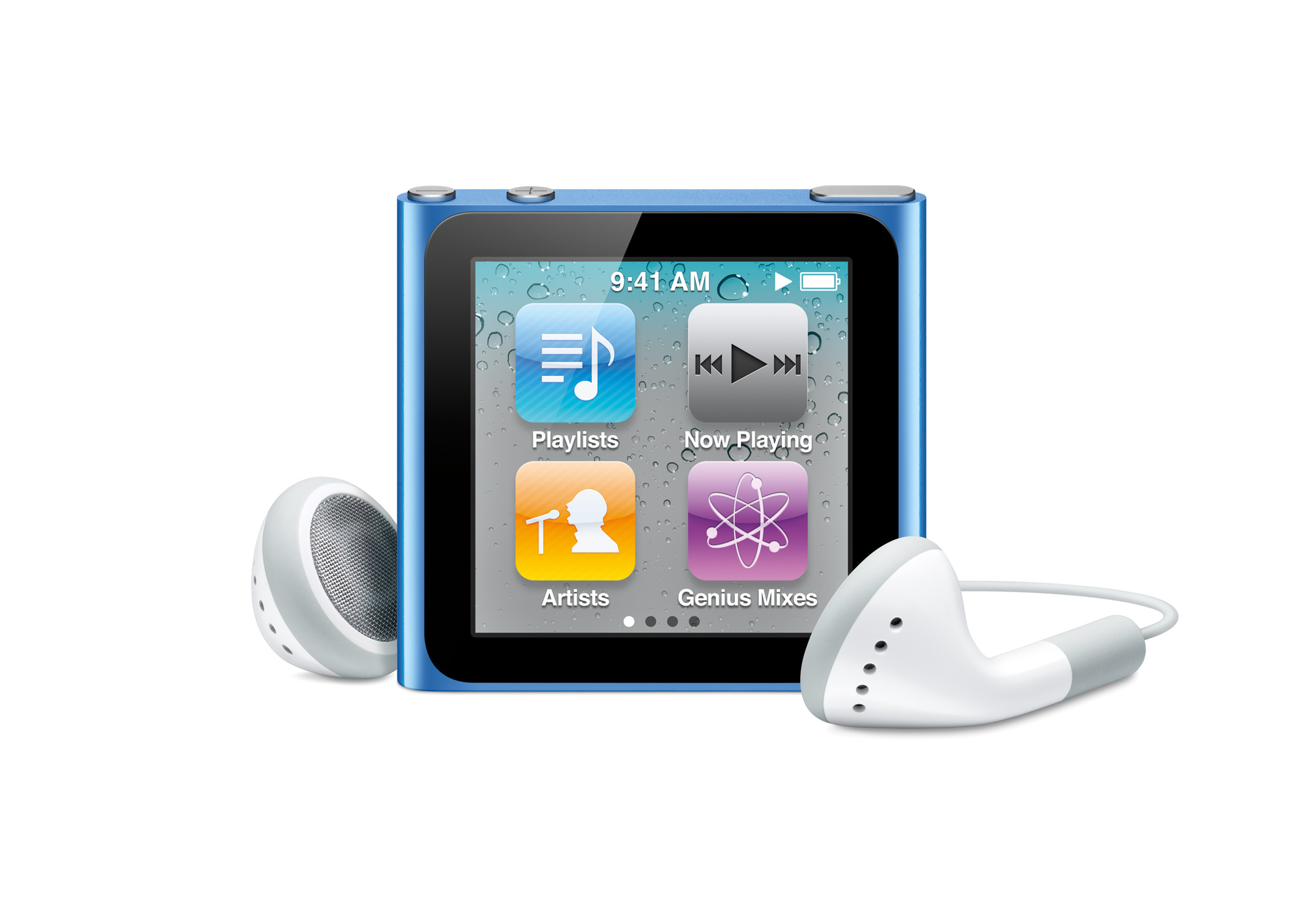
Apple Patent Threatens to Revive the Worst iPod nano Ever ⇢
Tim Hardwick at MacRumors, writing two days too late for this to be an April Fools joke:
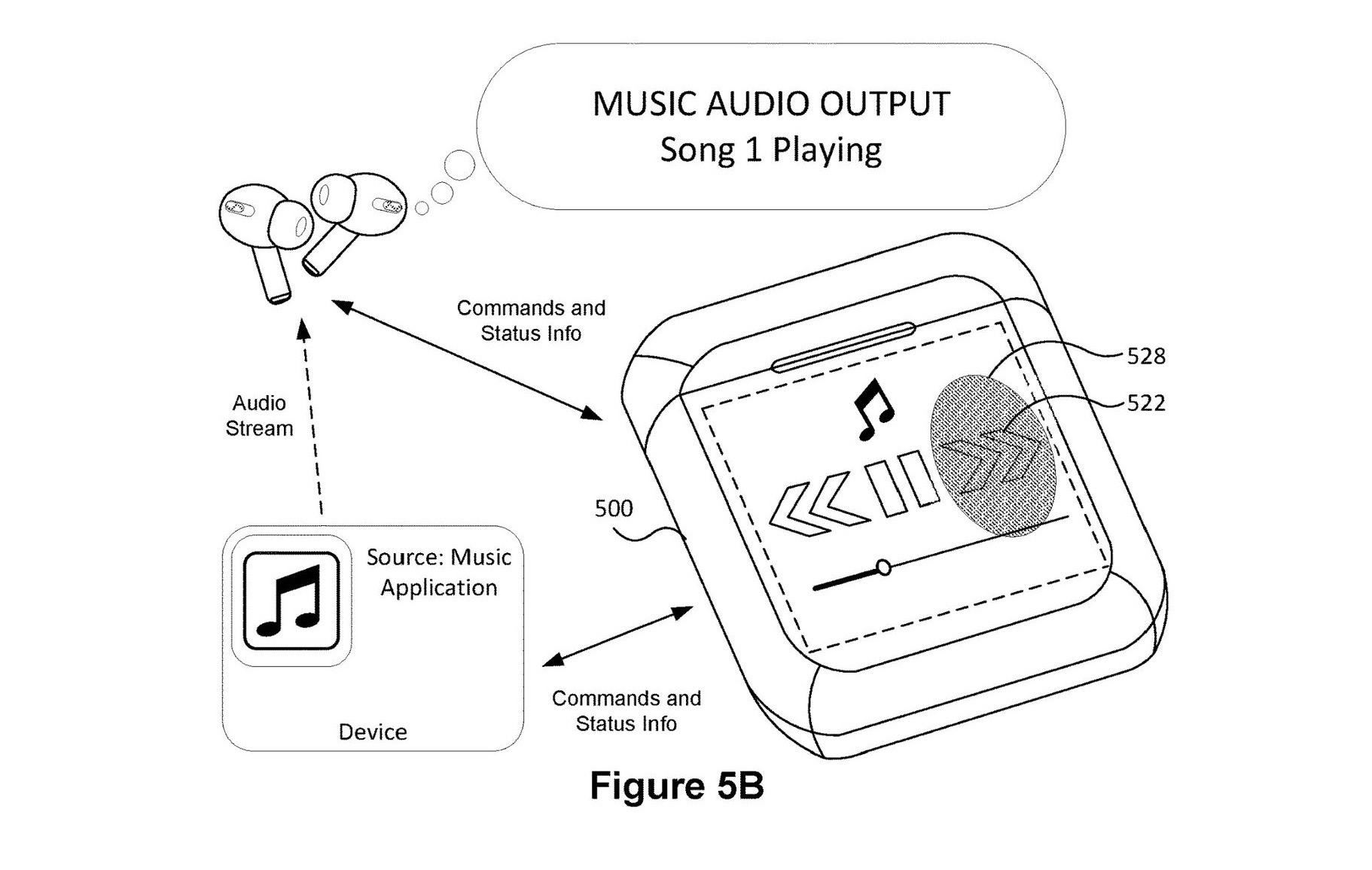
Apple has designs on a future AirPods case featuring a built-in touchscreen display that would enable users to control audio sources and interact with apps associated with the connected device, according to a newly published patent.
Filed by Apple in September 2021 and published last week by the U.S. Patent and Trademark Office, “Devices, Methods, and Graphical User Interface Interactions with a Headphones Case” clearly depicts various embodiments for such a design, complete with images of AirPods and a touchscreen on the case’s front.
These have the same energy, and it’s not energy we need in the world again:
Automation April Returns ⇢
We’re very excited to announce the second annual Automation April Shortcuts Contest, which, along with all of Automation April is dedicated to the memory of Alex Hay, the developer of Toolbox Pro and other apps.
As we had hoped when we introduced Automation April last year, the Automation April Shortcuts Contest became the centerpiece of Automation April. Last year, we had over 200 contest submissions across six categories of shortcuts. We received some remarkable shortcuts that showed just how creative and clever this community can be. But best of all, we saw the automation community come together to help each other when they got stuck and share the shortcuts they made.
Like last year, we encourage to you build a shortcut and submit it to the contest whether you’re a Shortcuts expert or just starting out. Shortcuts do not need to be complex to win in one of contest’s categories. That’s true for all the categories, but especially true for the Best Everyday Shortcut category, which we created because we know from experience that some of our most valuable and frequently-used shortcuts are among the simplest.
NASA Names Artemis II Crew ⇢
Rachel Kraft and Dan Huot, writing for NASA:
NASA and the Canadian Space Agency (CSA) announced the four astronauts who will venture around the Moon on Artemis II, the first crewed mission on NASA’s path to establishing a long-term presence at the Moon for science and exploration through Artemis. The agencies revealed the crew members Monday during an event at Ellington Field near NASA’s Johnson Space Center in Houston.
“The Artemis II crew represents thousands of people working tirelessly to bring us to the stars. This is their crew, this is our crew, this is humanity’s crew,” said NASA Administrator Bill Nelson. “NASA astronauts Reid Wiseman, Victor Glover, and Christina Hammock Koch, and CSA astronaut Jeremy Hansen, each has their own story, but, together, they represent our creed: E pluribus unum – out of many, one. Together, we are ushering in a new era of exploration for a new generation of star sailors and dreamers – the Artemis Generation.”
There’s a lot more on the mission’s webpage.
Kbase Article of the Week: MobileMe: About Moving to iCloud ⇢
If you have an active MobileMe account when you move to iCloud, you’ll be able to keep your @me.com or @mac.com email address and move your MobileMe Mail, Contacts, and Calendars, as well as your Bookmarks, to the new service.
This article provides important information about how to successfully move from MobileMe to iCloud. Please read the information below and when you are ready to move your MobileMe account to iCloud, visit me.com/move
More details on the move could be found here.
Sponsor: TextExpander ⇢
TextExpander’s customizable and shareable snippets of text allow your team to fly through repetitive tasks quickly by expanding the things you type regularly — all you have to do is type a short abbreviation and TextExpander does the rest of the work for you.
Here’s How It Works:
- Create It: Collect your most commonly used emails, phrases, messaging, URLs, and more to create snippets and templates in TextExpander that are always accessible with a quick search or abbreviation.
- Share It: Give your team or different departments across your company access to the content they need to use every day.
- Use It: Expand the content you need with just a few keystrokes on any device, across any app you use — no APIs or integrations needed.
- Optimize It: Add customizations like fill-ins and optional sections to keep that human touch. Anytime you make changes to snippets they update everywhere so your team is always on the same page.
It’s that easy!
Check out TextExpander and say goodbye to repetitive typing.
Grey Scores State Flags ⇢
This video is hilarious, and I’m very happy to see my state of Tennessee do so well.
Mac Power Users #686: Consuming Content in 2023 ⇢
Much of our content consumption is now digital, from books and newspapers to shows and movies. This week on MPU, David and I talk through the services they enjoy and the apps they use when it’s time to put our feet up.