Sponsor: PowerPhotos 2.0

PowerPhotos works in conjunction with the Apple Photos app, filling in missing features that Photos itself doesn’t provide. With PowerPhotos you can manage multiple photo libraries, either splitting up an existing library into smaller ones, or merging multiple libraries together into one. You can browse and search your libraries, copy photos and albums between libraries while retaining edits and metadata, and find and remove duplicate photos.
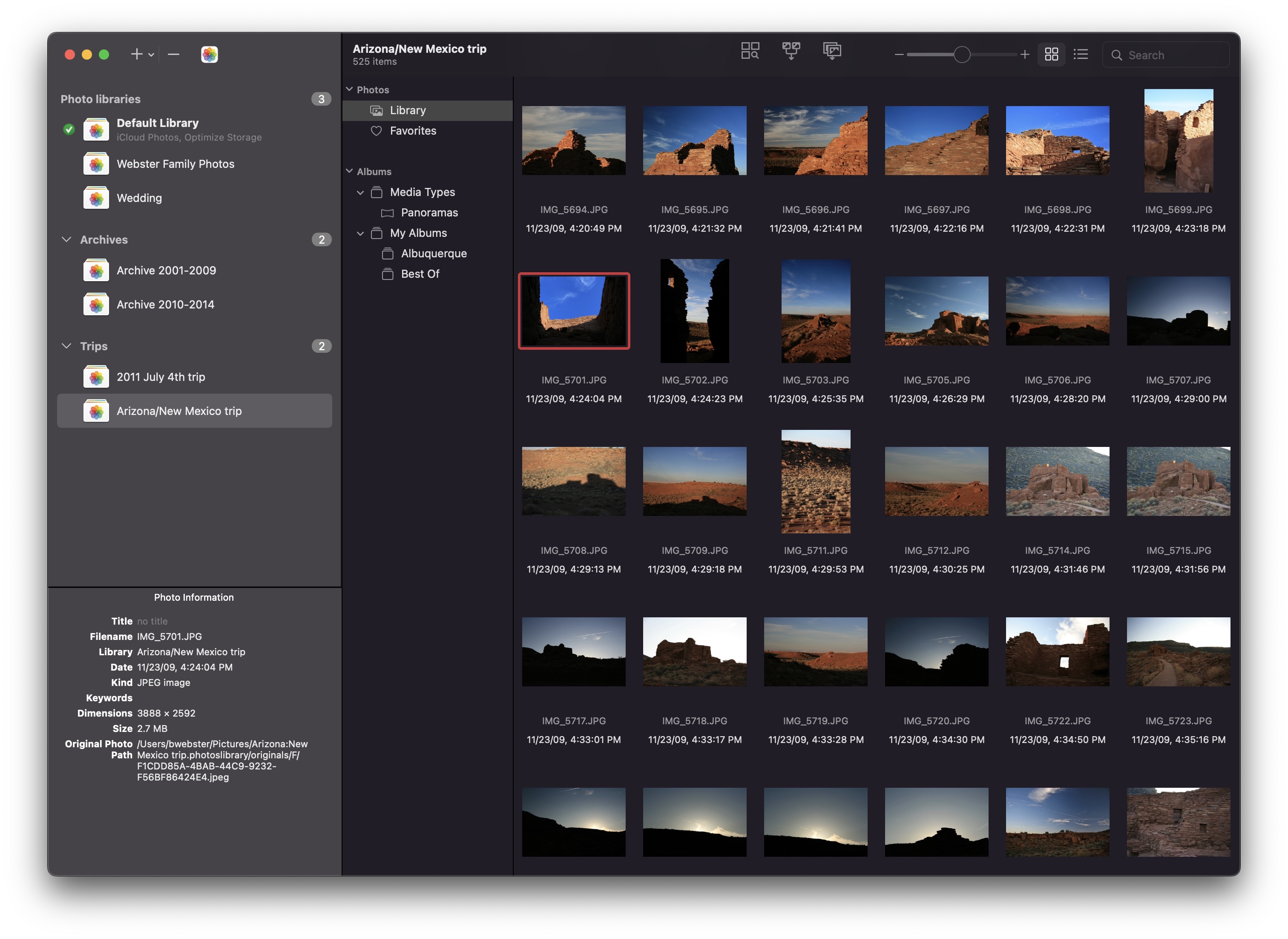
PowerPhotos 2.0

New in PowerPhotos 2.0 is an advanced export function that offers more functionality than Photos’ built-in export window. PowerPhotos export supports standard features like different image formats, resizing, customizing EXIF metadata, but that’s just the beginning. PowerPhotos can also export your photos to a folder hierarchy that mimics the album hierarchy you’ve painstakingly arranged in your Photos library. In addition, it supports setting the exported files’ creation and modification dates to match the photo’s EXIF date, allowing you to more easily browse photos by date in the Finder. This major update also includes improved iCloud Photos support, library groups, a global menu bar item for quick access to libraries, opening libraries in separate windows, and improved AppleScript support.

PowerPhotos 2.0 can be downloaded for free from https://www.fatcatsoftware.com/powerphotos and offers many of its features for free. Purchasing a license will unlock advanced features such as library merging, deletion of duplicate photos, and unlimited photo copying and exporting. Existing users of PowerPhotos 1.0 or iPhoto Library Manager can use their serial number to upgrade for 50% off the regular price, and 512 Pixels readers can use the coupon code 512PIXELS to receive a 20% discount.

Pages Regains Mail Merge Feature After Nine Years

Dan Moren:

The feature was originally included in Apple’s word processing software, but got the axe in 2013’s version 5.0, when Apple redesigned its iWork suite to give even footing across the iOS, iPadOS, and macOS platforms. In the interim, Mail Merge remained possible only via workarounds like Sal Soghoian’s Pages Data Merge app.

Version 12.1, released today, brings a brand new implementation, however, which lets you populate a template document either from your contacts or a spreadsheet. On the Mac, just create a template with the File > New command or open an existing one, and then choose File > Mail Merge to step through the process. (The feature’s also available for the first time in the iOS and iPadOS versions of Pages, under the three dots menu: tap Mail Merge to start the process.)

Finally.

On NASA’s Artemis Schedule

Over at Ars Technica, Eric Berger has an article outlining the space agency’s internal plans for future moon missions:

The Artemis I mission should launch later this year, testing NASA’s Space Launch System rocket and boosting the Orion spacecraft into lunar orbit. The second mission, Artemis II, will more or less be a repeat, only with four humans on board Orion. Then comes the big test, Artemis III, which will send two humans to the Moon and back during the middle of this decade.

Beyond these missions, however, NASA has been vague about the timing of future Artemis missions to the Moon, even as some members of Congress have pressed for more details. Now, we may know why. Ars Technica has obtained internal planning documents from the space agency showing an Artemis mission schedule and manifest for now through fiscal year 2034.

If you have followed along for a while now, the theme of delays and cost overruns won’t be new, but seeing this schedule certainly highlights some of the issues with this program.

Sponsor: TextExpander

Get your team communicating faster so they can focus on what’s most important. With TextExpander your team’s knowledge is at their fingertips.

Get your whole team on the same page by getting information out of silos and into the hands of everyone that needs to use it. You can share your team’s knowledge across departments so your team is sending a unified message to your customers and isn’t spending time reinventing the wheel.

Here’s how it works:

Store It: Keep your company’s most used emails, phrases, messaging, URLs and more right within TextExpander.

Share It: Get your whole team access to all the content they need to use every day. Organize it by department and

Expand It: Deploy the content you need with just a few keystrokes on any device, across any apps you use.

It’s that easy!

TextExpander is available on Mac, Windows, Chrome, iPhone, iPad. Learn more and get 20% off by visiting this page.

Remembering IE

Andrew Cunningham, writing at Ars Technica:

Microsoft’s Internet Explorer has died many deaths over the years, but today is the one that counts. The final version of the browser, Internet Explorer 11, will no longer receive support or security updates starting today, and it will gradually be removed from Windows 10 PCs via a Windows Update at some point in the future. It was never installed on Windows 11 PCs at all.

[…]

That’s the end of the line for Internet Explorer, a browser that annihilated all competitors in the late-’90s browser wars only to be decisively wiped out in the early-2010s browser wars. For those who weren’t there, we’ve put together a brief history of the life and times of Internet Explorer. IE’s heyday is a distant memory, but the entire story is worth knowing. Google Chrome is on top of the world today, but that didn’t happen overnight, and the browser wars have been nothing if not cyclical.