This week on the show, Myke is having a bad time on Twitter, Stephen wants to meet a robot and Federico has an exciting new trail to blaze.
On Connected Pro, MacStories’ 13th anniversary is celebrated and a lost display is remembered.
This week on the show, Myke is having a bad time on Twitter, Stephen wants to meet a robot and Federico has an exciting new trail to blaze.
On Connected Pro, MacStories’ 13th anniversary is celebrated and a lost display is remembered.
NASA’s Perseverance Mars rover has captured dramatic footage of Phobos, Mars’ potato-shaped moon, crossing the face of the Sun. These observations can help scientists better understand the moon’s orbit and how its gravity pulls on the Martian surface, ultimately shaping the Red Planet’s crust and mantle.
Captured with Perseverance’s next-generation Mastcam-Z camera on April 2, the 397th Martian day, or sol, of the mission, the eclipse lasted a little over 40 seconds – much shorter than a typical solar eclipse involving Earth’s Moon. (Phobos is about 157 times smaller than Earth’s Moon. Mars’ other moon, Deimos, is even smaller.)
The imagery is amazing:
Jason Kottke summed it up nicely:
Just a hunk of space rock passing in front of a massive burning ball of gas recorded by a robot from the surface of an extraterrestrial planet, no big deal.
This time on Liftoff, we’re marking the 50th anniversary of the penultimate moon landing:
In April 1972, the crew of Apollo 16 spent 71 hours on the surface of the moon after a series of technical glitches put their landing in jeopardy. The second of three J-missions, the crew spent nearly three whole days on the surface and completed an EVA on the way home, returning one day earlier than initially planned.
Over the last few weeks, I’ve had a few instances of weird behavior my Mac:
Thankfully, the fix is easy enough. There’s no need to restart to bring these features back. In Terminal, the killall Dock command will restart the Dock process, which is apparently in charge of all of these features.
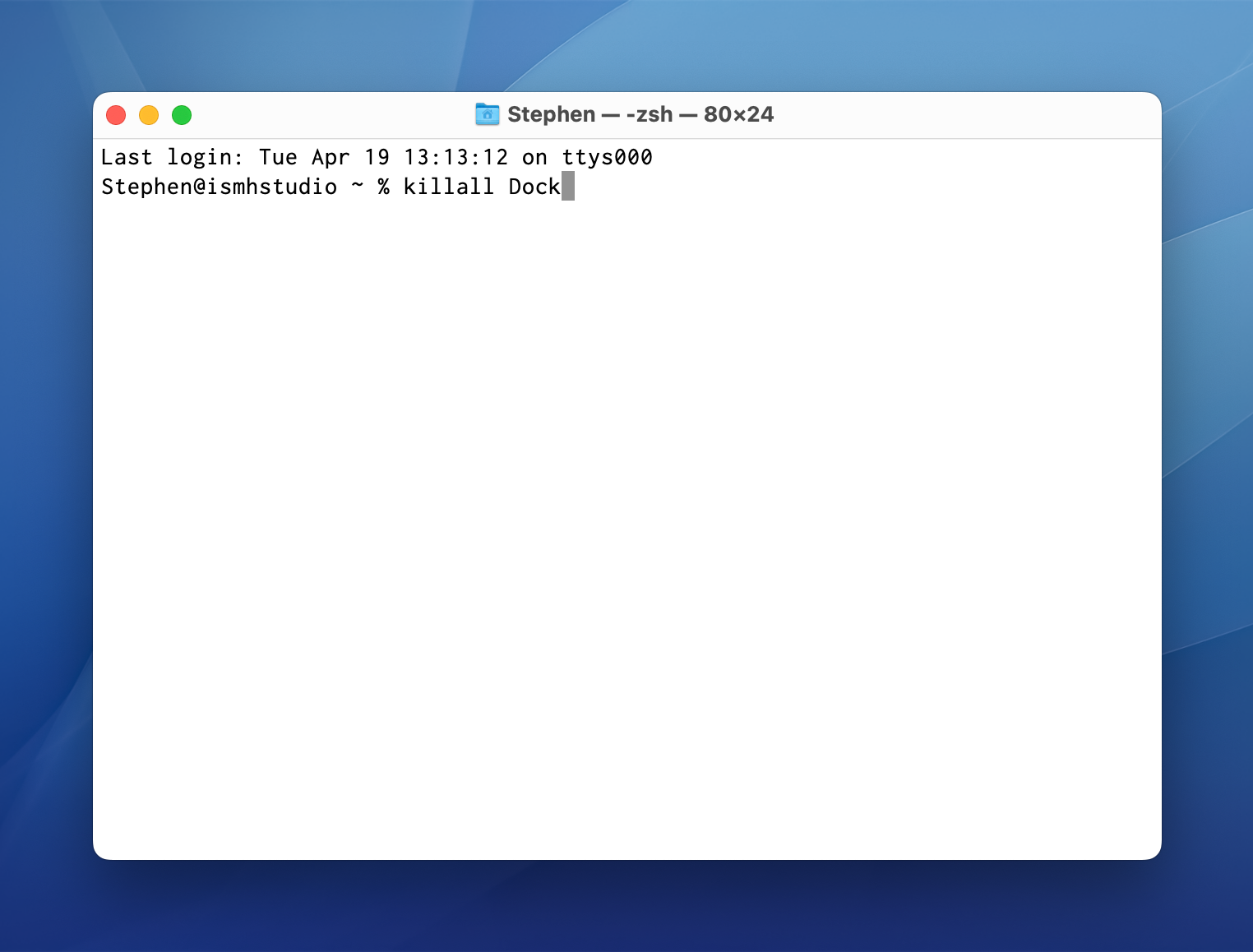
I thought this was a weird bug in macOS Monterey, perhaps as a side effect of my recent migration from a 2019 Mac Pro to my new Mac Studio. Then on yesterday’s episode of Upgrade, I heard Myke come across the same bug. He was able to invoke it by making changes in the General preference pane in System Preferences:
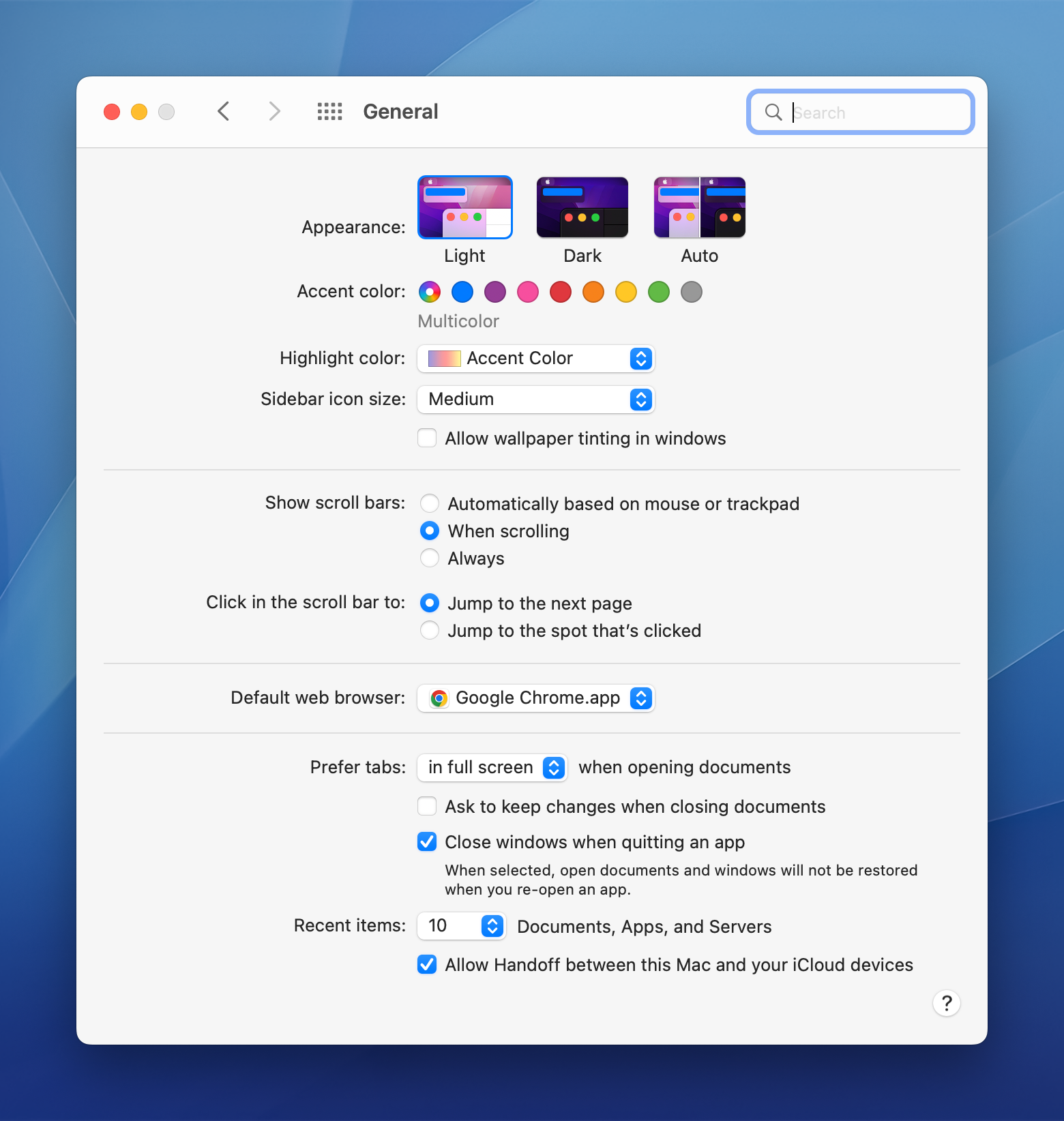
Myke found it on an M1 iMac that has been set up for months, so I bet this is just a bug in the current version of Monterey. I’m not convinced that going into this preference pane is the only way to trigger the bug, but it’s a sure-fire way to produce the problem. Hopefully macOS 12.4 resolves it.
If you’re going to recycle an iPhone, why not do it with some style?
_David Smith, on Twitter:
After 9 years, I’ve decided it’s time to shut down Feed Wrangler. I’m stretched too thin with my other apps, it’s time to let it go.
I’ll turn off the servers next year on March 1, 2023.
My thanks for everyone who was a member. It was quite a ride and I learned a ton from it.
Feed Wrangler was one of many services that popped up in the wake of Google Reader being shut down, but I eventually landed on Feedbin which I continue to be very happy with to this day.
Kali at Admiral Shark’s Keyboards has built the case that Apple’s Newton keyboard was based on the IBM Model M6-1.
To play a DVD, the region code of the DVD must match the region code of your DVD drive. Your DVD drive is automatically set to a region code the first time you play a coded DVD. If the region code for a DVD doesn’t match the current region code of your DVD drive, a dialog asks if you want to change the code for the drive.
WARNING: You can set the region code for your DVD drive only five times (including the original setting). The fifth time you change the code, it is permanently set to the last code you set. Any DVDs you play must match the last code you set.
via TJ Luoma
Get your team communicating faster so they can focus on what’s most important. With TextExpander your team’s knowledge is at their fingertips.
Get your whole team on the same page by getting information out of silos and into the hands of everyone that needs to use it. You can share your team’s knowledge across departments so your team is sending a unified message to your customers and isn’t spending time reinventing the wheel.
Here’s how it works:
Store It: Keep your company’s most used emails, phrases, messaging, URLs and more right within TextExpander.
Share It: Get your whole team access to all the content they need to use every day. Organize it by department and
Expand It: Deploy the content you need with just a few keystrokes on any device, across any apps you use.
It’s that easy!
TextExpander is available on Mac, Windows, Chrome, iPhone, iPad. Learn more and get 20% off by visiting this page.
Ryan JA Murphy is a writer and Ph.D. student who is using the Mac and iPad to work with information systems and design science. This week, David and I talk with him about his workflows for research, data organization and more.
My thanks to Red Sweater Software for sponsoring 512 Pixels this week with their excellent Mac app for editing WordPress, Micro.blog and many other types of blogs.
MarsEdit supports editing posts in rich or plain text, and includes a preview window that updates instantly to show your writing exactly as it will appear on your blog. Are you a Markdown fan? MarsEdit can preview and automatically convert your Markdown to HTML as needed before publishing.
Download MarsEdit today and see what all the hype is about. You’ll be a better blogger!
None of this should really be a surprise, but the most interesting machine in Gurman’s article, to me at least, is the Mac mini, which he says is in testing:
A Mac mini with an M2 chip, codenamed J473. This machine will have the same specifications as the MacBook Air. There’s also an “M2 Pro” variation, codenamed J474, in testing.
Apple is also testing a Mac mini with an M1 Pro chip, the same processor used in the entry-level 14-inch and 16-inch MacBook Pros today. That machine is codenamed J374. The company has tested an M1 Max version of the Mac mini as well, but the new Mac Studio may make these machines redundant.
So far, the M1 Pro is the only design that isn’t in a desktop Mac. It seems to me like an obvious candidate to round out the Mac mini line.