In our fast-paced world, things change constantly — and errors in messaging often have significant consequences.
TextExpander lets you make new approved messaging available to every team member instantly with just a few keystrokes, ensuring your team remains consistent, current, and accurate.
Get your message right every time: expand content that corrects your spelling and keeps your language consistent with just a few keystrokes
Your team members will consistently know the right message for the right person at the right time, without relying on memory or copy and paste.
It’s feedback time on MPU, so David and I answer listener email, talk about iOS apps running on Apple silicon Macs and preparing your tech for the afterlife.
We also have new MPU merch! Dubbed the Classy Tumbler and Classy Tee, I’m really happy with how these two products turned out.
We have a set number of tumblers, and once they are sold out, they’ll be gone forever. Shirts, on the other hand, can be pre-ordered until May 4.1
Which, of course, is Star Wars Day, which I think David observes as a religious holiday. ↩︎
As the Tuesday event approaches, there are increasing rumors of the release of colorful iMacs. 9to5 Mac collects all of the rumors nicely.
I, for one, would love to see Apple add some more whimsey to their products, and colorful iMacs would be an excellent start. (If I were in charge, I’d also bring back the rainbow logo on at least some products.)
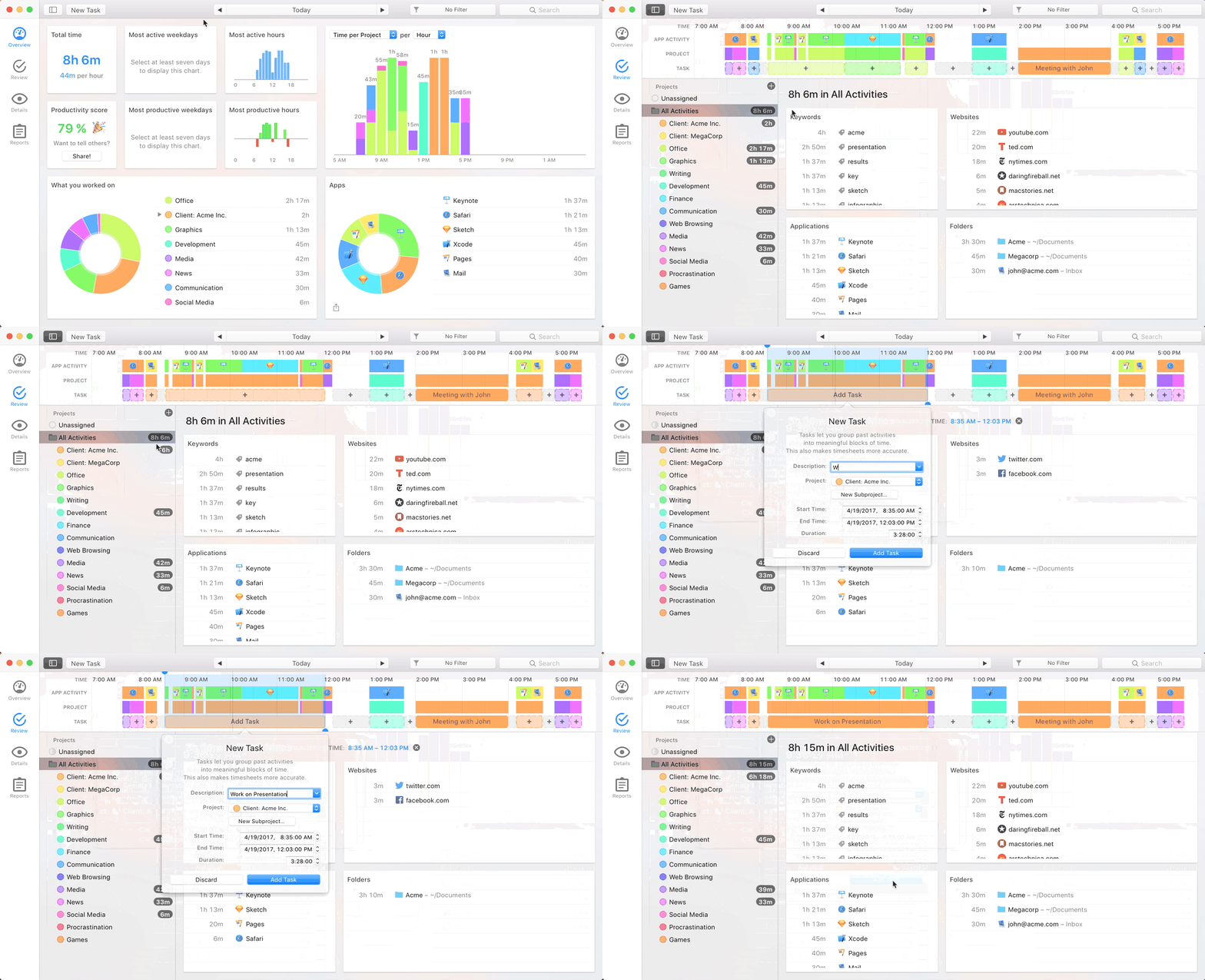
My thanks to Timing for sponsoring 512 Pixels this week. It’s a Mac app that automatically tracks which apps, documents and websites you use so you can see how you’re spending your time on your computer. It’s great for time tracking, eliminating distractions and improving your billing.
We’re all familiar with the Mac’s startup chime. While it has changed over the years, it has greeted users with its friendly tone for decades.
What you may not know is that for years, the Mac also came with a death sound, that would play when the machine was unable to properly boot.
And they are glorious:
Macintosh II
The Macintosh II line used several different chimes. These large machines combined the Macintosh operating system with the open hardware of the Apple II, and while they aren’t as charming as the original Mac’s design, they were lusted after by many users in their day.
I think the IIcx is the nicest, but the IIfx chime feels the most deathy to me.
Macintosh II
Macintosh IIcx
Macintosh IIfx
Macintosh LC
The LC, short for “low cost,” was designed to get the Mac into more homes than ever before. The Macintosh II line ran circles around it, but it was how many people experienced the Macintosh for the first time. I think its death sound is pretty good, building on that of the IIfx, which was on sale at the same time as the original LC:
Quadra AV
The Macintosh Quadra line brought the Motorola 68040 to more people when it replaced the outgoing Macintosh II line in 1991. Most of these machines used the death chimes from the LC line, but the high-end Quadra AV systems got something a little more … funky:
Uhhhh, this one just sounds like a car crash, which must have been very upsetting to hear as your Mac died:
Thankfully, it was just used on these super-early PowerPC Macs in 1994.
Some Random Performas
The low-cost, sold-in-big-box-stores Macintosh Performa may have been a hot mess of a line of personal computers, but in the confusing list of models, it’s easy to tell Motorola 68k models from PowerPC ones: the former have names with three digits, while the latter use four digits in their names. A good number of the PowerPC models used this menacing sound:
PCI-based Power Macs
Thankfully on the pro sides of things, Apple showed some restraint once PCI became the standard expansion slot in these machines:
The death chime has been gone for over 20 years, and I’m not sad about that … especially when hearing that car crash one.
The morning of April 12, 1981, proved to be a history-making event. For many, that day stemmed careers, dreams and imaginations alike. On that inaugural launch day began 30 years of advances in spaceflight, technology, scientific research, and would eventually lead to a permanent presence of humanity in space, but not without tragedy. This is the story of the Space Shuttle.
If you create a site or page name in iWeb 1.0.1 with an apostrophe as part of the name, and subsequently update to iWeb 1.1, then the web addresses (URLs) to your site/page will no longer be valid. This will break any existing bookmarks to the page. This occurs because iWeb 1.1 handles apostrophes differently than iWeb 1.0.1.
People who bookmarked your iWeb 1.0.1 site need to bookmark your new site published with iWeb 1.1.
Time is your most precious resource. You need to know how you are spending it. But time tracking sucks. Big Time. (Pun intended.)
Timing fixes that. It automatically tracks which apps, documents and websites you use — without start/stop timers. See how you spend your time, eliminate distracting activities, and improve your client billing.
It’s like Screen Time on steroids.
Timing also offers sync across all your Macs as well as a web app to record time on the go. So, if you need to track time in a meeting, you can do that right from your iPhone!
Stop guessing how you spend your time, and focus on doing your best work instead.Download the free 14-day trial today and get 10% off for the first year!