The Stream Deck has become a central tool for many who use automation tools on their Mac. Stephen and David dive into the device’s hardware and software, explaining what makes it such a versatile device, before sharing their own uses for it.
Month: February 2022
FastScripts ⇢
My thanks to Red Sweater Software for sponsoring 512 Pixels this week. FastScripts is their Mac scripting utility that has been relied on by automation experts for nearly 20 years. It’s free to download with a 14-day trial.
Wishes for a New iMac ⇢
Jason Snell, writing at Six Colors, has outlined what he wants to see out of the forthcoming larger Apple silicon’d iMac:
My last two primary Macs have been 27-inch iMacs. First the original 5K model, then the iMac Pro. As much as I have loved using this iMac Pro for the past four years, I’m over it now. I’m ready to enter the Apple silicon era. And Apple has, thus far, failed to oblige.
Will Apple announce a new, large iMac at an event next month? “Reply hazy, ask again later,” said Bloomberg’s Mark Gurman. (Or at least that was my interpretation of his reporting.)
What I’m saying is, if the next new Mac to be announced is a faster Mac mini or an upgraded 13-inch MacBook Pro, I’m going to treat them fairly and evaluate them properly… and the entire time, I am going to be grumbling. Because what I want is a new big iMac.
So to pass the time while I’m waiting, I’m going to do what they taught me to do as a kid and enter the land of the imagination. Here’s what I want to see in a new, big Apple silicon-bearing iMac.
Obscura 3 ⇢
Apple’s built-in camera app meets the needs for most people, but for those of us who want more, Obscura has been a long-time favorite. Today, Ben McCarthy has launched version 3 of the app.
The new build comes with a new design that is more intuitive deign built around five modes: Photo, Pro Photo, Depth, Live Photo, and Video. There’s also a Watch app for controlling an iPhone that may be mounted in a tripod or is otherwise inaccessible.
Obscura 3 is a new app, for sale now in the App Store for $9.99. After that, there are no in-app purchases to unlock additional features or filters. I’ve been really impressed with Obscura 3 during its beta process, and if you want more out of your iPhone’s camera, go check it out.
Connected #385: Federico Viticci and the Multiverse of Madness ⇢
This week on Connected, things get philosophical with conversations of Apple Music on Android, the future of the 13-inch MacBook Pro and some non-Apple hardware we love.
On Mac Catalyst’s Shortfalls ⇢
Steve Troughton-Smith has far more experience with Mac Catalyst than most people outside of Apple, so when he talks about this stuff, it’s good to pay attention:
I wanted to take some time to lay out the areas of the framework that I’ve found just don’t do enough to enable great Mac apps, and perhaps provide a checklist of things for Apple to solve in future versions of the OS. This is my curated list, and there will definitely be things I didn’t touch upon below as they haven’t directly impacted what I’m working on or hoping to build. Onwards!
Kbase Article of the Week: How to Reinstall AppleWorks on an iMac G5, Mac mini, or iBook G4 ⇢
If you reinstall a localized version of Mac OS X on an iMac G5, Mac mini, or iBook G4, you may need to reinstall AppleWorks separately.
For more information on installing the additional applications that came with your computer, see the document called “Read Before You Install,” located on the Mac OS X Install Disc 1.
iMac G4: Fond Memories
Editor’s Note: This column was originally published in System Extension, the newsletter sent to 512 Pixels members. Learn more about the 512 membership here.
Last month marked the 20th anniversary of the iMac G4. Two decades after its introduction, this machine is still a favorite of many, many Mac fans.
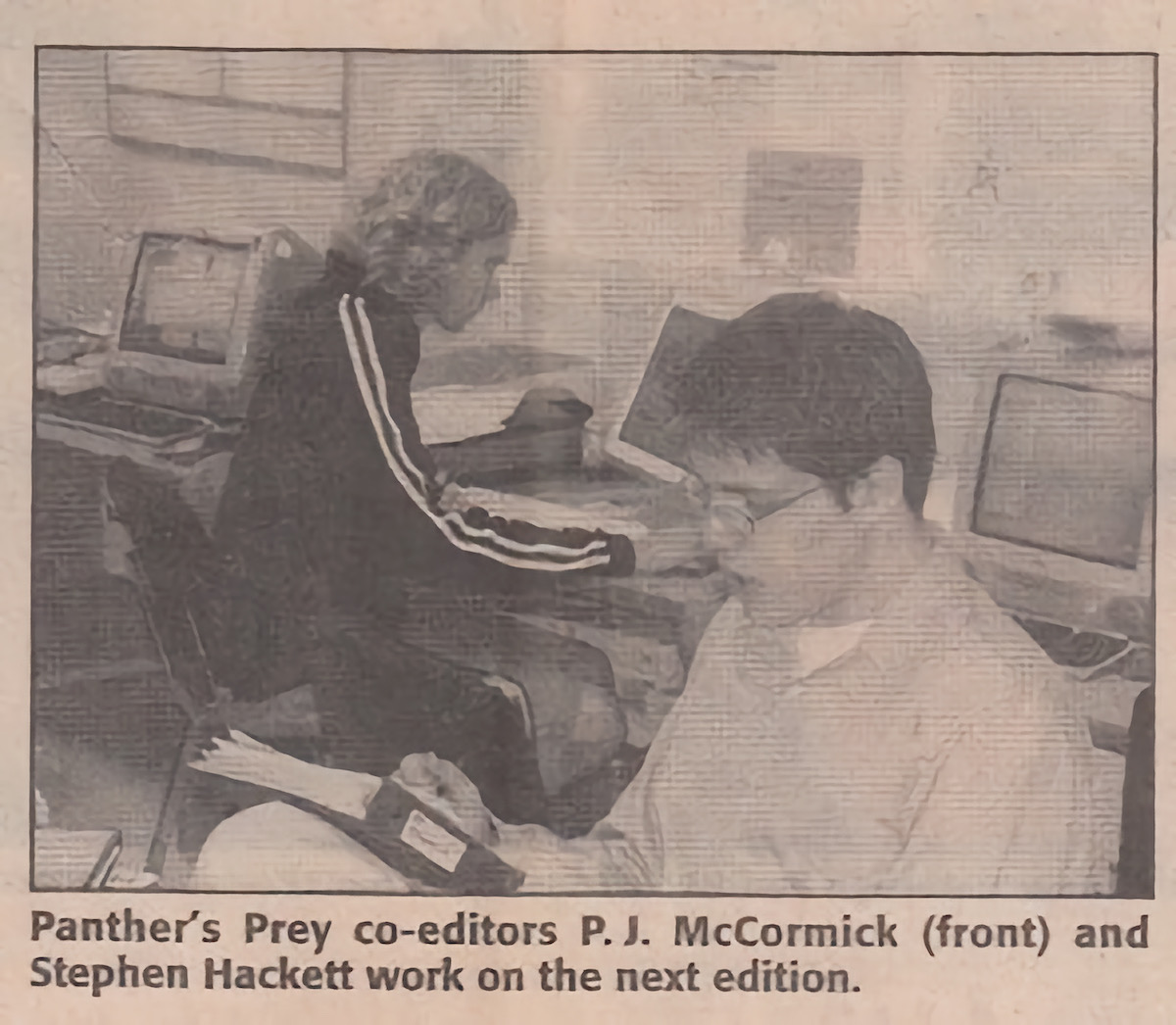
I was in high school in 2002 when the iMac G4 was introduced, and really getting into the Mac for the first time, thanks to my time at the student newspaper.
When I started at the paper, we had a collection of beige Macs, including the dreaded-yet-kind-of-amazing Molar Mac. Eventually, some colorful iMac G3s showed up. These machines were already a few years old before they landed in the newspaper room, but they let us move our production to Mac OS X.
In 2003, a rare event happened — we were able to get a brand-new Mac, and we picked a 15-inch iMac G4.
Before this, the only G4 we had in the room was an original Power Mac G4, stuffed in the corner, running as a file server. As a server, we didn’t do any production work on it, despite it being the most capable machine we had for a few years.
The iMac G4 was a revelation in terms of performance. On the iMac, Adobe Distiller chewed through our QuarkXPress exports faster than I had ever seen. It ran OS X better than any G3, which in hindsight shouldn’t have been a surprise.
When we had a complex layout or Photoshop document, I’d settle in at the G4, ready to work. It became a faithful companion, forgiving of my novice skills. It got out of its own way better than any other Mac I had touched, letting me push what I was capable of in new ways.
There’s even photographic evidence of this:
When I graduated high school in 2004 and said goodbye to the high school newspaper, I had to say goodbye to the iMac G4 as well. In college, I used a PowerBook and had a Power Mac G4 under my desk at the college student newspaper, but I missed the iMac. A few years later, I found one and it served as the media center in my wife and I’s first apartment, further cementing it as a very special Mac in my heart.
Sponsor: FastScripts 3 by Red Sweater Software ⇢
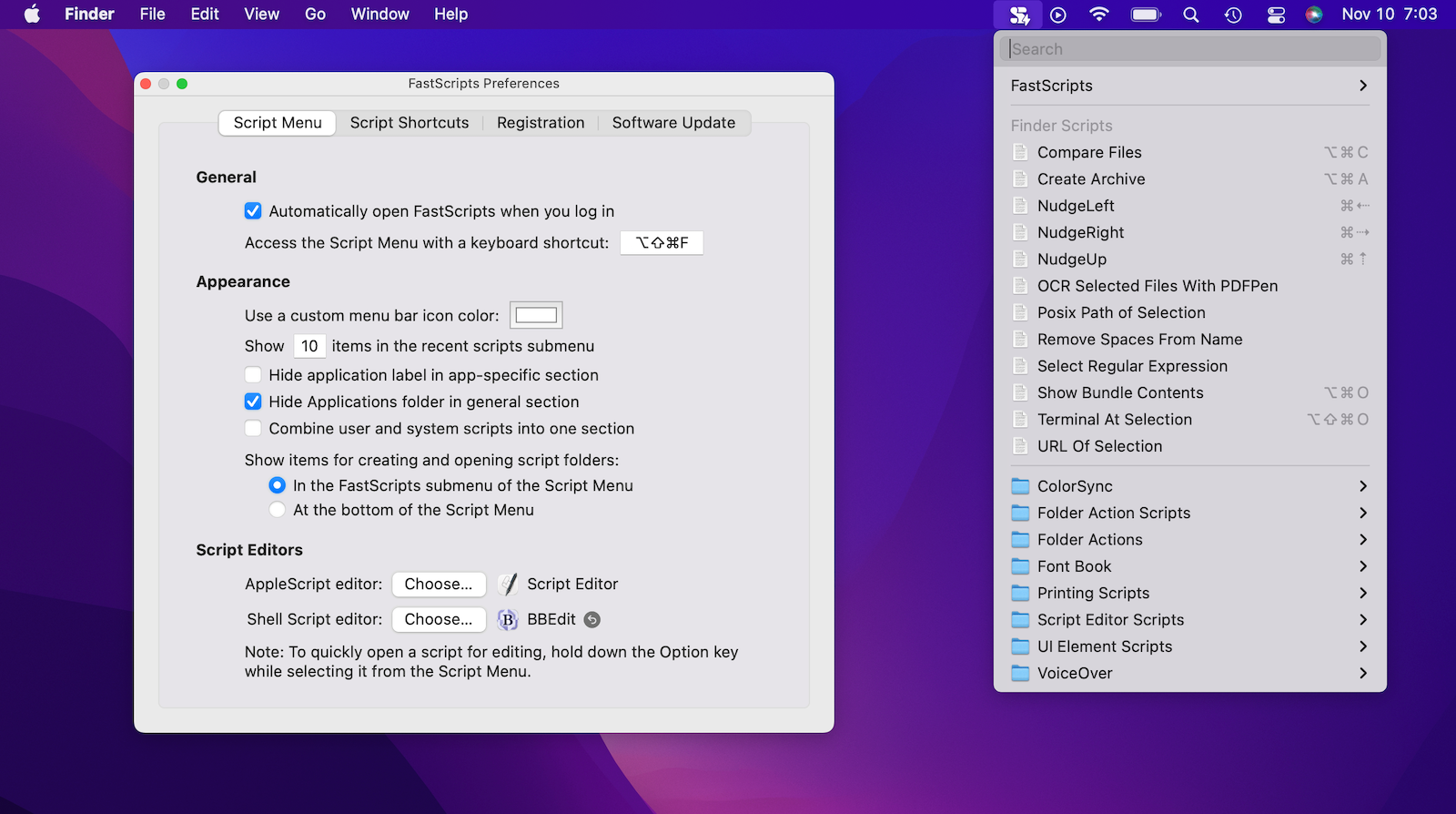
Automation on the Mac is alive and well and FastScripts 3 from Red Sweater makes it easy to organize and run your favorite scripts.
With FastScripts you can set up powerful keyboard shortcuts to run your scripts, or select and run your scripts from a menu bar icon. The app supports AppleScript, Automator, and shell scripts including Ruby, Python, or anything else you can cook up! Version 3 is a major upgrade that brings powerful new features supporting parallel script execution, a streamlined in-menu search function, and progress reporting.
John Gruber of Daring Fireball describes FastScripts as a “Hall of Fame Mac utility,” and says that “anyone who uses scripting on their Mac should be using FastScripts.”
FastScripts is free to download, offering a free 14-day trial with all premium features enabled. When the trial is over you can continue using it for free with some features disabled, or pay a one-time fee of $39.95 to unlock everything for good.
FastScripts has been revered by automation experts and the merely automation-curious for almost 20 years. See what all the fuss is about and download it today.
Apple Raising Pay in Retail Stores ⇢
Mark Gurman, writing at Bloomberg:
Apple Inc. is bumping the pay of many U.S. retail employees in the face of a tightening tightening labor market, inflation woes and complaints from some staffers about working conditions during the Covid-19 pandemic.
The raises, which have ranged from 2% to 10% depending on store location and role, are going to salespeople, Genius Bar technical support staff and some senior hourly workers, said the people, who asked not to be identified because the matter is private. The increases don’t apply to all employees, and not all stores have been notified of the changes yet.
This is a great start, but Apple should raise pay across all of its retail positions, not just the fancy ones. Being on the sales floor at an Apple Store is a hectic job, with or without a pandemic.
Coherence X4 ⇢
My thanks to the folks behind Coherence X4 for sponsoring the site this week. Coherence X4 allows you to turn any website into a chromium-powered app on your Mac. Simply pick a site, enter a name, and pick an icon, and Coherence will turn the app into an isolated application separate from your main browser. Readers get 20% off this week when you purchase Coherence X4 or when you use the promo code 512Pixels at checkout.
James Webb Telescope Sees Its First Star Light ⇢
Alise Fisher, writing on the JWST blog:
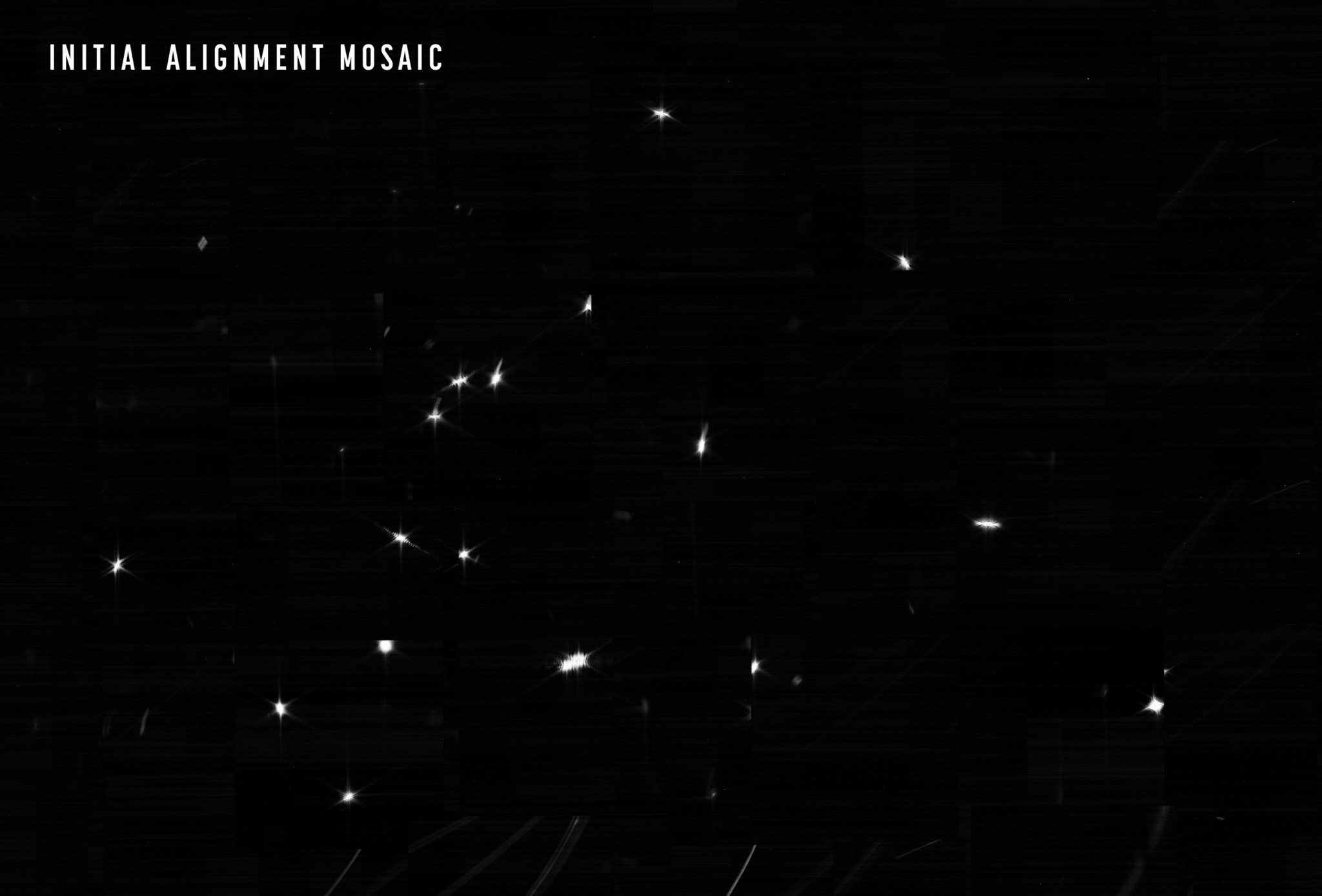
The James Webb Space Telescope is nearing completion of the first phase of the months-long process of aligning the observatory’s primary mirror using the Near Infrared Camera (NIRCam) instrument.
The team’s challenge was twofold: confirm that NIRCam was ready to collect light from celestial objects, and then identify starlight from the same star in each of the 18 primary mirror segments. The result is an image mosaic of 18 randomly organized dots of starlight, the product of Webb’s unaligned mirror segments all reflecting light from the same star back at Webb’s secondary mirror and into NIRCam’s detectors.
What looks like a simple image of blurry starlight now becomes the foundation to align and focus the telescope in order for Webb to deliver unprecedented views of the universe this summer. Over the next month or so, the team will gradually adjust the mirror segments until the 18 images become a single star.
It doesn’t look like much, but this is the first step in what should be an amazing set of discoveries: