Meta Announces Verification Program, Complete with Blue Badges

Mark Zuckerberg:

Good morning and new product announcement: this week we’re starting to roll out Meta Verified — a subscription service that lets you verify your account with a government ID, get a blue badge, get extra impersonation protection against accounts claiming to be you, and get direct access to customer support. This new feature is about increasing authenticity and security across our services. Meta Verified starts at $11.99 / month on web or $14.99 / month on iOS. We’ll be rolling out in Australia and New Zealand this week and more countries soon.

At least you won’t have to pay to use SMS 2FA.

Considering the Next Mac Pro

Jason Snell, writing at Macworld:

So what makes a Mac Pro a Mac Pro? If it’s a tower enclosure, Apple’s got a relatively fresh one from 2019 that it can just roll out again. (Gurman says that’s now the plan, which is also a little disconcerting when you consider that the original reports suggested a new, half-height enclosure and that quad-M2 chip.) But what’s inside the Mac Pro matters, and if it’s just an M2 Ultra chip, it’s hard not to consider the new Mac Pro just a Mac Studio that moved out of its apartment and into a mini-mansion.

Does it help if there’s expandable internal storage? Sure, I suppose–it’s certainly a lot neater than attaching drives via external ports. Does it help if Apple offers additional M2 GPU cores via some sort of proprietary add-on card system? Maybe, if it’s done the extra engineering work. What about RAM expansion? Sure, but again, such a choice would undercut the work Apple has done to create a pool of fast, shared memory right next to the CPUs and GPUs.

And all that custom work, all those distortions to what makes Apple silicon so successful, would be done for a product that’s a niche of a niche–and it’s work that Apple’s chip design team could have spent on a next-generation chip for the iPhone, iPad, and Mac.

On Login Items, Background Items and macOS Ventura

Howard Oakley:

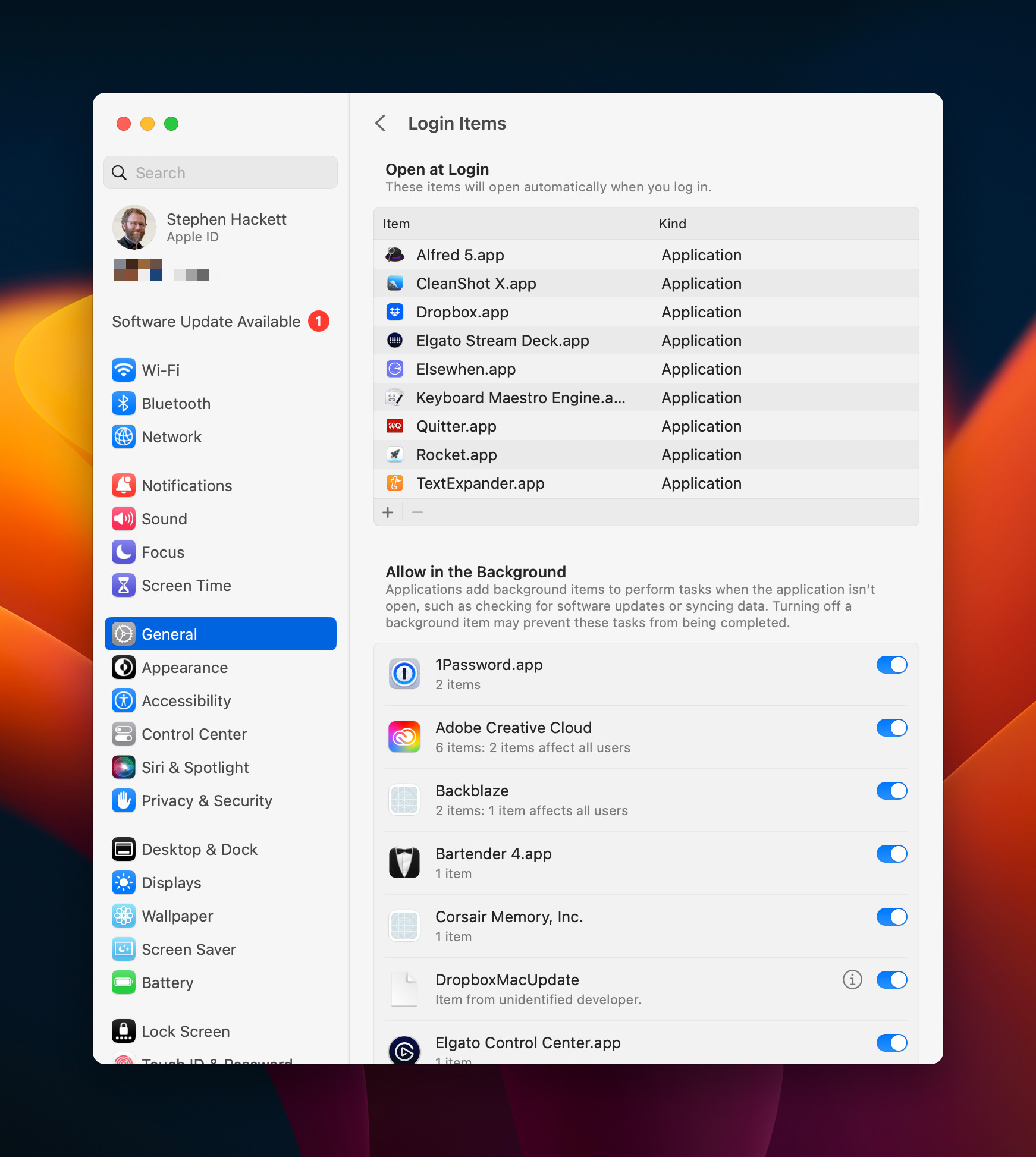
There was a time when the great majority of apps consisted of just an app bundle, created their own settings file in ~/Library/Preferences, and that was that. For various reasons, this became steadily more complicated, with some apps assembling arrays of files and folders in /Library/Application Support, and in recent years many apps have required helpers too. One common reason for this is that they need to perform certain functions with elevated privileges, such as root. To do that, they have become even more elaborate, with Login Items, property lists installed in folders like /Library/LaunchAgents, and more. This article explains how Ventura is trying to make things simpler again.

We spoke about this recently on Mac Power Users. While the new system attempts to give users more control over what’s happening on their Macs, I can’t help but think the UI for it is too confusing for most users:

Login Items in macOS Ventura

Microsoft Blesses Parallels as Official Way to Run Windows on Apple Silicon Macs

Andrew Cunningham, writing at Ars Technica:

In the absence of a version of Boot Camp that runs on Apple Silicon Macs, the best way to run Windows on them has been to use a virtualization app like Parallels or (more recently) VMware Fusion. The problem is that, until now, the Arm version of Windows that runs on Apple Silicon Macs hasn’t technically been allowed to run on anything other than Arm PCs that come with it due to Microsoft’s licensing restrictions.

These licensing problems haven’t technically stopped people from running the Arm version of Windows on other hardware, including Apple Silicon Macs and the Raspberry Pi, but it could be more of an issue for IT managers who wanted to deploy Windows on Macs without worrying about legal liability.

Today, Microsoft is formally blessing Parallels as a way to run the Professional and Enterprise versions of Windows 11 on Apple Silicon Macs. Windows running under Parallels has some limitations—no support for DirectX 12 or newer OpenGL versions, no support for the Linux or Android subsystems, and a few missing security features. But it can run Arm-native Windows apps as well as 32- and 64-bit x86 apps thanks to Windows 11’s code translation features; pretty much anything that isn’t a game should run tolerably well, given the speed of Apple’s M1 and M2 chip families.

It’s good to see this get official support from Microsoft, as running Windows was on of the last dominos to fall in the ability in just about everyone to switch to Apple silicon.

Kbase Article of the Week: Applications With Calendars Cannot Add March Events With Abbreviated Month Name

Apple Support:

You may experience difficulty when adding events for the month of March in applications with a calendar feature, such as Microsoft Entourage v. X. This occurs when the date region is set for Belgium, Italy, Netherlands, or Switzerland (Italian).

Note: This issue occurs any time you schedule an event for March, whether or not it is March when you attempt to schedule the event.

Report: 15-inch MacBook Air Coming Soon

Chance Miller, writing at 9to5Mac:

Apple’s highly-anticipated big-screen MacBook Air is nearing a launch, according to a new report. DSCC analyst Ross Young reports today that the 15.5-inch MacBook Air has started panel production this month, suggesting an “early April launch.” All I have to say is this: take my money.

Young, as well as Bloomberg, have previously reported on the possibility of a 15-inch MacBook Air. Bloomberg, in particular, previously pointed to a potential launch in the spring of this year. Ross Young then corroborated that spring 2023 launch back in December.

In a post to his Super Follows on Twitter today, seen by 9to5Mac, Young confirmed that this 15-inch MacBook Air is still on track for that spring release. “15.5-inch MacBook Air started panel production this month,” Young said. “We would expect an early April launch.”

Makes sense to me!

Sponsor: Boom 2

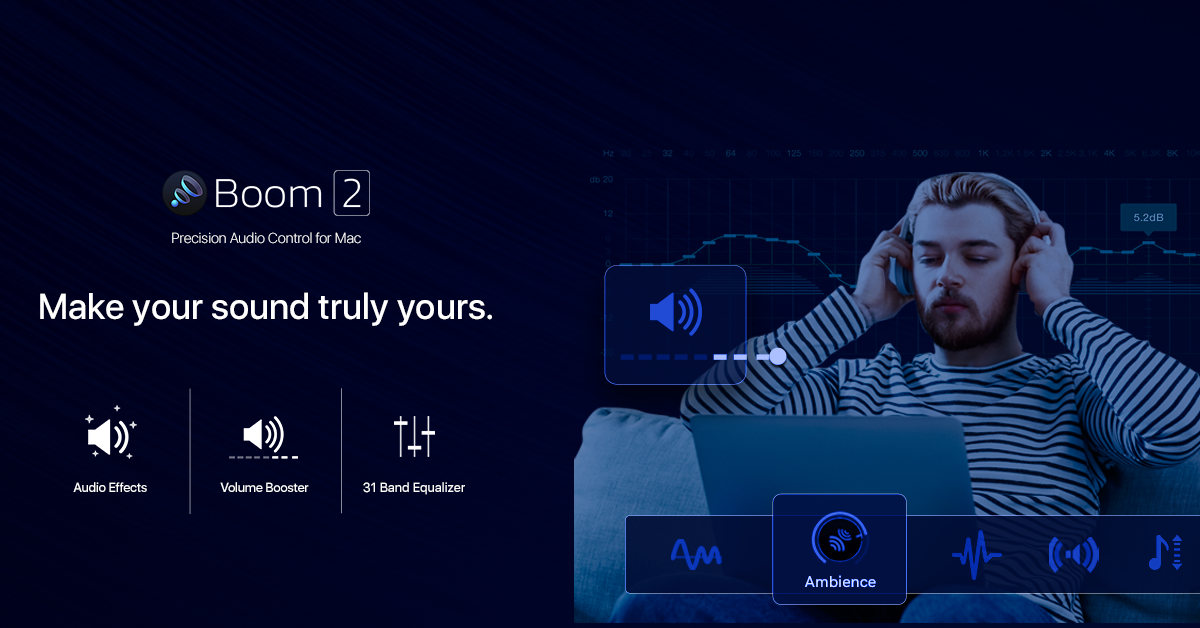
Boom 2 is a professional audio app that transforms the sound quality of your Mac. With its cutting-edge 31-band equalizer with 20dB Gain Control, Volume Booster, and unique Audio Effects, it offers a personalized and unmatched audio experience.

The 31-band equalizer gives you complete control to adjust every detail of your audio and craft the perfect sound. At the same time, the volume booster takes your audio to new heights, increasing the volume beyond your system’s limits.
Boom 2

Boom 2’s audio effects, including ambient sound, increased fidelity, and pitch shift, breathe new life into your audio. Additionally, the stereo sound control feature allows you to increase the width of the stereo field and adjust the balance of the left and right channels with ease.

The app also offers sample rate control, file boosting, and wireless control through the ‘Boom Remote’ app installed on your iPhone or iPad.

“Boom remains a must-have utility for me on my Mac laptop, and its improvements make it all the better.” – Serenity Caldwell, iMore

“It truly feels right at home on Apple’s new OS, almost like Apple designed it.” – Owen Williams, The Next Web

Enjoy the best listening experience on your Mac with Boom 2. Try it for free today!
Second Russian Ship Springs Leak at ISS

Eric Berger, writing at Ars Technica:

Russia’s state-owned space corporation, Roscosmos, reported Saturday that a Progress supply ship attached to the International Space Station has lost pressure in its external cooling system.

In its statement, Roscosmos said there was no threat to the seven crew members on board the orbiting laboratory. NASA, too, said the hatch between the Progress MS-21 vehicle and the space station was open. Notably, the incident with the supply ship came within hours of the safe docking of another Progress ship, MS-22, which is in good health.