
When it first went up, Issues were apparently open on the repo. There were some very funny things in there that have now been deleted, but as of this writing, this one remains, as does one requesting a printed version of the repository.
512 Pixels
GM to Drop Android Auto, CarPlay Support from Future EVs ⇢
Jonathan Gitlin, writing at Ars about a huge mistake GM is about to make:
In surprising car news today, we’ve learned that General Motors is planning to drop support for both Apple CarPlay and Android Auto from new electric vehicles it plans to launch in the next few years. The decision won’t affect any GM vehicles already on the market, nor will it apply to gasoline- or diesel-powered GM vehicles in the coming years—just EVs.
“As we scale our EVs and launch our Ultifi software platform, we can do more than ever before with in-vehicle technologies and over-the-air updates. All of this is allowing us to constantly improve the customer experience we can offer across our brands,” said Edward Kummer, GM’s chief digital officer.
GM told Ars that it’s moving away from phone projection to offer customers a more integrated solution that sees Google Maps, Google Assistant, Audible, Spotify, and other applications run natively on its cars’ infotainment systems.
I don’t plan on ever purchasing a car without CarPlay again. I suspect a lot of folks feel the same way.
The White House Won’t Chip in for Twitter Verification ⇢
The White House will not pay to have its staff’s official Twitter profiles continue to be verified, according to guidance issued to staffers via an email obtained by Axios.
Official White House staffers rely on their verified accounts to inform the public on behalf of the administration. Verification, combined with the designated Twitter profiles, helped to ensure the public could trust those messages.
“It is our understanding that Twitter Blue does not provide person-level verification as a service. Thus, a blue check mark will now simply serve as a verification that the account is a paid user,” White House director of digital strategy Rob Flaherty told staffers in an email sent Friday afternoon.
Under the current scheme, official government accounts carry a gray check mark, media outlets and companies get gold ones and suckers get to show a blue one, perhaps optionally.
I expect mine will go away very soon.
Connected #443: You Don’t Deserve Me at 3x ⇢
This week’s Connected is JAM PACKED with stuff:
WWDC 2023 was announced about 60 seconds after the guys started recording. After booking their travel, Myke, Federico and Stephen regroup to discuss a possible iPhone Action Button, how people use Shazam, iOS 16.4 and more. They also honor the work of Alex Hay.
If you Federico, Myke or I at WWDC, we may be cosplaying as Michael Fassbender as Steve Jobs.
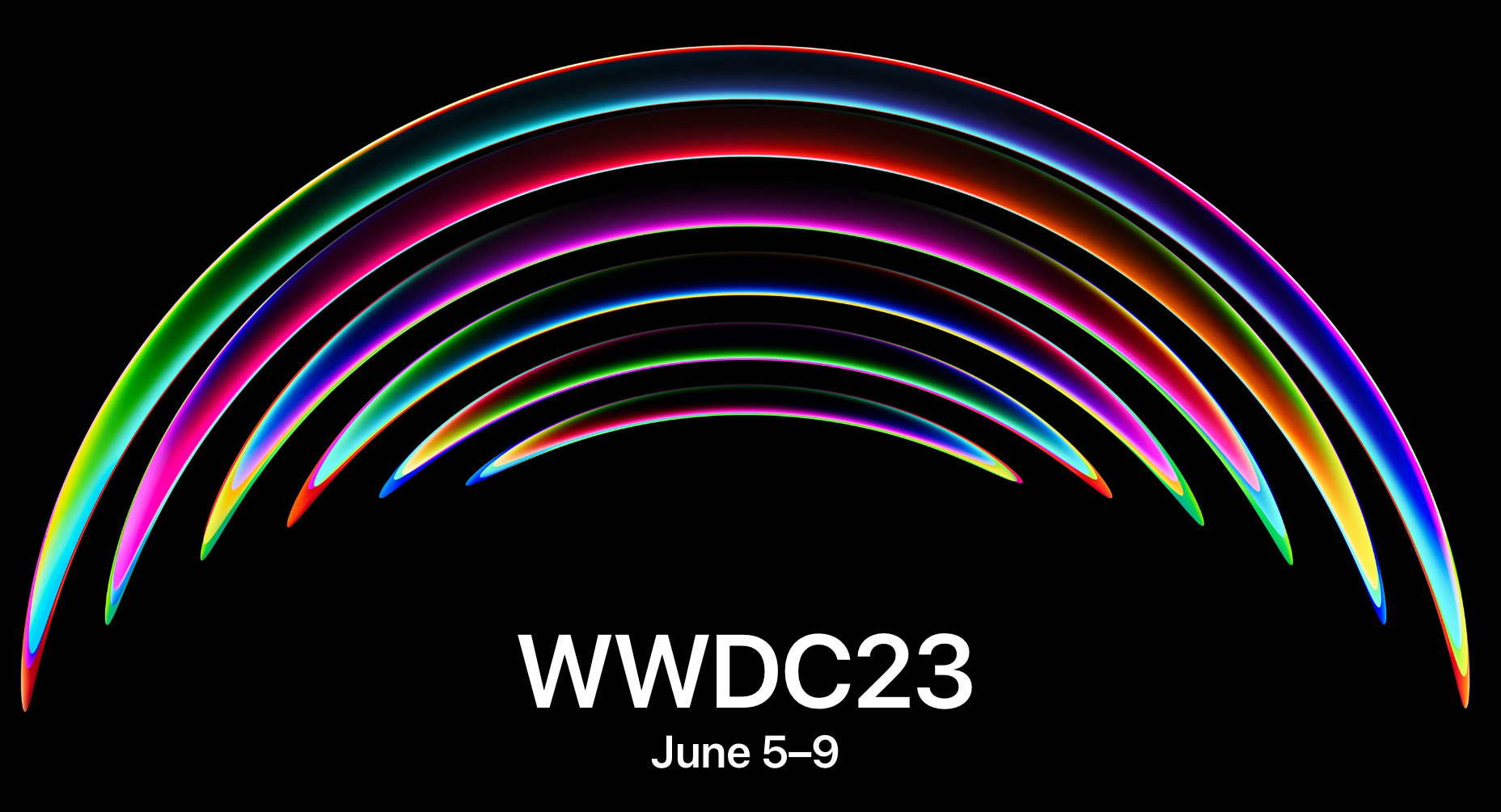
WWDC23 is June 5-9 ⇢
Like last year, Apple will have a small group of folks in person at Apple Park. See you there!
There’s an App for That... Unless You’re Apple’s Passwords Feature ⇢
We all know that Apple has nice built-in password management in macOS and iOS. But very, very few people know that Apple’s passwords can also:
- Autofill any 2FA verification codes, which you easily can add by scanning QR codes!
- Keep a “Notes” field where you can add extra data, like 2FA backup codes, for each password!
- Import passwords exported from another app, like 1Password! (And it all syncs across your devices, for free?!)
Very few people know these things because Apple tucks all of their important password features away in weird little Settings panels, instead of in a Proper Real App. I think this is a mistake.
Kbase Article of the Week: Apple Music Classical ⇢
With the Apple Music Classical app, you can access the world’s largest classical music catalog.1 Search by composer, work, conductor, and more to quickly find any recording. Explore composers, periods, instruments, and more through curated playlists and composer biographies. Get detailed information about what youʼre listening to. And access more features for listening to classical music.
Apple Music Classical is included with an individual, student, or family subscription to Apple Music and is currently available only on iPhone.
-
Editor’s Note: Except on an iPad (unless you use the iPhone app), Mac or in CarPlay. ↩︎
TRAPPIST-1 b is Not a Very Nice Place ⇢
With the James Webb Space Telescope’s ability to detect and study the atmospheres of distant planets orbiting other stars, exoplanet enthusiasts have been anticipating JWST’s first data on some of the worlds in the famous TRAPPIST-1 system. This is the system where seven Earth-sized worlds are orbiting a red dwarf star, with several in the habitable zone.
Today, a new study was released on the innermost planet in the system, TRAPPIST-1 b. The authors of the study were quite frank: this world very likely has no atmosphere at all. Additionally, the conditions there for possible life as we know it only get worse from there.
Sponsor: SoundSource from Rogue Amoeba ⇢
If you use audio on your Mac, in any way at all, SoundSource is for you. SoundSource lives in your menu bar, and gives you superior control over all your audio.
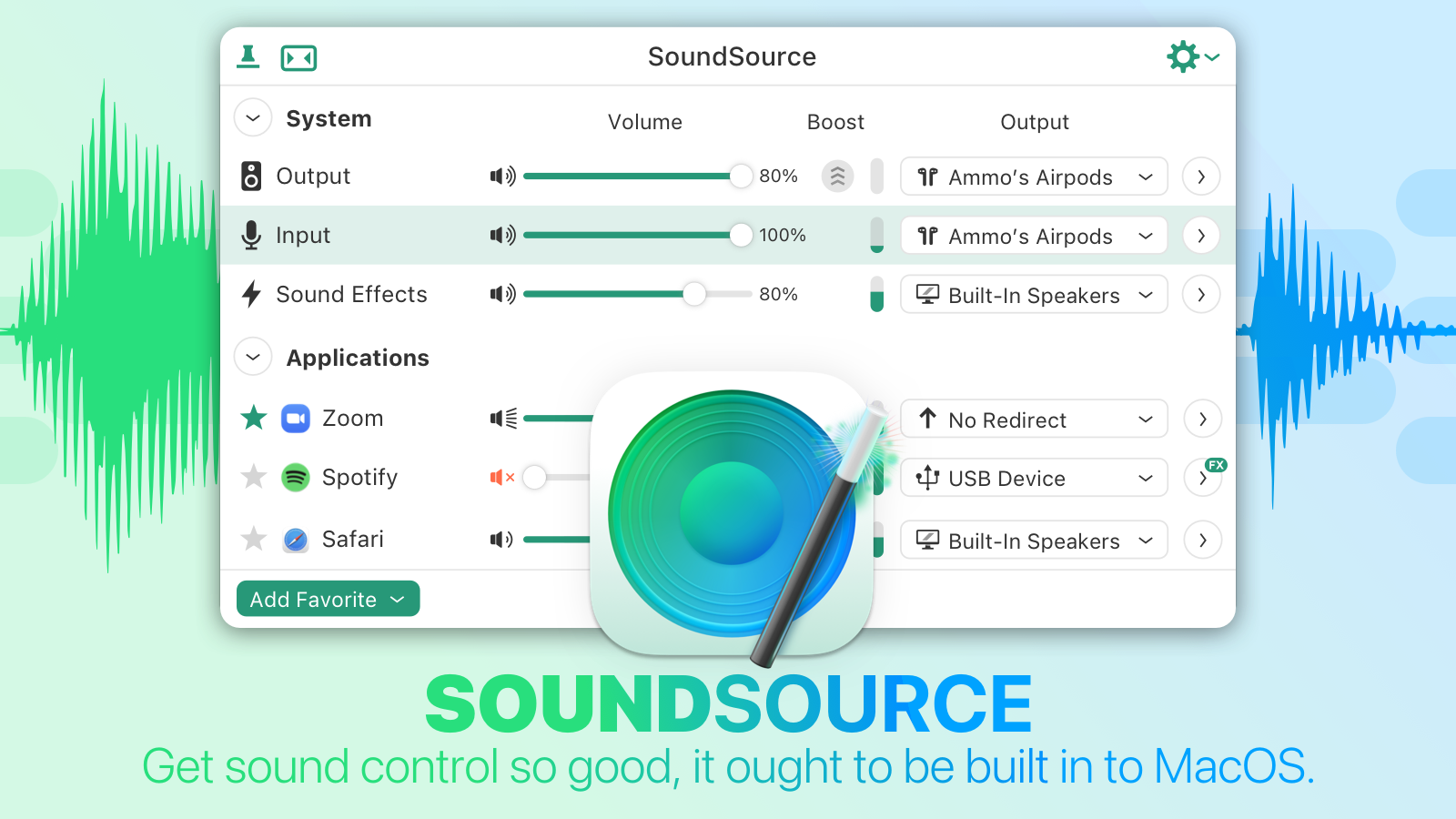 Per-application control: Change the volume of any app relative to others, and play individual apps to different audio devices.
Audio effects, anywhere: SoundSource has great built-in effects, like Magic Boost and Volume Overdrive features, as well as a built-in 10-band equalizer to sweeten sound. Advanced users will love the ability to apply Audio Units to any audio.
Fast device access: Adust settings for your Mac’s Output, Input, and Sound Effects audio devices, instantly. Change levels, tweak the balance, and even switch sample rates, right from the menu bar. You may never need to open the Sound System Preference again!
And oh yeah, SoundSource has Shortcuts support too. Automate your usage of not just SoundSource, but many of your Mac’s audio device settings. If you’ve ever wished you could automate the controls found in macOS’s Sound System Preferences and Audio MIDI Setup app, the new Shortcut support in SoundSource is for you.
Download the free SoundSource trial, then purchase today. Through the end of April, 512 Pixels readers can save $10 with coupon code 512SSTEN.
Three Thoughts Spurred by a Random iOS 5 Screenshot
I recently found a screenshot of the App Store running on iOS 5 hanging out in my Dropbox1 and I had things came to mind.
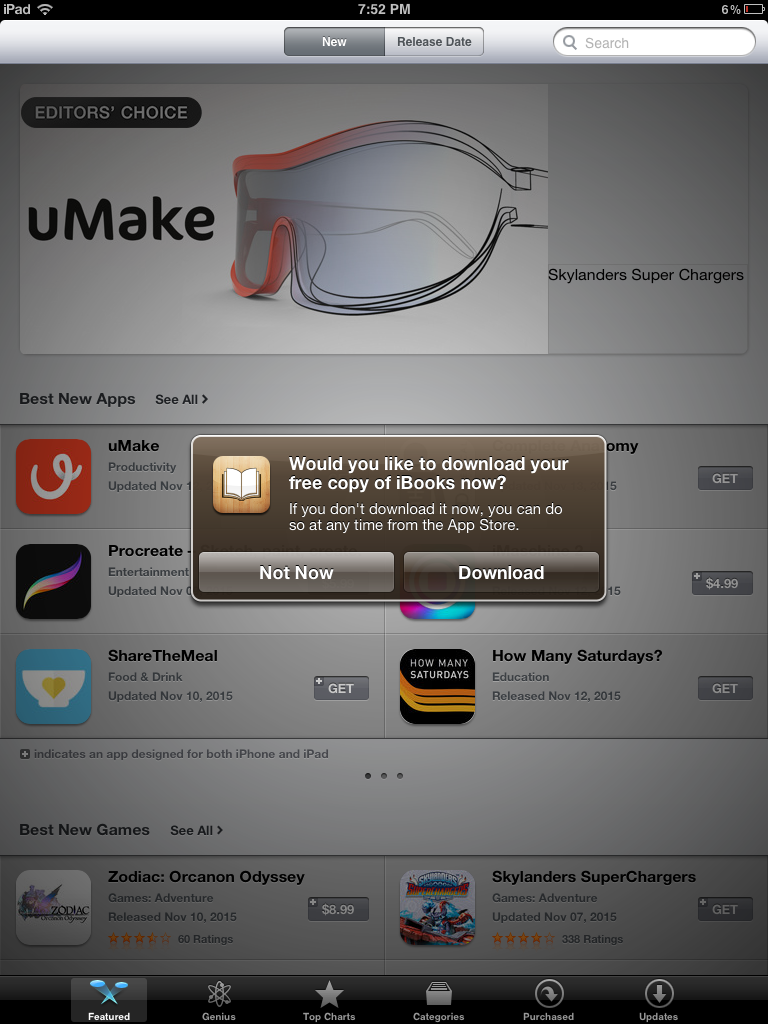
- iBooks wasn’t part of a clean iOS install until iOS 8.
- Apple pushing its services with annoying notifications isn’t anything new.
- We need more brown UI elements in our lives.
-
If I had to guess, I bet I made this screenshot when working on this MacStories piece. ↩︎
Mac Power Users #685: Fighting Digital Distractions ⇢
Between news apps, delivery services, task managers, emails and communication tools, our devices receive an untold number of notifications daily. On this week’s Mac Power Users, David and I talk about how to push back against the wave of interruptions that threaten our focus and work.
My New Favorite Old, Busted Page on Apple’s Website
I put this on Mastodon yesterday, but wanted to share it here, too:
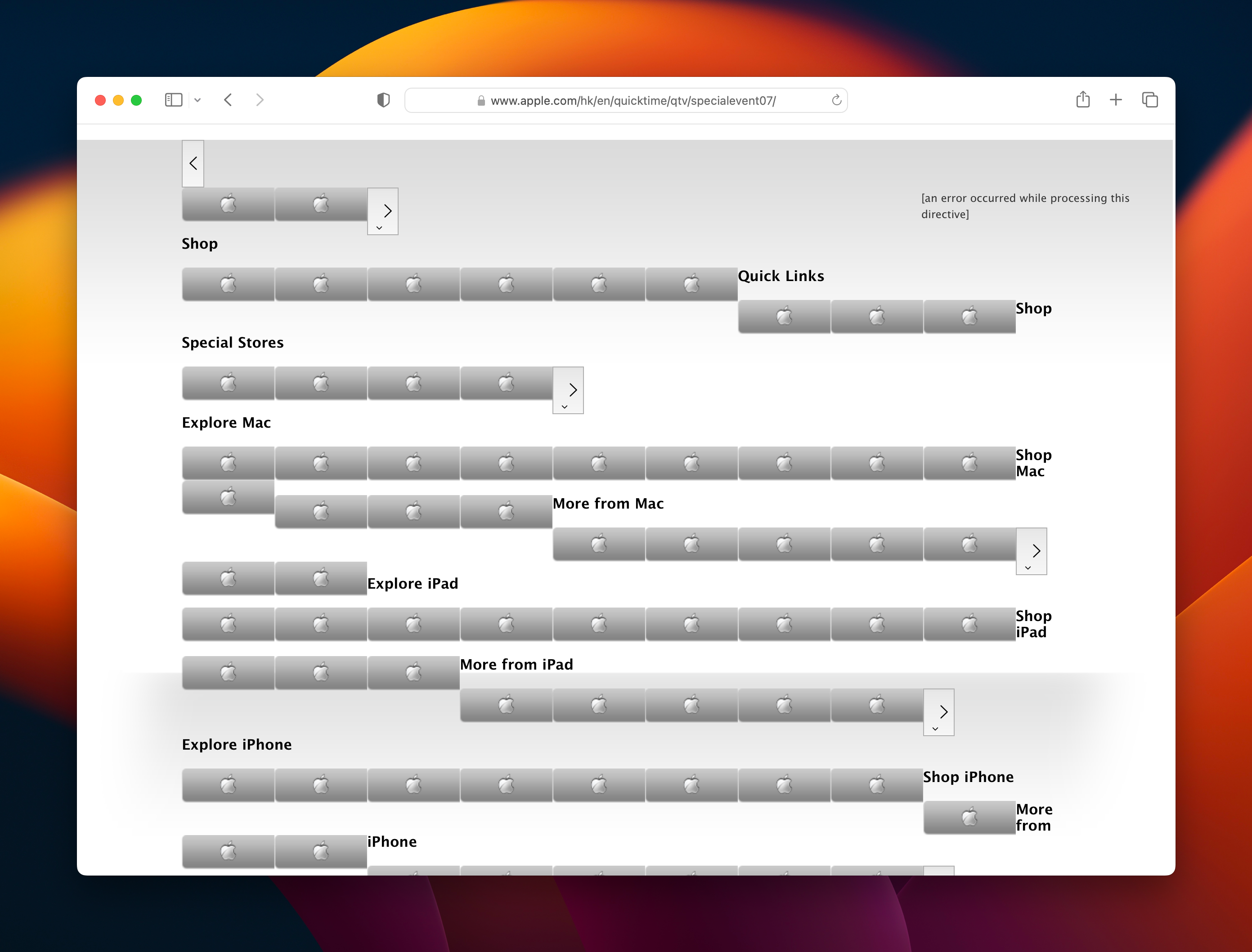
I came across this page when working on the next Apple History calendar, and it really made me chuckle. I’ve got an image of the whole thing saved here for all time.
