Apple has shared more details about its live WWDC event next month and 1Password 8 has arrived on the Mac. After those topics, the guys perform an exit interview for iOS 15.
On Connected Pro, I get philosophical about the line between software and services, while Myke and Federico talk about Furbies and Beanie Babies.
We’re hosting a special all-day experience at Apple Park on June 6 to kick off WWDC22. Gather with others in the developer community to watch the keynote and State of the Union videos alongside Apple engineers and experts, explore the all-new Developer Center, and so much more. We can’t wait to connect in person.
Attending this event is free and open to members of the Apple Developer Program and Apple Developer Enterprise Program. Invitations will be allocated through a random selection process and are non-transferrable.
Submit your request May 9 at 9:00 a.m. PT to May 11 at 9:00 a.m. PT. You’ll be notified of your status by May 12 at 6:00 p.m. PT.
After a long beta period, 1Password 8 for Mac is out today. The new version brings with it a new design, the ability to group vaults together in custom Collections and support for SSH keys.
Nearly two decades ago we set out to create the most complete and deeply integrated password manager for Mac users. And today we’re thrilled to announce a new feature that raises that bar: you can now fill anywhere on your Mac using ⌘.
This is actually real! 1Password can now fill into Mac apps like Zoom, Spotify, and the App Store, and also other places like Terminal and system prompts.
We leverage the incredible accessibility frameworks provided by Apple to analyze the app structure. We then use the same brain that powers 1Password in your browser to accurately and securely fill fields and log you in.
Universal Autofill handles everything for you, including one-time 2FA codes. It even presses the Enter key for you.
In short, it exposes 1Password information from anywhere within macOS. It cuts the need for copying from 1Password and pasting into other applications way, way down.
I’ve been running the beta on my Macs for quite a while and have been happy with the new release.1 Not everyone will be, however. As outlined in this support document, 1Password 8 requires a 1Password membership; local vault support is a thing of the past. I have been using 1Password for Teams at work and 1Password for Families at home, so this doesn’t change how I use — or pay for — the product, but I’ve heard form folks who don’t like this change.
Then there’s the fact that the Mac app is not built using traditional Mac technologies, but rather uses Electron with its back-end using Rust. 1Password says this will let them keep the product more consistent across a range of platforms. I honestly do not really care about this change. Sure, 1Password 8 feels a little less native than it would otherwise, but I think the team has done a good job overall with how the app behaves on macOS. The truth is that most people don’t know anything about the technology used to build apps. 1Password is still the best password manager on the market in my book, Electron or not. I think the debate is mostly silly anyway.
All in all, 1Password 8 brings with it some nice new features, and I am happy to keep 1Password in the same spot in my Dock it has occupied for years.
Disclosure: 1Password is an on-going sponsor of my podcast Mac Power Users. While they pay me to read ads on the show, this blog post is not part of any campaign or partnership I have with them. I pay full price for my 1Password accounts and the folks at 1Password are reading this blog post at the same time you are. ↩
Is there a product that converts Lisa documents to Macintosh format?
You need the Lisa to Macintosh Migration Kit, available from Sun Remarketing. It converts LisaDraw, LisaWrite, LisaProject, and LisaCalc files to their Macintosh counterparts.
Stephen and David sort through listener feedback, revisiting topics such as Preview.app, time tracking and their own Apple silicon experiences. Oh, and the person who took a Mac Pro to the coffee shop to get some work done on the go.
“It was on a rainy April night in 2002 when Christian and Eric let DEVONthink 1.0 see the light of the internet for the first time…” But no worries, we won’t bore you with the whole history of DEVONthink from the days when its brain-in-a-fishglass only knew very few document types to the excavation of the ammonite that became its logo and to where we are now. Fact is, this month we are celebrating its 20th anniversary.
To celebrate, DEVONthink is on sale this weekend. It’s a fantastic time to check it out. I’ve got 136 GB of technology history resources in DEVONthink and it’s critical to my work when diving into old computer stuff.
Here in April 2022, we’re enjoying a rare treat for us Mac nerds — an entirely new Mac desktop.
Beyond the Mac Studio, we’ve had the iMac Pro, the Mac mini, and of course, a couple of different attempts at the Mac Pro.
But 20 years ago, there was another — the eMac G4.
In April 2002, the iMac G4 was basically brand-new, and while there was technically still an iMac G3 on sale, Apple wanted to do something new for its education customers that had purchased so many iMacs over the previous few years.
Those customers weren’t thrilled with the new iMac’s higher price point and beatiful-but-probably-too-fragile-for-schools design.
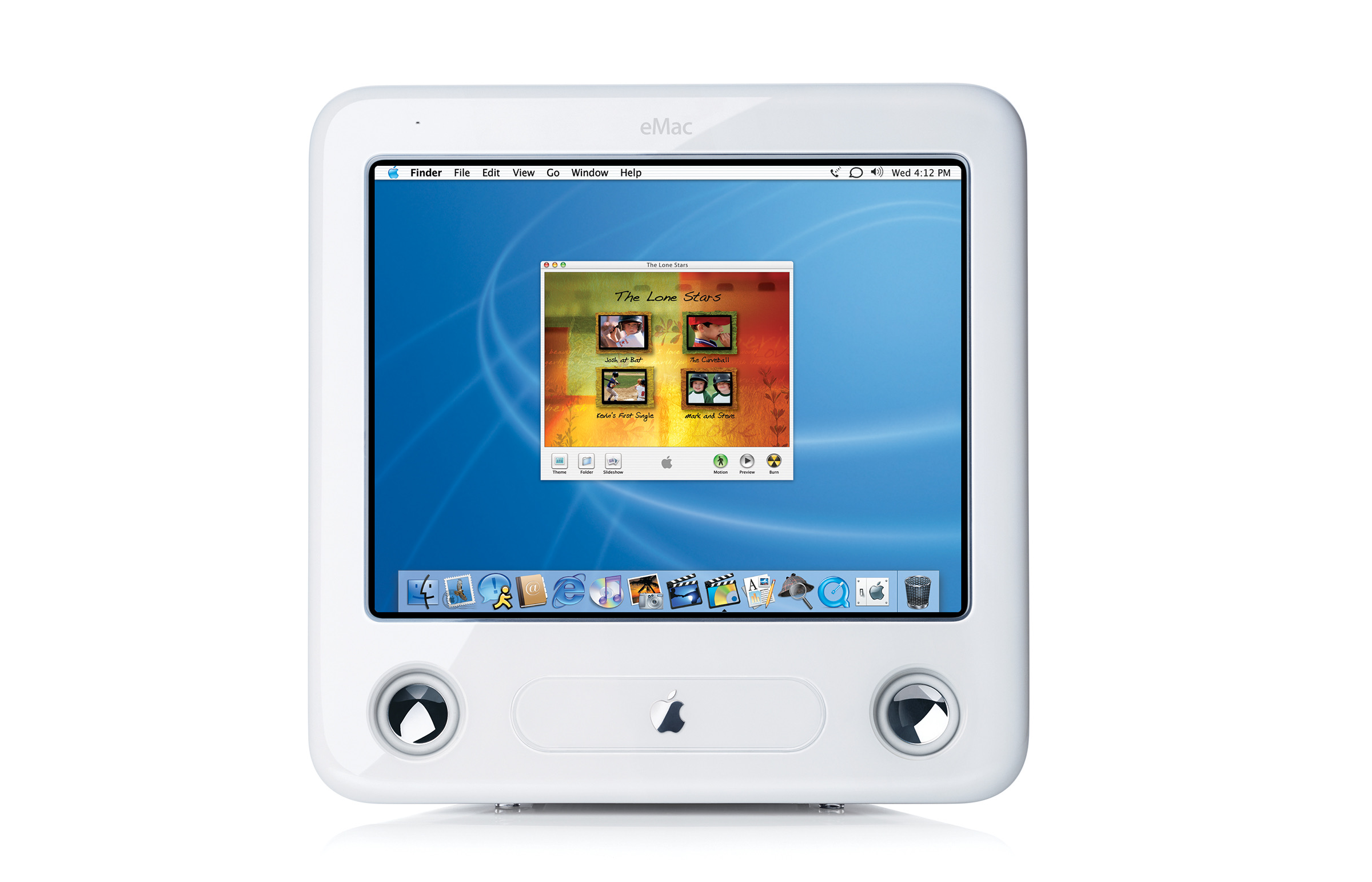
The eMac G4 was the answer. Like the iMac G3, it was an all-in-one, but built around a larger 17-inch CRT.
While the recipe was the same, all the ingredients were upgraded. At the heart of the machine was a G4, making the bundled applications like iPhoto, iMovie, iTunes and AppleWorks fly. I/O was also improved, with a total of 5 USB ports and 2 FireWire ports.
The whole thing was wrapped in a white plastic enclosure, complete with a large fan, something that wasn’t present in the iMac G3 this replaced. Up front, a tray-load optical drive was flanked by a set of speakers, but gone were the headphone jacks that adorned the front of the iMac. Clearly the design was cut from the same chunky cloth.
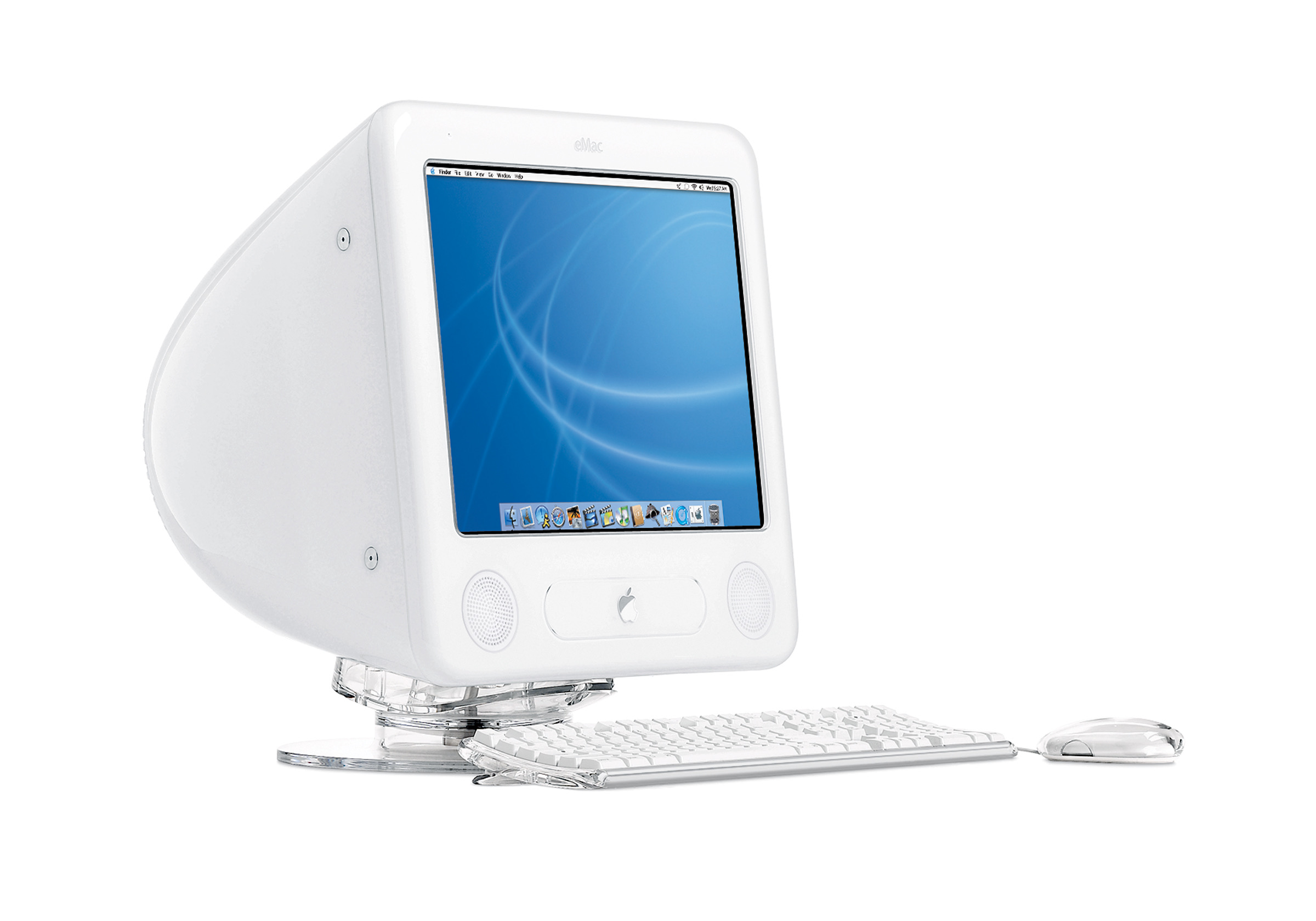
It came with Apple’s update white keyboard and Pro mouse, and could be used with an optional $49 clear acrylic stand to lift it up off the desk and provide tilt and swivel adjustment.
Here you can see the optional stand, paired with the standard keyboard and mouse. Also note the white grilles that were added to protect the speakers. On the original model, the speakers were left in the open, in danger of being poked by students.
The 50-pound eMac itself started at just $999, and seemed to check all the boxes it needed to for Apple’s education customers.
In fact, people beyond schools were interested, so in June 2002, Apple announced that the eMac would be available to all customers, not just those in the education market. Here’s a quote from Steve Jobs in the press release:
Consumers have pounded on the table demanding to buy the eMac, and we agree. The eMac’s production ramp is ahead of schedule, so we’ll have enough eMacs this quarter to satisfy both our education and non-education customers.
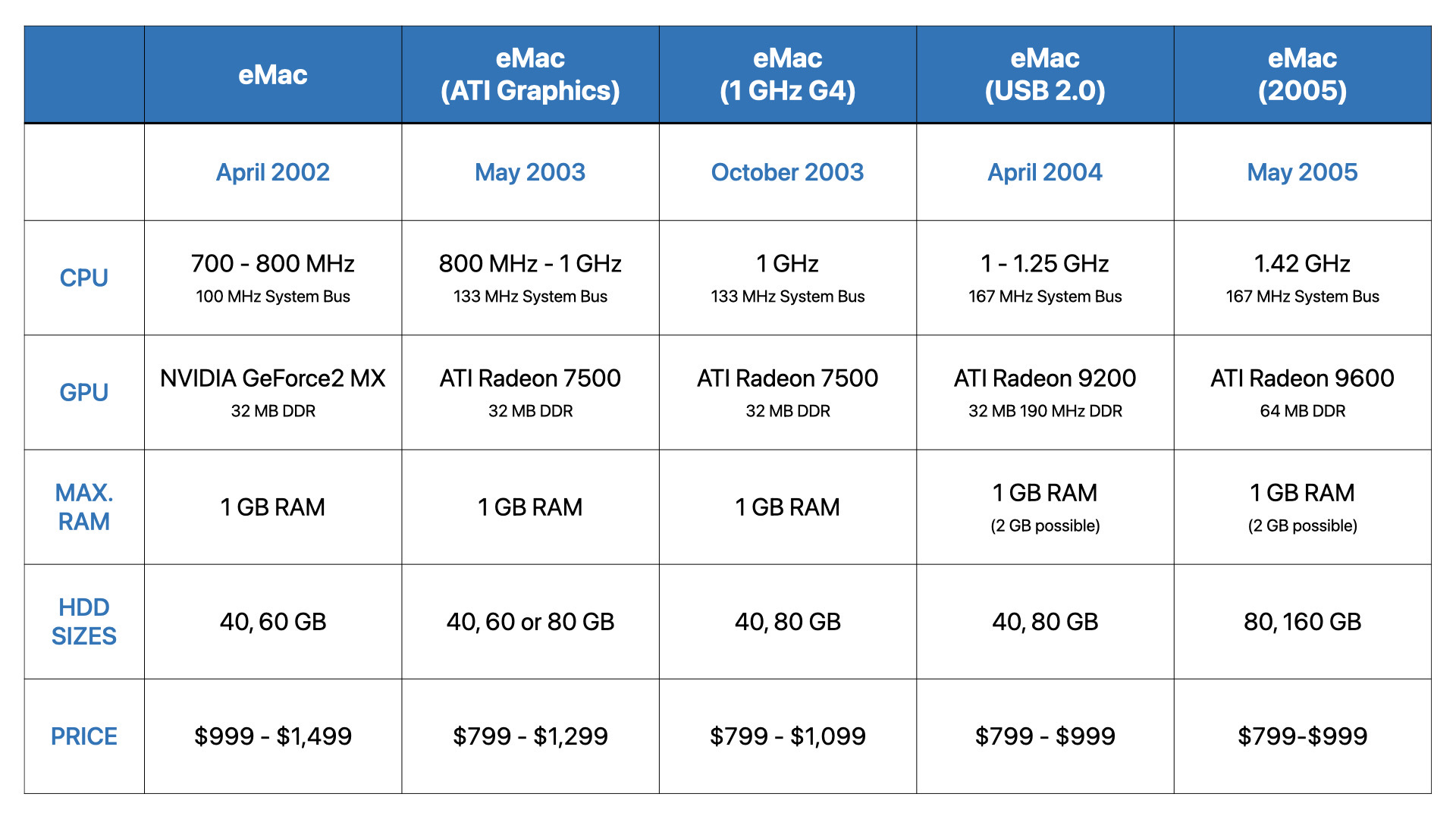
When considering this machine, you may be tempted to think that Apple would be content to let models age, but the company upgraded the eMac several times. In fact, there were five generations of eMac over just three years. The machine got faster CPUs, going from a 700 MHz G4 in the first model to eventually topping out at 1.42 GHz. Likewise, the eMac’s GPU improved over the years, and the machine even ended up with USB 2.0 by the end.
At the same time, Apple was able to bring the starting price down to $799, some $600 cheaper than an entry-level iMac G4 at the time.
In the fall of 2005, Apple pulled the plug on the eMac. At that point, the iMac G5 has been out for a year, and it was clear the time had come for CRT-based Macs. Apple replaced it with a low-end iMac specced for education, marking the end of the CRT era.
On Thursday, Apple announced its results for the second quarter of its 2022 fiscal year. It was a March quarter record of $97.3 billion in revenue, with all-time quarterly records for iPhone, Mac, and Wearables sales.
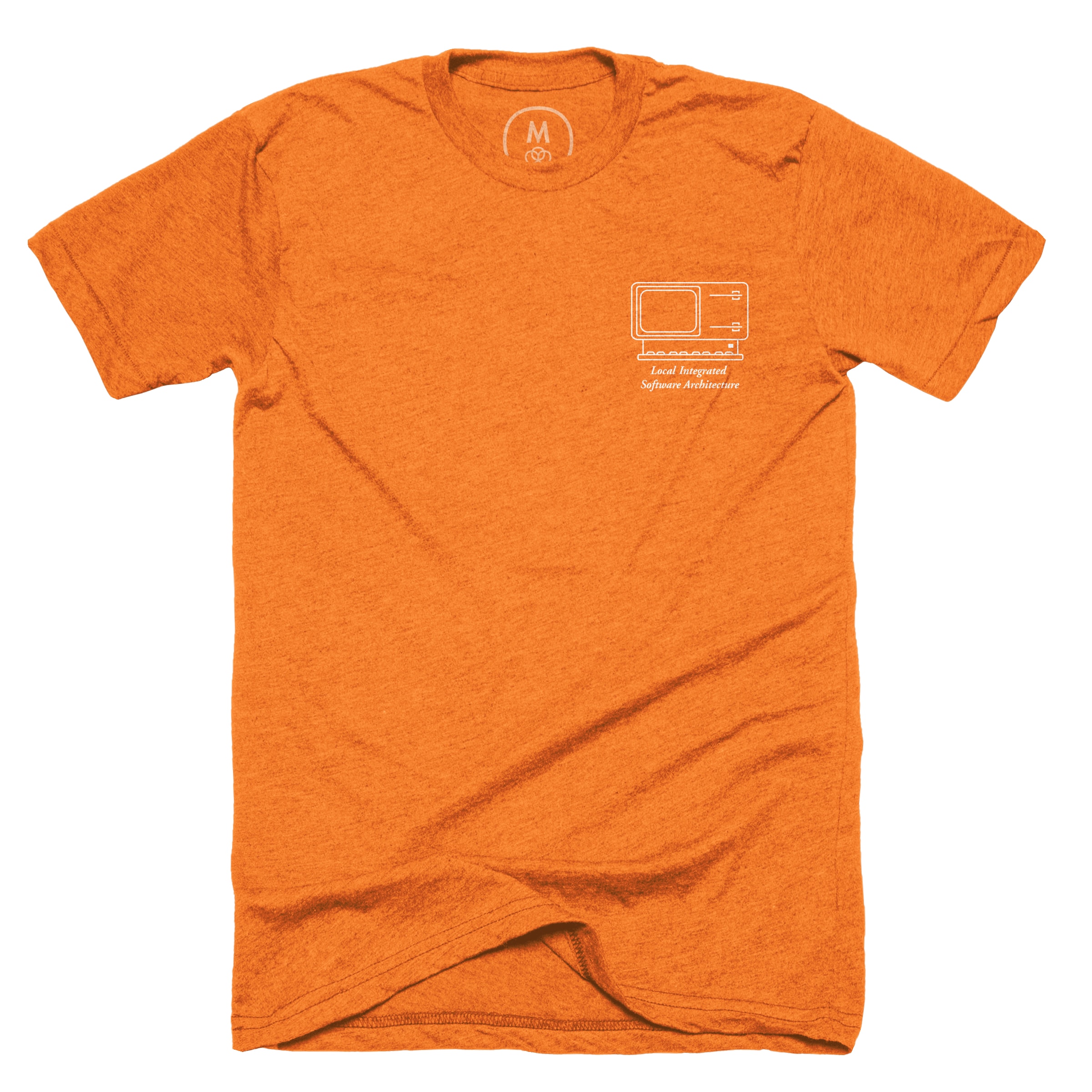
It’s been a couple of years since there’s been a 512 Pixels t-shirt, so I wanted to do something special this time. In looking through some materials, the Lisa jumped to mind, so here we are:
According to sources there at the time, Steve Jobs insisted that the computer’s name was not in honor of his daughter, so “Local Integrated Software Architecture” was the official line. Others joked that it meant “Let’s Invent Some Acronym.”
(Obviously, the machine was named for Jobs’ daughter Lisa. He was a bit of a jerk back then.)
Regardless of its name, the LISA would be a hugely important step in the direction of the Macintosh, even if it did end up being a bit of a flop. If you want to learn a lot more about the machine, check out this column I wrote for MacStories.
As far as the shirt itself, it features a simple line drawing of the machine and includes its acronym, as you can see in the image above. At the bottom of this post is a gallery of colors the shirt is available in.
The guys revisit Apple Watch charging and trading in devices before jumping into Apple’s new Self Service Repair program and Elon Musk’s purchase of Twitter.
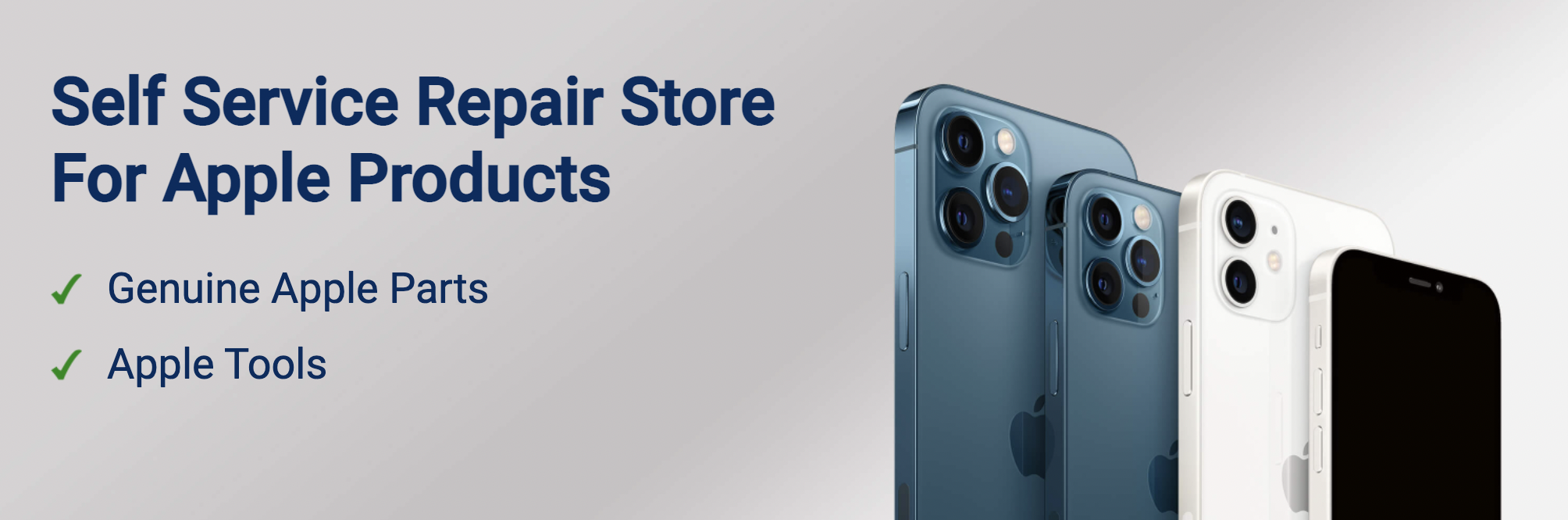
This morning, Apple announced the opening of its Self Service Repair Store:
The new online store offers more than 200 individual parts and tools, enabling customers who are experienced with the complexities of repairing electronic devices to complete repairs on the iPhone 12 and iPhone 13 lineups and iPhone SE (3rd generation), such as the display, battery, and camera. Later this year the program will also include manuals, parts, and tools to perform repairs on Mac computers with Apple silicon.
The parts available are the same components, at the same prices, that Apple sells to authorized repair providers. Likewise, the tools are the same. The latter can be rented for $49 if a user doesn’t want to pay more and end up owning some tools they may not ever need again.
The manuals needed for repairs are published on Apple’s support website but the Self Service Repair store can be found at selfservicerepair.com I was expecting these parts to be sold on Apple’s website, but the company has decided to spin this secondary website up for purchasing parts and tools.
The site is decidedly different from Apple’s own. The design is basic and feels pretty cheap.
(When’s the last time you saw Apple use Roboto for a typeface?)
The Self Serve Repair Store is run by a company named Service Parts or Tools, Inc., or SPOT. According to the site’s privacy policy, SPOT is a separate company from Apple. That policy lists an email address using the servicepartsortools.com domain, but that domain is currently just parked.
Whois data for the domain points to a company in West Chester, PA named Communications Test Design. That company handles logistics for partners around the world, and my guess is that Apple hired CTDI to handle the Self Service Repair Store for it.
This doesn’t seem to be the first deal between Apple and CTDI, as the company seems to be involved in Apple’s trade-in program.
I don’t mind Apple outsourcing this; the company has partners for all sorts of things throughout its supply chain. However, I wish the parts and tools store looked and felt more official. When tweeting about this earlier this morning, I got a lot of replies along the lines of “I would have thought this website was fake if Apple hadn’t linked directly to it.”
I can’t really disagree with those assessments, and I worry that the site itself may turn some people off from tackling their own repairs. It’s easy to take a cynical approach to this and assume Apple is trying to dissuade people from doing their own repairs. I don’t believe that, but I understand why so many people landed on that conclusion.
At the end of the day, this is good news. Being able to repair your own devices should be par for the course, and this is a big step toward that end. Using official Apple parts and manuals to repair an iPhone — without voiding its warranty — empowers consumers in a new way. I’m excited this has finally launched, and can’t wait to see what sort of Mac components end up on the store in the future.
If your Mac mini with OS X Server has two built-in drives, you can follow these steps to create a software RAID volume (stripe or mirror). You can also install OS X Server on this RAID.