I mean what happens to Twitter’s share price if Musk dumps all his stock and tweets something like “I tried to help Twitter but the company is run by a bunch of bozos. I’m out.” That’s just 76 characters and I bet it would tank Twitter’s stock.
Sponsor: MarsEdit ⇢
MarsEdit is a Mac app for editing WordPress, Micro.blog and many other types of blogs.
Eliminate the friction of blogging with MarsEdit. Its native Mac interface makes writing, publishing, and editing your blog as delightful as everything else you do on your Mac.
MarsEdit supports editing posts in rich or plain text, and includes a preview window that updates instantly to show your writing exactly as it will appear on your blog. Are you a Markdown fan? MarsEdit can preview and automatically convert your Markdown to HTML as needed before publishing.
MarsEdit is used by top bloggers to maximize their productivity and enjoyment of blogging. It’s great for pros like John Gruber of Daring Fireball and yours truly, while also being simple enough to remove the mystery of blogging for everyday folks who just want to share their thoughts with the world.
In fact, this very post was published via MarsEdit:

Download MarsEdit today and see what all the hype is about. You’ll be a better blogger!
Mac Power Users #635: Workflows with Allison Sheridan ⇢
Allison Sheridan has been a Mac user since the very beginning and has been talking about Apple and its products since late 2005. She joins us on this week’s episode of MPU to talk about her experience with the platform, her use of diagramming in blog posts and much, much more.
On More Power Users, the longer and ad-free version of the show, I talked David through my initial impressions of my new Mac Studio.
The Windows 95 Launch Video ⇢
My pal Florence Ion, writing at Gizmodo:
I want to thank whatever stars aligned that surfaced this video of the Windows 95 launch event in my algorithm. While clips from the presentation have floated around online for decades, the full 90-minute keynote has been harder to track down. Uploaded this week by the angels over at the Blue OS Museum YouTube account, the complete presentation is an absolute time capsule of technology culture as it existed on Aug. 24, 1995. It also features some incredibly cringe moments, most of which stem from Jay Leno’s cheesy and problematic joke-telling.
Audio Hijack 4 ⇢
My thanks to Audio Hijack 4 for sponsoring 512 Pixels this week. If you record audio with macOS, it needs to be in your Dock. Version 4 brings lots of new goodies, including some powerful new automation tools. Check it out.
SF Menu Bar ⇢
Geoff Hackworth has a new Mac app that puts an SF Symbols picker right in your menu bar. Features include search, easy copying and more. If you work with SF Symbols, it looks well worth the $2.99.
Mac Pro Exit Review
Five years ago this week, we got news that the Mac Pro wasn’t dead, and more importantly, that Apple knew that it had lost the plot when it came to the Mac.
In the years since Apple has shipped both the iMac Pro and a new Mac Pro, but also a Retina MacBook Air and (eventually) notebooks with non-busted keyboards. The Mac mini was overhauled to be much more powerful. macOS got a new, fresh design and some amazing new features.
Oh, and the Apple silicon transition.
There’s no arguing that Apple has made good on its word to recommit itself to the Mac. Here in early 2022, there’s very little to complain about when it comes to the platform.
When I reflect back on this time period, I’ll always think of the 2019 Mac Pro first.
Its introduction was the first Apple keynote I was invited to attend. It was amazing to be in the room when this machine was introduced, and getting to see it in person later that day was a real highlight of the week.
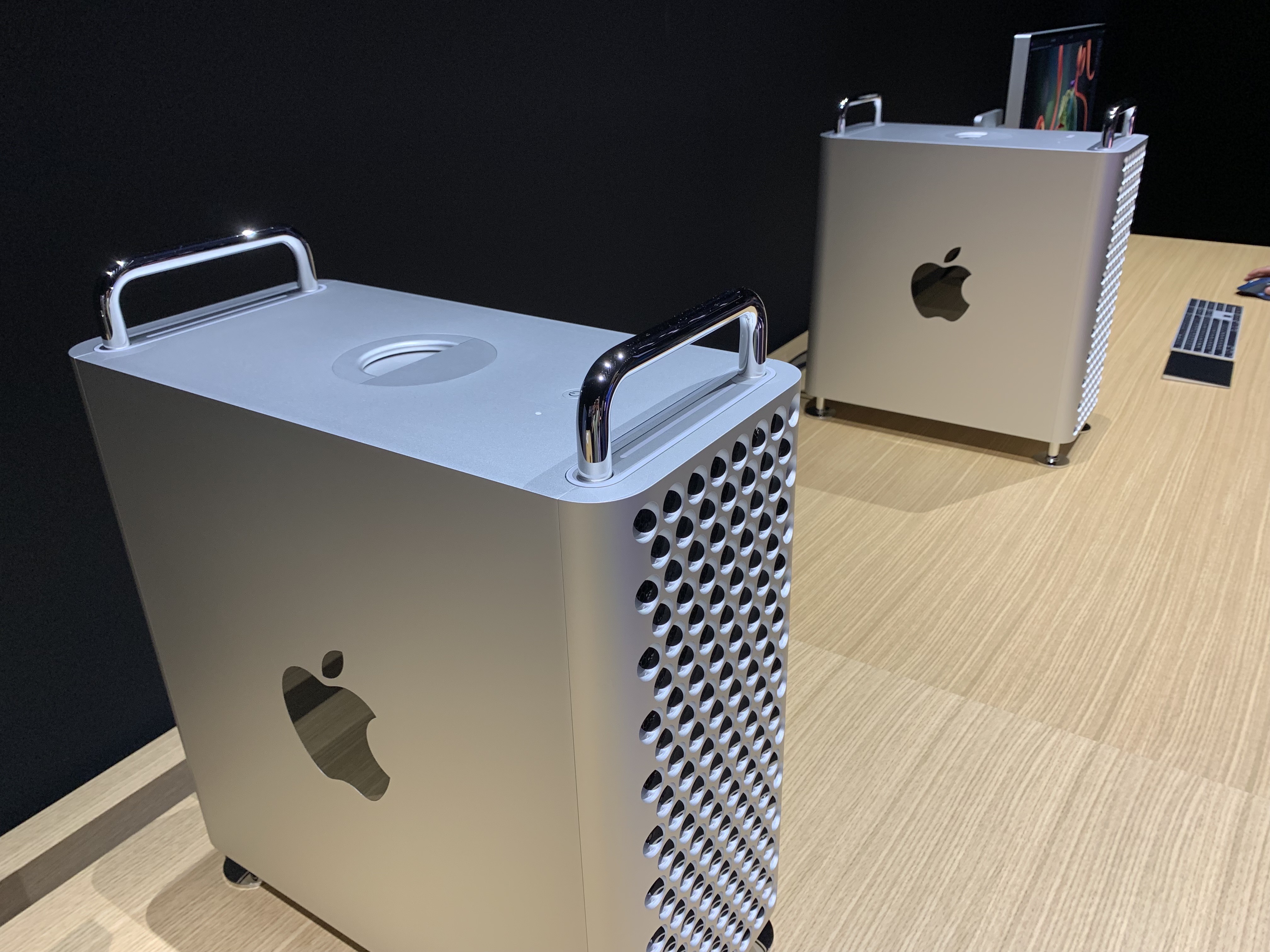
I was using an iMac Pro at this point, and if the Mac Pro had never come out — which was Apple’s original strategy, according to that roundtable event — I would have been very happy with that machine for years.
But the Mac Pro was real, and it was spectacular. As soon as I got home from WWDC, I started saving for one.
When orders opened in December 2019, I ordered a 12-core machine, and quickly got to customizing it.
Owning a Mac Pro had been a dream of mine for years, and having one running under my desk was a real treat. It was fast and silent, and never once left me stranded without my workstation. I produced hundreds of podcast episodes and dozens of videos on it. It had more than enough I/O for my needs, and its large chassis let me store way too many computer history documents inside, tucked away safe and sound on SSDs mounted via PCI cards.
However, like Power Mac G5 owners before me, I knew what I was getting into when I bought it. The 2019 Mac Pro was always going to be the pinnacle of the Intel era. I figured that whenever Apple switched to Arm, my very shiny and very expensive tower would be outgunned.
And that’s pretty much what happened. The M1 came out of the gate swinging, with its Pro, Max and Ultra variants making ground on the Mac Pro.
When the Mac Studio was introduced, I ordered one with an M1 Max inside. It is faster than my Mac Pro in almost every way, but takes up a lot less space in the PodCabin.
I didn’t sell my Mac Pro due to any fault of its own. It more than met my needs, which is why I didn’t spring for an M1 Ultra. I simply saw where the market was going on these machines and wanted to extract as much value as I could.1
Today, my Mac Pro is on its way to its new home. I fully believe it will go on to do great things for its new owner because Apple kept its promise five years ago. The 2019 Mac Pro was a truly great Mac.
I bet the new one will be, too.
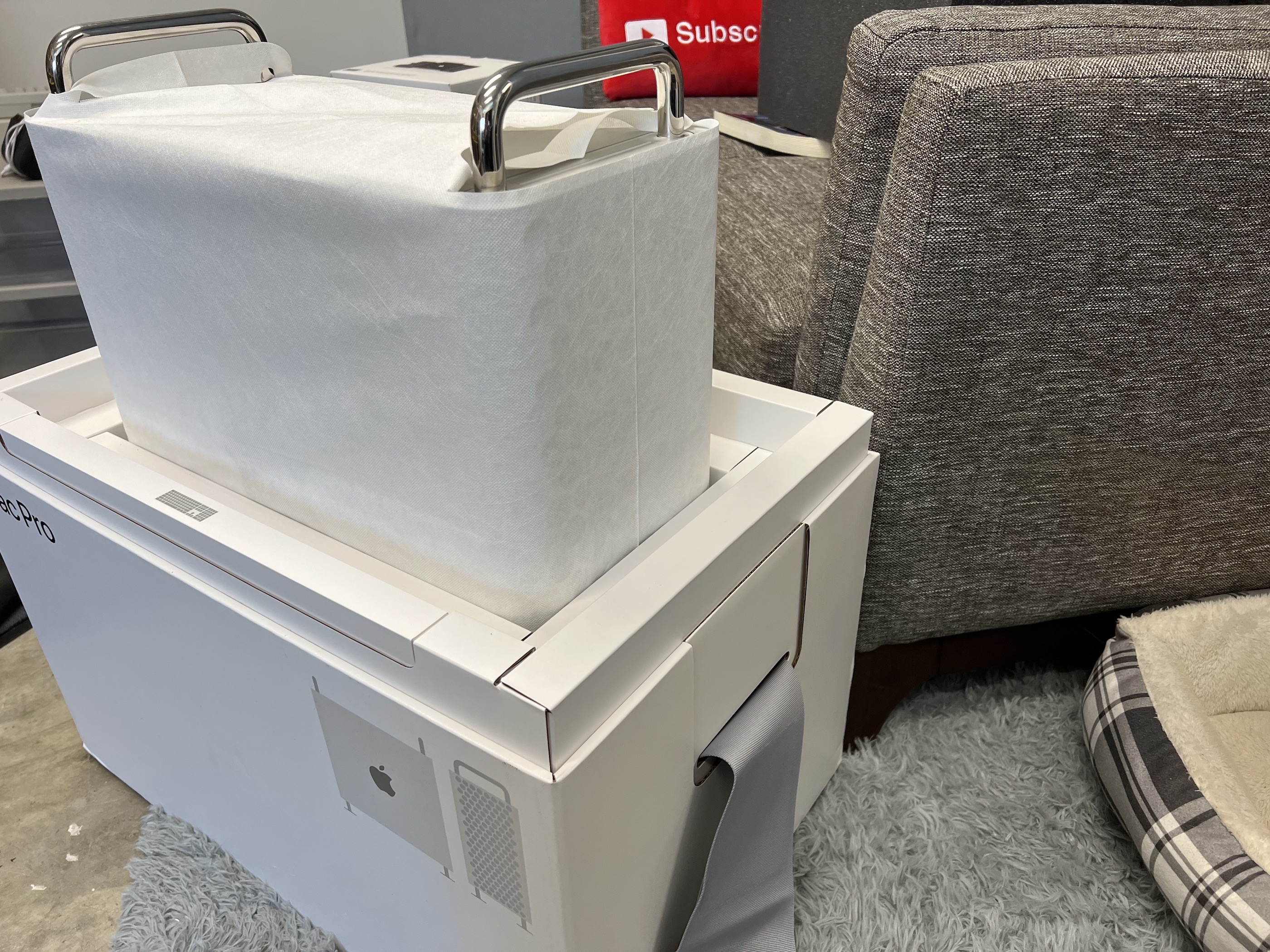
- I will be looking for one to add to my collection around 2032. ↩
Connected #392: That Looming Threat of an Identity Crisis ⇢
Some much-loved follow-up is discussed, as are the WWDC 2022 and Automation April announcements. Then, 2017’s Mac Roundtable is revisited and the guys design some new AirPods for Apple.
On Connected Pro, I made a phone call, Federico finished Elden Ring and Myke remembered what Mario Kart game he was thinking of last week.
512 Sponsorship Openings ⇢
Just a quick note that I have a handful of open weekly sponsorship spots coming up. After that, the calendar is almost booked solid for the rest of 2022. If you’re interested in sponsoring the site toward the end of April or in early May, please email me at stephen@hackett.fm.
WWDC 2022 Announced ⇢
Apple has announced this year’s WWDC. The annual event is taking place June 6-10.
Since 2020, WWDC has been fully virtual thanks to COVID. This year, Apple is dipping its toe into the water of having people back in person:
In addition to the online conference, Apple will host a special day for developers and students at Apple Park on June 6 to watch the keynote and State of the Union videos together, along with the online community. Space is limited and details on how to apply to attend will be provided soon.
Expect to see new versions of macOS, iOS, iPadOS, watchOS, etc. I’ve got my fingers crossed for more new Mac hardware as well, but we’ll see. The Mac Pro is all that’s left to make the move, and there’s lots of time left on the calendar this year for that machine to surface.
Kbase Article of the Week: LED Cinema Display (27-inch), LED Cinema Display (24-inch, Late 2008): About Headphone Sound Redirection ⇢
In certain situations, when you plug headphones into a Mac connected to an LED Cinema Display (24-inch, Late 2008) or LED Cinema Display (27-inch) then select the display’s speakers in the Output tab of the Sound pane of System Preferences, your selection may revert back immediately to the headphone choice. When you plug iPhone headphones into a Mac connected to an LED Cinema Display (24-inch, Late 2008) or LED Cinema Display (27-inch) then select the display’s microphone in the Input tab of the Sound preferences, your selection may immediately revert back to the iPhone headphones choice.
To select the display’s sound output, first unplug the headphones, iPhone headphones, or external analog speakers.
To select the display’s built-in microphone, first unplug the iPhone headphones.
Save the Date: Stream with Steve from Mac84 ⇢
On Thursday April 7 at 1:30 PM Eastern, I’ll be joined by Steve from Mac84 on my YouTube channel to talk about collecting and repairing old Macs, plus a whole lot more. I’d love it if you could drop by and hang out: