I really enjoy making photo edits on my iPad with Pixelmator Photo, so seeing that the app is now universal and supports the iPhone was an exciting way to start the work day. Don’t miss The One True John’s first impressions over on MacStories.
Connected #376: The Jape That Went Too Far ⇢
Myke has returned from vacation, armed with follow-up and listener questions. Meanwhile, Federico wanted the group to share some life lessons and Stephen has posted a video of the PodCabin.
On Connected Pro — the longer, ad-free version of the show — we talk about vaccination rates and the changes coming to Instagram.
Get an annual membership for 22% off at giverelay.com. Offer ends December 17!
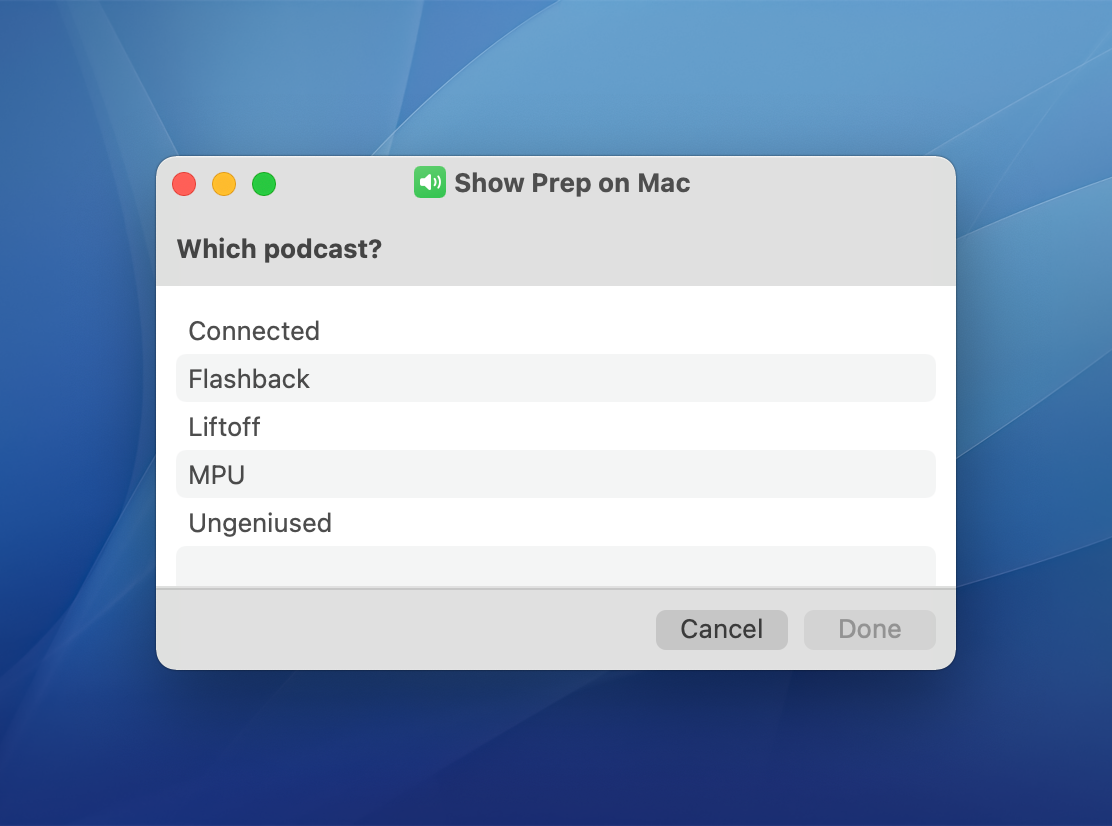
A Little Less Sad
With yesterday’s release of macOS Monterey 12.1, this little bit of the Shortcuts UI looks much nicer:
Kbase Article of the Week: Data that a Legacy Contact can Access ⇢
Apple Support, on the as-of-this-writing new feature, Legacy Contacts:
The data that a Legacy Contact can access depends on what the Apple ID account holder stored in iCloud and in their iCloud Backup. For example, if they kept all of their photos on a third-party site, those photos aren’t stored with Apple and won’t be in their Apple ID data.
Adding a Legacy Contact is easy, and you should do it.
Video: A Tour of my New Studio ⇢
After six months, my expanded studio space is pretty much done! I hope you enjoy this new tour:
Sponsor: TextExpander ⇢
Do you ever type the same thing over and over and over again? Whether it’s customer support answers, sales emails, or document edits, typing things repetitively or using copy and paste can be a burden. That’s where TextExpander comes in. With TextExpander, you and your team can:
- Keep your message consistent
- Save time and be more productive
- Be accurate, every time
The way we work is changing rapidly. Make work happen wherever you are by saying more in less time and with less effort using TextExpander. Check it out and get 20% off at this link.
Mac Power Users #618: Making Movies at Pixar, with John Soliman ⇢
This week on Mac Power Users, David and I chat with John Soliman, a 2nd Assistant Editor at Pixar about his workflows and how collaboration works at the studio.
The Prince Disk ⇢
Drafts ⇢
Drafts is the best way to get things out of your head. It lets you quickly jot down ideas in a trusted capture system and then hone your text in a familiar, customizable editor for output to just about any other app or service.
Try it free today on iPhone, iPad, Mac, and Apple Watch!
My thanks to Drafts for sponsoring the site this week!
Connected #375: Scatter My Content to The Sea ⇢
Federico and Stephen are joined by John Voorhees to talk about the future of Craft and note-taking apps in general. The next wave of Apple silicon Macs is also discussed, as are vintage products the company should bring back with a modern twist.
A big thanks to John for joining us this week. For a nemisis, he’s not too bad.
Video: Ranking Apple’s Products (December 2021) ⇢
Had you forgotten Apple is still selling the iPod touch?
Kbase Article of the Week: How to Fix a Split Fusion Drive ⇢
If your Fusion Drive appears as two drives instead of one in the Finder, it’s no longer working as a Fusion Drive. Here’s how to fix it.
Fusion Drive, a storage option on some iMac and Mac mini computers, combines a hard drive and flash storage in a single volume for improved performance and storage capacity. If your Fusion Drive appears as two drives instead of one in the Finder, it’s no longer working as a Fusion Drive. This can happen after replacing either drive of your Fusion Drive, or using software to intentionally split them into separate volumes.
You can continue using the two drives independently, or follow these steps to regain the benefits of having the single logical volume of a Fusion Drive.
It’s hard to believe that Apple relied on the Fusion Drive for as long as it did — especially in the iMac. In hindsight, it’s clearly such a weird bridge between two eras of technology.