Jony Ive, on the 10th Anniversary of Steve Jobs’ Death

Jony Ive:

Steve’s last words to me were that he would miss talking together. I was sitting on the floor next to his bed, my back against the wall.

After he died, I walked out into the garden. I remember the sound of the latch on the wooden door as I gently pulled it closed.

In the garden, I sat and thought how talking often gets in the way of listening and thinking. Perhaps that is why so much of our time together was spent quietly.

I miss Steve desperately and I will always miss not talking with him.

Series 7 Pre-Orders Open Friday

Apple:

Apple Watch Series 7, featuring the largest and most advanced Apple Watch display ever — and a reengineered Always-On Retina display with significantly more screen area and thinner borders — will be available to order beginning Friday, October 8, at 5 a.m. PDT and available in stores starting Friday, October 15.

Currently, the Series 7 isn’t in the Apple Store app at all. I hope I can save a pre-order like I did with my iPhone.

Mac Power Users #608: DEVONthink & New Apple Hardware

This week on Mac Power Users:

David’s newest Field Guide covers DEVONthink, and this week he and Stephen discuss the application, some example uses and the basics anyone looking at it should know. After that, they review the new iPhone and iPad mini.

My thanks to our sponsors:

  • TextExpander from Smile: Get 20% off with this link and type more with less effort! Expand short abbreviations into longer bits of text, even fill-ins, with TextExpander from Smile.
  • Sanebox: Stop drowning in email!
  • Squarespace: Make your next move. Enter offer code MPU at checkout to get 10% off your first purchase.

Living with Astro

Carolina Milanesi spent some time with Amazon’s new robot:

At the end of the two-week trial, I was left with mixed feelings about Astro. I was impressed with the autonomous navigation skills it displayed. I was enamored with its WALL-E like cuteness. I was convinced there could be a role for Astro to play in home monitoring and to help care for loved ones using Amazon’s new Alexa Together service. And the $1,000 price is reasonable given how much technology it packs, though Amazon might eventually sell it for less if the robot exits its current invite-only status and becomes a mainstream product.

Loopback

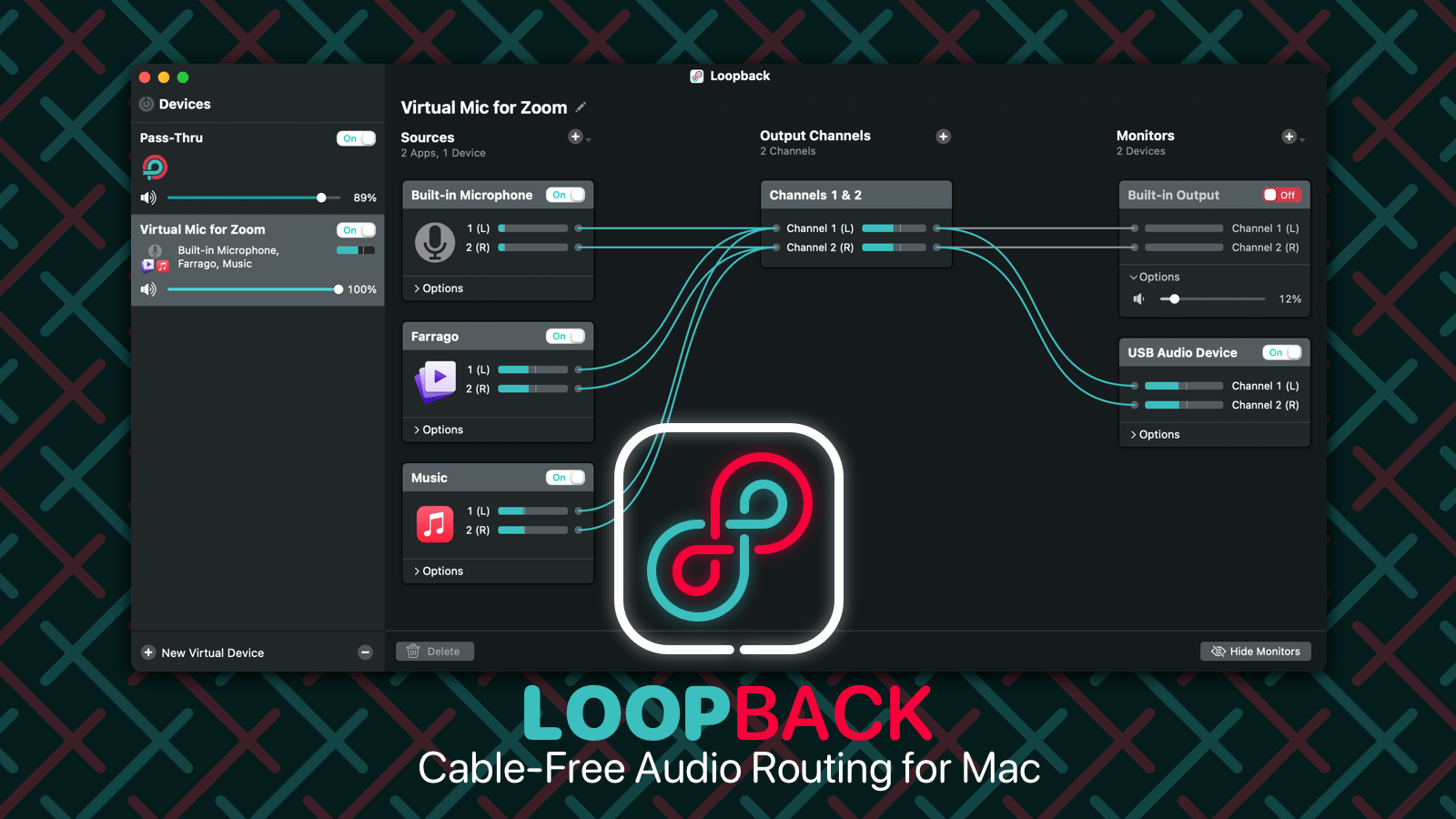
My thanks to Rogue Amoeba for sponsoring 512 Pixels this week. Their application Loopback delivers cable-free audio routing for MacOS. Get your audio where you need it, without having to crawl behind your desk.

Check out Loopback today, with a free trial. Through October 15, 512 Pixels readers can save 21% on Loopback (or any of our other fine products) with coupon code PIXELS21.

The New mini Has Absolved Me of iPad Guilt

Nine years ago, I reviewed the original iPad mini and wrote:

The iPad mini doesn’t add anything to the iOS experience feature-wise, but it does make using iPad apps out in the real world far more likely. I never felt comfortable using my iPad outside the office or house, but I think I’ll be taking this smaller, lighter iPad with me more often.

In the years since, the iPad line has expanded into multiple models, all slowly filling in a continuum of sizes and prices. Somewhere along the way, the iPad mini got left behind by most of us as iPadOS grew more capable.

That was certainly the case for me. In the year since that old review, I’ve moved through a series of full-sized iPads from the first iPad Air all the way through the 11-inch iPad Pro, outfitted with the Magic Keyboard and its built-in trackpad.

There’s no argument here that iPadOS has come a long way in recent years. Features like multitasking, file management and cursor support have unlocked more and more use cases. As a result, for many people, working from an iPad has gone from a series of hoops to jump through to something that’s basically effortless.

Therein lies the conflict for me. My iPad Pro is a fantastic machine that can serve me well across large swaths of my work life, but I still prefer to do those tasks on a Mac. The iPad Pro is full of unrealized potential for me and how I like to get things done. More than once, I’ve felt silly upgrading to a new iPad just to realize that nothing changed in how I use it.

This is where the new iPad mini comes in.

Its small size — and lack of a first-party keyboard case — means that I don’t feel any tension about not using it for work. Its form factor has freed me up to use the iPad how I want, without feeling like I’ve relegated an amazing tablet to something below its station in life.

Beyond that, it’s actually better at being the iPad I want than a full-sized model. It’s great for catching up on a show while washing dishes, and portable enough that it’s fantastic as a PDF viewer while working on something in my studio or under my truck. In the week I’ve had it, I have been surprised how often I’ve reached for it over my iPhone, especially in situations where the iPad Pro would have never been a consideration.1

I’m not saying that one couldn’t work on this iPad, but I think it shines in ways that align much better with how I use an iPad. For that, the new iPad mini is a winner in my book.

  1. It shouldn’t be surprising that this is all about the form factor. Dating back to the original, the iPad mini has always been about size first, and this new industrial design suits it very well. Getting rid of the large bezels and moving to the new Touch ID makes this iPad portable in a new way. Coupled with a good set of speakers and USB-C, it’s a modern iPad in a small form factor. ↩︎

Connected #365: Sorry, I’m Plastic

This week on Connected:

The guys all have new iPhones and talk about their migration experiences and initial impressions of the new devices. Then, Myke and Stephen tell Federico what he already knew — that the new iPad mini is fantastic.

We also got to break some news mid-show, which is always a treat.

My thanks to our sponsors:

  • Instabug: Ship Quality Apps with Real-Time Contextual Insights
  • Discourse: Modern forum software for your community. Get 50% off your first 2 months.
  • Hover: Make a name for yourself. Get 10% off any domain name.

Sponsor: Loopback from Rogue Amoeba

With Loopback, it’s trivial to pass audio from one application to another on your Mac. Need to play a recording into Zoom? Add sound effects into a podcast? Include music in a streamed event? Loopback gives you the power to do just that with just a few clicks. It’s like a high-end mixing board, right inside your Mac.

Loopback creates virtual audio devices, which merge audio from multiple applications and input devices into a single source. These virtual devices appear on your Mac just like a real, physical device, and can be selected for use in any audio app on your Mac. It’s incredibly powerful.

Loopback

Fortunately, it’s also incredibly easy to use. Loopback’s intuitive wire-based setup makes it easy and obvious to understand exactly how your virtual devices work. Configure, adjust, and experiment, just by clicking and dragging.

Whether you’re a podcaster, a live performer, a tabletop gamer, or even just someone stuck on too many Zoom calls, Loopback can help you.

Check out Loopback today, with a free trial. Through October 15, 512 Pixels readers can save 21% on Loopback (or any of our other fine products) with coupon code PIXELS21.