The Computer Chronicles: Ergonomics

I’ve been stuck in bed for the last several days recovering from surgery on my foot, and instead of reading or meditating or something else good and useful, I’ve fallen down the rabbit hole of watching old episodes of The Computer Chronicles on YouTube.

This episode really jumped out at me, as half-way through, the Macintosh and its designer Susan Kare make an appearance.

Connected #319: The Rickies (November 2020)

Another episode, another Apple event, another round of The Rickies:

Stephen returns to his co-hosts to hold the third Apple Event Rickies in as many months.

(If there’s not Mac news next week, everyone is in trouble.)

In the Pro segments, I tried to explain APFS and Federico questioned everything. Myke had a simple request.

My thanks to our sponsors:

  • Hover: Make a name for yourself. Get 10% off any domain name.
  • ExpressVPN: High-Speed, Secure & Anonymous VPN Service. Get an extra three months free.
  • Hullo: A simple, natural pillow designed for comfort. Try it for 60 days.

Bloomberg: Apple Silicon Tower in Development

Mark Gurman and Debby Wu, in a report about Apple getting ready to pull the plug on Intel starting with next week’s event:

The company is already at work on a redesigned iMac, the company’s all-in-one desktop, and a new Mac Pro model, Apple’s highest-end desktop, other people familiar with the company’s plans said.

Apple engineers are currently developing a new Mac Pro that looks like the current design at about half the size. It’s unclear if that Mac will replace the current Mac Pro or if it’s an additional model. Apple’s chip designs could help the company reduce the size of its computers due to increased power efficiency, but the current Mac Pro is large, in part, to fit components like additional storage drives and graphics chips.

The Intel Xeon doesn’t take up very much space inside the 2019 Mac Pro; the space is mostly dedicated to the 8 slots inside. We already know that Apple Silicon Macs will run with Apple’s own GPUs, and there are reports that the Apple Silicon builds of macOS Big Sur do not include drivers for any AMD GPUs.

With all of that in mind, I can’t help but guess that a smaller Mac Pro would be the result of Apple being able to ship GPUs that don’t require the massive passive cooling found on the current MPX modules.

Then again, why would Apple re-develop the Mac Pro so soon after shipping it?

This back and forth is why it’s so much fun to follow the Mac right now. I’m genuinely excited over what we’re about to see out of Apple.

Big Sur: Accent and Highlight Colors

macOS Big Sur is bringing with a sweeping overhaul of the Mac user interface — perhaps the biggest change since Aqua was first introduced two decades ago.

As different as the new interface is, it does build on the shoulders of what came before it. Big Sur still feels like macOS, and that is more important than any given detail Apple may have gotten right or wrong in the next version of macOS. The Dock, Menu Bar and other major elements of the UI are still present. Even things like sidebars — which now extend all the way up the side of their parent window — are immediately recognizable.

One of the newer features in the macOS interface is Accent Colors, which were first included with macOS 10.14 Mojave back in 2018. The setting allowed users to tint their Mac’s system controls from a list of colors. For example, here is Catalina running in Dark Mode with the Accent Color set to Orange:
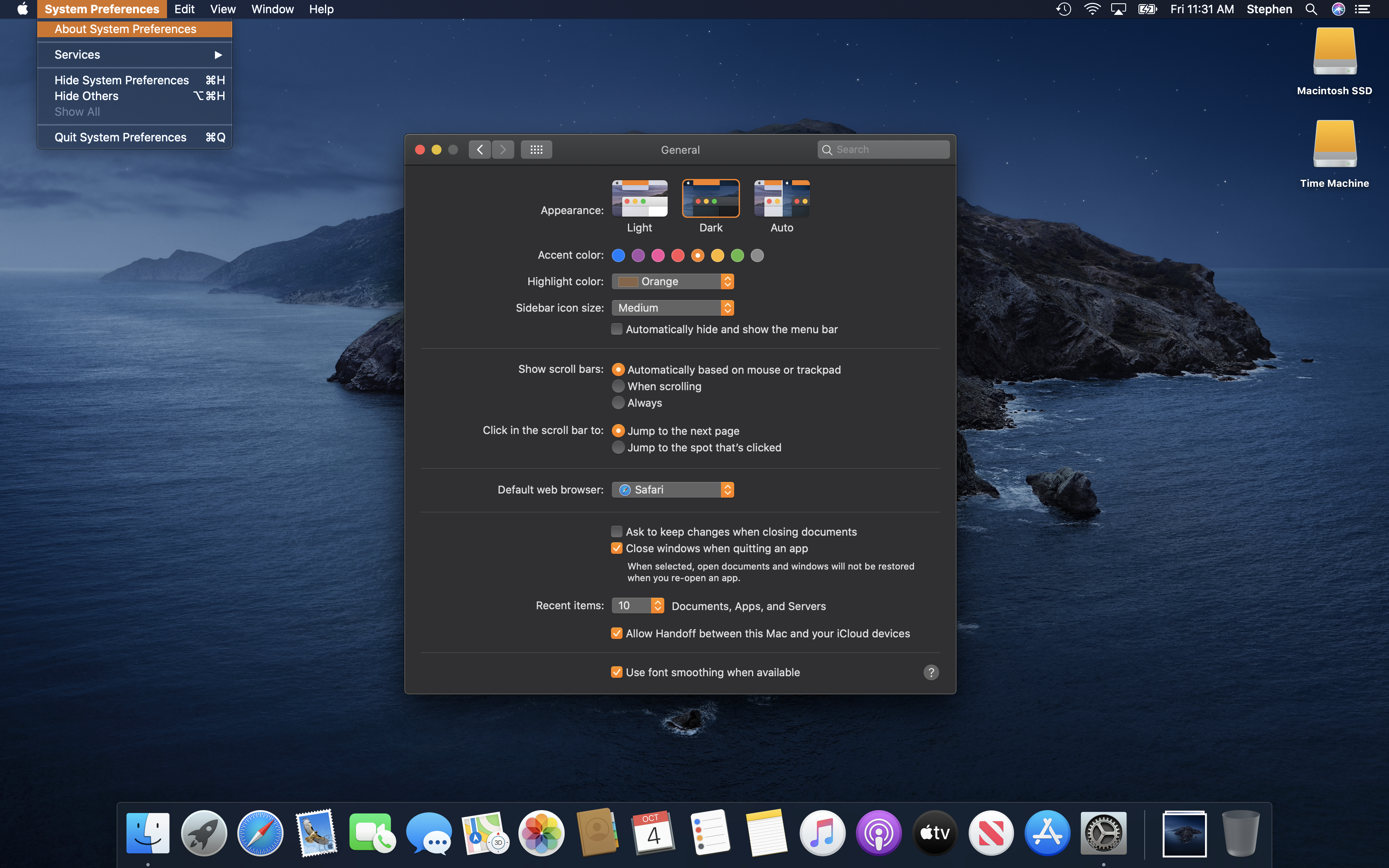
Catalina-Dark-Mode-Orange

Spooky macOS theme is spooky.

Since forever, there’s been a separate setting for setting a Highlight Color. This setting controlled what color was used when text was selected. In the pre-Mojave times, this setting and the Appearance setting were separate; you could use the Graphite Appearance with any Highlight Color.

In macOS Big Sur, Apple has cranked these settings to 11, so to speak.
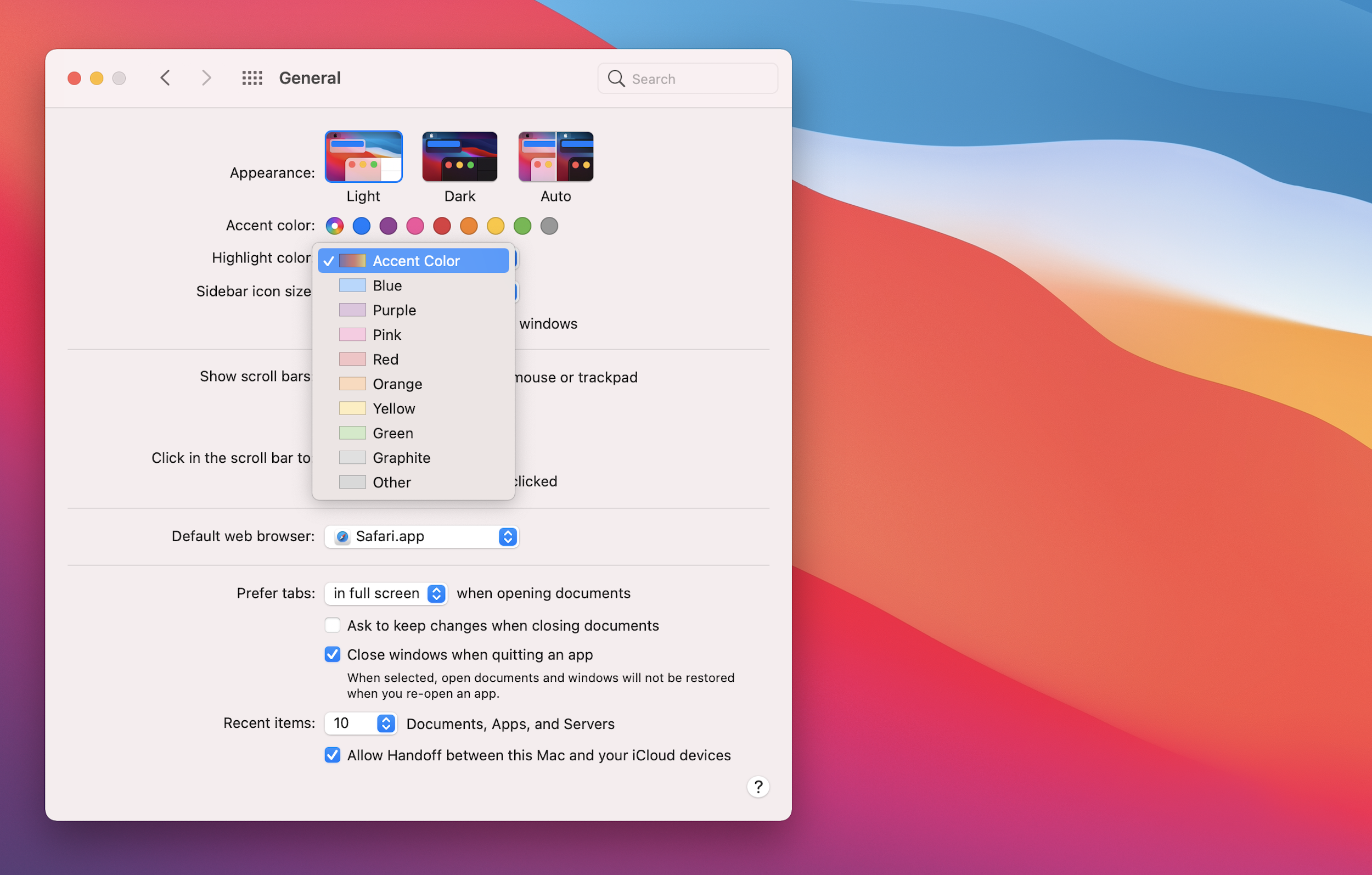
Big Sur's General Preferences Pane

There is now an additional Accent Color, named “Multicolor,” and a new Highlight Color option named “Accent Color.”

Here’s how Apple describes this in its documentation:

In macOS 11, you can specify an accent color to customize the appearance of your app’s buttons, selection highlighting, and sidebar glyphs. The system applies your accent color when the current value in General > Accent color preferences is multicolor.

If people set the Accent color preferences to a value other than multicolor, the system applies their chosen color to the relevant items throughout your app, replacing your accent color. The exception is a sidebar glyph that uses a fixed color you specify. Because a fixed-color sidebar glyph uses a specific color to provide meaning, the system doesn’t override its color when people change the value of Accent color preferences.

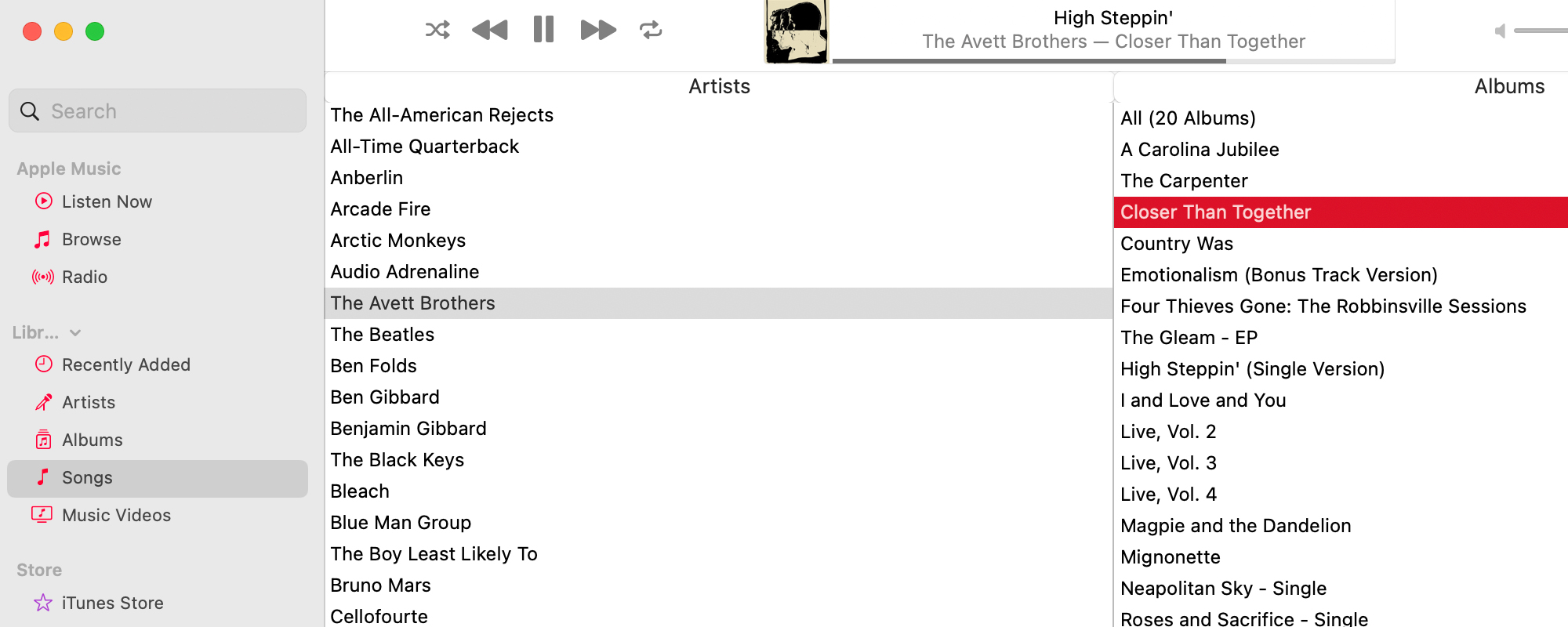
In short, using “Multicolor” and “Accent Colors” as your settings, Big Sur’s UI comes to life in a new way, with developers being able to set their own accent colors. Here are some examples of this in Apple’s own applications:
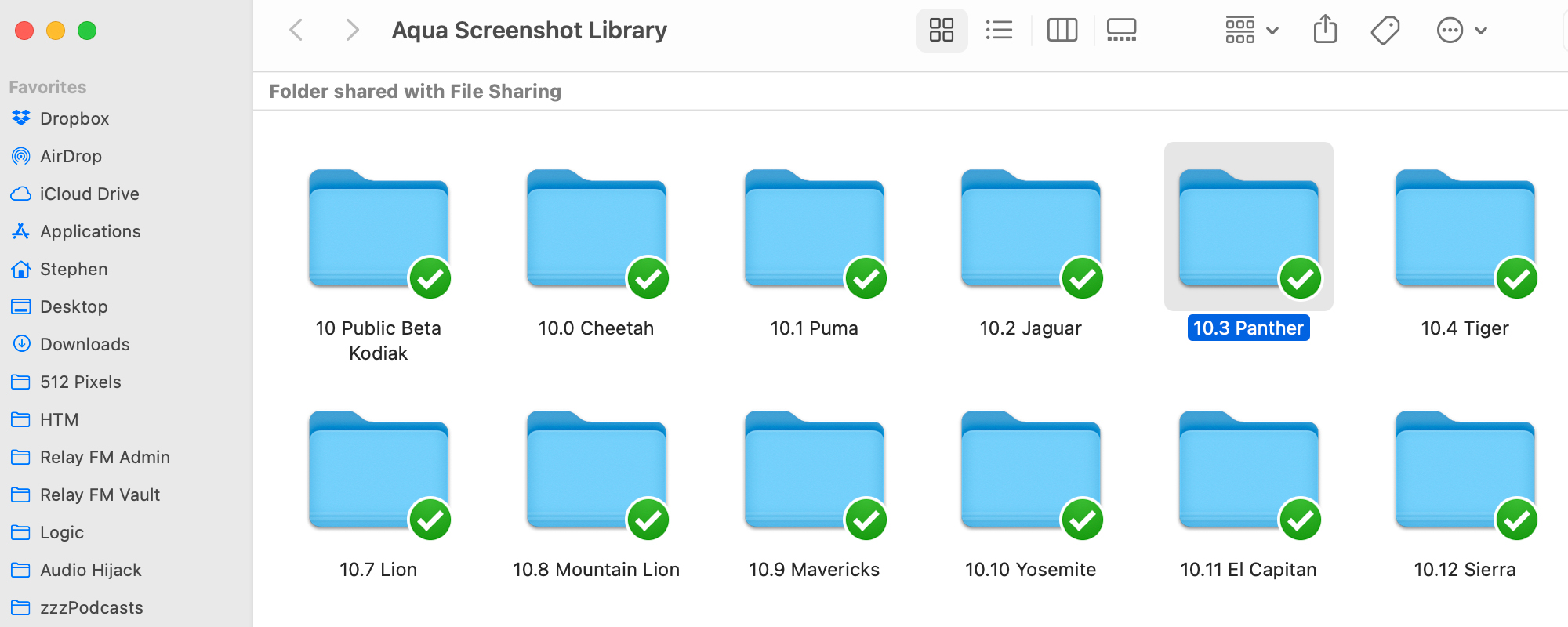
Finder in Big Sur

Music in Big Sur

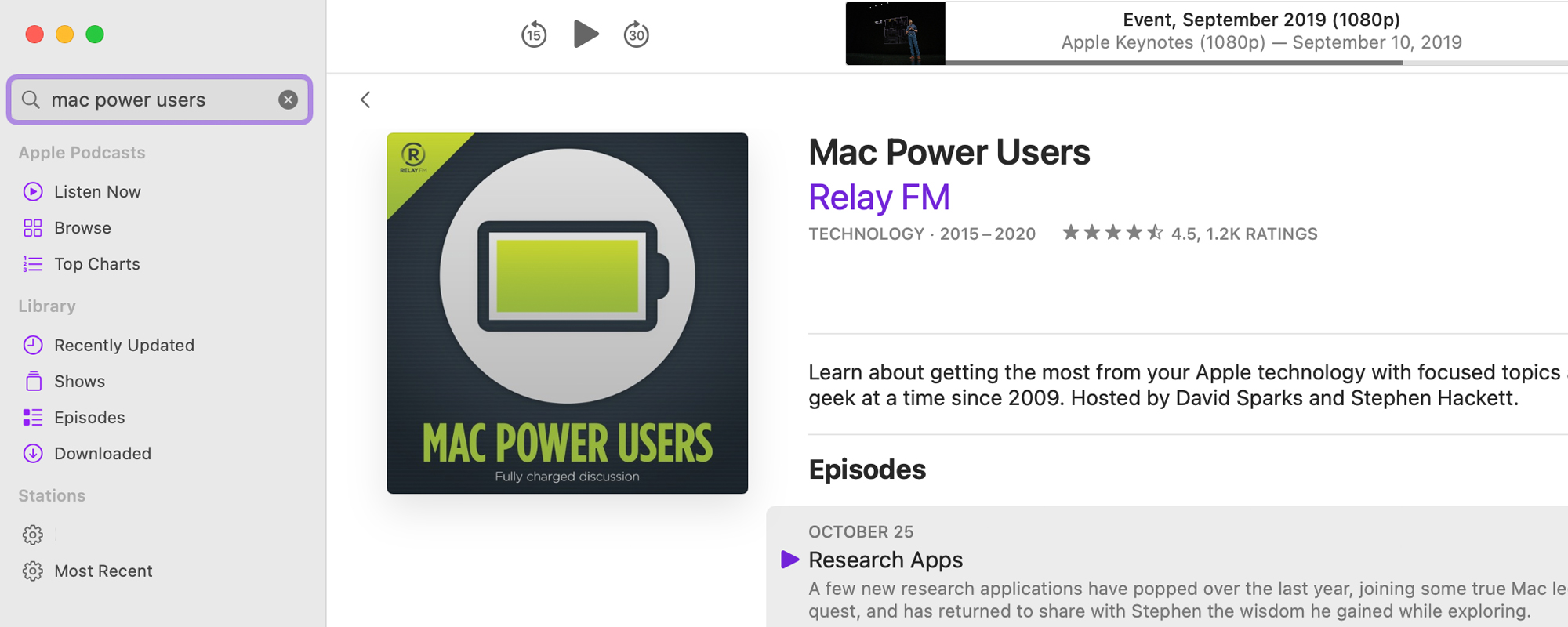
Podcasts in Big Sur

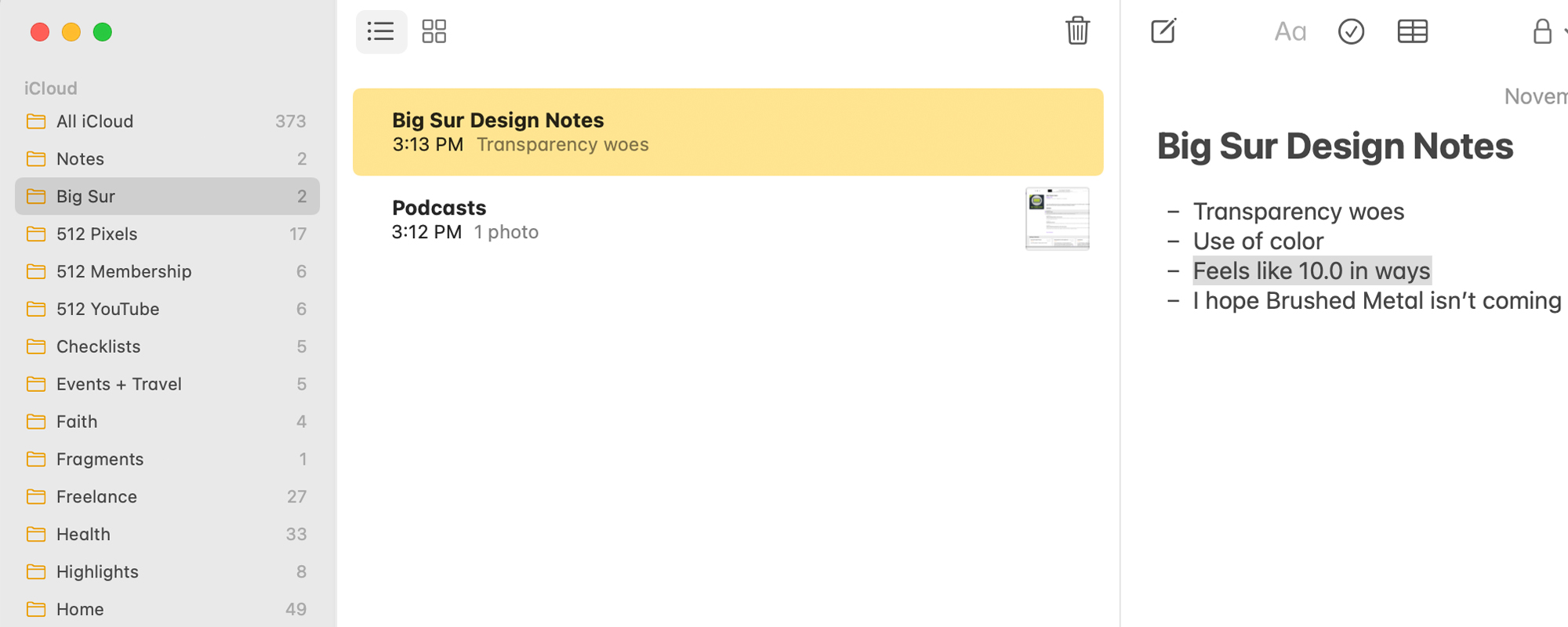
Notes in Big Sur

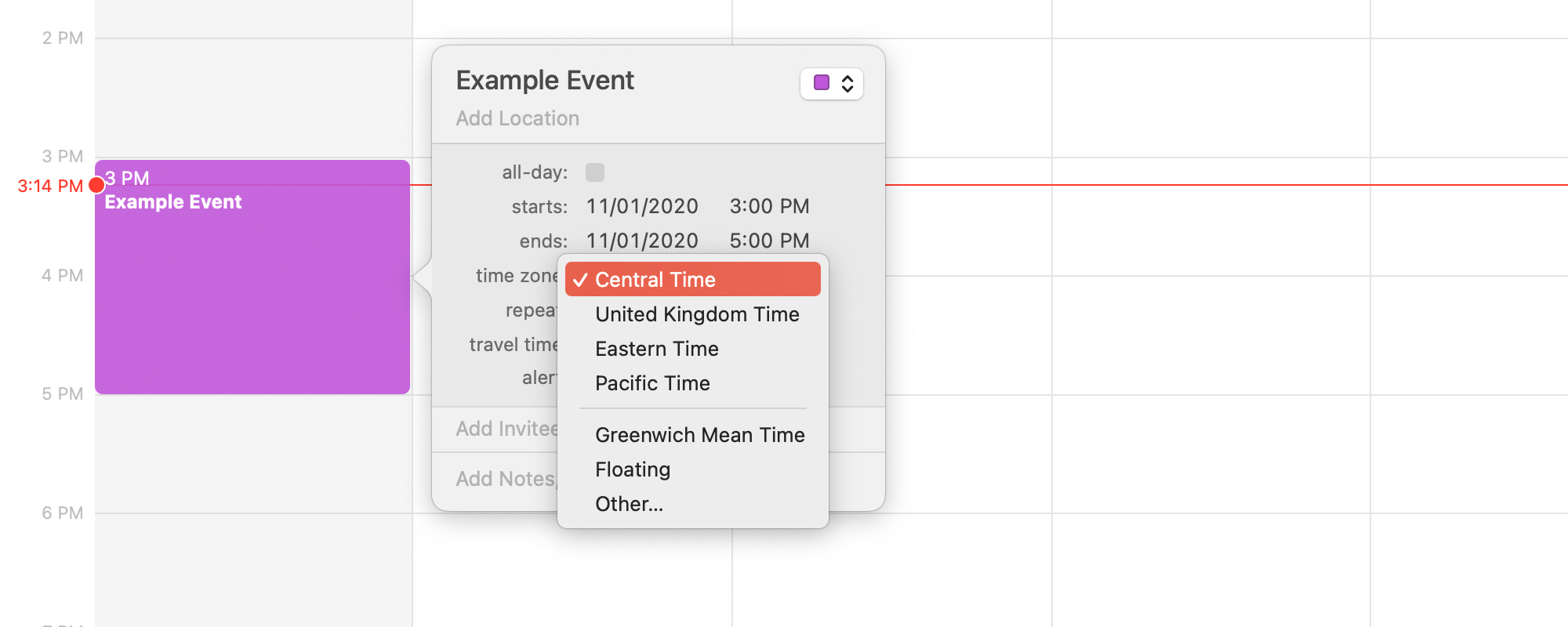
Calendar in Big Sur

This addition breathes life into Big Sur’s rather stark UI in a subtle way, and the result is that each app feels a little more special. Notes is yellow; Podcasts is purple; Music is red. I have really come to like this, and I hope third-party developers adopt it quickly. Not only does it make application windows easier to spot, but it makes the Mac more playful than it was before, and that’s a good thing in our era of flat design.
Raspberry Pi 400

A new Raspberry Pi model is out, and it looks fantastic:

We’ve never been shy about borrowing a good idea. Which brings us to Raspberry Pi 400: it’s a faster, cooler 4GB Raspberry Pi 4, integrated into a compact keyboard. Priced at just $70 for the computer on its own, or $100 for a ready-to-go kit, if you’re looking for an affordable PC for day-to-day use this is the Raspberry Pi for you.

This was a common form factor back in the 1980s, and I think it makes a lot of sense today for something like this.

Why Mask Wearing Works

Or Fleisher, Gabriel Gianordoli, Yuliya Parshina-Kottas, Karthik Patanjali, Miles Peyton and Bedel Saget at The New York Times:

The public health debate on masks is settled, said Joseph G. Allen, director of the Healthy Buildings program at Harvard. When you wear a mask, “You protect yourself, you protect others, you prevent yourself from touching your face,” he said. And you signal that wearing a mask is the right thing to do.

With coronavirus cases still rising, wearing a mask is more important than ever. In this animation, you will see just how effective a swath of fabric can be at fighting the pandemic.

The animations in this piece are fantastic, and really helpful in showing how even cloth masks are a necessity in the age of COVID-19.

Apple Launches Service Program for AirPods Pro

Apple Support:

Apple has determined that a small percentage of AirPods Pro may experience sound issues. Affected units were manufactured before October 2020.

An affected AirPods Pro may exhibit one or more of the following behaviors:

  • Crackling or static sounds that increase in loud environments, with exercise or while talking on the phone

  • Active Noise Cancellation not working as expected, such as a loss of bass sound, or an increase in background sounds, such as street or airplane noise

Apple or an Apple Authorized Service Provider will service the affected AirPods Pro (left, right or both), free of charge.

I’ve seen complaints about these issues for a while now, and Apple will replace affected units for 2 years after the first retail sale of the unit.