I don’t think anything in this article was written for normal human beings.
Mac Power Users #512: Taming Notifications ⇢
This week on Mac Power Users, David and I got into all the dings and badgers going off on our devices all the time:
From messages and emails to sports scores and social media, our devices generate all sorts of notifications. This week, we discuss how to weed the garden and tame the madness.
My thanks to our sponsors:
- Boll & Branch: The Softest Organic Sheets & Luxury Bedding. Save $50. Try them for 30 days in a risk free trial.
- TextExpander from Smile: Get 20% off with this link and type more with less effort! Expand short abbreviations into longer bits of text, even fill-ins, with TextExpander from Smile.
- 1Password: Have you ever forgotten a password? You don’t have to worry about that anymore.
- Squarespace: Make your next move. Enter offer code MPU at checkout to get 10% off your first purchase.
Sponsor: Timing — Automatic Time Tracking for Mac ⇢
Time is your most precious resource. You need to know how you are spending it.
But time tracking sucks. Big Time. (Pun intended.)
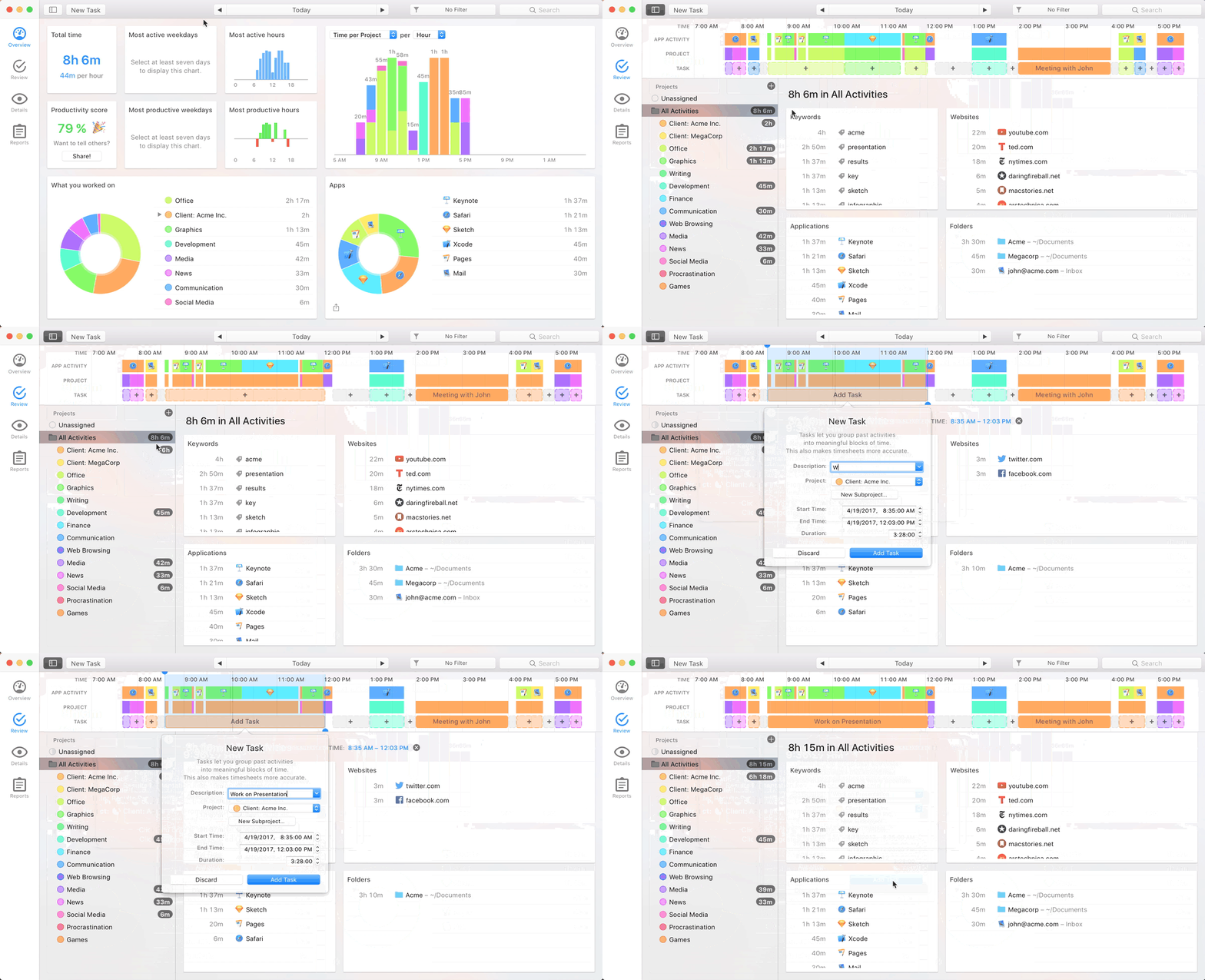
Timing fixes that. It automatically tracks which apps, documents and websites you use — without start/stop timers. See how you spend your time, eliminate distracting activities, and improve your client billing.
It’s like Screen Time on steroids.
Timing also offers sync across all your Macs as well as a web app to record time on the go. So, if you need to track time in a meeting, you can do that right from your iPhone!
In addition, Timing offers a set of Siri shortcuts to track time as quickly as possible.
Stop guessing how you spend your time, and focus on doing your best work instead.
Download the free 14-day trial today and get 10% off for the first year!
The Six Colors 2019 Apple Report Card ⇢
It’s time for our annual look back on Apple’s performance during the past year, as seen through the eyes of writers, editors, developers, podcasters, and other people who spend an awful lot of time thinking about Apple.
It’s always fun to take part in this, and it is always very interesting to read. Snell had over 30,000 words worth of responses to sort through to write this. Dude is the best kind of maniac.
Overcast 2020.1 ⇢
Marco Arment, writing about the newest version of Overcast, which includes an updated version of Voice Boost and now supports AirPlay 2:
When I wrote the original Voice Boost with only a rudimentary understanding of audio processing, it was a single configuration of Apple’s AudioUnits that applied a fixed set of parameters to all podcasts, regardless of their audio characteristics. It was an effective but blunt tool, relying on aggressive level compression and a strong EQ to make the compression less noticeable.
Since then, I’ve edited over 500 podcasts, learned a lot more about how to master them properly, and developed a much better understanding of audio signal processing.
I’ve been really impressed with this in beta. If you listen to podcasts with just your iPhone speaker, I think you’re going to be surprised how much louder and clearer shows will sound now.
TextExpander ⇢
My thanks to TextExpander for sponsoring the site this week. It’s one of my go-to utilities. With it, you can easily insert text snippets in any application from a library of content created by you and your team. Available for Mac, Windows, iPhone, iPad and Chrome. Get 20% off your first year today!
New Apple Maps Now Fully Available in US ⇢
Apple today announced that all users in the United States can now experience a redesigned Maps with faster and more accurate navigation and comprehensive views of roads, buildings, parks, airports, malls and more, making it easier and more enjoyable to map out any journey. Apple completed the rollout of this new Maps experience in the United States and will begin rolling it out across Europe in the coming months.
“We set out to create the best and most private maps app on the planet that is reflective of how people explore the world today,” said Eddy Cue, Apple’s senior vice president of Internet Software and Services. “It is an effort we are deeply invested in and required that we rebuild the map from the ground up to reimagine how Maps enhances people’s lives — from navigating to work or school or planning an important vacation — all with privacy at its core. The completion of the new map in the United States and delivering new features like Look Around and Collections are important steps in bringing that vision to life. We look forward to bringing this new map to the rest of the world starting with Europe later this year.”
This new data showed up here in Memphis over the last week or so, and so far, it’s way better than the old Maps data. I’ve put the Maps app back on my home screen instead of Google Maps, and so far, so good.
Connected #279: Like, Zero Bubbles ⇢
This week, the gang reflects on the iPad 10th’s birthday, complains about Google AMP and then reviews Fantastical 3.
My thanks to our sponsors:
- Pingdom: Start monitoring your website performance and availability today, and get instant alerts when an outage occurs or a site transaction fails. Use offer code CONNECTED to get 30% off. Offer expires on January 31, 2021.
- TextExpander, from Smile: Unlock your productivity with TextExpander. Get 20% off with your first year.
- Booz Allen: Integrate. Innovate. Get it done with Booz Allen.
Fantastical 3 ⇢
Fantastical 3 has been released, and I have really enjoyed using it during the beta period. For years, Fantastical has been a really solid iPhone calendar app, built around fast natural language processing. Generally, entering a calendar event involves tapping a lot of buttons and hoping for the best, but with Fantastical, you didn’t have to leave the keyboard.
Over the years, Fantastical spread, making its way to the Mac and iPad. The latter in particular left a bit to be desired, but this new version takes much better advantage of the iPad’s larger screen.
The app is now free, with a premium subscription that costs $4.99/month or $39.99/year. If you live and die by your calendar as I do, I think the cost is well worth it. This support page on the Flexibits website breaks the features down, and while the free version is totally usable, a bunch of the cool stuff like the ability to combine duplicate events, use the app as a full Todoist client and a feature to propose multiple times when scheduling are all part of the premium level.
As Fantastical was a paid app before, there’s a way forward for previous customers, as explained by Chris Bowler on The Sweet Setup:
If you are a current Fantastical 2 user but not a fan of the switch to subscription-based pricing, Fantastical 3 actually installs over Fantastical 2 and gives you access to every feature you previously had. That means that you can still do things like access the different views using the new UI and can add invitees to calendar events. But if you want access to new features like templates and meeting proposals, you’ll need to upgrade to Fantastical Premium.
To power a bunch of this, Fantastical 3 now syncs directly with a bunch of cloud providers including Google, iCloud, Microsoft Exchange, Office 365 and more. You can use it as a client to see your local calendars already on your device, but in my testing, the direct sync seems faster and more solid. Plus, you can use Sign in with Apple, which is neat.
All in all, I’m impressed with this release, and Fantastical 3 has been on the home screen of my iPhone and iPad for a while, as well as the Dock on my Macs. Go check it out.
For bonus points, check out some other coverage of the release:
- Federico’s review on MacStories
- Jason’s review on Six Colors
- David Sparks’ free video Field Guide covering the app in depth.
Apple Posts Record First Quarter Results ⇢
Apple today announced financial results for its fiscal 2020 first quarter ended December 28, 2019. The Company posted quarterly revenue of $91.8 billion, an increase of 9 percent from the year-ago quarter and an all-time record, and quarterly earnings per diluted share of $4.99, up 19 percent, also an all-time record. International sales accounted for 61 percent of the quarter’s revenue.
“We are thrilled to report Apple’s highest quarterly revenue ever, fueled by strong demand for our iPhone 11 and iPhone 11 Pro models, and all-time records for Services and Wearables,” said Tim Cook, Apple’s CEO. “During the holiday quarter our active installed base of devices grew in each of our geographic segments and has now reached over 1.5 billion. We see this as a powerful testament to the satisfaction, engagement and loyalty of our customers — and a great driver of our growth across the board.”
John Voorhees over at MacStories has published a bunch of charts, and Jason Snell has published a transcript of the call.
Liftoff #116: Remembering Challenger ⇢
On January 28, 1986, seven astronauts lost their lives aboard the space shuttle Challenger, including teacher Christa McAuliffe. This week, Jason and Stephen talk about the disaster, its causes and how it changed NASA, after discussing the current House NASA Authorization Bill and more.
macOS Catalina 10.15.3 Released ⇢
There’s no sign of the rumored Pro Mode, but the update does have some other goodies.
macOS 10.15.3:
- Optimizes gamma handling of low gray levels on Pro Display XDR for SDR workflows when using macOS
- Improves multi-stream video editing performance for HEVC and H.264 encoded 4K video on the 16-inch MacBook Pro (2019)
It is available now via Software Update in System Preferences.