
John Buck’s story about uncovering the folks behind the original TIFF format is delightful. It’s shocking that history from the 1990s is already being lost.
512 Pixels
Tahoe 26.1 Updates Spotlight Options⇢
Previously, Spotlight could optionally retain clipboard contents for up to eight hours, but the latest update expands that flexibility with three options – 30 minutes, 8 hours, or 7 days. There’s also a new “Clear Clipboard History” button in System Settings ➝ Spotlight, giving users the ability to manually wipe stored clipboard data without having to wipe Spotlight search history wholesale.
Clearly, Apple heard the feedback from power users that 8 hours wasn’t enough.
Sponsor: Magic Lasso Adblock: Incredibly Private and Secure Safari Web Browsing⇢
Online privacy isn’t just something you should be hoping for – it’s something you should expect. You should ensure your browsing history and app usage stay private and are not harvested by ad networks.
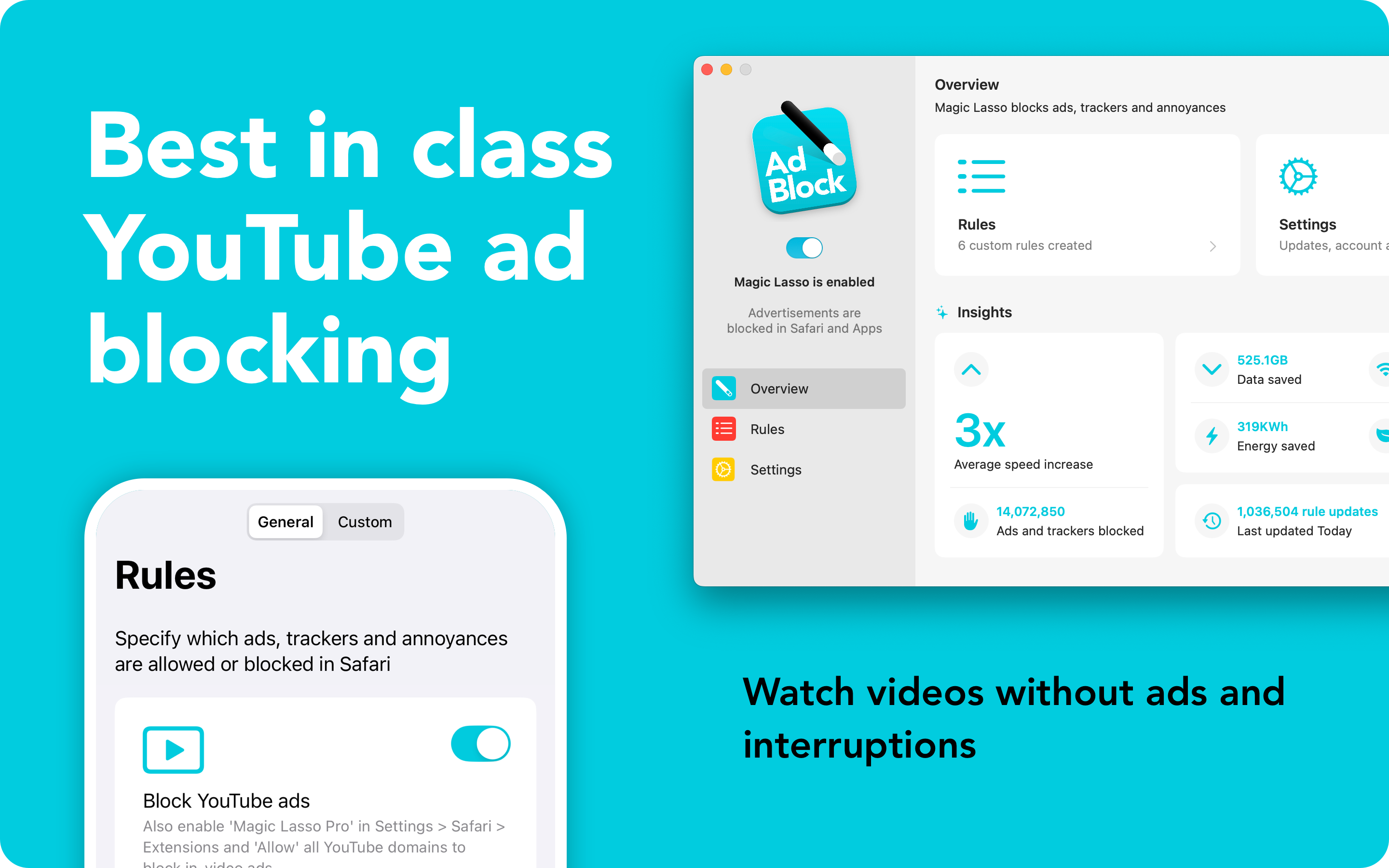
By blocking ad trackers in Safari, Magic Lasso Adblock stops you from being followed by ads around the web.
And with App Ad Blocking in Magic Lasso v5.0, it also extends protection to all apps on your device, including News apps, Social media, Games, and other browsers like Chrome and Firefox.
Built from the ground up to protect your privacy, Magic Lasso is an efficient, high-performance, and native Safari ad blocker that blocks all intrusive ads, trackers, and annoyances on your iPhone, iPad, and Mac.
Users rely on Magic Lasso Adblock to:
- Remove ad trackers, annoyances and background crypto-mining scripts
- Browse common websites 2.0x faster
- Block all YouTube ads, including pre-roll video ads
- Block ads in apps using App Ad Blocking
- Double battery life during heavy web browsing
- Lower data usage when on the go
With over 5,000 five-star reviews, it’s simply the best ad blocker for your iPhone, iPad, and Mac.
And unlike some other ad blockers, Magic Lasso Adblock respects your privacy, doesn’t accept payment from advertisers, and is 100% supported by its community of users.
So, join over 350,000 users and download Magic Lasso Adblock from the App Store, Mac App Store or via the Magic Lasso website.
Mac Power Users 821: Developer Roundtable 2025⇢
This week’s Mac Power Users is a banger. Casey Liss, Charlie Chapman, and James Thomson joined and David to discuss the state of software development on Apple’s platforms in 2025. Topics include Liquid Glass, SwiftUI, documentation, subscriptions, and Apple Intelligence.
The Longevity of the M1⇢
Nick Heer, writing about his M1 MacBook Pro:
I remember replacing my mid-2007 MacBook Pro after it was just five years old, already wheezing for at least a year prior while attempting even the simplest of things. On the other hand, the MacBook Pro I am using today was released four years ago and, keycaps aside, feels basically new. All the spec comparisons say it is far behind the latest generation, but those numbers are simply irrelevant to me. It is difficult for me to believe this computer already has several successive generations and is probably closer to obsolescence than it is to launch.
Apple has generally issued about five years’ worth of operating system upgrades for its Macs, followed by another three-ish years of security updates. Thanks to U.K. regulations, it has recently documented (PDF) this previously implicit policy. It is possible MacOS 27 could be the last version supported by this Mac. After all, Apple recently noted in developer documentation that MacOS 26 Tahoe is the last version with any Intel Mac support. Furthermore, in its press release for the M5 MacBook Pro, there is an entire section specifically addressing “M1 and Intel-based upgraders”.
It’s hard to believe we’re coming up on five years since the first Apple silicon Macs shipped, and even harder to believe that we could be approaching a time when they aren’t supported by macOS.
Apple Ends Its Financial Year With a Bang⇢
Apple announced the results of its fiscal fourth quarter on Thursday. The company generated $102.5B, a Q4 record which also closed its biggest fiscal year in terms of revenue ever. The fast-growing Services category also set an all-time high. Mac and iPhone revenue were also up, with wearables and iPad revenue more or less flat.
Apple also provided guidance that it expects to break records in its holiday quarter, including in iPhone sales. Read more about that here.
Connected 576: A Buffer of Forgiveness⇢
On today’s episode of Connected:
Federico and Stephen travel through time to discuss the new Pebble smartwatch, iPad mini rumors, and if the Pro Max is too big of an iPhone.
Everyone is receiving the extra content from this week’s Connected Pro, which includes a review of the new Dual Knit Band, as well as a general overview of where the guys are with their headsets.
A Little Update on My RSS Setup
I’m always surprised at just how often I’m asked about how I read RSS. For years, this was a very stable setup, but has recently changed.
I’ve used Feedbin for ages. It is widely supported by RSS clients, and has the ability to receive emails newsletters and put them inline with articles coming in via RSS. As someone who doesn’t like reading newsletters in his inbox, this is great.
For years, I was using what is now known as Reeder Classic on all of my devices. It looked great, worked well, and was super customizable. However, as the developer has moved on to the new version of Reeder, Classic has begun to get a bit creaky, and its future doesn’t seem very bright, unlike the blank screens I would often get as the app tried to load articles on iOS.
The macOS version was still holding up, so several months ago, I switched to NetNewsWire on the iPhone and iPad. It’s lean, fast, and I love the fact that it’s a community project. It has a handful of customization options, but I struggled to get it to look the way I wanted. This wasn’t enough to go looking for a new app, however, until Jason mentioned ReadKit on this week’s episode of Upgrade.
I hadn’t used ReadKit in over a decade, and when I checked it out again, I was impressed. It’s looks modern with Liquid Glass support, works with Feedbin, and works as well on the Mac as it does on iOS and iPadOS. I’ve been running it this week and so far, so good!
ISS in Real Time⇢
Next week will mark 25 years of continuous human presence on the International Space Station. Robert Pearlman at Ars Technica has linked to a website that celebrates the monumental achievement:
Fortunately, the astronauts and cosmonauts on the space station have devoted some of their work time and a lot of their free time to taking photos, filming videos, and calling down to Earth. Much of that data has been made available to the public, but in separate repositories, with no real way to correlate or connect it with the timeline on which it was all created.
That is, not until now. Two NASA contractors, working only during their off hours, have built a portal into all of those resources to uniquely represent the 25-year history of ISS occupancy.
ISS in Real Time, by Ben Feist and David Charney, went live on Monday (October 27), ahead of the November 2 anniversary. In its own way, the new website may be as impressive a software engineering accomplishment as the station is an aerospace engineering marvel.
This video provides an overview of this incredible project:
The work that went into this is breaktaking.
Upgrade 587: My TestFlight Has a TestFlight⇢
I had the pleasure of joining Jason Snell on this week’s episode of Upgrade to discuss modem quirks, new iPhone rumors, cutting-edge immersive video production, and the boring march of Apple silicon.
The Logitech MX Master 4⇢
I recently upgraded my mouse to the new Logitech MX Master 4 and have been really happy with it.
For years, I used the old Logitech Performance MX, long after it was discontinued. After my last backup copy of it died, I moved to the Logitech MX Master 3S. It was great, and the 4 builds atop it with some nice new features. After a few days, here are some thoughts:
- Using a Logitech mouse over Bluetooth, without a dongle, is pretty great. It’s nice to get a USB port back.
- The 4 weighs less weighs more than the 3S, but it feels even easier so slide around.
- The new materials are fine. Previous Logitech mice had a tendency to get a little sticky over time, and if the new plastic holds up better over time, I’m fine with it feeling a little less nice.
- I pretty quickly turned the haptic feedback off.
In the past, the Logi Options software came with lot of stuff I didn’t want to use (including some poorly-implemented AI features), but it’s easier to turn things off now. I used it to set my mouse’s buttons up this way:
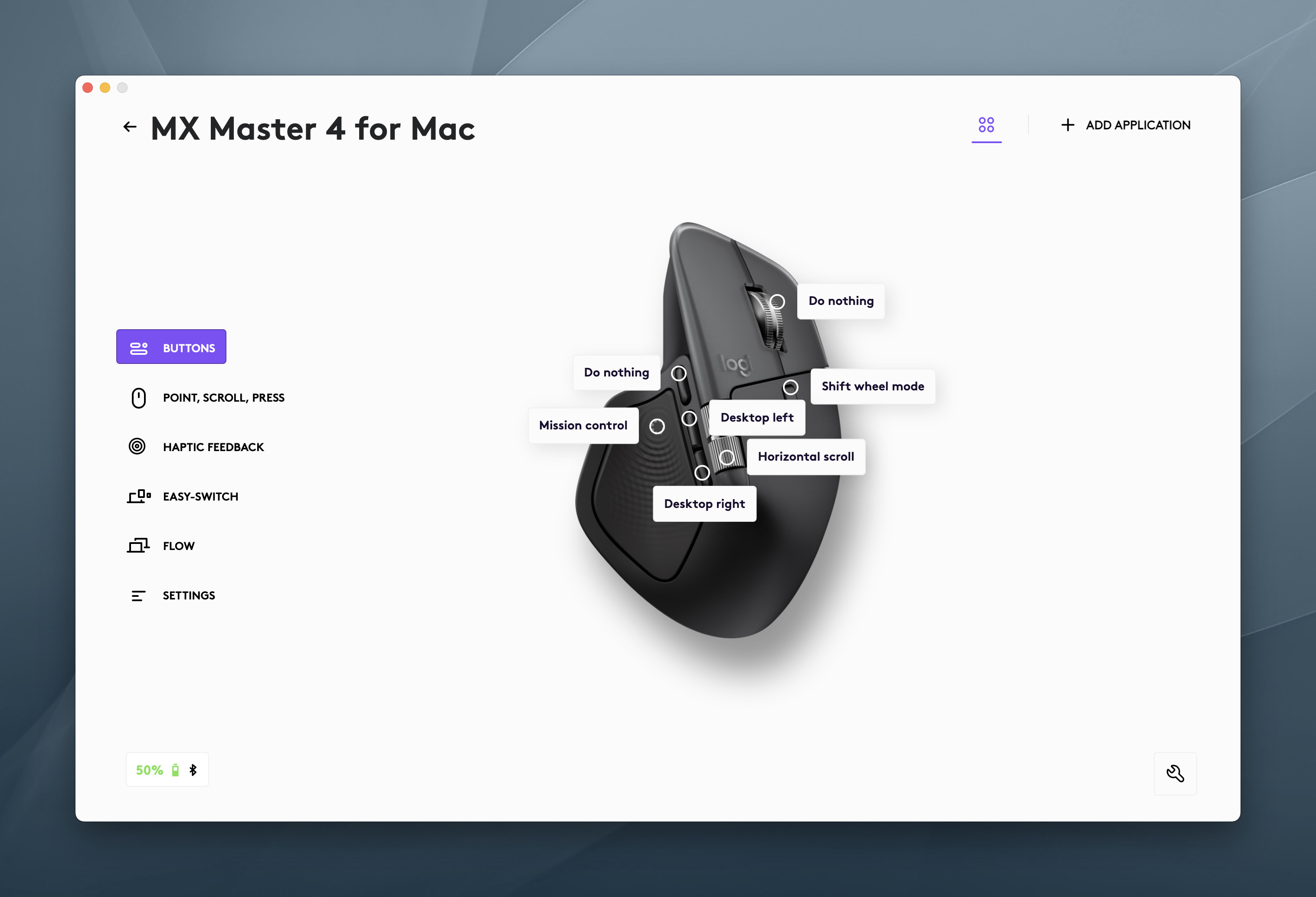
I’m a big Spaces user, so having quick access to other screens is pretty sweet, even if my muscle memory is to reach for the Magic Trackpad to the left of my keyboard.
Sponsor: Quip, a Supercharged Clipboard Manager With Apple Intelligence⇢
Clipboard managers are one of those utilities you don’t realize you need until you try one. And for years, they’ve all felt the same—catch-all junk drawers where your copy/paste history goes to die.
Quip takes a different approach. It’s a clipboard manager and text expander for the Mac, iPhone, and iPad, built to feel native, private, and actually enjoyable.
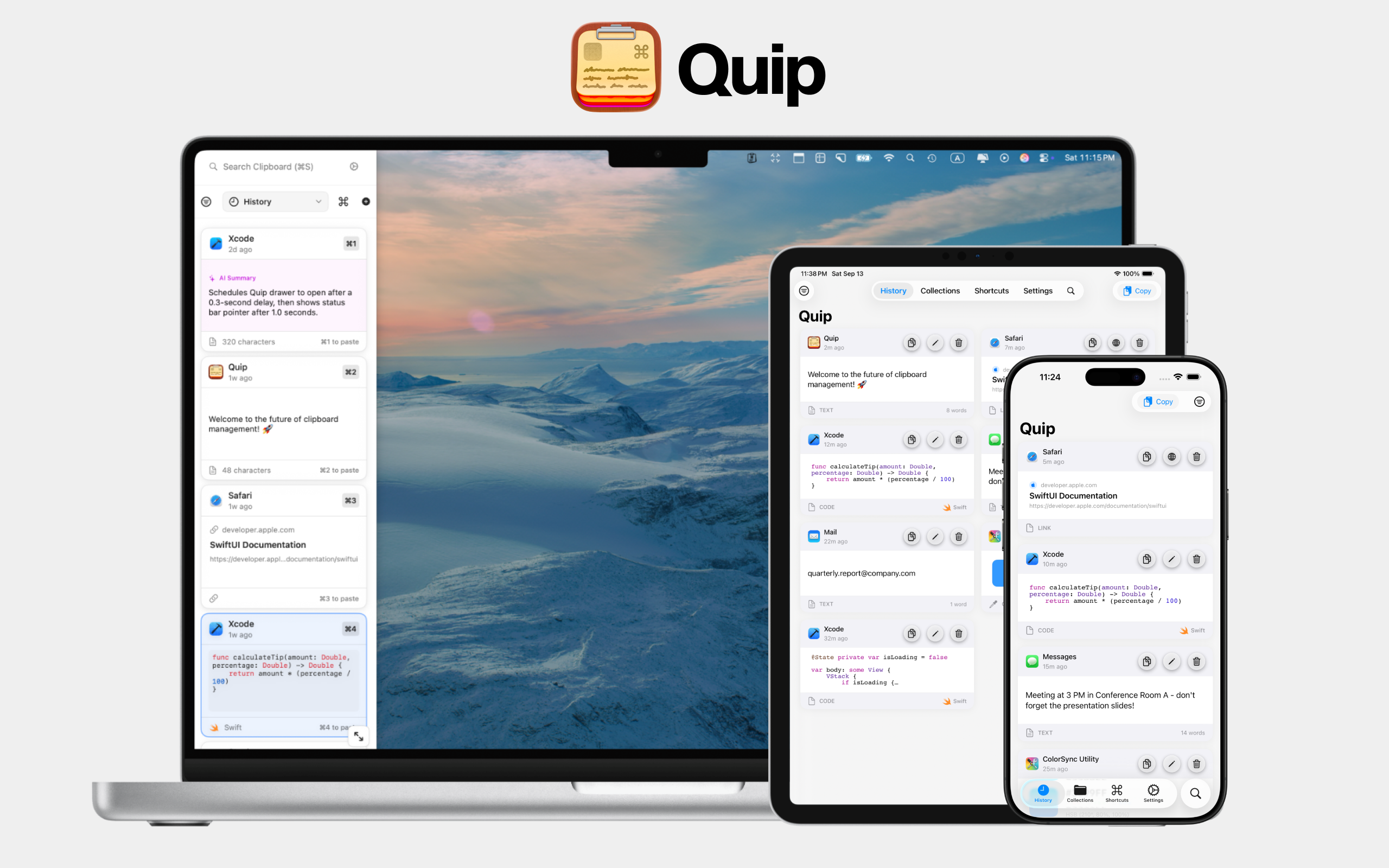
With the new Liquid Glass design in macOS and iOS 26, Quip looks like it belongs in Apple’s world of apps. Smooth animations, frosted transparency—it’s modern and responsive in a way most utilities never are.
And now, with Apple Intelligence, Quip can do things no other clipboard manager can:
-
Summarize long text into quick, scannable previews right inside your history.
-
Suggest the right collection for new items, based on your existing setup.
-
Learn your patterns over time to filter out the junk you don’t want—like 2FA codes, random strings, or boilerplate text.
All of it happens on-device, privately and securely.
Quip has even more features: iCloud sync, a beautiful searchable history, OCR text capture on macOS, and Super Shortcuts for fast text expansion anywhere.
If you live in copy and paste, Quip makes it smarter.
Try it free on the App Store or learn more at bzgapps.com/quip.