The end of the year is nearly upon us, so David and I are back to share our gift ideas. I then go on to share a new life philosophy, only to learn that David has already mastered it.
512 Pixels
Connected 578: A Healthy Computing Lifestyle⇢
As the iPad Pro turns 10, the guys reflect on how the iPad has changed in the years since, and how it hasn’t. Then, a conversation about the iPhone Pocket.
My Control Center
Here is how I have Control Center set up on my iPhone 17 Pro:
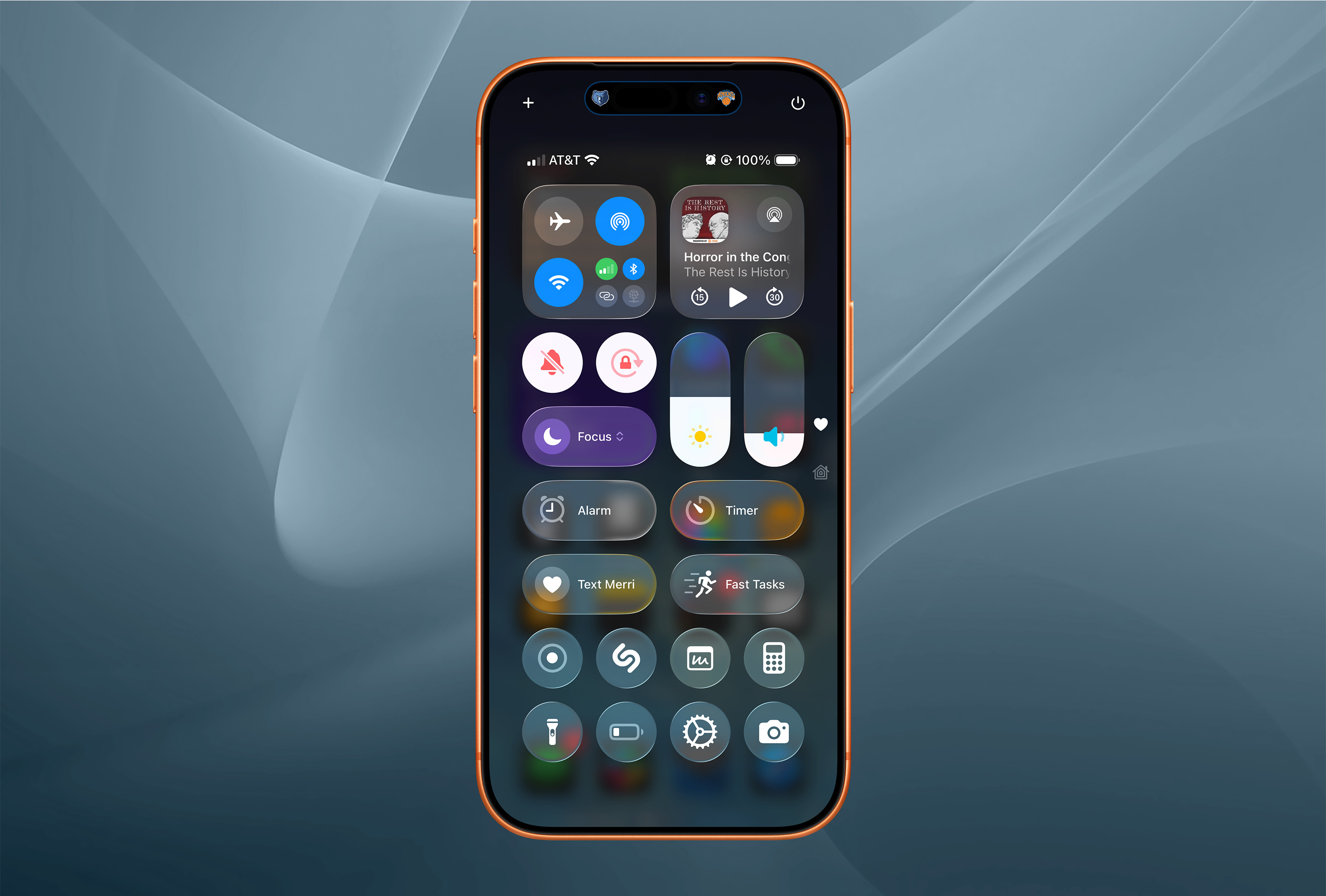
At the top, I’m using the stock Connectivity and Now Playing controls.
Down from there are switches for Silent Mode and Orientation Lock. I don’t touch these very often, but want them handy for when I need to hear my phone or rotate it into landscape mode. Next to these two switches are slides for Screen Brightness1 and Volume.
I don’t use Focus Modes very frequently. Only Do Not Disturb, Sleep, and Reduce Interruptions live behind that button. On the other hand, I use Alarms and Timers all the time, and like having an easy way to get to them quickly.
Up next are two actions. The first is built with Widgetsmith, tapping it fires an action within the app to go to my iMessage thread with my wife Merri.
The second is a simple Shortcut named Fast Tasks that lets me type into a box and have it land in my Inbox in Reminders, with a due date of today. This Shortcut is also tied to my Action button, and its name and icon are in honor of Casey’s now-retired app, Fast Text.
The last two rows are pretty straightforward:
- Screen Recording
- Recognize Music
- Quick Note
- Calculator — I use PCalc like a gentlemen for actual work; this is here for super quick things I don’t care about.
- Flashlight
- Low Power Mode
- A Shortcut named App Settings that jumps you to the Settings screen for the foreground app. I’m pretty sure Quinn Nelson built the version I’m using.
- Camera
-
For the record, I use Light Mode during the day and let my phone switch to Dark Mode automatically at sunset. This is the same for my iPad, but my MacBook Pro is always in Light Mode. I use True Tone on my iPhone and iPad, but again, the Mac is left out since I am old. ↩︎
iPhone Pocket⇢


ISSEY MIYAKE and Apple today unveiled iPhone Pocket. Inspired by the concept of “a piece of cloth,” its singular 3D-knitted construction is designed to fit any iPhone as well as all pocketable items. Beginning Friday, November 14, it will be available at select Apple Store locations and on apple.com in France, Greater China, Italy, Japan, Singapore, South Korea, the UK, and the U.S.
iPhone Pocket features a ribbed open structure with the qualities of the original pleats by ISSEY MIYAKE. Born from the idea of creating an additional pocket, its understated design fully encloses iPhone, expanding to fit more of a user’s everyday items. When stretched, the open textile subtly reveals its contents and allows users to peek at their iPhone display. iPhone Pocket can be worn in a variety of ways — handheld, tied onto bags, or worn directly on the body. Featuring a playful color palette, the short strap design is available in eight colors, and the long strap design in three colors.
I’m a professional writer, but I have no words for this.
‘If You Can Beat Them Handily, Do It’⇢
John Gruber, in his M1 Mac review back in November 2020:
The logic behind Apple’s transition then to Intel boiled down to another old axiom: If you can’t beat them, join them.
The logic behind Apple’s transition now to Apple Silicon is this: If you can beat them handily, do it.
The M1 Macs are such better machines than their Intel-based predecessors it’s hard to believe. Apple’s battery life braggadocio is warranted. The battery just lasts and lasts and lasts. I’ve been using this MacBook Pro almost exclusively on battery power all week, doing both all my normal work and running benchmarks and performance-stressing tasks, and I can’t come close to depleting it in a full day of work.
It never gets hot. In normal use, it doesn’t even get warm. Maybe, sort of, when running a fully-taxing test like the Cinebench multi-core CPU benchmark, it heats up to just past room temperature above the Touch Bar, but it bears no resemblance thermally to a taxed Intel-based MacBook Pro.
Five Years of Apple silicon Macs
Five years ago, the first Apple silicon Macs shipped. While the MacBook Air, 13-inch MacBook Pro, and Mac mini looked like their Intel predecessors, they were vastly better machines.
To celebrate the anniversary, Basic Apple Guy created an impressive graphic outlining the releases we’ve seen since 2020:
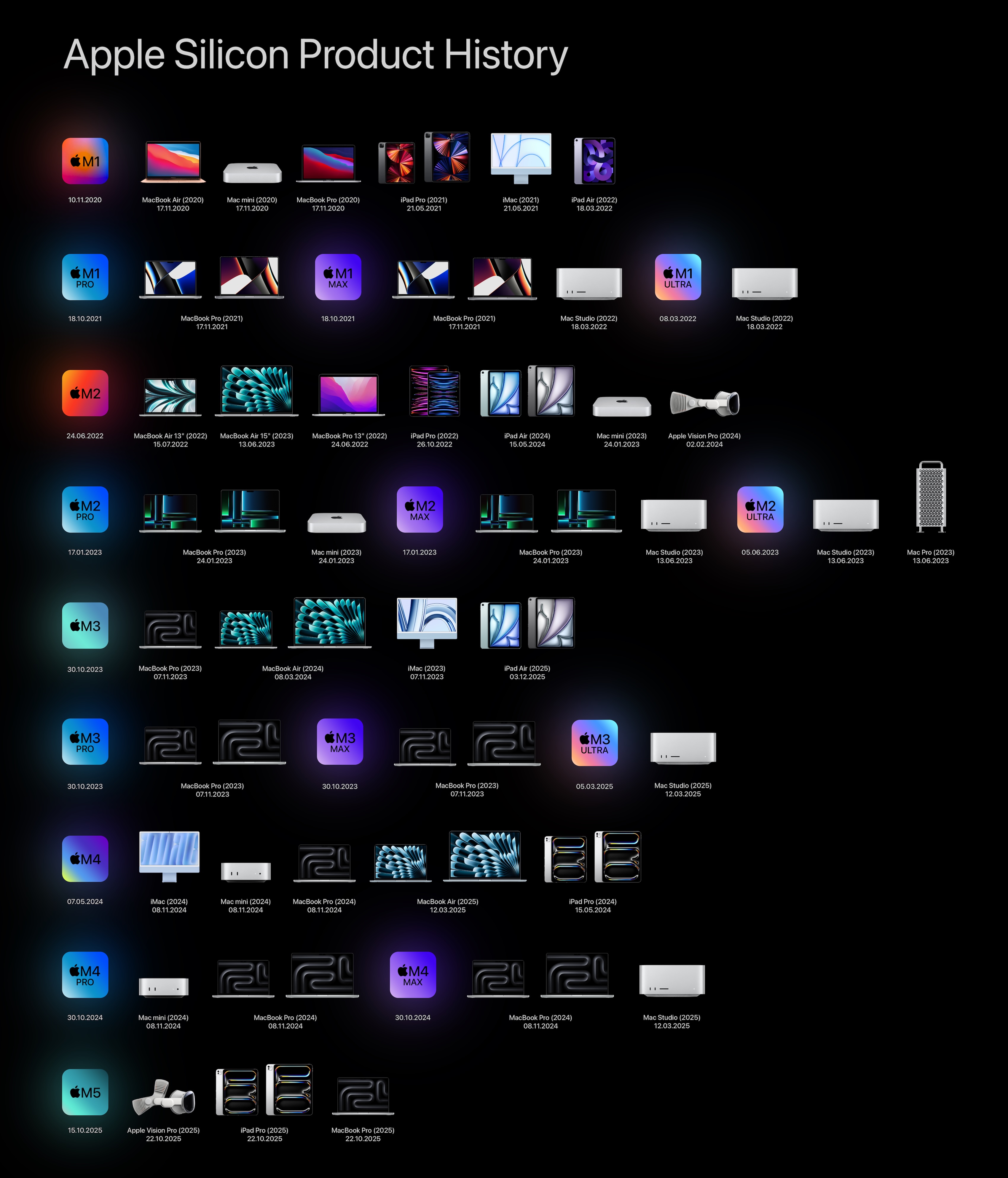
Over on Macworld, Jason Snell wrote about what this change has meant for the Mac:
Then the results of the first M1 speed tests arrived, and nothing felt scary anymore. Everything was fast, much faster than Intel, so much faster that even software compiled for Intel running in a code-translation layer via Rosetta ran just fine. In fact, the M1 was such a fast chip that, five years later, Apple’s still selling the M1 MacBook Air. (For $599, at Walmart.) And it’s still a pretty nice computer!
Apple’s next trick was rolling out new versions of (almost) every Mac model, redesigned for Apple silicon, as well as an entirely new model, the Mac Studio. The new chips, new designs, and a pandemic-fueled increase in people working from home all sent Mac sales soaring.
The five years before the arrival of Apple silicon were the five best years in the history of Mac sales to that point, averaging $25.5 billion a year. It was a pretty scary move to pull the rug out from under the Intel Mac era, but Apple’s move was vindicated: The first five years of Apple silicon are now the five best years in the Mac’s history. Mac sales were up nearly one-third compared to the previous five-year period, to $33.7 billion a year on average.
Sitting here today, I couldn’t be happier about where the platform is. Yes, there are some areas where Apple should push harder, but comparing where the Mac is today to where it was in the 2015-2020 era is breathtaking.
Sponsor: MarsEdit 5⇢
MarsEdit 5 is a major upgrade to the preeminent Mac app for editing WordPress, Micro.blog, Tumblr, and many other types of blogs.
The new microposting feature makes it as easy to post to your own blog as it is to post to social media. When MarsEdit 5 is running on your Mac, just press a configurable global keyboard shortcut, write out your latest thoughts, and instantly publish to your blog.
MarsEdit supports editing posts in rich or plain text, and the latest update is especially great for Markdown fans. Now when you’re writing Markdown in plain text mode, MarsEdit applies live, beautiful syntax highlighting to make it easier to focus separately on the content and style of your posts.
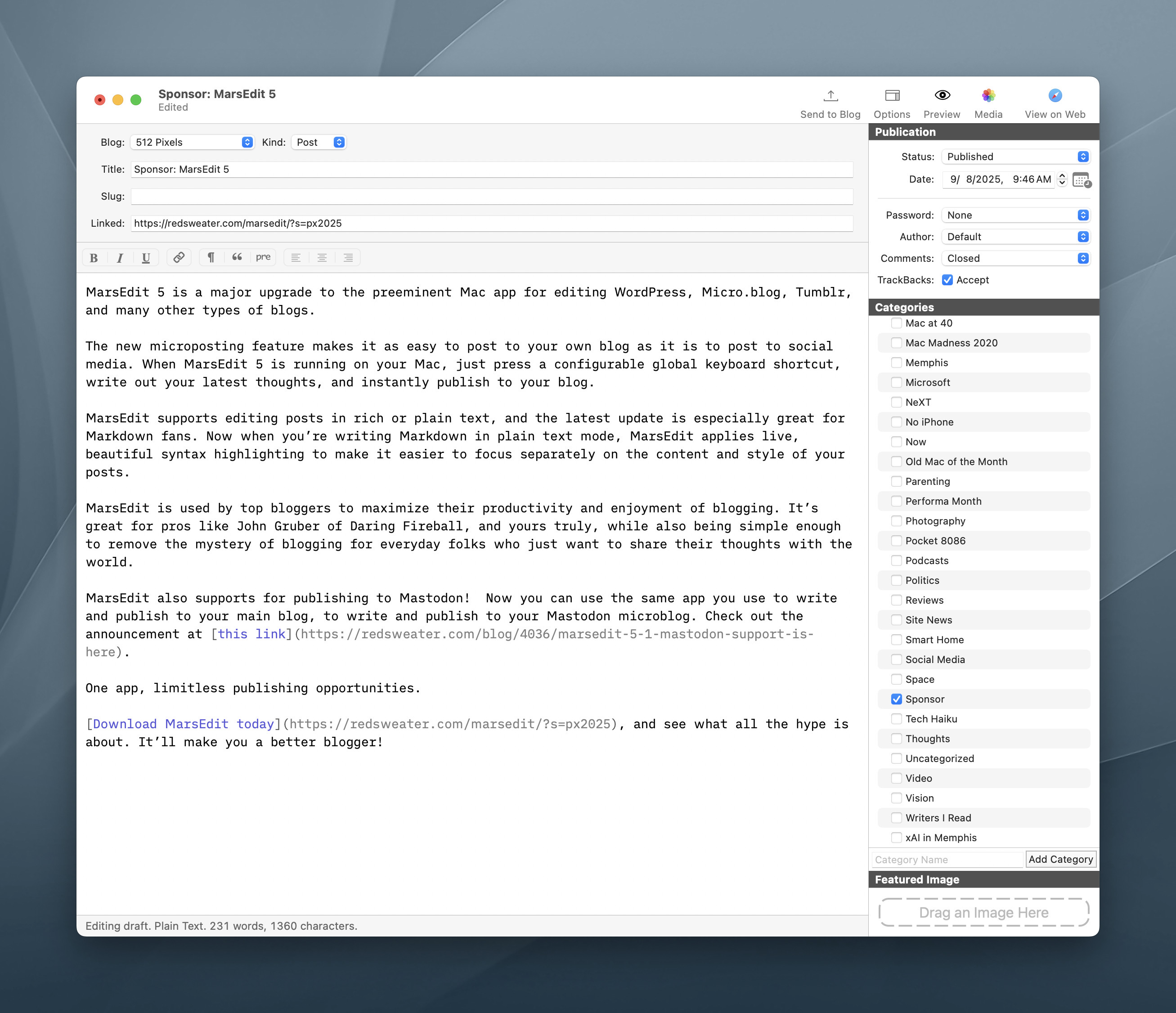
MarsEdit is used by top bloggers to maximize their productivity and enjoyment of blogging. It’s great for pros like John Gruber of Daring Fireball, and yours truly, while also being simple enough to remove the mystery of blogging for everyday folks who just want to share their thoughts with the world.
MarsEdit also supports for publishing to Mastodon! Now you can use the same app you use to write and publish to your main blog, to write and publish to your Mastodon microblog. Check out the announcement at this link.
One app, limitless publishing opportunities.
Download MarsEdit today, and see what all the hype is about. It’ll make you a better blogger!
Mac OS CHRP Releases Uncovered⇢
Thom Holwerda, writing at OSnews about the end of the Macintosh clone era:
The rather abrupt end of the clone program means there’s a number of variants of the Mac OS that never made their way into the market, most notable variants intended for the Common Reference Hardware Platform, or CHRP, a standard defined by IBM and Apple for PowerPC-based PCs. Thanks to the popular classic Mac YouTuber Mac84, we now have a few of these releases out in the wild.
Steve’s video is rather amazing:
Mac Power Users 822: iPhone 17 Photography with Tyler Stalman⇢
Tyler Stalman returns to the show to discuss the camera gains Apple has made with the iPhone 17 line. The guys also talk about the limitations of the iPhone Air and some of the apps Tyler uses to edit his images and videos.
A Modern Back to the Future Truck⇢
As a huge Back to The Future fan and Toyota truck aficionado, Colin Furze’s new video was aimed squarely at me.
Connected 577: Big Boy American Man⇢
Apple’s OS Class of ‘26 continues to roll out, even as the company grapples with the future of Siri. Will Liquid Glass continue to change? Will Gemini power future Apple Intelligence? STAY TUNED.
On Tahoe’s Terrible Icons⇢
Paul Kafasis has looked into the abyss of Tahoe icons:
On the new MacOS 26 (Tahoe), Apple has mandated that all application icons fit into their prescribed squircle. No longer can icons have distinct shapes, nor even any fun frame-breaking accessories. Should an icon be so foolish as to try to have a bit of personality, it will find itself stuffed into a dingy gray icon jail.
While Apple had previously urged developers to use squircle icons on our apps, they’ve now taken things much further to ensure compliance. It’s a shame.
Apple updated their own app icons on Tahoe, for both the squircle shape as well as the new “ Liquid Glass” interface. Mostly, these icons seem dumbed-down, with a loss of detail.
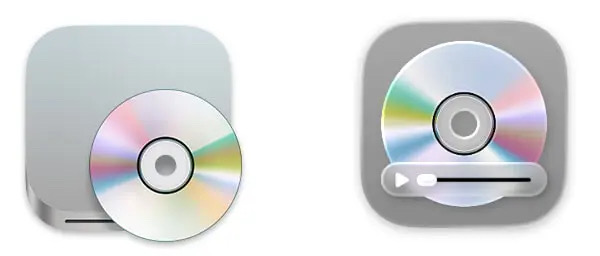
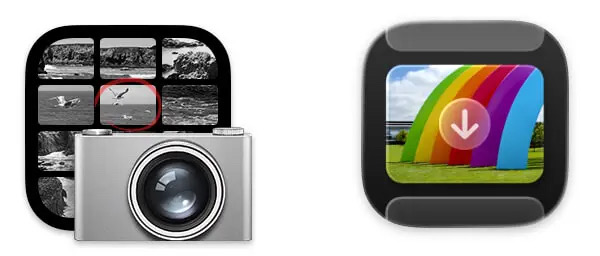
Almost all of these new icons are a step backwards, but I think the updated icons for DVD Player and Image Capture are an improvement: