I crashed Analog(ue) this week to talk with Casey Liss about our work with St. Jude, but also taking time away and gauging burnout.
Expired Certificates Breaking macOS Installers ⇢
In certain circumstances, such as when an installer is damaged, you’ll see an alert that says the application can’t be verified and may have been corrupted or tampered with during downloading. Or it says that the package was signed with a certificate that has expired and may not be authentic.
You should download the installer again. If the new installer is also affected, please contact the maker of the software for help.
If this happened with a macOS installer, you can find the latest download links in the installation guidelines for these macOS versions.
Apple has the last six releases up for download:
Earlier versions are not available for download, which really bothers me, but such is life with macOS.
What People Thought About the iPod’s Introduction ⇢
Joe Rossignol at MacRumors has rounded up coverage of and responses to the original iPod, some 18 years ago.
Connected #266: What Are You, an Accountant? ⇢
Stephen got into an eBay bidding war with someone he knows and Federico helps his friends with Catalina, before coming clean about his new iPhone case. The group also considers Apple’s expanding line of audio products and Myke reviews the iMac Pro.
I cannot pronounce the words pen and pin differently.
My thanks to our sponsors:
- PDFpen, from Smile : The ultimate tool for editing PDFs on the Mac.
- Pingdom: Start monitoring your website performance and availability today, and get instant alerts when an outage occurs or a site transaction fails. Use offer code CONNECTED to get 30% off.
- Freshbooks: Online invoicing made easy.
Liftoff #110: A Consensual Hallucination ⇢
Insight is back up and running, and the ISS has hosted the first all-female spacewalk. Back here on Earth, NASA is making purchases for Artemis, even as Congress threatens the agency’s 2024 plans.
So. Much. Space. News.
My thanks to our sponsors:
- ExpressVPN: High-Speed, Secure & Anonymous VPN Service. Get 3 months free with a 1-year package.
- Moo: Custom business printing and design. Save 15%.
Ungeniused #90: SEALAB ⇢
In the 1960s, the U.S. Navy studied long-term diving techniques through the SEALAB program, which included a dolphin assistant, sabotage and a fatal accident.
Papa Topside, reporting for duty.
My thanks to our sponsor this week:
- Moo: Custom business printing and design. Save 15%.
Mac Power Users #506: iOS Accessories ⇢
Our iOS devices go with us just about everywhere, and pairing them with some select accessories can make them more useful in more situations. This week, Stephen and David talk about some of the products that they rely on when using their iPhones and iPads, from cases and batteries to tripods and keyboard.
- 1Password: Have you ever forgotten a password? You don’t have to worry about that anymore.
- The Omni Group: We’re passionate about productivity for Mac, iPhone and iPad.
- Linode: High performance SSD Linux servers for all of your infrastructure needs. Get a $20 credit.
- Squarespace: Make your next move. Enter offer code MPU at checkout to get 10% off your first purchase.
Kbase Article of the Week: Final Cut Express 4 – Technical Specifications ⇢
Apple lists these system requirements for Final Cut Express 4:
- A Mac computer with a 1.25GHz or faster PowerPC G4, PowerPC G5, Intel Core Duo, Intel Core 2 Duo, or Intel Xeon processor
- For AVCHD: A Mac computer with an Intel processor
- 500MB of disk space to install Final Cut Express and LiveType
- Additional 500MB to install LiveType content
- 1GB of RAM or more
- An AGP or PCI Express graphics card compatible with Quartz Extreme; or an Intel GMA integrated graphics processor in a MacBook or Mac mini computer
- Some FxPlug filters are not compatible with integrated Intel graphics processors.
- A display with 1024-by-768 resolution or higher
- A DVD drive for installation
Final Cut Express 4.0.1 was the last version of the application.
Catalina’ Screen Time Feature Less than Useful ⇢
Kirk McElhearn:
Screen Time is a feature that Apple added to iOS 12, which allows you to keep track of how much time you spend on each app you use, how many times you wake up your iOS device, and how many notifications you receive. This data can help you cut down on your device usage, and you can use Screen Time to set limits for your kids.
Screen Time was also added to macOS Catalina, with the same features. However, it doesn’t seem to work correctly. Rather than showing which apps are frontmost when you work, it shows how long apps are open.
I chalked this up to beta weirdness over the summer, but it seems that Screen Time on the Mac is just … bad.
Apple Releases Supplemental Update for macOS Catalina
There’s an update out for macOS Catalina that addresses that:
- Improves installation reliability of macOS Catalina on Macs with low disk space
- Fixes an issue that prevented Setup Assistant from completing during some installations
- Resolves an issue that prevents accepting iCloud Terms and Conditions when multiple iCloud accounts are logged in
- Improves the reliability of saving Game Center data when playing Apple Arcade games offline
This is not macOS Catalina 10.15.1, but rather an update to the .0. It’s available in Software Update now.
Upgrading My Truck for CarPlay
Last year, I bought a slightly-used Toyota Tacoma, fulfilling my destiny as a pickup owner in the southern United States. I instantly fell in love with it, but the Toyota-installed radio was garbage, so I started thinking about changing it out with something that would give me CarPlay.
My Tacoma is a 2015, so replacing the head unit wasn’t too bad. On most newer cars, the radio is so integrated into the dash and other controls, it’s just about impossible to swap it out. It, did, however, require quite a bit of wiring on my part:
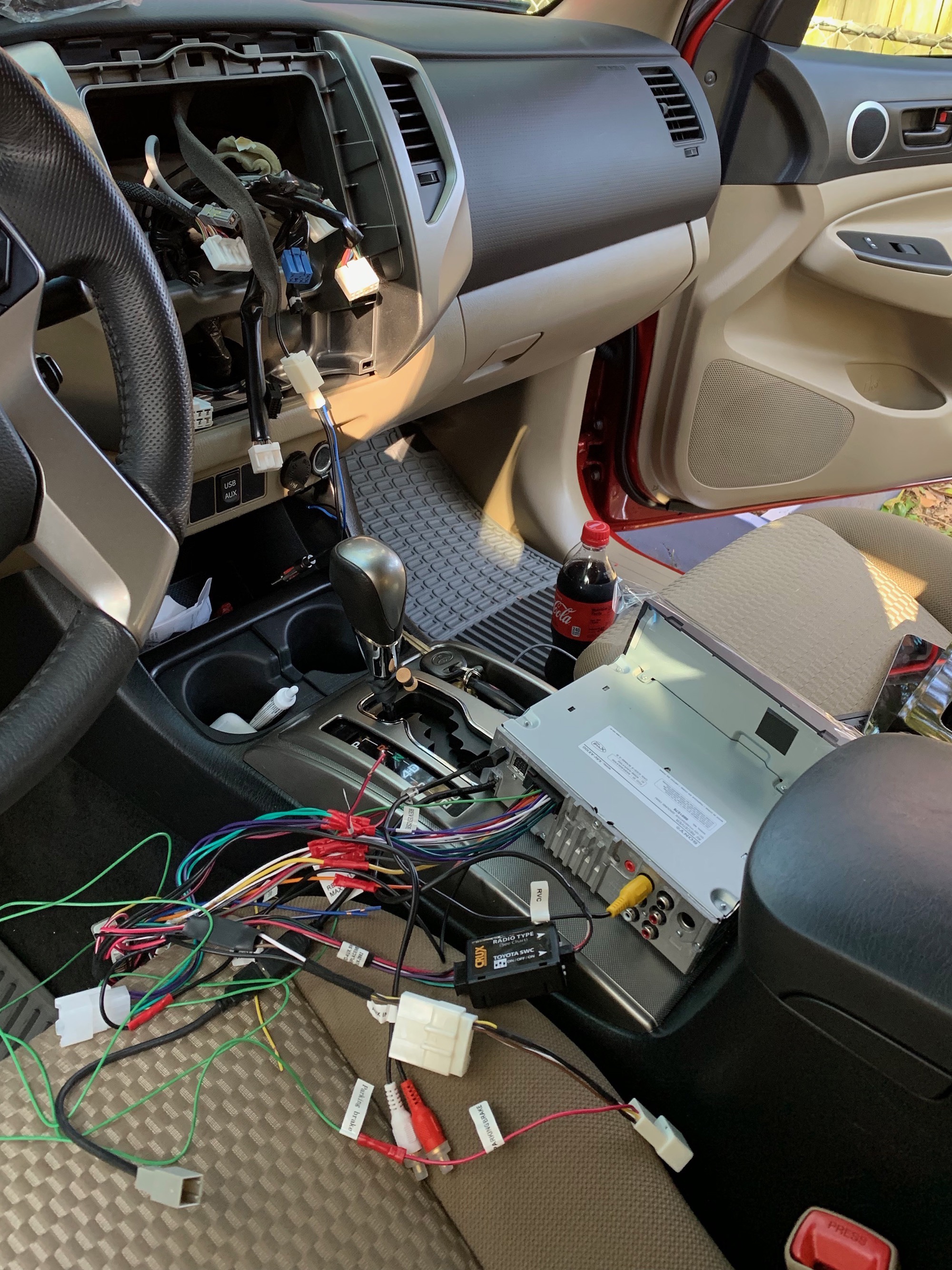
If you feel dizzy looking at all of those wires, doing this yourself may not be for you, which I totally understand. This wasn’t my first rodeo.
Thanks to Crutchfield’s super helpful website, I knew everything I had ordered would be good to go. A lot of those wires go to the speakers, but there’s plenty of other stuff going on, too. The Tacoma’s backup camera shows on the display when I put the truck in reverse, the important steering wheel controls continue to work. I also wired in a microphone, placing at the top of the A-pillar near the top of the windshield. Thankfully, I was able to re-purpose the USB port already placed in the dashboard.
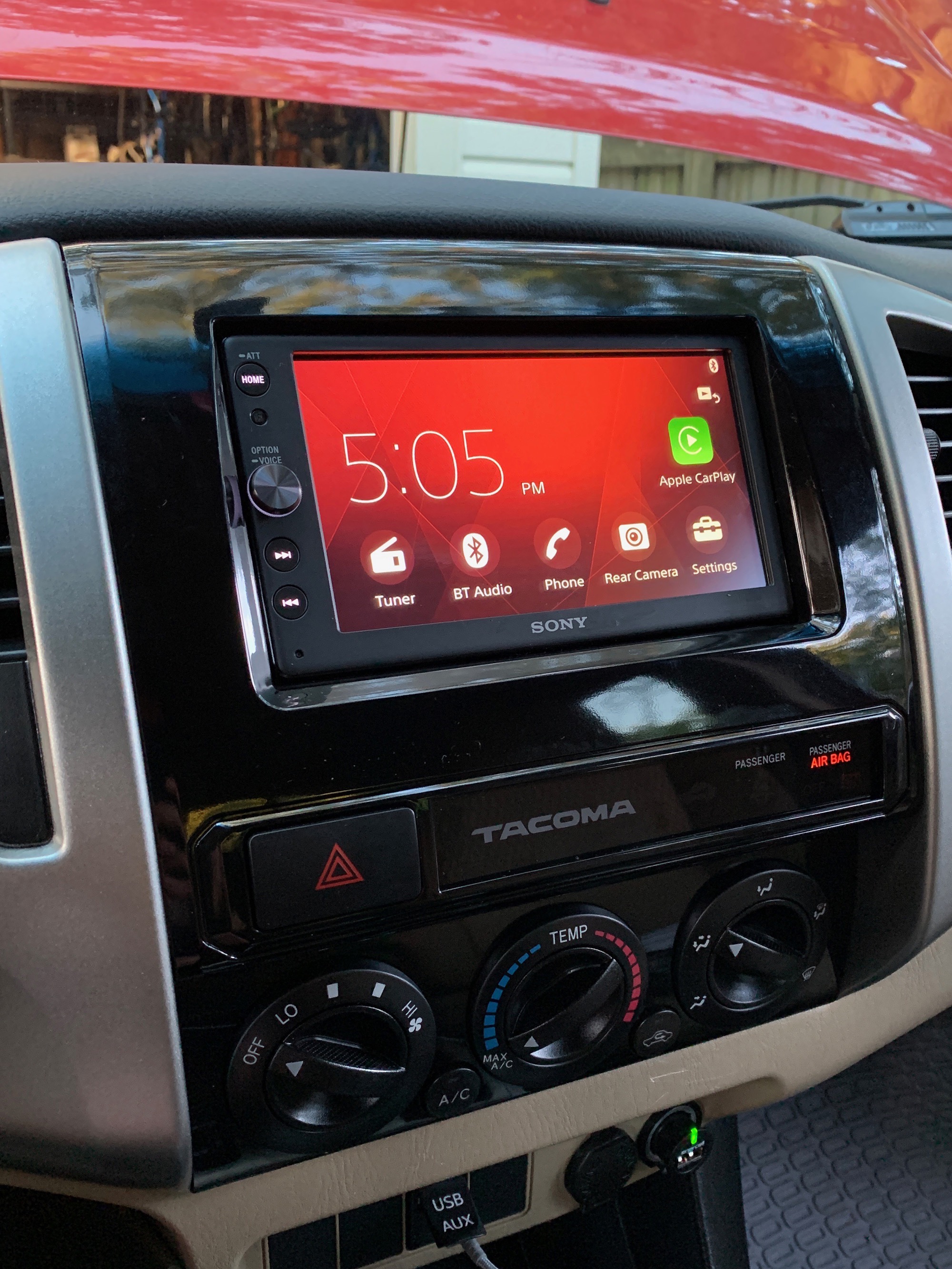
The head unit I ended up with is the Sony XAV-AX100, which has since been replaced with a newer model, as I did this install a year ago. I went with the Sony for its understated looks and its physical volume button, something many modern head units lack.
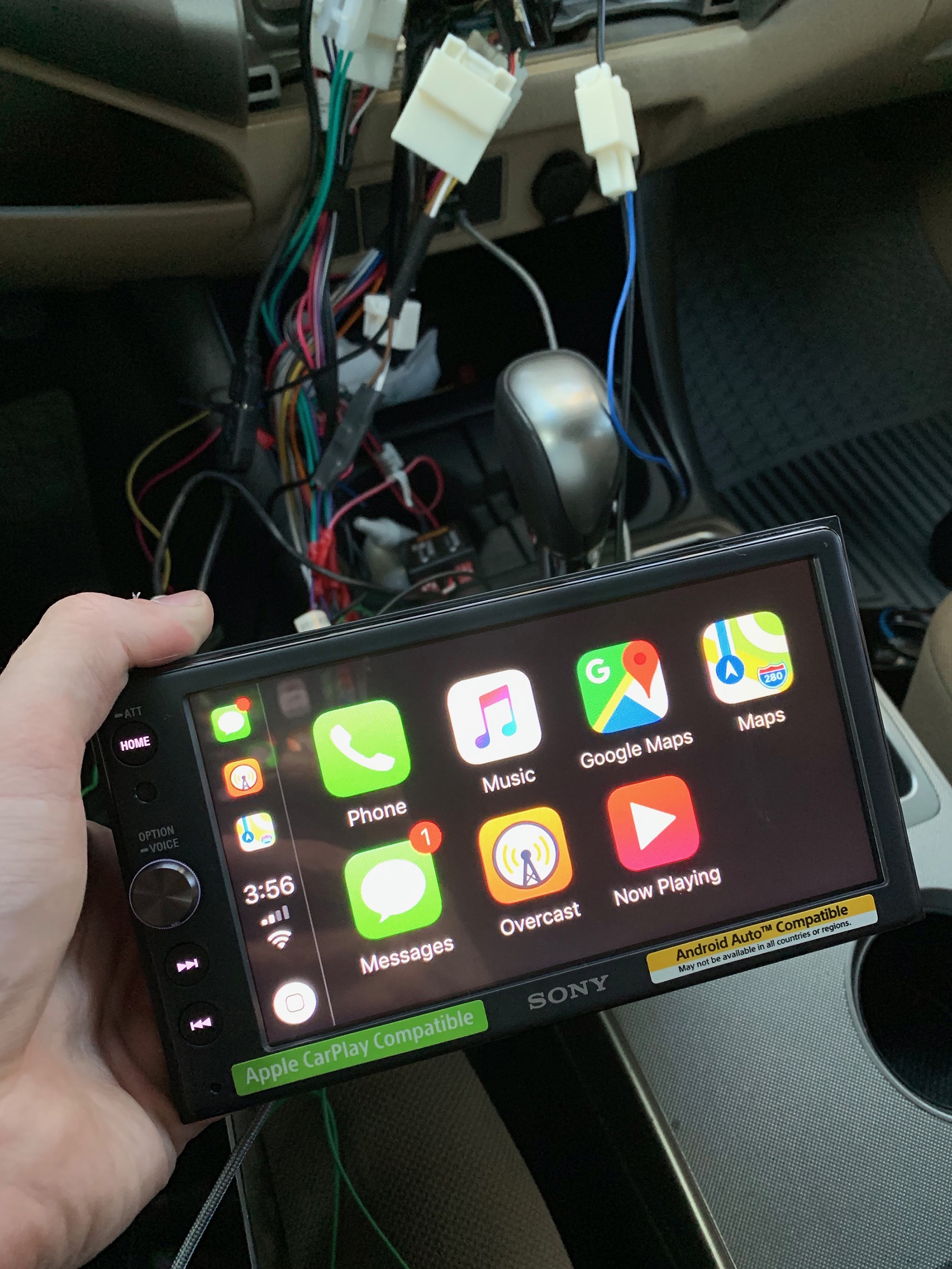
It’s been a year since I installed the Sony in my truck, and I’ve been really happy with it. CarPlay is great, especially after its iOS 13 update. Thanks to the microphone, my voice is clear and loud for both Siri and phone calls, and having Apple Music, iMessage and Overcast just a few taps away is a lot safer than reaching for my iPhone.
Connected #265: What Are You, a Dictionary? ⇢
This week, on a very special episode of Connected:
Apple has revealed its new emoji set, so it is time for Federico to guess their names as Stephen and Myke listen and keep score. After that, Myke shares his thoughts about his Galaxy Fold.
This has become my favorite annual tradition on the show.
My thanks to our sponsors:
- Squarespace: Make your next move. Enter offer code CONNECTED at checkout to get 10% off your first purchase.
- Freshbooks: Online invoicing made easy.
- Hover: Make a name for yourself. Get 10% off any domain name.