After months of teasing, Casey Liss has shipped Vignette, a new iPhone app for keeping your contact images updated easily.
Here’s a bit from his blog post announcing the app, about why he wrote it:
As with all ideas, it starts with a question:
Could I get new pictures for all my contacts on my iPhone off Gravatar?
That was early February. I was just goofing off, and just seeing if I could make that work at all.
Then more questions came:
Could I do this for Twitter as well? For Instagram? For Facebook?
About three months later, Vignette is here.
The idea is brilliant, and brilliantly simple. People upload new avatars to websites all the time; why shouldn’t they be easily added to someone’s contact database? No one should live with all their contacts being represented by their initials. We’re not animals.
This is a very specific problem, and I think Casey’s app handles it supremely well.
The best part is that Vignette is private. It doesn’t need to log in to your social media accounts, or even know if you have an account on a specific platform or not. It crawls your local contacts database, then tries to match the people there with accounts online.
After its search is complete — which took a minute or two on my 693 contacts — Vignette presents you with a list of all the possible changes, allowing you to tell the app which contacts you want to update, and those you don’t, as seen in this screenshot, which I stole from Casey’s blog:
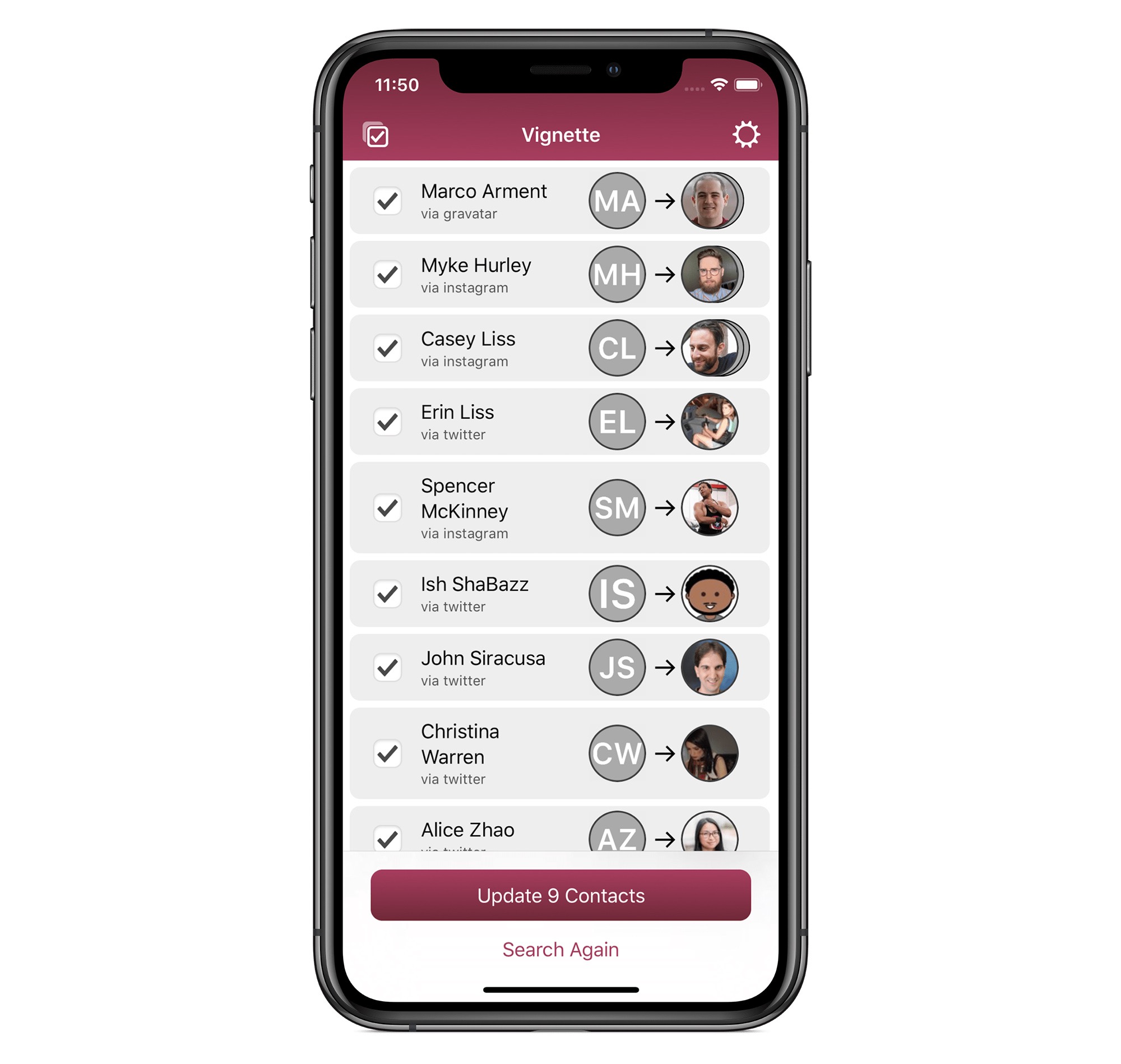
I have a handful of people in my contacts list with photos I set for them, and I didn’t want to overwrite those. Vignette considers that, and makes managing these changes easy.
For me, Gravatar was the source of most of the new images in my contacts, but if I spend a little time adding people’s Twitter, Facebook or Instagram links to their address book entries, Vignette could pull their images from those services as well.
According to Casey’s blog post, here are the fields Vignette looks for:
- Email used for Gravatar
- Twitter
- Facebook
- A custom network called Instagram
If you want more details on how the app works, check out Ryan Christoffel’s review on MacStories, but honestly, you should just go download Vignette now.
Vignette is free, with a one-time in-app purchase of $4.99 to write changes to your contacts database. This means that you can download and run Vignette to see how many contacts it will be able to change, and then decide if you want to move forward with the purchase. I think Casey absolutely nailed that interaction, and I hope the business model serves the app well.
My only complaint is seeing how I’ve aged in the last few years, but that’s not really Casey’s fault.
Probably.