A Little Background
I’ve been a member of the Big Phone Club since Myke Hurley talked everyone into buying an iPhone 6 Plus back in 2014 and early 2015. After that, I used the 6S Plus and 7 Plus, before moving to the iPhone X.
The iPhone X was an incredible phone, and will go down in history as bringing the future into the present, just as the iPhone 4 did, as I wrote a year ago:
All in all, with the iPhone X, Apple has dumped a whole lot of revolution on its most important product. The screen, body, cameras and more are all better than before, but the iPhone X is more than the sum of its parts. It’s the first chapter in a new era of iPhone design. The things that seem special about this iPhone will soon be normal, as evolution kicks in again.
I think that holds up pretty well. The XS and XS Max follow very closely in the X’s steps, with the latter bringing something new to the table.
The iPhone X’s edge-to-edge 5.8-inch screen was the largest Apple had shipped to date, but its slightly narrower design made it easier to hold than its Plus cousins. This led many of us to pine for an even larger iPhone, and Apple answered the call in September with the iPhone XS Max.
Sporting a massive 6.5-inch screen, it is slightly smaller (but slightly heavier) than the Plus phones that came before it. It’s effectively an 8 Plus with an all-screen design.
I bought an XS Max on launch day, in Space Gray this time around. I don’t like it as much as the silver, but for the first time in a long time, I’m using the phone in a case.
The XS Max is an incredible iPhone. The large OLED screen is gorgeous, the speakers are loud and the cameras are great, as long as you turn off Smart HDR. While parts of the iPhone interface feel a little silly on a screen so large, for the most part, I’ve enjoyed the phone.
Of course, the XS and XS Max aren’t the whole story for this generation of iPhones. No, there is another.
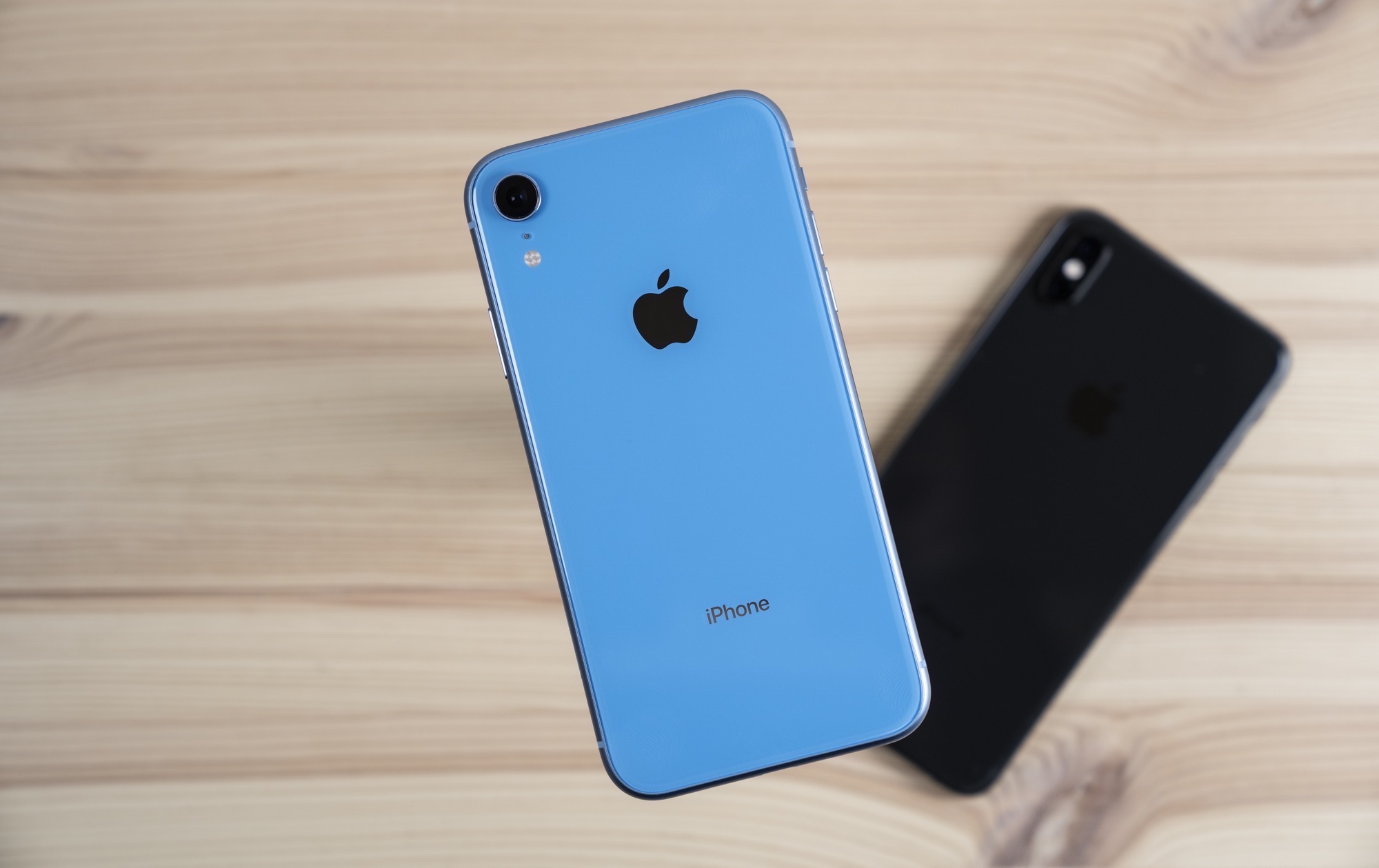
The iPhone XR
We need to clear this up right off the bat. The XR is decidedly not the iPhone 5c, despite both models coming in several bright colors. The 5c used year-old iPhone 5 tech; the XR is powered by the same silicon inside the XS and XS Max.
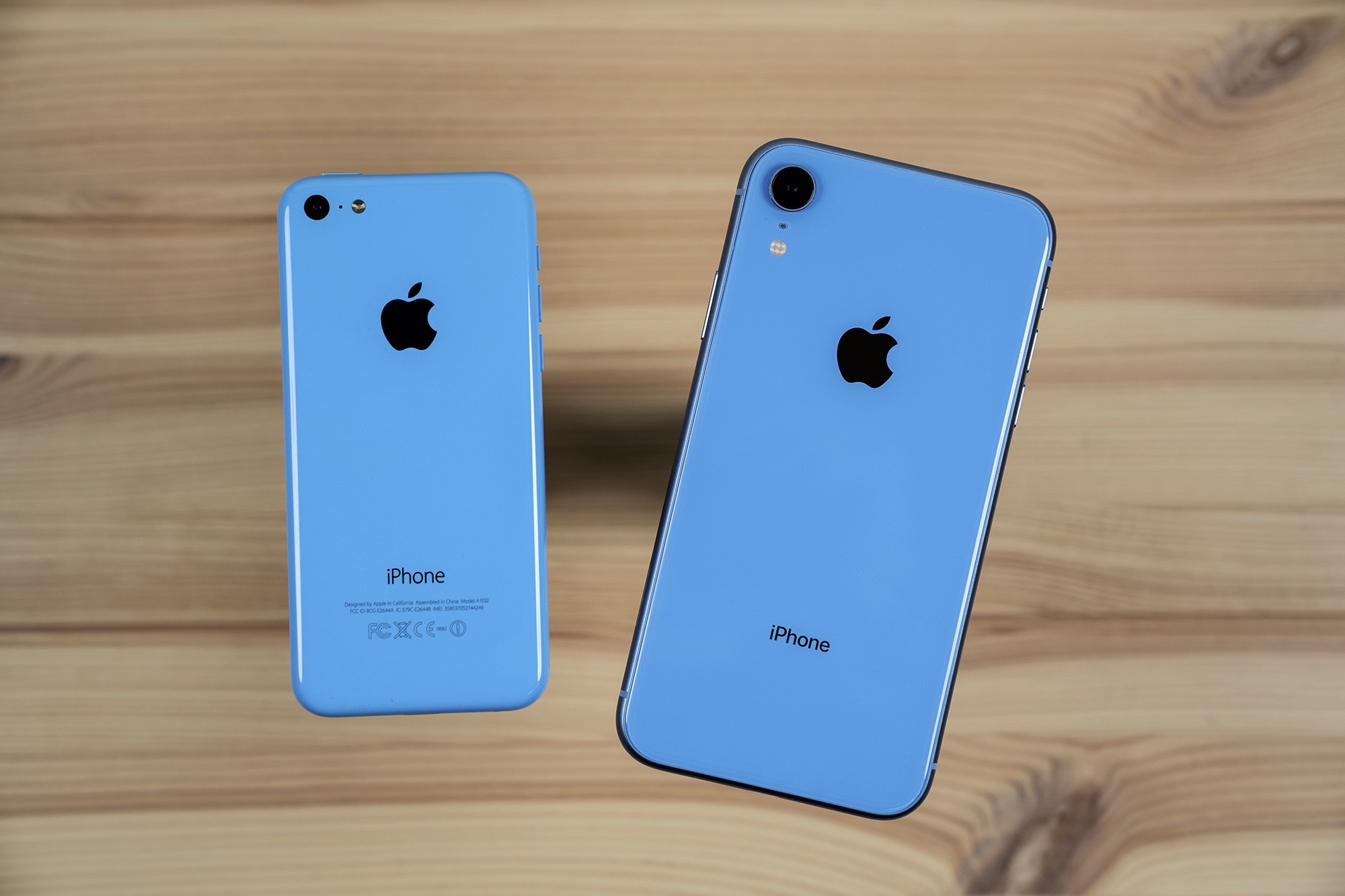
There are some compromises, of course. The XR only packs a single rear camera, but it is identical to the one in its siblings. It comes with FaceID and an edge-to-edge screen, but it’s an LCD panel with the pixel density of the iPhone 8.
That lower-resolution-but-still-Retina-and-totally-fine-in-everyday-use screen comes with a huge upside: the iPhone XR has the best battery life of the current crop of iPhones:
|
Talk Time: |
Internet Use: |
Playing Video: |
Playing Audio: |
| XS: |
20 hours |
12 hours |
14 hours |
60 hours |
| XR: |
25 hours |
15 hours |
16 hours |
65 hours |
| XS Max: |
25 hours |
13 hours |
15 hours |
65 hours |
With Apple’s recent guidance adjustment, many have come to conclude that the iPhone XR is a flop. I’m writing this before official Q1 2019 results are out, but Apple has never shared the mix of iPhone models; the average selling price (ASP) offers the best insight into what models are selling the best. If the ASP is lower than before, we can assume that some mix of iPhone XR and older models are outperforming the more expensive XS and XS Max.
Interestingly, both Apple and outside reporting say that the iPhone XR is out-selling the other two models. While nerds like me will gravitate to the absolute top of the line, the XR represents a less-expensive way to get a X-style iPhone for many, many consumers. None of the 2018 iPhones may be selling in the numbers Apple wants, but the XR isn’t a flop. It’s more popular than the XS or XS Max, and that is super interesting.
XR vs. XS Max
With that in mind, last week, I picked up a blue iPhone XR, restored it from my iCloud backup and popped my SIM card into it. I wanted to spend some time with it, and see if the trade-offs were worth the smaller price tag.
When purchased at full price, the XR starts at $749, right in between the starting prices for the 8 and 8 Plus. I understand that reasoning, but I think if Apple could have started it at $699, it would be turning more heads.
Even with my gripes about the price, I genuinely love using this iPhone.
I actually prefer the size of the XR over that of my XS Max. 0.4 inches may not sound like much, but in the hand and in the pocket, the difference can be felt. Like the porridge before Goldilocks, the option in the middle is just right.
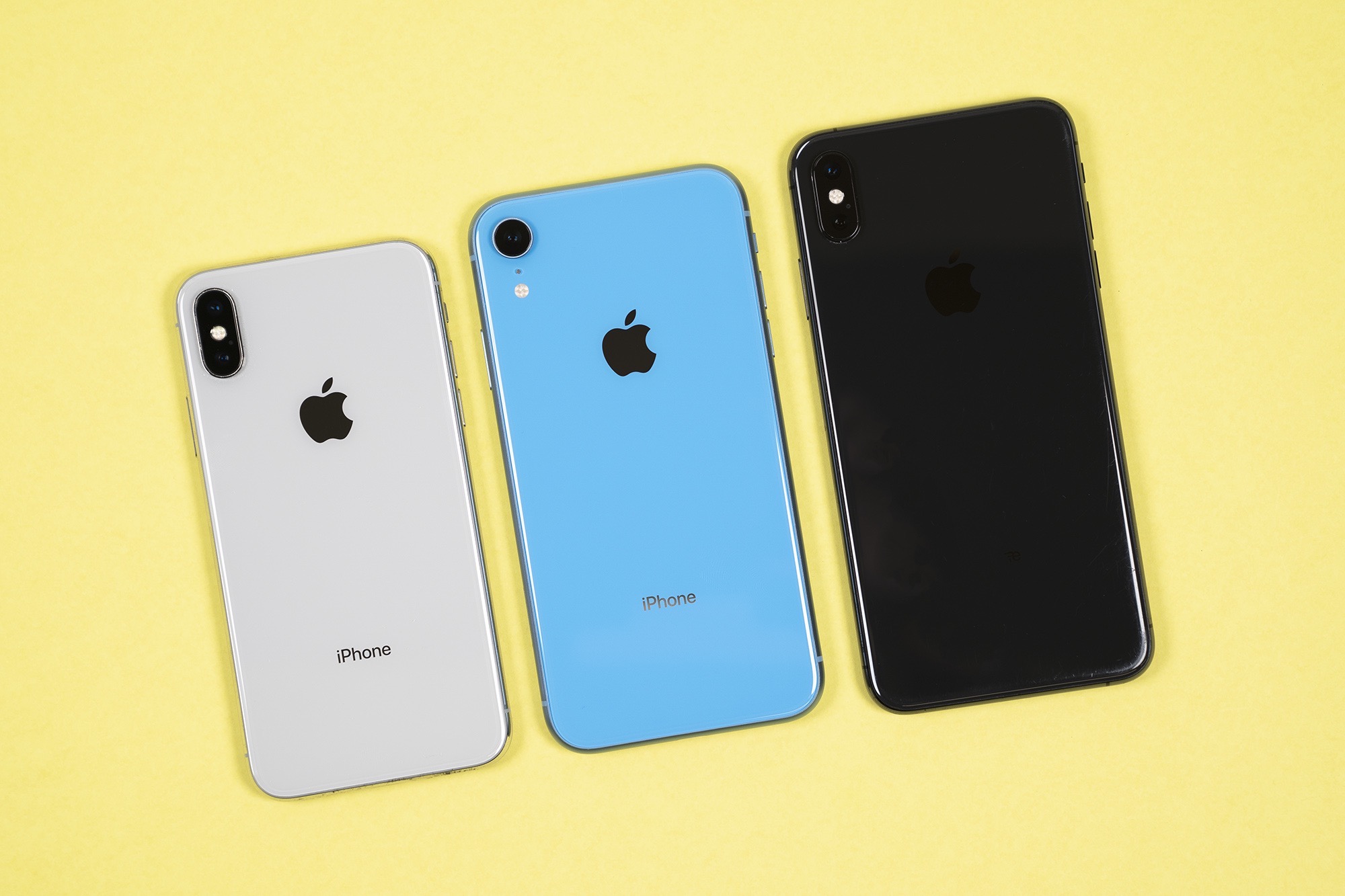
The most obvious characteristic of the XR is the color, with blue being my favorite and red probably being the most popular. Each hue comes with its own aluminum band, and some are matched to the glass better than others. On several of the colors, the glass is far more saturated than the metal. I don’t mind the mis-match on the blue, but on the yellow, I find it off-putting.
The Display & 3D Touch
It is undeniable that on paper, the XR’s display is not as good as that on the XS and XS Max. Even Apple’s best-in-class LCDs lack the punch that OLEDs can deliver. However, this LCD is as good as Apple has ever shipped. I know Apple is doing some trickery to curve it around the edges, but in practice, I can’t see it. This “Liquid Retina Display” simply flows into the rounded edges of the phone as nicely as the OLED screen does, even if the bezels are thicker than those on the XS and XS Max.
Being @2x instead of @3x means everything is slightly less sharp, but even at @2x, I can’t see any pixels. The iPhone XR runs at the same 326 ppi that has defined the iPhone experience since 2010, and it is totally fine. In other words, the XR’s LCD is just as dense as the one on the iPhone 8, just a little larger. It’s no less sharp. True, it doesn’t quite reach 1080p in terms of resolution, but video looks as crisp as it ever did on non-Plus iPhones.
In short, if you were happy with the screen on your iPhone 6/6S/7/8, you’ll be happy with this one.
(Of course, the XR supports the wide color gamut and True Tone and Night Shift found on other iPhones.)
There is something that this display lacks that is found in every other phone sold since the 6S and 6S Plus: 3D Touch. The XR’s display is not sensitive to force, just like the iPad and iPad Pro.
Apple has built something called “Haptic Touch,” which is little more than a long press coupled with feedback from the Taptic Engine inside the phone. Haptic Touch lives in two places: the lock screen and Control Center.
This means that turning on the flashlight, setting a timer from Control Center or popping into a stack of notifications all feel slightly slower than on other phones, but the outcome is more or less the same.
It also means that there are no app shortcuts available from the home screen and “Peek and Pop” to preview content isn’t here, either. I haven’t missed the former, but the latter takes some getting used to.
Even cursor mode is present; you just have to long press on the space bar to get it started, as opposed to 3D Touching anywhere on the keyboard. No biggie there.
As a bonus, Haptic Touch does away with the confusion between “long” and “deep” presses, which is a win in my eyes.
If Apple could bring Peek and Pop back, I’d never think about 3D Touch again.
The Cameras
The changes to the rear camera is probably the biggest deal for me, personally. While I have just a handful of Portrait Mode photos in my iCloud Photo Library, having that zoom lens has come in handy many, many times since I bought my 7 Plus. Sometimes it is just nice to punch in when taking a photo or video, despite the zoom lens’ optics being not quite as nice as the wide angle shooter. The XR’s single shooter is fantastic, but when using the XR, I have missed the versatility of the second lens.
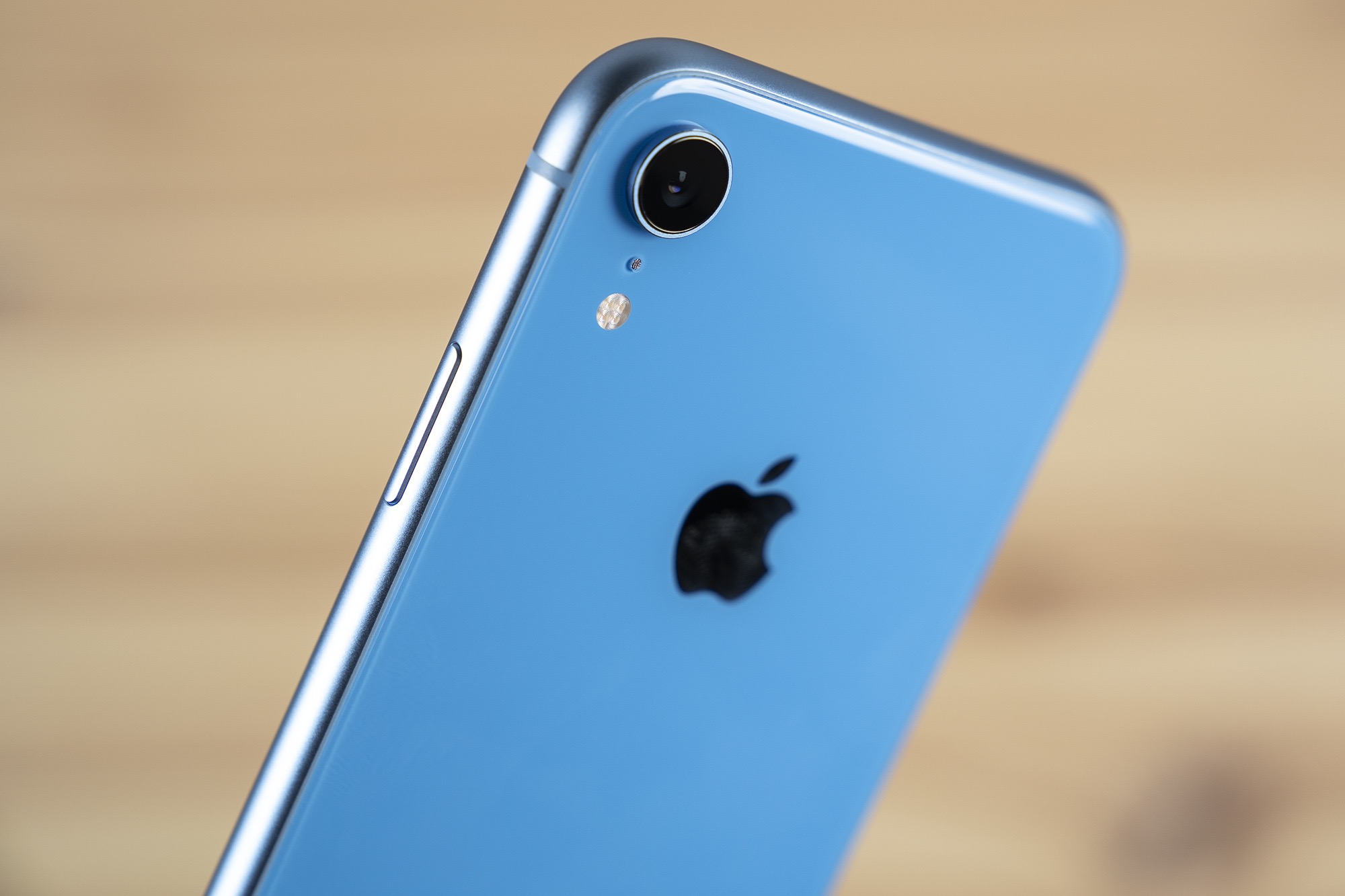
Despite just having one rear lens, the XR can take portrait photos and offers manual bokeh control, but these images are limited to pictures of people, unlike the dual-lens systems on the other phones. This trickery is all handled in software, not unlike what Google does on its Pixel phones. And of course, without the telephoto lens, these shots are wider than on the dual-lens systems, so you have to zoom with your feet, like when using a prime lens.
Around front, the True Depth Camera here is the same as the OLED models. Face ID is just as fast as on the more expensive phones. I assume the XR can take decent selfies, but it will probably be months before I find out because I am old.
XR Accessories
I dislike iPhone cases, and I really dislike clear cases, which show every bit of dust and debris that gets caught between the phone and case. Apple’s $39 clear case is nice, but not for me.
I wish Apple would just make its regular silicon and leather cases for this phone, but I guess the company really wants those colors to shine through. Maybe they should just punch a bunch of holes in the back of the case and call it a day.
Past the case, the XR is, again, just like its siblings. It has wireless and fast charging, as well as its own Smart Battery Case, which I assume means this phone could go about 17 days without needing a charger.
The XR’s Place in This World
In reading all of this, you may think “Stephen should have purchased an iPhone XS,” and you are probably right. I honestly think I think the Max is a little too big for me. If I have had one surprise over the last week, it is that the XR is as big of a phone as I want to carry.
However, even though the XS may be more comfortable for me, the XR still stands apart.
There’s more to the XR than its perfect-for-me size. The colors are great, and the aluminum band makes it feel more comfortable to hold. While it is as neat and tidy as any other recent iPhone hardware, something about it that is a lot of fun.
I think the tradeoffs Apple has made with the iPhone XR all make sense. This phone offers the same experience as the iPhone XS, from a performance perspective, but with better battery life.
The lack of the zoom lens is a bummer if you have gotten used to it, but consumers trading in their old iPhone 6S or 7 are never going to know what they are missing.
That’s the real story here. The XR is for people upgrading from old phones, not those of us who bought the iPhone X a year ago. It gets customers into a modern, Face ID-equipped iPhone for $250 less than the XS, and a shocking $350 less than the XS Max.
After using the XR, I’m not sure that extra money is actually worth it.