iPadOS 19 Rumored to Bring Yet More Window Dressing

Several weeks ago we got some anonymous feedback in the Connected inbox, directed at Federico:

It’s a shame to hear that you’re going back to the Mac, because this year iPadOS is getting live window resizing and positioning, similar to macOS and visionOS 😉

We read the feedback on the show, not really knowing what to make of it. But it’s been a few years since Apple last tinkered with the iPad’s windowing system, so it’s safe to assume that is about time for more changes to arrive.

Enter Mark Gurman, who published this today:

Apple readies iPadOS 19 overhaul that will make the tablet’s software more like macOS. Besides a big effort to make the design of Apple’s operating systems more consistent, a big theme of the upcoming Worldwide Developers Conference is likely to be iPad software.

I’m told that this year’s upgrade will focus on productivity, multitasking and app window management — with an eye on the device operating more like a Mac. It’s been a long time coming, with iPad power users pleading with Apple to make the tablet more powerful.

Many of them, including myself, just wanted Apple to put macOS on the iPad. They won’t get their wish, but the changes will likely go far enough to make a lot of those users happy — at least for now. 

That certainly sounds like what our anonymous commenter was describing, and while it would be great for the iPad to gain a more Mac-like windowing system, I don’t think the people who want macOS on their iPads will look at iPadOS 19 and be truly satisfied.

Window management doesn’t address the core issue that has haunted the iPad since the beginning.

A year ago, as the M4 iPad Pro was rolling out, Federico Viticci took a look at the state of the iPad. Forgive the long block quote, but I think this still stands today:

The iPad is the only Apple computer that genuinely feels made for someone like me – a person who loves modularity, freedom, and the mix of touch and keyboard interactions. I share my frustrations because I care about the platform and want it to get better. But at the same time, we need to face reality: the iPad’s operating system isn’t improving at the speed the hardware deserves – that iPad owners who spent thousands of dollars on these machines deserve.

Something needs to change.

With new iPad Pros nearly upon us, it’s time to admit that iPadOS is not an operating system of the same caliber as Apple’s new hardware. iPadOS has been the victim of erratic updates over the years, with features that were meant to “reimagine” desktop computing only to get not even halfway there and be left to languish for years. Once again, I am not suggesting that the solution is to put macOS on iPad and call it a day. I’m saying that if that’s not in the cards, then Apple should consider all the ways iPadOS is still failing at basic computing tasks. I’d be okay with iPads running iPadOS forever. But if we passively accept that this is as good as an iPad can get, I strongly believe that we’ll play a role in letting Apple squander the greatest computer form factor they’ve ever created.

He goes on:

I’m tired of hearing apologies that smell of Stockholm syndrome from iPad users who want to invalidate these opinions and claim that everything is perfect. I’m tired of seeing this cycle start over every two years, with fantastic iPad hardware and the usual (justified), “But it’s the software…” line at the end. I’m tired of feeling like my computer is a second-class citizen in Apple’s ecosystem. I’m tired of being told that iPads are perfectly fine if you use Final Cut and Logic, but if you don’t use those apps and ask for more desktop-class features, you’re a weirdo, and you should just get a Mac and shut up. And I’m tired of seeing the best computer Apple ever made not live up to its potential.

I started using the iPad as my main computer when I was stuck in a hospital bed and couldn’t use a laptop. I kept using it because once you get a taste of that freedom, it’s hard to go back. I will continue using it because none of the alternatives match Apple’s hardware quality, app ecosystem, and pure delight. But loving something doesn’t mean ignoring its flaws. And iPadOS is a flawed operating system that still doesn’t get the basics right and, as a result, drags down the entire product line.

It’s been hard to argue against the iPad’s hardware for a long, long time, but as Federico points out, the “it’s the software” line is a refrain we’ve all heard over and over.

Back in 2010, it was a genius move on Apple’s part to have the iPad tie into the already-big-by-then-but-now-truly-massive iPhone app ecosystem. Despite claims of “It’s just a big iPhone!” many of us saw the potential in a computer that was a sheet of glass, able to turn into any app you wanted.

As the iPad got bigger and more capable, it was inevitable that people would demand more from it, but the iPad’s roots have held it back. Even after renaming iPhone OS to iOS, then forking iPadOS, the iPhone and iPad are very close cousins, and Apple is seemingly unwilling — or unable — to really push the iPad toward the Mac in terms of capability.

Files is a mere shadow of Finder. The audio and video routing on the iPad is a joke compared to what the Mac can do. Power users can build as many Shortcuts as they want, but the app may fail to sync them properly between devices. Need a utility running in the background all the time? Too bad. What is simple on a Mac often requires jumping through hoops on an iPad, despite the hardware being basically identical under the hood.

But Stephen, you may say, developers just need to write good, powerful software for iPadOS!

There are some shining examples of this, but more and more, the iPad is forgotten by developers. Again, we turn to Federico:

…with a few exceptions for Apple Pencil-based artistic tools like the incredible Procreate and note-taking apps like GoodNotes, when is the last time you saw a completely original iPad app for productivity that made you want to buy an iPad? Or that made you want to use the iPad version of an app instead of its macOS or web version?

Should the iPad app ecosystem really need to be reduced to the “Apple Pencil ecosystem” for it to stand out between the iPhone and the Mac?

The reality is that making groundbreaking iPad apps is a lost art and has been for a long time.

Blaming developers for the iPad’s slow progress isn’t fair, though. Yes, Apple has made creating an iPad app easier and easier over the years, but ultimately, the success of any platform lays at the feet of the platform owner. Apple’s App Store rules can be seen as stifling, and until Logic and Final Cut for iPad came along in recent years, Apple had never built a true professional app for the iPad. Files being bad is on Apple, not third-party developers. Shortcuts for the iPad not having the powerful escape hatches to AppleScript or even the shell isn’t the fault of users who are trying to speed up their work, but they pay the price for Apple’s instance that the iPad be a closed, sanitized system.

But Stephen, you may say, aren’t you glad Apple has returned its focus to the Mac with Apple silicon and solid macOS releases? Do you want to go back to the days where the laptops were bad and Apple seemed to think the iPad was the future of computing for everyone?

Despite the evidence in this case, I do think Apple can chew gum and walk at the same time. Apple could continue to keep its head down on the Mac and work to make the iPad a more capable computer. Even as a Mac guy, I wish it would.

Being able to to rearrange iPhone-class applications at will won’t make the iPad more useful in my workflow as a professional.
NYT: Budget Constraints Blamed for Apple’s AI Woes

The hits keep coming when it comes to what’s going on with Apple, Siri, and AI. For this round, we go to Tripp Mickle writing for The New York Times:

The A.I. stumble was set in motion in early 2023. Mr. Giannandrea, who was overseeing the effort, sought approval from the company’s chief executive, Tim Cook, to buy more A.I. chips, known as graphics processing units, or GPUs, five people with knowledge of the request said. The chips, which can perform hundreds of computations at the same time, are critical to building the neural networks of A.I. systems, like chatbots, that can answer questions or write software code.

At the time, Apple’s data centers had about 50,000 GPUs that were more than five years old — far fewer than the hundreds of thousands of chips being bought at the time by A.I. leaders like Microsoft, Amazon, Google and Meta, these people said.

Mr. Cook approved a plan to double the team’s chip budget, but Apple’s finance chief, Luca Maestri, reduced the increase to less than half that, the people said. Mr. Maestri encouraged the team to make the chips they had more efficient.

For a company that says it doesn’t like looking back at its own history, very often, Apple makes decisions like it’s the late 1990s and the company is on the verge of failure. That drives it to make incredible products, but it also means Apple can be incredibly stingy. To play in the AI race, you’ve got to be willing to spend piles and piles of cash.

Jason Snell likes to say that when reading a report like this, it’s important to consider possible sources. Clearly, if Apple was stuck training AI models on 50,000 GPUs from 2018, it could lead to the underwhelming AI features we have today. Maestri may have plenty of blame at his feet, but he’s not alone.

This story is just one piece of the overall picture that is coming into focus. Apple was late to AI. It was unwilling to spend the money required, and the team working on these features was poorly run and fell into infighting as the rest of the company watched and rolled its eyes. Lots of people inside the company are to blame for this mess, not just Luca Maestri and John Giannandrea.1


  1. Of note, both Maestri and Giannandrea have recently seen their responsibilities change. Some might say those changes are related to Apple Intelligence and Siri. 

Siri Seems Like a Real Mess

For years, tons of people have wondered why Siri has seemed so stuck in the mud, seemingly impossible for Apple to improve in meaningful ways. Now, thanks to a new report in The Information, we know a lot more about the mess behind the scenes. Hartley Charlton at MacRumors has a recap:

In addition to Apple’s deeply ingrained stance on privacy, conflicting personalities within Apple contributed to the problems. More than half a dozen former employees who worked in Apple’s AI and machine-learning group told The Information that poor leadership is to blame for its problems with execution, citing an overly relaxed culture, as well as a lack of ambition and appetite for taking risks when designing future versions of Siri .

Apple’s AI/ML group has been dubbed “AIMLess” internally, while employees are said to refer to Siri as a “hot potato” that is continually passed between different teams with no significant improvements. There were also conflicts about higher pay, faster promotions, longer vacations, and shorter days for colleagues in the AI group.

Apple AI chief John Giannandrea was apparently confident he could fix Siri with the right training data and better web-scraping for answers to general knowledge questions. Senior leaders didn’t respond with a sense of urgency to the debut of ChatGPT in 2022; Giannandrea told employees that he didn’t believe chatbots like ChatGPT added much value for users.

The whole thing is worth a read. Hopefully Siri’s new leadership can get things moving in the right direction.

The Fantasy of a US-Made iPhone

Jason Koebler at 404 Media:

This weekend, U.S. secretary of commerce Howard Lutnick went on CBS’s Face the Nation and pitched a fantasy world where iPhones are manufactured in the United States:  “The army of millions and millions of people screwing in little, little screws to make iPhones, that kind of thing is going to come to America, it’s going to be automated, and the tradecraft of America is going to fix them, is going to work on them, there’s going to be mechanics, HVAC specialists, electricians,” Lutnick said. “The tradecraft of America, the high school educated Americans, the core to our workforce is going to have the greatest resurgence of jobs in the history of America to work on these high tech factories which are all coming to America.”

The idea of a Made-in-the-USA iPhone has been an obsession for politicians for years, a kind of shorthand goalpost that would signal “American manufacturing is back” that is nonetheless nowhere close to being a reality and would require a nearly impossible-to-fathom restructuring of the global supply chains that make the iPhone possible in the first place. Over the years, economists and manufacturing experts have attempted to calculate how much an American-made iPhone would cost. In recent days a Quora answer from 2018 that suggests an American iPhone would cost $30,000 has gone repeatedly viral. A Reuters story that claims a tariffed iPhone would cost $2,300 has also gone viral.

How Apple Could Deal with Tariffs

Jason Snell:

There are a lot of suggestions that the prices of Apple products are headed up. Apple Stores are crowded with buyers who are trying to beat the anticipated price increases. But while prices are probably going up, that’s only one of the many levers Apple can pull in order to deal with the tariff situation. Here’s a look at what the company might do to mitigate the tariff issue as much as possible.

The AI Trust Gap

Kylie Robison at The Verge:

A new report from Pew Research Center released last week shows a sharp divide in how artificial intelligence is perceived by the people building it versus the people living with it. The survey, which includes responses from over 1,000 AI experts and more than 5,000 US adults, reveals a growing optimism gap: experts are hopeful, while the public is anxious, distrustful, and increasingly uneasy.

Roughly three-quarters of AI experts think the technology will benefit them personally. Only a quarter of the public says the same. Experts believe AI will make jobs better; the public thinks it will take them away. Even basic trust in the system is fractured: more than half of both groups say they want more control over how AI is used in their lives, and majorities say they don’t trust the government or private companies to regulate it responsibly.

CalDigit Announces Thunderbolt 5 Docks

I’ve been using a CalDigit TS4 on my desk for years, allowing me to plug in my entire setup with just one cable going to my MacBook Pro. It has never given me any trouble, and is well worth the price in my book.

Now there’s a set of new docks from CalDigit, using Thunderbolt 5. Here’s a bit from the company’s press release:

The TS5 is a docking station built around pure connectivity. Its 15 ports are packed full of essential ports. The four powerful 80Gb/s Thunderbolt 5 ports allow users to expand and evolve their workflows like never before, and the 120Gb/s Bandwidth Boost feature allows users to connect bandwidth hungry displays with ease.

The TS5 Plus not only features an outstanding 20 ports, it is a docking station featuring many innovations. This includes the fact that the TS5 Plus is the first Thunderbolt dock to feature dual 10Gb/s USB controllers. While traditional docks share a single 10Gb/s USB controller for all of the USB ports on the dock, the TS5 Plus has two controllers, allowing for increased USB bandwidth. It is also the first Thunderbolt 5 dock to include 10 Gigabit Ethernet for connecting to powerful 10GbE networks.

The Plus is going to be $500 when it goes on sale at the end of the month, while the regular TS5 will be $370 and ship in May or June. I’m not looking to upgrade my setup, but dang, do these look cool:

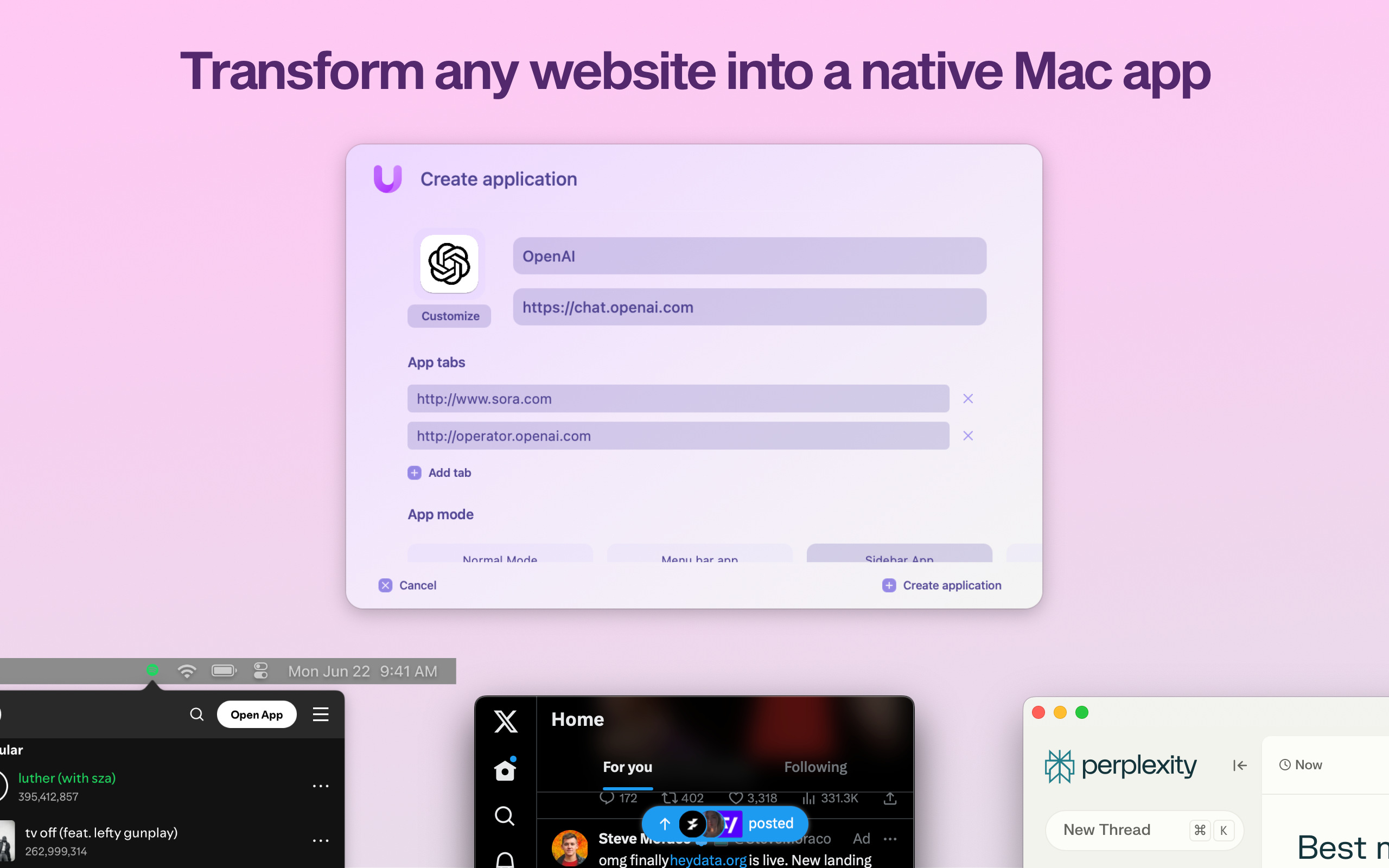
Sponsor: Unite 6 Turns Your Favorite Websites into Native Mac Apps

Unite 6 is here — and it’s more than just an upgrade. It’s a new way to bring your favorite websites into your macOS workflow. Whether you’re crafting a minimalist Gmail client, a multi-tab ChatGPT hub, or a lightweight Discord alternative, Unite 6 gives you complete control and a beautifully native experience.

Unite 6

So, what’s new in Unite 6?

  • 🧰 Redesigned Creation Tool: Build apps faster with an intuitive, streamlined setup flow.
  • 💾 App Sharing: For the first time, share Unite apps across Macs with Unite—just send a file.
  • 🧭 Advanced Tab Control: Pin, rename, lock, and isolate tabs like a power user.
  • 🔐 Smart Toolbar & Touch ID: A more secure, distraction-free browsing experience.
  • 💻 Smarter Sidebar Mode: Customize and pin tabs, now with persistent layout options.

Unite doesn’t just wrap a website in a window—it transforms it into a real Mac app with full system integration, global shortcuts, and no bloat.

Want a distraction-free Notion window? A smarter way to use Figma, Slack, or your finance dashboard? Unite 6 is built for that.

512 Pixels readers get 20% off all licenses this week — just use promo code 512Pixels at checkout or visit bzgapps.com/unite512.

You can also try Unite 6 for free for 14 days or find it in your Setapp subscription.

Exploring the Original Microsoft Source Code

Bill Gates:

The story of how Microsoft came to be begins with, of all things, a magazine. The January 1975 issue of Popular Electronics featured an Altair 8800 on the cover. The Altair 8800, created by a small electronics company called MITS, was a groundbreaking personal computer kit that promised to bring computing power to hobbyists. When Paul and I saw that cover, we knew two things: the PC revolution was imminent, and we wanted to get in on the ground floor.

At the time, personal computers were practically non-existent. Paul and I knew that creating software that let people program the Altair could revolutionize the way people interacted with these machines. So, we reached out to Ed Roberts, the founder of MITS, and told him we had a version of the programming language BASIC for the chip that the Altair 8800 ran on.

There was just one problem: We didn’t. It was time to get to work.