A new report from Pew Research Center released last week shows a sharp divide in how artificial intelligence is perceived by the people building it versus the people living with it. The survey, which includes responses from over 1,000 AI experts and more than 5,000 US adults, reveals a growing optimism gap: experts are hopeful, while the public is anxious, distrustful, and increasingly uneasy.
Roughly three-quarters of AI experts think the technology will benefit them personally. Only a quarter of the public says the same. Experts believe AI will make jobs better; the public thinks it will take them away. Even basic trust in the system is fractured: more than half of both groups say they want more control over how AI is used in their lives, and majorities say they don’t trust the government or private companies to regulate it responsibly.
CalDigit Announces Thunderbolt 5 Docks ⇢
I’ve been using a CalDigit TS4 on my desk for years, allowing me to plug in my entire setup with just one cable going to my MacBook Pro. It has never given me any trouble, and is well worth the price in my book.
Now there’s a set of new docks from CalDigit, using Thunderbolt 5. Here’s a bit from the company’s press release:
The TS5 is a docking station built around pure connectivity. Its 15 ports are packed full of essential ports. The four powerful 80Gb/s Thunderbolt 5 ports allow users to expand and evolve their workflows like never before, and the 120Gb/s Bandwidth Boost feature allows users to connect bandwidth hungry displays with ease.
The TS5 Plus not only features an outstanding 20 ports, it is a docking station featuring many innovations. This includes the fact that the TS5 Plus is the first Thunderbolt dock to feature dual 10Gb/s USB controllers. While traditional docks share a single 10Gb/s USB controller for all of the USB ports on the dock, the TS5 Plus has two controllers, allowing for increased USB bandwidth. It is also the first Thunderbolt 5 dock to include 10 Gigabit Ethernet for connecting to powerful 10GbE networks.
The Plus is going to be $500 when it goes on sale at the end of the month, while the regular TS5 will be $370 and ship in May or June. I’m not looking to upgrade my setup, but dang, do these look cool:
But People Like Screens ⇢
Sam Altman and Jony Ive’s AI project could involve a screenless device.
Sources tell The Information that the hardware startup, called io Products, is considering creating a phone-like product without a screen, as well as “AI-enabled household devices.”
According to The Information, OpenAI is considering purchasing the startup.
Sponsor: Unite 6 Turns Your Favorite Websites into Native Mac Apps ⇢
Unite 6 is here — and it’s more than just an upgrade. It’s a new way to bring your favorite websites into your macOS workflow. Whether you’re crafting a minimalist Gmail client, a multi-tab ChatGPT hub, or a lightweight Discord alternative, Unite 6 gives you complete control and a beautifully native experience.
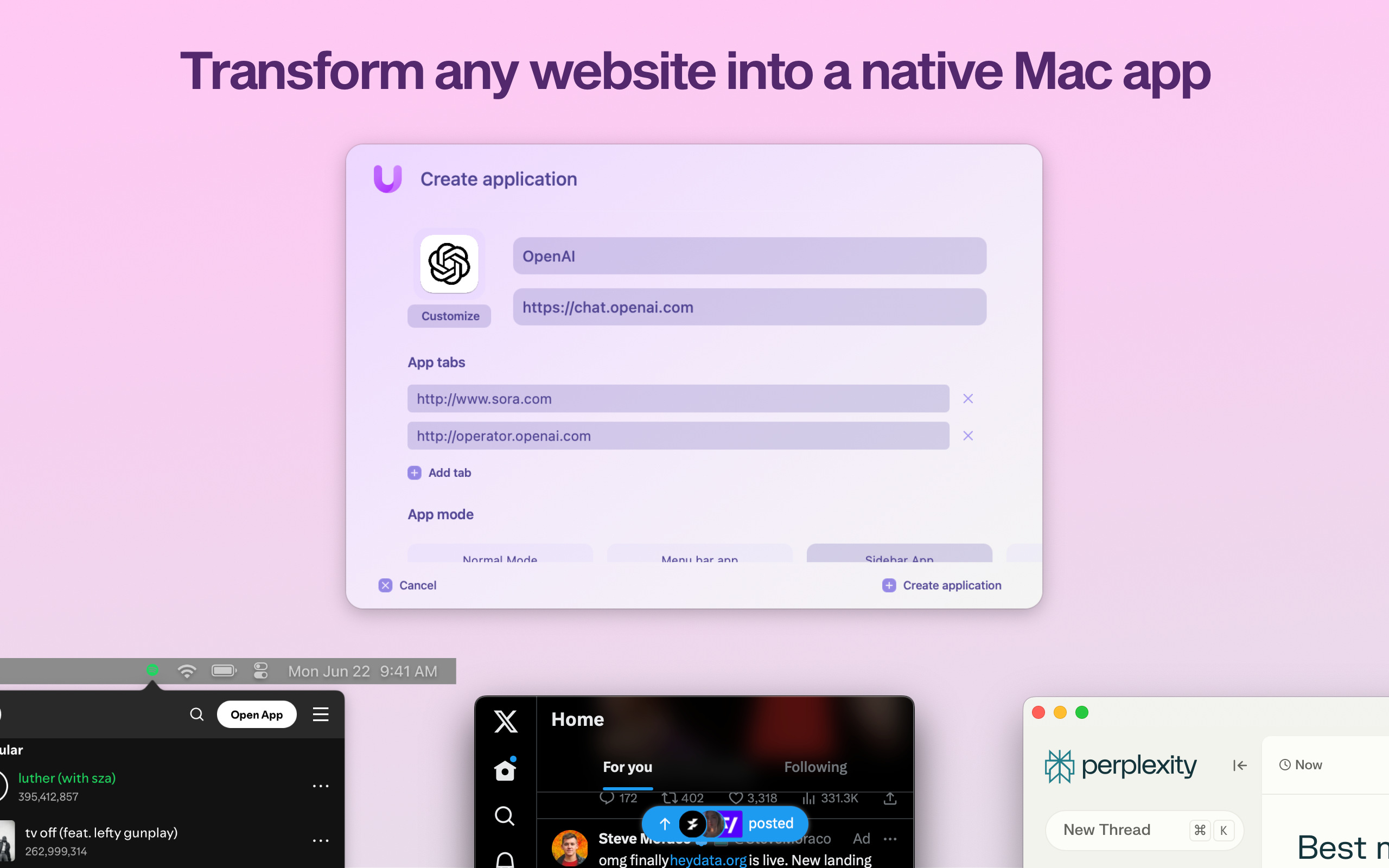
So, what’s new in Unite 6?
- 🧰 Redesigned Creation Tool: Build apps faster with an intuitive, streamlined setup flow.
- 💾 App Sharing: For the first time, share Unite apps across Macs with Unite—just send a file.
- 🧭 Advanced Tab Control: Pin, rename, lock, and isolate tabs like a power user.
- 🔐 Smart Toolbar & Touch ID: A more secure, distraction-free browsing experience.
- 💻 Smarter Sidebar Mode: Customize and pin tabs, now with persistent layout options.
Unite doesn’t just wrap a website in a window—it transforms it into a real Mac app with full system integration, global shortcuts, and no bloat.
Want a distraction-free Notion window? A smarter way to use Figma, Slack, or your finance dashboard? Unite 6 is built for that.
512 Pixels readers get 20% off all licenses this week — just use promo code 512Pixels at checkout or visit bzgapps.com/unite512.
You can also try Unite 6 for free for 14 days or find it in your Setapp subscription.
Exploring the Original Microsoft Source Code ⇢
The story of how Microsoft came to be begins with, of all things, a magazine. The January 1975 issue of Popular Electronics featured an Altair 8800 on the cover. The Altair 8800, created by a small electronics company called MITS, was a groundbreaking personal computer kit that promised to bring computing power to hobbyists. When Paul and I saw that cover, we knew two things: the PC revolution was imminent, and we wanted to get in on the ground floor.
At the time, personal computers were practically non-existent. Paul and I knew that creating software that let people program the Altair could revolutionize the way people interacted with these machines. So, we reached out to Ed Roberts, the founder of MITS, and told him we had a version of the programming language BASIC for the chip that the Altair 8800 ran on.
There was just one problem: We didn’t. It was time to get to work.
Mac Power Users 791: Exploring iCloud.com ⇢
The newest Mac Power Users episode is all about iCloud.com:
iCloud is the glue that holds much of the Apple ecosystem together, syncing data and content between devices. This week, the guys walk through what is possible by using the iCloud website, including data recovery tools, account settings, and more.
Exploring MacPaint’s Source Code ⇢
MacPaint was one of the Mac’s original first-party applications, and was written by Bill Atkinson himself. Jeffrey Starr has published an in-depth look at the application’s source code:
One of two launch applications for the Apple Macintosh in 1984, MacPaint is emblematic of the Macintosh’s early quirky revolutionary branding, focus on ease of use, and appeal to artistic customers. Using the source code, we examine the design and implementation of the application. We find that the buffer management and bucket filling algorithms demonstrate mechanical empathy with the 68k platform and leverage the limitations of the domain as a means to improve performance. We also find positive and negative aspects in the code style and architecture and its pliability for change. Finally, we dispute some claimed novel aspects of the program while also arguing for its significance and impact on the development of digital graphic systems.
Microsoft Turns 50 ⇢
Today is Microsoft’s 50th anniversary, as Tom Warren writes:
Founded on April 4th, 1975, Microsoft went on to strike a deal with IBM to provide software for its first PC in 1980. This became the foundation of MS-DOS, which dominated IBM-compatible PCs during the ’80s. Microsoft’s early success in developing software for PCs eventually led to the first version of Windows in 1985 and a dream of a PC on every desk and in every home.
Microsoft itself is marking the occasion as well, with a mini site celebrating the past, present, and future of technology:
In 1975, childhood friends Bill Gates and Paul Allen dared to dream bigger than what reality dictated at the time—giving people everywhere a whole new way to live, work, and play. And while times have changed, and technology has changed, our dream remains the same: empowering every person on the planet to achieve more. To celebrate these last 50 years, we’re looking back at some iconic moments from our history, sharing some stories, and celebrating all the amazing things you’ve done with Microsoft tech. Because change needs makers!
If you’re in the mood for some more Microsoft nostalgia, I’ve got some links for you:
- Speaking of Tom Warren, he has another piece consisting of interviews with people who had a front-row seat to a lot of this history.
- Danielle McClune wrote about the history of Comic Sans on the Microsoft Design blog.
- Satya Nadella, Steve Ballmer, and Bill Gates were all roasted by Copilot.
- The Verge put together a list of the “50 best things” made by the company. It made me sad about the Courier all over again.
- If you need some swag, Microsoft has updated its merch store to mark the anniversary. There’s a noticeable lack of Clippy shirts, sadly.
On the Rumored M6 MacBook Pro ⇢
Over the weekend, Mark Gurman reported that the M6-generation of MacBook Pro will bring with it an updated design, complete with a thinner chassis and an OLED display.
David Sparks’ thoughts on this mirror my own:
I’m particularly excited about the prospect of an OLED screen. This technology promises higher brightness, improved contrast ratios, and more vibrant colors, making the types of things folks do on a MacBook Pro even easier.
However, the notion of a thinner design makes me nervous. In my experience, when surveying the needs of MacBook Pro users–especially those in same creative professions–the desire for a slimmer profile rarely tops the list. More commonly, folks want better battery life, enhanced performance, and adequate input/output.
The MacBook Air is an excellent thin-and-light notebook. The current MacBook Pro’s thickness has never bothered me, and the design is so much better than that of the Butterfly Keyboard Era machines, it’s not even funny.
DEVONthink 4 ⇢
I am a huge DEVONthink fan, as I use it hold and organize my ever-growing library of tech history resources. Here’s a look at my collection of databases:

Today, DEVONthink 4 enters public beta 1 with a whole bunch of new features.
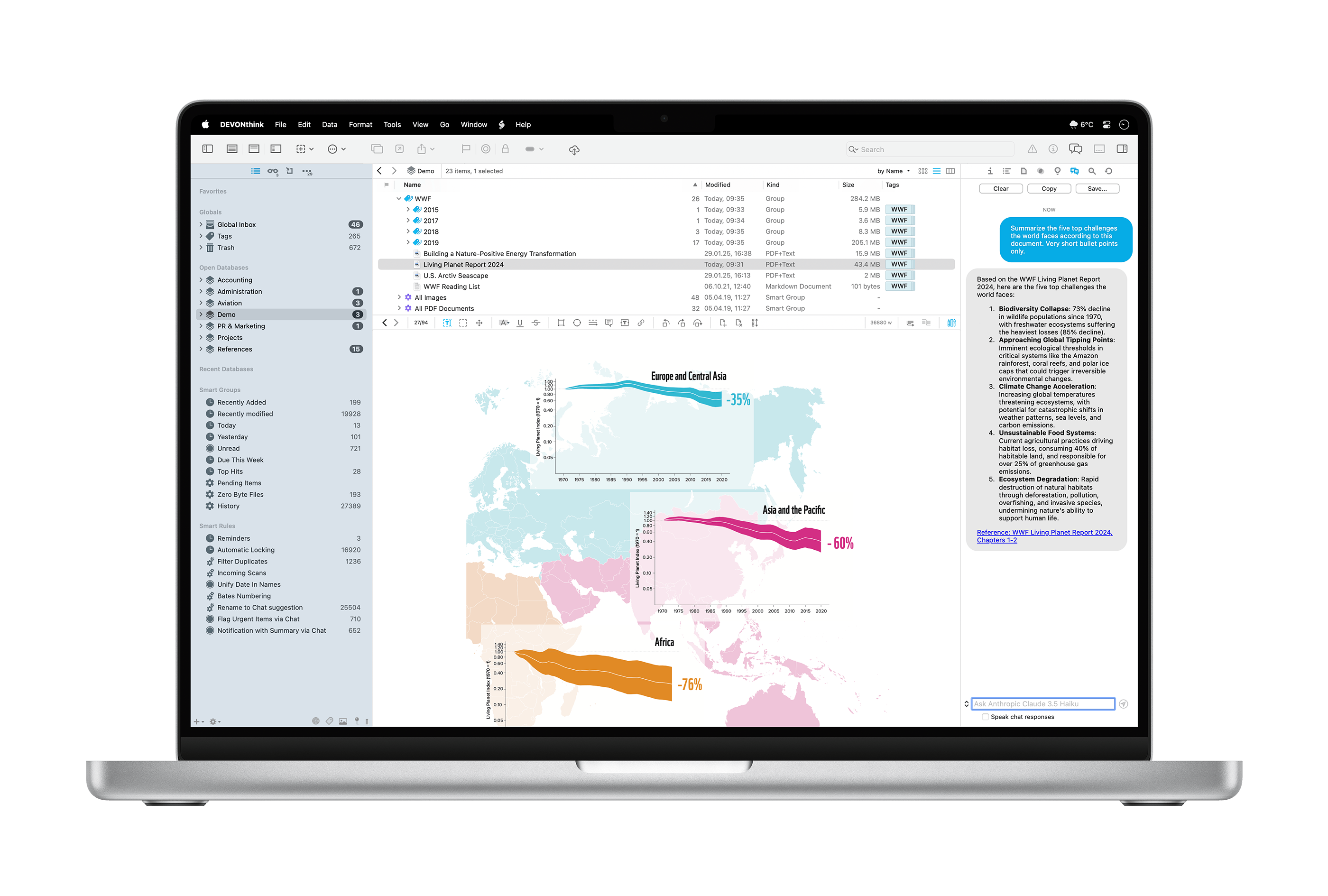
DEVONthink 4 includes new tools for managing documents, which is the core use of the application for me, as a huge percentage of the resources I have saved are PDFs and text files. Now, DEVONthink supports versioning, so changes to these files can be undone later. You’ve got full control over how many version are kept, and how much space versioning can take up in your databases.
Markdown documents are also much nicer to work with in version 4. For Apple events, I tend to take Markdown-formatted notes, then drop them into DEVONthink for Future Stephen to refer to later.
As you could have probably guessed, AI plays a huge part in this release. Unlike making weird and terrible images of your friends, this application of AI promises to be useful in actual work. DEVONthink 4 supports numerous models, including Claude, Mistral, and ChatGPT for tasks like summarization, text recognition, searching, and transforming text.
If you prefer your models to run offline, Ollama and LM Studio are also supported, and of course, these features are optional if you would like to avoid them all together.
(John Voorhees has an in-depth look at these features.)
Search in DEVONthink 3 was already really powerful, and in my initial use of version 4, it’s even better. Previous versions required OCR to be run on PDFs and images to make the text searchable.
Version 4 is a paid update, but with it, the pricing structure is changing:
Starting with DEVONthink 4 we switch from a slow product cycle with large, feature-laden upgrades to a more flexible, more modern model. With the purchase of a software license you receive the app itself including one year of updates. When the year is up, you can extend your license to continue receiving updates — but you don’t have to.
Should you choose to not extend the license, you can continue to use DEVONthink; the app just no longer downloads and installs newer updates. The license will neither become deactivated nor restricted in any way. You own the app, we will never take it away from you.
Here’s the pricing, as sent to me in a press release:
- DEVONthink Standard: $99 (new license), $49 (upgrade, extension, or additional seat)
- DEVONthink Pro: $199 (new license), $99 (upgrade, extension, or additional seat)
- DEVONthink Server: $499 (new license), $149 (upgrade or extension), $99 (additional seat)
Switch 2 ⇢
I suspect there will be one of these in the Hackett household sooner rather than later.
Sofa Gains Podcast Playback ⇢
The excellent media-tracking app Sofa has been updated to include a podcast player, complete with chapter support, playlists, a CarPlay app, widgets, and loads of settings. It looks great.