After visiting Jupiter, Saturn, Uranus and Neptune, the Voyager probes are now probing the very edges of our solar system — and beyond.
I find something … unsettling … about the Voyager mission.
After visiting Jupiter, Saturn, Uranus and Neptune, the Voyager probes are now probing the very edges of our solar system — and beyond.
I find something … unsettling … about the Voyager mission.
With Myke pondering life in the woods, Stephen and Federico talk about Clips and what the Mac and iPad can learn from each other before quizzing each other on their preferred platforms in a battle for eternal nerd glory.
I had a lot of fun going up against Viticci in this episode.
My thanks to our sponsors:
Seven years ago, I published my original iPad review. I thought it would be fun to revisit it today.
I really had no intention of buying an iPad on launch day, but I was very curious about it. About an hour before the local Apple Store closed, I called a friend of mine to see if he wanted to go with me to check out the demo models. I figured I was safe from an impulsive decision, but they still had models in stock:
As the release day drew to an end and I read more reviews of the device I caved, drove to the Apple Store and plunked down some money for the 16GB Wi-Fi model.
That original hardware was very much of its time:
The iPhone and the Mid–2007 iMac kicked off Apple’s current love affair with smooth, slick aluminum coupled with glass-covered panels with thick black borders. The design language they introduced with those products can now be found on Apple’s notebooks, and it’s embodied in the iPad. In many ways, the iPad reminds me of an iMac — both machines are defined by their large glass-covered displays. What lives behind the screen is easily forgotten.
This iPad is from the time before Apple put an oleophobic coating on their devices, and it showed. After getting my new device setup, I was shocked at how gross it looked. This wasn’t helped by the chunky black bezels.
Right off the bat, the iPad felt like a product from the future. The screen was just a giant window into apps and content; the hardware yielded its ground to the software unlike any other device. Best of all, it was silent:
After playing a racing game for 30 minutes, it was barely warm. It’s pretty incredible. I’d almost like my iPad to get warm more often so I know it’s actually working. That, coupled with the complete lack of noise or humming, makes the iPad seem even more futuristic. Like most groundbreaking Apple products, it doesn’t have a fan — think of how magical the G4 Cube and the iMac G3 still seem.
I did have some complaints about the hardware; I really wanted to see an SD card slot on the original iPad. I’ve since bought SD card adaptors for my iOS devices, and I think I’ve used them maybe three or four times.
As I read through my old review, I came across something that still drives me crazy:
A huge complaint of mine is that the icons on the home screen shift when the iPad changes orientation. It really screws with muscle memory, and makes me hunt down icons when I’m in portrait mode, since I use mine in landscape most of the time. Apple needs to fix it.
Maybe this is the year the iPad homescreen becomes more useful.1
Thankfully this complaint has been taken care as of iOS 7:
A lot of third-party apps (and apps like Contacts and Calendars) are designed to look like the real objects they replace. It’s an odd trend, and I’m not sure I am in love with it. Virtual bookcases and sticky notes just aren’t as effective as their physical inspirations.
Younger-Stephen was unaware of the painful nerve damage in his future, and could still use an Apple Extended II keyboard. His taste in keyboards clearly didn’t affect how he used his iPad:
I haven’t paired my iPad to a bluetooth keyboard, but it seems like a good solution for long typing sessions. I just don’t see the need at this point. Even typing this review on the iPad wasn’t bad enough for me to go grab a keyboard. Granted, I’ve been working on over the course of a week, not all at once.
I’m writing this on my 9.7″ iPad Pro with the Smart Keyboard attached. I much prefer it to the software keyboard these days, even if the Smart Keyboard is a little cramped at this smaller size.
I ended my review by pontificating on the iPad’s role in the world:
The biggest question of all when it comes to the iPad is this — can it revolutionize the computer industry? I’m not sure it can.
I think it can replace the desktop for some users who just surf, email and look at photos, the iPad is a compelling alternative.
Of course, since the iPad is dependent on iTunes, it makes it more difficult to think of it as a stand-alone machine.
For another class of users, the desktop computer cannot be replaced at this point. People who use computers to create will see their iPads as secondary devices for light tasks, note taking and media playback. That’s where I am with it. All in all, it’s a great device with lots of promise, but it’s far from being as revolutionary as the Macintosh was in 1984. No matter what Apple says.
iTunes dependency may be a thing of the past, but this conflict is still at the heart of any conversation about the iPad. Many people can – and do — use the tablet as their primary computing device. The software and hardware advancements of the last seven years have made the iPad more powerful and flexible, but it’s not enough for everyone.
I’m somewhere in the middle. Some of my work has to be done on a Mac, but a bunch of it can be done on my iPad. I often choose my Mac over my iPad for those tasks out of habit, but that isn’t the iPad’s fault.
It’s clear Apple needs to do more to push the iPad further down the road to general computing. As much as Steve Jobs disliked it, most users need access to some sort of file system. Multitasking should be native, not bolted-on through the use of a weird sidebar app drawer. Some of us need access to more powerful applications and utilities to complete our workdays on an iPad.
I think Apple is hard at work on these things, but looking back, it’s pretty incredible how far this device has come. This iPad Pro I’m typing on now may have the same screen size as the original iPad, but they are worlds apart in terms of capability.
Justin Williams recently wrote up what he’d like to see in the new Mac Pro, from his standpoint as a software developer.
I’m not a developer, but I am a pro user. While my 5K iMac is plenty of machine for me, I would like to have the option of a viable Mac Pro when it’s time to replace this computer down the road.
Like Williams, I really just want a tower I can plug into a display. Here’s what I’d like that product to include:
I don’t expect Apple to match what the Cheese Grater offered in terms of expandability ever again. However, I would like to see some expansion slots:
Going back to a multi-processor setup (coupled with ECC RAM) is more than welcome. Gimme those cores, Apple.
As far as I/O, there’s no doubt that this machine should be stuffed full of Thunderbolt 3/USB-C ports. As Williams wrote in his piece:
I’d hope that without the space constraints of a laptop, every port has the same sort of bus speed. I don’t want to have to think about the upper-left USB-C port being faster than the lower-right one.
In addition Thunderbolt 3, I would like to see dual Ethernet jacks, as well as both audio in and out. The Trash Can only has audio out, limiting its usefulness in certain recording setups.
It’d be cool to have a “legacy” USB A port or two, but by the time it actually ships, USB A may really be on the way out.1
Even if a new Mac Pro had everything I’ve listed and more, I still bet the machine could be smaller than the Cheese Graters. A modern Mac Pro should be able to live on or under a desk. The Cheese Graters were too big and heavy to go anywhere but the floor, while the 2013 Mac Pro begged to be behind a display somewhere. Flexibility here is key. If the new Apple display has a built-in cable, it should be long enough to reach the floor.
As far as the actual design, I’m not picky. If it’s heavy, it should have a handle. If it’s big, there should be ports on the front and back. It should run quietly, even under load.
I’ll take it in any color, as long as it’s black.
The key to a successful Mac Pro is balance. It should support what pros are using today, while also being equipped for tomorrow. It should offer expansion, but probably not to the extent that it supports everything the Cheese Grater did, like dual SuperDrives and 3.5″ hard drives. Apple will need to work out how to use the limited number of PCI lanes at its disposal, something I didn’t do in this post.
Whatever they do will involve change. Some things should be left behind, but the Trash Can took that too far.
This is a big blow to researching Apple stuff. I’m not shocked, but I wish I had scraped it before this happened.
Since 2004, NASA’s Cassini spacecraft has been at Saturn, studying the gas giant and its many moons. That work is coming to an end this month:
On Wednesday, April 26, the spacecraft will make the first in a series of dives through the 1,500-mile-wide (2,400-kilometer) gap between Saturn and its rings as part of the mission’s grand finale.
“No spacecraft has ever gone through the unique region that we’ll attempt to boldly cross 22 times,” said Thomas Zurbuchen, associate administrator for the Science Mission Directorate at NASA Headquarters in Washington. “What we learn from Cassini’s daring final orbits will further our understanding of how giant planets, and planetary systems everywhere, form and evolve. This is truly discovery in action to the very end.”
After these daring maneuvers, Cassini will meet its end:
In 2010, NASA decided to end the mission with a purposeful plunge into Saturn this year in order to protect and preserve the planet’s moons for future exploration — especially the potentially habitable Enceladus.
A fitting end to one heck of a mission.
As we learned this week, the 2013 trash can Mac Pro is going to … well … the trash can. Apple has promised a new “modular” Mac Pro for sometime after 2017.
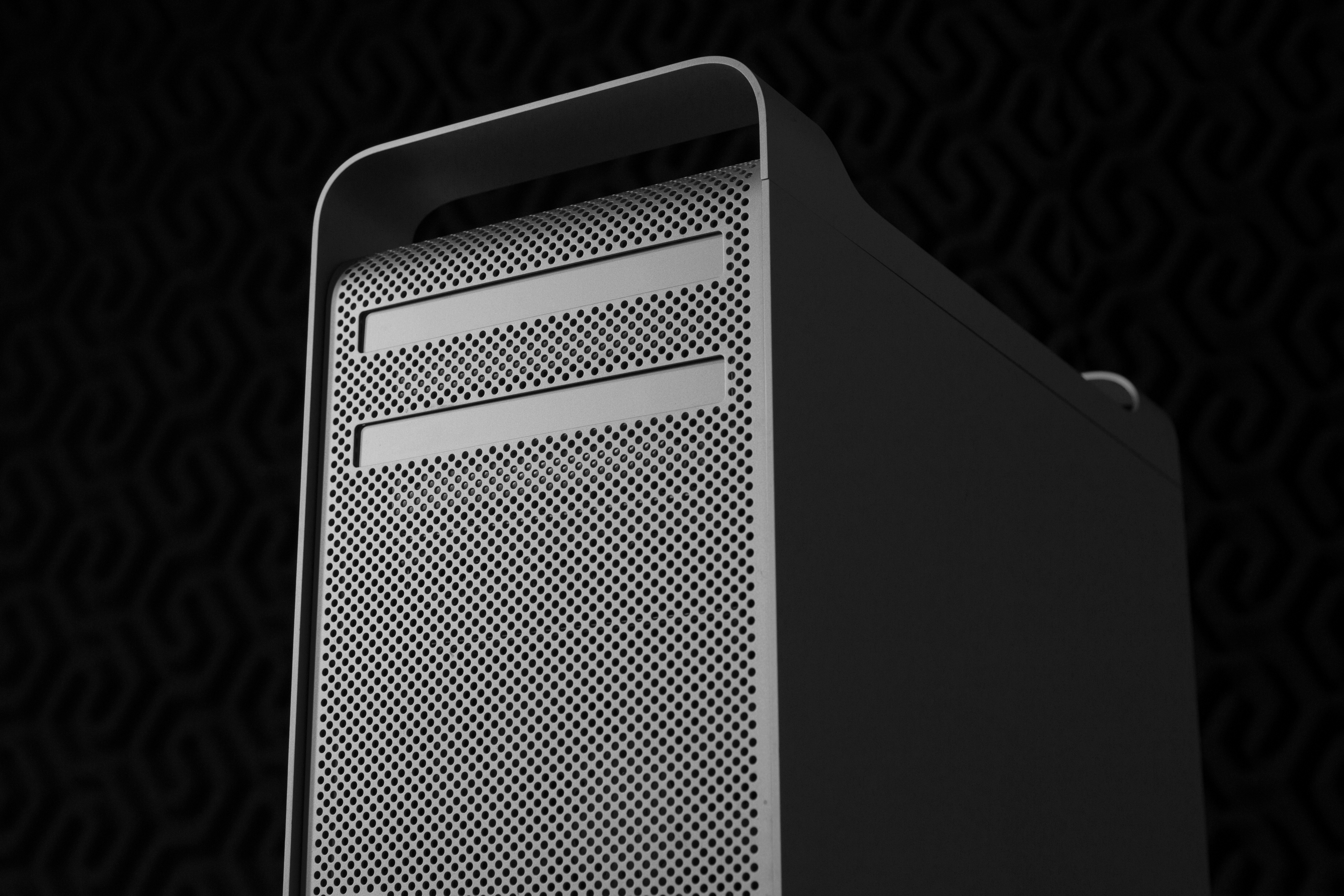
In the light of this news, I thought it would be interesting to look back a model, to the “cheese grater” Mac Pros Apple sold from 2006 until 2013. It was a flexible, expandable, powerful desktop computer.
Imagine that.
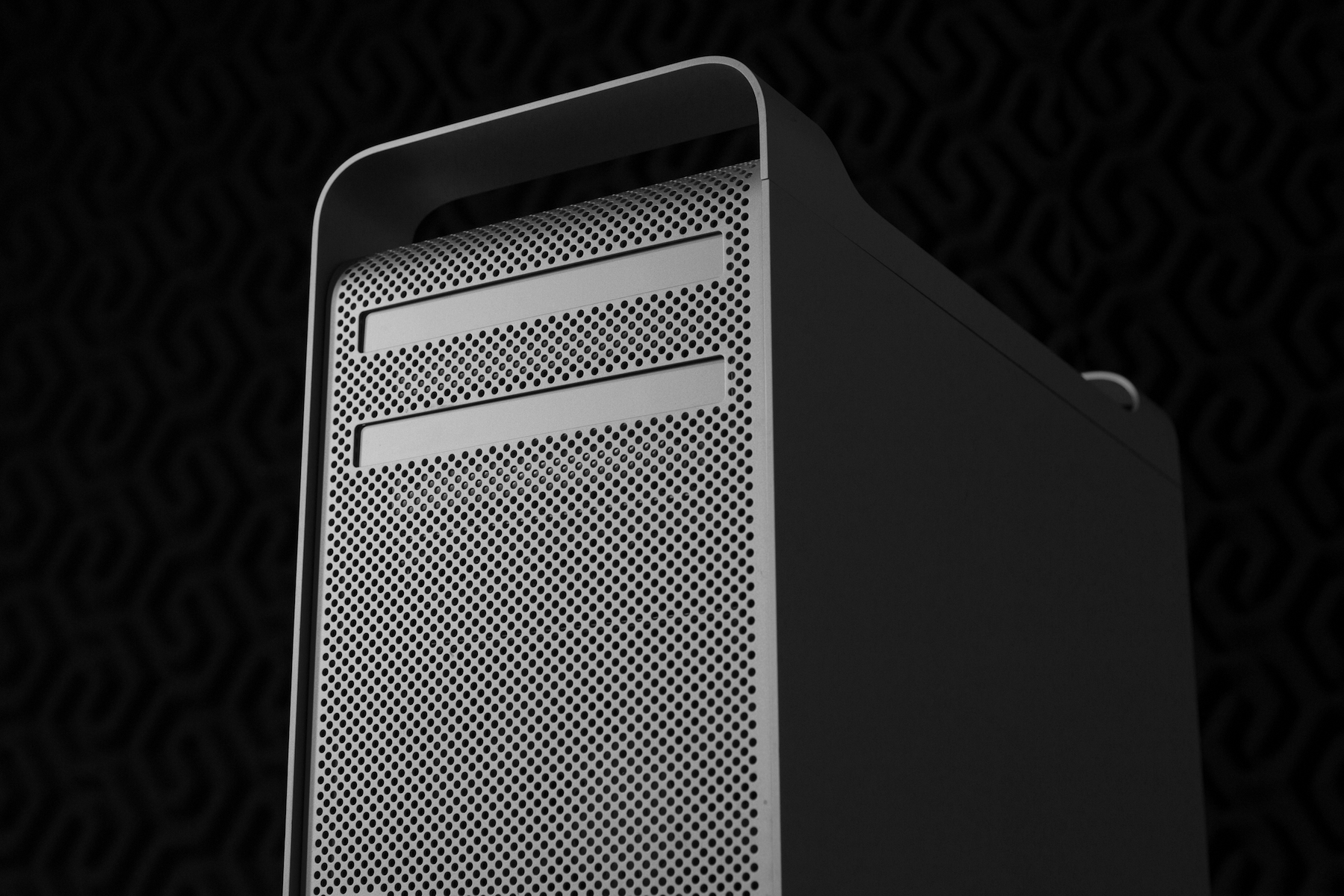
(Full resolution version can be downloaded here.)
The Mac Pro was introduced at the tail-end of the Mac’s transition to Intel chips back in 2006. It was designed to replace the Power Mac G5, which had been serving pros for several years.
The Mac Pro used the same external case,1 complete with the cheese grater look on the front and back, but the inside was all new, as Phil Schiller spoke about at WWDC 2006:
The new desktop used Intel’s “Woodcrest” Xeon chips, in speeds up to 3.0 GHz, a number that eluded Apple and IBM in the PowerPC days. Schiller praised the Xeons for being far more efficient than the G5. The Mac Pro offered twice the performance of the Power Mac G5 while running much cooler, and without the need of the kilowatt power supply in the quad-core G5.
This efficiency allowed Apple to drastically redesign the interior of the Mac Pro:
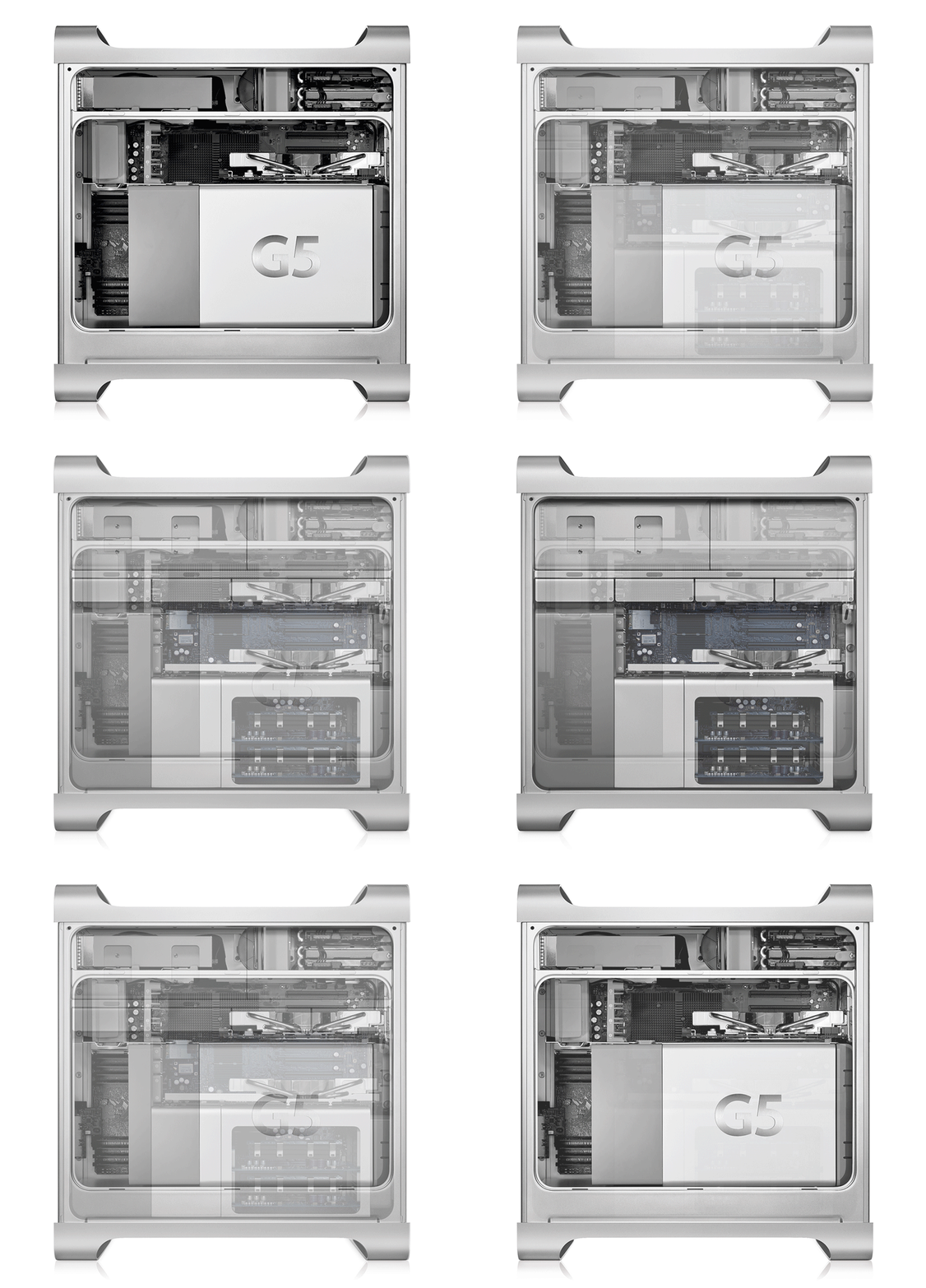
The G5 required a system of nine computer-controlled fans, and later models came complete with liquid cooling modules. The Xeons ran cooler, so Apple had more room for goodies.
The Mac Pro came with 4 hard drive carriers. A user just had to screw a hard drive to the carrier and slide it into place for the system to see it. For those who wanted it, a second optical drive could be installed as well.
Like the G5, it came with 8 RAM slots and was upgraded to a total of four PCI Express slots as well.
When the Mac Pro first went on sale, Apple offered a single SKU for $2,499:
The Mac Pro could be configured in countless ways on Apple’s online store, of course, with faster (or slower) Xeons, more RAM and storage, a better card, AirPort and Bluetooth cards and a second SuperDrive.
All of the original Mac Pros were quad-core machines, but in April 2007, Apple launched a new high-end model at $3,997.
This Mac Pro used Intel’s “Clovertown” Xeons and ran at 3.0 Ghz.
The Mac Pro saw updates in January 2008, then again in March 2009 and July 2010. With each revision, the tower became more powerful, moving from “Harpertown” chips in 2008 to “Bloomfield” and “Gainestown” in 2009. By the time 2010 rolled around, Apple was offering three SKUs in its Good/Better/Best arrangement. These machines used “Bloomfield,” “Gulftown” and “Westmere” Xeons, respectively.
The Early 2008 Mac Pro was the first to officially support 32 GB RAM, even though users were having luck with that much memory with older machines.
The Early 2009 Mac Pro brought with it Intel’s Nehalem architecture. While the clock speeds don’t show it, these towers were noticeably faster, especially for multi-threaded applications. They also supported higher RAM ceilings than earlier models, as the quad-core machines could address a whopping 128 GB of memory.
The Mid 2010 model is the oldest Mac Pro supported by macOS Sierra. Apple introduced a $4,999 12-core model for the first time in this generation, as well as a build-to-order option for a SSD.
The Mid 2010 Mac Pro had a sibling: the Mac Pro Server. Announced in November 2010 as a semi-replacement for the outgoing Xserve, this tower came with a license for Mac OS X Server, a 2.8GHz quad-core processor, 8GB of RAM and two 1 TB hard drives. Apple would also ship a version of the Mid 2012 Mac Pro with the Server designation.
2011 marked the first time that Apple “missed” its schedule for Mac Pro updates, and users noticed. Here’s Marco Arment in 2011, responding to a report that Apple was questioning the need for a Mac Pro:
The Mac Pro was a tough sell to anyone but the most demanding users even in 2008. Today, even fewer buyers can justify it and it’s a worse deal relative to the rest of the Mac line. The Xeon E5 isn’t going to help either problem.
I bet we’ll see a minor Mac Pro update to use the E5 CPUs whenever they’re available (probably within the next few months). But it wouldn’t surprise me if that’s the last Mac Pro. It had a great run, but the tower is over.
Around this time, the iMac was making great strides, as I wrote in May of the same year:
The Mac Pro used to be the obvious choice for anyone who needed power or expandability. It really was a no brainer. If you need brawn, Apple’s only tower was the only choice.
Clearly, the first factor has become less of a differentiator as iMacs have become increasingly powerful. There are very few things that an iMac can’t do smoothly at this point. While some still need all 12 cores that the muscular Mac Pro offers, the Sandy Bridge chipset in Apple’s all-in-one is enough horsepower for just about everyone. People that just barely needed a Mac Pro for the power would be fine getting an iMac now. The new desktop can even support two displays out, something that only the Mac Pro could boast until this week.
2011 came to an end with no new Mac Pro, and by the spring of 2012, people were freaking out.
In June 2012, Apple updated the cheese grater Mac Pro one last time.
Updated may be too strong of a word, as James Galbraith wrote for Macworld:
The new Mac Pros released at WWDC 2012 represent a speed bump, plain and simple. The new Mac Pros use the same, highly-upgradable case design, the same graphics cards, and even the same version of USB as the last iteration. And while the Macworld Lab’s test results show the new Mac Pros to be considerably faster than those systems the new Mac Pros replace, it is hard to swallow new “pro” systems that lack Apple’s fastest connection, Thunderbolt, released on MacBook Pros 16 months ago, and USB 3.0 support that arrived on the new MacBook Air and MacBook Pro.
The machine was met with such dismay that Tim Cook wrote this in a customer email the same day they were released:
Although we didn’t have a chance to talk about a new Mac Pro at today’s event, don’t worry as we’re working on something really great for later next year. We also updated the current model today.
That “really great” machine is the one the company just apologized for and then said it was replacing.
Time really is a flat circle.
As a past Power Mac customer I am excited about Apple’s future “modular Mac,” but I have questions about what modular means to Apple and its customers.
My guess is that at least some of these questions are going to have disappointing answers if the Power Mac is your benchmark, but I’m trying to keep an open mind here.
One of my favorite indie Mac development studios is celebrating twenty years in the business: Here’s Cabel Sasser:
No, your eyes do not deceive you. Some of you may not know that we founded our company in 1997, but it’s true. We’re older than Facebook, older than Twitter, older than Google, and somehow still kickin’.
Every year is a little different, and last year was for sure — a little bit quieter on the software front (at least publicly), and a whole lot louder on the launch-of-a-major-multi-platform-video-game front.
Yes, it’s time: here’s a look back at 2016, and look forward to 2017.
Did you know Apple used to sell a RAID card for the Mac Pro and Xserve?
I used to have a handful of customers with them, and their cards would always act up after a bad shutdown, as Apple writes:
- Systems with a Mac Pro RAID Card or Xserve RAID Card may start up to a blinking question mark, or RAID volumes may not mount. RAID Utility may show the volumes, RAID sets, and disks are all viable or good.
- An Xserve configured with an SSD and Mac OS X Server installed on the SSD may start up but the RAID volume(s) configured on the RAID Card may not mount.
These symptoms may occur if the LUN map has been damaged and needs to be re-created.
From adorable Apple Watch stands to LEGO Mac models, I’m a big fan of tiny Macintosh projects.
Naturally, a tiny LEGO Mac powered by a Raspberry Pi and e-paper display jumped out at me. The creator, Jannis Hermanns, has written up his whole process. I’m impressed.
That the trash can Mac Pro design was a mistake was widely accepted in the Mac community from pretty early on. I suspect it sold well in the early days because there was a lot of pent-up demand for a new Pro, but Apple must have known long ago that it was a kind of a dud. There’s no shame in that; innovations are sometimes misdirected. It’s Apple’s slow response that’s disturbing.
And it’s slow in two ways. First, accepting the mistake and moving to fix it has taken about two years (I’m giving them a pass on the Pro’s first year). Second, it’ll be at least a year until the new design is ready for sale. This is a very long lead time for a mature product, especially when you’ve just admitted that your current version sucks.
From the timing of when we’ll see these products — the iMacs later this year and the Mac Pro next year — I’m inferring that the iMacs have been under design for a while, but may have been taken back for component tweaking and upgrades, while this new Mac Pro has been under internal argument and the group that feels the product needs to exist has finally won, so design is now starting in earnest.
I can buy into this line of thinking. It’s worrisome that Apple didn’t jump on the new Mac Pro train sooner, but I’ll take it late over never.