US Senate to ISPs: It’s Okay to Share Customer Browsing Data

Jacob Kastrenakes, with some upsetting news:

The US Senate has voted to overturn consumer-friendly internet privacy rules that would have prevented internet providers from sharing your web browsing history without permission.

The privacy rules, passed last year by the FCC, required internet providers like Comcast, Verizon, and AT&T to get each customer’s permission before sharing personal information like which websites they visit. But internet providers want to be able to sell that data and use it to target ads, so they’ve been vocal about opposing the rules since around the time President Trump took office.

Hey, this won’t seem so bad after the GOP takes healthcare away from millions, right?

Using iTunes Today

Like me, Casey Newton still relies on syncing to iTunes to put music on his iPhone. And like me, he’s finding that more and more complicated:

For my system to work, iTunes has to sync. But with each passing year, the act of syncing seems to take longer than the year before. Hours pass by as my phone is “backing up,” even if I fully backed up the phone minutes before. And increasingly, sync doesn’t work at all. Sometimes I plug in my phone and iTunes doesn’t recognize it as a device. Sometimes the dreaded “unknown error” occurs. Most frequently, I get this: “iTunes cannot sync photos to the iPhone … because your Photos Library is not yet available. Please try again later.” (I am just learning that there is apparently a fix for this one.)

By themselves, each of these problems is undoubtedly fixable. Taken together, they convey the strong impression that sync is not a high priority at Apple. Even when syncing works, it often takes an unbelievable amount of time. And little wonder: there’s no profit in the perfect sync. Apple would undoubtedly prefer that I back up my entire library to the cloud and subscribe to Apple Music for $10 a month and watch all of my problems evaporate.

Yup.

Apple II Forever Photos

Peter Hartlaub at the San Francisco Chronicle:

“Apple II Forever” was an event staged by a company still working out the bugs.

The April 24, 1984, press and exhibitor gathering was late to start and later to finish. Apple executives sat on the kind of metal folding chairs that one would find at a recreation center singles dance. Steve Jobs — hair feathered gloriously — hadn’t quite settled into his permanent turtleneck-and-jeans uniform yet, choosing a bow tie, suspenders and Velcro-strapped Nike high-tops.

But even at this early public launch of the Apple IIc computer, the marketing panache that would infuse countless future Apple events could be seen.

We recently found rare Chronicle archive photos of the event at Moscone Center in San Francisco — one of the first spectacle-permeated launches of a new Apple product. The photos were taken by Gary Fong, a longtime Chronicle photographer and photo editor who often found artistic ways to shoot routine happenings.

Oh. My. Goodness.

Click through for some amazing photos of a very young Steve Jobs, but be sure to listen to this, too:

Apple Acquires Workflow

Matthew Panzarino, writing at TechCrunch:

Apple has finalized a deal to acquire Workflow today — a tool that lets you hook together apps and functions within apps in strings of commands to automate tasks. We’ve been tracking this one for a while but were able to confirm just now that the ink on the deal is drying as we speak.

Workflow itself has been acquired, and is now free on the iOS App Store. The team behind it, led by Ari Weinstein, will be working for Apple.

As you may imagine, Federico Viticci has written about this news:

At this stage, it’s not clear what Apple’s plans for Workflow in the long term might be. I have a few theories, but this isn’t the time to speculate. I’ll say this, though: Workflow has been the driving force behind my decision to embrace the iPad as my primary computer. Workflow is a shining example of the power of automation combined with user creativity and its underlying mission has always been clear: to allow anyone to improve how iOS can get things done for them in a better, faster, more flexible way. Workflow is the modern bicycle for the mind. There’s nothing else like it.

I have a million questions, many hopes and quite a few fears about this. Workflow is the foundation on which many like Federico have built their iPad-as-a-work-machine houses. I can see a future where it becomes more deeply supported and integrated into iOS, like an Automator or AppleScript for the modern age, but this would require Apple to really commit to making the hooks for it in iOS deeper and more accessible.

As I said on Connected this week, I believe Apple is on the cusp of making a major push with iOS in terms of making it more friendly and powerful for professionals who want to work on the iPad. Workflow being part of iOS would certainly be a good step in that direction, and one I hope Apple is ready to make. So far, things don’t look awesome, but those changes may have been out of Apple’s control.

Interact Scratchpad for Mac

I often create records in Contacts.app on my Mac from those blocks of text every adult has at the bottom of their emails. It involves a lot of copying and pasting back and forth, as I’ve found Data Detectors in Mail don’t often get things the way I want them.

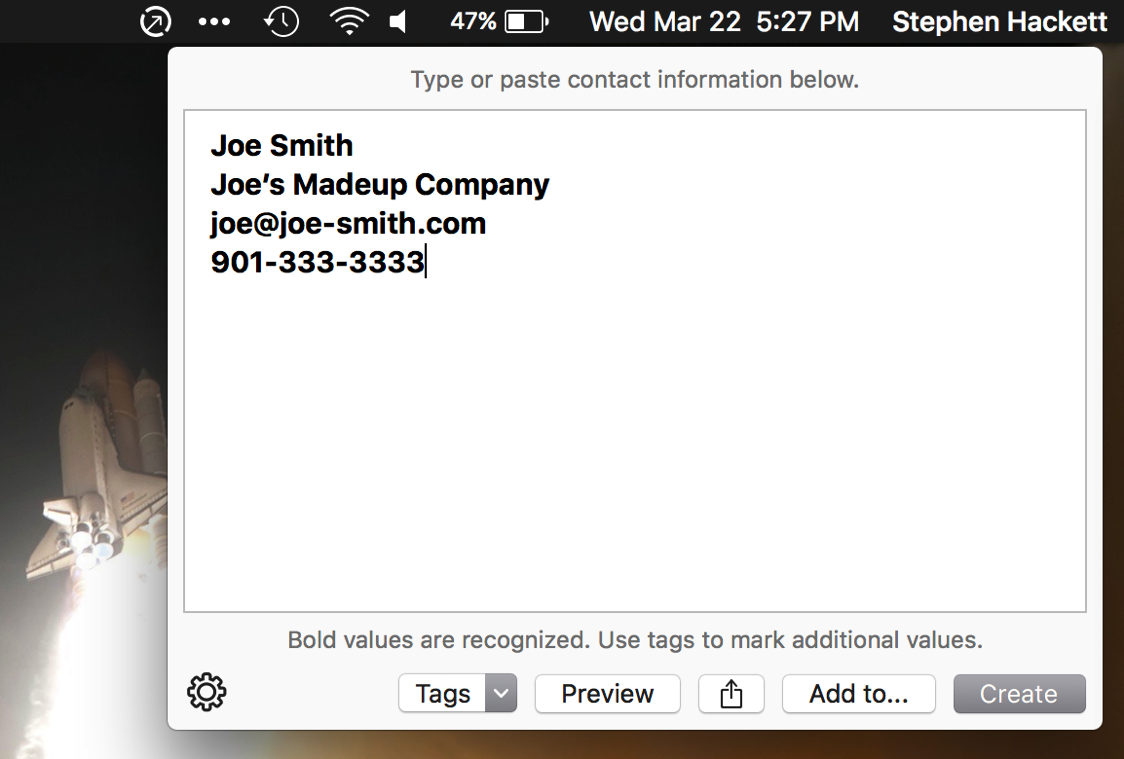
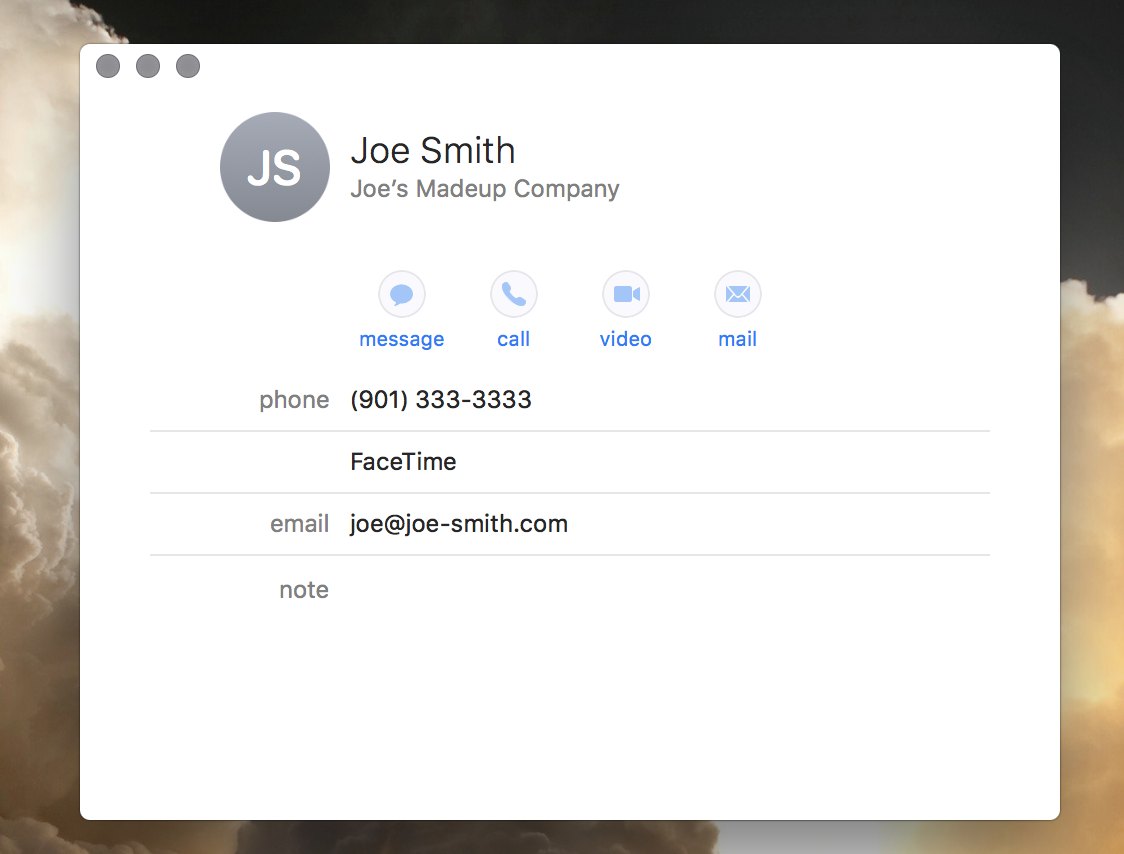
Now there’s a Mac app that makes this common task a lot faster: Interact Scratchpad. Made by developer and part-time wizardry camp Agile Tortoise, its a menubar app that includes a text field. Copy that block of contact info into it, and it sorts out what’s what then allows you to add a new contact to your database quickly. Greg’s video shows it off nicely.

Interact 1

Interact 2

Interact Scratchpad is $4.99 on the Mac App Store. I’ve been super impressed with it, and I think you will be, too.

Kbase Article of the Week: About EFI and SMC firmware updates for Intel-based Mac computers

Apple Support:

This article lists firmware updates available as standalone installers for Intel-based Mac computers.

Most firmware updates are automatically installed when you update or upgrade OS X. Some firmware updates are also available as downloads you can install manually. If your Mac needs a firmware update and it isn’t installed automatically, check to see if a manual updater is listed below.

On That New iPad

The biggest news out of today’s press releases from Apple is probably the new 9.7-inch iPad.

Tech wise, it’s more or less an upgraded iPad Air 2. It comes with a A9 processor, 8 MP cameras and 10-hour battery life. None of Apple’s Pro features are here. It doesn’t support the Smart Keyboard, Apple Pencil or include that fancy four-speaker sound system.

The price is decidedly un-Pro, as well. At $329, the 32 GB model a full $270 cheaper than the 9.7″ iPad Pro with the same storage space, and that’s before the extra $248 the Smart Keyboard and Pencil will set you back.

In short, this is a cheap full-sized iPad, and I think that’s the point. Schools (who will undoubtedly pay less than retail price) are going to like this. Parents looking for a tablet for their kids are going to like this, especially now that the only iPad mini for sale runs $399.

This goes beyond schools and families, though. Just look at how Apple is pitching this device on its website:

Flat-out fun.

Learn, play, surf, create. iPad gives you the incredible display, performance, and apps to do what you love to do. Anywhere. Easily. Magically.

Compare that language with this, from the iPad Pro webpage:

Super. Computer. In two sizes.

iPad Pro is more than the next generation of iPad — it’s an uncompromising vision of personal computing for the modern world. It puts incredible power that leaps past most portable PCs at your fingertips. It makes even complex work as natural as touching, swiping, or writing with a pencil. And whether you choose the 12.9-inch model or the 9.7-inch model, iPad Pro is more capable, versatile, and portable than anything that’s come before. In a word, super.

This is the iPad for the large group of consumers not interested in turning their iPads into their work machines. These people don’t care about Workflow or advanced multitasking or Swift Playgrounds. For the masses who are still streaming Netflix and checking Facebook on iPad 2s and 3s, this new price may finally be enough to lure them back into the Apple Store.

For the first time, getting a cheap iPad doesn’t mean buying one that’s been on sale for a couple of years already.

The decision is pretty clear now. Want something for games and for light tasks? Buy an iPad.

Need a keyboard or Pencil with as much power as you can stuff into a tablet? Buy the iPad Pro.

Apple’s tinkered with their business philosophy surrounding the iPad for years now. I think this one may finally stick.
On the Hackintosh

I really like my iMac, but every once in a while I do wish Apple was shipping a cheese-grater Mac Pro with modern internals. I’d love to shove some of my external drives into a tower that could keep my desk nice and tidy, not to mention having more horsepower for audio and video editing.

In the current vacuum of updated Pro hardware from Apple, some are turning to Hackintoshes. These custom-built PCs are designed to run macOS, giving users great flexibility to build their own setups for running Mac software.

A couple of days ago, RealMac’s Dan Counsell shared a bit about his new desktop:

I spent a week or so researching how to build a Hackintosh, I watched plenty of YouTube videos, read articles, and spent a lot of time on the tonymacx86 website. As many others have pointed out, this is time well spent, and probably the best way to learn how to do it. There are basically three parts to building a Hackintosh; picking the right components, actually building the thing, and finally getting macOS installed and running. As long as you take your time, and research each part properly you’ll be fine.

I wanted to build a machine that was faster than my current Macbook Pro and would be able to replace my gaming PC. This basically boiled down to picking the fastest CPU and GPU that macOS supports without resorting to any hacks.

Dan’s machine isn’t quite as fast as the 2013 Mac Pro in multi-core scoring, but beats both it and the MacBook Pro in single-core tasks. While he didn’t include it on his charts, it also appears to beat the current iMac at the Geekbench 4 benchmark test.

tonymacx86 publishes monthly guides that make picking compatible hardware easy. Dan spent less than $2,000, and you could spend far less than that if you didn’t want an all-SSD system.

I’m not feeling particularly itchy about building my own macOS-compatible computer. My iMac is great, and even though keeping macOS happy on these computers is easier than ever, I am hesitant to run my business on unsupported Mac hardware. However, I find the project and community around in really interesting. These users are passionate about what they are doing, and I think that is really exciting.

A Decade on Twitter

Ten years ago today, I sent my first tweet.

I was in college, working as the News Editor at my college newspaper, The Daily Helmsman.

Figuring out how to use Twitter was a slow process. For those first couple of years, my tweets were sporadic and basically glorified AIM away messages. I shared my status in short bursts, but only really interacted with local friends as I would on Facebook.

I remember the excitement of Facebook finally coming to the University of Memphis. Twitter’s eventually didn’t feel like that to me. Facebook was for the here-and-now of college life; Twitter became about my growing desire to be part of the online Mac nerd community.

Many of the amazing people I work with today I first met on Twitter. Best I can tell, this was Myke and I’s first interaction:

Now we own a company together.

That’s the beauty of services like Twitter. 140 characters may not seem like much, but it’s all you need to strike up a conversation with everyone.

Even as I sit here reflecting on what the service has made possible for me and my career, I know that’s not the case for everyone. Every single day, people are subject to unspeakable abuse from other Twitter users. The company itself seems to struggle in getting even basic decisions right. I often joke that Twitter may be doomed, but I don’t say it in pure jest.

If Twitter were to go away, I would miss it. The communities I enjoy in places like Slack are great, but Twitter’s strength is its open nature. I hope the company can make sense of things, and it needs to get the abuse problem resolved, but if it does, I hope I can enjoy another decade of talking to nerds in short bursts.