Nest Rumored to be Working on New Products

Mark Gurman at Bloomberg:

The company is working on a version of its “learning thermostat,” which adjusts the temperature based on usage patterns, that would sell for under $200, the person said. The current version sells for $249. The cheaper model would include less expensive components and at least one internal prototype lacks the flagship model’s metal edges, the person said.

A home-security alarm system, a digital doorbell and an updated indoor security camera are also in the works, representing potential good news for a company that has struggled to release many new products.

I have a Nest thermostat and several cameras, and have been very happy with them. I wish Nest and Apple could get together and hammer out whatever is keeping HomeKit support from happening, though. Even if that doesn’t happen, it’d be good to see the company put out something new.

WWDC Scholarships Now Include Lodging

Apple:

WWDC Scholarships reward talented students and STEM organization members with the opportunity to attend this year’s conference. Developers selected for a scholarship will receive a WWDC17 ticket and lodging free of charge.

I’m glad to see lodging covered as part of the scholarship. Most of the time, the WWDC ticket itself is not the most expensive thing about the trip.

Connected #132: Fun Conjecture Hour

This week, Stephen talks about a possible iMac Pro while his co-hosts play Zelda. They come back to round robin some things that they find frustrating about working from iOS and the iPad.

My thanks to our sponsors:

  • Casper: Because everyone deserves a great night sleep. Get $50 off with the code ‘CONNECTED’
  • Squarespace: Make your next move. Enter offer code WORLD at checkout to get 10% off your first purchase.
  • Away: Travel smarter with the suitcase that charges your phone. Get $20 off with the code ‘connected’.

Don’t miss the B-Side in which we try to replace Ticci’s dying, worthless MacBook Air.

eMate 300 Turns 20

Apple’s weird, education-only Newton clamshell turns 20 years old today. I’ve rounded up some reading on the product:

The Future of Target Display Mode

In the fall of 2009, Apple retired the 20 and 24-inch iMacs in favor of widescreen models with 21.5 and 27 inch displays.

These machines are not the Retina models we enjoy today, and still packed things like an optical drive. They introduced Target Display Mode, which allowed a user to use an iMac as an external display for another Mac.

Late 2009 and Mid 2010 models required a Mini DisplayPort cable for the feature to work. Setting it up was as simple as running a cable from the Mini DisplayPort on a MacBook Pro over to the same port on the iMac, and pressing Command-F2 on the iMac’s keyboard.

In Mid 2011, Apple put Thunderbolt on the iMac, and Target Display Mode suddenly required the new connector. This setup is more familiar to most users, and many even call the feature “Thunderbolt Display Mode” mistakenly.

(All of this is outlined in a single kbase article, as if you doubted my desire to link to an Apple support page in this post.)

In the fall of 2014, Apple introduced the first Retina iMac, a 27-inch model with a 5K display. It did not support Target Display Mode, as Jason Snell pointed out in his review of the machine:

While recent iMacs have been able to double as an external display via something called Target Display Mode, the Retina iMac can’t. This is cutting edge technology, and pumping this volume of pixels through a display cable or series of cables is a serious challenge. With the Retina iMac, Apple has punted: There’s no better way to attach a computer to a display like this than to build them together. In the future, there will undoubtedly be standalone 5K displays—even from Apple!—and ways to connect them to other Macs effectively. For now, though, the Retina iMac is an island, its own display and computer as one.

When the 21.5-inch iMac with Retina 4k display shipped in 2015, it too dropped this technology. Thunderbolt 2 just couldn’t push these displays in any reliable way.

In short, if you have a Retina iMac, you don’t have Target Display mode.

However, that could be changing in the near future. While Thunderbolt 2 was not up to the task, Thunderbolt 3 is. Found on the new MacBook Pros — and assumedly the next iMac — this port could allow users to turn their 2017 iMacs into big, beautiful displays when needed.1

While the technology would allow Apple to do this, the company would still need to elect to re-enable it in macOS.

When this topic comes up, an argument in favor of Target Display Mode I often hear goes something like this: “It can extend the life of an iMac. It the machine has a failure, you can just use it a display instead of getting rid of it!” I don’t buy this line of thinking, however. Target Display Mode may extend the life of an iMac that isn’t fast enough for the latest software, but if the machine has some sort of catastrophic component failure that keeps it from booting, Target Display Mode isn’t an option.

I cannot imagine that this was a popular feature, but my guess is that people who once relied on it would like the option again. My iMac won’t support it, but in the future when its replacement and my notebook both pack Thunderbolt 3, it could prove useful from time to time.


  1. The one-port MacBook will be left out of this party. While it ships with USB-C, the port does not utilize Thunderbolt 3. The Intel chipset used in this machine does not support the more robust connection, leading to weird (and confusing) fragmentation. 

Review: 27-inch iMac with 5K Retina display

iMac 5K

My years of a Mac user can be broken into three main eras:

  • The Early Days: A string of PowerBooks and MacBook Pros with work and personal data on them.
  • The Great Divide: An iMac at home and a laptop at work.1
  • Giving Up: Using a work laptop for everything again with a Mac mini as a home server.

I’ve been lucky that every job I’ve had after leaving the Apple Store in 2008 has provided me with a Mac notebook to use as I see fit.

This was the case in 2014 when Myke and I started Relay FM. I had a work-issued MacBook Air that I used for work and personal stuff, but I soon felt weird about using this computer to work on my new company, so I picked up a MacBook Pro with Retina display.

This is the computer I was using for everything until October of last year. We’ve had a Mac mini with a bunch of attached storage on the network for years, but all of my work was taking place on this notebook.

For the first year or so of independent life, I was working from home most of the time, but recorded shows at my brother’s office. My MacBook Pro would go with me, and dock with an external display, keyboard and mouse at each location.

This setup was less than ideal, and when we moved last summer, I was lucky enough to have studio space at home for the first time.

Suddenly, my portable machine found itself docked for weeks at a time. As it was a 15-inch model, when I did have to take it somewhere, I quickly became annoyed at the size and weight.

So I bought my first iMac in years.

Buying Refurbished

I picked up a refurbished Late 2015 27-inch iMac with 5K Retina display with the following specs:

  • 3.3GHz quad-core Intel Core i5 processor
  • 16 GB RAM
  • 1 TB SSD
  • AMD Radeon R9 M395 graphics card with 2 GB video RAM
  • Retina 5K 5120-by-2880 P3 (wide color) display

If I had ordered this configuration from Apple, it would have cost $3,099. Refurbished, it set me back $2,719.

This isn’t my first refurbished Mac. While the options aren’t always great (I really wanted an i7), it’s a nice way to save a chunk of change. After AppleCare and tax, I still spent less than just the machine would have cost otherwise.

The discounts vary over time, but the fact that Apple warranties these machines as new sets me at ease. This iMac — like the other refurbished computers I’ve purchased — was indistinguishable from a new one when it arrived. You aren’t going to be stuck scraping off someone else’s stickers if you go this route.
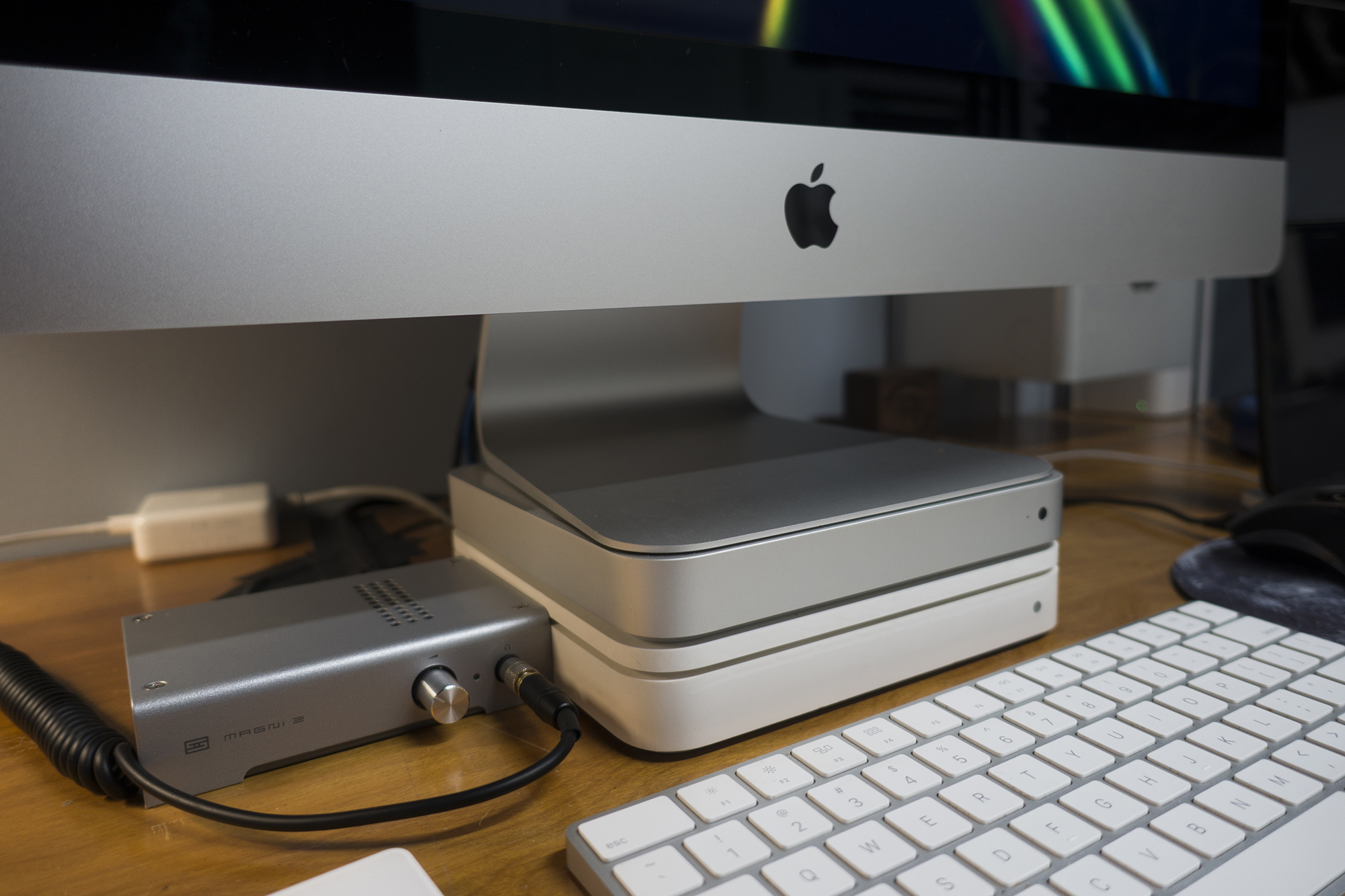
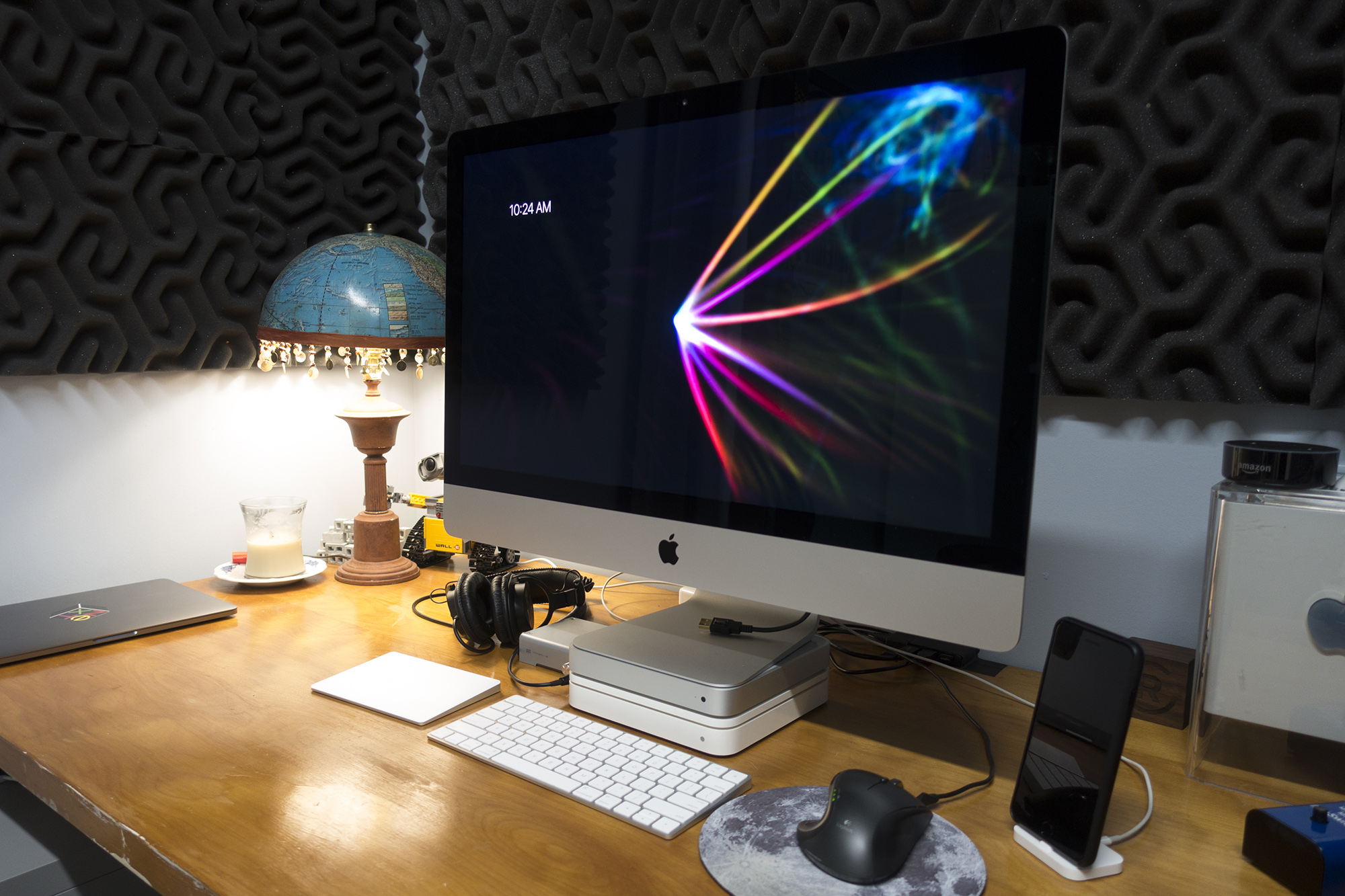
iMac 5k

(Yes, that is an iMac base made of a Time Capsule and first-generation Apple TV.)

Upgrades & Performance

I spend a lot of time in professional applications like Logic Pro X2 and Final Cut Pro X, so I knew I would want to max out the RAM when I got the iMac.

For some reason I cannot comprehend or accept, the 21.5-inch iMac does not come with upgradeable RAM. Mercifully, the 27-inch model still does, so I picked up another 16 GB of RAM from MacSales.

Installation was straightforward; you don’t need to be an ex-Genius to follow Apple’s directions.

Despite getting a model with an i5, this machine has taken everything I’ve thrown at in stride. Of course, much of this has to do with the SSD. Unlike a Fusion Drive, it’s always fast, and while the 1TB option was crazy expensive, I haven’t regretted the choice.

In short, everything is buttery smooth on this iMac all the time.

That All in One Life

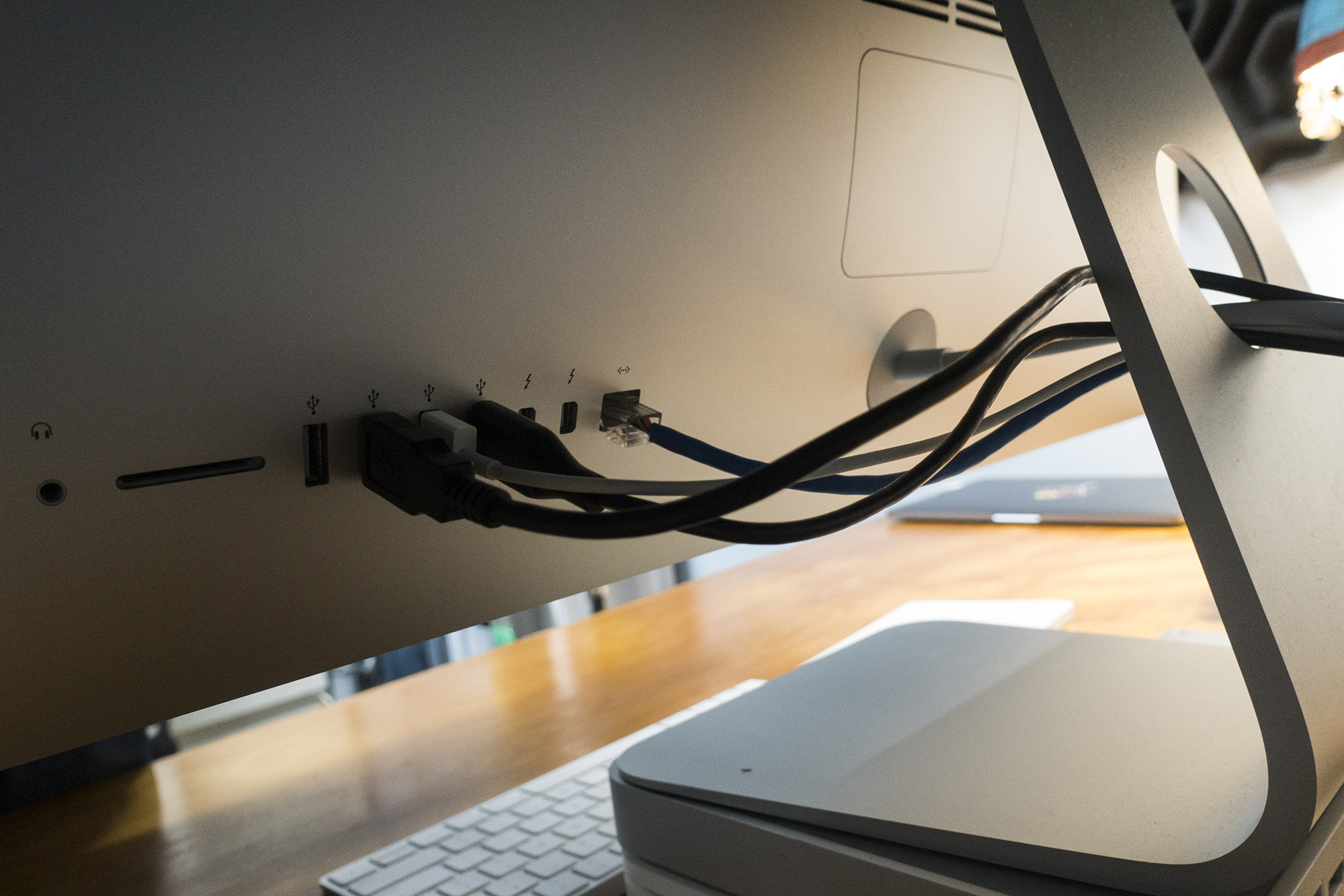
At this writing, my iMac is the most up-to-date model. As such, it has a bunch of I/O that future models may not:

  • 3.5 mm headphone jack
  • SDXC card slot
  • Four USB 3 ports
  • Two Thunderbolt 2 ports
  • Gigabit Ethernet

In addition to Ethernet, I usually have at least one Thunderbolt port in use, as well as all most of the USB ports.

I wouldn’t mind more USB ports, actually. I have USB 3 hub mounted under my desk for a few additional peripherals that I never unplug, like my Time Machine drive. Keeping one USB port empty on the iMac makes swapping things around a lot faster.
iMac 5K Ports

After spending years hooking a notebook up to an external display, I had gotten use to a certain amount of cable clutter. MagSafe, Thunderbolt and USB cables were flopping all over the place. The beauty of the iMac’s iconic design is that all of that mess can be hidden from view.

Even as a professional users with several discrete audio devices on my desk, I’m able to keep everything nice and tidy.

One thing that has surprised me is how quiet the machine is. Only sustained renders in something like Final Cut ever really make the fans kick up but unless I’m working in perfect silence, I can’t hear them.

Likewise, the built-in, downward-firing speakers are surprisingly good. Sure, they lack the punch that external speakers can bring, but for my use as a heavy headphone user, they are perfectly fine.

Oh, and this 5K Retina display? Holy moly, it is good.

There are downsides to the all in one life, of course. If this iMac ever needs repair, I can’t really do much about it myself. If the guts ever die, I won’t be able to use it as an external display, and I can’t upgrade things any more than I already have.

If only Apple made a tower for pro Mac users with easy component access and lots of flexibility…

Unseen Benefits

I bought this iMac for a bigger reason then wanting a change from my 15-inch MacBook Pro.

With the studio, my desk is no longer in the house. I’m not hogging the spare bedroom anymore, and the separation has been good. It’s clear to everyone when I am “at work.” When it’s time to “come home,” I can sleep the iMac, turn off the lights and lock the door behind me.

The MacBook Pro I have now can be used for work, but I’ve become so spoiled by the 27-inch display, I really just use it for writing unless I’m traveling. For all intents and purposes, work happens at my desk, on the iMac.

That clarity has been good for my kids, my marriage and myself. I’m working far fewer nights than I used to, and when I need to hunker down and get something out the door, I can do so in my own space, without getting in the way.

The Future

I expect my generation of iMac will be replaced very soon with Kaby Lake-packing, Thunderbolt 3-toting machines, but honestly, I’m fine with it.

I don’t have to use any dongles with this machine, and it has so much horsepower, I really think I can get 3-4 years of useful work done with it. When the time does come to replace it, I bet I do so with another iMac. I’m a fan.

  1. This interview falls into this era. 
  2. I’ve edited several shows over the last few weeks in Adobe Audition and am probably switching, but that’s a story for a different time. 

A History of Web Technologies

Mark Nutter:

What’s the most important thing to come out of Switzerland? Chocolate? Clocks? Neutrality? The largest, most expensive scientific experiment in history which may eventually unlock the very secrets of the universe and unify our understanding of the smallest particles with that of the largest of heavenly bodies? No, none of these things. The answer is, of course, is the Internet.

With that intro, Nutter goes on to write one of the best pieces on the history of Web tools that I’ve seen, complete with a look at its future.

Apple Promotes HomeKit on New Webpage

HomeKit has quietly been getting better over the last year or so, and this new page on Apple’s website shows it off well.

However, this came to mind immediately:

For me, I’m not installing any smart home devices that don’t work with both Alexa and HomeKit.

The 2017 512 Pixels T-shirt: ‘The Back Looks Better Than the Front’

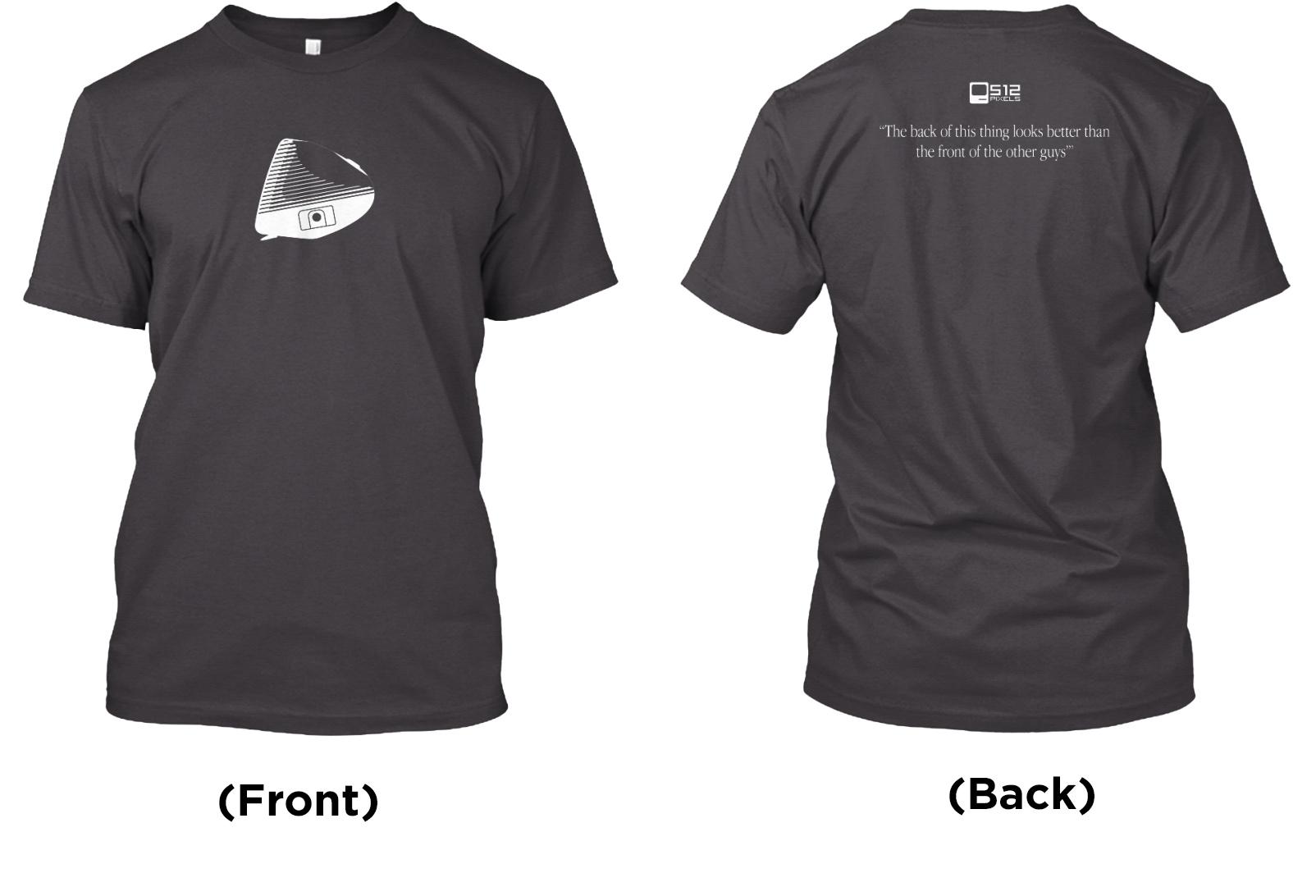
It’s almost spring, and that means it’s time for a new nerdy 512 Pixels t-shirt. This time around, the art is all about the iMac G3:

2017 t-shirt

Front

Back

The original iMac brought Apple back from the brink with a lovable, colorful design.

The quote on the back of the shirt is from Steve Job’s introduction of the machine, and became a joke in Apple keynote for years to come.

The shirts will be on sale until March 16 over at TeeSpring. There are both men’s and women’s options, as well as an unisex long-sleeve because Myke asked for it.

There are two campaigns running. If you’re not in the US, the EU campaign may be cheaper on the shipping:

Thanks in advance for the support this year! The t-shirt drive is a big part of keeping this site up and running. I hope you enjoy them!