The iMac at 25

Today marks 25 years since the original iMac was introduced. It saved Apple and changed the world.1 We live in a Notebook World today, but if Apple was going to reinvent itself in 1998, it was going to be with a desktop:
iMac G3

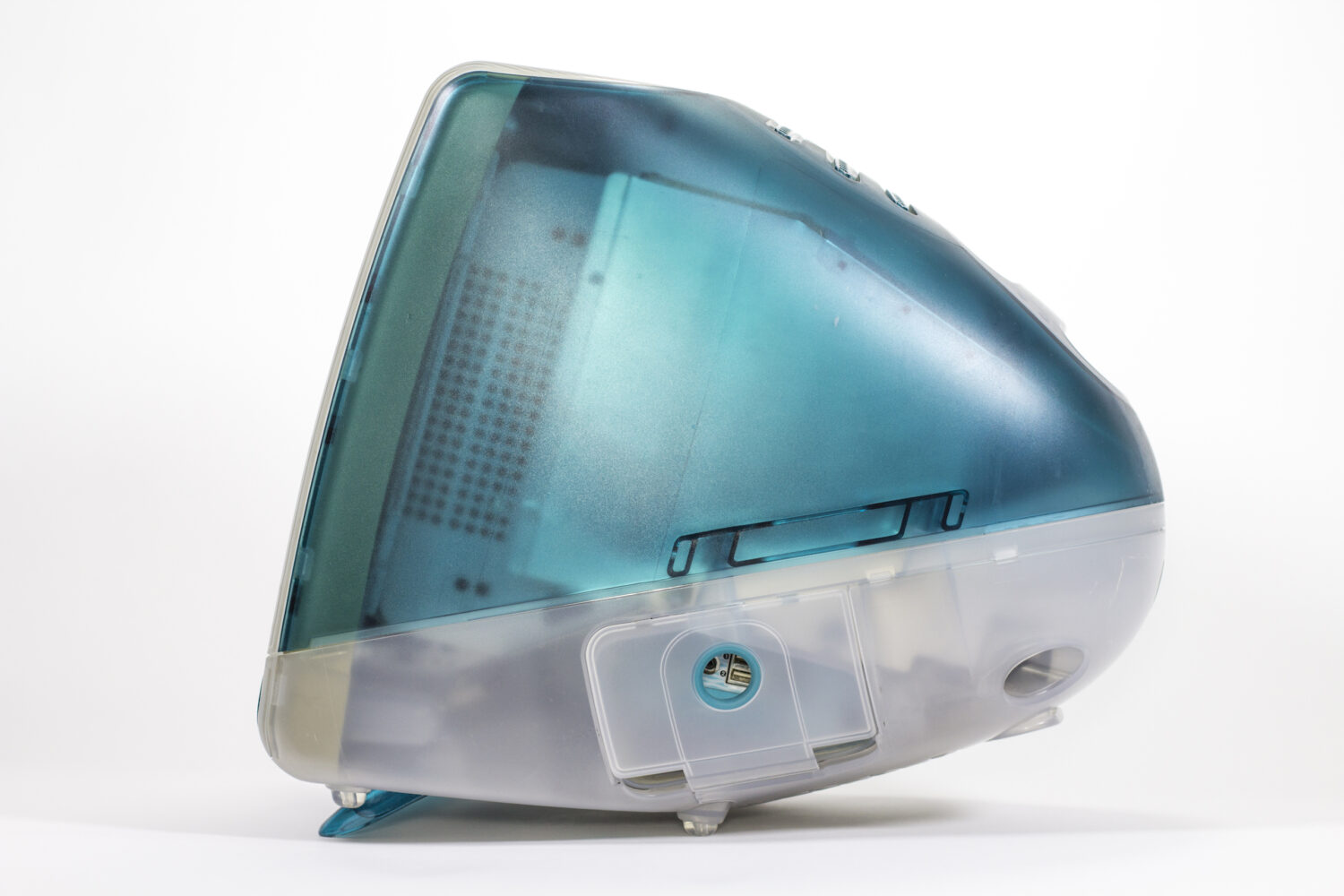
In a world of beige boxes, the iMac was new and different. Sure, it ran the same old (and kinda busted) Mac OS, but the design — and the move to USB — made huge waves, some of which are still felt today.

There’s a lot of great stuff out there today to mark the occasion, including this wonderful article by Jason Snell for The Verge:

After the wild early days of the personal computer revolution, things had become stagnant by the mid-1990s. Apple had spent a decade frittering away the Mac’s advantages until most of them were gone, blown out of the water by the enormous splash of Windows 95. It was the era of beige desktop computers chained to big CRT displays and other peripherals.

[…]

With Jobs’ brains, Jony Ive’s designs, and the new PowerPC G3 chip supplied by Motorola, the company began to form a plan. Essentially, Jobs went back to his playbook for the original “computer for the rest of us,” the Mac, to sell simplicity. The Mac’s mouse-driven graphical interface may have changed the course of the PC world, but its all-in-one design just hadn’t clicked. Jobs decided it was time to try again.

Back in 2016, I set out to collect every model of iMac G3 that was produced over the machine’s six generations. The result of that was one of my favorite projects to ever grace the pages of 512 Pixels. That page has links to all of my iMac G3 coverage, including my look back at the original’s announcement:


  1. I even wrote a book about the computer and how it gave Apple the runway it needed to get Mac OS X out the door. 

Rebuilding my Alfred Workflow for Searching Apple’s Support Site

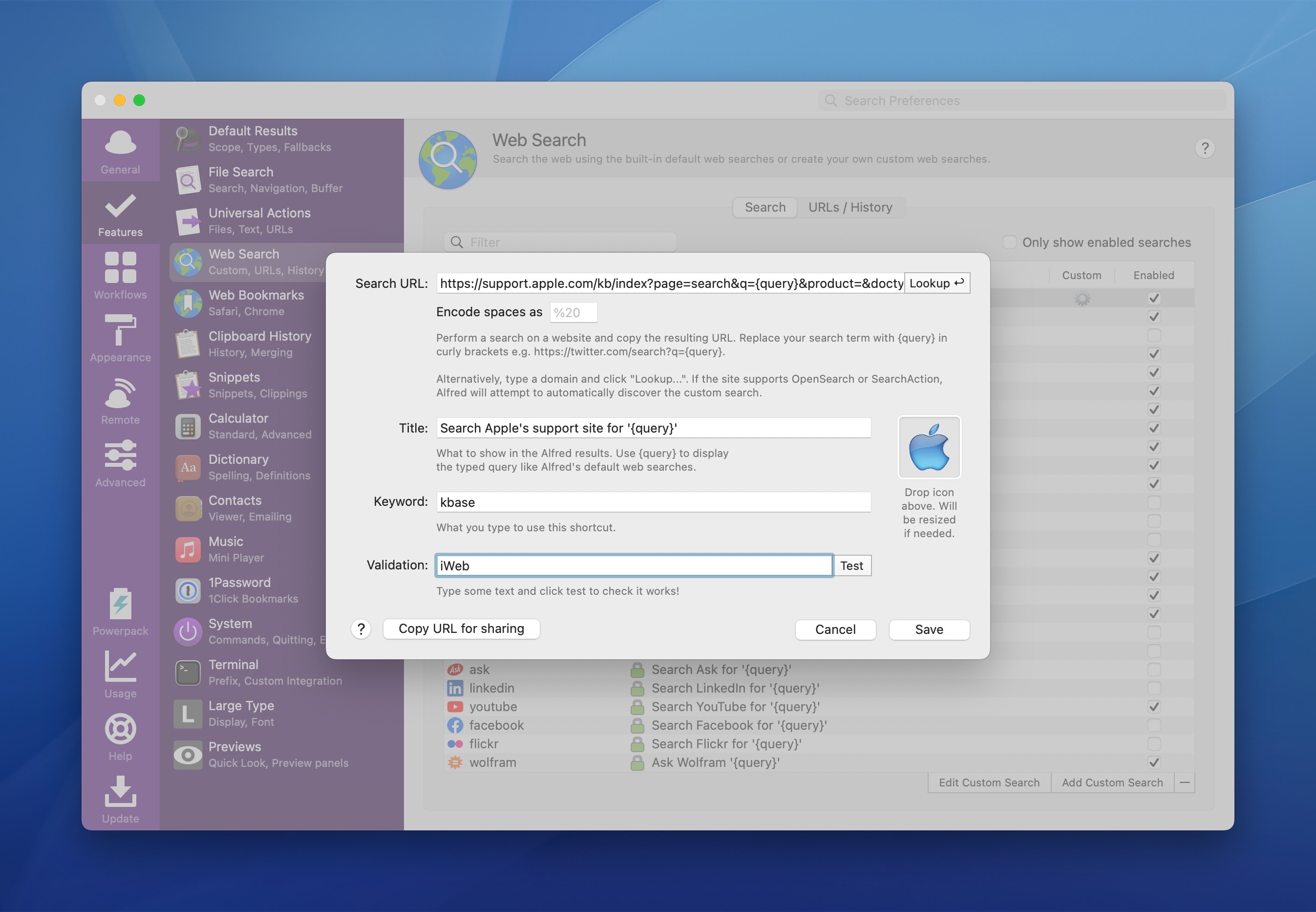
Over the last couple of weeks, I’ve noticed that my custom Alfred search to find things on Apple’s support website had broken, so I’ve reworked it a bit to match Apple’s adjusted search URLs.

Alfred search

In Alfred’s preferences, under Features, you can add a new Web Search. You can add a keyword, label and — most importantly — the URL Alfred will need to pass to the browser to fire your search results:

https://support.apple.com/kb/index?page=search&q={query}&product=&doctype=&currentPage=1&includeArchived=true&locale=en_US

To install this directly into your copy of Alfred 5, click here.

Studio Neat Launches Keen

Tom and Dan are back on Kickstarter with a new product named Keen, a very clever utility knife:

Like our Mark One pen, Keen is a simple object with a single interface, in this case the slider. Our job was so make that interaction as satisfying as possible, so that Keen is a delight to use every time you pick it up. We spent a lot of time getting the feel of the blade deployment just right. It is spring loaded, requiring just the right amount of force to slide out, and to not be too fatiguing when held out. When cutting, the slider is held by your thumb, then simply released to suck the blade back in. Not only is this satisfying every time, it’s safer, as the blade can never be left in the “out” position. An internal magnet helps secure the blade when closed, and adds a satisfying snap to the deployment.

Insta-backed.

Sponsor: Unite 4 for macOS

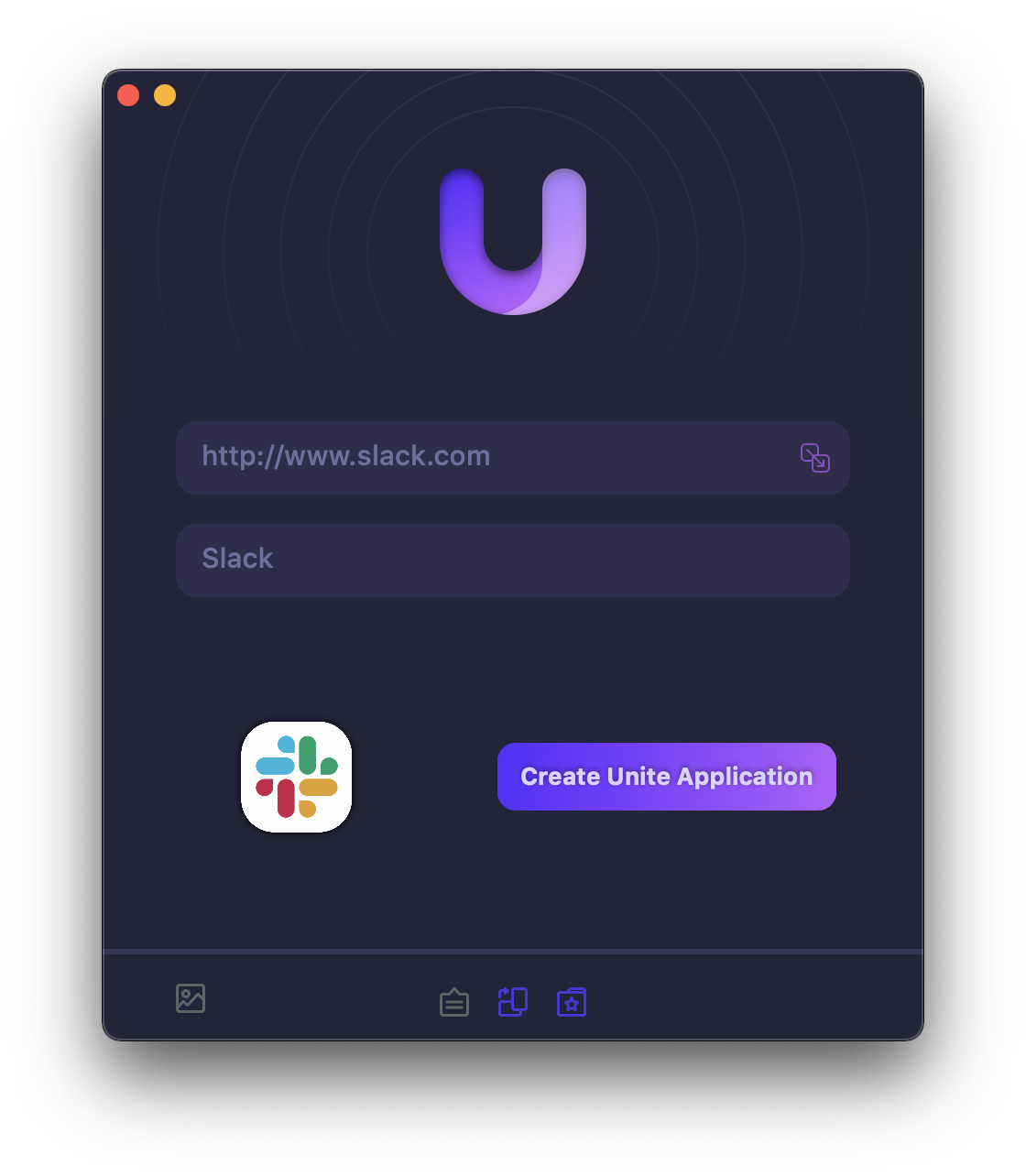
Unite 4 for macOS allows you to turn any website into an app on your Mac. Using a lightweight, WebKit-powered browser as a backend, you can easily create isolated, customizable apps from any site.

Unite 4 includes dozens of new features, including support for native notifications, new customization options, and much more. Unite apps also serve as a great alternative for resource-hogging Electron apps or half-baked Catalyst apps.

Some examples of apps you could create in mere minutes with Unite:

  • A Gmail web client that behaves like a native mail client.
  • A status bar app for Apple Music or Overcast
  • An isolated workspace for apps that may track you like Facebook
  • A Google Meet app that works efficiently without using Chrome
  • A fully featured Instagram app that has a resizable window, unlike the M1 version.
  • A Robinhood, Figma, or Roam Research app for your desktop.

512 Pixels readers get 20% off this week when you purchase Unite 4 at bzgapps.com/unite512 or when you use the promo code ‘512Pixels’ at checkout.

You can also try Unite for 14 days absolutely free or use it as part of your subscription if you’re a Setapp subscriber!

$130K Electric Escalade IQ Won’t Have CarPlay

Michael Potuck, writing for 9to5 Mac:

Earlier this year, GM announced that it would be ditching CarPlay and Android Auto for all of its future EVs starting in 2024 in favor of a proprietary system. Now the all-new Cadillac Escalade IQ EV has been unveiled with a massive 55-inch LED display that could offer an amazing CarPlay experience. So will the company’s popular luxury SUV turned EV get an exception? GM says nope.

Umar Shakir at The Verge:

The Verge received email confirmation that CarPlay and Android Auto weren’t going to make it into the Escalade IQ from GM’s East Coast communications representative, Paige Tatulli. Instead of CarPlay or Android Auto, drivers will instead rely on the Escalade IQ’s included Google built-in infotainment software.

Callsheet

Casey Liss has launched a new iPhone and iPad app that makes learning about TV shows and movies a breeze. Here he is on his blog:

Callsheet, in short, allows you to look up movies, TV shows, cast, and crew. You can think of it as similar to the IMDB app but… with respect for its users. Which, actually, makes it not like IMDB at all.

When I watch a movie or TV show, I’m constantly trying to figure out who that actor is, who the director is, and so on. Early this year, I wanted a way to look this up that was native to iOS/iPadOS, but also fast, with no fluff that I wasn’t interested in. I wanted a bespoke version of the IMDB app.

So I wrote it. It’s called Callsheet, and I’d love for you to try it.

Callsheet is the indie app scene at its best — taking on a huge app written by people who don’t seem to care about their users — and doing a better job at it in every single way.

Casey’s business model for Callsheet is very simple: the app will run you $1/month or $10/year after a one-week trial period or your first twenty searches.

The app itself is very clever, and I encourage you to go check out Casey’s post about some of the features he has built, like the ability to hide potential spoilers, integration with JustWatch and more. If you find yourself reaching for IMDB but want to live a better life, Callsheet deserves a place on your phone.

Sponsor: Record Anything With Audio Hijack

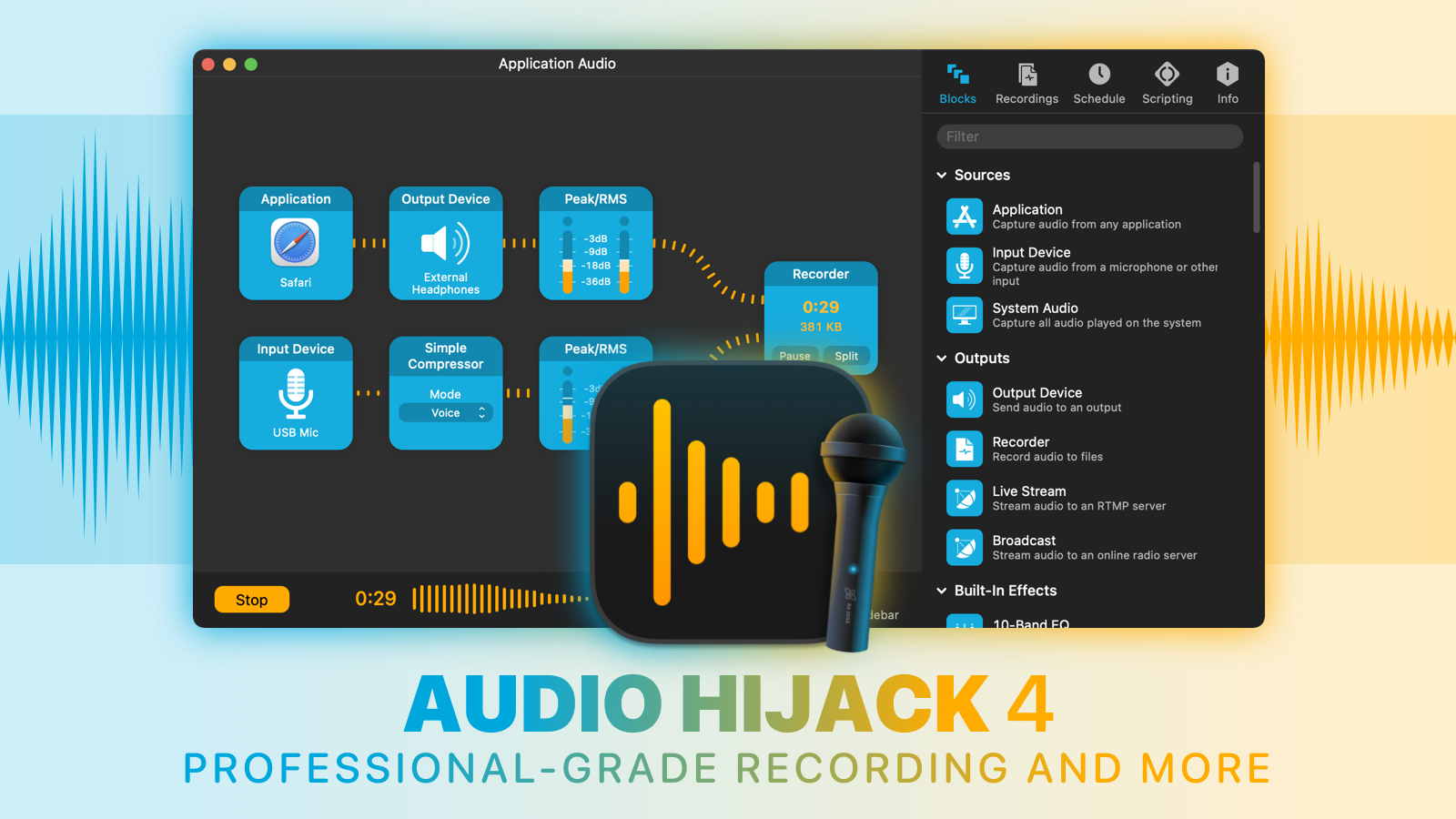
With Audio Hijack, you can record any audio on your Mac. Save audio from individual applications such as Safari or Zoom, record from hardware audio devices like microphones and mixers, or even capture the audio output of the entire system. Whatever you need to do with audio on your Mac, Audio Hijack can help.

  • Record conversations from Zoom, FaceTime, and other VoIP apps
  • Save streaming audio from the web
  • Create podcasts, both remote and in-studio
  • Digitize vinyl
  • And so much more

Audio Hijack 4.2

Audio Hijack 4.2 just shipped with three powerful new effects (Speech Denoise, Parametric EQ, and FIR Filter) to enhance your audio, alongside over two dozen improvements. Check out the latest version of the award-winning Audio Hijack today.

And through the end of August, 512 Pixels readers can save 20% when you purchase with coupon code HACK20. Learn more and download a free trial on the Audio Hijack site.