Exploring the $69 OS X Lion USB Installer

While working on a Top Secret project,1 I needed to install OS X Lion on an older MacBook Pro. I have my own USB installer that I created, but I thought it would be a good time to use the USB installer Apple sold for $69 back in the day.2

Physically, the USB key is about as minimal as you can get. It’s just a thin piece of plastic with exposed USB contacts on side that slid right into a USB A port:
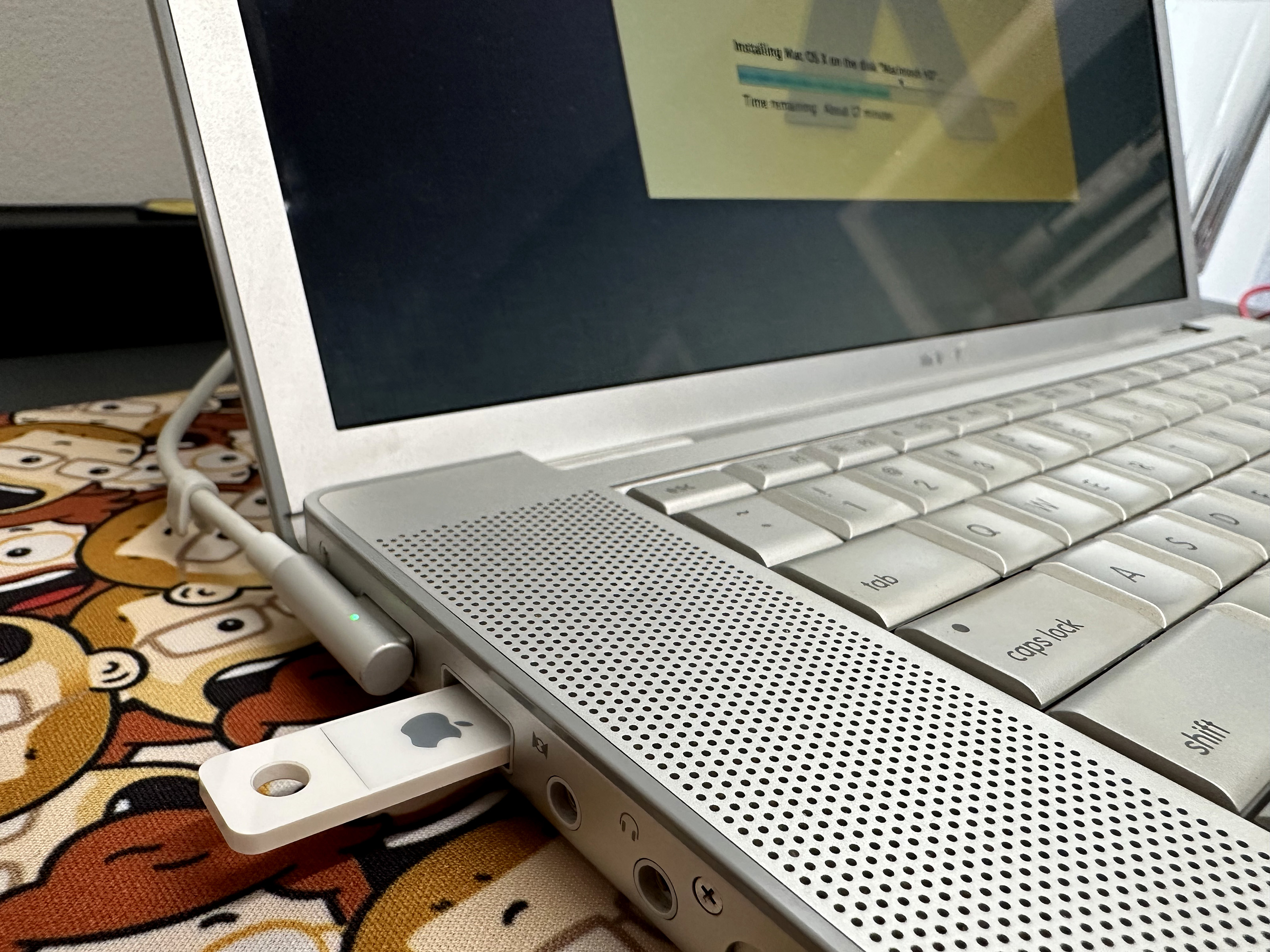
Lion USB Installer

It mounts in Finder like any other volume, complete with a custom icon. Here it is in Mac OS X Snow Leopard:
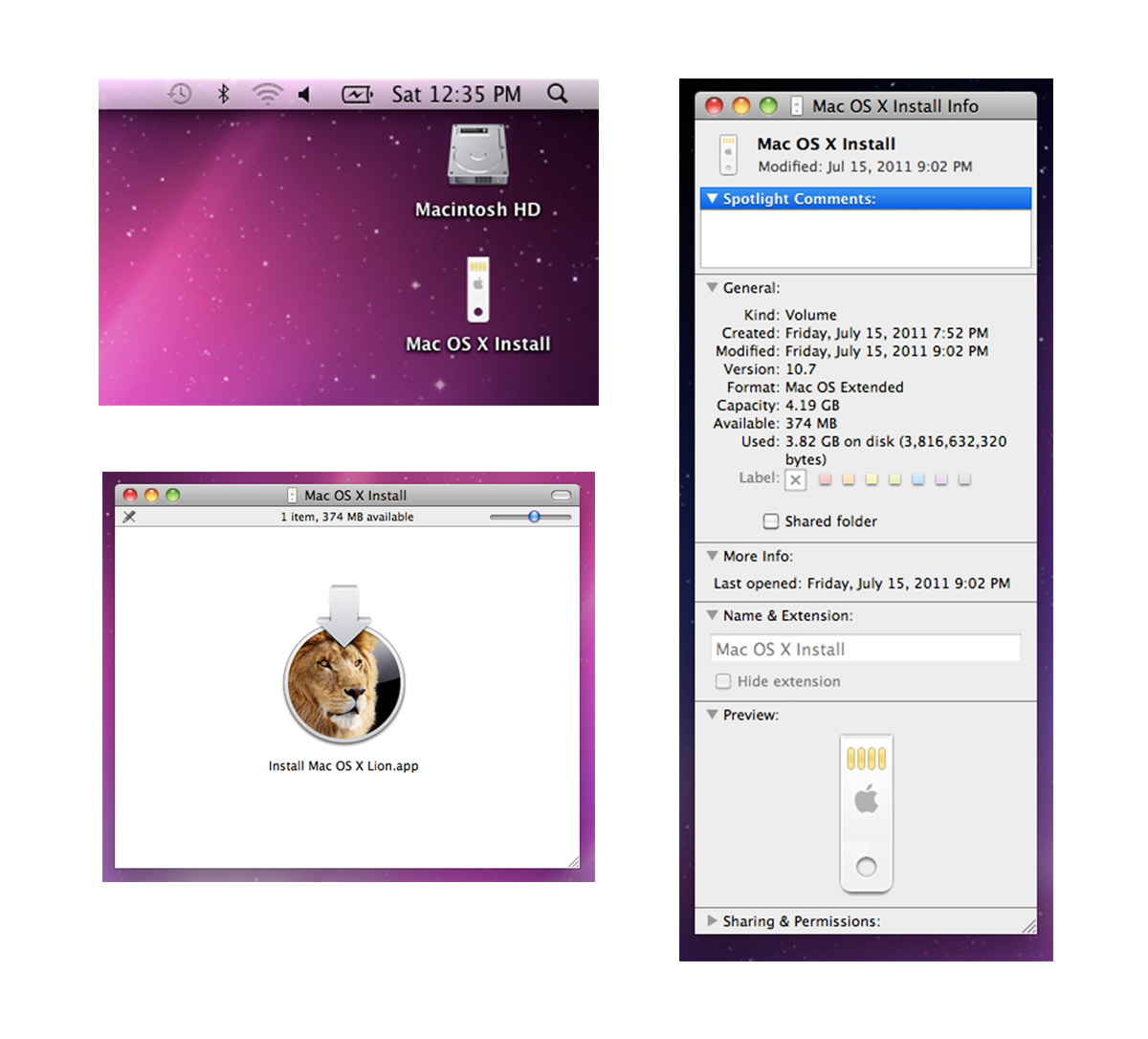
Lion USB Installer Icons

Installing off the USB Key is just like installing Lion from the App Store. Once I had the new OS up and running, I was curious to see how the system would handle the USB volume.

It can explored in Finder just like any of Apple’s downloaded macOS installer, and Terminal shows its contents like any other volume. Lion’s version of Disk Utility has no idea what to make of it, showing it as optical media:
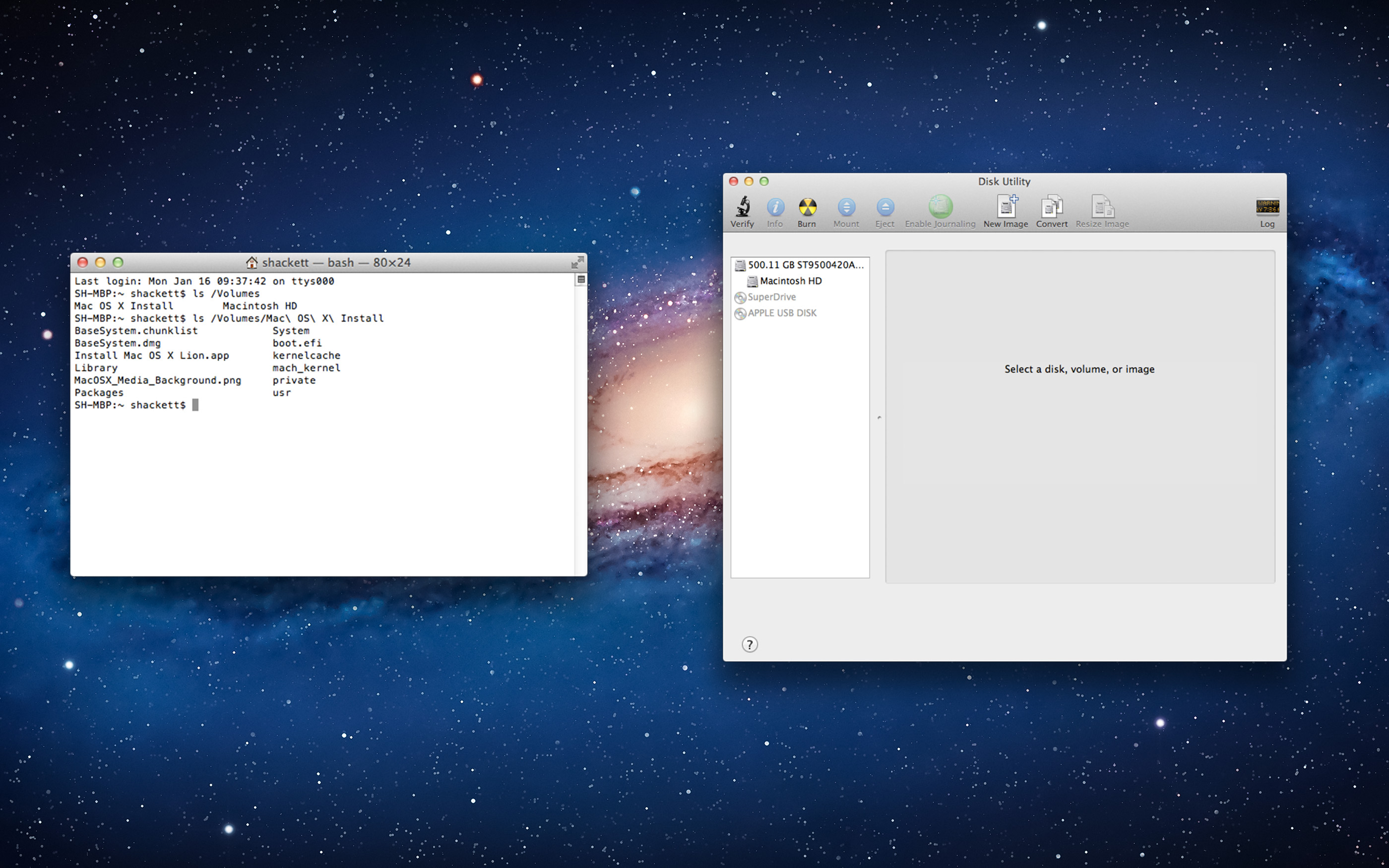
Lion Installer in Lion

However, Disk Utility in later versions of macOS sees it as a regular USB volume, as seen here on macOS Ventura:
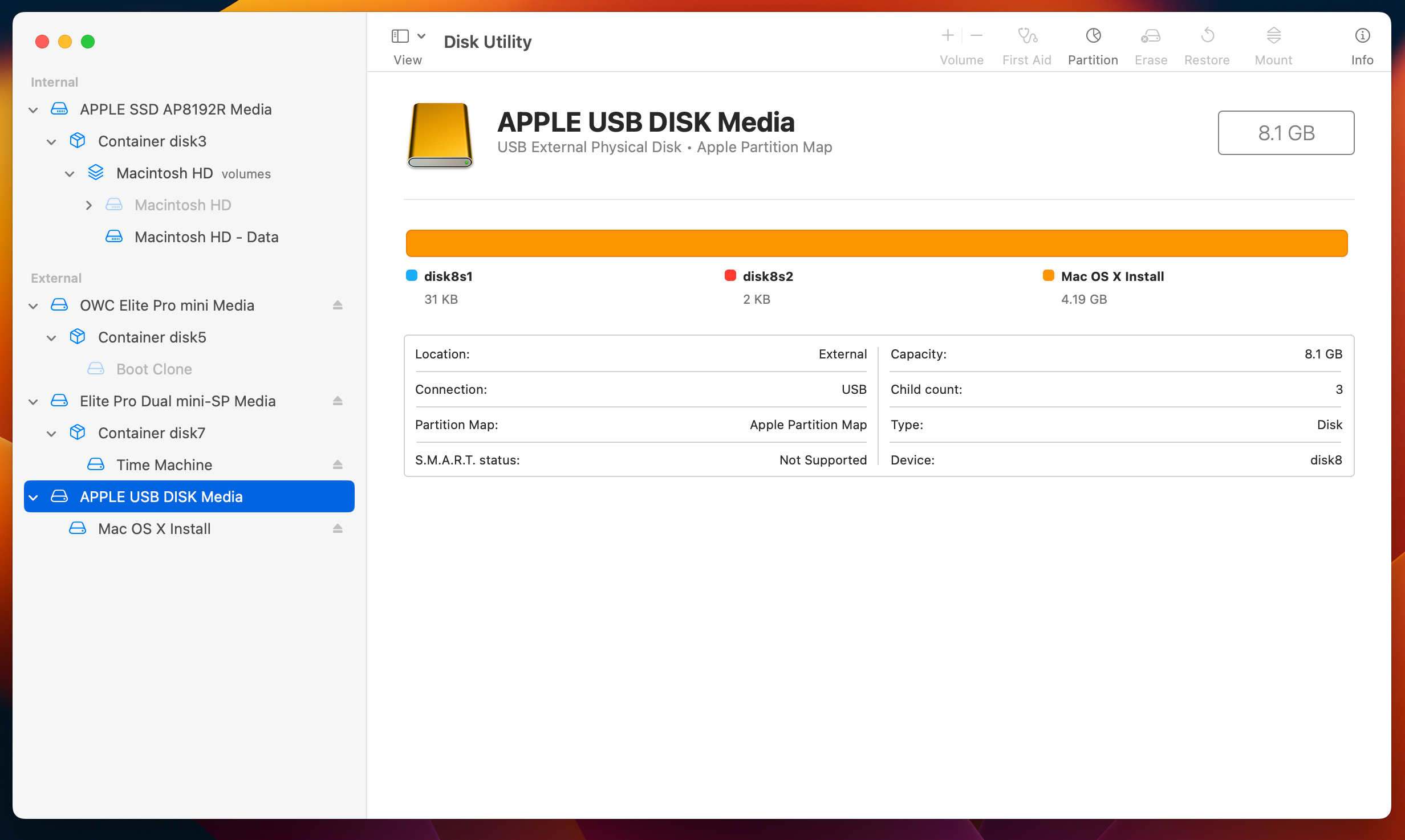
Lion USB Installer in Ventura

It’s a bit of a shame that Lion’s USB installer was a one-and-done thing, but I can’t imagine it sold very well. Downloading new versions of macOS quickly became the norm, no matter how neat this tiny USB key is.

  1. All will be revealed soon. 
  2. OS X Lion was just $29 in the Mac App Store, the same price as Snow Leopard before it. 

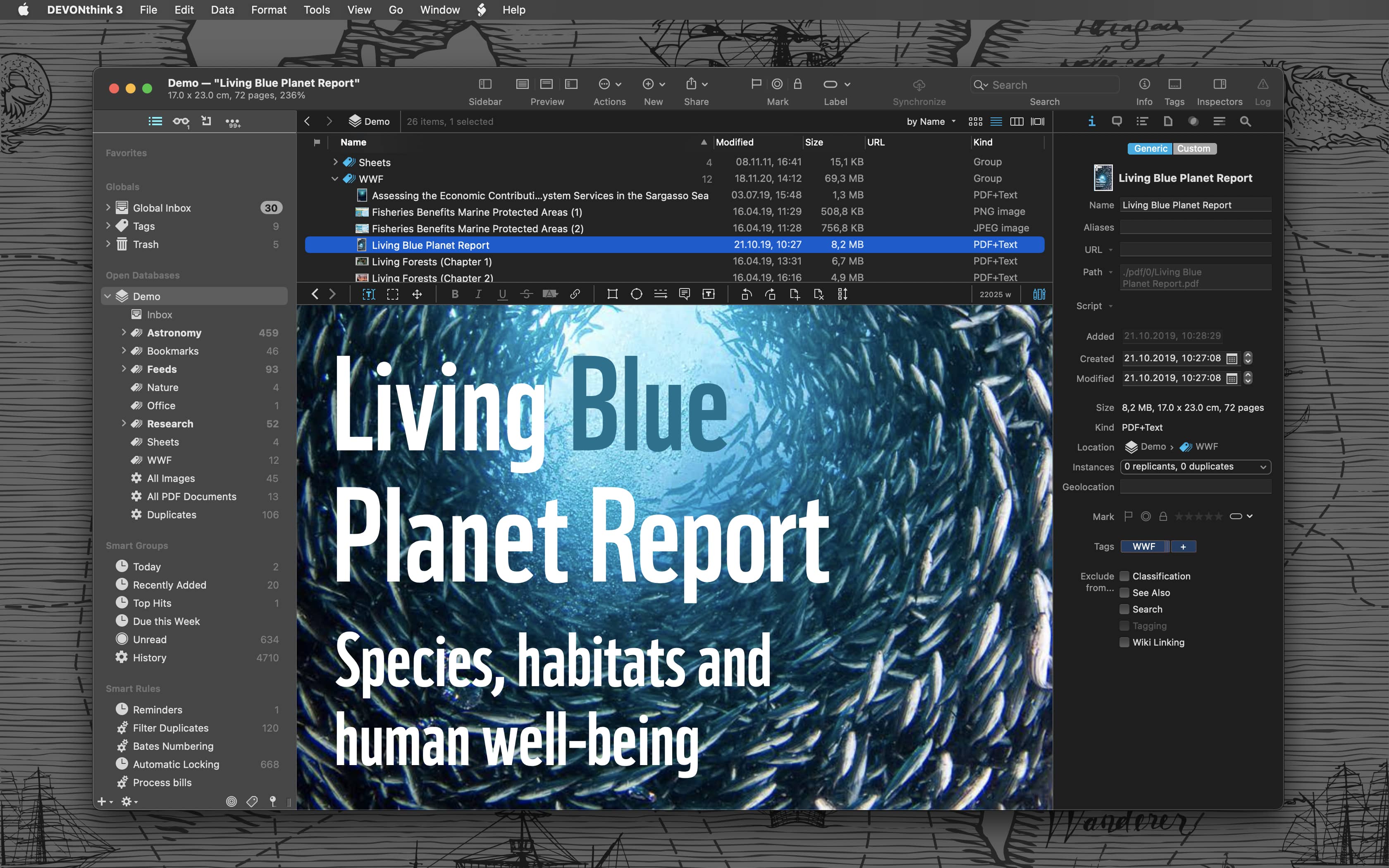
Sponsor: DEVONthink of DEVONtechnologies

Whether you’re in the harbor or at high sea, you need to know where you are or where you’re sailing. If you have all the maps, books, and documents. DEVONthink for Mac and DEVONthink To Go for iOS will not let you down on your mission and help you navigate the “seven seas of information.”

DEVONthink for Mac

Sailor jokes aside … DEVONthink helps you get organized in your office, home office, or on the go. It keeps all your documents, snippets, and bookmarks in one place. Organize them however you need and let DEVONthink’s unique AI assist you all the way with filing and finding. And if that wasn’t enough, smart rules and flexible reminders let you delegate all the boring, repeating daily tasks to DEVONthink too. On iOS, use Shortcuts actions to integrate DEVONthink To Go with your other apps.

Of course, whatever you keep in your databases remains yours. It’s all stored locally, nothing is uploaded anywhere unless you say so. Flexible synchronization technology with strong encryption makes sure that you have all your important documents with you on whatever device you’re working on or taking with you. Use iCloud, Dropbox, any WebDAV service you may have booked or synchronize directly over your local network.

And, of course, there’s so much more, from email archiving and scanning to an embedded web server for sharing your data securely with your team. Check out https://www.devontechnologies.com to learn more about DEVONthink, DEVONthink To Go, and more.

Popular Third-Party Twitter Apps Currently Suspended

Hanlon’s razor says “Never attribute to malice that which is adequately explained by stupidity,” but it’s impossible to tell the difference with Twitter these days.

In a surprise to no one, developers of these apps have been left in the dark, as The Iconfactory points out in a blog post:

There’s been no official word from Twitter about what’s going on, but that’s unsurprising since the new owner eliminated the employees dedicated to keeping the API up and running smoothly, including the developer evangelists who previously provided communication with third-parties.

We wouldn’t know whom to reach out to at Twitter even if such people existed. We’re in the dark just as much as you are, sadly.

As soon as we have a better understanding of what has happened, we’ll update this blog post and let you know. In the meantime, if you own a Mac you can use Twitterrific for macOS (but we don’t know how much longer this will last).

January 14 Update: Twitter hasn’t announced anything, but it looks like this is indeed intentional.

iTunes for Windows Being Replaced by Three New Apps

Andrew Cunningham, writing at Ars:

Today, as part of a new Windows 11 preview build for Windows Insiders, Microsoft has announced that previews of new Apple Music, Apple TV, and Apple Devices apps are available in the Microsoft Store for download.

The Apple Music and Apple TV apps handle iTunes’ music and video functionality, just as they do on macOS, and provide access to the Apple Music and Apple TV+ subscription services. The Apple Devices app is what you’ll use to make local device backups, perform emergency software updates, sync local media, and the other things you can do with an iDevice that’s plugged into your PC (in macOS, similar functionality was added to the Finder, rather than being broken out into its own app).

Bloomberg: Apple Planning Macs with Touch Screens

Mark Gurman:

Apple Inc. is working on adding touch screens to its Mac computers, a move that would defy long-held company orthodoxy and embrace an approach that co-founder Steve Jobs once called “ergonomically terrible.”

Apple engineers are actively engaged in the project, indicating that the company is seriously considering producing touch-screen Macs for the first time, according to people familiar with the efforts. Still, a launch hasn’t been finalized and the plans could change.

Don’t take this the wrong way, but Jobs has been gone a long time and this move would be long overdue if it comes to pass.

I have a lot of thoughts on this, but for now let me say this: discussions about touch-enabled Macs don’t have to be forever framed by what Apple of ten years ago thought.

Kbase Article of the Week: Macintosh: Remote Power Up

This week, we’ve got another Q&A-style support article:

I want to remotely power up and remotely reset a Macintosh computer? Are
there Apple or third party solutions available?

Depending on the Macintosh model you have, there are different software and
hardware solutions available. Many Desktop (examples: Macintosh IIcx, IIci)
and PowerBook models are capable of being remotely powered up or restarted.

The document has a lot more detail if you find yourself needing this in 1993.

My Homemade iPad mini Bike Mount

I love bike riding — both on and off the road — but I hate riding in the cold weather, so for several months out of the year my road bike is mounted to a trainer in my garage.

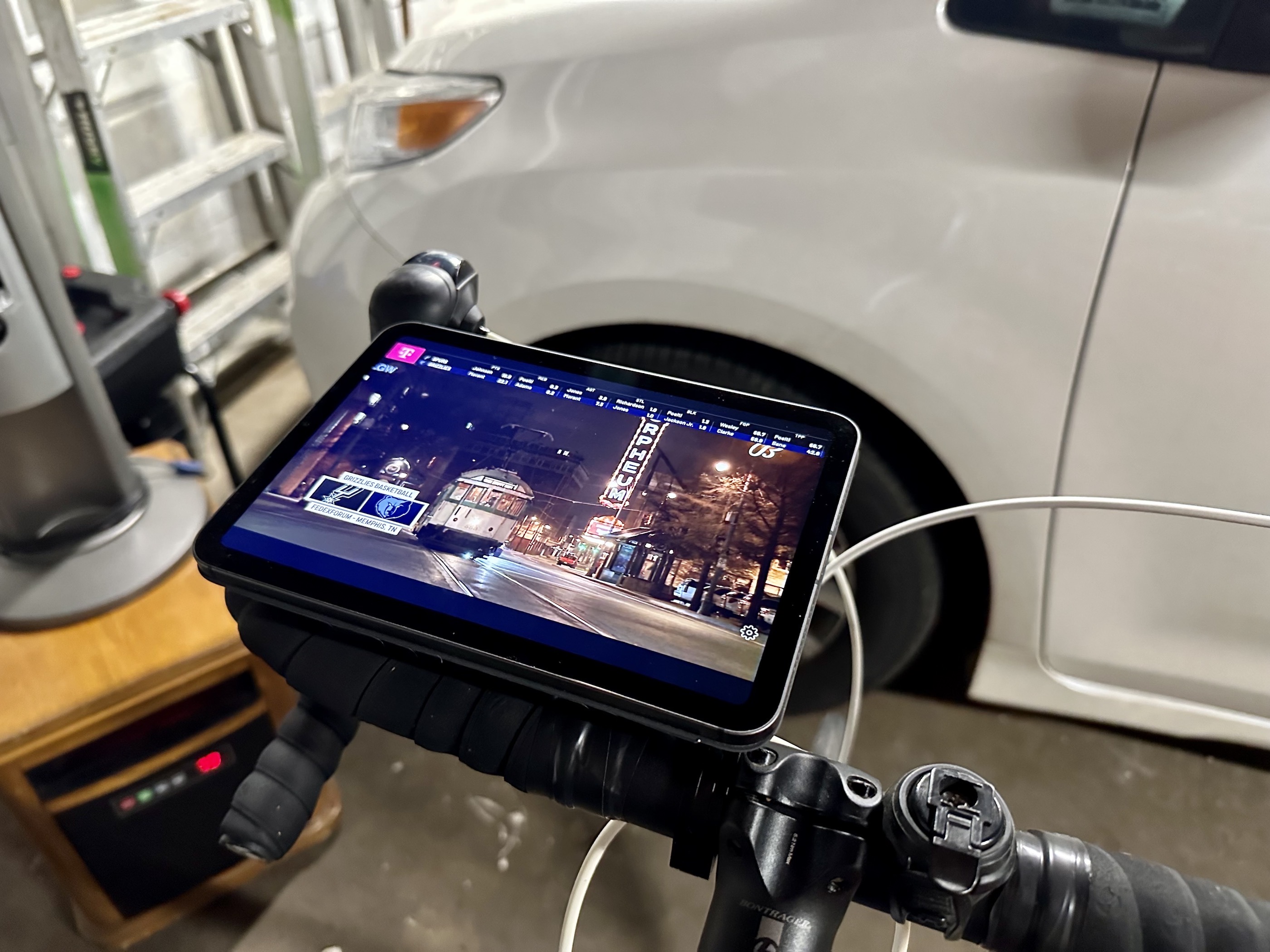
Riding inside is great when it is cold outside, but it’s boring. For years, I would balance my iPad on something in the garage, hoping it wouldn’t tumble to its death, but this year, I came up with something quite a bit more sturdy:

iPad mini on bike

Ok, I know it looks like my iPad mini is just balanced on the handlebars, but the real magic is out of sight. It starts with the Peak Design Out Front Bike Mount, coupled with the company’s universal adapter.

I am a big fan of Peak Design’s mounting system. It uses both magnets and a physical connection to keep things locked down. If I’m out and about on a bike, I have my iPhone 14 Pro in their compatible case, but the universal adapter opens up a lot of possibilities.

To complete my bike setup, I took a Smart Cover and cut the front panel off, sticking the adaptor to the back. This means the Smart Cover is attached securely to the bike. When I go out to the garage, I take my iPad mini and sit it on the the Smart Cover. Its magnets grab the iPad mini and hold it in place quite nicely.

I wouldn’t ride on the street with the iPad mounted this way, but sitting still in the garage, it’s more than secure enough to watch a TV show or basketball game when I get some stationary miles in.

Apple Maps Adds New Parking Features

Joe Rossignol, MacRumors:

In partnership with parking platform SpotHero, Apple Maps now provides parking information for more than 8,000 locations across the U.S. and Canada. Parking availability can be filtered based on EV charging, wheelchair accessibility, and more.

On the iPhone, users can open the Apple Maps app and search for a popular destination such as Madison Square Garden in New York or Scotiabank Arena in Toronto, tap on the “More” button in the place card, tap on the “Parking” option in the menu, and proceed to search for and reserve nearby parking on the SpotHero website without leaving Apple Maps. SpotHero says the feature will also be available on the Mac.

Mac Power Users #674: Workflows with Shawn Blanc

This week on Mac Power Users, I got the chance to catch up with one of the folks I’ve known the longest online:

Shawn Blanc left his job back in 2011 to become a full-time writer. Twelve years later, he’s the mastermind behind sites like The Focus Course and The Sweet Setup and more. Stephen and David ask him about that journey and how he’s grown his operation from a solo venture to a team running multiple projects.

Shawn gave me my first paid gig on the Internet a decade ago when he hired me to write for Tools and Toys. We went on to start The Sweet Setup together. It was a true joy to have him on the show.

Sponsor: The Weather Machine, by Hello Weather

The Weather Machine is a new unified API for weather forecast data. If you need to build weather info into your app, this service will save you a ton of time and complexity.

Weather Machine

You’ll get a single modern interface for the best data providers on Earth. You can write just one integration with modern REST or GraphQL endpoints, and get highly accurate global forecasts from The Weather Company, AccuWeather, AerisWeather and many other sources.

The Weather Machine also makes every provider drop-in compatible with Dark Sky’s API. If you’re already using Dark Sky, you can switch over in minutes!

The Weather Machine is battle-tested in the real world — it was built as the platform that powers the excellent weather app Hello Weather. It handles hundreds of thousands of real-time requests every day, with rock solid availability and performance. Plus, its built-in caching system can cut your data usage up to 50% — with zero configuration required.

With usage-based pricing and no contracts, it’s a breeze to get started. Check out https://weathermachine.io and sign up today for early access.