Recreating Apple News with ChatGPT

The folks behind OpenAI have opened up a new AI tool that can return text when given a prompt. Naturally, I asked it to write about Apple products.

Prompt #1: Write 5 paragraphs in the style of a news article written by about Apple’s new iMac computer, complete with quotes from experts

Apple has released a new iMac computer, bringing updated hardware and a renewed focus on performance to the iconic all-in-one desktop. The new iMac features the latest Intel processors, with options up to a 10-core Core i9 chip, along with AMD Radeon Pro 5000 series graphics, delivering up to 55 percent faster performance than the previous generation.

“The new iMac is a powerful addition to Apple’s desktop lineup,” said Tim Cook, Apple’s CEO. “With its updated hardware and sleek design, it’s the perfect computer for users who want the best performance and the best user experience.”

The new iMac also boasts improved storage options, with options up to 8TB of high-speed SSD storage, and support for up to 128GB of high-speed DDR4 memory. Additionally, the new iMac features a brighter and more vibrant Retina display, with support for the P3 wide color gamut, as well as True Tone technology for automatically adjusting the display’s white balance.

“The new iMac’s display is truly stunning,” said Phil Schiller, Apple’s senior vice president of worldwide marketing. “With its brighter colors and improved contrast, it’s a great choice for creatives who want to see their work in the best possible light.”

In addition to the updated hardware, the new iMac also includes macOS Big Sur, the latest version of Apple’s operating system. Big Sur brings a redesigned interface, improved app functionality, and new features such as Control Center, which provides quick access to commonly used settings and controls.

“macOS Big Sur is a major step forward for the Mac,” said Craig Federighi, Apple’s senior vice president of software engineering. “With its redesigned interface and new features, it makes the iMac even more powerful and easy to use.”

Prompt #2: A tweet thread about the new iPhone camera system

Just got my hands on the new iPhone and the camera system is incredible! The triple-camera setup offers a huge range of focal lengths and the image quality is stunning.

The night mode feature is a game changer, producing photos with incredible detail and low noise in low light situations. The video capabilities are also impressive, with smooth stabilization and impressive 4K quality.

Overall, the new iPhone’s camera system is a huge step forward and sets a new standard for smartphone photography. #iPhoneCamera #NightMode #TripleCamera

Prompt #3: Initial impressions after using the Apple Newton in 1993, as a magazine column written by Jason Snell

As a long-time Mac user, I was excited to get my hands on the new Apple Newton when it was released in 1993. I had heard a lot about its revolutionary handwriting recognition technology and was eager to see how it performed in the real world.

After using the Newton for a few days, I have to say that I’m impressed. The handwriting recognition technology works surprisingly well, allowing me to jot down notes and have them automatically converted to text. It’s not perfect, but it’s definitely good enough for everyday use.

One thing I really like about the Newton is its small size and portability. It fits easily into a pocket or purse, making it a great option for on-the-go note-taking. The screen is also nice and large, making it easy to read and write on.

Overall, I’m pleased with the Newton. It’s not without its flaws, but the handwriting recognition technology is a game-changer and makes it a worthwhile addition to any Mac user’s toolkit. I’m looking forward to seeing how it evolves in the future.

Prompt #4: The description for an episode of the Connected podcast, about the iPad Pro

In this episode of Connected, we dive into the new iPad Pro and all of its impressive features. We discuss the powerful M1 chip that powers the device, the stunning new Mini-LED display, and the vast improvements to the cameras.

We also talk about the new Thunderbolt port and the implications it has for connecting accessories like external displays and storage. Plus, we discuss the potential for the iPad Pro to replace a traditional computer for many users.

Tune in to learn more about the latest and greatest iPad Pro.

Prompt #5: A poem concerning the eMate 300

The eMate 300, a sight to see
A small and sturdy machine
With a keyboard and screen

It may not be the fastest
Or the most advanced device
But it’s rugged and reliable
And it gets the job done right

With its green and black design
It stands out in a crowd
And its long-lasting battery
Means it can go the distance

So here’s to the eMate 300
A humble workhorse of the digital age
May it continue to serve
Long into the future.

Prompt #6: A haiku about the HomePod

In the corner it sits
A small white orb of sound
Filling the room with song
Man Stranded in Alaska Saved via Emergency SOS

It was a matter of time before an iPhone 14 popped up in a story like this. Joe Wituschek has details over on iMore:

As reported by the Department of Public Safety, on December 1st around two o’clock in the morning, Alaskan State Troopers were notified that “an adult male traveling via snowmachine from Noorvik to Kotzebue had activated an Apple iPhone Emergency SOS via satellite on his iPhone after becoming stranded.”

The NWAB SAR worked with Apple’s Emergency Response Center and local search and rescue teams to send “four volunteer searchers to the Nimiuk Point area directly to the GPS coordinates provided by the Apple Emergency Response Center. The adult male was located and transported to Kotzebue by the volunteer search team.”

Thankfully, the man was rescued safely without any injuries due to the iPhone feature and the team’s quick response.

Güten Pränk

Yesterday, Tiff Arment published the final episode of Somehow I Manage, our Office re-watch podcast. We were joined by the wonderful Mikah Sargent, who was Tiff’s original cohost:

Tiff, Stephen, and Mikah pull up some hay bales (with complementary hay hooks) and share an emotional goodbye as they discuss “Finale”. This episode of “The Office” originally aired on May 16, 2013.

Hosting SIM was a great way to re-live one of my favorite TV shows. Thank you all who listened!

Apple Announces 2022 Podcast, App Winners

Apple Newsroom has been busy. Today, the company announced the first-ever Apple Podcasts Award winner:

Apple today announced the Apple Podcasts Award honoring a Show of the Year and its team for outstanding quality, innovation, and impact. Inspired by the signature app icon, the Apple Podcasts Award represents Apple’s decades-long commitment to supporting creators as they share their voices with the world and helping listeners to discover the best podcasts.

The recipient of the Apple Podcasts Award is Slate’s critically acclaimed narrative history series, Slow Burn, for its latest season, Roe v. Wade, hosted by Slate executive editor Susan Matthews. Published throughout June 2022, the four-episode season explores the events leading up to the landmark 1973 Supreme Court decision, offering listeners an in-depth perspective on this universal and timely human rights issue.

I haven’t heard this particular season of Slow Burn, but have loved previous seasons that I have heard.

Yesterday, Apple announced the 16 winners of the 2022 App Store Awards:

“This year’s App Store Award winners reimagined our experiences with apps that delivered fresh, thoughtful, and genuine perspectives,” said Tim Cook, Apple’s CEO. “From self-taught solo creators to international teams spanning the globe, these entrepreneurs are making a meaningful impact, and represent the ways in which apps and games influence our communities and lives.”

Orion Space Capsule Reaches Farthest Point From Earth During Artemis I Mission

Leah Cheshier, writing yesterday for NASA:

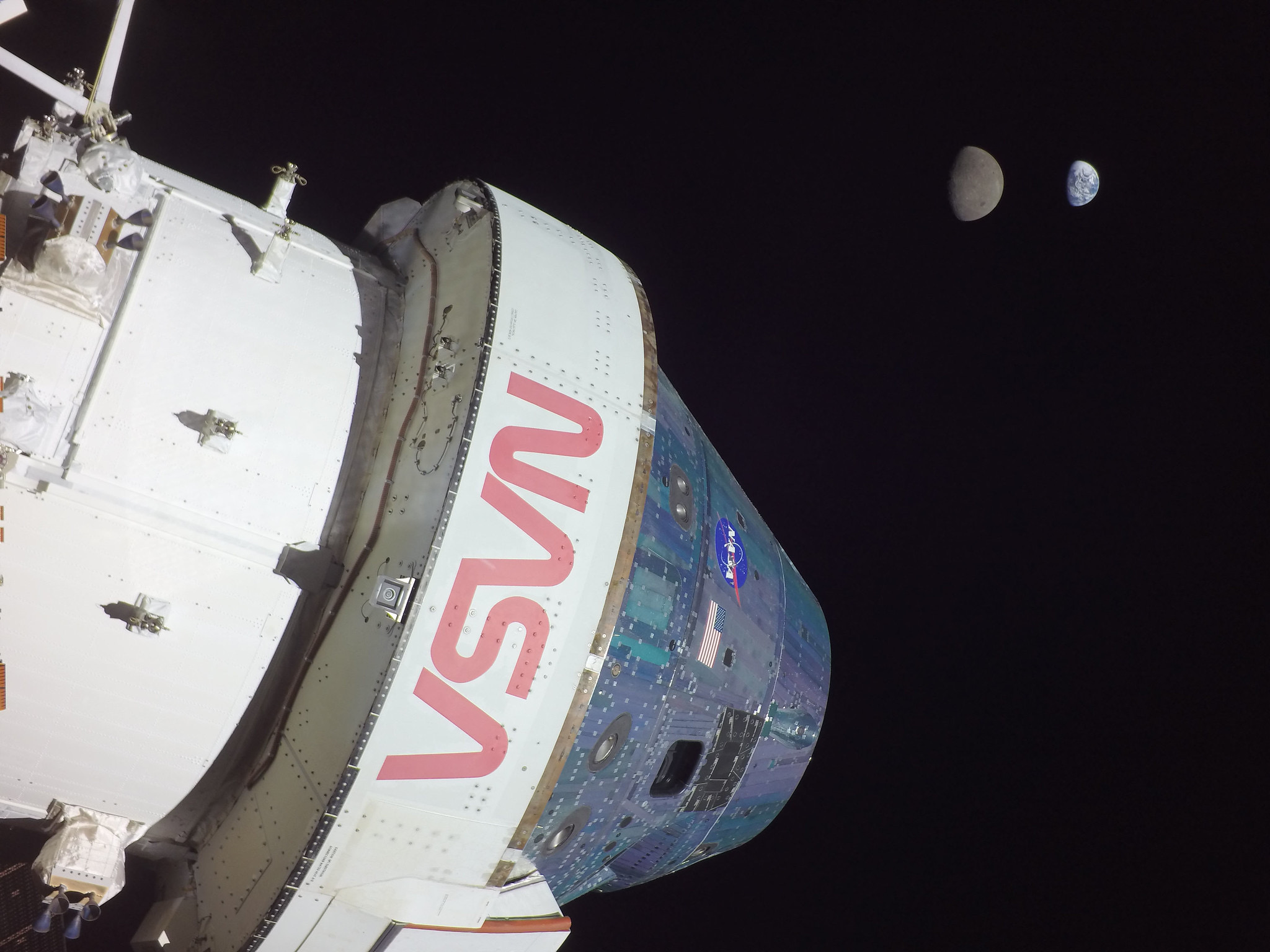
NASA’s uncrewed Orion spacecraft reached the farthest distance from Earth it will travel during the Artemis I mission — 268,563 miles from our home planet — just after 3 p.m. CST. The spacecraft also captured imagery of Earth and the Moon together throughout the day, including of the Moon appearing to eclipse Earth.

Reaching the halfway point of the mission on Flight Day 13 of a 25.5 day mission, the spacecraft remains in healthy condition as it continues its journey in distant retrograde orbit, an approximately six-day leg of its larger mission thousands of miles beyond the Moon.

That distance breaks the previous record for distance from Earth achieved by a crew-rated vehicle set by Apollo 13.1 As impressive as that is, the imagery is even better:

Artemis I Flight Day 13: Orion, Earth, and Moon


  1. Or Apollo 10’s spent lunar module, depending on who you ask. 

Kbase Article of the Week: Mac OS: How to Move the Control Strip

Apple Support, on the Control Strip:

To move the Control Strip:

  1. Press and hold down the Option key.
  2. Drag the tab at the end of the Control Strip. If you drag it more than halfway
    across the display, the Control Strip moves to the other edge. If you have more than one display, you can drag the Control Strip to the left or right edge of the other display as well. The Control Strip always stays on the left or right edge of your display.

Changing the display’s resolution from a smaller setting to a larger one and restarting the computer moves the Control Strip higher up on the display.

Sponsor: Audio Hijack from Rogue Amoeba

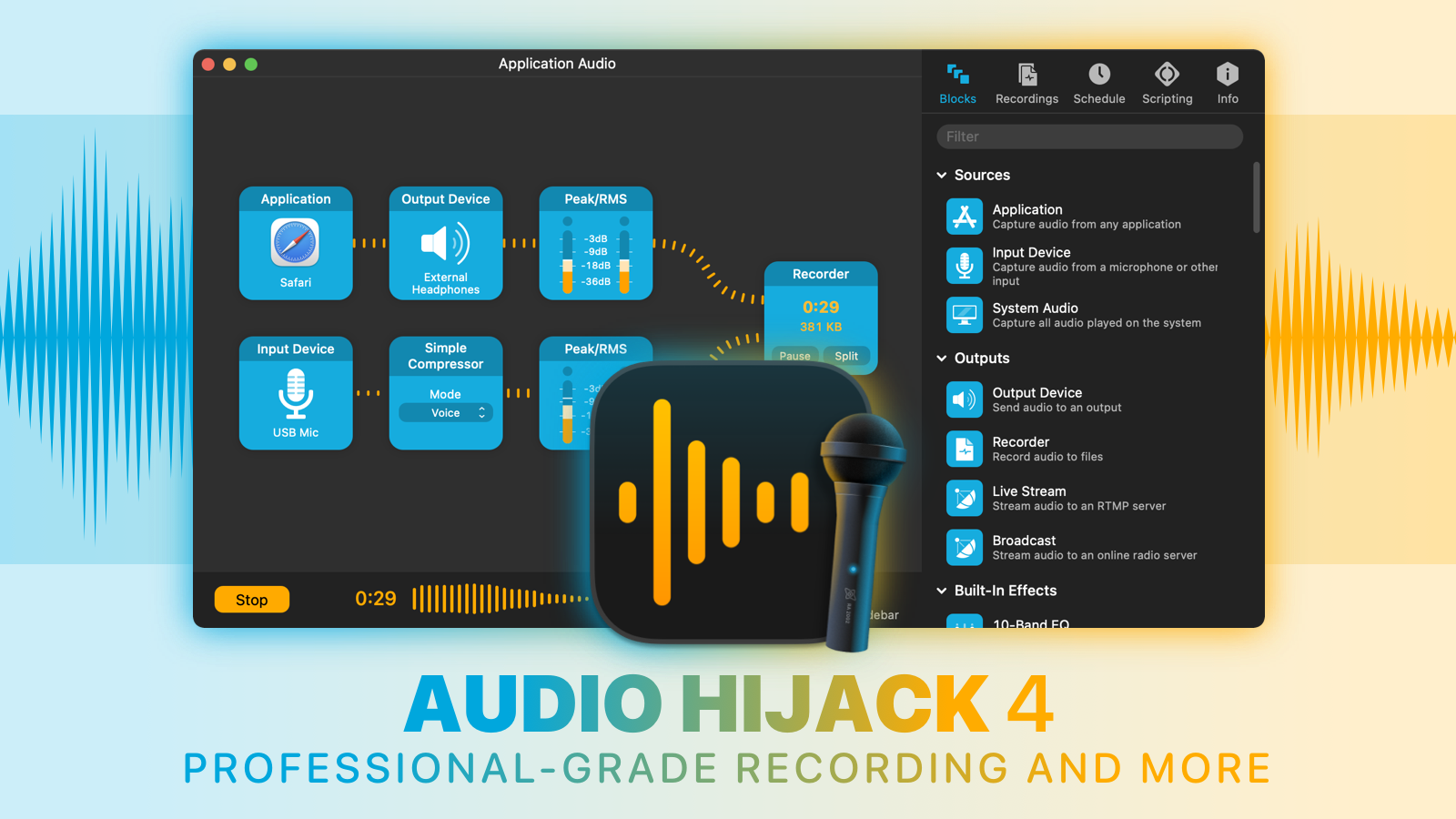
Record any audio, with Audio Hijack. Whether you want to save audio from individual applications like Safari or Skype, hardware audio devices like microphones and mixers, and even the entire system audio output, Audio Hijack can handle it. Simply put, if it can be heard on MacOS, Audio Hijack can record it. Use it to:

  • Record conversations from Skype, Zoom, and other VoIP apps
  • Save streaming audio from the web
  • Create podcasts, both remote and in-studio
  • Digitize vinyl
  • And so much more

Audio Hijack

Noted tech writer Stephen Hackett has declared Audio Hijack “the best audio recording tool available for macOS, and … it just keeps getting better.” Who are we to disagree?

Visit our website to learn more and download a free trial of Audio Hijack 4. You’ll be glad you did!