With the James Webb Space Telescope’s ability to detect and study the atmospheres of distant planets orbiting other stars, exoplanet enthusiasts have been anticipating JWST’s first data on some of the worlds in the famous TRAPPIST-1 system. This is the system where seven Earth-sized worlds are orbiting a red dwarf star, with several in the habitable zone.
Today, a new study was released on the innermost planet in the system, TRAPPIST-1 b. The authors of the study were quite frank: this world very likely has no atmosphere at all. Additionally, the conditions there for possible life as we know it only get worse from there.
512 Pixels
Sponsor: SoundSource from Rogue Amoeba⇢
If you use audio on your Mac, in any way at all, SoundSource is for you. SoundSource lives in your menu bar, and gives you superior control over all your audio.
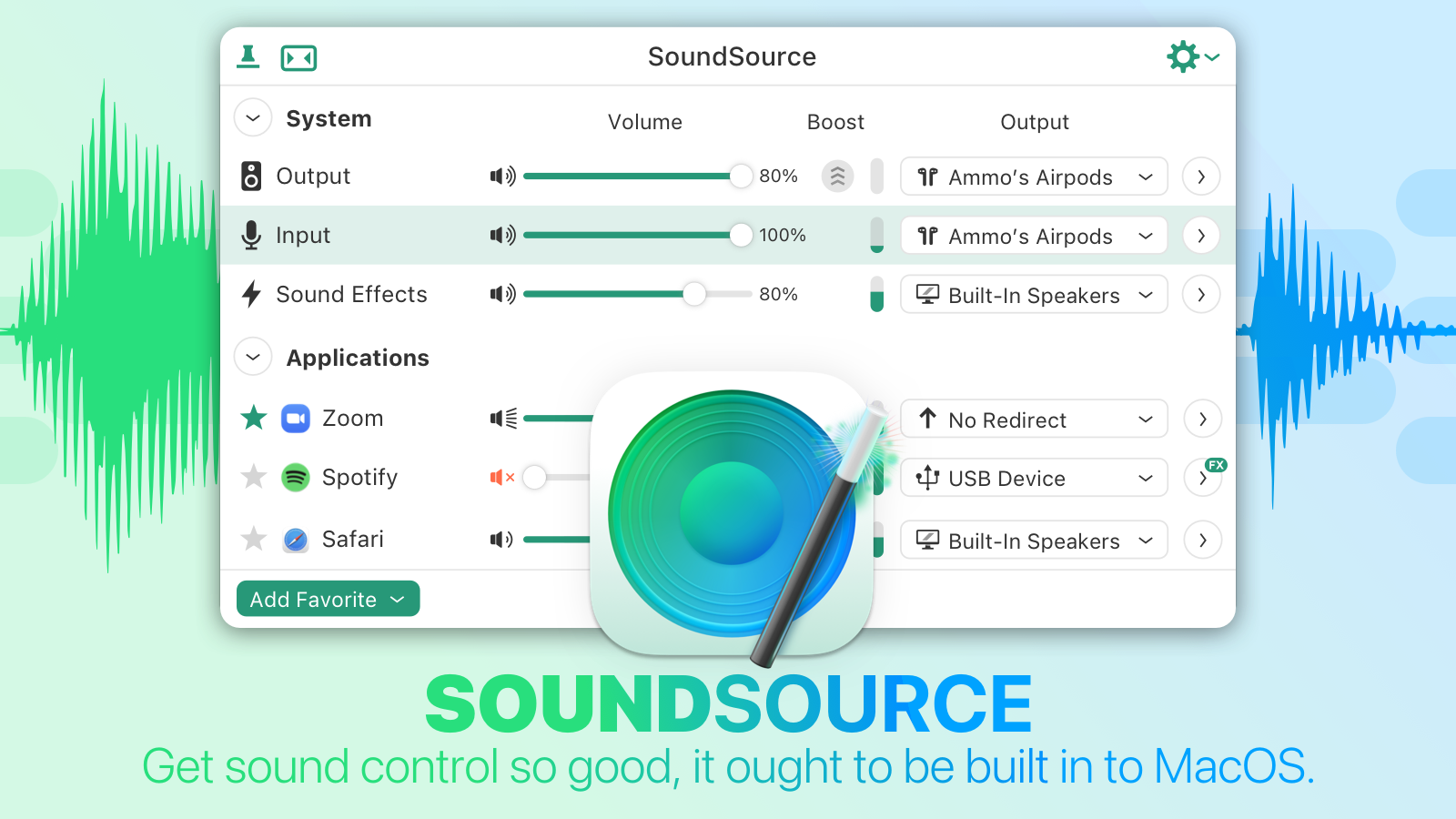 Per-application control: Change the volume of any app relative to others, and play individual apps to different audio devices.
Audio effects, anywhere: SoundSource has great built-in effects, like Magic Boost and Volume Overdrive features, as well as a built-in 10-band equalizer to sweeten sound. Advanced users will love the ability to apply Audio Units to any audio.
Fast device access: Adust settings for your Mac’s Output, Input, and Sound Effects audio devices, instantly. Change levels, tweak the balance, and even switch sample rates, right from the menu bar. You may never need to open the Sound System Preference again!
And oh yeah, SoundSource has Shortcuts support too. Automate your usage of not just SoundSource, but many of your Mac’s audio device settings. If you’ve ever wished you could automate the controls found in macOS’s Sound System Preferences and Audio MIDI Setup app, the new Shortcut support in SoundSource is for you.
Download the free SoundSource trial, then purchase today. Through the end of April, 512 Pixels readers can save $10 with coupon code 512SSTEN.
Three Thoughts Spurred by a Random iOS 5 Screenshot
I recently found a screenshot of the App Store running on iOS 5 hanging out in my Dropbox1 and I had things came to mind.
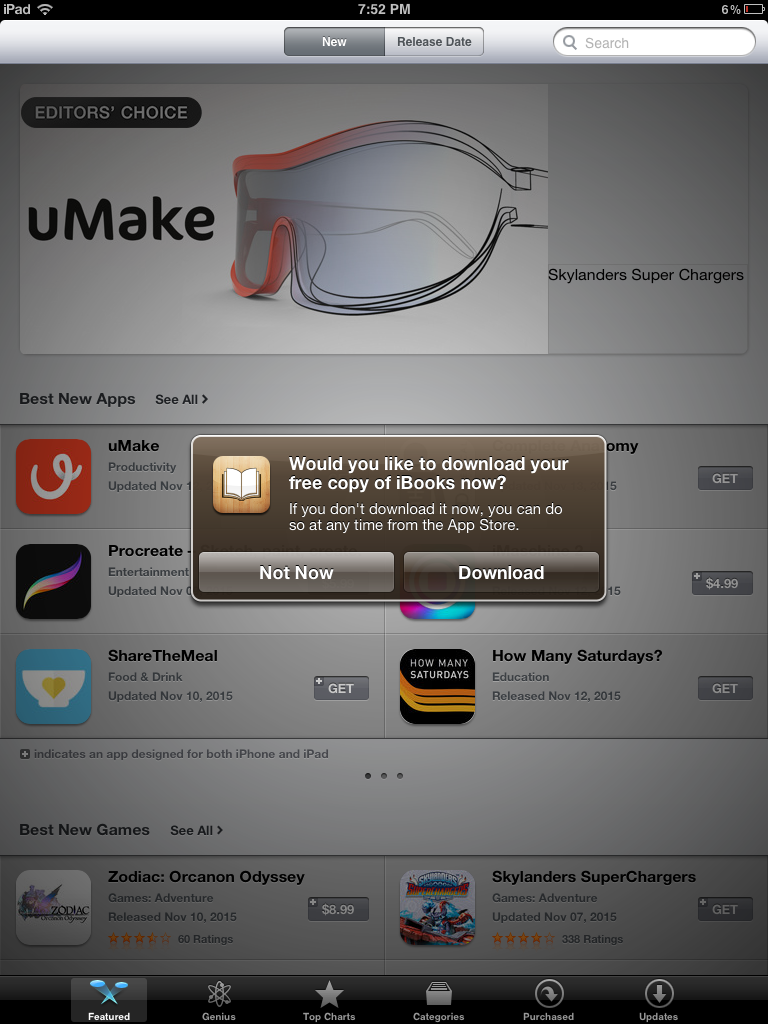
- iBooks wasn’t part of a clean iOS install until iOS 8.
- Apple pushing its services with annoying notifications isn’t anything new.
- We need more brown UI elements in our lives.
-
If I had to guess, I bet I made this screenshot when working on this MacStories piece. ↩︎
Mac Power Users #685: Fighting Digital Distractions⇢
Between news apps, delivery services, task managers, emails and communication tools, our devices receive an untold number of notifications daily. On this week’s Mac Power Users, David and I talk about how to push back against the wave of interruptions that threaten our focus and work.
My New Favorite Old, Busted Page on Apple’s Website
I put this on Mastodon yesterday, but wanted to share it here, too:
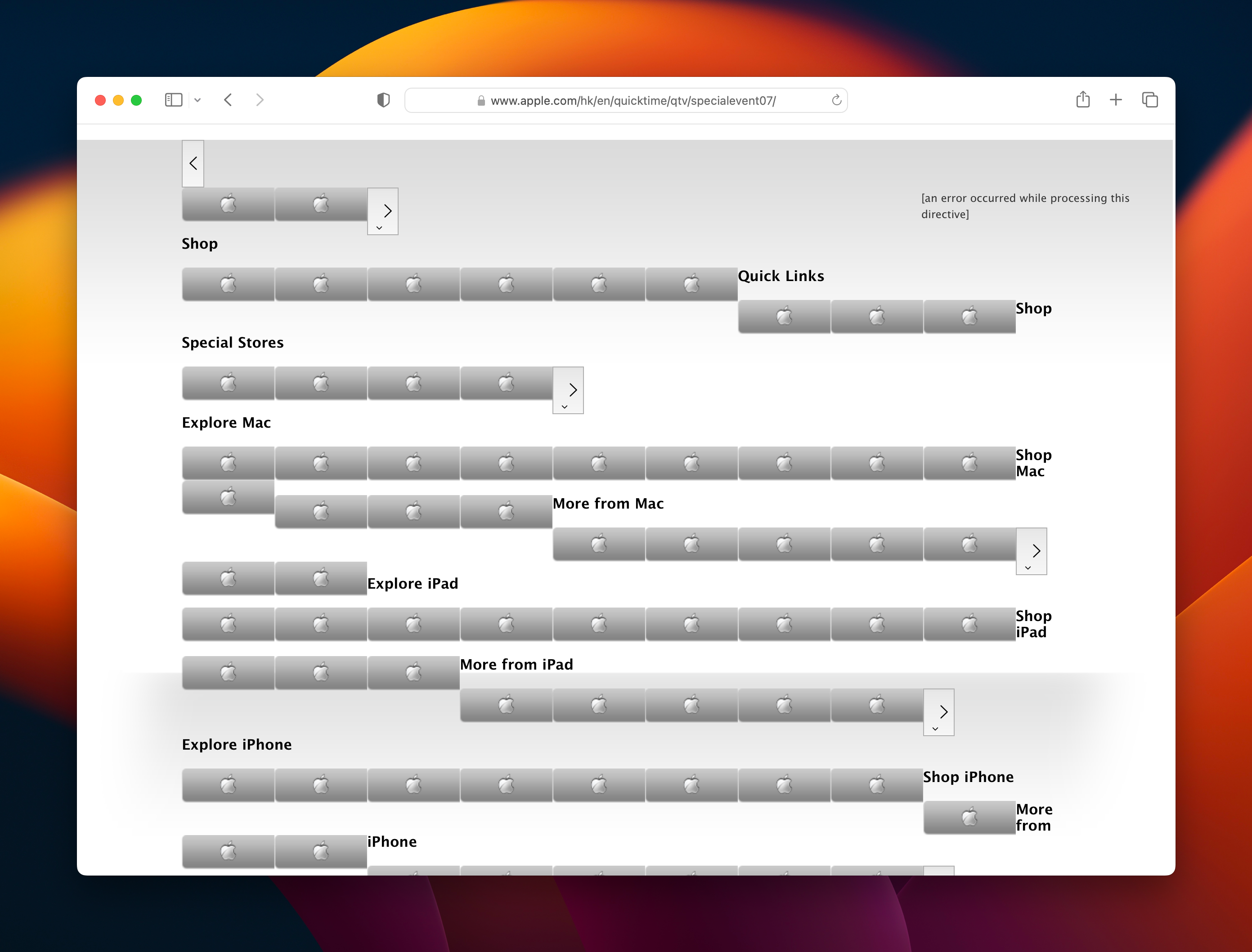
I came across this page when working on the next Apple History calendar, and it really made me chuckle. I’ve got an image of the whole thing saved here for all time.

Apple’s Live Activity for Timers Already Needs a Refresh
UPDATE: This has been fixed as of iOS 17!
Apple’s Live Activity feature has begun to take off, with more and more apps doing interesting things with the new user interface. Sadly, one of Apple’s own uses for it doesn’t work the way it should.1
In this image, you can see the Live Activity on the lock screen, expanded from the Dynamic Island and a screenshot of Clock.app itself:
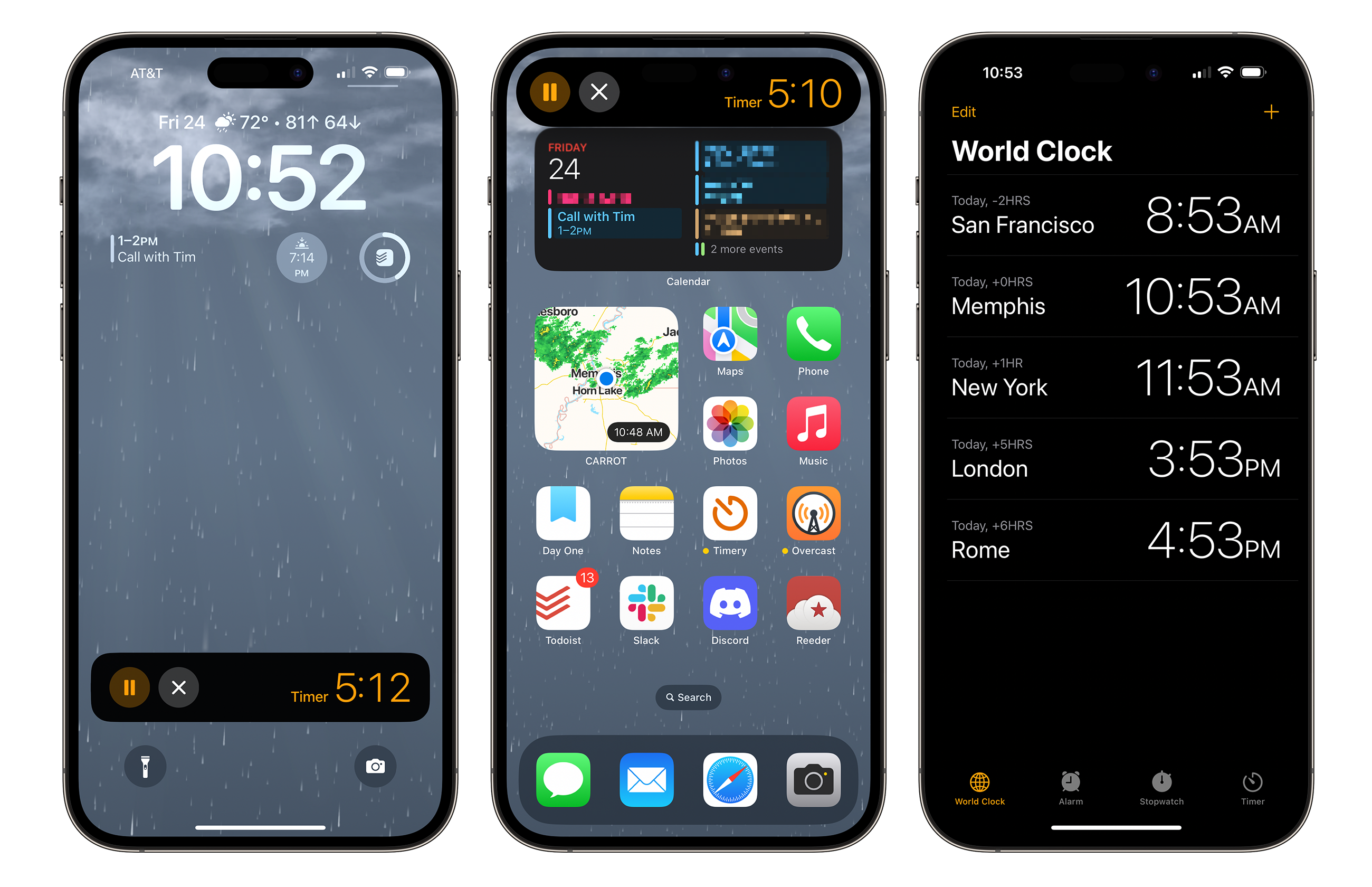
First, we have the issue of the Live Activity on the lock screen. Live Activities from third-party developers open the corresponding app when the Live Activity is tapped. Apple’s timer Live Activity doesn’t follow this convention. Instead, tapping the timer itself doesn’t do anything whatsoever. A user can pause or cancel the timer from the Lock Screen, but managing anything past that requires launching Clock.app from somewhere else in the system.
I understand that Apple’s apps are often able to do things that third-party apps can’t, but these features make the timer Live Activity behave so differently than other Live Activities that it can be frustrating to use. It’s easy to cancel a timer, but hard to open the app that manages the timer itself.
When an iPhone 14 Pro is in use, the timer icon shows up in the Dynamic Island as expected. Pressing and holding it will expand the timer, showing the same controls as what is present on the lock screen. However, here — and only here — does tapping the Live Activity open the Clock.app.
For bonus points, I would love it if Apple would show the time at which the timer will go off, on both the lock screen and the expanded view within the Dynamic Island. Alas, that information isn’t visible anywhere except within the Clock app.
… which makes the fact that opening the Clock app from the timer Live Activity doesn’t open Clock to the timer tab feel pretty pretty pretty pretty bad. Instead, Clock.app opens to either the last tab the user was using, or if the app has been fully quit, it opens to the World Clock. Tapping a timer should always open the corresponding panel in the Clock app.
None of these bugs are showstoppers. I use my iPhone2 to set timers several times a week, but the user experience is clunky and comes across as downright buggy.
I’ve filed a Feedback with Apple about this: FB12078863. PS: Where’s the stopwatch Live Activity, Apple?
-
Ah yes, another article about how Apple is bad at timers. ↩︎
-
Don’t get me started on how clunky timers are on watchOS, but at least it can do multiple timers! ↩︎
Framework Updates Its Modular Notebook Line⇢
Framework is a company creating PC notebooks that are designed to be upgraded and repaired over time, and they’ve refreshed their products, as Andrew Cunningham reports:
For the second year in a row, Framework has announced new upgrades for its modular, repairable Framework Laptop that can be installed directly in older versions of the Framework Laptop. There are two motherboards: one with a predictable upgrade from 12th-generation Intel Core CPUs to 13th-generation chips and one that brings AMD’s Ryzen laptop processors to the Framework Laptop for the first time.
Framework has also formally renamed its first laptop design; the 13-inch model picks up the “Framework Laptop 13” retronym to distinguish it from the new Framework 16 gaming laptop.
You read that correctly; new motherboards can be installed into existing notebooks. There’s even an enclosure available for purchase to turn the old board into a desktop machine.
The Framework 13’s swappable ports made it easy to change out the I/O in case of damage, or to better reflect the user’s needs. The new 16 takes it even farther, as Cunningham writes in a second article:
The other noteworthy thing about the Framework Laptop 16 is its “Expansion Bay System,” which will primarily be used for dedicated GPUs. These GPU modules use eight lanes of PCIe bandwidth (the PCIe version will depend on the motherboard you have installed since the GPU’s PCIe lanes are usually built into the CPU) and can be plugged in and unplugged without modifying anything else about the laptop. Framework’s photos show an Expansion Bay jutting out of the back of the system—not having to fit the GPU within the body of the laptop itself will add size and weight, but it also means that more powerful GPU modules can make room for larger fans and heatsinks, and it’s up to the user to decide on the best combination of performance and size/weight.

These notebooks aren’t the best looking on the planet, nor do they sell in huge numbers. But they seem very, very cool — and important —e to this MacBook Pro user.
Connected #442: They Want Azimuth⇢
Myke makes a very important correction and deeply regrets his previous error. Federico pits cubes against triangles and Clippy has been reborn as Microsoft 365 Copilot. Lastly, Stephen starts his search for an heir.
I Asked Bing to Make Some macOS Wallpapers
I love macOS wallpapers, so when I saw that Bing had incorporated image creation into its probably-not-going-to-kill-us-all-but-maybe AI tools, I took it for a spin with this prompt:
Make some wallpapers in the style of Mac OS wallpapers from Jaguar, Panther and Tiger
I got these back:




That’s not really what I had in mind, so while the AI’s reading of my prompt made me laugh, I decided to try again:
Make some wallpapers in the style of the blue wallpapers found in early versions of Mac OS X
This went a little better:




I wanted to see if I could get something closer to my beloved OS X images, so I got rid of the OS X language and asked Bing to create wallpapers using various shades of blue that are calming but still portray some level of movement and happiness. I got these back:




Honestly, the last one isn’t too bad.
Quinn Nelson, on Apple’s Upcoming Headset⇢
Everyone’s favorite tall YouTuber has a new video out, looking at the whirlwind of Reality Pro rumors. I am personally finding it hard to get excited about this, but I have to admit, his passion for the subject has helped:
Kbase Article of the Week: FireWire Ports: Specifications⇢
I think we sometimes assume the confusion brought forth by USB-C, but maybe it isn’t.
Apple Patents Updated Watch Fall Detection for Bike Accidents⇢
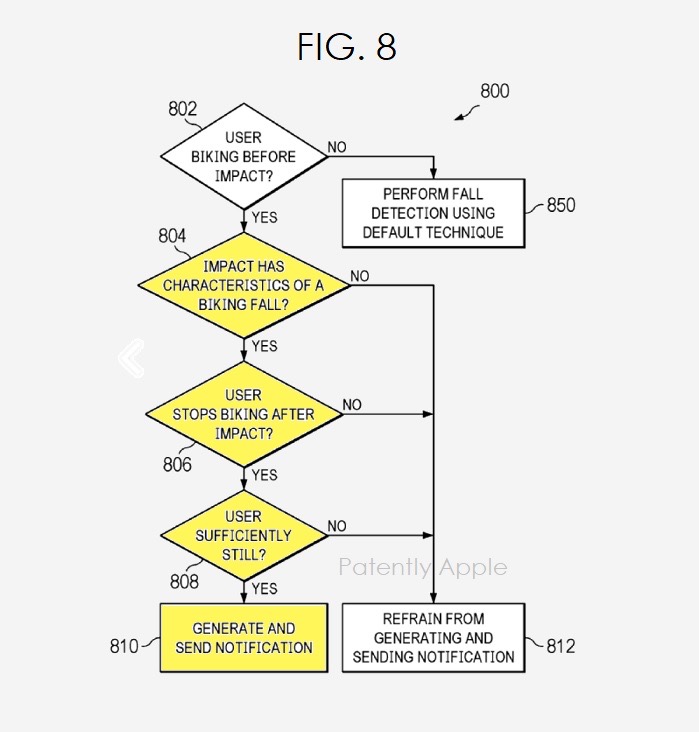
With the regular fine print that “big companies patent every single thing they can,” this report on Patently Apple caught my eye. I’ve had more than a couple bike crashes over the years, including one that shattered an Apple Watch.
I just love the graphic included in the post that shows the decision tree involved: