Kbase Article of the Week: Power Macintosh: Differences Between DVD-ROM, DVD-RAM and DVD-RW

Apple Support:

DVD-ROM, as its name implies, is a “read-only memory” format. Your computer can read a disc’s contents, but it cannot save data to one.

DVD-RAM (DVD random-access memory) and DVD-RW (DVD rewritable) are both rewritable mediums. Both DVD-RW and DVD-RAM are rewritable DVD standards that have been published by the DVD Forum, a group of more than 200 industry-leading corporations.

This article then links to a second article titled “SuperDrive: About Rewriteable DVD Discs,” which goes into a lot more detail. It ends with this note:

Important: Information about products not manufactured by Apple is provided for information purposes only, and does not constitute Apple’s recommendation or endorsement. Please contact the vendor for additional information.
More on Pantonageddon

Dan Vincent, writing at his excellent Userlandia:

If you’ve been reading some parts of the internet lately, you might’ve seen a brouhaha over the quote-unquote “fact” that Pantone has “copyrighted colors.” They’re forcing Adobe to pay them oodles of money for color swatches, and Adobe said “no you.” Now users have to pay $15 a month just to use COLORS? Madame is outraged!

Well, it’s more complicated than that. The reality is that the world of color is complex, even for those of us that see and feel it every day. Many working designers don’t know all the fiendish intricacies surrounding the tools of their trade. Your real questions are “how does this affect me” and “what can I do about it?” Or maybe you’re used to picking colors from all those swatch books in Photoshop and wondered why it’s such a big deal that they went away.

In the name of expedience I’m formatting this in a question-and-answer format. Sit back, grab some popcorn, and be prepared for more than you wanted to know about the Pantone Matching System.

Meet the New Mail.app, Same as the Old Mail

As a long-time Mail.app user, I was excited to see Apple giving new features to the app in this year’s crop of OS releases.

Some of these additions are great; I particularly like the ability to schedule a message to be sent at a later time, as well as the ability to “unsend” a message. Sure, that second one is really just a 30 second timer set in the Outbox before a message heads off to the recipient, but it’s a really nice tool for those of us who are prone to typos.

The follow-up feature has been hit or miss for me. The idea is great, as having Mail remind me about a message that didn’t get a response is genuinely useful, but whatever logic Mail is using to pick which emails deserve this treatment is impossible to parse.

The new feature that is currently bothering me is Mail’s new ability to remind me if I forget an attachment or recipient. Gmail and others have had this for years, and it’s honestly great.

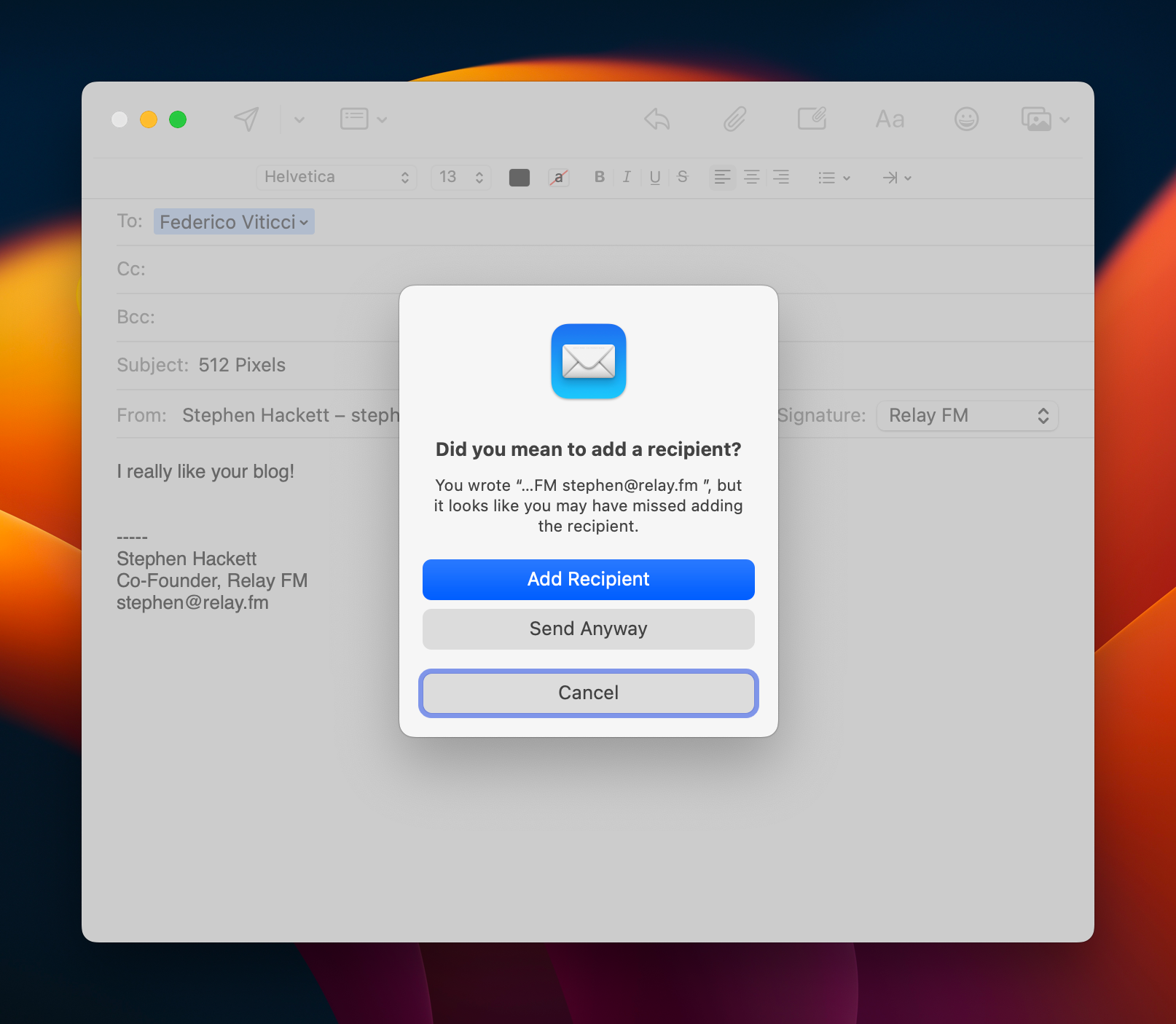
It’s just too bad that Mail doesn’t seem to understand that some people put their email addresses in their email signatures. As you can see in this screenshot, Mail has started warning me every time I send a message that the email address in my footer has been left off the recipient list:

Mail in macOS Ventura

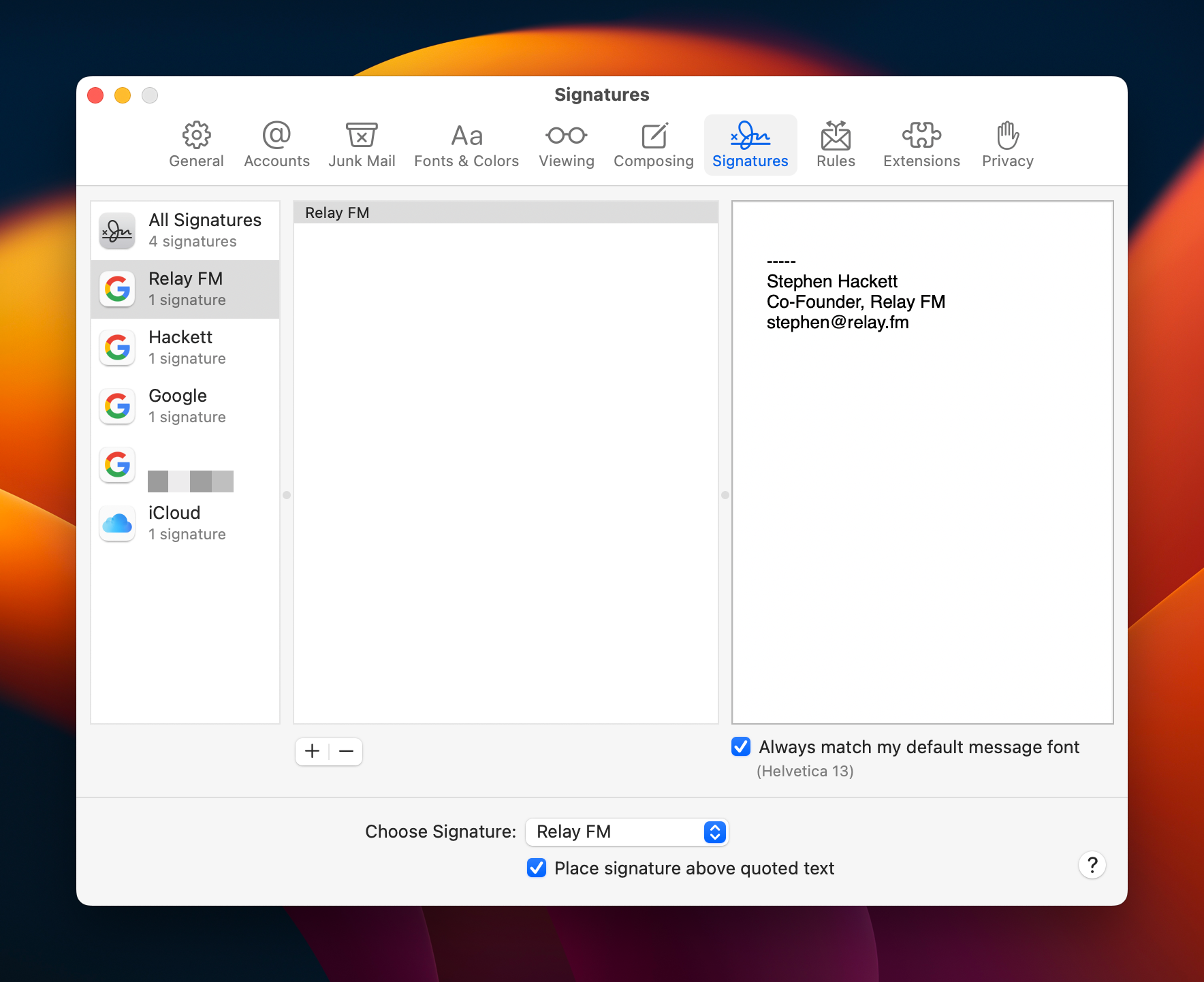
This is a shockingly dumb catch on Mail’s part because the application should know what I have set up using its own Signatures feature. It’s literally right there in the app’s own settings:

Mail's Signature Pane

This has been filed with Apple as Feedback FB11741630.

More like PAYTONE, Amirite?

Jess Weatherbed at The Verge:

Last week, Adobe removed support for free Pantone colors across its Photoshop, InDesign, and Illustrator Creative Cloud applications. PSD files that contained Pantone spot colors now display unwanted black in their place, forcing creatives who need access to the industry-standard color books to pay for a plugin subscription (via Kotaku).

“As we had shared in June, Pantone decided to change its business model. Some of the Pantone Color Books that are pre-loaded in Adobe Photoshop, Illustrator, and InDesign were phased-out from future software updates in August 2022,” said Ashley Still, senior vice president of digital media marketing, strategy, and global partnerships at Adobe in a statement to The Verge. “To access the complete set of Pantone Color Books, Pantone now requires customers to purchase a premium license through Pantone Connect and install a plug-in using Adobe Exchange.”

Yes, I did link to this days after the news broke just because I thought of the headline.

Twitter Blue Drops Ad-Free Articles

Ben Lovejoy:

One of the Twitter Blue perks was ad-free access to more than 300 US publishers through a deal known as Ad-Free Articles.

Twitter would pay publishers an amount roughly equivalent to the ad revenue for a view, and in return subscribers would be able to read pieces on Twitter Blue Publisher sites without ads.

Twitter has cancelled this feature overnight, with just one day’s notice. Publishers were sent an email announcing the change.

Between this and its Pay-to-be-Verified plans, New Twitter is already a lot less friendly with publishers and journalists. What a shock.

‘A Misinformation Nightmare’

Amanda Silberling, writing at TechCrunch, on Twitter’s supposed plans to charge users $20/month to be verified:

Musk and his buddies view this plan as a way to get people to actually give Twitter money. But by monetizing a symbol that currently has value, they will ultimately remove all of that existing value.

Blue checks exist on social platforms as a means of combating misinformation. Currently, if someone makes a fake account pretending to be a world leader, journalist or celebrity, it’s easy to tell it’s a fake if the account doesn’t have a blue check. But under this newly proposed system, there’s not much incentive to pay the $20 per month to stay verified, especially since the once-coveted symbol would be available to anyone willing to pay. It’s quite possible that bad actors trying to pose as journalists to spread fake news would be more incentivized to pay the $20 than actual journalists.

Of course, Musk doesn’t seem to care about misinformation — just this weekend, he shared a link to an article that included baseless claims about the recent horrific attack on Nancy Pelosi’s husband.

For better or for worse, Twitter has become the hub for a lot of news, and while it’s not a perfect system, verification is a signal to users that the source they are reading are legitimate. Upsetting that balance is only going to bring more even more misinformation — or worse — to Twitter.

Sponsor: Backblaze

Everyone knows that they should be backing up their computer, and Backblaze is an easy and secure way to back up docs, music, photos, videos, drawings, projects — all of your data. Files can be accessed via Backblaze’s excellent website or on the go with the Backblaze app on iOS and Android. If you experience a drive failure, Backblaze lets you download your files, or you can restore via mail, with a hard drive full of your data that gets shipped to your door. By default, Backblaze saves deleted and old versions of files for 30 days, but for an extra $2/month, you can increase that retention history to 1 year!

They’re good at this; Backblaze has restored 55 billion files for their customers. And they have nearly two exabytes of data storage under management and counting — that’s almost 2,000,000,000 gigabytes.

You can download a free, fully-featured trial at backblaze.com/512pixels. Unlimited computer backup for Macs and PCs starts at just $7/month. Backblaze is a lot of peace of mind for such a low cost.

The Clown Car Company

Nilay Patel, in a fantastic piece about the challenges that You Know Who faces with his purchase of Twitter:

Twitter is a disaster clown car company that is successful despite itself, and there is no possible way to grow users and revenue without making a series of enormous compromises that will ultimately destroy your reputation and possibly cause grievous damage to your other companies.

[…]

The essential truth of every social network is that the product is content moderation, and everyone hates the people who decide how content moderation works. Content moderation is what Twitter makes — it is the thing that defines the user experience. It’s what YouTube makes, it’s what Instagram makes, it’s what TikTok makes. They all try to incentivize good stuff, disincentivize bad stuff, and delete the really bad stuff. Do you know why YouTube videos are all eight to 10 minutes long? Because that’s how long a video has to be to qualify for a second ad slot in the middle. That’s content moderation, baby — YouTube wants a certain kind of video, and it created incentives to get it. That’s the business you’re in now. The longer you fight it or pretend that you can sell something else, the more Twitter will drag you into the deepest possible muck of defending indefensible speech. And if you turn on a dime and accept that growth requires aggressive content moderation and pushing back against government speech regulations around the country and world, well, we’ll see how your fans react to that.

Anyhow, welcome to hell. This was your idea.

I really don’t see how any of this ends well.

On Downloading Ventura

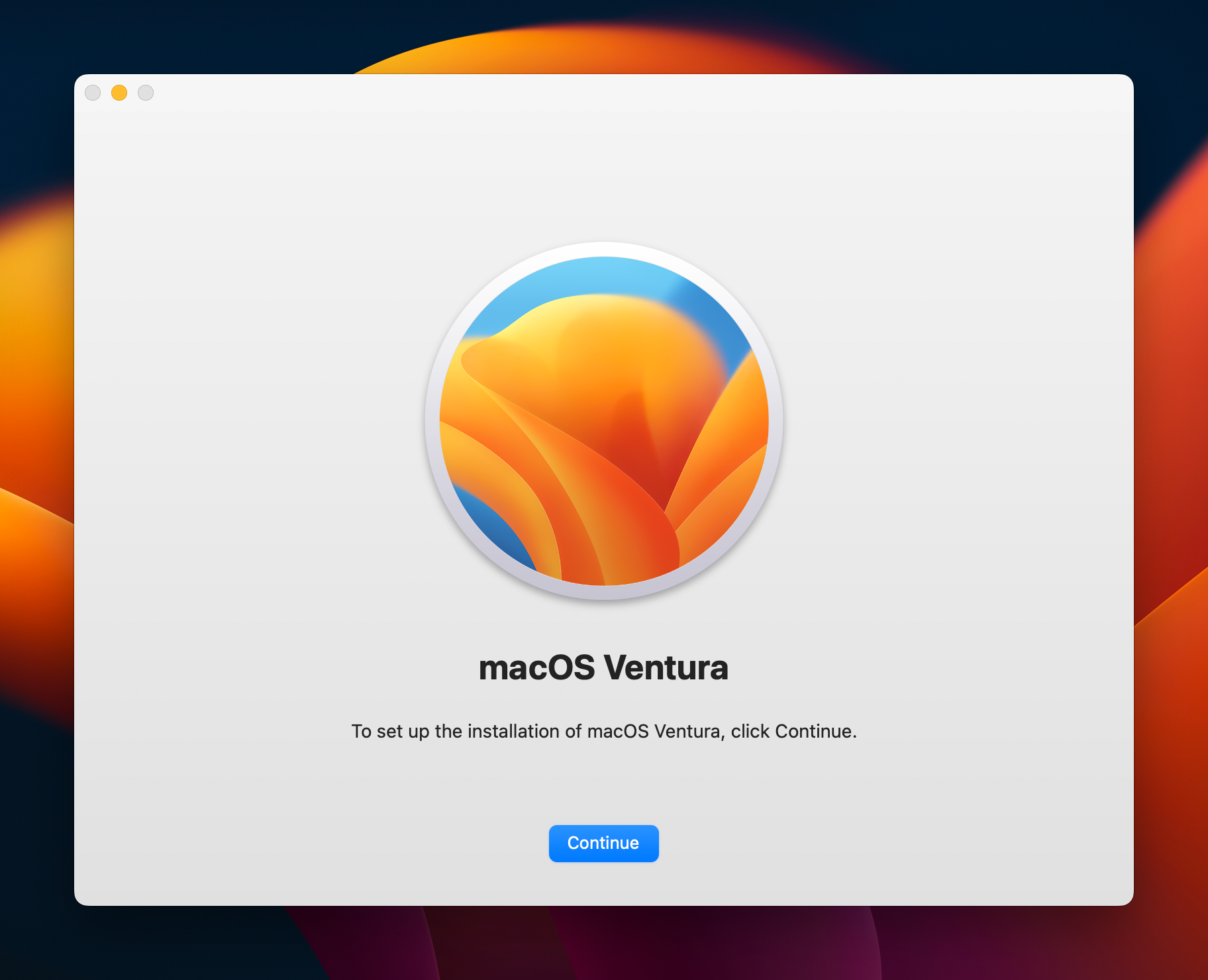
Like many pervious versions of macOS, you can create a USB install disk with in just a few steps. I like having these on hand for troubleshooting or quicker installations.

Ventura Installer

As before, creating a USB Installer requires downloading a full copy of macOS Ventura from Apple. This can be done via the Mac App Store if you are already running Ventura. If not, your Mac may only download the delta update. As of the initial version of macOS Ventura, the full installer is about 12 GB.

Alternatively, Apple hosts the full installer package on its website. Mr. Macintosh maintains a page with links to various versions of macOS. This guarantees you’ll have the full OS on hand.

These direct links point to a .pkg file, not the “Install macOS Ventura” application you may have expected. In Finder, a quick double-click will unpack it and put the installer application in your Applications folder.