Unite 4 for macOS

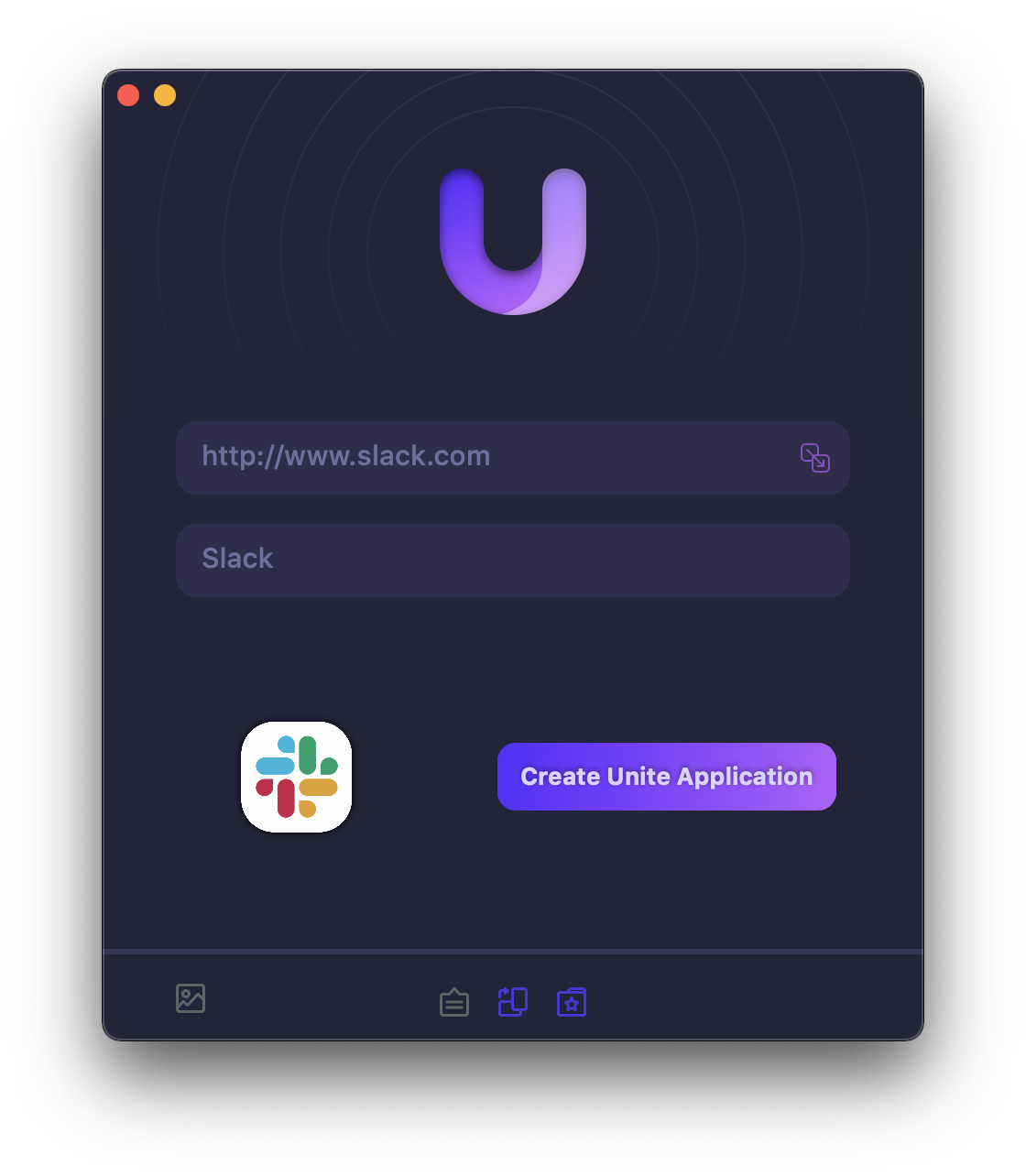
My thanks to Unite 4 for sponsoring the site this week. It’s a killer Mac app allows you to turn any website into an app on your computer. Using a lightweight, WebKit powered browser as a backend, you can easily create isolated, customizable apps from any site.

512 Pixels readers get 20% off this week when you purchase Unite 4 at bzgapps.com/unite512 or when you use the promo code 512Pixels at checkout.

You can also try Unite for 14 days absolutely free or use it as part of your subscription if you’re a Setapp subscriber!

July 17

It has been 20 years and change since Apple first introduced Mac OS X 10.2 Jaguar. Here’s a bit from the press release:

Apple today previewed the next major version of Mac OS X, code-named “Jaguar,” to more than 2,500 Macintosh developers at its Worldwide Developers Conference. “Jaguar” will be available to customers in late summer 2002, and will further establish Mac OS X as the most advanced operating system in the world.

“Jaguar is packed with incredible new features that Mac OS X users are going to love, including our iChat instant messaging software,” said Steve Jobs, Apple’s CEO. “Jaguar takes the world’s highest-volume UNIX-based operating system to the next level, adding amazing new technologies never before seen in any operating system.”

That news broke in May 2002 at WWDC. A few months later, on July 17, Steve Jobs demoed the OS again at Macworld New York 2002, giving the public a closer look at the new version of OS X. Apple had a second press release for Jaguar, which was a bit spicier:

“Jaguar is light years ahead of Windows XP. There’s never been a better time to switch to Mac,” said Steve Jobs, Apple’s CEO. “With Unix at its core, and the most advanced object-oriented environment ever, Mac OS X is delivering more software innovation than our industry has seen in a decade.”

Jaguar brought a ton of quality-of-life features to Mac OS X, including:

  • Junk filtering in Mail
  • iChat, a first-party AIM client
  • An overhauled Address Book
  • Inkwell for handwriting recognition
  • QuickTime 6
  • Universal Access
  • Sherlock 3
  • Rendezvous (now known as Bonjour)

The July announcement came with something new — a calendar application named iCal. It even got its own press release:

Apple today introduced iCal, a new calendar program with built-in Internet sharing that lets business users, consumers and educators manage multiple calendars, share them over the Internet and automatically keep them updated.

Users can “publish” their iCal calendars on the web, so colleagues, friends and family members can “subscribe” and view them in iCal on their own Mac. In addition, iCal can automatically check for updates to imported calendars on a regular basis, so shared calendars are always up to date.

“iCal lets you see all the calendars that make up your life,” said Steve Jobs, Apple’s CEO. “With built-in Internet sharing, iCal opens a new era of wide-area calendar sharing between colleagues, friends, family and schools.”

(As an aside, the development of iCal is really interesting, as it took place in Paris by a small team of developers. This old AppleInsider article covers it well.)

The concept behind iCal was that life is too busy for just one calendar. As such, iCal made it easy to run multiple calendars in parallel, each with their own setting.

Jaguar shipped on August 23, with iCal shipping on September 10 as a free download on Apple’s website.

Thankfully, the Wayback Machine has a copy of that original iCal website, and it is a gem. Apple praised the application for its design:

iCal is an elegant personal calendar application that helps you manage your life and your time better than ever before. iCal lets you keep track of your appointments and events with multiple calendars featuring at-a-glance views of upcoming activities by day, week or month.

iCal lets you create separate color-coded calendars for your home, school and work schedules, and it lets you view all your different calendars at the same time from within a single unified window. That way you can quickly spot scheduling conflicts — and just as quickly identify where you still have lots of time.

Here’s a list of features Apple touted at the time:

  • Keep track of your schedules, events and appointments, with at-a-glance views of upcoming activities by day, week or month
  • Manage and view more than one calendar at a time from within a single unified window to quickly identify schedule conflicts and pockets of free time
  • Share your calendars online with your colleagues, family and friends, using your .Mac account
  • Subscribe to other calendars to keep up with work schedules, family and school events, and more
  • Send standards-based email event invitations to people listed in your Mac OS X Address Book
  • Keep your priorities straight with built-in To Do list management
  • Get notification of upcoming events on screen, by email or via text messaging to a mobile phone or pager
  • Use a lightning-fast search tool to quickly locate any event, task or name entered into iCal

In addition to hosting the download itself, Apple also kept a list of shared calendars that users could subscribe to from within the application.

One unique feature of iCal was its Dock icon. When the application was running, it showed the current date,1 which was quite a trick. When iCal was closed, it showed a static date: July 17.

This was in honor of the day the application had been introduced, and if you’ve ever used the calendar emoji, it should seem familiar.

This is from the Emojipedia entry for Calendar:

A single date on a calendar. Generally depicted as a page torn off from a daily desk calendar, displaying month and day on a white, square page.

Like Tear-Off Calendar and Spiral Calendar, commonly used as an icon for specific upcoming events or memorial dates. Also used for various content concerning time, date, schedules, planning, and observances and occasions more generally.

The date shown is July 17. This date was first used by Apple as a reference to when iCal for Mac premiered at MacWorld Expo in 2002. Since 2014 Emojipedia has celebrated World Emoji Day on July 17, because of this emoji.

Major platforms previously used a variety of dates on this calendar, but have changed in recent years to also show July 17, to avoid confusion on World Emoji Day. Some vendors still feature easter egg dates marking company founding or other milestones:

This is my single favorite emoji Easter egg. Happy World iCal Emoji Day.

  1. Well, it did after a bug fix. 

‘A Family of Products’

Speaking of Evans Hankey, she and other members of Apple’s design team chatted with GQ about the new MacBook Air. There’s not a ton of new information in the piece but this jumped out at me:

It’s a workload that she compares to “drinking from the firehouse” but even accounting for that vast portfolio of responsibilities, the Air’s redesign has been a unique challenge. “It was the first time we ever set out to do a family of products together,” she says. “We didn’t design the Air in isolation, but we designed it in tandem with the MacBook Pro.”

Jony Out

Tripp Mickle, reporting for the New York Times:

When Jony Ive, Apple’s influential design leader, exited the company in 2019, Tim Cook, its chief executive, reassured customers that Mr. Ive, the man who gave the world candy-colored computers, would work exclusively with the company for many years.

Not anymore.

Marco Arment, on Twitter:

Apple’s design team under Evans Hankey has done amazing work in the years since Jony checked out, and she deserves full credit without anyone thinking Jony’s still influencing anything.

Sponsor: Unite 4 for macOS

Unite 4 for macOS allows you to turn any website into an app on your Mac. Using a lightweight, WebKit powered browser as a backend, you can easily create isolated, customizable apps from any site.

Unite 4 includes dozens of new features, including support for native notifications, new customization options, and much more. Unite apps also serve as a great alternative for resource hogging Electron apps or half-baked Catalyst apps.

Some examples of apps you could create in mere minutes with Unite:

  • A Gmail web client that behaves like a native mail client.
  • A status bar app for Apple Music or Overcast
  • An isolated workspace for apps that may track you like Facebook
  • A Google Meet app that works efficiently without using Chrome
  • A fully featured Instagram app that has a resizable window, unlike the M1 version.
  • A Robinhood, Figma, or Roam Research app for your desktop.

512 Pixels readers get 20% off this week when you purchase Unite 4 at bzgapps.com/unite512 or when you use the promo code ‘512Pixels’ at checkout.

You can also try Unite for 14 days absolutely free or use it as part of your subscription if you’re a Setapp subscriber!

The Apple Computer Loan

Apple, back in 1997:

Apple Computer, Inc. today announced a new credit option for college-bound youth to make buying a Macintosh as easy as using one. Kicked-off on June 1, the ongoing Apple Computer Loan program is the latest innovation from the Company that offers the world’s first 300 megahertz home computer and the world’s fastest notebook computer. Along with making it easier for consumers to buy a Mac, Apple expects the program to benefit retailers by giving them another payment option for customers. Having already achieved success with similar loan programs for college students buying on campus and for educators, the new Apple Loan Program is designed for individuals who buy at retail stores.

“At Apple, we understand that a computer purchase is considered a major investment for most individuals, especially for students heading to college. With our Apple Computer Loan, we want to make buying a Macintosh as easy as using one,” said Mike Muench, vice president of Consumer and Small Business markets at Apple. “The Apple Computer Loan is remarkably easy to use, addresses limited incomes associated with many college students and offers them deferred principle payments until they graduate, or for up to four years.”

Three Years Later, the 12-inch MacBook is Still Missed

Joe Rossignol, writing at MacRumors:

Today marks the third anniversary of Apple discontinuing the 12-inch MacBook. The portable notebook was removed from Apple’s online store on July 9, 2019 alongside refreshes to the MacBook Air and 13-inch MacBook Pro on the same day.

Introduced in March 2015, the 12-inch MacBook featured a thin and light design that weighed just two pounds, and it was also Apple’s first fanless notebook. Pricing started at $1,299, with the original model’s standard specs including a 1.1GHz dual-core Intel Core M processor, integrated Intel HD Graphics 5300, 8GB of RAM, and a 256GB SSD.

Key design aspects of the 12-inch MacBook included a single USB-C port for charging and data transfer, a then-new Force Touch trackpad, and a terraced battery design that allowed for a larger battery to fit inside the notebook’s thin chassis.

Looking back, it’s amazing what Apple was trying to pull off with the MacBook. It was the first Mac to ship with USB-C and the Force Touch trackpad — both features of the 14-inch MacBook Pro I am using to write this blog post. It brought the Retina display to a non-Pro notebook for the first time.

Then there’s the butterfly keyboard, which first appeared with the MacBook. Its radical new design was needed to keep the MacBook as thin as possible, but the lack of travel ended up being the least of its worries. As the butterfly keyboard slowly spread to other Mac notebooks, its reliability problems spread with it.

On the technical side, the MacBook was — as they say — ahead of its time. The Intel Core M processor Rossignol mentioned was painfully underpowered. While later models did increase in speed, it was clear to many that the Core M was a compromise to keep the MacBook thin, light and silent.

In the lead up to Apple silicon there was a lot of conjecture — including by me — that the 12-inch MacBook would make a great candidate to lead the processor transition. So far, the MacBook hasn’t made a return, but I know a bunch of folks would like to see the line resurrected one more time.

Two Apps For Entering Tasks into Reminders More Quickly

Apple’s Reminders has come a long way over the years, but some third-party apps have better tools for quickly entering tasks with natural language processing.

To be clear, Reminders has some natural language processing, but it doesn’t really hold up when compared to things like Todoist or Remember the Milk.

There are a couple of apps that make all of this better.

The first is a macOS application named InstaRemind. It runs in the menubar and gives Reminders a system-wide quick entry feature that takes advantage of natural language for due dates, lists and more.

On the iOS side, I like Remind Me Faster. It has a very similar feature set and reminds me a little bit of Drafts in terms of fast text entry.