512 Pixels

Apple Pulls the Plug on macOS Server

Apple Support:

As of April 21, 2022, Apple has discontinued macOS Server. Existing macOS Server customers can continue to download and use the app with macOS Monterey.

The most popular server features—Caching Server, File Sharing Server, and Time Machine Server are bundled with every installation of macOS High Sierra and later, so that even more customers have access to these essential services at no extra cost.

As Rich Trouton has pointed out, there were two services still in macOS Sever without an equivalent in the client version: Profile Manager and Open Directory.

With the rise of some really solid third-party MDM solutions, the writing has been on the wall for Profile Manager for a while. In that support document, Apple links to two more articles. One is about choosing an MDM solution and the other is about planning an MDM migration.

Open Directory was Apple’s take on LDAP, and while I am sure some will be sad about it going away, I haven’t seen it in the wild in a long time.

Back in the day, I managed quite a few OS X Server installations, but the truth is that the market of third-party solutions that Mac shops can enjoy today simply overtook what Apple was doing.

The biggest problem? I don’t think Apple’s heart has been in server space for a long, long time. The Xserve has been dead for over decade, and OS X Server went from a full-blown operating system to an application since the days of Lion. In short, today’s news shouldn’t be surprising to anyone paying attention to this corner of the market.
Perseverance Rover Records Solar Eclipse on Mars⇢

JPL:

NASA’s Perseverance Mars rover has captured dramatic footage of Phobos, Mars’ potato-shaped moon, crossing the face of the Sun. These observations can help scientists better understand the moon’s orbit and how its gravity pulls on the Martian surface, ultimately shaping the Red Planet’s crust and mantle.

Captured with Perseverance’s next-generation Mastcam-Z camera on April 2, the 397th Martian day, or sol, of the mission, the eclipse lasted a little over 40 seconds – much shorter than a typical solar eclipse involving Earth’s Moon. (Phobos is about 157 times smaller than Earth’s Moon. Mars’ other moon, Deimos, is even smaller.)

The imagery is amazing:

Jason Kottke summed it up nicely:

Just a hunk of space rock passing in front of a massive burning ball of gas recorded by a robot from the surface of an extraterrestrial planet, no big deal.

Liftoff #168: Apollo 16⇢

This time on Liftoff, we’re marking the 50th anniversary of the penultimate moon landing:

In April 1972, the crew of Apollo 16 spent 71 hours on the surface of the moon after a series of technical glitches put their landing in jeopardy. The second of three J-missions, the crew spent nearly three whole days on the surface and completed an EVA on the way home, returning one day earlier than initially planned.

Fix Mission Control and App Switcher Crashes in macOS Monterey

Over the last few weeks, I’ve had a few instances of weird behavior my Mac:

  • Gestures to move between Spaces are ignored
  • The Command+Tab interface won’t show when invoked
  • Mission Control gestures are ignored

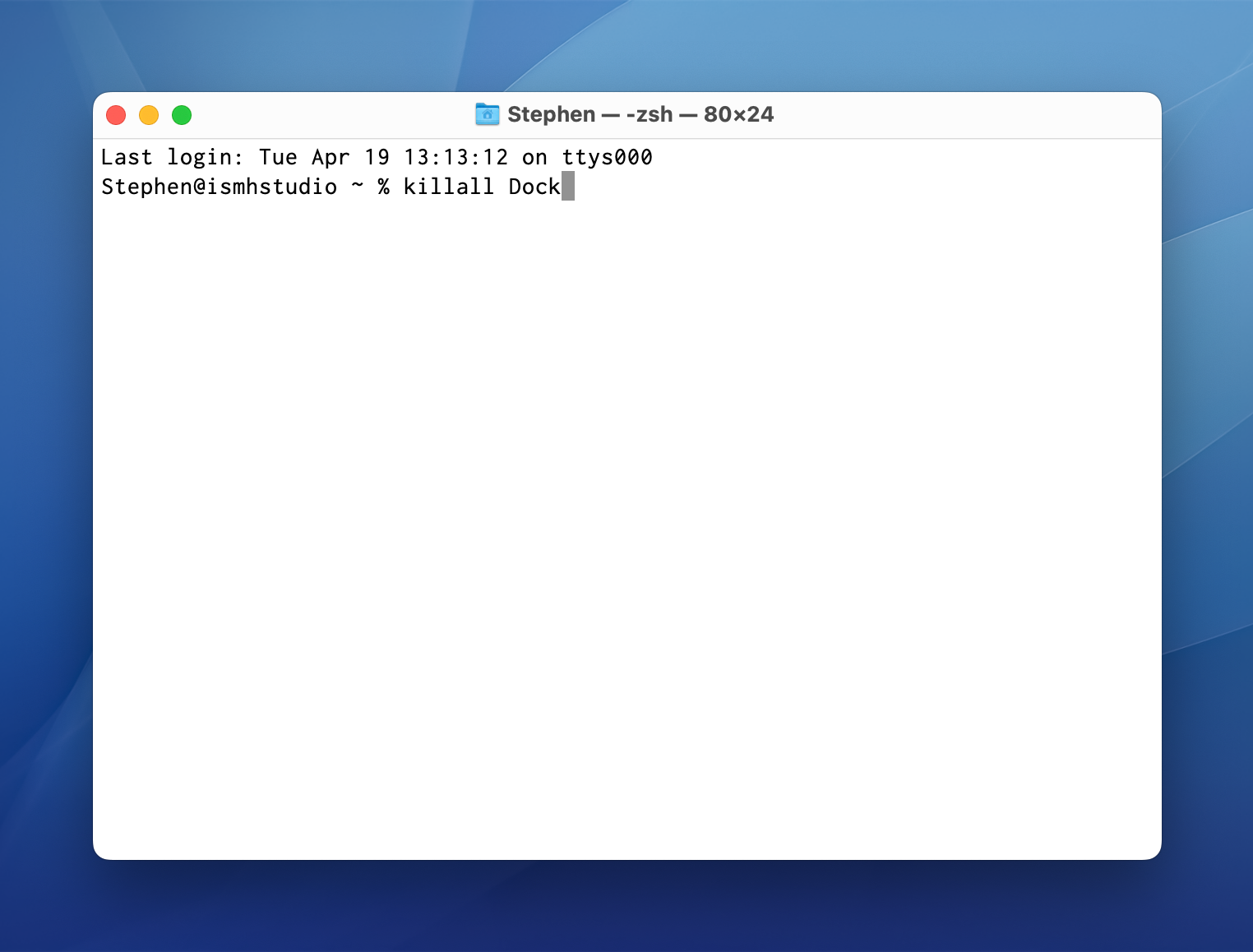
Thankfully, the fix is easy enough. There’s no need to restart to bring these features back. In Terminal, the killall Dock command will restart the Dock process, which is apparently in charge of all of these features.

Terminal

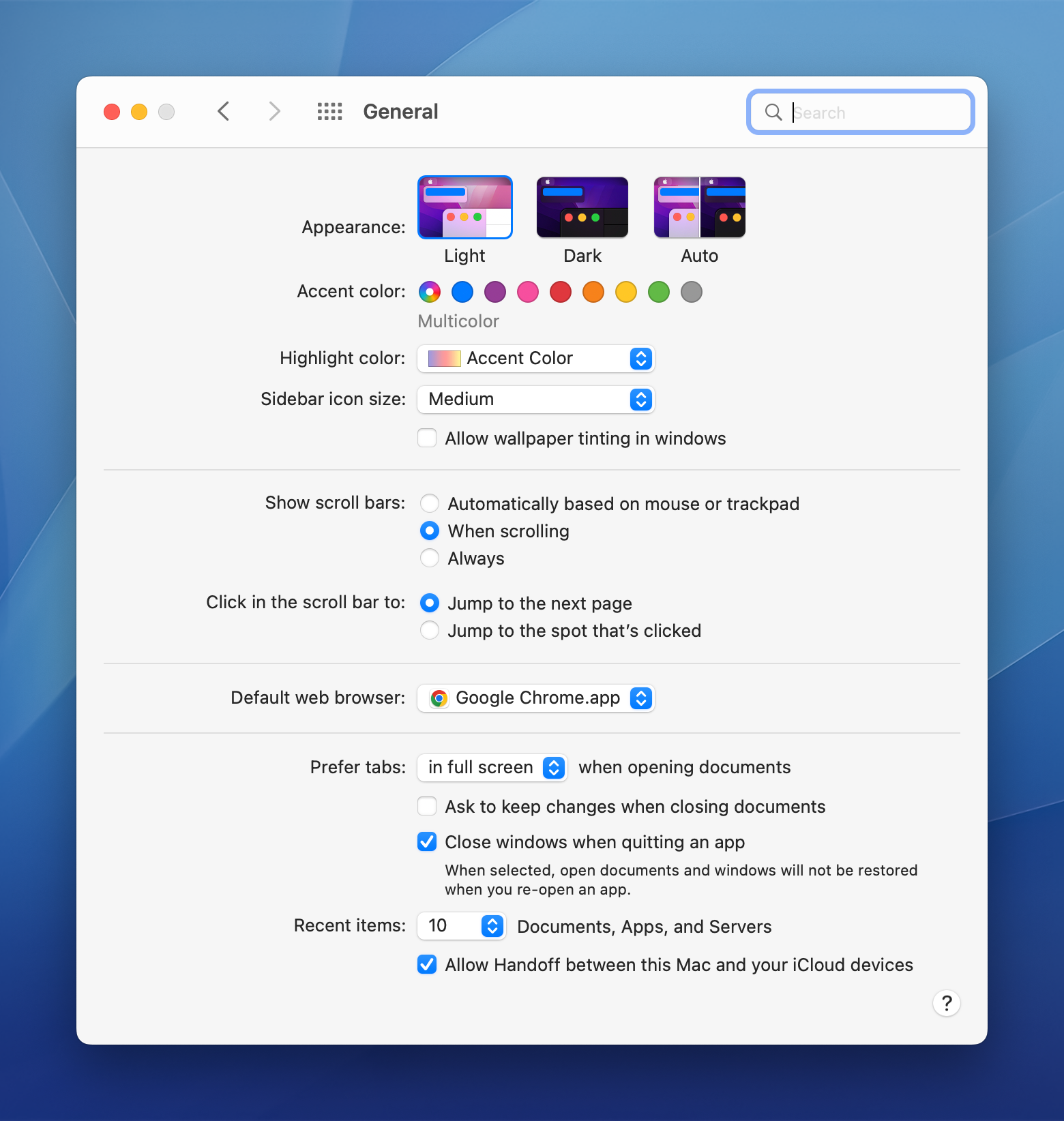
I thought this was a weird bug in macOS Monterey, perhaps as a side effect of my recent migration from a 2019 Mac Pro to my new Mac Studio. Then on yesterday’s episode of Upgrade, I heard Myke come across the same bug. He was able to invoke it by making changes in the General preference pane in System Preferences:

General in System Preferences

Myke found it on an M1 iMac that has been set up for months, so I bet this is just a bug in the current version of Monterey. I’m not convinced that going into this preference pane is the only way to trigger the bug, but it’s a sure-fire way to produce the problem. Hopefully macOS 12.4 resolves it.

Feed Wrangler Being Sunset in March 2023⇢

_David Smith, on Twitter:

After 9 years, I’ve decided it’s time to shut down Feed Wrangler. I’m stretched too thin with my other apps, it’s time to let it go.

I’ll turn off the servers next year on March 1, 2023.

My thanks for everyone who was a member. It was quite a ride and I learned a ton from it.

Feed Wrangler was one of many services that popped up in the wake of Google Reader being shut down, but I eventually landed on Feedbin which I continue to be very happy with to this day.

Kbase Article of the Week: Change your DVD Drive Region in DVD Player on Mac⇢

Apple Support:

To play a DVD, the region code of the DVD must match the region code of your DVD drive. Your DVD drive is automatically set to a region code the first time you play a coded DVD. If the region code for a DVD doesn’t match the current region code of your DVD drive, a dialog asks if you want to change the code for the drive.

WARNING: You can set the region code for your DVD drive only five times (including the original setting). The fifth time you change the code, it is permanently set to the last code you set. Any DVDs you play must match the last code you set.

via TJ Luoma

Sponsor: TextExpander⇢

Get your team communicating faster so they can focus on what’s most important. With TextExpander your team’s knowledge is at their fingertips.

Get your whole team on the same page by getting information out of silos and into the hands of everyone that needs to use it. You can share your team’s knowledge across departments so your team is sending a unified message to your customers and isn’t spending time reinventing the wheel.

Here’s how it works:

Store It: Keep your company’s most used emails, phrases, messaging, URLs and more right within TextExpander.

Share It: Get your whole team access to all the content they need to use every day. Organize it by department and

Expand It: Deploy the content you need with just a few keystrokes on any device, across any apps you use.

It’s that easy!

TextExpander is available on Mac, Windows, Chrome, iPhone, iPad. Learn more and get 20% off by visiting this page.

MarsEdit⇢

My thanks to Red Sweater Software for sponsoring 512 Pixels this week with their excellent Mac app for editing WordPress, Micro.blog and many other types of blogs.

MarsEdit supports editing posts in rich or plain text, and includes a preview window that updates instantly to show your writing exactly as it will appear on your blog. Are you a Markdown fan? MarsEdit can preview and automatically convert your Markdown to HTML as needed before publishing.

Download MarsEdit today and see what all the hype is about. You’ll be a better blogger!