512 Pixels

Mac Power Users #601: Soup Blasphemy with Kathy Campbell⇢

This week on MPU:

Kathy Campbell is all over the Internet, as both a content creator and a business owner. She’s a podcaster, artist, task-doer and so much more. Stephen and David talk with her about how she uses a mix of an iPad Pro, iMac Pro and a bunch of apps and services to keep all the plates spinning.

My thanks to our sponsors:

  • 1Password: Have you ever forgotten a password? You don’t have to worry about that anymore.
  • Electric: Stop stressing over scattered devices. Get a free pair of Beats Solo3 Wireless Headphones when you schedule a meeting.
  • Indeed: Get a free $75 credit to upgrade your job post.
  • Pingdom: Start monitoring your website performance and availability today, and get instant alerts when an outage occurs or a site transaction fails. Use offer code MPU to get 30% off. Offer expires on January 31, 2022, and can be used only once.

Loopback⇢

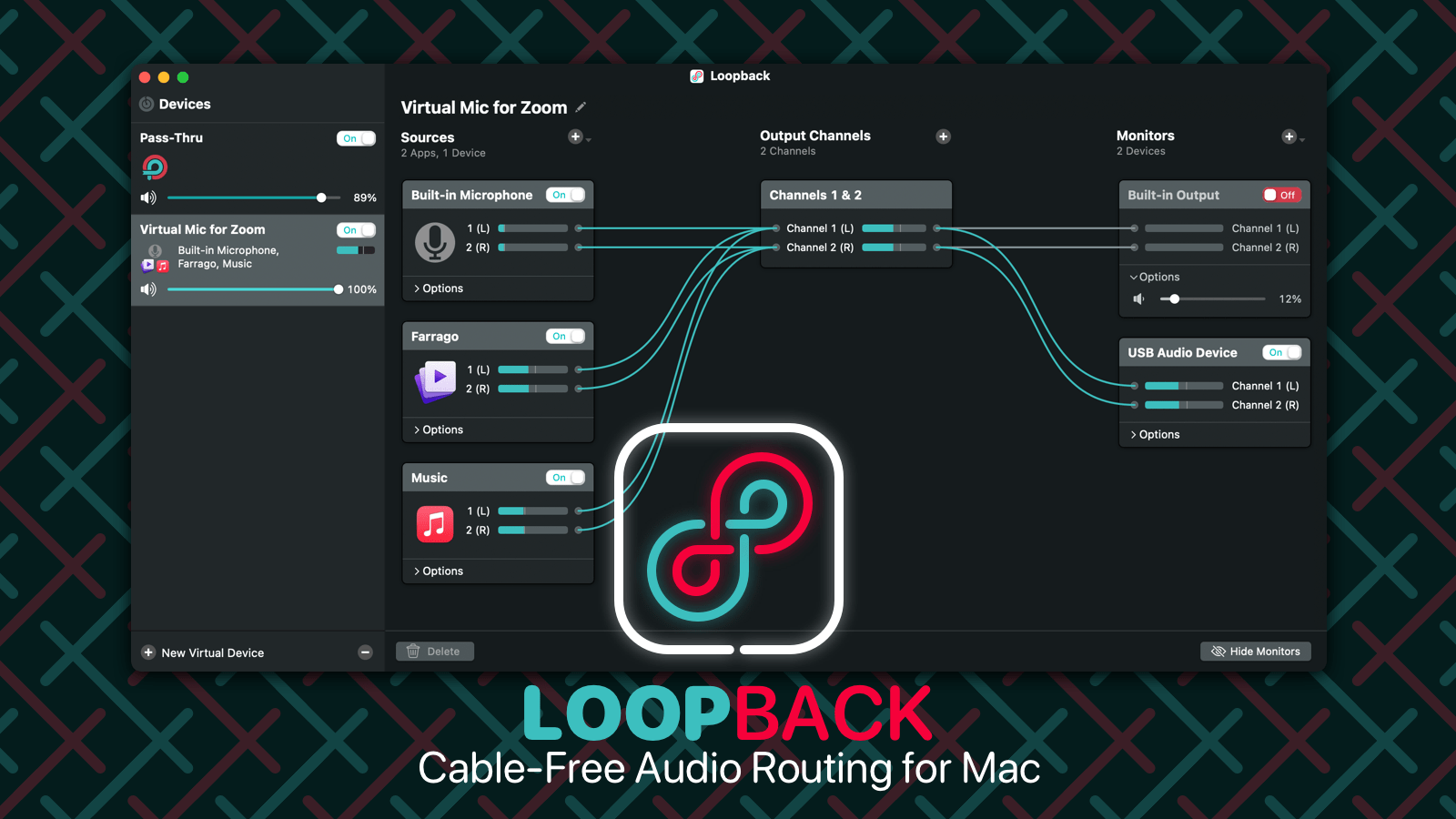
My thanks to Loopback for sponsoring 512 Pixels this week. Loopback creates virtual audio devices, which merge audio from multiple applications and input devices into a single source. These virtual devices appear on your Mac just like a real, physical device, and can be selected for use in any audio app on your Mac. It’s incredibly powerful.

Check out Loopback today, with a free trial. Through August 31, 512 Pixels readers can save 21% with coupon code HACK21.

Connected #358: Roast my Dock⇢

This week on Connected:

Instead of just texting him, Myke directs much of his follow-up directly an absent Federico. Then, he and Stephen talk about the latest iPhone 13 rumors and roast each other’s Docks.

Send Federico a non-weird fish emoji for his birthday, if you don’t mind.

My thanks to our sponsors:

  • Pingdom: Start monitoring your website performance and availability today, and get instant alerts when an outage occurs or a site transaction fails. Use offer code CONNECTED to get 30% off. Offer expires on January 31, 2022, and can be used only once.
  • Indeed: Get a free $75 credit to upgrade your job post.
  • Mack Weldon: Get 20% off your first order with promo code CONNECTED.

The ALS Tree⇢

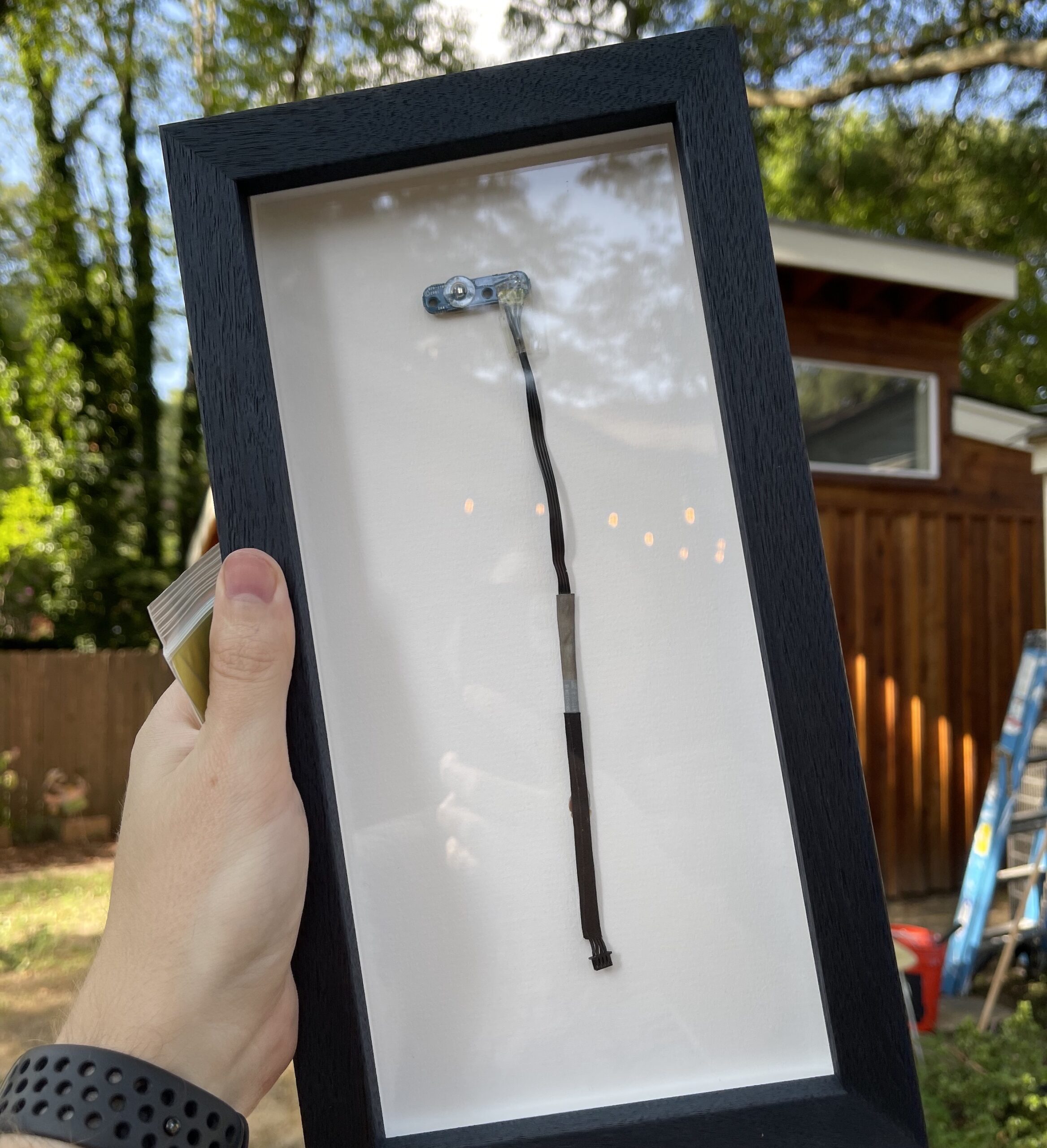
When I left the Apple Store in 2008, my team gave me a framed piece of art: a tree made up of these ambient light sensors from the iMac G5. We replaced a ton of parts in those machines and had these piled up everywhere.

During a move years ago, that piece was sadly broken, but I saved a bunch of the cables. I’ve had one framed to hang in my new studio as a reminder of those friends, including one who lost a battle with cancer within the last year. Andy, Ian, Kevin, Cole, Viki, Ryan, Kate, Zac, Steve, Brian and Marlena were the first people in my life who taught me that it was okay to be a big nerd.

Why Vaccine Cards Can’t Fit in a Wallet⇢

Amanda Mull at The Atlantic:

When you hold one of the vax cards, you can see how people would immediately misunderstand it as something that’s meant to be kept on your person. Although too big for a wallet, they’re also too small to easily keep track of outside a wallet. “It’s absolutely the wrong size,” Alison Buttenheim, a professor at the University of Pennsylvania School of Nursing who has studied vaccine documentation, told me. She noted that the cards don’t match the dimensions of any other common vaccine documentation she knows of, including the yellow booklet that the WHO uses for international travelers, which is bigger. As we were talking, Buttenheim briefly misplaced her own folded-over vaccination card; it slid a little too far into one of her wallet’s compartments. (At this point, I should admit that I again lost mine in my apartment for most of a day after getting it out to examine for this article.)

I not only have mine scanned as a PDF in Craft, but I also have a picture of it in Photos, saved as a favorite for quick access.1


  1. Not that it matters in my state at all. ↩︎

Kbase Article of the Week: iMac G5 (iSight): iChat or Photo Booth Doesn‘t Show Video⇢

Apple Support:

If you may see a ‘green screen’ when you launch Photo Booth or iChat (or any application that uses the built-in iSight camera) on your iMac G5 (iSight), be sure to update to Mac OS X 10.4.3. You can use Software Update to download and install the update, or download it from Apple Downloads. Be sure that you shut your computer down completely (not just restart) after installing the update. iChat and Photo Booth should behave as expected after this.

If you can’t update right away, try quitting and starting the application again. If the issue continues after updating, disconnect any external video cameras (including webcams, TV tuners, DV cameras, or DV converters) that may be connected via FireWire or USB and try again.

Mac Power Users #600: Mac Migration & Settings⇢

This week on episode 600(!) of Mac Power Users:

The Apple silicon transition continues to march on, so David and Stephen sit down to talk about how to migrate to a new Mac, and what settings and preferences they recommend changing from the defaults.

We’ve seen a lot of questions about the best way to move to a new machine, so hopefully this episode clears things up for everyone. It’s an exciting time to be in the market for a new Mac!

My thanks to our sponsors:

  • Memberful: Best-in-class membership software for independent creators, publishers, educators, podcasters, and more. Get started now, no credit card required.
  • 1Password: Have you ever forgotten a password? You don’t have to worry about that anymore.
  • Electric: Stop stressing over scattered devices. Get a free pair of Beats Solo3 Wireless Headphones when you schedule a meeting.

Sponsor: Loopback from Rogue Amoeba⇢

With Loopback, it’s trivial to pass audio from one application to another on your Mac. Need to play a recording into Zoom? Add sound effects into a podcast? Include music in a streamed event? Loopback gives you the power to do just that with just a few clicks. It’s like a high-end mixing board, right inside your Mac.

Loopback creates virtual audio devices, which merge audio from multiple applications and input devices into a single source. These virtual devices appear on your Mac just like a real, physical device, and can be selected for use in any audio app on your Mac. It’s incredibly powerful.

Loopback

Fortunately, it’s also incredibly easy to use. Loopback’s intuitive wire-based setup makes it easy and obvious to understand exactly how your virtual devices work. Configure, adjust, and experiment, just by clicking and dragging.

Whether you’re a podcaster, a live performer, a tabletop gamer, or even just someone stuck on too many Zoom calls, Loopback can help you.

Check out Loopback today, with a free trial. Through August 31, 512 Pixels readers can save 21% with coupon code HACK21.