Upgrade #308: The Adventures of Dr. Icon

This week on Upgrade:

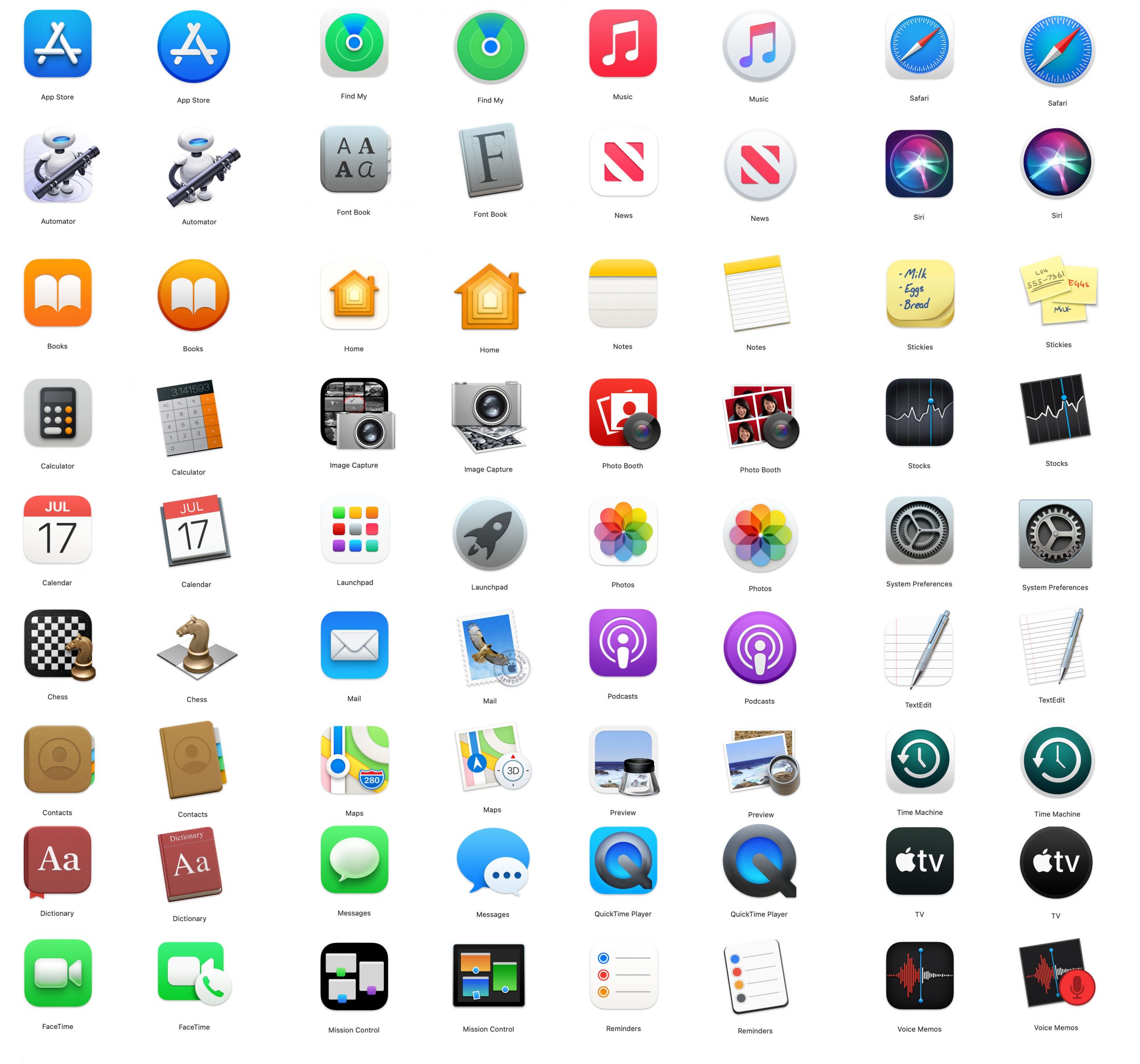
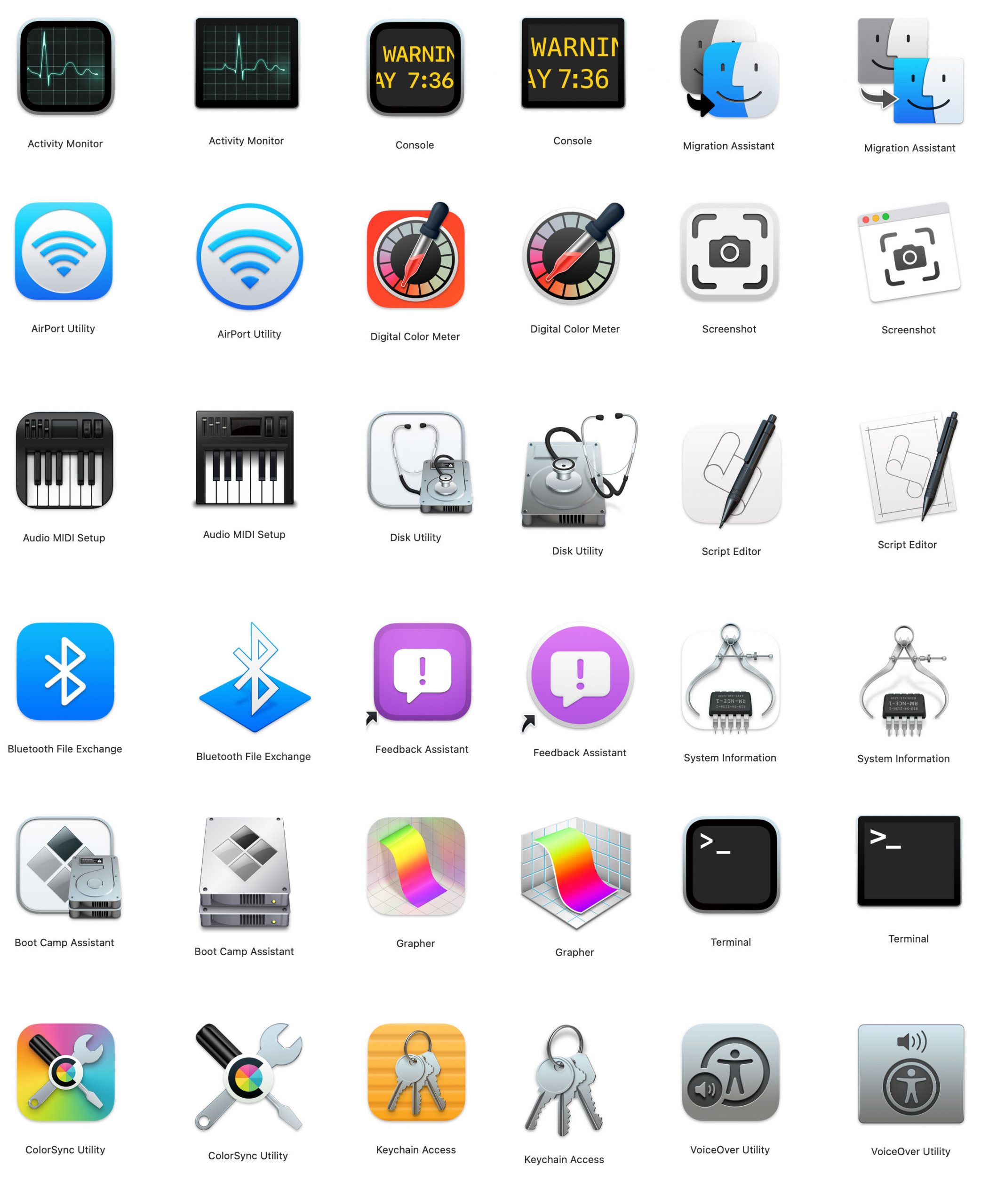
Stephen Hackett joins Myke and Jason to consider the best and worst changes to app icons in macOS Big Sur. What makes a good icon? How are books shaped? What is the origin of the term “email”? What happened to Lou? Staring at icons for a long time really makes you think…

This got weird, but was a ton of fun. Myke put chapter artwork in the show so you can follow along, but the icons can also be seen here, with The Big Sur versions to the left of the older ones.

Applications

Big Sur Applications

Utilities

Big Sur Utilities

Sponsor: SheetPlanner: The Ultimate Tool for Organizing Information, Managing Projects and Getting Things Done

SheetPlanner helps you organize information, manage your projects, and schedule your tasks and activities with unparalleled power and flexibility.

Get organized…
Organize information using the Outliner to provide structure. Populate the start, finish and progress columns to create a schedule and track progress. Add custom, text, number, date, symbol, list and picture columns to track additional information.

Make a plan…
Visualize tasks with start and finish dates on the Timeline. Change the Timeline scope to get a high level view of your project over multiple years or zoom in to weeks or even days for more precision. See the progress of each task in the Timeline. Customize the color of Timeline bars. Preview and print the Timeline.

Get things done…
Use filters to focus on what’s important, due today, due tomorrow, or whatever criteria you determine. View filtered tasks in the timeline, month and yearly calendar. Check items off as they are completed in the outline, timeline, month or year views. Hide completed items to stay focused.

You can download SheetPlanner from the Mac App Store, where a 21-day trial is available.

The Future of the iMac

Word on the street is that the iMac is due for a spec bump any time.1 A 10-core model has been spotted on Geekbench, and with Apple saying more Intel Macs are in the pipeline, it makes sense that this iMac could come out before the end of the year.

The current iMac isn’t all that … modern. The design reaches back to 2012, all standard models come with a Fusion Drive at best and all but the top-of-the-line model comes with an 8th-gen Intel processor or older.

I tend to agree with the thinking that the pending Intel iMac refresh will use the same design the iMac has been using for years. If there’s a radical redesign coming, I expect Apple to use it to usher in the first Apple silicon iMac.

There’s not much known about what this redesign could entail, but I for one hope the iMac falls in line with Apple’s modern hardware design as shown in the iPad Pro and Pro Display XDR.

To make things even more interesting, it seems that Face ID support is present in betas of macOS Big Sur, as Filipe Espósito writes at 9to5Mac:

We were able to find a new extension on macOS Big Sur beta 3 with codes intended to support “PearlCamera.” You may not remember, but this is the internal codename Apple uses for the TrueDepth camera and Face ID, which was first revealed with the iPhone X leaks in 2017.

Codes such as “FaceDetect” and “BioCapture” found within this extension confirms that Apple is preparing macOS to operate with Face ID, as these codes are similar to those used by iOS. We investigated and this Face ID extension was clearly built for macOS, and it’s not some remnant code from Catalyst technology.

Having Face ID in the new iMac would be really cool, and if Apple were to announce a more reasonable display option than the XDR, I would expect to see it there as well. However, I think Touch ID will stick around in the notebooks unless Apple has worked a miracle to get the TrueDepth hardware much thinner than it currently is.

Desktop Macs sell in small numbers compared to notebooks, but in a way, the iMac is the line’s flagship, and it deserves some serious attention. Hopefully that comes sooner than later, but I think we’ve got to wait until Apple silicon shows up.
  1. Jon Prosser says it is coming in August, but his track record is so spotty, I don’t put much stock in his reporting at this point. 

MPU #546: The Best Listeners

This week on Mac Power Users:

On this feedback show, David and Stephen go through some listener email, revisit notes apps and discuss remote troubleshooting iOS devices.

My thanks to our sponsors:

  • 1Password: Have you ever forgotten a password? You don’t have to worry about that anymore.
  • Miro: The online collaborative whiteboard platform. Sign up for a free account today.
  • Mint Mobile: Cut your wireless bill to $15 a month.
  • Indeed: Get a free $75 credit to boost your job post.

Instagram App Showing Camera Access in iOS 14 When User Isn’t Using the Camera

Kim Lyons, The Verge:

In the latest instance of iOS 14’s beta mode tattling on unexpected app behavior, some users reported that they were seeing the green “camera on” indicator while using Instagram when they were just scrolling through their feeds, not taking a photo or video.

An Instagram spokesperson said in an email to The Verge that the behavior was a bug and that it’s being fixed. The app’s Create Mode is accessible from the Instagram camera which could set off the camera indicator, and swiping into the app’s Camera from Feed may also trip it up.

The statement goes on:

“We only access your camera when you tell us to — for example, when you swipe from Feed to Camera. We found and are fixing a bug in iOS 14 Beta that mistakenly indicates that some people are using the camera when they aren’t,” the spokesperson said. “We do not access your camera in those instances, and no content is recorded.”

This comes on the heels of other apps being caught pulling data from the clipboard in the background. Like those cases, Instagram is either an example of poor programing or something far worse. Given Facebook’s history, I don’t feel inclined to give them the benefit of the doubt.1


  1. This is made even more … interesting… give the somewhat widespread belief that both Facebook and Instagram are “listening” to users. Many have had the experience of talking about a product and then seeing that product advertised in one of the apps. Instagram and Facebook leaders have repeatedly said that the apps are not listening to users, but again, I find a short supply of grace in my heart for this company. 

micro.blog

My thanks to micro.blog for sponsoring 512 Pixels this week. It offers blog hosting, native macOS and iOS apps, and a welcoming community built around independent microblogs that can be used for short- and long-form writing. Start a microblog with your own domain name, then add photos, full-length posts, or even a shared blog for work or family.

Newton Used in Pilot Tests at Johns Hopkins

Apple PR, 25 years ago today:

Johns Hopkins Hospital recently completed a 10 month pilot project to assess the utility of the Apple MessagePad in the hands of health care case managers. The hospital developed its own software called the PD Tracker that runs on the Newton platform. Physicians and case managers using the PD Tracker and the Apple MessagePad combination have found it to be an effective replacement for their current paper-based system.

The physicians and case managers who tested the product found that the Apple MessagePad improved the documentation process and assisted in achieving clinical outcomes while using a definable amount of hospital resources. The Johns Hopkins study also found that health care professionals appreciate the device’s many other features including minimal training requirements, size (i.e., fits in a lab jacket pocket), portability, and attractive price performance. Because of such features, the MessagePad was found to be superior over competing automated devices.

Kevin Johnson, M.D., M.S., Robert Bruce, B.S., and Beth Weiczorek, R.N., M.S.N., at Johns Hopkins hospital are enthusiastic about the benefits that the MessagePad offers. Johnson claims that, “The Apple MessagePad is portable and facilitates rapid data collection. We believe these are two essential elements of a successful clinical computing tool.”

The Apple MessagePad is being used with the PD Tracker program to allow case managers to enroll their patients on one or more critical pathways, use infrared technology to transfer patient information between case managers, document variances from their patients’ expected courses, and to document codified and free-text explanations for those variances. Variance information is uploaded onto a personal computer and automatically transferred into a relational database supporting ad hoc querying and report writing, which eliminates much of the paperwork demanding time, space, and other resources.

Connected #304: Some Wind is Coming

This week on Connected:

Stephen is bad at designing polls, Federico has some concerns over the latest iOS 14 betas and apparently Myke likes F1.

On Connected Pro, the guys tried talking me out of using Notion for a new project, and burger sauce was explained.

My thanks to our sponsors:

  • Pingdom: Start monitoring your website performance and availability today, and get instant alerts when an outage occurs or a site transaction fails. Use offer code CONNECTED to get 30% off. Offer expires on January 31, 2021, and can be used only once.
  • ExpressVPN: High-Speed, Secure & Anonymous VPN Service. Get 3 months free with a 1-year package.

Introducing Bear Left (Right Frog)

Today, I’m launching a new podcast on The Incomparable with my friend Quinn Rose. Each month, we’ll be watching and re-capping a Muppet film.

Naturally, we’ll be going in chronological order, so up first is The Muppet Movie:

We’re searching for the Rainbow Connection in our first episode all about the 1979 film that turned a TV phenomena into a decades-long movie franchise: The Muppet Movie. Which jokes are still perfect in 2020, and which ones required a search engine to get? How does Kermit ride a bicycle? Where is the line between a frog on the menu and our good friend Kermit? We are able to answer some of these questions.

We’d love it if you would check this out. It’s going to be a fun one. Here’s how to subscribe:

Wear a Mask for Those Around You

James R. Downing, president and CEO of St. Jude Children’s Research Hospital, writing at The Daily Memphian:

With the emergence of the COVID-19 pandemic earlier this year, life across the country and around the world transformed nearly overnight. At St. Jude Children’s Research Hospital, we moved quickly to protect the health and safety of our employees, families, and the most vulnerable members of our community – our patients.

During the past four months, we have created one of the safest harbors against COVID-19 in the nation. Protection measures include a first-of-its-kind COVID-19 testing program for employees, patients and families; campus zoning; reduced personnel and visitor access; and heightened infection-control procedures. We need your help to ensure that this haven remains as secure as possible.

My request is simple: Please wear a mask whenever you are in public. In doing so, you can help save children fighting cancer and other deadly diseases.

You may think that wearing a mask is about keeping yourself, and to a degree it is, but it’s also to protect those you may come into contact with in public.

It’s pathetic that mask wearing became political, but we live in a pretty messed up time here in the United States. If you think putting a mask one is somehow infringing on your personal freedoms, shame on you. Our current circumstances require us all to make sacrifices for the good of everyone, and this is a pretty small ask.