Apple Inc. is considering bundling its paid internet services, including News+, Apple TV+ and Apple Music, as soon as 2020, in a bid to gain more subscribers, according to people familiar with the matter.
The latest sign of this strategy is a provision that Apple included in deals with publishers that lets the iPhone maker bundle the News+ subscription service with other paid digital offerings, the people said. They asked not to be identified discussing private deals.
I think this would be great for those who want to use multiple Apple services. I just hope iCloud storage is part of whatever this becomes.
There’s a new MacBook Pro in town, bringing with it an updated design and a new keyboard, and Apple’s rumored AR glasses make everyone feel old. Myke is crowned the Popsocket Enthusiast, Stephen gets an email and Federico explains Toolbox Pro.
My thanks to our sponsors this week:
Pingdom: Start monitoring your website performance and availability today, and get instant alerts when an outage occurs or a site transaction fails. Use offer code CONNECTED to get 30% off. Offer expires on June 30, 2020.
Ahrefs: SEO Tools & Resources To Grow Your Search Traffic. Get a 7-day trial for just $7.
eero: Get your WiFi fixed as soon as tomorrow! Free overnight shipping.
I’ve gotten a couple questions about the new 16-inch MacBook Pro and the LG UltraFine 5K display. The display can provide 87 watts of power, but the notebook comes with a 96 watt adaptor. Turns out, Apple has added this to the display’s product page:
This display provides host charging power to your MacBook Pro or MacBook Air. For optimal performance on the 16-inch MacBook Pro, connect to power using the MacBook Pro’s 96W adapter.
Notably, this notebook will be able to drive two ProDisplay XDRs when it ships next month.
My kingdom for an Apple-branded 5K external display using the case of the iMac.
This new notebook is not a radical departure from the MacBook Pro we’ve known for the last three years, but Apple has made some changes that should make using the premiere mobile Mac a lot nicer. Here’s a bit from that press release:
The all-new MacBook Pro features a brilliant 16-inch Retina Display, the latest 8-core processors, up to 64GB of memory, next-generation graphics with up to 8GB of VRAM and a new advanced thermal design, making it the most powerful MacBook Pro ever.
Featuring a new Magic Keyboard with a redesigned scissor mechanism and 1mm travel for a more satisfying key feel, the 16-inch MacBook Pro delivers the best typing experience ever in a Mac notebook. The 16-inch MacBook Pro also includes a six-speaker sound system, longer battery life, Touch Bar, Touch ID, the Force Touch trackpad and the Apple T2 Security Chip.
Before we get to what’s new, let’s talk about what has not changed. The Touch Bar is still mandatory, and the only ports are a pair of Thunderbolt 3 ports on each side. The headphone jack is still present as well, but it continues to be on the right side of the machine.1 The trackpad is still enormous, and the general look of the notebook’s chassis is unchanged. I would imagine that spotting these in the wild may be a bit challenging.
That’s not to say these won’t sell; contrary to the rumors, this is not a new high-end MacBook Pro. It replaces the 15.4-inch machine entirely. If you want a MacBook Pro, they come in two sizes: 13 and 16 inches.2
16-inch Display
This MacBook Pro comes with smaller bezels, allowing Apple to cram a larger display into a chassis basically the same size as before. It marks the first time that Apple has shipped a notebook with a 16-inch display. The outgoing MacBook Pro measured in at 15.4 inches, and of course, Apple shipped a bunch of 17-inch notebooks back in the day.
This new display supports 500 nits of brightness, same as before, and of course it includes True Tone, P3 wide color and everything else we’d expect from a machine of this caliber from Apple.
The panel runs at 3072 by 1920 pixels, with a new (higher) pixel density of 226 ppi. The outgoing 15.4-inch MacBook Pro ran at 2880 by 1800 pixels and 220 ppi.
Lastly, the new displays can run at various frame rates, adjustable in System Preferences. Video editors, rejoice.
Keyboard
I’ve buried the lede here, but with the new 16-inch MacBook Pro, Apple has made its first move in killing the butterfly keyboard that first shipped with the original Retina MacBook back in 2015.
The problems with this keyboard are well documented, and while I wish every Mac notebook had a new keyboard today, it’s safe to assume that Apple will get there sometime next year.
Starting at the top of the keyboard, the Touch Bar and Touch ID sensor are still present, joined this time by a physical Escape key.
In the bottom right corner, Apple has returned to half-height left and right arrow keys. This breaks the visual symmetry of the keyboard, but makes it far more functional for macOS users who use arrow keys to blast around text or code on a daily basis.
The big story is, however, what’s under each and every keycap. Here’s a bit from Apple:
The 16-inch MacBook Pro features a new Magic Keyboard with a refined scissor mechanism that delivers 1mm of key travel and a stable key feel, as well as an Apple-designed rubber dome that stores more potential energy for a responsive key press. Incorporating extensive research and user studies focused on human factors and key design, the 16-inch MacBook Pro delivers a keyboard with a comfortable, satisfying and quiet typing experience. The new Magic Keyboard also features a physical Escape key and an inverted-“T” arrangement for the arrow keys, along with Touch Bar and Touch ID, for a keyboard that delivers the best typing experience ever on a Mac notebook.
Apple doesn’t like to admit that it’s wrong, but will be the first to let you know when it’s made an improvement. In this case, the Apple representatives I talked to admitted that while many people liked the butterfly keyboard, “some didn’t.” (That feels like a bit of an understatement.) Regardless, Apple spent time reconsidering what users wanted out of their keyboards, including doing a lot of internal research—and the result is that this new MacBook Pro has a keyboard based on the other 2015 Apple keyboard design, in the hope that this keyboard will be more broadly appealing to laptop users.
The keyboard in the new notebook is not a copy and paste job of Apple’s desktop keyboard, but the similarities are striking. Apple says the MacBook Pro keyboard is “inspired” by the Magic Keyboard. It’s been tweaked to carry forward the key cap stability from the old keyboard, but with all of the benefits of the Magic Keyboard.
Primary among those benefits is reliable performance.
While Apple has made improvements over the years to the old keyboard, it was clear that it simply needed to go.3 I am glad to see that Apple has brought the essence of the Magic Keyboard to the notebook line; this is exactly what so many of us wanted.
Specs
Apple has bumped the internals of the new MacBook Pro as well. Here’s what you could buy yesterday:
These internals are packed into a chassis that is slightly thicker and slightly heavier than before. The outgoing machine measured up this way:
Weight: 4.02 pounds (1.83 kg)
Height: 0.61 inch (1.55 cm)
Width: 13.75 inches (34.93 cm)
Depth: 9.48 inches (24.07 cm)
Battery: 83.6-watt-hour with 10 hours of “wireless web” life
… compared to the 16-inch MacBook Pro:
Weight: 4.3 pounds (2.0 kg)
Height: 0.64 inch (1.62 cm)
Width: 14.09 inches (35.79 cm)
Depth: 9.68 inches (24.59 cm)
Battery: 100-watt-hour with 11 hours of “wireless web” life
Apple’s press release shines some light on a new thermal system under the hood:
The 16-inch MacBook Pro uses the most advanced thermal architecture ever in a Mac notebook to enable the system to run at higher power for sustained periods of time. The sophisticated fan design features a larger impeller with extended blades along with bigger vents, resulting in a 28 percent increase in airflow, while the heat sink is 35 percent larger, enabling significantly more heat dissipation than before. Together, these advancements in cooling capacity allow the 16-inch MacBook Pro to sustain up to 12 more watts during intensive workloads than the previous design.
I’m getting iMac Pro vibes here:
I’m a fan of these changes. It should give Apple more headroom for future spec bumps, as Intel CPUs don’t seem to be getting much cooler anytime soon.
There are some odds and ends worth talking about:
This is the first MacBook Pro that can be outfitted with 8 TB of storage. It will set you back an additional $2,200. Mercifully, the two default configurations have had their storage doubled this time around
64 GB of RAM can be had for $800.
This machine will be able to drive two Pro Display XDR monitors.
A larger 96W USB-C Power Adapter comes in the box. Apple recommends using it with the LG Ultrafine 5K for “best performance.”
It does not support WiFi 6, unlike the new iPhones.
The Touch Bar has been moved slightly higher, to help avoid accidental touches while typing.
It includes a new 6-speaker sound system with all new microphones for better call quality … but please don’t use a bare laptop for podcast recording.
The webcam did not get an update; the iMac Pro is still the only Mac with a 1080p FaceTime camera.
The overall size is about 2% bigger, so RIP some laptop bags.
I understand why this notebook was not presented on stage; Apple wants pros to know about the new machine, but praising its new keyboard while still shipping the old one on 2/3 of its notebook models is a bit awkward.
That said, press were given access to the machine early. Here are some things you should check out:
Upgrade, Episode 271: Jason has an exclusive interview with Apple’s MacBook Pro product manager, Shruti Haldea. Then, he and Myke break down the details of the new machine.
I find this laptop super interesting. It’s clear that Apple is still dedicated to the vision it set for the MacBook Pro back in 2016. Some will be upset that there are no new ports and the that industrial design is pretty much the same. However, the design has evolved with this model in some meaningful ways that I think a lot of users will appreciate.
The keyboard change is a big deal. The MacBook line’s reputation has been tarnished by this problem for years, and it’s going to take years to recover. The changes to the escape and arrow keys will help, but Apple needs to get this keyboard into the smaller MacBook Pro and MacBook Air as soon as it can.
As for me, I’m not going to be upgrading my i9 Mid 2019 15-inch MacBook Pro. I don’t love the keyboard, but it has been reliable so far, and is covered under the keyboard repair program if the grim reaper comes for it.
However, if you have a 2016 or 2017 15-inch MacBook Pro as your daily driver, this seems like the time to upgrade. Especially if this press video hits you in the feels:
Most wired headphones have the cable on the left side, which means MacBook Pro users have to run their headphone cable around the back of the machine. I am annoyed at this every time I edit a podcast on the road. ↩︎
I choose to believe the 13-inch MacBook Pro will get this treatment next year to accommodate a 14-inch screen. Back in the PowerBook G3 days, Apple made several 14-inch laptops and I really love the screen size. A 13-inch Air, coupled with 14 and 16-inch MacBook Pros, would be a pretty clean lineup. ↩︎
While my 2016 failed, the Mid-2019 15-inch MacBook Pro I’m typing on now has been fine so far. It’s also the last of its kind, which is kind of fun from a collection standpoint. ↩︎
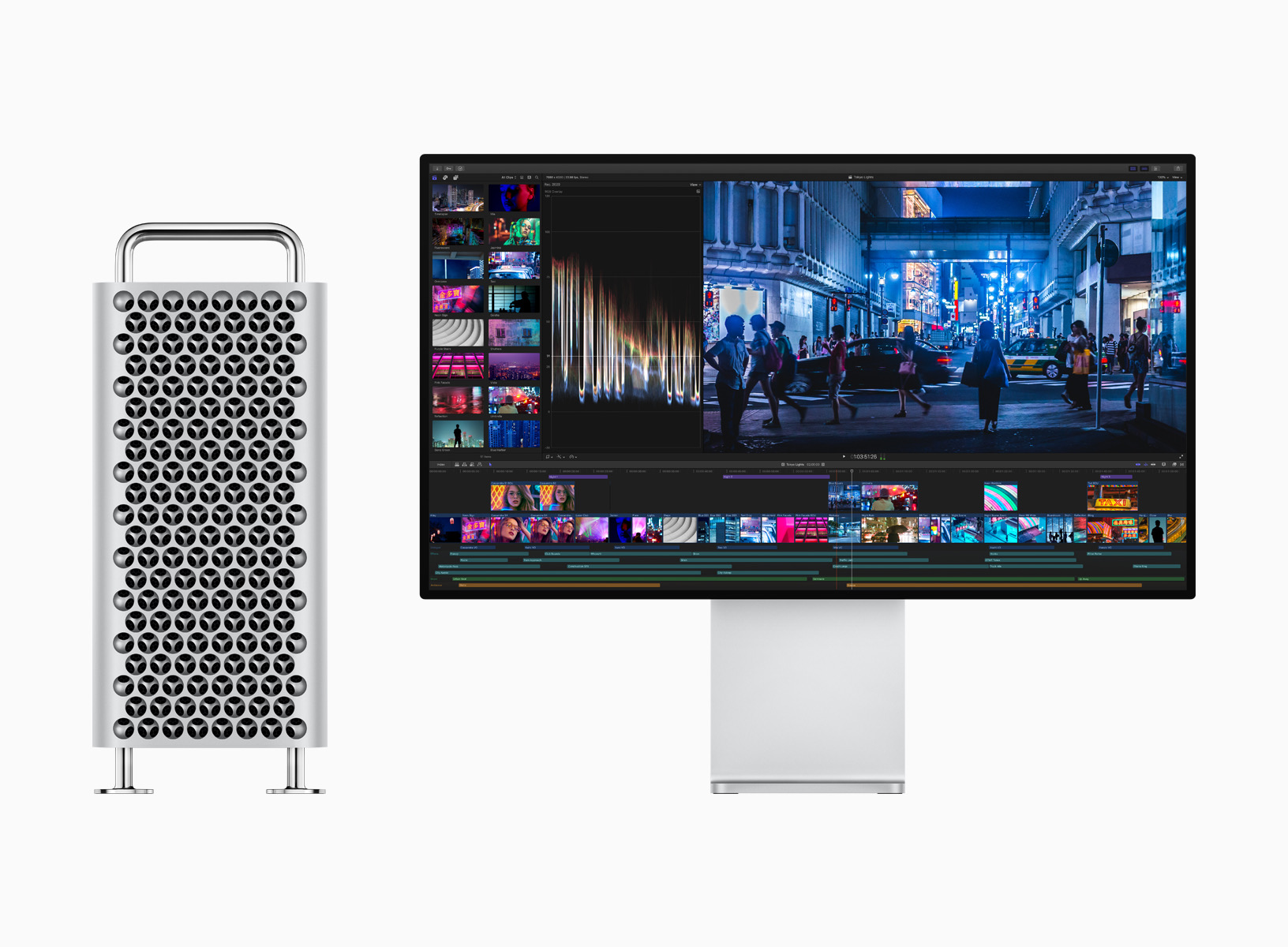
Apple will start selling its redesigned Mac Pro in December, the company tells The Verge. The pro-focused, made-in-the-USA computer was announced in June with a projected release date of “fall;” Bloomberg reported yesterday that it would be available next month.
Stephen and David are joined by Brent Simmons, who works in marketing at The Omni Group. They talk about the tools of the trade, including social media and content creation before shifting gears to discuss Brent’s RSS reader, NetNewsWire and where the Mac could be heading.
I really enjoyed talking with Brent. He has a unique perspective on the Mac, as someone who has developed for it for a long time.
My thanks to our sponsors:
1Password: Have you ever forgotten a password? You don’t have to worry about that anymore.
TextExpander from Smile: Get 20% off with this link and type more with less effort! Expand short abbreviations into longer bits of text, even fill-ins, with TextExpander from Smile.
Linode: High performance SSD Linux servers for all of your infrastructure needs. Get a $20 credit.
Direct Mail: Create and send great looking email newsletters with Direct Mail, an easy-to-use email marketing app designed exclusively for the Mac.
My thanks to UpHabit for sponsoring the site this week. It’s the personal CRM that makes connecting with the people you care about part of your daily routine, and for a limited time, you can get 60% off when you sign up for any of UpHabit’s subscription plans.
It started like this: at the time I was working at UserLand Software on a blogging app called Manila, and this was my own personal Manila blog. It’s gone through a few other engines since then. (These days it’s rendered — as a static site — by some Ruby scripts.)
It‘s tempting to think that The Thing of my career has been NetNewsWire. And that’s kinda true. But the thing I’ve done the longest, love the most, and am most proud of is this blog.
Twenty years is an amazing run, and I’ve been a happy reader for almost all of them. I enjoy Brent’s writing and few have a better perspective on the Mac. If you aren’t reading him, you should be.
As a side note, Brent is the guest on the next episode of Mac Power Users, where we talk about this and a whole lot more. Look for it on Sunday.
When Apple announced that its Reminders application was receiving a much-needed overhaul this year with iOS 13 and macOS Catalina, I was excited. I think Apple has done an amazing job at modernizing the Notes app, and I was hopeful Reminders would become an equally useful application across Apple’s platforms.
I’ve tried just about ever task manager out there: OmniFocus, Things, Remember the Milk, 2Do, TickTick and more. I usually end up back in Todoist for its reliable sync, coupled with its lightning-fast native language processing for inputting tasks. Many applications require too many clicks or taps to create a new task within a given project, with a due date.
Past reliable syncing and natural language processing, I also prefer applications that can keep tasks within a project sorted by due date. Things, Remember the Milk and 2Do — among others — can do this, but Todoist always adds a new task to end of a list, requiring me to resort my projects on a regular basis. This is quick enough on the Mac and iOS, but still annoying.
I don’t often use Siri to add tasks to my system, but Shortcuts support is critical for me. I love being able to send a URL to my task lists, either for linking on 512 Pixels or just to check out later. Currently, Todoist’s shortcut integration is completely broken, with a fix coming “soon,” according to the Todoist support engineer I spoke to about it a month ago.
The vast majority of the tasks in my system are repeating tasks. Running a business means doing a lot of the same work, over and over, on a weekly, monthly, quarterly or even annual basis. Managing these — and being able to adjust them on the fly — is critical, which is why I cannot use Things as my task manager, as it doesn’t allow me to easily complete repeating tasks early.
All of that is to say that Reminders looks like it could be the magic bullet for my GTD pain. Now that iOS 13 is less bumpy than it was, Reminders seems to be syncing well enough, so last week, I re-created a single project in the app to run it in parallel with Todoist.
It didn’t go well. Here are some of my complaints:
Sorting in Reminders is just weird. Items in a list can only be sorted when on the Mac, and the sort order doesn’t seem to stick for very long. Worse, when a list is sorted by due date, items with no due date appear before items with due dates … which is madness.
Entering tasks is clunkier then it should be. On iOS, Reminders relies on the QuickType bar for making the typed word “Tomorrow” the due date for the task. It’s awkward, and In this example, I’ve typed the word “tomorrow” in the task name field, but to make it the due date, I have to tap it above the keyboard. Reminders should be confident enough to use what I type as metadata. At least repeating tasks can be created at the same time:
The app can get a bit junky. This is a personal preference thing, but I don’t need to see all of the metadata on a given task at once. In this example, I added a due date, location, note, URL, flag and an iMessage reminders to a single task. Some of this could be stashed away behind the i button.
The user should be able to customize what they see in this view, including the default text size, which is both too small and unchangeable on the Mac, not unlike Notes was for a long time after its reboot.
I want to use Reminders. I like using default apps when they meet my needs. My complaints may be esoteric, but that’s how things are when dealing with task managers. Hopefully Apple puts some of these things on its own task list, because so much about Reminders is great.