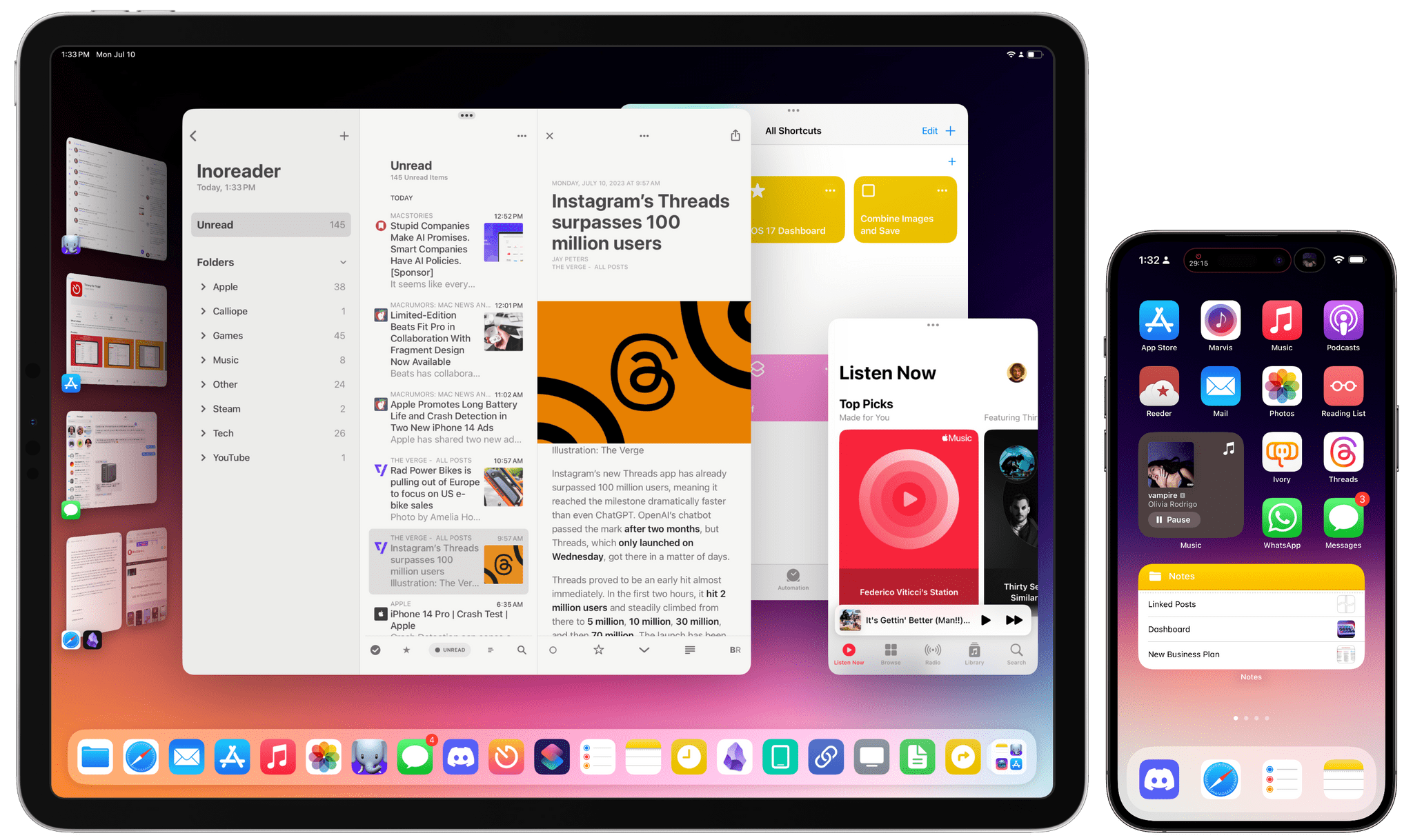
Jason Snell posted his excellent Six Color Report Card this morning, and I have done before, I thought I would share my complete answers here:
The Mac: 4/5
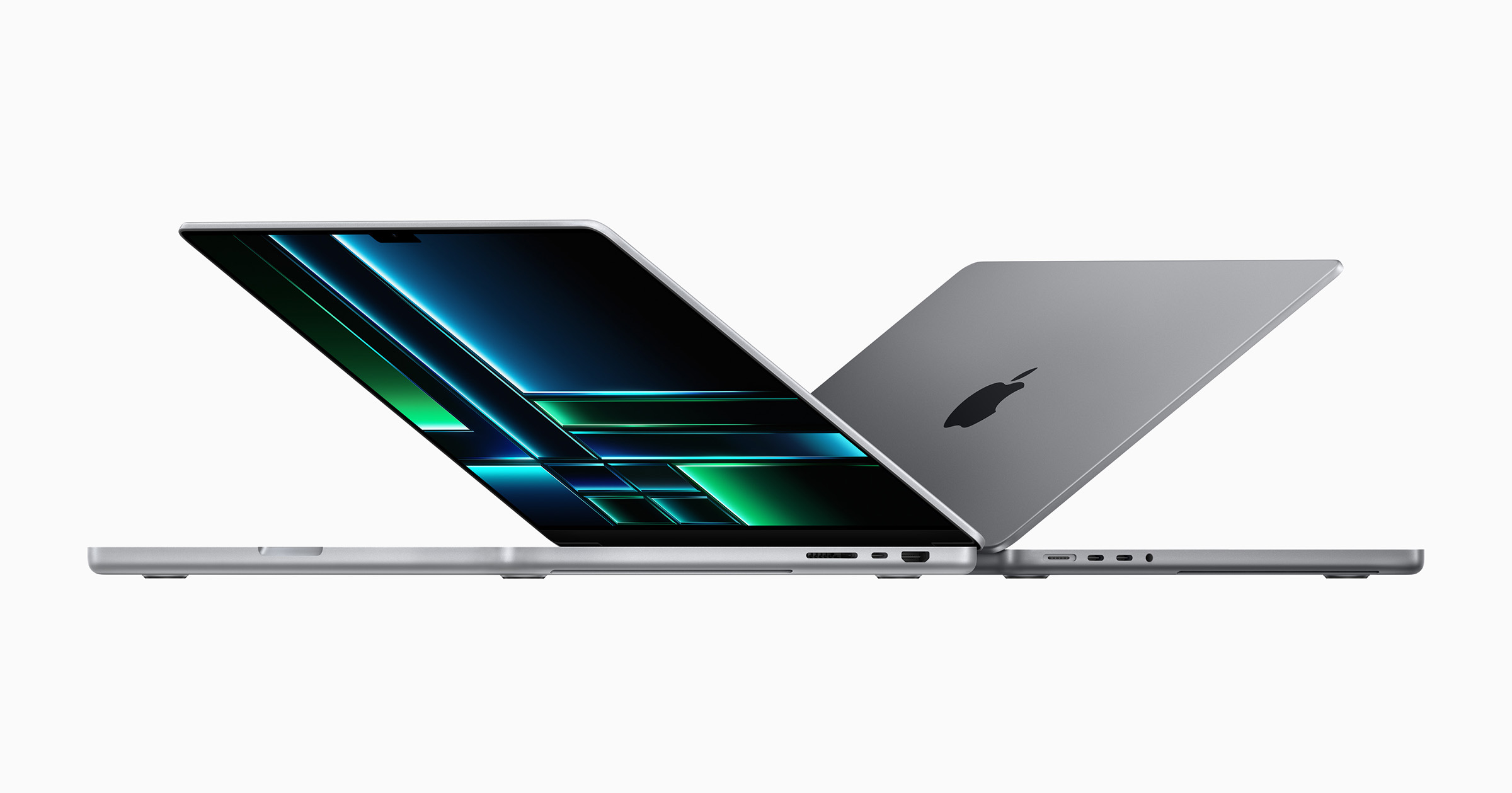
2023 marked the end of the transition to Apple silicon. It may have taken longer than Apple anticipated, but it’s hard to argue with the results. Macs are running faster, cooler and longer than they ever could with Intel inside.
All it cost was the Mac Pro’s dignity, which it just regained in 2019. The last Intel model was everything a Mac Pro should be — expandable, upgradeable and more powerful than anything else in the line. The new one is a Mac Studio with slots and optional wheels. That’s disappointing for users who were hoping to throw more GPU power at their problems.
On the software front, Sonoma is proving to be a stable release, which is nice after a few years of bumpy builds. Its hallmark feature is probably the addition Desktop Widgets. They aren’t for me though; call me when Dashboard is brought back to life.
However, problems remain. Just try to walk someone through making a change in System Settings over a FaceTime call and you’ll want to hurl your iPhone into the nearest body of water. And look no farther than this blog post by Jason to relive the horror of setting up a new Mac. Apple has a lot of work to do in these areas, and I’m hopeful progress is being made on them for macOS 15 this year.
The iPhone 5/5
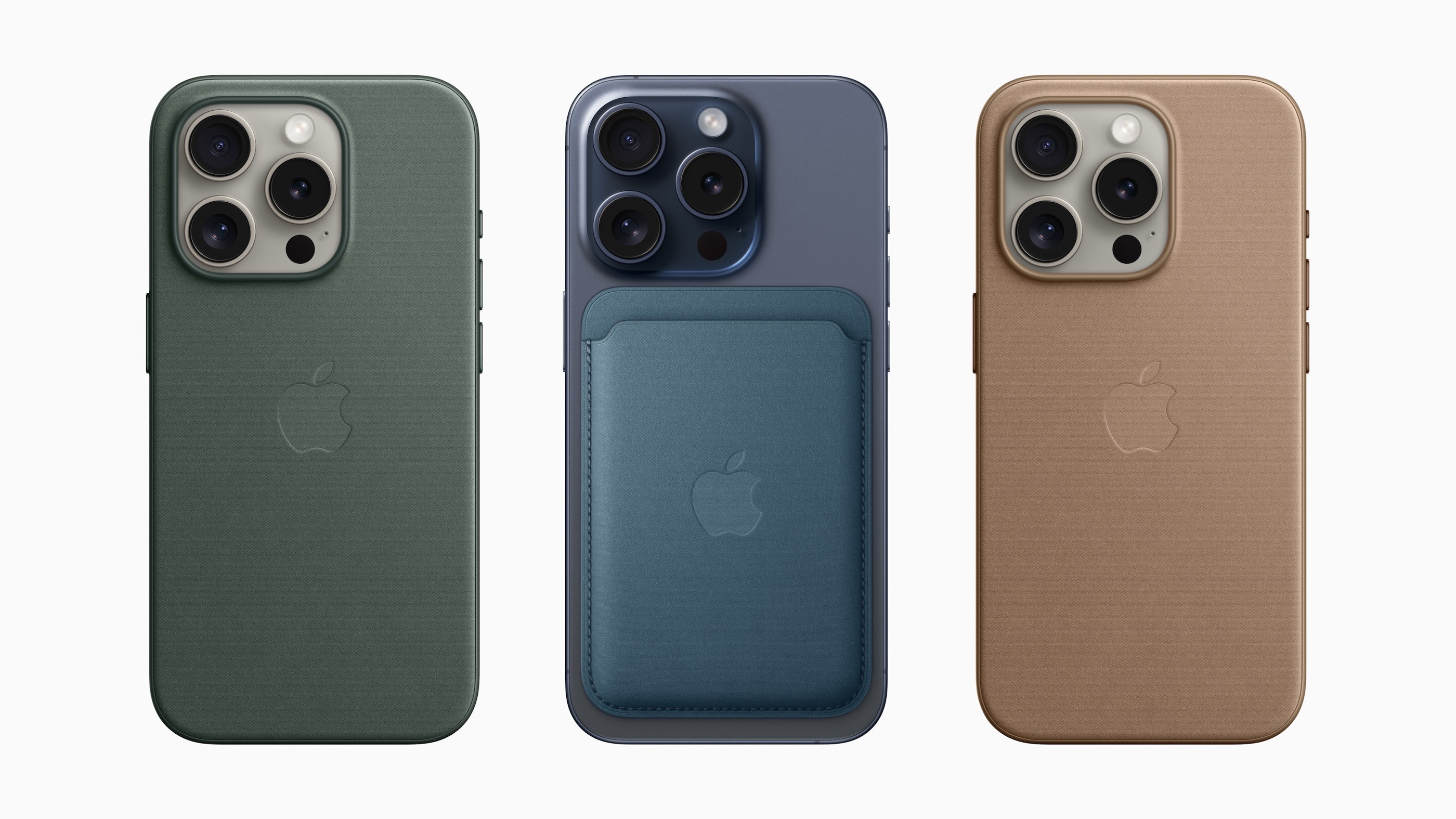
As a long-time member of the Big iPhone Club, I couldn’t be happier with the iPhone 15 Pro Max. The Titanium rails and aluminum frame make it noticeably lighter and the USB-C port makes it much easier to live with.
The 5x optical zoom changes the types of photos and videos the iPhone is capable of creating, and it’s been a lot of fun using it at sporting events and school plays.
The camera is the mainstream feature of the iPhone. I’m not sure the Action Button is, but I love that Apple gave us the ability to hook it up to Shortcuts. I’m using it to send ideas to my task manager and it’s great.
On the software front, I’ve been encouraged over the last several years over Apple’s emphasis on its first-party productivity apps like Notes, Reminders and Mail. Apple continues to push them forward while keeping in mind that they are apps made for the masses.
The iPad 2/5
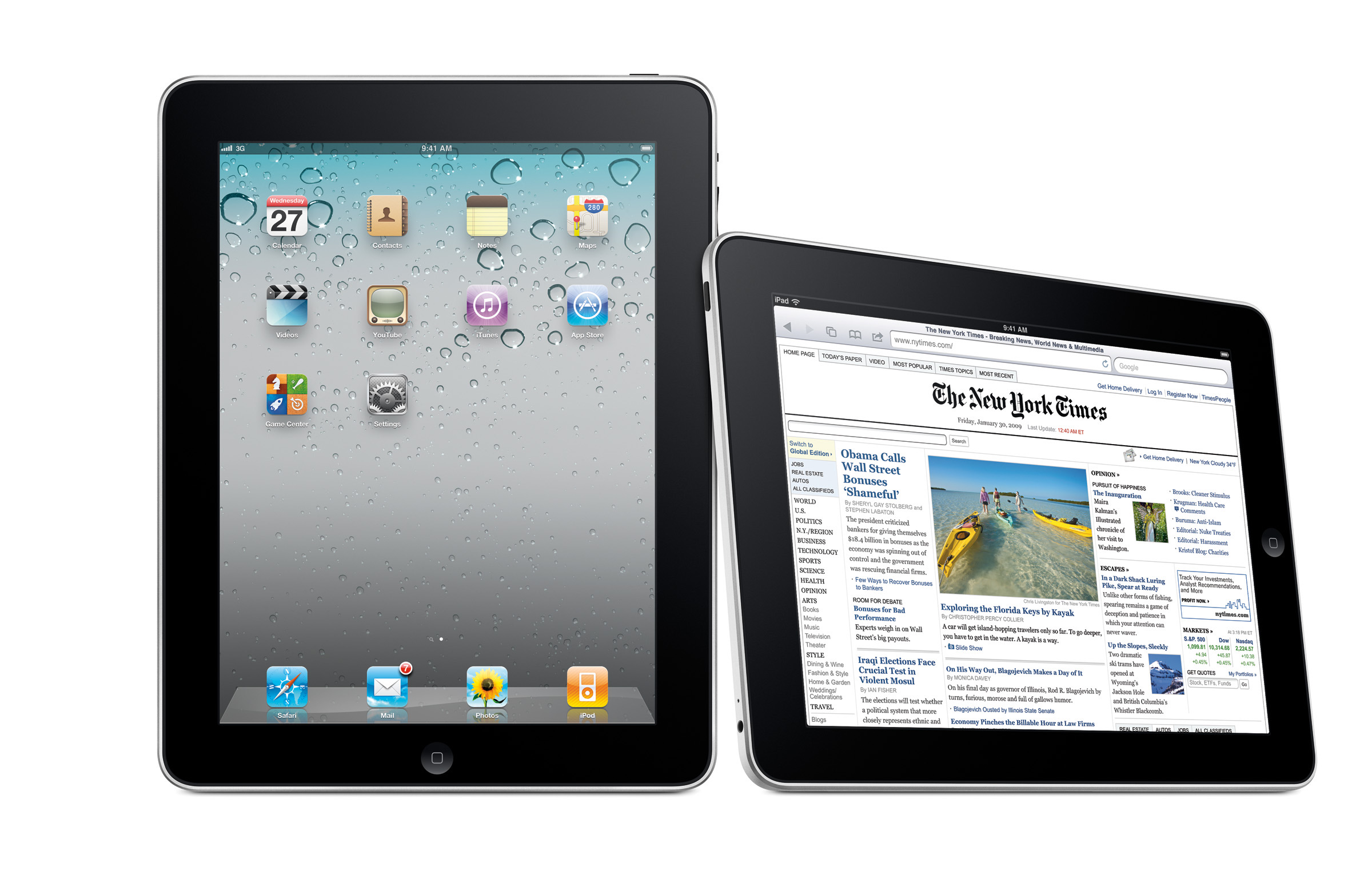
I recently had a family member ask me what iPad they should buy, because after they visited Apple’s website, they were confused. I told them that was perfectly reasonable, as the iPad lineup is a mess of different features and specs.
It seems that Apple has put “Hit All the Price Points” at the top of their priority list with the iPad hardware, leading to the current situation. I’d like to see the company make the lineup cleaner and easier to understand.
The same could be said for iPadOS, with its multi-tier approach to multitasking. I would love to know how many iPad owners uses their devices in the classic one-app-at-a-time mode vs. using Split Screen and Slide Over vs. Stage Manager. I know each of these modes have their fans, but I still think a lot of iPadOS needs a rethink.
Personally, I have basically given up on using an iPad for much more than social media, reading and video watching. With Apple silicon, Mac notebooks are just a much better tool for what I need to do each day. Even if Apple straightened out its hardware, the iPad just isn’t the computer for me.
Apple Watch: 4/5
watchOS 10 represents one of the biggest changes to the platform ever. I really like the new, full-color designs Apple and third-part developers are shipping. This work makes the Watch feel more whimsical and fun.
Sadly, the update also brought a shuffling of the core OS, with the side button being remapped to Control Center instead of the Dock, a change that I still think was the wrong move. I would love a setting to change this back, like the one Apple recently added to return the ability to swipe between watch faces without needing to press first.
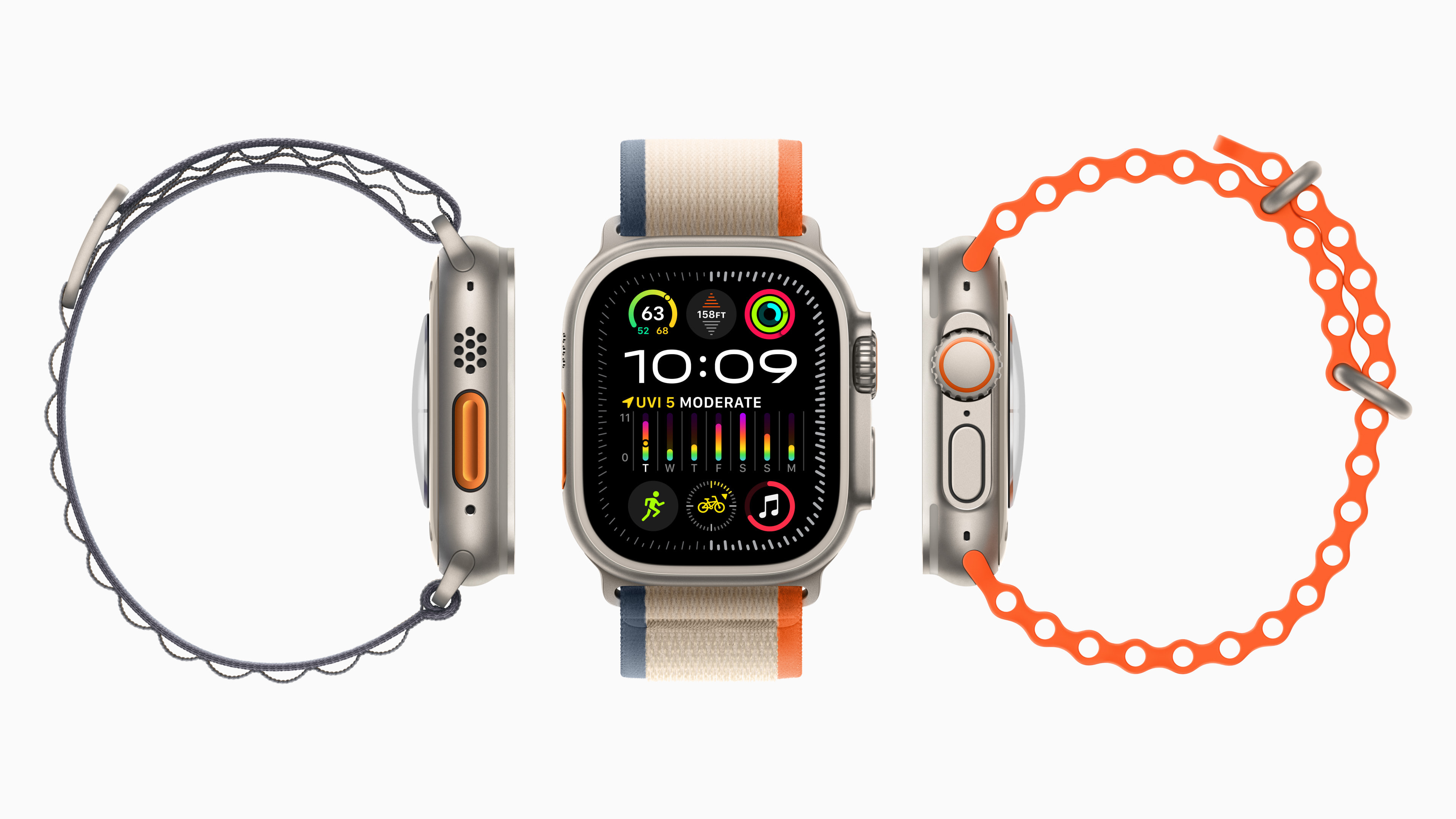
2023 was a quiet year in terms of Apple Watch hardware, with the Ultra 2 and Series 9 being rather small improvements over their predecessors. However, most folks don’t upgrade their Watch each year, so it’s mostly fine. Personally, I’m still wearing — and loving — my original Ultra.
(I’d love a black one though, Apple…)
Wearables: 4/5
I continue to use my second-generation AirPods Pro every day, and they continue to be marvelous. While Apple stumbled a little bit by not offering a USB-C case upgrade on day one, it’s available now.
The AirPods Max are getting pretty long in the tooth, and are not worth paying full price for. Just don’t do it.
Apple TV Hardware/OS: 2/5
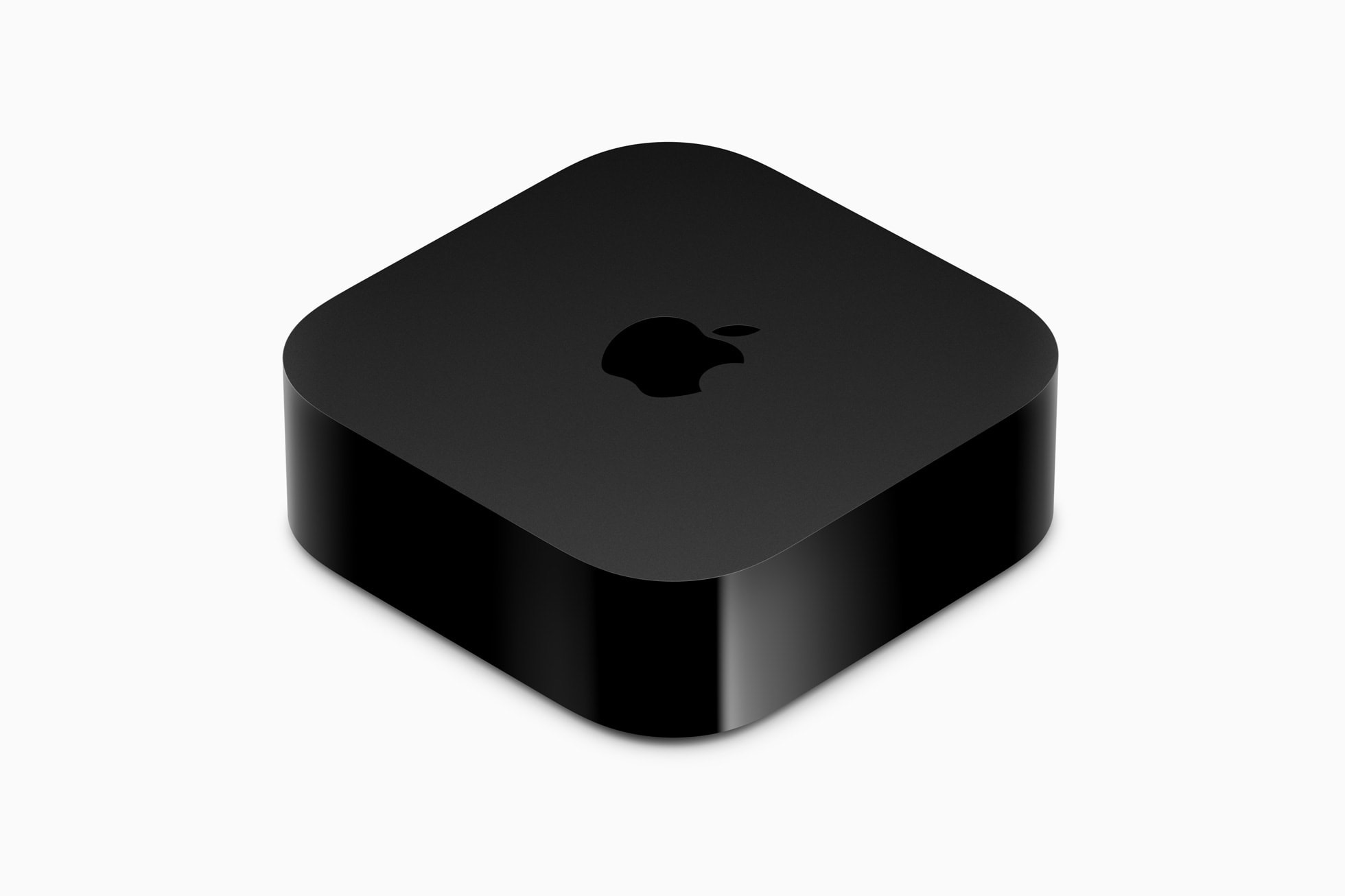
The Apple TV hardware has been so overpriced and overpowered for so long, it feels like I’m wasting everyone’s time by mentioning it again.
Speaking of repeating earlier comments: APPLE PLEASE ADD FIND MY SUPPORT FOR THE APPLE TV REMOTE MY KIDS ARE ALWAYS LOSING THAT THING.
tvOS continues to feel like it’s trapped between Apple’s vision for the platform and what it can work out with streaming giants like Netflix. Until recently, even Apple’s own strategy was unclear in places, but the recent retirement of Apple’s legacy media apps have helped clear that up.
Services: 3/5
Apple’s services offerings feel like they’ve been in stasis for a while. A lot of them are good, some are okay, and the ad-infested Apple News+ continues to be bafflingly bad.
What is less baffling is Apple’s upselling of these services. I understand this is a growth area for the company, but it’s hard not to think that iOS feels like a yard sale sometimes, with red badges and full-screen interstitials tied to services junking up the place.
HomeKit/Home: 4/5
The big HomePod is back! Matter is here! Neither of these things make much of a difference to my life! However, one day Matter may matter, making it easier to add all sorts of things to HomeKit. And maybe one day the HomePod will grow a screen, which would be an instant-buy for my kitchen.
Until those futures arrive, HomeKit continues power all sorts of stuff around my house, quietly and reliably. I rarely think about my smart home setup, and that’s the best praise I could give it.
Overall Reliability of Apple’s Hardware: 5/5
It has been years since I’ve needed hardware support from Apple that wasn’t due to me accidentally breaking something. While I have purchased AppleCare for years, I’m starting to go without it on some devices, and honestly, am fine with it.
Apple Software Quality: 3/5
Living in Apple’s ecosystem continues to come with weird bugs. Personally, I’ve seen Messages crashes on my Mac, Fitness competitions fail to update and iOS widgets refuse to update, all in the last 24 hours. None of these are show-stopping issues, but they are annoying.
Even more annoying is the lack of tools to troubleshoot these issues. Too often the only answer is to reboot a device to log out of iCloud. The former isn’t a big deal, but the latter is a real pain… especially if you have to use System Settings on the Mac to do so.
Social/Societal Impact: 4/5
Apple’s environmental goals are inspiring, and I didn’t even mind that Mother Nature video. Less mining means fewer troubling work environments around the world, which is another big win for humanity. I would like Apple to put more of its weight behind climate change legislation in the US and around the world.
On the social front, Apple’s response to unionization efforts in some of its retail locations hasn’t been stellar. That’s something worth keeping an eye on in the future.
When you connect a Lightning or USB-C cable or an accessory to your iPhone XS, iPhone XS Max, iPhone XR, or later, your iPhone can warn you if there’s liquid in the connector.
If you see one of these alerts, your iPhone has detected liquid in the Lightning or USB-C connector or on the cable or accessory. To protect your iPhone and the accessory, charging and accessory connection are unavailable until the connector, cable ends, and the accessory are dry.
It goes on:
Here are a few things not to do:
Don’t dry your iPhone using an external heat source or compressed air.
Don’t insert a foreign object, such as a cotton swab or a paper towel, into the connector.
Don’t put your iPhone in a bag of rice. Doing so could allow small particles of rice to damage your iPhone.
It’s time for our annual look back on Apple’s performance during the past year, as seen through the eyes of writers, editors, developers, podcasters, and other people who spend an awful lot of time thinking about Apple.
This is the ninth year that I’ve presented this survey to a hand-selected group. They were prompted with 12 different Apple-related subjects, and asked to rate them on a scale from 1 to 5 and optionally provide text commentary per category.
Mike Vardy drops by the show to talk about the journey behind his upcoming book, his love of the Freewrite family of products, and how he runs his growing online business.
Federico, Stephen and Myke bring some weird Friday energy to the show and discuss the possibilities of a KitchenPod, some early favorite visionOS apps, and a couple of unusual iPhone cases.
Four years ago, my wife was diagnosed with stage IV endometrial cancer. Today, after many treatments — some quite helpful for a while, others that just did nothing for her — she passed away. She was the bravest and best person I knew, and I don’t understand how she could possibly be gone.
I’ve had the pleasure of getting to know Dr. Drang personally over the years, and this Mastodon post really hurt to read. Send some love in the direction of Doc and his kids this evening.
I know a number of blind or visually impaired folks who are excited about the Vision Pro. They’re Apple enthusiasts and embracers of new tech like most of us hanging out at Six Colors. But when I’ve asked blind colleagues what they want from Vision Pro, the conversation almost always moves to the future—not the opportunity to do computing tasks on a head-mounted device or even to watch a movie in the headset. Many blind people want Vision Pro to be an eyesight alternative or assistant, a way to see the world, identifying both the wondrous and the mundane.
Shelly just published a new episode of Parallel all about the Apple Vision Pro and it’s at the top of my queue.
We built visionOS from the ground up to protect your privacy and the privacy of people around you. Apple Vision Pro is the first Apple product that uses advanced always-on camera streams of your eyes and the world around you to enable spatial experiences. And where you look can reveal what you are thinking, such as links you almost clicked or apps you thought about downloading. To keep your thought process private, where you look before you interact with content is not shared with Apple or the apps you are using, and does not leave your device. Similarly, because Apple Vision Pro blends digital content with your physical space on-device, the apps you use cannot access information about your surroundings by default.
Apple Vision Pro is here. This week on Mac Power Users, David and I share our initial thoughts on Apple’s first new platform in ten years, talk about how it performs in entertainment and productivity and then answer some listener questions about the device.
Sometimes I feel like I was born in the wrong era; coming along in 1986 meant that I missed a lot of the early days of personal computing. Sure, my dad had a Windows 3.1.1 notebook built by NEC, and yeah, we ended up with a Windows 95 tower from Packard Bell a few years later, but the closest I got to an Apple II as a kid was seeing a few stacked up in the corner of my elementary school library.
In his Apple Vision Pro review, Jason Snell wrote this very thing and why it’s pertinent to a product released here in 2024:
It’s been a very long time since Apple released a product as speculative and impractical as the Vision Pro, its $3499 first-generation “spatial computing” headset. Led by Apple, today’s technology industry sells billions and billions of dollars worth of technology to a grateful public that uses our smartphones, laptops, and other devices in nearly every aspect of our lives.
It wasn’t always this way. When I was a kid, personal computers were just beginning to arrive in homes and schools. As I anticipated the arrival of the Vision Pro, I kept remembering the earliest days of the PC, the days when Apple IIs, TRS-80s, and Commodore PETs ruled.
In those days, computer technology wasn’t practical. You’d spend the equivalent of $5000 in today’s money on a computer, bring it home, and be immediately confronted with the big question: “Well, now what?”
And yet people bought them, mostly because they got the sense that this was the first step into a new era. Being a Gen X’er means that you were probably told at some point in your young life that “computers are the future”—a meaningless statement that nonetheless turned out to be absolutely true. People didn’t know just what it all meant, but it was new and clearly where the world was headed, and for some adventurous souls (or those who broke down and listened to the begging from their kids), that was all that was required.
While I missed those early days, I had a front-row seat to the launch of the iPhone, the iPad and the Apple Watch.
Out of that magnificent trio, the iPad was the device that was to usher in the Post-PC Era, and with it, the future. This new category of device promised all-day computing that was safer, more convenient, and just more fun than what any personal computer — Mac or PC — could do.
Of course, all of this has been debated ad nauseam since the first time someone suggested they could work on “just” an iPhone or iPad; look no further then the replies to some of Federico Viticci’s the-iPad-is-my-computer articles to relive those arguments.
Apple’s “What’s a Computer?” iPad Pro ad from 2017 turned up the heat, leading to a whole lot of Mac Nerd Handwringing.™
I understand that many perceived the iPad to be a threat to the Mac. Very often, when a new platform arrives, the old one dies. If that old one happens to be something you love, it’s not easy.
However, modern Apple doesn’t seem to follow this pattern.1 The Macintosh is still alive and well — thriving, in fact — with Apple silicon at its heart and a modern OS that keeps up nicely with its younger, more mobile cousins.
Apple hasn’t replaced the Mac with the iPad; it seems perfectly happy for you to buy both, and move between them as you see fit. The iPhone and Apple Watch are along for the ride as well, with a shared base of apps and services that tie them together into one strong and fluid ecosystem.
All of that brings us to Apple’s newest device: the Vision Pro.
Spatial Computing
Usually when I review a product, I talk about the hardware first, because frankly, I love hardware. The physical design of a product captures a moment, and hardware provides a ride for software to enter the world of the user.
Hardware is fickle in a weird way. As technology marches on, the computers of today will eventually look like antiques. Like all good things, the Apple Vision Pro that we have today will eventually pass away; the fundamentals of visionOS will remain with us much longer.
One of the most remarkable things about visionOS is how it is basically invisible. Slip on the Vision Pro, adjust the band, look around and all you see are your physical surroundings. An array of cameras and sensors are working overtime to deliver passthrough video, beaming the real world into your eyes in just 12 milliseconds.
That’s fast enough for me to use the device in long stretches without motion sickness … and I’m very sensitive to that sort of thing. I can barely ride in the backseat of a car without feeling ill. Needless to say, I was quite nervous when I first tried on a Vision Pro, but thankfully, I seem to have dodged a bullet thanks to Apple’s M2 and R1 chips.
Being able to see the world around me makes me feel much more at ease than I have felt in other headsets.
In the summer of 2016, Myke Hurley, Federico Viticci, CGP Grey and I got to hang out at Facebook’s headquarters in Menlo Park.2 One of the highlights of the day was getting a demo of an early Oculus headset. The thing was tethered to a huge PC, and we were able to use the then-yet-to-be-shipped Oculus Touch hand controllers. Once I had a set in my hands, I had virtual hands in the sandboxed area in which I was exploring. The tracking worked flawlessly, but after several minutes, my time was up, and the woman helping us took the controllers out of my hands before I had taken the headset off.
When she did my hands disappeared from my view, and my brain flipped out. For about two seconds, I thought my hands had been removed from my body.
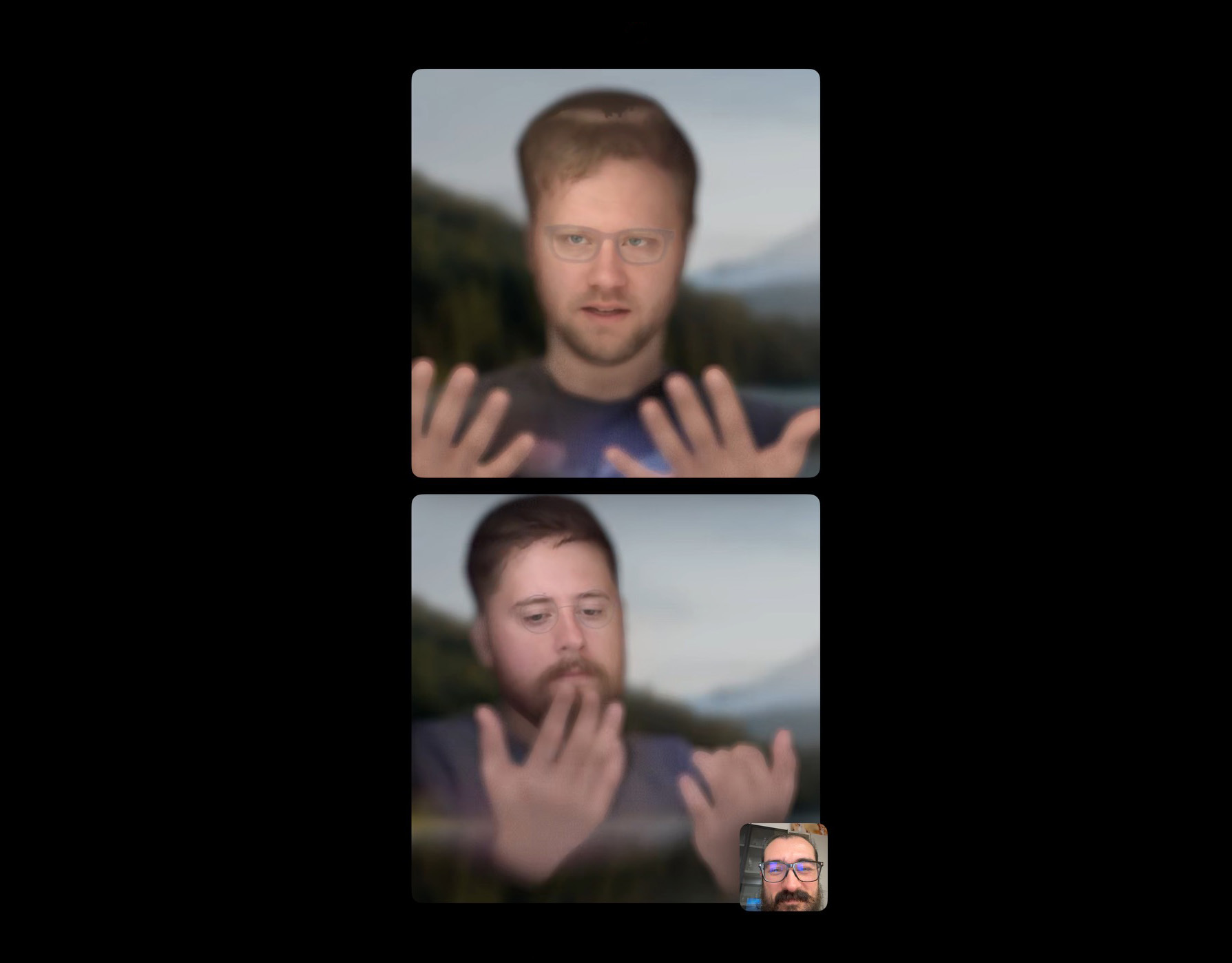
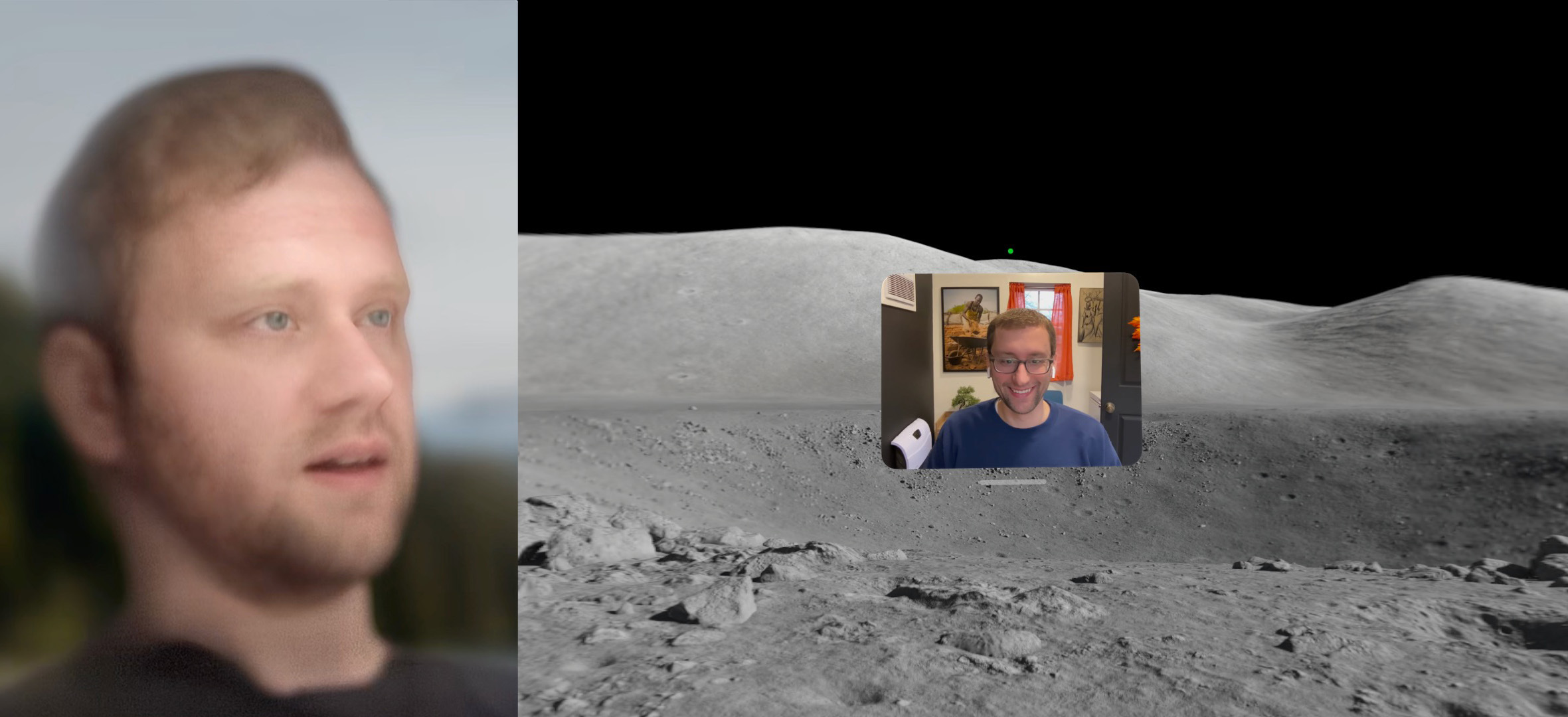
That feeling hasn’t repeated itself with the Vision Pro. With passthrough, I can see my actual hands, even if the hands shown with my Digital Persona are fake. I only noticed this when I realized my tattooed wedding ring wasn’t showing on my finger when I was waiving my hands around on a FaceTime call with the Connected boys:
This image shows the first Persona I made, which was very bad. We’ll come back to this in a little while.
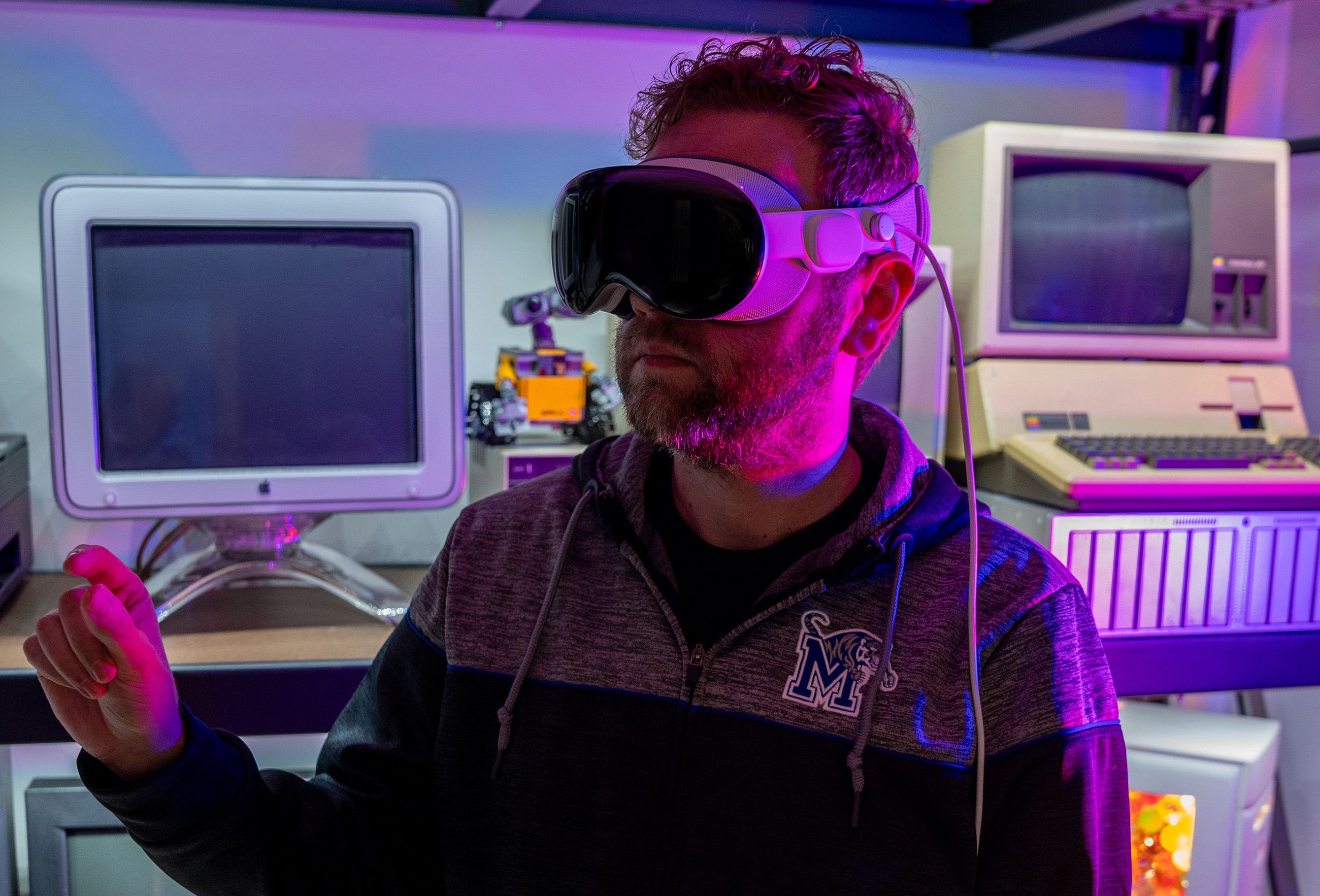
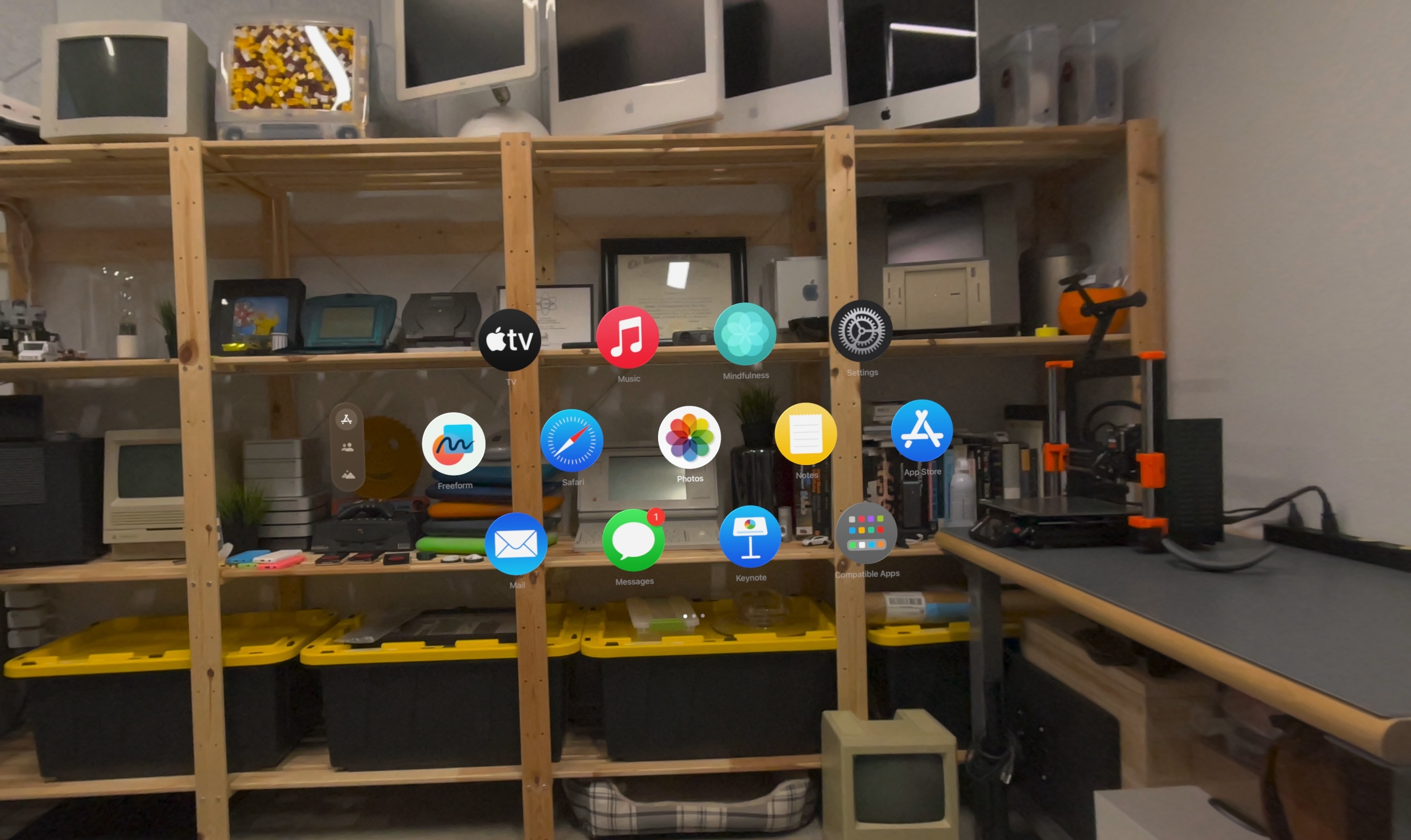
Passthrough video anchors visionOS in the real world, and serves as the backdrop to whatever you want to do. I’ve been using my headset mostly while seated on the couch in my studio, and I can easily place a Messages window in the corner where the door is, and have Safari floating in front of shelves of older, decidedly 2D computers.
If I don’t want to see what’s around me, a simple twist of the Digital Crown3 lets reality fade out to be replaced with an Environment of my choosing. Currently, there are about a dozen options to choose from, with the moon being my favorite.
When in an Environment, apps and windows work the same way as before. Look at the bar under them, tap your fingers together, and they can be moved around in space… but now that space feels much larger. In my studio, I can only make a window so large before things get weird with an exterior wall or window.
On the moon, there are no walls.
In either mode, windows never jitter or move. They feel like solid objects, floating in air. They even cast shadows on the floor beneath them.
In stark contrast, waving your hands in front of an app is pretty janky. When using an immersive Environment, the real world peaks through between your fingers as you move. Apple has some work to do on cutting out the areas between users’ fingers, for example.
Environments can be a great way to spread out but also to focus. It would take just a few days of only writing while in Joshua Tree to associate that location with that task. It all adds a new layer to the concept of contextual computing.
When you are in an Environment and someone approaches, they will fade into view, and if you look at them, they will see a rendering of your eyes on the outer screen of the headset. Otherwise, the outer screen shows a hazy blue screensaver-like graphic to indicate that you’ve tuned out of reality for the time being.
While many of these concepts are new, much of visionOS feels grounded in Apple’s previous work. Clicking the Digital Crown returns you to the Home View, a grid of all of your apps. Look up and you’ll find Control Center waiting for you, just as it’s at the top of the iPhone screen you may be reading this review on.
Unlike those other devices, visionOS is designed to be driven by your gaze. Look at a button or piece of content and tap your fingers together to click. It works much better than I expected, except for typing, which we’ll get to shortly.
My biggest complaint about visionOS is that every open app has to be open. Having used the Mac for a couple of decades now, I have come to depend on minimizing and hiding windows to keep my workspace livable. I Command+Tab through open programs so fast, I barely even see the App Switcher most of the time.
visionOS has no such affordances. If you don’t want to see an app, you need to close it, place it behind you or stick it in another room. (In which case it will be there waiting for you when you get back. It’s wild.) Floating windows are cool, but managing them feels slow and cumbersome. Window management is a big part of life in the spatial future.
I cannot believe I am saying this, but visionOS needs something like the strip of apps down the side of the screen in Stage Manager:
This would allow users to focus more on what’s on front of them, while minimizing the visual impact of what isn’t in front of them.
There’s (Usually) an App For That
Apple’s been able to build familiar — yet contextually comfortable — versions of some of their own first-party apps. Titles like Notes, Safari and Settings instantly feel familiar while using the Vision Pro, even if they appear to be several feet tall, floating above the surface of the moon. The visionOS version of Apple’s Mindfulness app is particularly good.
Oddly, a bunch of Apple’s apps aren’t native to visionOS yet, including Books, Calendar, Maps and more. Instead, Apple has shipped iPad versions of these apps, and has stuffed them in the “Compatible Apps” folder. I hope they get to graduate to being full-blown spatial apps sooner rather than later.
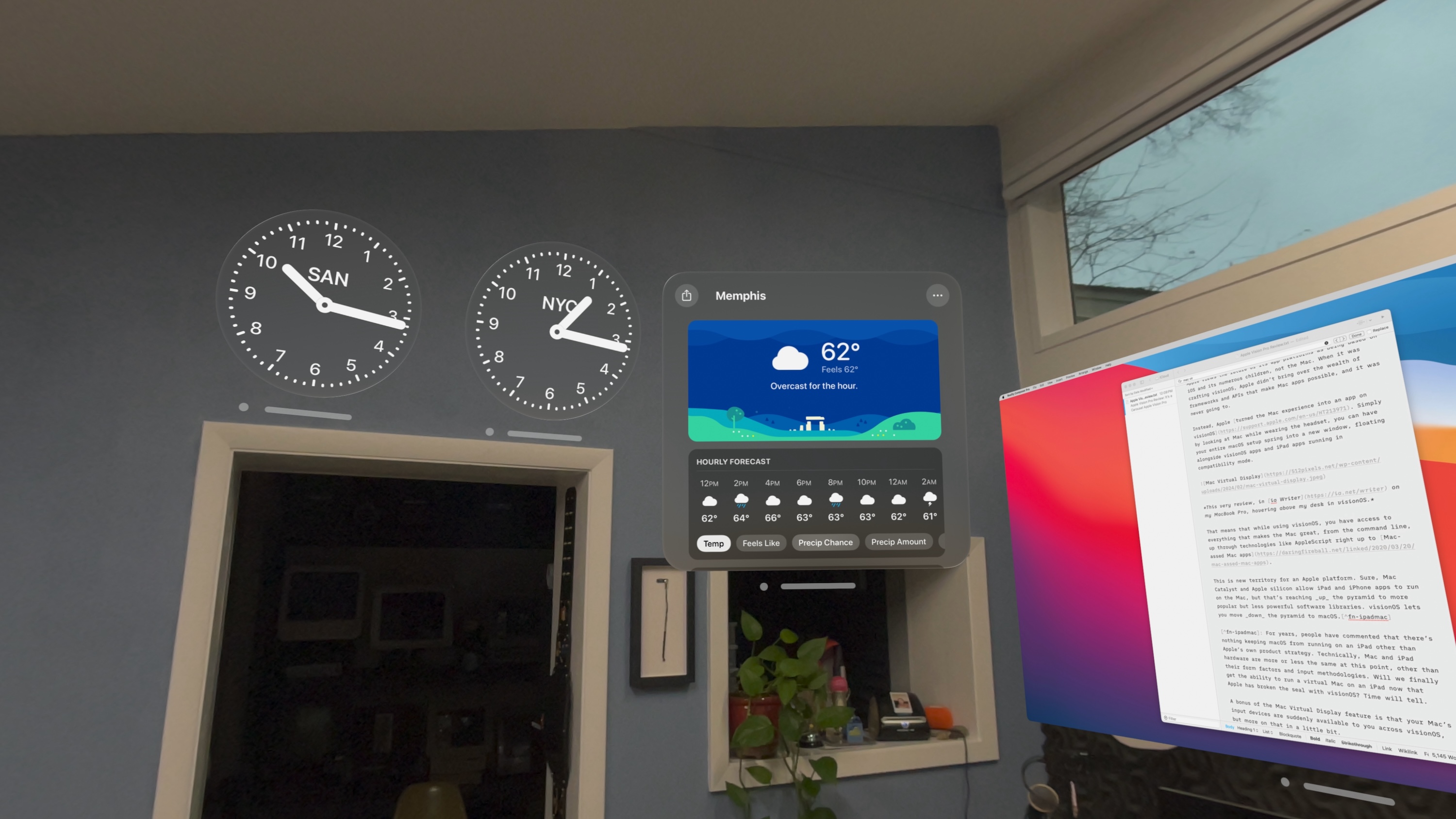
Apps built specifically for visionOS can take direct advantage of many of the platform’s unique features. For example, Widgetsmith can spawn multiple widgets that can be placed around your room with ease. Disney+ can offer in-app Environments, letting you watch Star Wars while sitting in a freaking landspeeder on Tatooine. Carrot Weather drops a huge globe in your room to spin around, and there are already several apps that let you walk around 3D models of anything from the Mars Insight Lander to the human body.
Widgetsmith, Carrot Weather and a Mac Virtual Display, all hanging out together.
One fundamental problem with apps on visionOS is a lack of a system-wide dark mode. This is particularly annoying while using Environments, all of which have dark modes. Too often, while using the headset, I’ve had a jarring amount of bright white light beamed into my skull from a webpage or something like the Notes app. I find it really uncomfortable at times, and a change in this area may be at the top of my wish list for visionOS 2.
As amazing as all of the spatiality in visionOS is, one of the most interesting things about this product to me is that you can bring your whole dang Mac into your spatial world.
A Pyramid-Shaped Sidebar
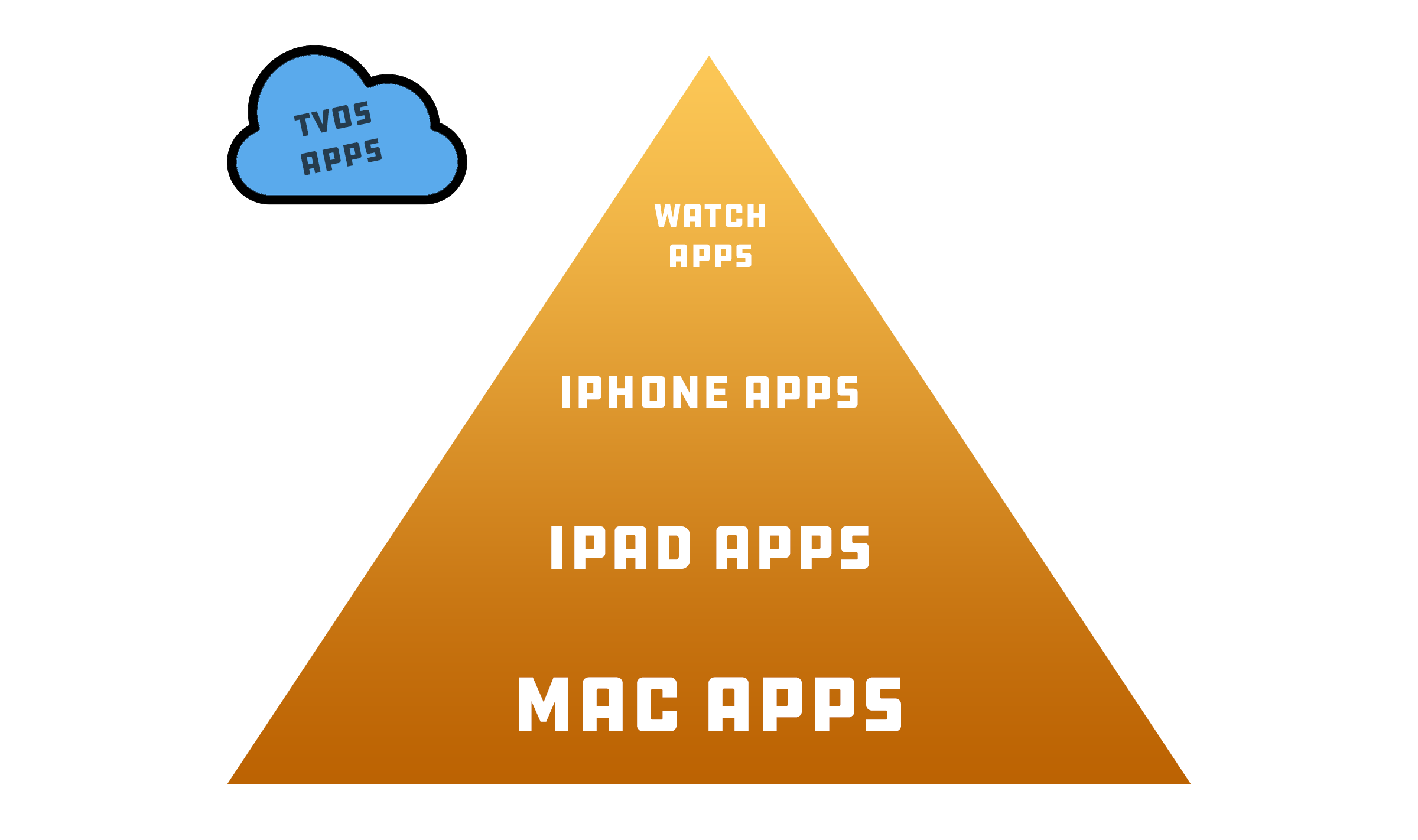
To explain why this fascinates me so much, let me introduce the Food App Pyramid:
At the base of Apple’s app ecosystem are titles written specifically for the Mac. Programs like Xcode and Photoshop and Finder and DEVONthink and Final Cut Pro are heavy hitters, leveraging Mac-only technologies to enable workflows that just don’t exist anywhere else.
Moving up the stack, we find iPad apps. They straddle the space between the iPhone and Mac. While initially just big iPhone apps,4 they have found new life on macOS and visionOS, offering users a wider range of titles that are “native” to either platform on its own.
However, like cross-platform initiatives taken on by other companies, Apple’s efforts have hit some bumps along the way. An iPad app running on the Mac — even via Catalyst — feels a little wrong. They aren’t broken, but they aren’t as good as the more native alternatives. The same is true for iPad apps running on visionOS. They work just fine, but targets designed for the tap of a finger can be hard to land on with your eyes. I can’t shake the feeling I’m going to do something wrong when using those apps without a Magic Trackpad attached.
Ok, back to the pyramid…
At the top, we find watchOS apps, which are small in both layout and functionality. And I don’t even know what’s going on with apps written for tvOS. Just shine on, you crazy diamonds.
The question is where visionOS apps will slot into MY VERY SCIENTIFIC GRAPHIC. I suspect they’ll be somewhere pretty close to their iPad cousins, just infused with vision-specific technologies, which makes sense.
After all, the Apple Vision Pro, from a computing perspective, is the world’s fanciest iPad. That’s fine if an iPad is all you need to get your work done day to day, but for me, it is not.
The Mac Escape Hatch
As much as some people may disagree, I think it’s clear that Apple views the future of its app platforms as being based on iOS and its numerous children, not macOS. When it was crafting visionOS, Apple didn’t bring over the wealth of frameworks and APIs that make Mac apps possible, and it was never going to.
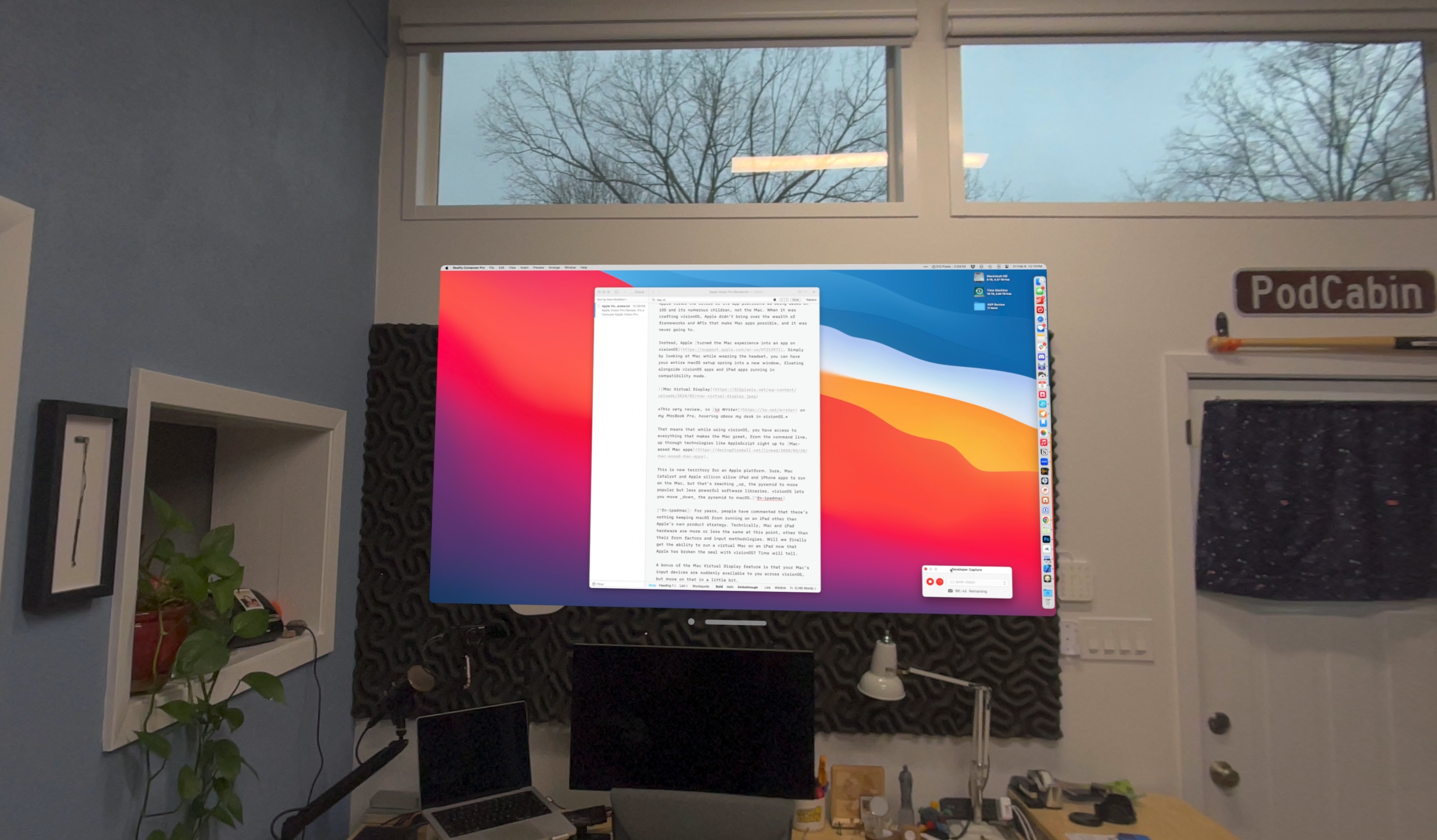
Instead, Apple turned the Mac experience into an app on visionOS. Simply by looking at a Mac while wearing the headset, you can have your entire macOS setup spring into a new window, floating alongside visionOS apps and iPad apps running in compatibility mode.
This very review, in ia Writer on my MacBook Pro, hovering above my desk in visionOS.
That means that while using visionOS, you have access to everything that makes the Mac great, from the command line, up through technologies like AppleScript right up to Mac-assed Mac apps.
This is new territory for an Apple platform. Sure, Mac Catalyst and Apple silicon allow iPad and iPhone apps to run on the Mac, but that’s reaching up the pyramid to more popular (but less powerful) software libraries. visionOS lets you move down the pyramid to macOS from something that works a lot like iPadOS.5
A bonus of the Mac Virtual Display feature is that your Mac’s input devices are suddenly available to you across visionOS, which rules.
Communication
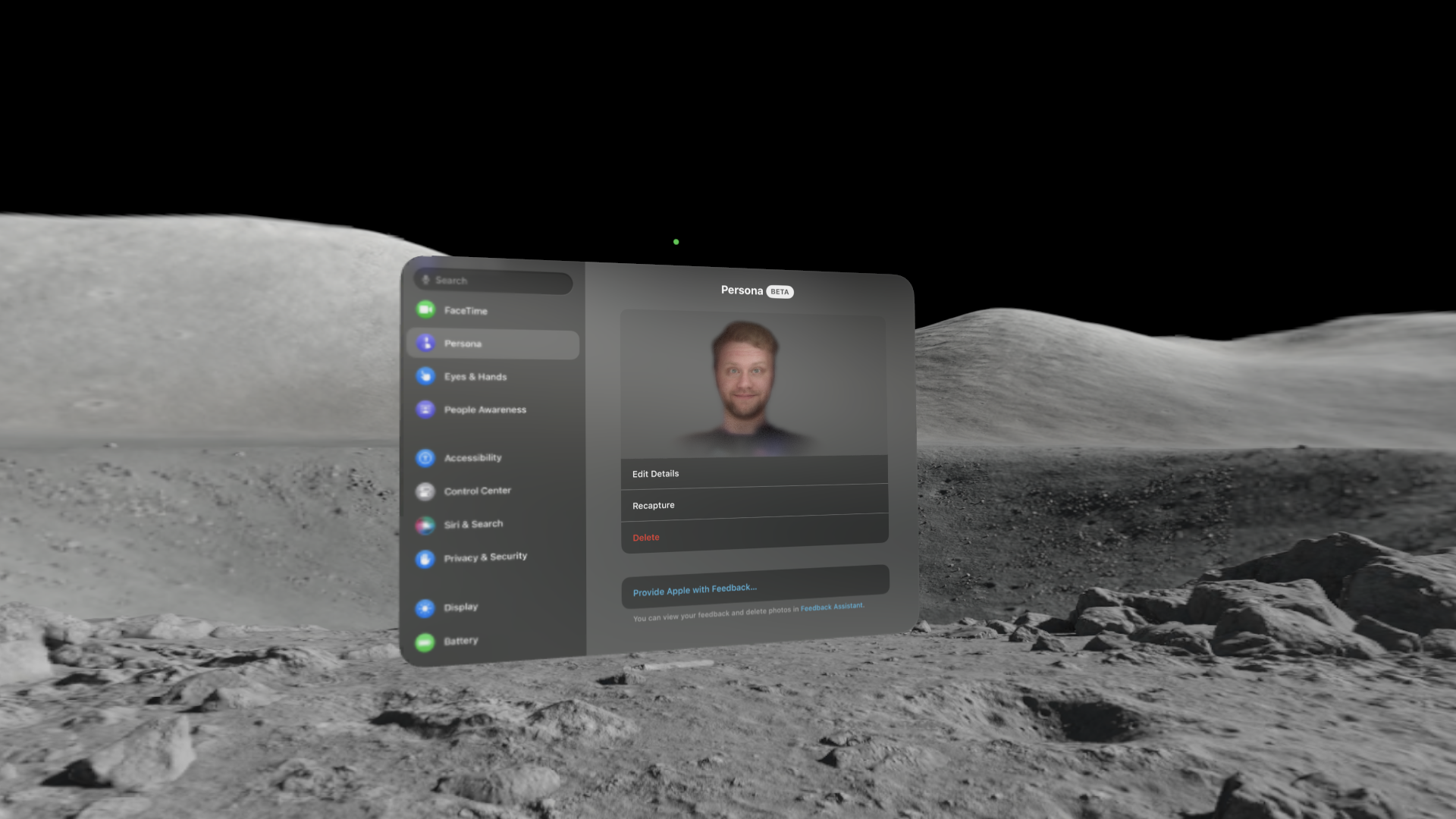
Ok, we gotta do it. Time to talk about Digital Personas, which Apple labels as a beta in the most aggressive way possible, with a big BETA label in the UI:
This image is of my second Persona, and I think it looks noticeably better than the first. As of this writing, I haven’t tried out the visionOS 1.1 beta, which promises to improve Personas, but I will redo my image when the update ships.
If you haven’t seen these in action, check out this video of Myke and Jason over on Upgrade:
As janky as they can look, Personas kinda work when everyone on a call is using one. After a few moments, the weirdness wears off, and you’re just talking to another person. Their size and depth make them feel present, as does Spatial Audio, which beams their voice to you in a way that it sounds like it’s coming from their Persona. All of this adds up to a sense of presence I haven’t ever felt on a FaceTime call on a flat display.
However, if you are the only person on a call using a Persona, it’s weird. You’re going to get a lot of questions and your meeting may never actually start.
My brother Mark answered my call and immediately started laughing at my Digital Persona, but we quickly just moved on to a normal conversation.
Due to their set-up-once-and-use-forever nature, you don’t have to worry about your hair or makeup before you jump on a call. Until I create an updated version, my Persona will always look like that screenshot.
That’s a huge upside, but the fact that Personas are the only way to portray yourself on a video call is a problem. There are many people who, for various reasons, may want to portray themselves with something other than their face.
In terms of audio quality, the microphones on the Vision Pro seem fantastic. There’s no need to grab your AirPods to take a call.
In terms of in-person communication, the Vision Pro does what it can to let the people around you know what’s going on via a set of features under the “EyeSight” label. Here’s a bit from a support document on the subject:
Here are some of the ways that EyeSight informs others around you what you’re doing on Apple Vision Pro:
When you wear Apple Vision Pro and have captured your Persona (beta), EyeSight is personalized with your own eyes. If you haven’t captured your Persona, EyeSight shows an impression of your eyes without personalized eye details.
When you’re using an app or in an interactive experience, EyeSight shows an animation to let others know you may not be able to see them.
When you’re capturing spatial photos and videos, capturing your view, or sharing your view with others, EyeSight shows an animation letting people know that you’re using the camera.
I appreciate what Apple has tried to do here, giving cues to people in the room about what you can see while in the headset, and if I start to use the device around my family more often, I’m sure they would pick up on the different modes outlined in that document.
It’s interesting to note that these modes are all pretty dim and sometimes hard to tell apart. When the eyes are shown, things get more than a little weird. visionOS uses the eyes for your Persona on the outer screen, and it does not look very good at this point.
I think these EyeSight features were very important to Apple when it was working on the Vision Pro, and I don’t think they’re going to ditch it anytime soon. I expect improvements here in the future.
The Pain From an Old Wound
A lot about the Vision Pro is kind of overwhelming at first, but after you settle in, things become more normal. One thing that doesn’t settle is the emotional impact of viewing photos and watching videos.
It reminds me of the famous scene from Mad Men, in which Don Draper pitches a campaign for a slide projector:
Here’s what he says:
Technology is a glittering lure, but there is the rare occasion when the public can be engaged on a level beyond flash if they have a sentimental bond with the product. My first job, I was in-house at a fur company, and this old pro copyrighter, Greek, named Teddy. And Teddy told me the most important idea in advertising is new. It creates an itch, and you simply put your product in there as a kind of calamine lotion. But he also talked about a deeper bond with the product: nostalgia. It’s delicate … but potent.
Teddy told me that in Greek, nostalgia literally means “the pain from an old wound.”
It’s a twinge in your heart far more powerful than memory alone. This device isn’t a spaceship; it’s a time machine. It goes backwards and forwards. It takes us to a place where we ache to go again.
It’s not called the wheel. It’s called the Carousel. It lets us travel the way a child travels. Around and around, and back home again, to a place where we know we are loved.
That is exactly how I feel when scrolling through photos of my wedding or watching videos of my children when they were younger. Select a photo or video, and the rest of the interface dims, putting the focus on your media, which you can make as large as you like. It all adds up to something subtle, but powerful. Apple just nailed this.
That’s with just old-fashioned 2D photos and video. Spatial photos and video add depth that only magnifies the emotional impact. I’m going to be shooting spatial video at special events from here on out.
Input Devices
There’s no way around this: Apple’s virtual keyboard is bad. Moving your eyes around to what key you want gets tiring and, in my experience, is pretty error-prone. I have found myself using dictation more with the Vision Pro than any other Apple product.
If the look-and-tap dance is too much for you, you can also reach out your hands and stab your fingers through the keys on the keyboard. This works across the UI, actually, but your arms will want to fall off after a while.
Mercifully, the Vision Pro pairs easily with a Bluetooth keyboard and trackpad. I’m using a Magic Keyboard and Magic Trackpad in a Twelve South MagicBridge, which lets you clip in each device into a long plastic frame. This means I can use both devices in my lap with ease, and it has quickly become my preferred way to drive visionOS.
The cursor is particularly interesting. As expected, it’s round in appearance, just like the cursor on iPadOS, but unlike on iPadOS, it has to contend with the fact that your apps and windows ARE FLOATING AROUND IN FREAKING SPACE.
To accommodate this, the cursor will move between open windows when you drag it to the edge of the app you’re currently dealing with. If you have used Universal Control and have seen your cursor pause at the edge of one device and then pop into view on the other, this will be familiar to you.
Aluminum & Glass & Fabric
Now that I’m 4,000 words into this review let’s talk about the hardware.
I love the design aesthetic of this product. The curved aluminum and glass body of the headset is beautiful and incredibly dense. Apple’s hardware teams have outdone themselves with this one.
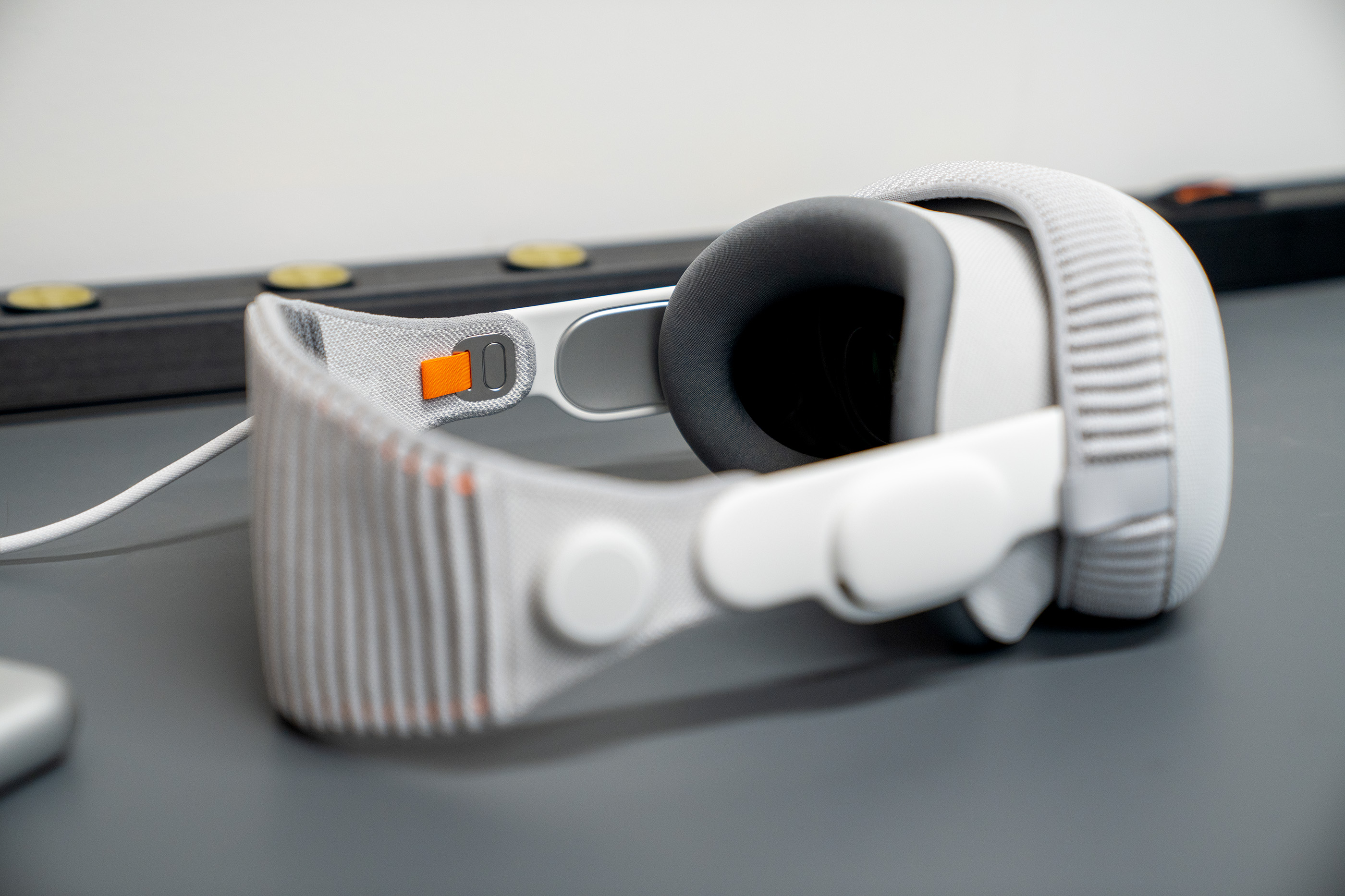
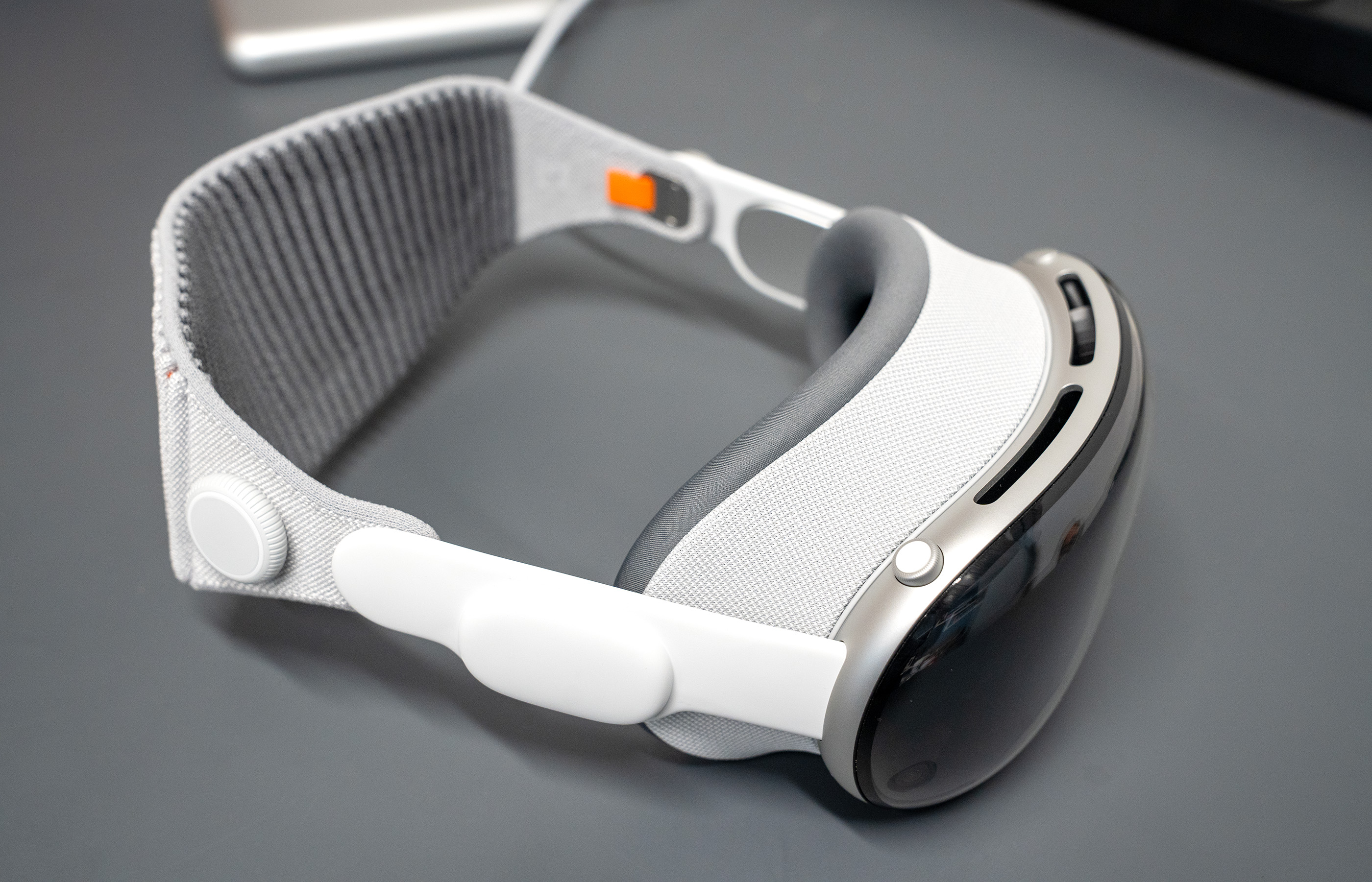
There’s something super interesting contrast between the hard, smooth headset and the softer, textured Light Shield, Light Shield Cushion and straps. It’s striking how good Apple has become at dealing with all of these various materials, and almost every little detail of the Apple Vision Pro is delightful. That especially goes for the little orange tab used to release the band:
Despite my love of orange accents, there’s no forgetting that this thing is a computer on your face. It’s heavy and it can be fiddly to adjust the straps. Having the right fit is super important, and I recommend picking one up in an Apple Store if you can so adjustments can be made before you get home.
The Light Shield (the large gray section) and Light Shield Cushion (the smaller, dark gray section) stay attached via magnets. There are multiple sizes of the Light Shield and two of the Cushion, and getting the combination right is critical to making the headset as comfortable as possible.
The size the Apple Store app recommended for me ended up being correct, but I can’t decide which thickness of the Light Shield Cushion I prefer. Both thicknesses of the Light Seal Cushion are in the box when you purchase a Vision Pro, and additional Light Shields can be ordered online.
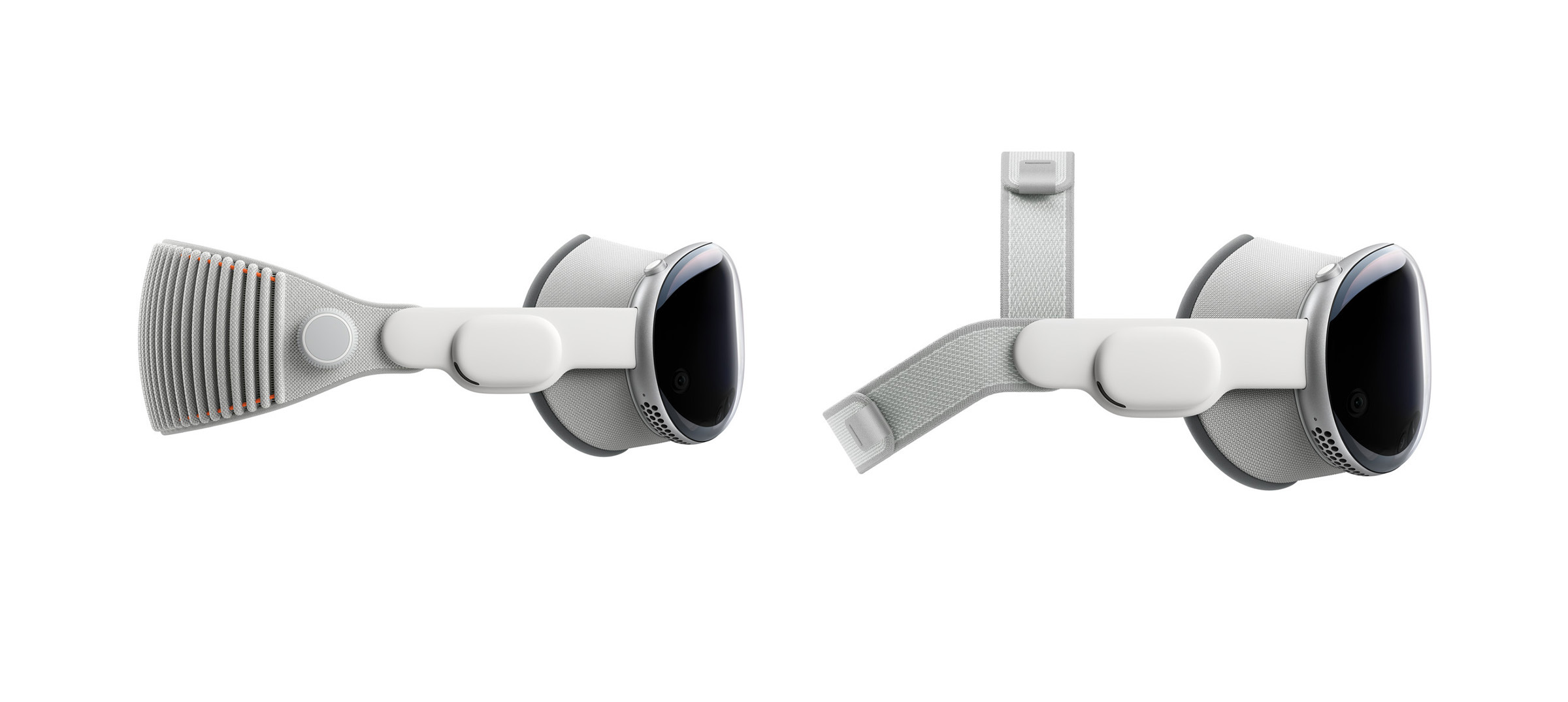
Apple ships two bands with the Vision Pro. The default is the Solo Knit Band, which looks very futuristic. Slip it on and you can adjust the tightness with a dial on the side of the band. The alternative Dual Loop Band also ships in the box, albeit hidden in the bottom part of the packaging, stashed away like a dirty little secret. Here are the two options, as shown on Apple’s website:
I’ve been using the Solo Knit Band for short bursts, but for longer sessions, the Dual Loop Band is far more comfortable but also a lot more annoying to get adjusted correctly.
Both really mess up your hair.
When you take the Apple Vision Pro off, you can’t help but notice the heat radiating from the top and front of the device. I’ve never felt this heat coming back at me when I’m wearing the headset; it seems that all the hottest parts are placed as far away from the user’s eyes as possible. You’re not going to come down with a case of the Hot Eyes after using the Vision Pro.
Apple supplies a cover for the front glass (plastic?) for storage. I recommend using it, and not just because it reminds me of an iPod Sock. There’s also a special Vision Pro cleaning cloth, which comes in handy, as the front of this thing gets smudgy very easily, and finger grease may interfere with the cameras and sensors which can be seen lurking under the cover.
Optical Inserts
I wear glasses all the time, so when I pre-ordered my unit, I also ordered a pair of the ZEISS Optical Inserts. It was an easy process, thanks to the fact I had a recent vision prescription handy.
Popping the inserts into the headset could not be easier, thanks to the use of magnets. After scanning the included QR code, my headset adjusted and I was good to go.
Lights & Sounds
I’ve already said several times in this review that the passthrough video is incredible, and it is, but there are some aspects to the displays worth mentioning in more detail.
First off, the resolution of the tiny displays in the Apple Vision Pro is wildly high, far beyond anything the company has shipped before, with some 23 million pixels across two displays. Pixel density at this level doesn’t seem possible.
However good the resolution is, passthrough is not sharp enough for me to read text from a printed page or another device when wearing the headset. Thankfully all of those pixels make apps look super sharp. Apple has several Accessibility options in visionOS to adjust things as needed.
Likewise, the color reproduction leaves a little to be desired. The Apple Vision Pro meets just 92% of the DCI‑P3 color gamut. I don’t think any hardcore design work is going to happen at this point on visionOS, but it’s worth noting that everything in visionOS ends up looking a little muted compared to something like the MacBook Pro.
Adding to this effect is the fact that the entire passthrough video feed is presented to the user more dimly than the user interface elements that float atop the feed. This makes sense in a world where apps and the background need to be visually distinct. However, if you don’t have any user interface up and are just looking around in your room, things look dimmer than they do in real life. 
Then there’s the field of view. When wearing the headset, you notice a black frame around the edges of your vision. This peripheral vision loss is not so great that the headset feels claustrophobic, but it is noticeable, especially if you’re brave enough to walk around wearing your Vision Pro. To Apple’s credit, they seem to have done some work to soften this edge, so it doesn’t appear as a hard black line around the edges of your vision. 
On a somewhat related note, I have noticed a little bit of glare while using the headset, especially while moving my head. It’s not distracting, but it is noticeable. 
The last thing I’ll mention on the video front is that the Apple Vision Pro is clearly tuned to keep the frame rate as smooth as possible, even in low light. This can lead to some noise when using passthrough video in a darker environment. To my eyes, this is more noticeable than the color reproduction issue, but I don’t mind it. There’s something kind of … soothing? … about how it looks.
You adjust to all of this fairly quickly while using the device, but I imagine Apple is already working on improving these things for the future.
On the audio front, I am nothing but impressed by the Apple Vision Pro. The built-in speakers live in the white plastic section attached to the aluminum frame and fire audio down and back into your ears. This means that everyone around you can hear what you’re doing in visionOS, but alone in my studio, that hasn’t been a problem.
I did not like Spatial Audio before this product came along. I’ve got it turned off everywhere else, but there’s something about sound coming from the location of its source that makes a lot more sense in visionOS.
The clearest example is FaceTime. If I’m talking to someone and put their video on my left, the audio sounds like it’s coming from the left. Likewise, if I bring them very close, the sound gets louder. It’s all very, very impressive.
Accessories
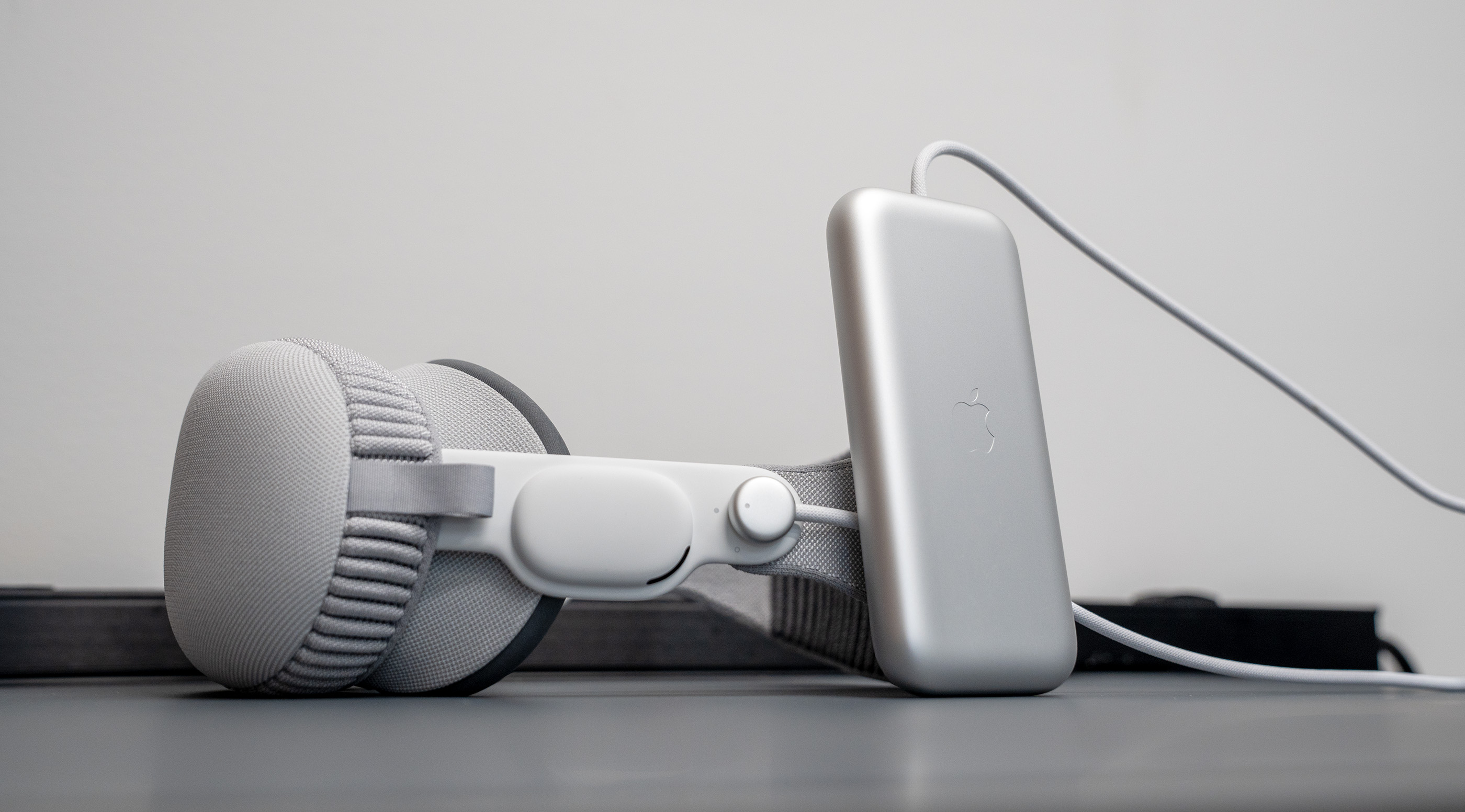
Unlike most other headsets on the market, Apple’s includes an external battery that is designed to slip into your pocket or sit on the couch next to you.
The battery attaches via a twisting connector on the left side of the strap, and comes with a long fabric-wrapped cable. The battery itself has a USB-C port on it for charging or daisy-chaining batteries.
Apple made the right choice in making the battery external. In addition to being easier to replace, it makes the headset much lighter. There’s no hot-swapping the battery, so be mindful that if you purchase an additional battery, you’ll need to shut down your Vision Pro to change between them when you reach the end of the 2.5ish hours a single unit can provide.
(I’d recommend just daisy-chaining the thing to a larger portable battery. Or maybe an F-150 Lightning.)
The biggest trade-off is that you need to be aware of the battery and cable. On the second day of having the headset, I was sitting on the couch in my office using it. I took it off, sat it next to me, and walked back to my desk … with the battery in my pocket. My $3,499 Apple Vision Pro was pulled off the couch onto the rug in front of it. Thankfully it wasn’t damaged, but I now have a very specific ritual to put it on and off to make sure nothing like that happens again.
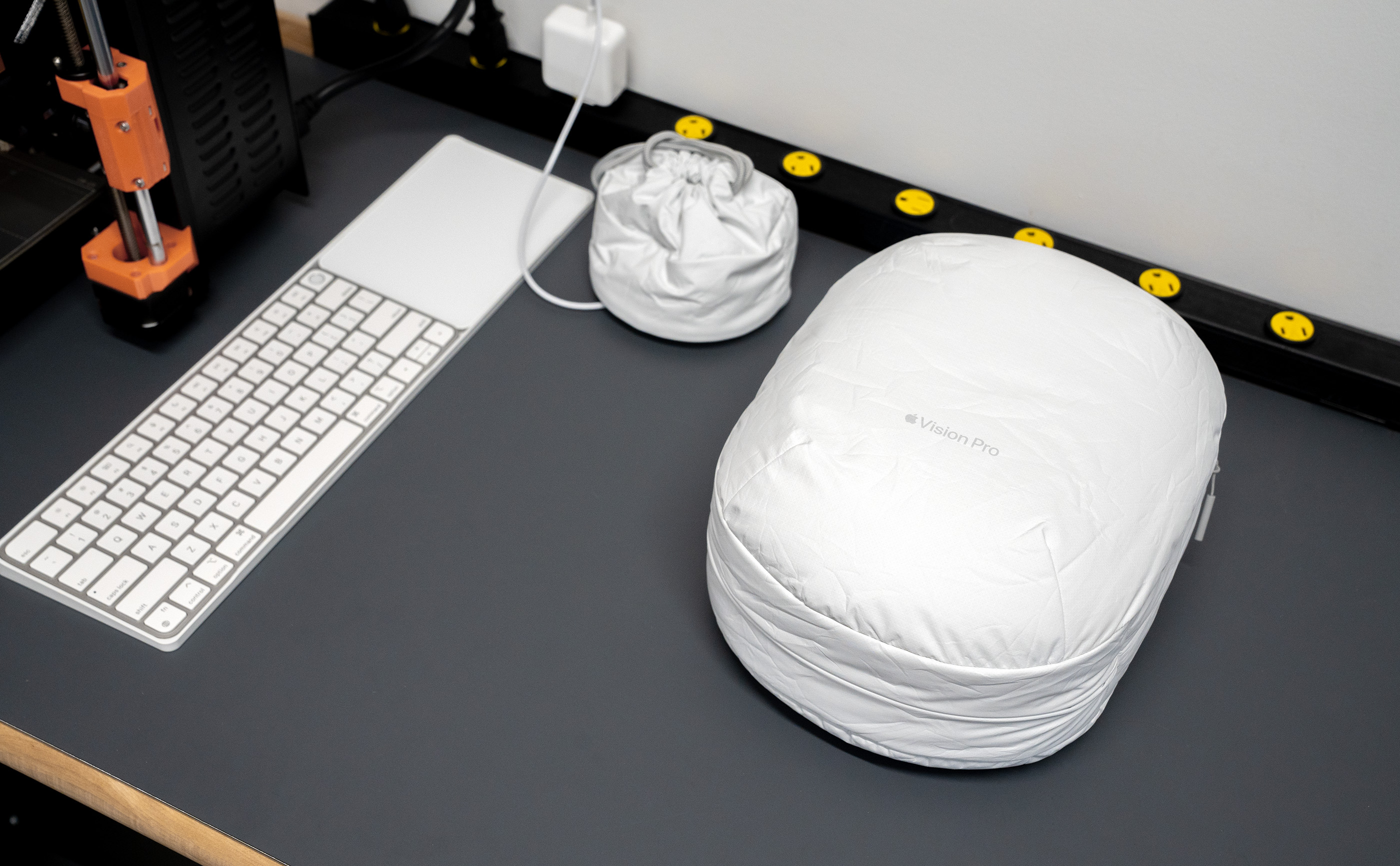
Part of that is storing my unit in the Travel Case. At $199 it is far too expensive for what it is, but I love how it looks.
When I want to use the Vision Pro, I go to the workbench where I’m keeping it, take my glasses off, put it on and keep the battery in my hand or in my pocket. I don’t take it off until I’ve placed the battery back on the workbench. It’s silly, but I’d rather not smash this thing.
More Ski Goggles Than Smart Glasses
As impressive as Apple’s passthrough video is, I cannot help but think that it is a technology with an end date. All you have to do is look at this headset and imagine a future in which most of its core features can fit into a pair of normal looking glasses. Cameras have been in glasses for years now, and if Apple could overlay the real world with your apps, it feels like this sort of product would be easier to accept in terms of its societal ramifications.
If these imagined smart glasses could keep the Environments feature as well, it would be sweet, but probably harder to do.
The biggest reason why some people think the Apple Vision Pro is a bit dystopian is because it covers the wearer’s eyes. While EyeSight paints virtual eyes on the user, their real eyes would be much better.
The Future Hasn’t Been Written Yet
Like Doc Brown says at the end of Back to the Future III, no one’s future is written yet; it will be whatever we make it.
The same goes for visionOS and all tech products, really. Companies can get on stage and declare that something is the future, but if customers don’t buy into it, it simply won’t come to pass.
The iPad is a decent example of this phenomenon. What was once the Future of Computing is now a sizable business, moving along at the same pace as the Mac, living alongside its older sibling.
It is too soon to tell where the Apple Vision Pro and its follow-ons will land. The hardware and software will only get better from here, of course, but I suspect it will be years before the Vision Pro makes up the same 6-8% of quarterly revenue the Mac and iPad usually turn in.
It is clear Apple is serious about this platform and has worked very hard to bring this initial version to market. It’s the most interesting new product Apple has released since the original iPhone in my estimation.
It’s okay that we don’t know where this story is going to end, because the first chapter has proven to be pretty amazing, even if it doesn’t replace another computer in my life.
I’m keeping mine to enjoy what it’s good for and to keep tabs on what Apple is doing with this new platform. I expect I will do some light work with it and will enjoy media on it.
The Apple Vision Pro has within it the possibility for amazing remote connection but also extreme isolation; I still feel torn about what a product that covers my eyes means.
From the computer enthusiast’s point of view, I have even more questions now than I did back when the Vision Pro was announced in June 2023. Will we all be wearing computers on our faces in the future? Will visionOS be able to grow beyond its iPad roots and become a more general-use computer? When will it be normal to see someone with a headset on out in the world? Will anything ever be able to knock the smartphone off of its throne?
Anything is possible, but for now, the Apple Vision Pro is a tantalizing and expensive peek at what that future could hold within the warm embrace of unexpected nostalgia. It carries on its shoulders the weight of the future while being constrained by the technology at Apple’s disposal today.
The obvious counter-example is the iPod, which was eaten alive by the iPhone. However, given that the iPod was basically a unitasking music player, it was always going to be replaced by a more capable general-purpose device, so I think my theory still works. ↩
This is the third device we’ve seen the Digital Crown on, after the Apple Watch and AirPods Max. It’s the input device that just keeps giving. ↩
Remember when iPad apps were all separate purchases from their iPhone counterparts and would have “HD” in their names? Those were some fun days!↩
For years, people have commented that there is nothing keeping macOS from running on an iPad other than Apple’s own product strategy. Technically, Mac and iPad hardware are more or less the same at this point, other than their form factors and input methodologies. Will we finally get the ability to run a virtual Mac on an iPad now that Apple has broken the seal with visionOS? Time will tell. ↩