
I recently found a screenshot of the App Store running on iOS 5 hanging out in my Dropbox1 and I had things came to mind.
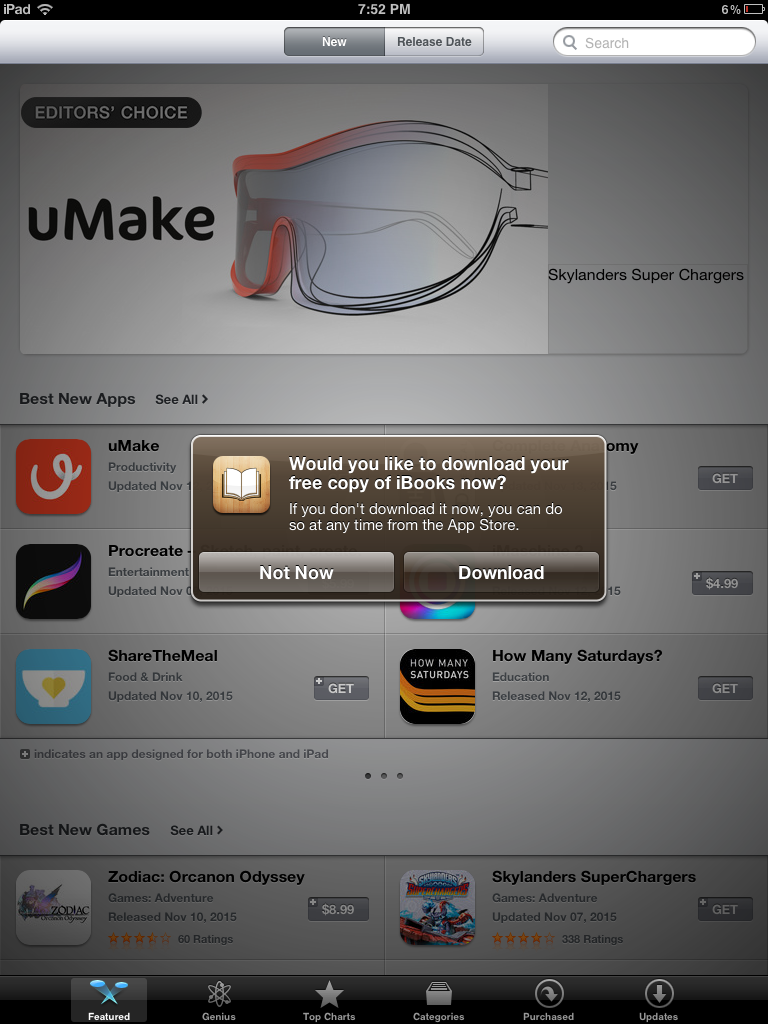
- iBooks wasn’t part of a clean iOS install until iOS 8.
- Apple pushing its services with annoying notifications isn’t anything new.
- We need more brown UI elements in our lives.
-
If I had to guess, I bet I made this screenshot when working on this MacStories piece. ↩︎
Mac Power Users #685: Fighting Digital Distractions⇢
Between news apps, delivery services, task managers, emails and communication tools, our devices receive an untold number of notifications daily. On this week’s Mac Power Users, David and I talk about how to push back against the wave of interruptions that threaten our focus and work.
My New Favorite Old, Busted Page on Apple’s Website
I put this on Mastodon yesterday, but wanted to share it here, too:
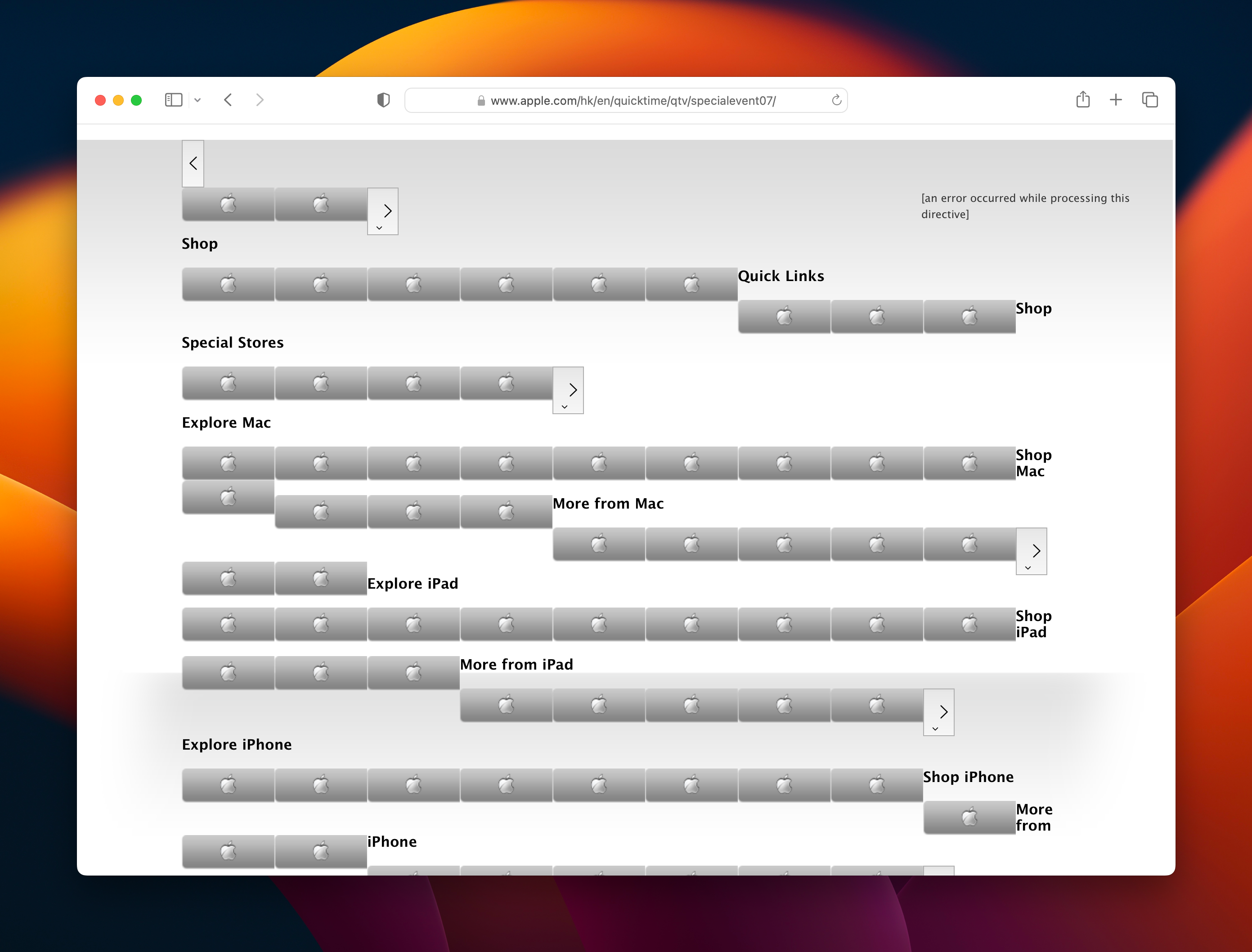
I came across this page when working on the next Apple History calendar, and it really made me chuckle. I’ve got an image of the whole thing saved here for all time.

Apple’s Live Activity for Timers Already Needs a Refresh
UPDATE: This has been fixed as of iOS 17!
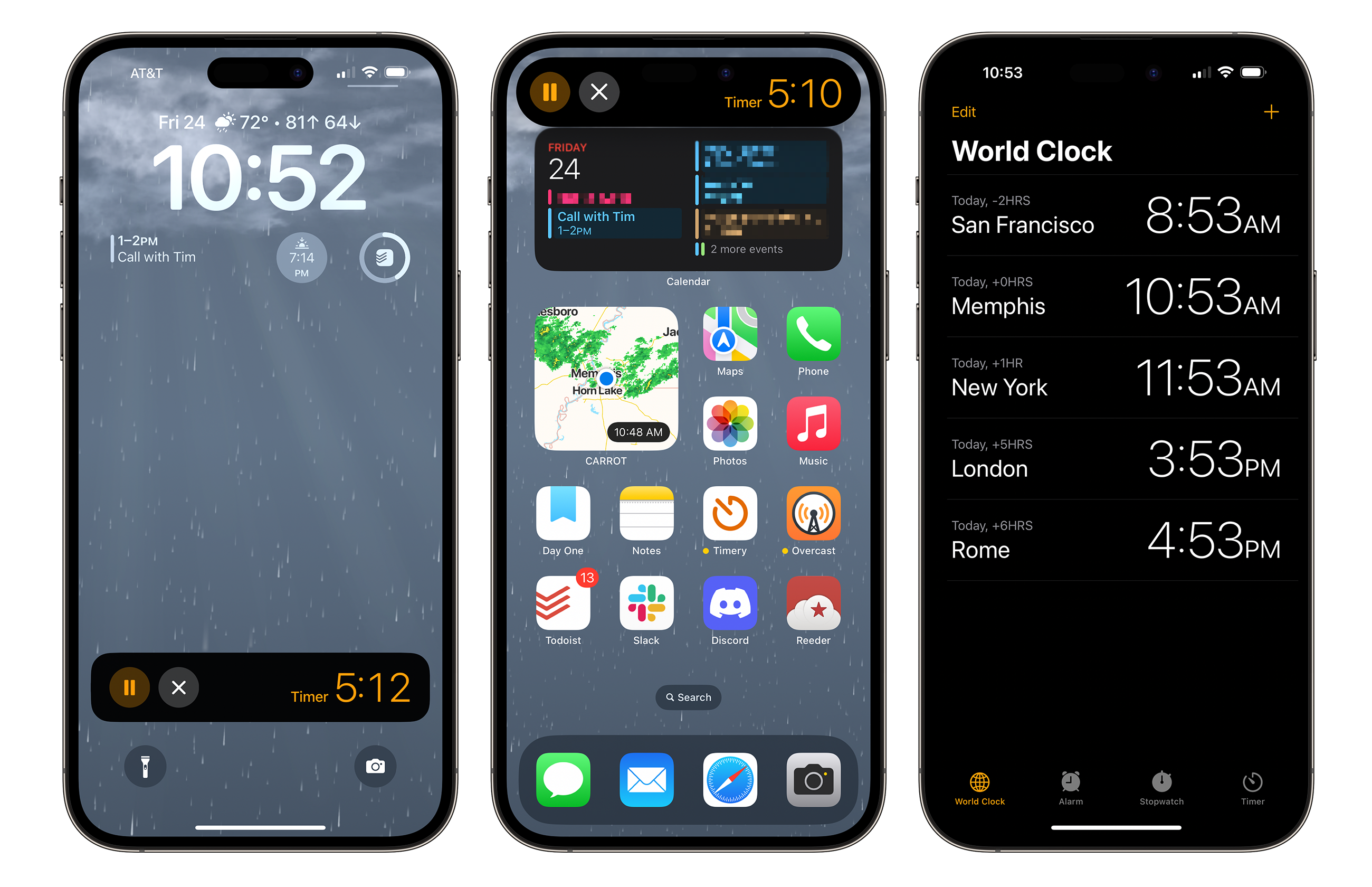
Apple’s Live Activity feature has begun to take off, with more and more apps doing interesting things with the new user interface. Sadly, one of Apple’s own uses for it doesn’t work the way it should.1
In this image, you can see the Live Activity on the lock screen, expanded from the Dynamic Island and a screenshot of Clock.app itself:
Framework Updates Its Modular Notebook Line⇢
Framework is a company creating PC notebooks that are designed to be upgraded and repaired over time, and they’ve refreshed their products, as Andrew Cunningham reports:
For the second year in a row, Framework has announced new upgrades for its modular, repairable Framework Laptop that can be installed directly in older versions of the Framework Laptop. There are two motherboards: one with a predictable upgrade from 12th-generation Intel Core CPUs to 13th-generation chips and one that brings AMD’s Ryzen laptop processors to the Framework Laptop for the first time.
Connected #442: They Want Azimuth⇢
Myke makes a very important correction and deeply regrets his previous error. Federico pits cubes against triangles and Clippy has been reborn as Microsoft 365 Copilot. Lastly, Stephen starts his search for an heir.
I Asked Bing to Make Some macOS Wallpapers
I love macOS wallpapers, so when I saw that Bing had incorporated image creation into its probably-not-going-to-kill-us-all-but-maybe AI tools, I took it for a spin with this prompt:
Make some wallpapers in the style of Mac OS wallpapers from Jaguar, Panther and Tiger
I got these back:




That’s not really what I had in mind, so while the AI’s reading of my prompt made me laugh, I decided to try again:
Quinn Nelson, on Apple’s Upcoming Headset⇢
Everyone’s favorite tall YouTuber has a new video out, looking at the whirlwind of Reality Pro rumors. I am personally finding it hard to get excited about this, but I have to admit, his passion for the subject has helped:
Kbase Article of the Week: FireWire Ports: Specifications⇢
I think we sometimes assume the confusion brought forth by USB-C, but maybe it isn’t.
Apple Patents Updated Watch Fall Detection for Bike Accidents⇢
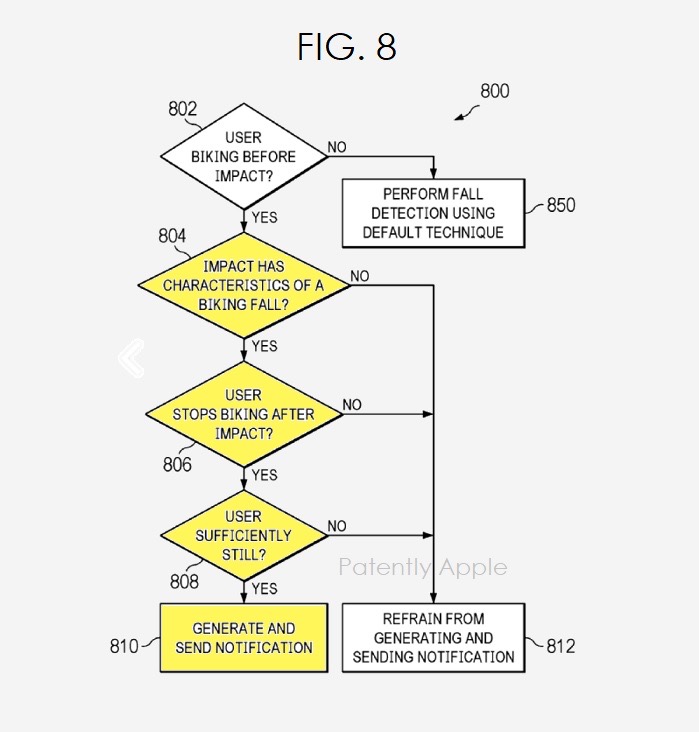
With the regular fine print that “big companies patent every single thing they can,” this report on Patently Apple caught my eye. I’ve had more than a couple bike crashes over the years, including one that shattered an Apple Watch.
I just love the graphic included in the post that shows the decision tree involved:
Sponsor: DEVONthink of DEVONtechnologies⇢
Whether you’re in the harbor or at high sea, you need to know where you are or where you’re sailing. If you have all the maps, books, and documents. DEVONthink for Mac and DEVONthink To Go for iOS will not let you down on your mission and help you navigate the “seven seas of information.”
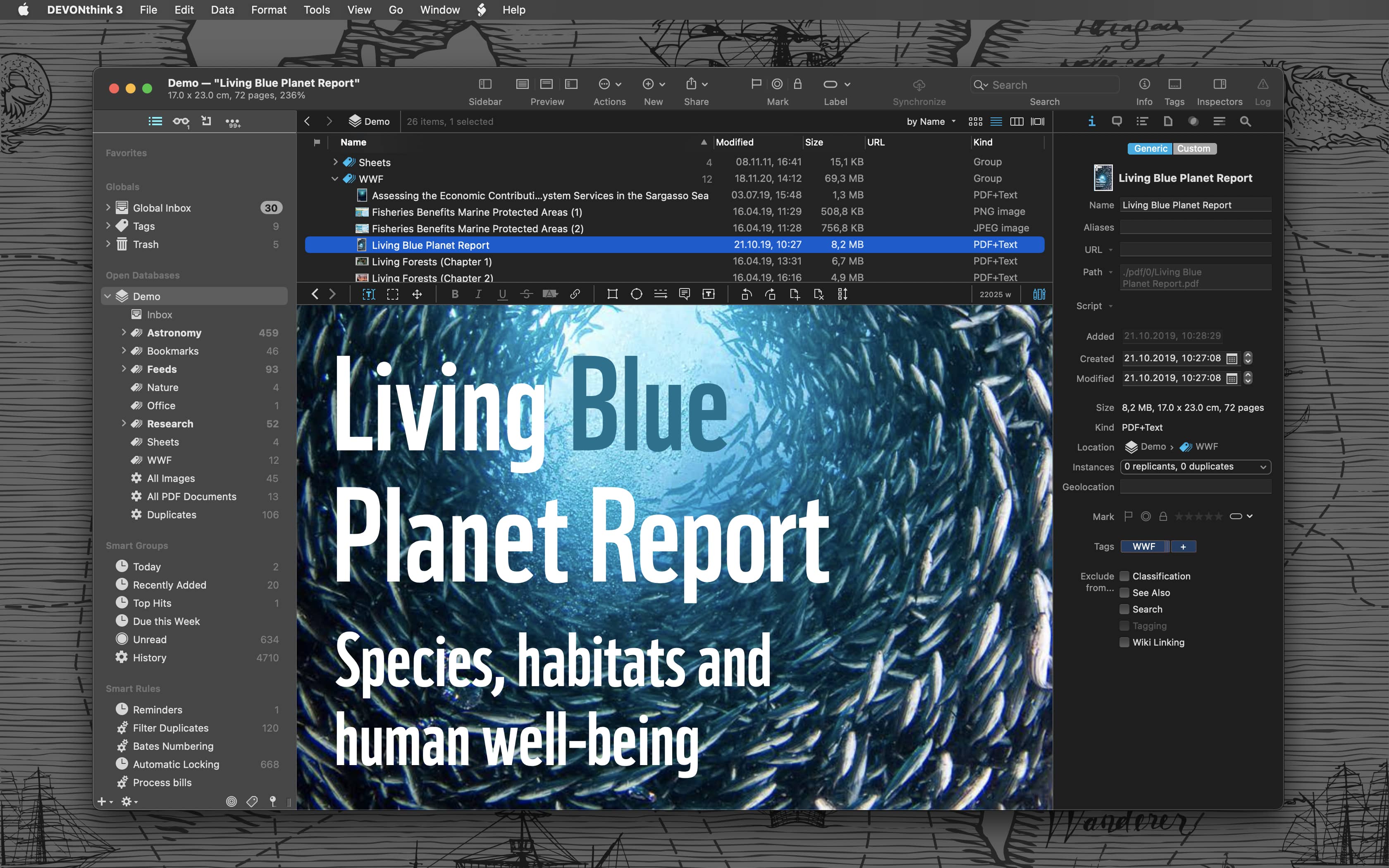
Sailor jokes aside … DEVONthink helps you get organized in your office, home office, or on the go. It keeps all your documents, snippets, and bookmarks in one place. Organize them however you need and let DEVONthink’s unique AI assist you all the way with filing and finding. And if that wasn’t enough, smart rules and flexible reminders let you delegate all the boring, repeating daily tasks to DEVONthink too. On iOS, use Shortcuts actions to integrate DEVONthink To Go with your other apps.
Mac Power Users 684: 20 Mac Apps Under $20⇢
This week on Mac Power Users, David and I round up some Mac apps for their “20 Under $20” saloon!