
Parker Ortolani has put together an amazing list of some of the most memorable moments from WWDC’s three decades of history.
posts
Kbase Article of the Week: Magnetic Accessories Might Interfere With iPhone Cameras⇢
Lens-position sensors respond to magnetic fields. If you place a magnet near these sensors, the magnetic field will interfere with or temporarily disable the sensors. This can degrade the sensors’ accuracy and limit the range of movement available to the lenses. The camera will continue to take photos with other means of stabilization but without the benefit of OIS and closed-loop AF.
Third-party manufacturers make some accessories with strong magnets or magnetizable metal plates that are near the iPhone rear camera (or cameras). These magnets and plates can latch folio covers, join separable cases, or attach to rigid mounts—for example, car mounts. For best camera performance, avoid accessories that use magnets or magnetic metal near the iPhone rear camera (or cameras).
Connected #348: The Rickies (WWDC 2021)⇢
This week on a chaotic episode of Connected:
WWDC is next week, so the boys have gathered their picks for The Rickies, which are now tracked on some amazing websites. As for the picks themselves … well, buckle up, because things get passionate.
My thanks to our members and sponsors for making it possible:
- Pingdom: Start monitoring your website performance and availability today, and get instant alerts when an outage occurs or a site transaction fails. Use offer code CONNECTED to get 30% off. Offer expires on January 31, 2022, and can be used only once.
- Squarespace: Make your next move. Enter offer code CONNECTED at checkout to get 10% off your first purchase.
- Clean My Mac X: Your Mac. As good as new. Get 5% off today.
- StoryWorth: Record your family stories. Get $10 off your first purchase. Get started right away with no shipping required.
I can’t wait for next week.
Video: How to Customize macOS System Preferences⇢
System Preferences is a pretty old part of macOS, and while we can’t fix some its more troublesome characteristics, customizing its main user interface is pretty easy:
Sponsor: HomeControl — Mac Menu Bar App for HomeKit⇢
HomeControl is a powerful HomeKit menu bar app: check the state of your home at a glance, trigger scenes or switch the status of any device directly from your Mac menu bar!
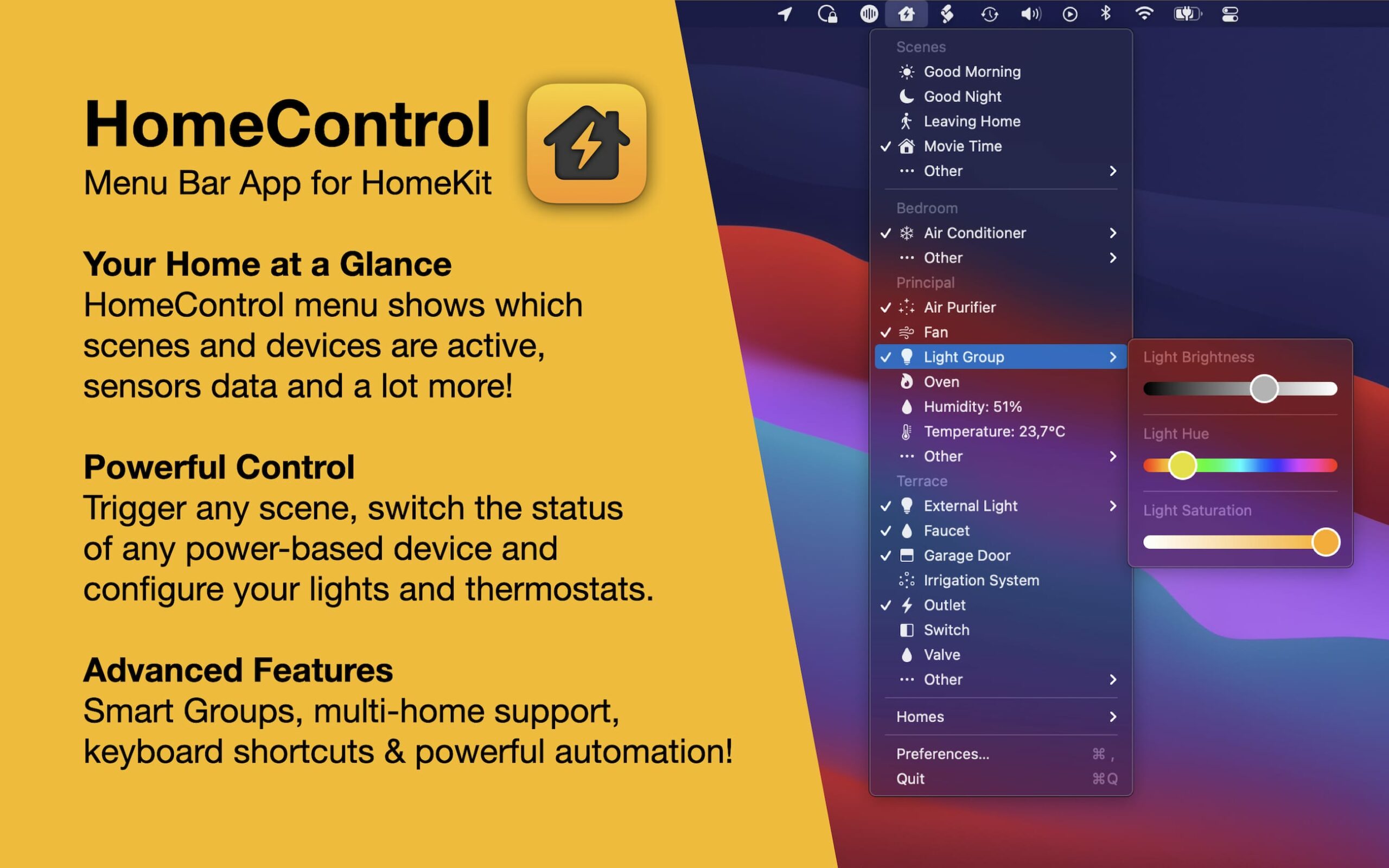
HomeControl supports all standard HomeKit devices and sensors and includes advanced features like changing device properties (lightbulb brightness or color, thermostat temperature), global keyboard shortcuts and Smart Groups to quickly control all devices in a room at once.
Mac Power Users #590: Our Video Workflows⇢
David and I are both working on more video than ever, so on this week’s show, we compare notes on their processes, gear and editing tools.
For MPU members, I reviewed the 24-inch M1 iMac.
My thanks to our sponsors this week:
- TextExpander from Smile: Get 20% off with this link and type more with less effort! Expand short abbreviations into longer bits of text, even fill-ins, with TextExpander from Smile.
- Memberful: Best-in-class membership software for independent creators, publishers, educators, podcasters, and more. Get started now, no credit card required.
Big Sur 11.4 Supports Full External Booting for Apple Silicon Macs⇢
Howard Oakley at The Eclectic Light Company:
I’m delighted to report that five months after I wrote that M1 Macs had problems starting up from external disks, Apple has finally fixed Big Sur 11.4 so that they now work fully.
If you have an M1 Mac, you should now be able to connect supported storage, such as an SSD, install on it any version of Big Sur from 11.2 onwards, select that in the Startup Disk pane, and boot your Mac from that external disk.
Unite 4 for macOS⇢
My thanks to Unite 4 for macOS for sponsoring 512 Pixels this week. It’s a great way to turn a webpage into an app on your Mac — including support for native notifications, new customization options, and much more. Go check it out.
Apple Via del Corso⇢
Federico got a chance to check out Rome’s new flagship Apple Store and it is stunning.
Comparing the M1 iMac to the G3⇢
No one asked for this comparison, but I delivered anyway:
Kbase Article of the Week: Magic Keyboard for 24-inch iMac⇢
The wireless Magic Keyboard included with your 24-inch iMac has built-in features that make it easy to enter emoji, switch keyboard languages, lock your iMac, and perform many system functions with the touch of a key. The Magic Keyboard with Touch ID also lets you use a fingerprint to sign in and make purchases using Apple Pay.
Dark Noise Launches on macOS⇢
I love Dark Noise on iOS, and Charlie really put in a lot of work to make it a great Mac app via Catalyst.