Kbase Article of the Week: Intel-based Mac: How to Tell if an Application is Universal⇢

Apple Support:

Are you wondering whether your application is running with Rosetta or not? It’s easy to figure out if you have a Universal version of an application. Here’s how:

  1. In the Finder, click once on the application icon, so it’s highlighted.
  2. From the File menu, choose Get Info.
  3. Find the section labelled General and toggle the triangle, if necessary, to open this section.
  4. On the Kind line, Universal applications appear as “Application (Universal)”.

If your application is Universal but you want it to run with Rosetta, note that there is a checkbox that says “Open using Rosetta”. This can be useful if your Universal application uses plugins that have not yet been released in a Universal format.

Continue reading ⇢

Third-Party Headphones, Speakers Pulled from Apple Store⇢

Mark Gurman:

Apple Inc. has stopped selling headphones and wireless speakers from rivals including Sonos Inc., Bose Corp. and Logitech International SA as the company gears up to launch its own new audio products.

[…]

The moves come as Apple develops multiple new products to expand on its audio strategy. The first Apple-branded over-ear headphones could be announced as early as this year, Bloomberg has reported. The company has also been working on a smaller version of its HomePod smart speaker.

Continue reading ⇢

$456,000

Earlier today, we wrapped up Relay FM’s annual fundraiser for St. Jude. This yeah’s campaign was a massive success, raising $456,000 for the hospital. This is $141,000 more than last year, which is a mind-blowing. Thank you to everyone who donated, as well as the Relay folks who took part, and the guys at ATP and John at Daring Fireball for helping share the campaign with their audiences. I love that the wider Apple community joins us each year, and I can’t wait to see what we can achieve in 2021.

Continue reading ⇢

Sponsor: SheetPlanner: The Ultimate Tool for Organizing Information, Managing Projects and Getting Things Done⇢

SheetPlanner helps you organize information, manage your projects, and schedule your tasks and activities with unparalleled power and flexibility.
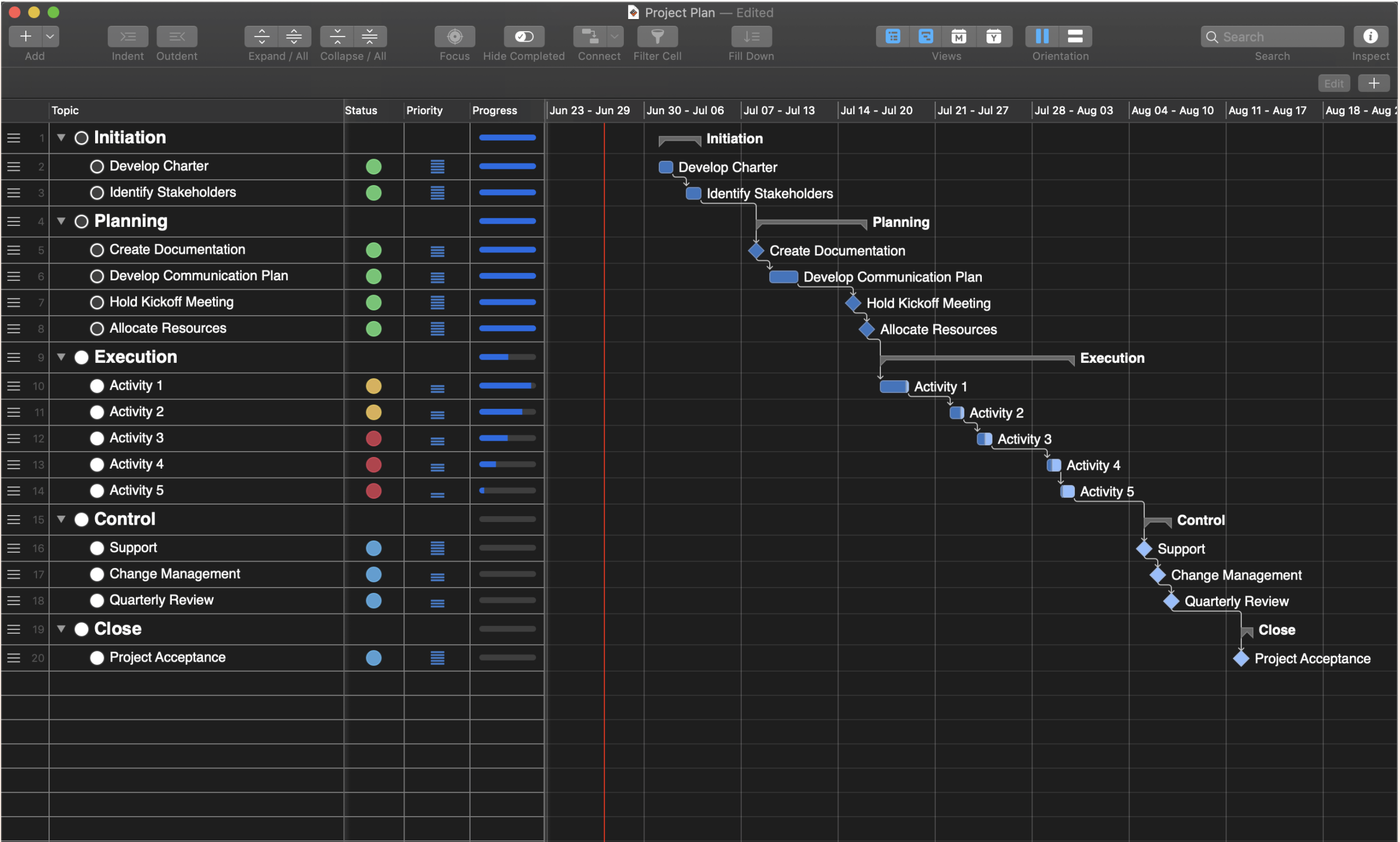
Get organized…

Organize information using the Outliner to provide structure. Populate the start, finish and progress columns to create a schedule and track progress. Add custom, text, number, date, symbol, list and picture columns to track additional information.

Make a plan…

Visualize tasks with start and finish dates on the Timeline. Change the Timeline scope to get a high level view of your project over multiple years or zoom in to weeks or even days for more precision. See the progress of each task in the Timeline. Customize the color of Timeline bars. Preview and print the Timeline.

Continue reading ⇢

Mac Power Users #556: Video Conferencing Deep Dive, with Liana Lehua⇢

This week on MPU:

Liana Lehua joins in this week to share the best workflows and gear for improving video conferencing and home audio and video. Liana and David also discuss business apps, widgets, and revisit the iPad vs. MacBook question.

My thanks to our sponsors this week:

  • Sanebox: Stop drowning in email!
  • MarsEdit: Powerful web publishing from your Mac. Get 20% off.
  • Squarespace: Make your next move. Enter offer code MPU at checkout to get 10% off your first purchase.
  • Indeed: Get a free $75 credit to boost your job post.

Continue reading ⇢

Operating Systems ... In Spaaaaaaaace⇢

The technology used aboard most spacecraft always has to be very robust to survive the harsh environment beyond our atmosphere, but often the software and hardware used are rather basic and usually fairly old by the time a launch takes place.

Part of the reason why is that spacecraft take years to develop, but reliability is the biggest reason. If something goes bad on a spacecraft that can’t be fixed remotely, the mission is put into jeopardy.

Continue reading ⇢

Connected #314: The Jeremies (Fall 2020)⇢

Another week; another special episode:

Apple is on the verge of releasing new emoji, so it is time for Federico to try to guess their names.

On Connected Pro, he also shared about his first pet and a favor the universe is going to do for him. It was wild.

My thanks to our sponsors:

  • Pingdom: Start monitoring your website performance and availability today, and get instant alerts when an outage occurs or a site transaction fails. Use offer code CONNECTED to get 30% off. Offer expires on January 31, 2021, and can be used only once.
  • Squarespace: Make your next move. Enter offer code CONNECTED at checkout to get 10% off your first purchase.

Continue reading ⇢