
I’m a big fan of podcasts.
I use Instacast to subscribe and listen to podcasts on my iPhone 4. I can listen to shows in my truck or at my desk easily. I also don’t have to deal with syncing my iPhone all the time for new episodes, since Instacast download shows right to the device.
At work, I usually have my headphones on. I plug my iPhone into my MacBook Pro’s audio-in jack, and launch the excellent (and free) LineIn application, which allows me to patch audio from the audio-in jack right to the headphone jack.
At home, however, I don’t use headphones while at our iMac. Nor do I keep an audio cable handy for use with LineIn, as I rarely listen to podcasts at home.
But when I do, I use AirServer.
AirServer makes any Mac an AirPlay device, like the AppleTV. With AirServer on, my iPhone sees the iMac as an AirPlay destination. I can start up Instacast, go to the lock screen, and select my iMac as the AirPlay destination:
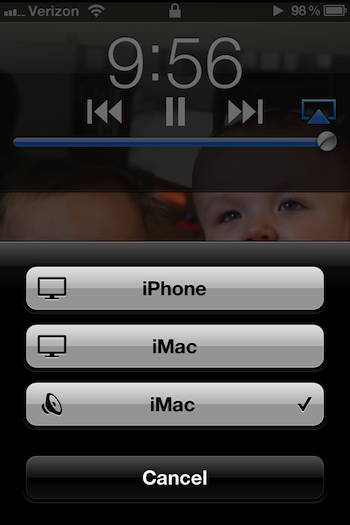
With this setup, I can start up a podcast, sit my iPhone on my desk, and enjoy listening to a show with the iMac’s great built-in speakers.
The 21st century is like magic, isn’t it?