Grateful Geek⇢

Jean-Louis Gassée has a new book coming out on May 16:

For the past 20+ years, everyone has been waiting for the story to be told. What really happened at Apple when Jobs returned and Gassée was out? In this first ever comprehensive memoir, Gassée doesn’t hold anything back. From his stellar career to his deepest moments of doubts to his new calling as a grand-father, Gassée dispenses his legendary witty advises and shares some very important moments of the tech world.

Continue reading ⇢

Reflections on the Thunderbolt Display

As noted by Joe Rossignol, the Thunderbolt Display is being added to Apple’s list of obsolete products.

In addition to making me feel old, this news made me remember just how good the Thunderbolt Display was.

Thunderbolt Displays

Announced in 2011, the Thunderbolt Display was an extension of the previous display, the 27-inch LED Cinema Display which was announced a year earlier. Here’s a bit from Apple’s press release:

Apple today unveiled the new Apple Thunderbolt Display, the world’s first display with Thunderbolt I/O technology and the ultimate docking station for your Mac notebook. With just a single cable, users can connect a Thunderbolt-enabled Mac to the 27-inch Apple Thunderbolt Display and access its FaceTime camera, high quality audio, and Gigabit Ethernet, FireWire® 800, USB 2.0 and Thunderbolt ports. Designed specifically for Mac notebooks, the new display features an elegant, thin, aluminum and glass enclosure, and includes a MagSafe connector that charges your MacBook Pro or MacBook Air.

Continue reading ⇢

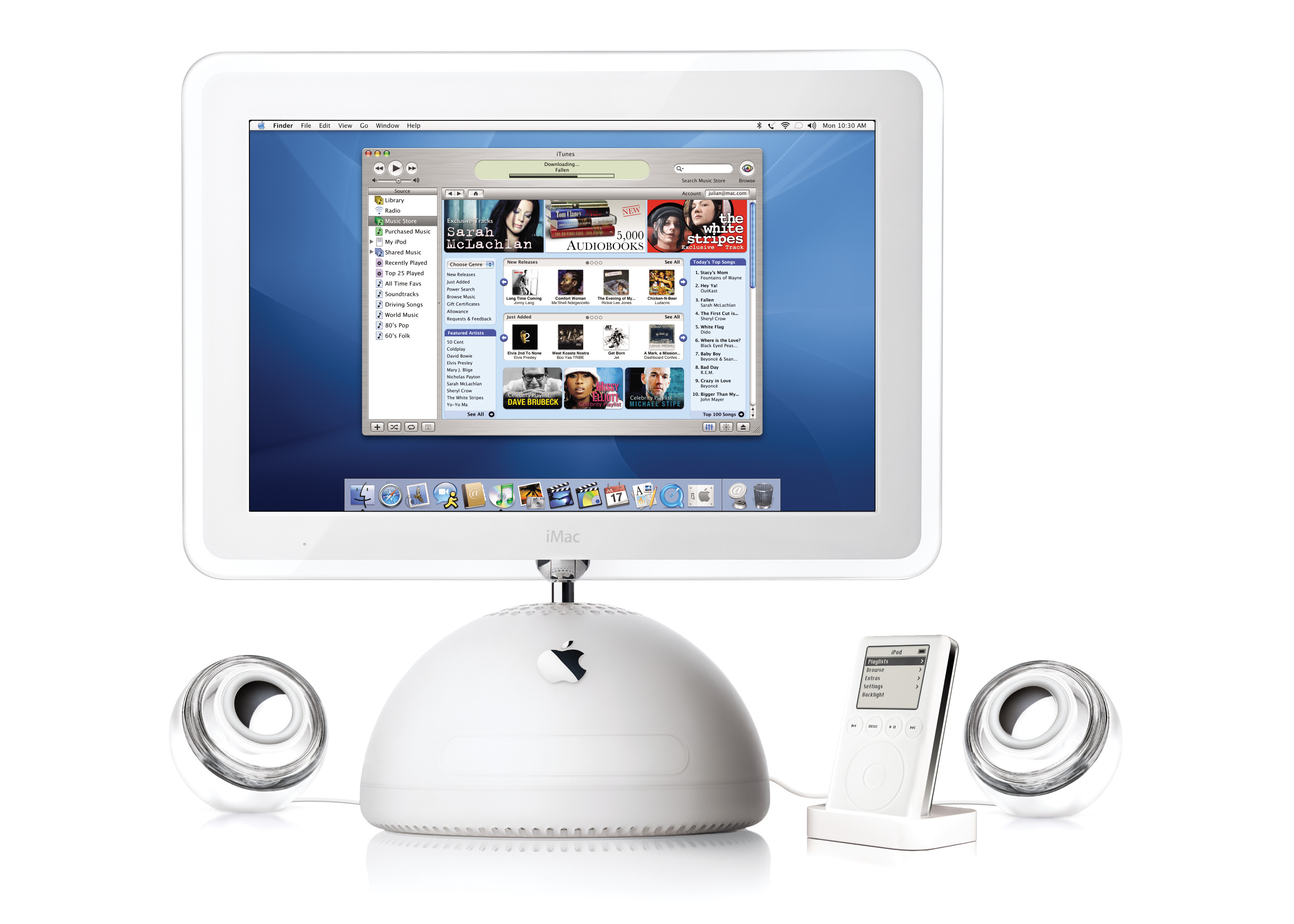
Twenty Years Ago, Apple Launched the iTunes Music Store

On April 28, 2003, Apple made a pair of announcements. The first was a new generation of iPod that featured completely solid-state controls and introduced the 30-pin Dock Connector.1

The other would change the company forever: the iTunes Music Store.

iTunes Music Store

Here’s a bit from the press release:

Apple today launched the iTunes Music Store, a revolutionary online music store that lets customers quickly find, purchase and download the music they want for just 99 cents per song, without subscription fees. The iTunes Music Store offers groundbreaking personal use rights, including burning songs onto an unlimited number of CDs for personal use, listening to songs on an unlimited number of iPods, playing songs on up to three Macintosh computers, and using songs in any application on the Mac, including iPhoto, iMovie and iDVD.

Continue reading ⇢

eBay is Full of ‘Make Something Wonderful’ Hard Copies

Make Something Wonderful, the new book by The Steve Jobs Archive is really something special if you’re an Apple nerd. The best reading experience is on the web, but it’s available in a bunch of digital formats as well.

(Personally, I snagged the .epub for my Apple history library that I store in DEVONthink.)

The holy grail, it would seem, is the physical edition of the book, which has been given to employees at both Apple and Disney.

Continue reading ⇢

I Asked Bing to Make Some macOS Wallpapers

I love macOS wallpapers, so when I saw that Bing had incorporated image creation into its probably-not-going-to-kill-us-all-but-maybe AI tools, I took it for a spin with this prompt:

Make some wallpapers in the style of Mac OS wallpapers from Jaguar, Panther and Tiger

I got these back:

That’s not really what I had in mind, so while the AI’s reading of my prompt made me laugh, I decided to try again:

Continue reading ⇢

Prepping the Rogue Amoeba Historic Screenshots for Social Media⇢

Neale Van Fleet, writing on the Rogue Amoeba blog:

As part of the unveiling of our Historic Screenshot Archive, I made some fun images to post to our social media accounts. Making those images was tricky, because interfaces were much smaller in the pre-Retina era.

Working on this project with Rogue Amoeba was a real blast, but I had been wondering how they prepped the images used on social media. Now I know!

Continue reading ⇢

Kbase Article of the Week: PowerBook G3 Series (Bronze keyboard): How to Differentiate From Other PowerBook G3 Series Computers⇢

Whoever was assigned to task to write a support article explaining the differences between the PowerBook G3 models drew the short straw that week at Kbase HQ:

This article describes the differences between the PowerBook G3 Series (Bronze keyboard) introduced in May, 1999, and earlier PowerBook G3 Series computers.

There are a number of visual cues for distinguishing the new PowerBook G3 Series.

They are:

  • The keyboard and trackpad button have a bronze or mocha color.
  • The inside display bezel has a white Apple logo at the top.
  • The rear ports are all enclosed by the I/O door and the modem port is now in the rear of the unit.
  • There are two USB ports.
  • It has a single, manual eject PC card slot which supports Type I and II PC cards.
  • The display clamshell latch mechanism release is on the base of the PowerBook instead of the clamshell.

Continue reading ⇢

Report: Next iPhone to Drop Ringer Switch for Button⇢

Filipe Espósito, writing last week at 9to5Mac:

9to5Mac last month revealed a first look at the design of the entire iPhone 15 lineup based on CAD files used to build the phones and also compatible accessories. But one thing that remained unclear was the layout of the volume buttons, which reportedly will be capacitive rather than physical. 9to5Mac has heard from a source that iPhone 15 Pro will have new unified volume buttons, plus a “pressing type” mute button.

Continue reading ⇢