CarPlay’s Messages App for iOS 26 is Bad

I’ve been running iOS 26 for a while now, and there’s something that has been bugging me. The Messages app in CarPlay is a disaster:
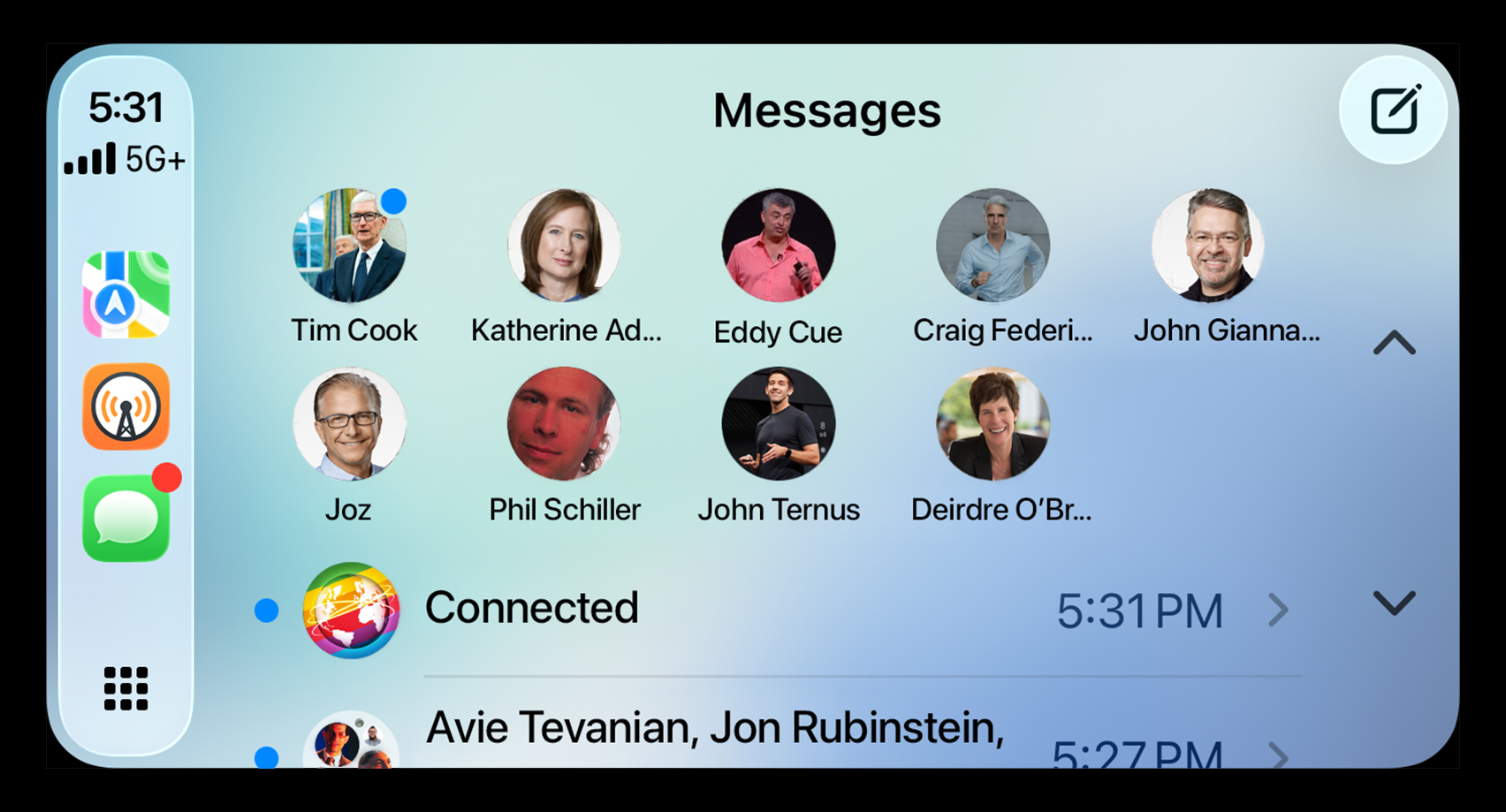
Messages in CarPlay iOS 26

I took some time to edit my friends and family out of this screenshot, but the layout and conversation names are exactly as they appear in real life.

Here are some of my issues:

  • It’s great that CarPlay’s Messages app now respects pinned conversations, but displaying them in anything but the 3-across grid from iOS, iPadOS, watchOS, and macOS breaks muscle memory in the one context where muscle memory is the most important.
  • Truncated names look terrible. I understand it on the Apple Watch, but even on the 7-inch screen in my Tacoma, there should be room to see first and last names. Making the favorites larger — and preserving their order — would help fix this.1
  • The unread badges should be in a consistent location. CarPlay shows badges for favorites to the upper-right of the image, whereas conversations in the list below have them on the left. This is something done only in CarPlay; every other Messages app shows unread dots to the left of the conversation name.
  • The “Messages” label at the top of the screen is off-centered.

All of this adds up to an interface that feels mostly forgotten. Messages should be consistent across platforms, and I hope Apple takes some time to readdress this before shipping iOS 26 this fall. Right now it looks like an Android phone app that got installed on a tablet.
Continue reading ⇢

Elon Musk Promises to Sue Apple Over Grok’s App Store Ranking⇢

Jess Weatherbed, reporting for The Verge:

Elon Musk says that his artificial intelligence company xAI “will take immediate legal action” against Apple for allegedly manipulating its App Store rankings to the advantage of rival AI apps. In a series of X posts on Monday night, Musk suggested that Apple was “playing politics” by not placing either X or xAI’s Grok chatbot in the App Store’s list of recommended iOS apps, and that he had no choice but to file a lawsuit.

“Apple is behaving in a manner that makes it impossible for any AI company besides OpenAI to reach #1 in the App Store, which is an unequivocal antitrust violation,” Musk said. “Why do you refuse to put either X or Grok in your ‘Must Have’ section when X is the #1 news app in the world and Grok is #5 among all apps?,” the xAI CEO asked Apple in another post, which is now pinned to his profile.

Continue reading ⇢

‘Macintosh HD’ Icon Updated in macOS Tahoe Beta 5

Juli Clover at MacRumors spotted the change:

The existing icon still resembled a hard disk drive, but the new icon looks like a modern solid state drive. Apple’s Macs stopped using hard disk drives starting more than a decade ago. The low-cost 21.5-inch iMac was the last Mac that had a hard drive component, as it used Apple’s SSD + HDD Fusion Drive. All current Macs use SSDs.

I will miss the old icon, but as Clover points out, spinning drives are long gone for most Mac users. The new icon feels more modern and fits in much better with the rest of Tahoe’s icons:

Continue reading ⇢

3 Billion iPhones

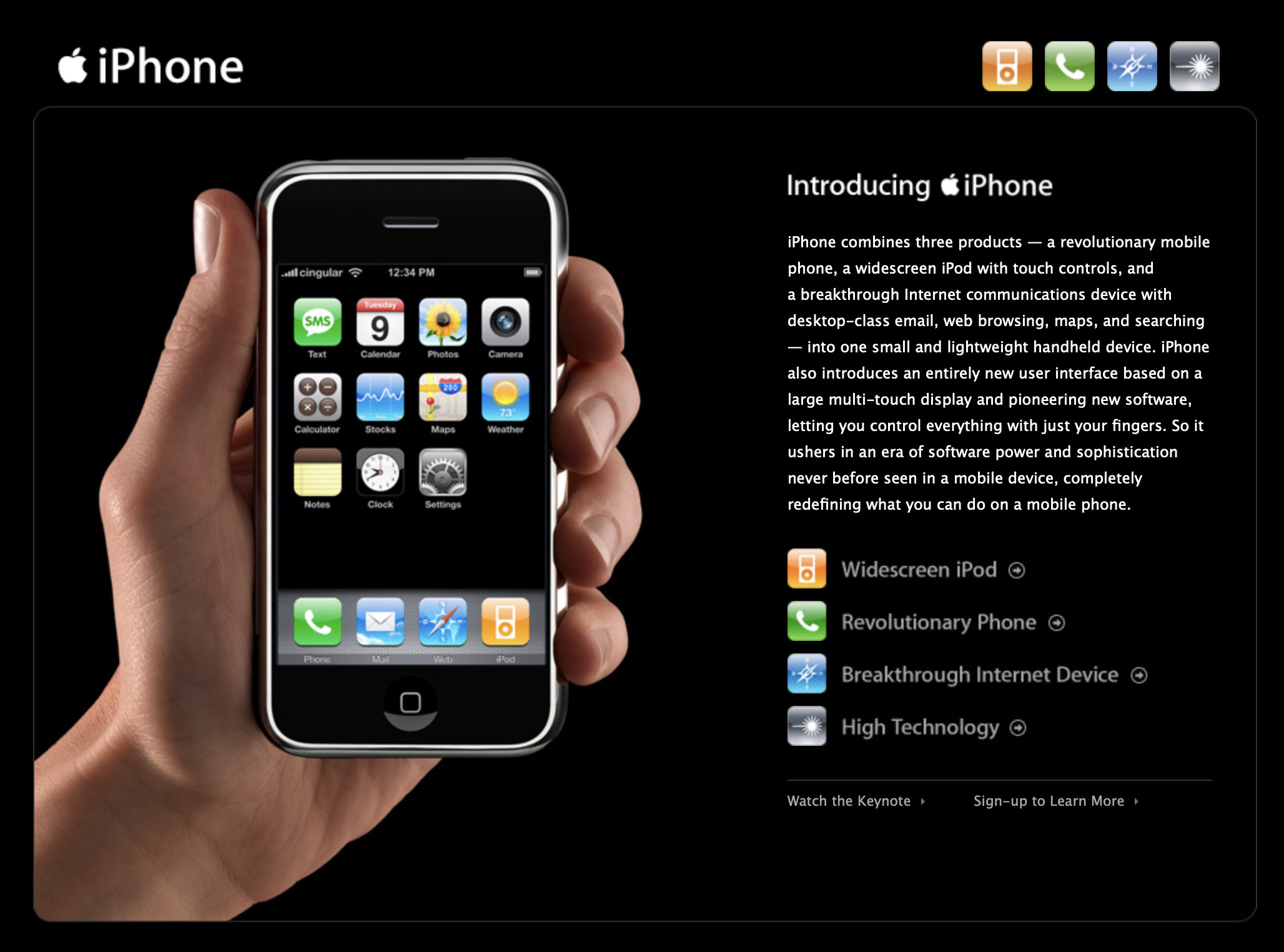
In January 2007, I was on a trip visiting family in rural North Carolina during the week of Macworld Expo. When I got back to my aunt’s house after a day of visiting folks, I waited as her sloooooow Internet connection loaded apple.com.

What I saw blew my mind. The iPhone had been rumored, but seeing those original web pages was really something.

Original iPhone

Here’s what that site said:

iPhone combines three products — a revolutionary mobile phone, a widescreen iPod with touch controls, and a breakthrough Internet communications device with desktop-class email, web browsing, maps, and searching — into one small and lightweight handheld device. iPhone also introduces an entirely new user interface based on a large multi-touch display and pioneering new software, letting you control everything with just your fingers. So it ushers in an era of software power and sophistication never before seen in a mobile device, completely redefining what you can do on a mobile phone.

Continue reading ⇢

The Highs and Lows of macOS Tahoe⇢

Today, the OS Class of 26 graduated to Public Beta, and Jason Snell and I are in lockstep in how we think about Tahoe:

After a month using early builds of macOS Tahoe full time, I can confidently report that this is an upgrade that feels like an upgrade. The additional power of Spotlight and Shortcuts is going to delight a lot of longtime Mac users, and I’m really liking the direction Apple is taking Control Center in the menu bar.

That said, it’s also clear that the Mac is the lowest priority platform when it comes to Apple’s new design language. The beta interface feels messy and unfinished, and worse, it feels like an iOS design that’s been imported without enough consideration for how it should manifest on the Mac. I understand that the iPhone is the top priority, but the Mac deserves a version of this design that fits how the Mac is used. So far, it doesn’t feel like that.

Continue reading ⇢

AppleCare One⇢

AppleCare OneApple Newsroom:

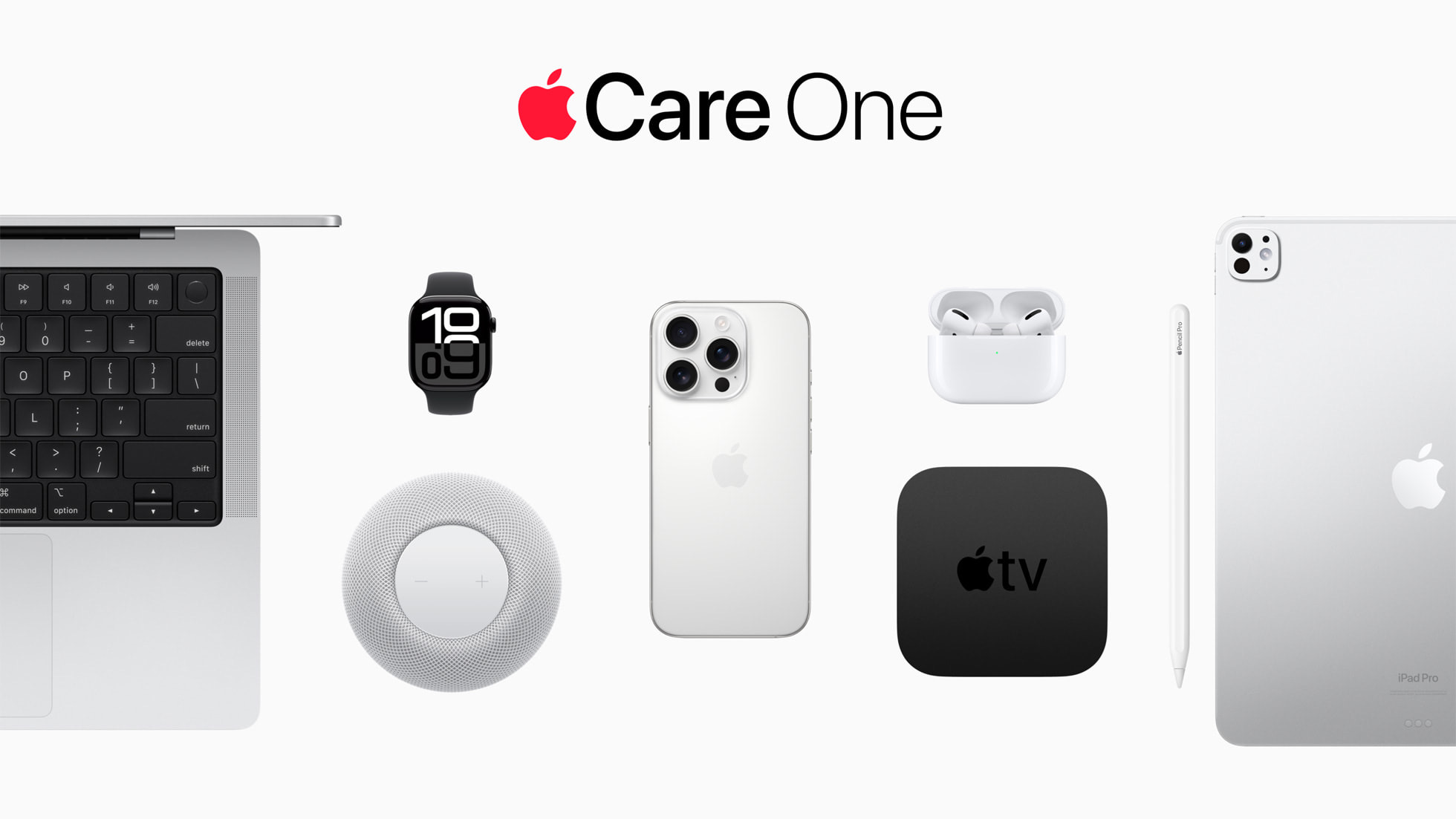
For just $19.99 per month, customers can protect up to three products in one plan, with the option to add more at any time for $5.99 per month for each device. With AppleCare One, customers receive one-stop service and support from Apple experts across all of the Apple products in their plan for simple, affordable peace of mind. Starting tomorrow, customers in the U.S. can sign up for AppleCare One directly on their iPhone, iPad, or Mac, or by visiting their nearest Apple Store.

Continue reading ⇢

Apple Intelligence News Notification Summaries Are Back⇢

Back in January, Apple disabled Apple Intelligence notification summaries for news app after a string of high-profile incidents of the feature rewriting headlines to be incorrect. With iOS Beta 4, the feature is back, as Chance Miller writes:

When you update to iOS 26 beta 4, you’ll see a new setup flow that allows you to choose to enable notification summaries for the “News & Entertainment” category of apps.

If you choose to enable summaries for News & Entertainment apps, you’ll see a warning in bright red text: “Summarization may change the meaning of original headlines. Verify information.” There is also an option to report concerns with notification summaries directly to Apple.

Continue reading ⇢

Calm Down, CarPlay

This morning, I pressed the little button on my Tacoma’s steering wheel to trigger Siri in CarPlay. I asked it to start a text to Myke Hurley. As you can imagine, this is something I do often when driving.

Instead of asking me what I wanted to say, Siri inquired about what app I wanted to use. The list of apps it offered was incredible.CarPlay

Sadly, sending a message via the app for my studio’s mini-split system doesn’t work. All of this, and I’m not even running the beta of iOS 26 on my primary phone yet.

Continue reading ⇢

On the Rumored Slate of iPhone 17 Colors⇢

Filipe Esposito at Macworld:

To recap, some leakers have already reported on the potential colors for some of the models in the iPhone 17 family. For instance, a leaker known as Majin Bu said that Apple had been experimenting with purple and green versions of the iPhone 17 base model. The leaker also claims that the rumored ultra-thin “iPhone 17 Air” model will be available in a light shade of blue.

More recently, reputable leaker Sonny Dickson also revealed the possible two new colors of the 17 Pro models: dark blue and copper. According to independent sources familiar with the matter heard by Macworld, we can indeed expect these new colors for the iPhone 17 lineup.

Continue reading ⇢