I would like to present, in response to the widely criticized Finder icon in macOS Tahoe Developer Beta 1, the icon I created in literally fifteen minutes with Pixelmator Pro and Apple’s own Icon Composer. Apple could very easily keep the icon’s historical appearance without compromising the Liquid Glass aesthetic by just… flipping the color palette.
Category: Apple
Stay Hungry, Stay Foolish⇢
To celebrate the 20th anniversary of Steve’s commencement address at Stanford, we are sharing a newly enhanced version of the video below and on YouTube. It is one of the most influential commencement addresses in history, watched over 120 million times, and reproduced in media and school curricula around the world. The talk even helped inspire an unlikely NBA title comeback for the Cleveland Cavaliers when LeBron James played a clip from it in the locker room before a critical game three against the Golden State Warriors in 2016.
It’s not an obvious candidate for a classic. A commencement address by a college dropout. A talk aimed at 22-year-olds that warns “You will gradually become the old and be cleared away.” A text as shadowed by reality as soaring with inspiration: “Your time is limited, so don’t waste it living someone else’s life.”
WWDC25: Tahoe Delivers New Format for Disk Images⇢
Howard Oakley has spotted a change coming with macOS 26:
Disk images have been valuable tools marred by poor performance. In the wrong circumstances, an encrypted sparse image (UDSP) stored on the blazingly fast internal SSD of an Apple silicon Mac may write files no faster than 100 MB/s, typical for a cheap hard drive. One of the important new features introduced in macOS 26 Tahoe is a new disk image format that can achieve near-native speeds: ASIF, documented here.
This has been detailed as a major improvement in lightweight virtualization, where it promises to overcome the most significant performance limitation of VMs running on Apple silicon Macs. However, ASIF disk images are available for general use, and even work in macOS Sequoia.
WWDC25: Joanna Stern Interviews Greg Joswiak and Craig Federighi⇢
It seems to me that Apple is learning its lesson about announcing things too early, even as it tries to (somewhat defensively) distance its future features from those shipping already by the likes of Google and OpenAI.
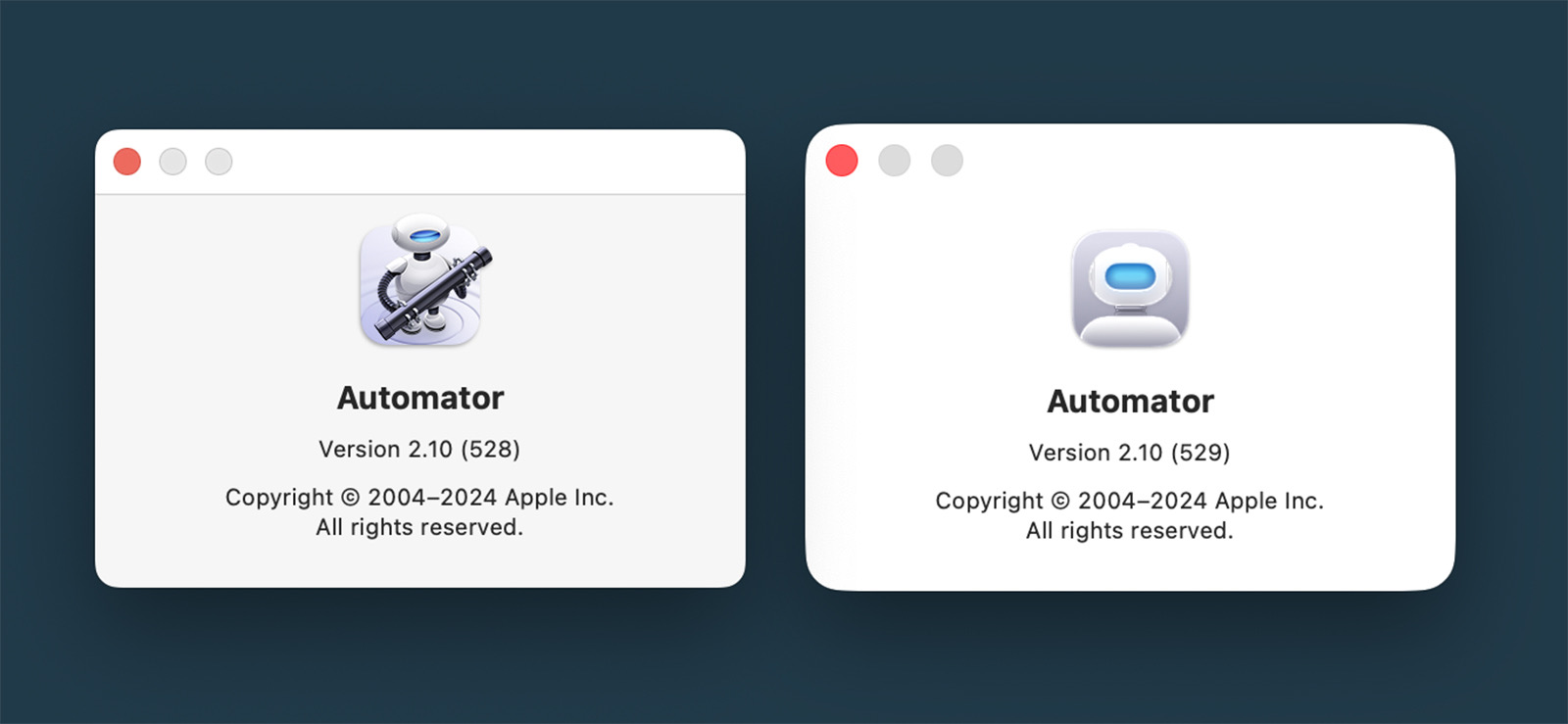
WWDC25: Oh No, They Did It to Automator, Too
Looks like Finder isn’t the only Mac application to see big icon changes in macOS Tahoe. Poor Otto had his arms, legs, and pipe taken away:
WWDC25: The End of the Intel Mac Era⇢
macOS Tahoe will be the last release for Intel-based Mac computers. Those systems will continue to receive security updates for 3 years.
Rosetta was designed to make the transition to Apple silicon easier, and we plan to make it available for the next two major macOS releases – through macOS 27 – as a general-purpose tool for Intel apps to help developers complete the migration of their apps. Beyond this timeframe, we will keep a subset of Rosetta functionality aimed at supporting older unmaintained gaming titles, that rely on Intel-based frameworks.
WWDC25: macOS Tahoe Breaks Decades of Finder History
Something jumped out at me in the macOS Tahoe segment of the WWDC keynote today: the Finder icon is reversed.
You can see that in the image below. On the left is macOS Sequoia, and on the right is macOS Tahoe:
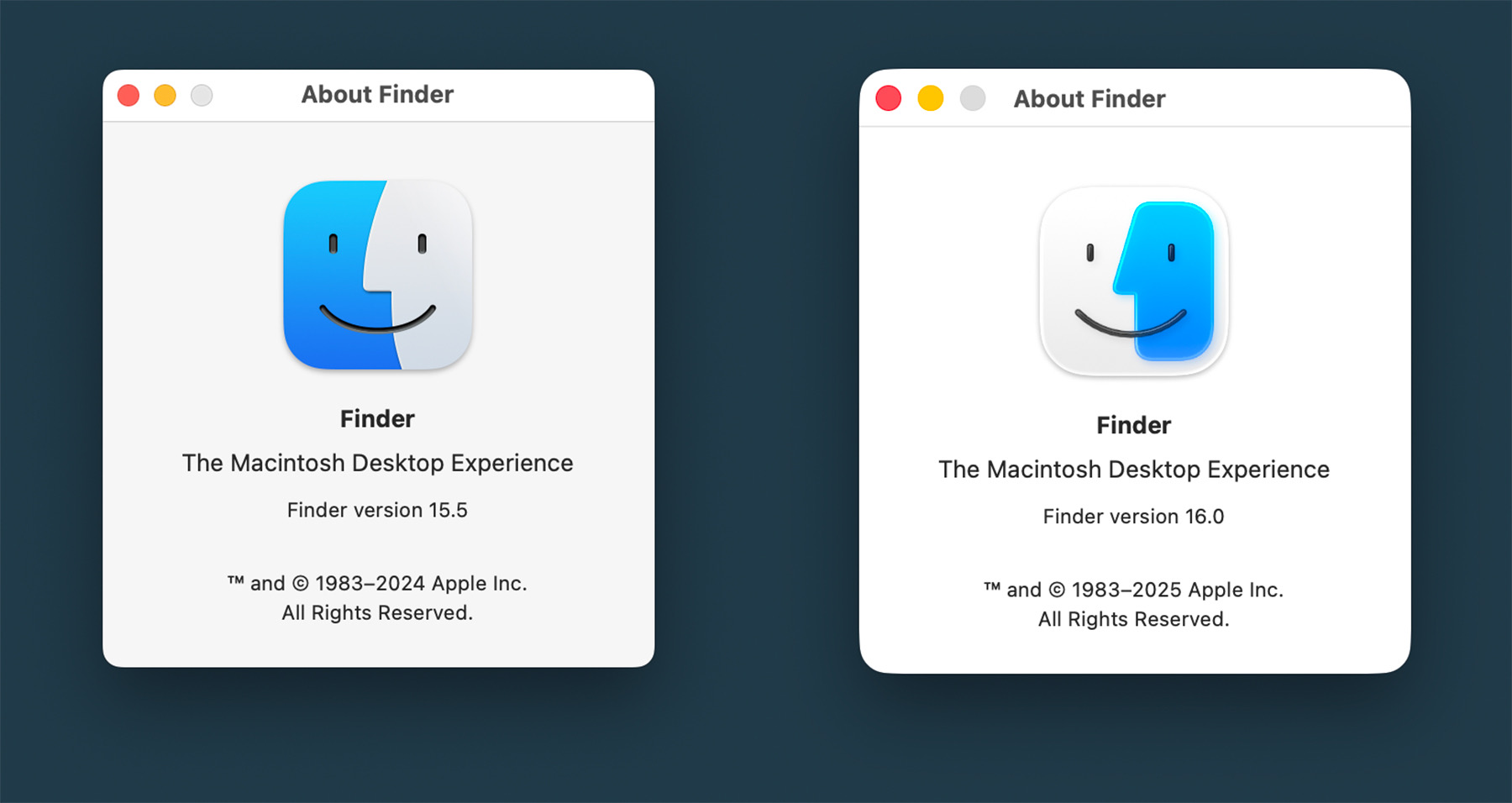
I know I am going to sound old and fussy, but Apple needs to roll this back.
Some History
The Finder logo has changed over the years, but the dark side has been on the left forever. Here it is on the boot screen on System 7.5.3, which shipped in 1996, an early version of the logo in color:
macOS Tahoe 26’s Default Wallpaper
As is tradition, I’ve snagged the default wallpapers out of the new macOS beta. You can download them at the links below:





 Download full-sized copies here:


WWDC25: Meet Liquid Glass⇢
Apple’s video about Liquid Glass is up, and it’s really interesting to hear the thought that went into the new design. I’ve got the betas on a secondary phone and laptop, and uhhhh, it’s going to take some getting used to.
WWDC25: iOS, iPadOS, and watchOS 26 Compatibility
Apple’s OS preview pages are up, and with them, updated compatibility lists for iOS and iPadOS.
 On the iOS front, here is what can run 26:
- iPhone 16e
- iPhone 16
- iPhone 16 Plus
- iPhone 16 Pro
- iPhone 16 Pro Max
- iPhone 15
- iPhone 15 Plus
- iPhone 15 Pro
- iPhone 15 Pro Max
- iPhone 14
- iPhone 14 Plus
- iPhone 14 Pro
- iPhone 14 Pro Max
- iPhone 13
- iPhone 13 mini
- iPhone 13 Pro
- iPhone 13 Pro Max
- iPhone 12
- iPhone 12 mini
- iPhone 12 Pro
- iPhone 12 Pro Max
- iPhone 11
- iPhone 11 Pro
- iPhone 11 Pro Max
- iPhone SE (2nd generation and later)
I am surprised to the see the iPhone SE still on the list, given its square display and the presence of the Home button.
WWDC25: macOS Tahoe Compatibility, Will Be Last to Support Intel Macs
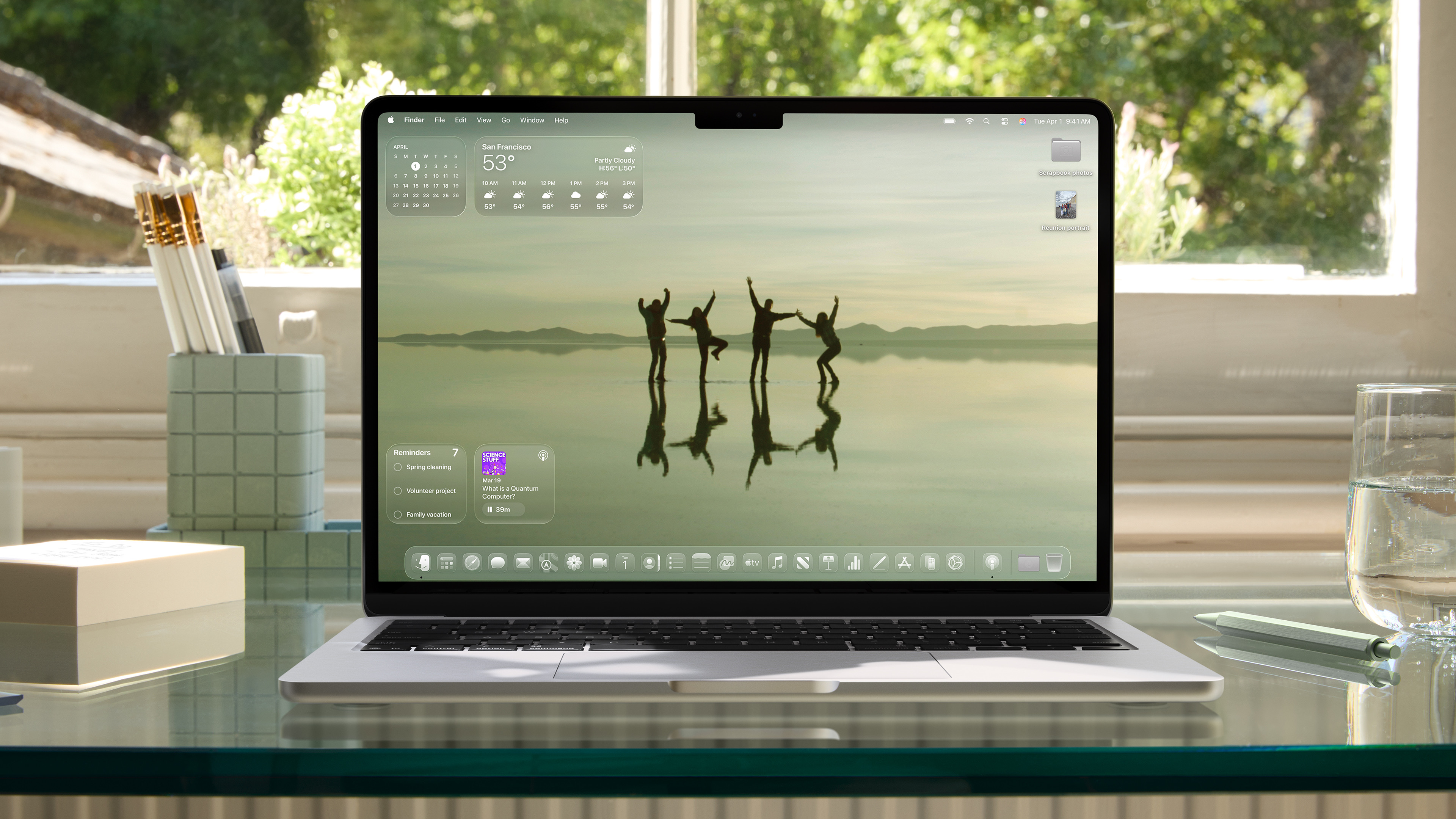 As expected, this release of macOS does drop some older Intel machines from the line. This is what is supported:
- MacBook Air with Apple silicon (2020 and later)
- MacBook Pro with Apple silicon (2020 and later)
- MacBook Pro (16‑inch, 2019)
- MacBook Pro (13‑inch, 2020, Four Thunderbolt 3 ports)
- iMac (2020 and later)
- Mac mini (2020 and later)
- Mac Studio (2022 and later)
- Mac Pro (2019 and later)
These machines supported macOS Sequoia, but have been dropped this time around:
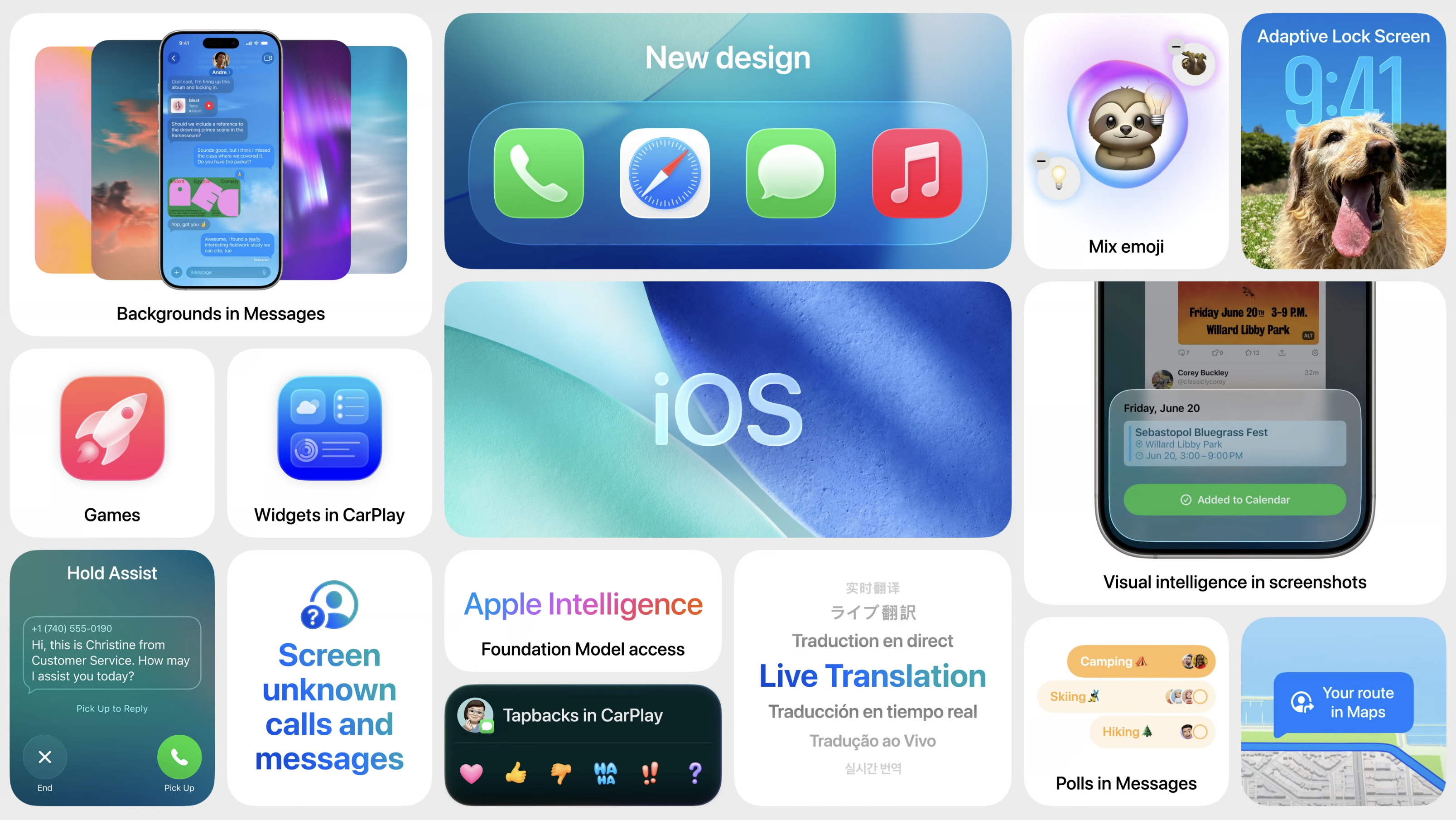
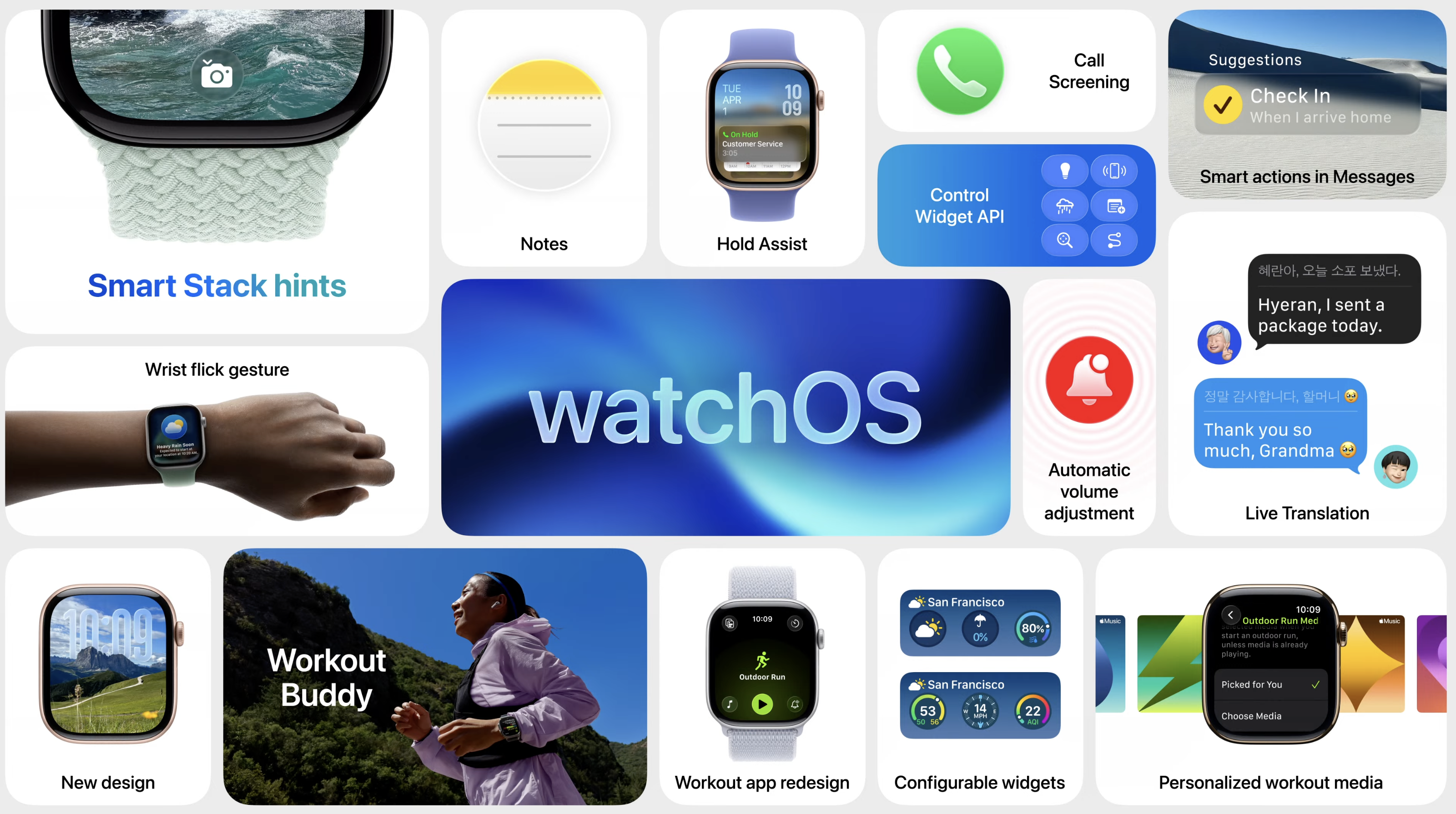
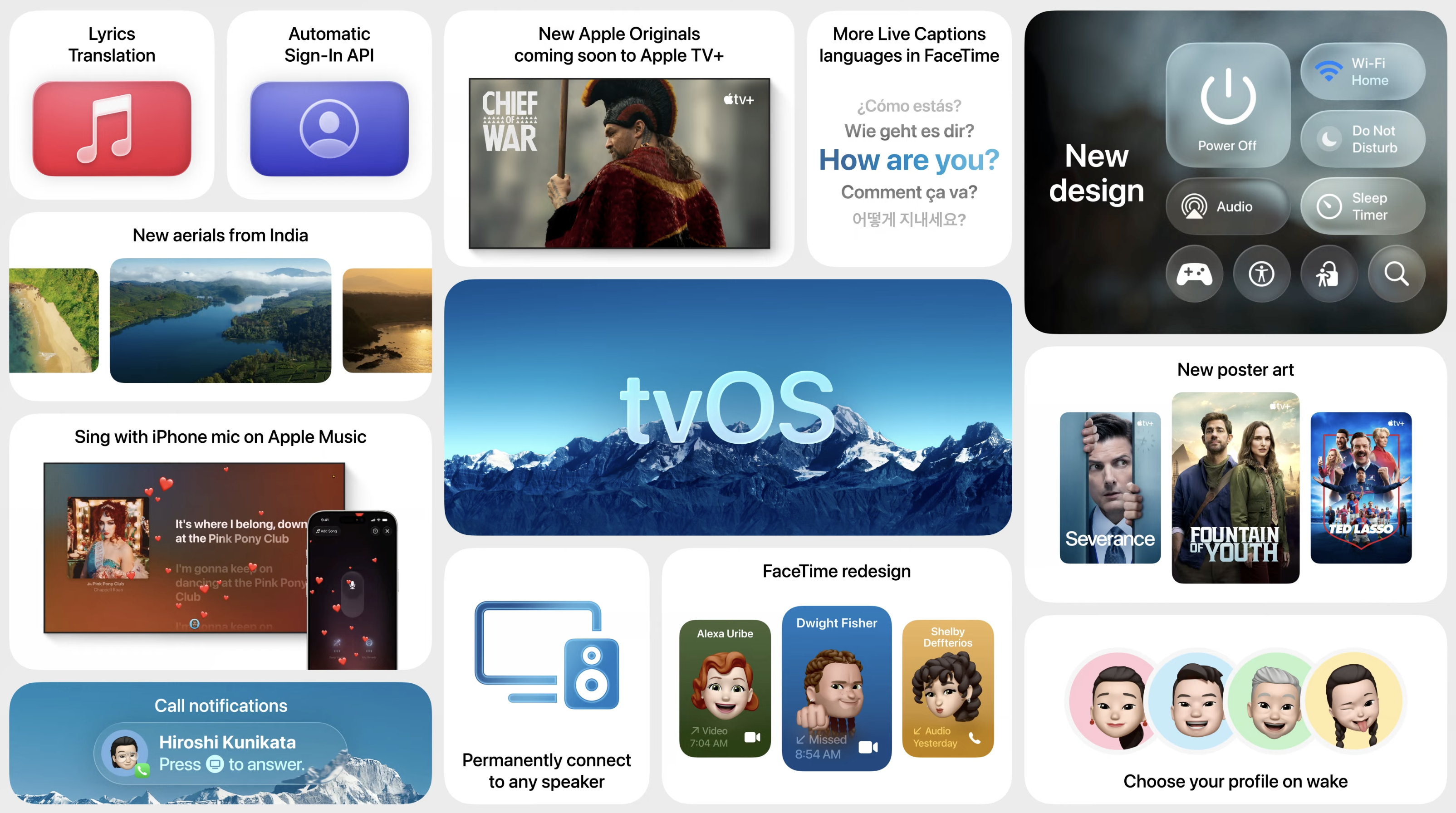
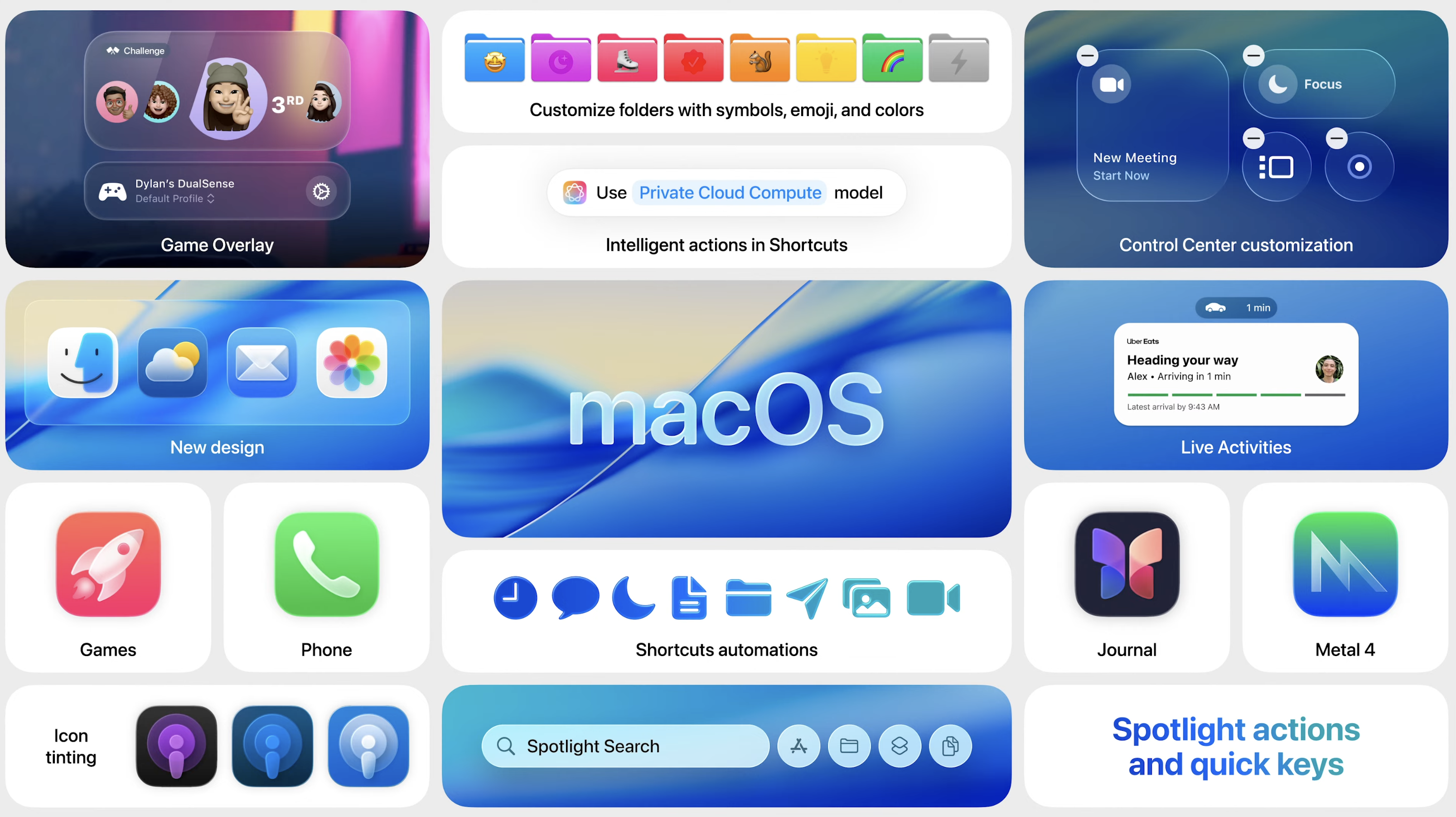
WWDC25: The Bento Boxes
These are always fun:
iOS 26
watchOS 26
tvOS 26
macOS 26 Tahoe
visionOS 26

iPadOS 26