When Twitter shut down third-party clients in January, it not only left out in the cold the users of those apps, but the developers too. Many of those apps were significant sources of revenue for the teams behind them, and that income was cut off capriciously, without any warning.
One additional complication is that some clients had shifted to a subscription-based system in recent years, with users paying by the month or the year. Since those subscriptions were generally prepaid, users ended up in a situation where they essentially no longer had access to the app they’d paid for.
Category: Apps
Chromium Boasts Battery Gains for MacBook Users ⇢
François Doray, a software developer on the Chrome team:
With the latest release of Chrome, we’ve made it possible to do more on your MacBook on a single charge thanks to a ton of optimizations under the hood. In our testing, we found that you can browse for 17 hours or watch YouTube for 18 hours on a MacBook Pro (13", M2, 2022) And with Chrome’s Energy Saver mode enabled, you can browse an additional 30 minutes longer on battery. Of course, we care deeply about all our users, not just those with the latest hardware. That’s why you’ll also see performance gains on older models as well.
KeyboardCleanTool ⇢
This weekend, I was using someone else’s MacBook Pro and wanted to clean their keyboard. I could not shut it down for cleaning, as it was downloading a macOS update. This prompted me to look for an app that could lock the keyboard for me to wipe it down.
This led me to KeyboardCleanTool, a free utility by Andreas Hegenberg, the genius behind apps like BetterTouchTool.
Microsoft Blesses Parallels as Official Way to Run Windows on Apple Silicon Macs ⇢
Andrew Cunningham, writing at Ars Technica:
In the absence of a version of Boot Camp that runs on Apple Silicon Macs, the best way to run Windows on them has been to use a virtualization app like Parallels or (more recently) VMware Fusion. The problem is that, until now, the Arm version of Windows that runs on Apple Silicon Macs hasn’t technically been allowed to run on anything other than Arm PCs that come with it due to Microsoft’s licensing restrictions.
Apple Increasing App Store Prices in 14 Countries Starting February 13 ⇢
Ah yes, a Friday evening news dump from Apple:
On February 13, 2023, prices of apps and in-app purchases (excluding auto-renewable subscriptions) on the App Store will increase in Colombia, Egypt, Hungary, Nigeria, Norway, South Africa, and the United Kingdom. Prices in Uzbekistan will decrease to reflect a reduction of the value-added tax rate from 15% to 12%. Your proceeds will be adjusted accordingly and will be calculated based on the tax-exclusive price.
HiDock ⇢
If you use a portable Mac with an external display, this free app looks like it’d be a lifesaver.
The End of an Era
Sean Herber at The Iconfactory:
Twitterrific has been discontinued.
A sentence that none of us wanted to write, but have long felt would need to be written someday. We didn’t expect to be writing it so soon, though, and certainly not without having had time to notify you that it was coming. We are sorry to say that the app’s sudden and undignified demise is due to an unannounced and undocumented policy change by an increasingly capricious Twitter – a Twitter that we no longer recognize as trustworthy nor want to work with any longer.
Timing Updated to Import iPhone and iPad Screen Time ⇢
Timing is a great way to automatically track and sort your time while using a Mac, but today the app spreads its wings:
We are excited to announce Timing 2023.1, which introduces a new feature that a lot of you have been asking for: Timing can now import your iPhone and iPad usage from Screen Time!
This feature, available to all Timing Expert customers, lets you manage your time spent on mobile devices just like your Mac usage, with the full functionality of Timing’s timeline and activity list. Even Timing’s rules are available to automatically categorize your mobile device usage.
Popular Third-Party Twitter Apps Currently Suspended ⇢
Hanlon’s razor says “Never attribute to malice that which is adequately explained by stupidity,” but it’s impossible to tell the difference with Twitter these days.
In a surprise to no one, developers of these apps have been left in the dark, as The Iconfactory points out in a blog post:
There’s been no official word from Twitter about what’s going on, but that’s unsurprising since the new owner eliminated the employees dedicated to keeping the API up and running smoothly, including the developer evangelists who previously provided communication with third-parties.
iTunes for Windows Being Replaced by Three New Apps ⇢
Andrew Cunningham, writing at Ars:
Today, as part of a new Windows 11 preview build for Windows Insiders, Microsoft has announced that previews of new Apple Music, Apple TV, and Apple Devices apps are available in the Microsoft Store for download.
The Apple Music and Apple TV apps handle iTunes’ music and video functionality, just as they do on macOS, and provide access to the Apple Music and Apple TV+ subscription services. The Apple Devices app is what you’ll use to make local device backups, perform emergency software updates, sync local media, and the other things you can do with an iDevice that’s plugged into your PC (in macOS, similar functionality was added to the Finder, rather than being broken out into its own app).
Using Loopback to Play Audio Through a Pair of Studio Displays
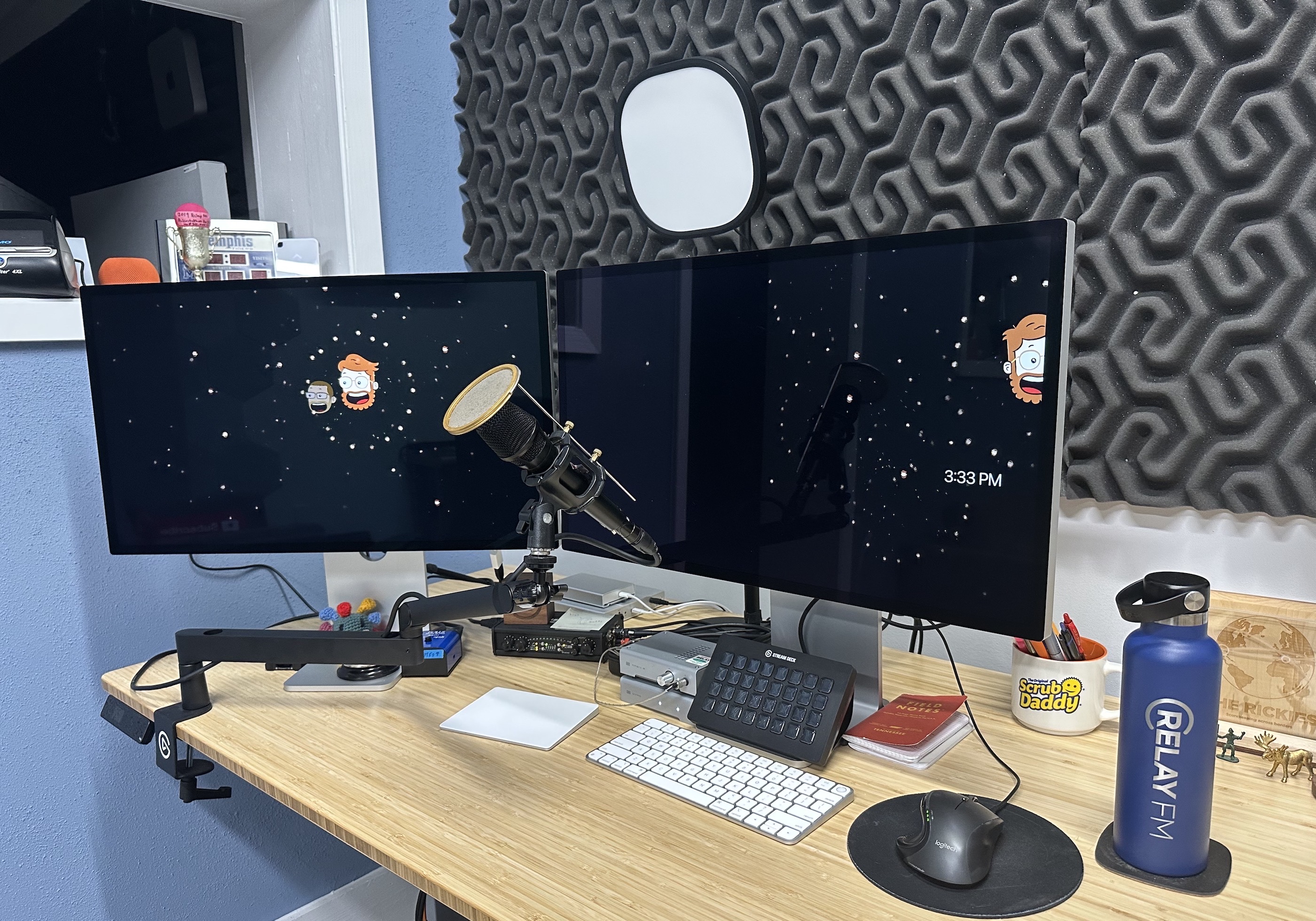
I recently sold my Pro Display XDR and moved to a pair of Studio Displays.
The Studio Display is pretty great, especially with the optional height-adjustable stand. I didn’t use any of the high-end features of the XDR, and after just a few weeks, I’ve fallen in love with this setup, minus some cables that still need tidying:
![]()
As the Studio Display comes with a better-than-expected set of internal speakers, this has marked the retirement of the pair of SoundSticks that I’ve been using as my speakers basically forever. As one of them had hot glue holding it together, it felt like it was time.
My Evolving Setup
Last week, I was putting things together for an upcoming episode of Mac Power Users1 and came across a few old posts in which I shared my Apple setups. I thought it would be fun to put them all in one place:
- October 2009: This was my desk in the first apartment my wife and I lived in after getting married. It was about a year after I started this blog and our oldest son was 11 months old. Now he’s 14.
- September 2010: That was a very good iPad wallpaper.
- December 2011: I believe this was my first home screen post over on David Sparks’ site. The images seem lost to time.
- October 2012: I have no idea why I didn’t take any photos for this one. One star.
- March 2014: The desk featured in this article was at the last company I worked for. We would launch Relay FM about six months later.
- September 2014: Sparks’ site does have these images! I look so young.
- September 2015: After I quit my job to go indie, I split my time between a home office (shown below) and this space, which I rented with my brother’s non-profit.
- August 2016: This setup was outlined right before I moved into my current studio. This desk was shoved into what was a spare bedroom in our house that is now home to our youngest son.
- September 2018: I was really excited about this one and I love that photo.
- March 2020: It’s amazing how little my homescreen has changed over the last three years.
If you want a much more updated accounting of things, check out my Gear & Studio page.