
The beauty of it being cross platform to me is situations like this. Because Instagram is becoming the ubiquitous camera app, it’s a great point of comparison. (It’s something we would have used Flickr for in the past, but no one seems to use Flickr anymore — at least not in the same way.) As a result, we can see how much better an iPhone camera is than a top Android camera. A lot.
Category: Photography
Comparing Instagram on Android, iOS
Android fragmentation rears its head once again with Instagram on Android, forcing the company to leave out features it could have otherwise shipped in order to support the wide array of OS versions and hardware out there. I know people like to pretend this isn’t a problem, but it is.
Instagram for Android is a great example of an iOS developer making a great translation of their app that manages to be similar on both platforms, while retaining a singular theme between them. If you’re an Android user that has been waiting, this is a faithful and mostly whole Instagram experience, enjoy.
Instagram for Android Ships
App Recommendation: 1-Bit Camera
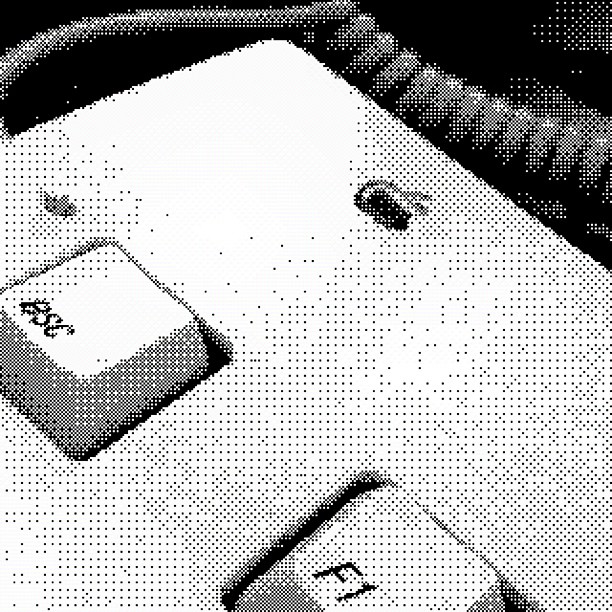
Most iOS photo apps are all about applying rich, heavy-handed filters.
1-Bit Camera is an exception. The 99¢ app shoots in 1-bit mode, leaving just black and white dithered images. There are options to select high or low contrast, and to use either Atkinson and Bayer dithering algorithms. You an share via Facebook, Twitter or Tumblr.
The best part? The UI is set in Chicago. The retro look and feel is outstanding, and really adds to the experience of using the app.
Rare Johnny Cash Photos Surface
Discovery
Today, with iOS 5.1, Apple’s added a second gesture to the lock screen.
Previously, getting to the camera required a tap on the camera button, which only appeared after double-clicking the home button.
While that’s not that convoluted, in hindsight it clearly lacked the ease of discovery Apple usually ships features with.
The new gesture, with its ever-present icon is much easier to discover.
Apple’s even taken care of those of us trained for the old way of doing it — tapping the new button makes the screen jump, showing off the movement needed to now launch the camera.
Fifty Foot Shadows: Something Old
John’s photo of this classic Mac is my new wallpaper. As with all of his work, this image is stunning.
Adobe Launches Lightroom 4 [Updated]
The new version adds basic video editing and playing, integrated maps that support GPS data, new content-aware auto-fix, more localized adjustment brushes, and integrate book creation tools. Upgraders from any previous version will only pay $79.
The full retail price is now $149.
I switched to Lightroom 3 about 4 months ago, after using Aperture for some time. I mainly did so because Lightroom allows users to keep their photos in simple folders in Finder, while Aperture (and iPhoto) put everything in to a database, making data portability (and possible corruption) a real issue.
A Video Review of Frames
Chernobyl? There’s an App for That
Photographer Gerd Ludwig’s coverage of Chernobyl is stunning. At $7, this app is very much worth the photos and information it contains.
Olloclip vs. iPro Lens
There’s no question that the iPro Lens takes better pictures, and its handle gives it a leg up on videos, too. The Olloclip, on the other hand, comes in a much smaller, more convenient package that outshined the iPro when I was on the go. But that doesn’t tell the whole story.
Leaving Flickr
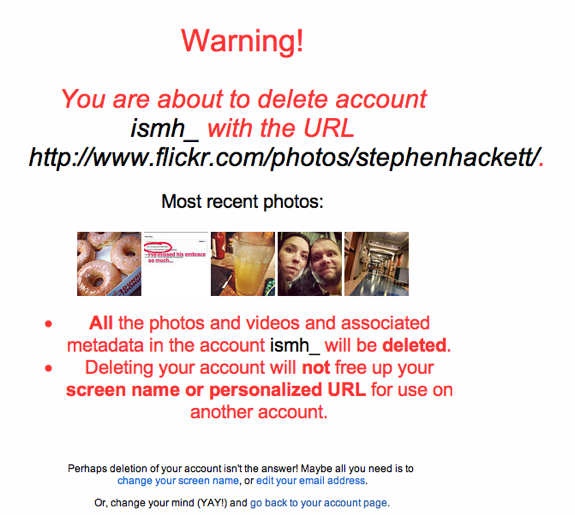
This morning, I said goodbye to Flickr.
It’s sad, really. For years, I spent tons of time on Flickr. I added photos, wrote comments, joined groups and made friends.
No one I used to interact with is there anymore. I don’t upload large photo sets anymore. I don’t visit groups anymore, or read comments or favorite things.
I’m not sure why any of this happened. Sure, things like Instagram helped drive the stake deeper into Flickr’s heart, but Yahoo’s lack of concern with what is its best product is unsettling at best.