Sponsor: TextExpander⇢

TextExpander’s customizable and shareable snippets of text allow your team to fly through repetitive tasks quickly by expanding the things you type regularly — all you have to do is type a short abbreviation and TextExpander does the rest of the work for you.

Here’s How It Works:

  • Create It: Collect your most commonly used emails, phrases, messaging, URLs, and more to create snippets and templates in TextExpander that are always accessible with a quick search or abbreviation.
  • Share It: Give your team or different departments across your company access to the content they need to use every day.
  • Use It: Expand the content you need with just a few keystrokes on any device, across any app you use — no APIs or integrations needed.
  • Optimize It: Add customizations like fill-ins and optional sections to keep that human touch. Anytime you make changes to snippets they update everywhere so your team is always on the same page.

It’s that easy!
Continue reading ⇢

Sponsor: DEVONthink of DEVONtechnologies⇢

Whether you’re in the harbor or at high sea, you need to know where you are or where you’re sailing. If you have all the maps, books, and documents. DEVONthink for Mac and DEVONthink To Go for iOS will not let you down on your mission and help you navigate the “seven seas of information.”

DEVONthink for Mac

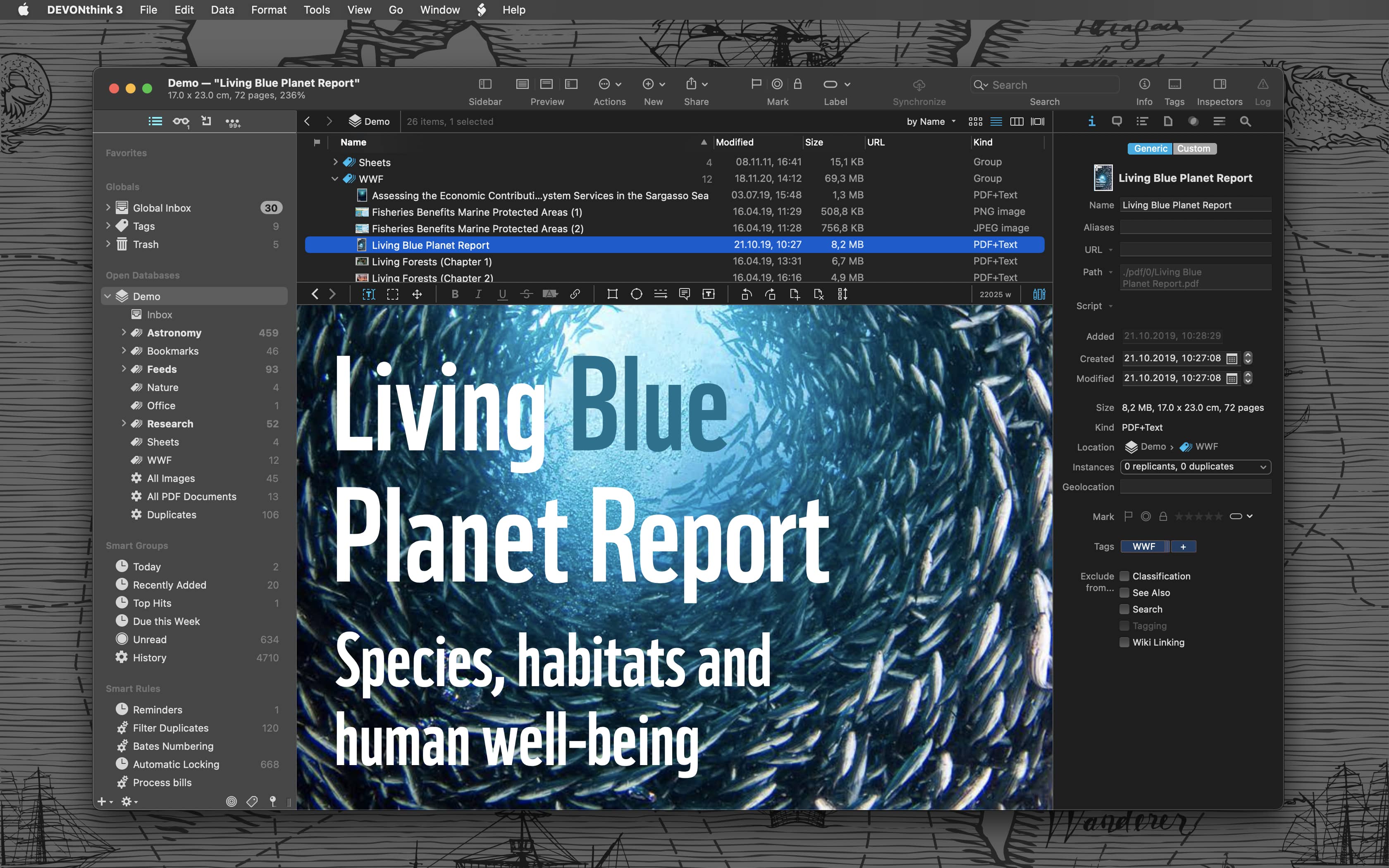
Sailor jokes aside … DEVONthink helps you get organized in your office, home office, or on the go. It keeps all your documents, snippets, and bookmarks in one place. Organize them however you need and let DEVONthink’s unique AI assist you all the way with filing and finding. And if that wasn’t enough, smart rules and flexible reminders let you delegate all the boring, repeating daily tasks to DEVONthink too. On iOS, use Shortcuts actions to integrate DEVONthink To Go with your other apps.

Continue reading ⇢

Sponsor: Boom 2⇢

Boom 2 is a professional audio app that transforms the sound quality of your Mac. With its cutting-edge 31-band equalizer with 20dB Gain Control, Volume Booster, and unique Audio Effects, it offers a personalized and unmatched audio experience.

The 31-band equalizer gives you complete control to adjust every detail of your audio and craft the perfect sound. At the same time, the volume booster takes your audio to new heights, increasing the volume beyond your system’s limits.

Continue reading ⇢

Sponsor: MarsEdit 5⇢

MarsEdit 5 is a major upgrade to the preeminent Mac app for editing WordPress, Micro.blog, Tumblr, and many other types of blogs.

The new Microposting feature makes it “as easy to post to your own blog as it is to post to Twitter.” When MarsEdit 5 is running on your Mac, just press a configurable global keyboard shortcut, write out your latest thoughts, and instantly publish them to your blog.

Continue reading ⇢

Sponsor: Record Anything With Audio Hijack⇢

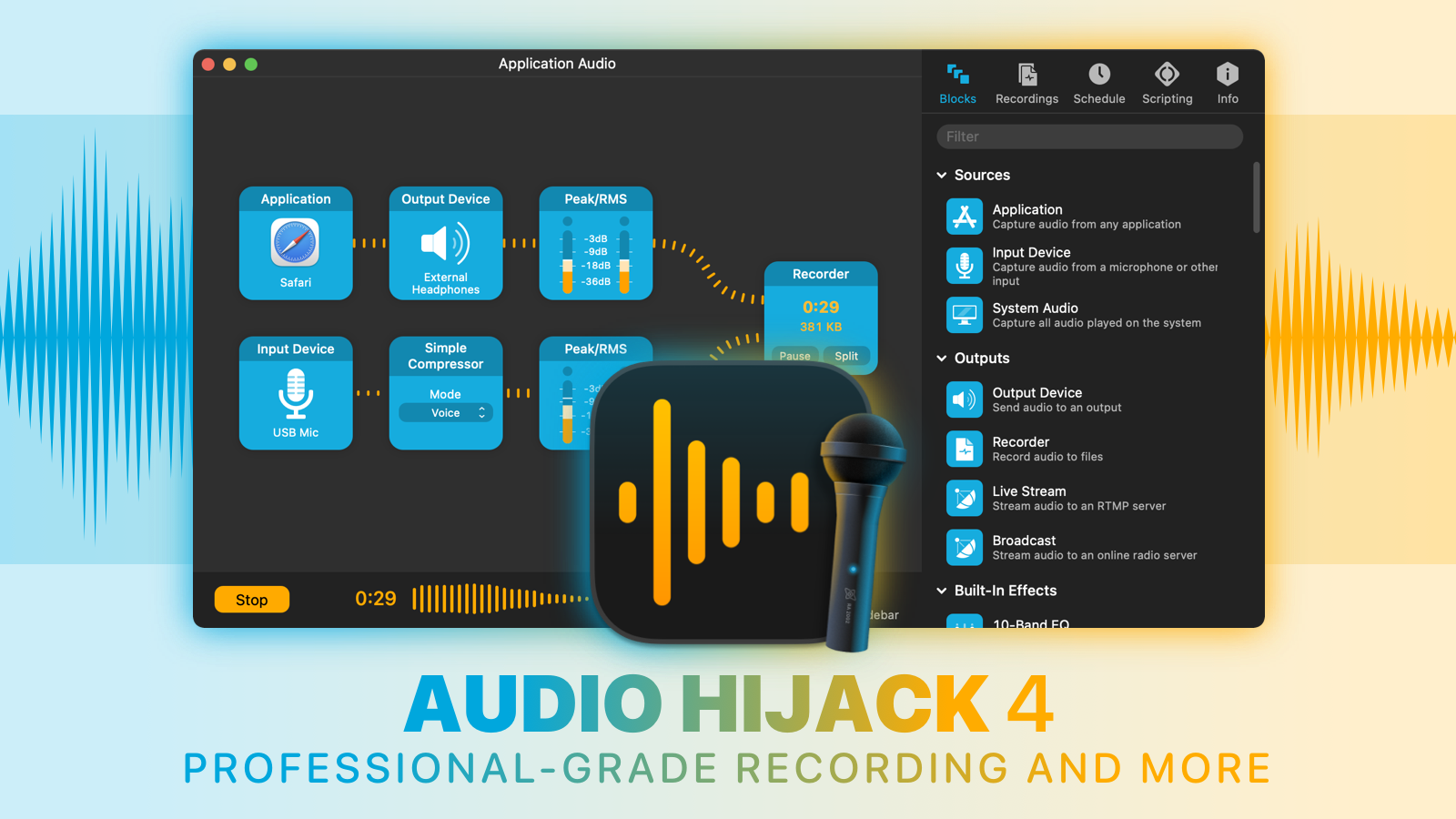
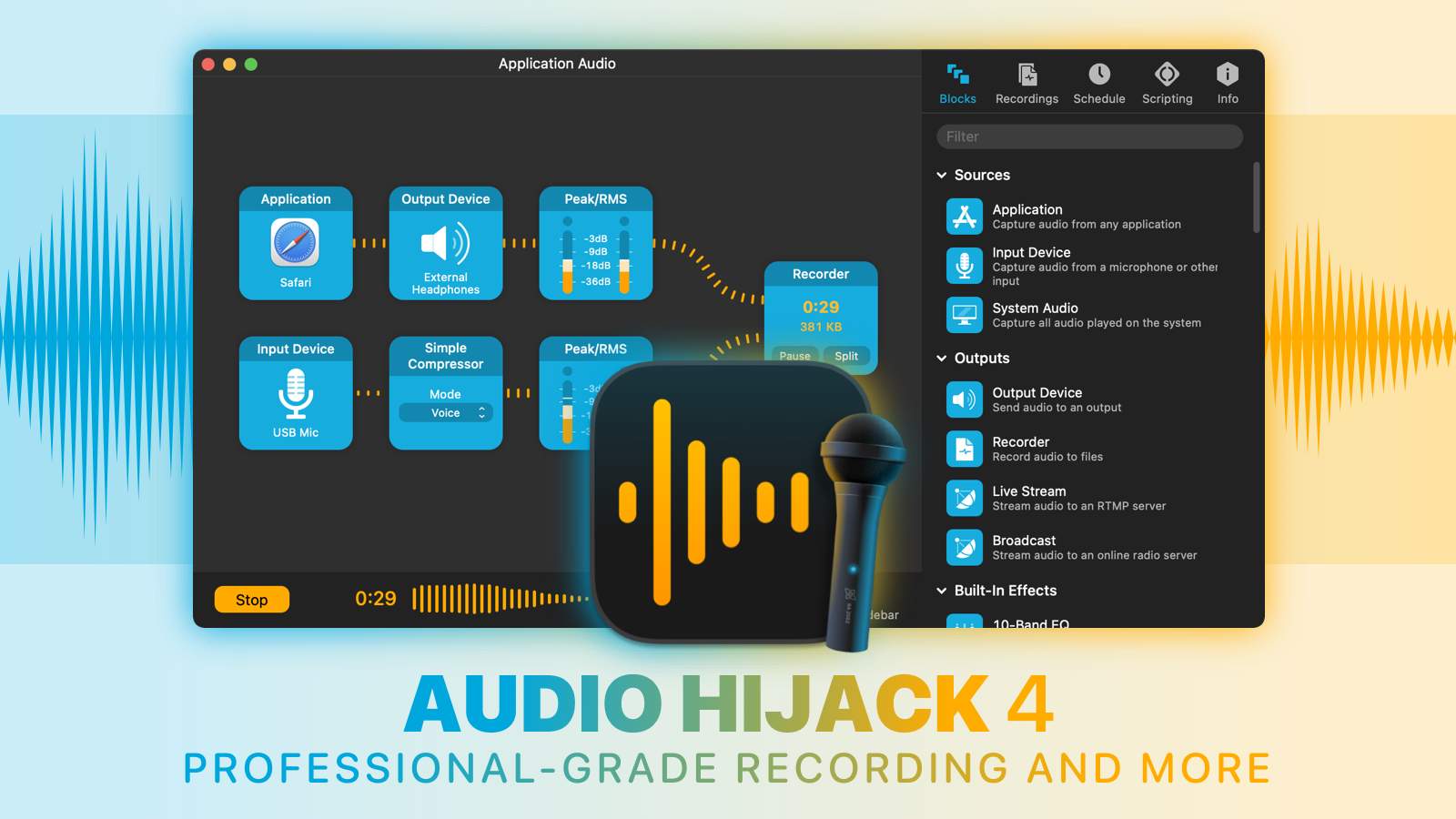
With Audio Hijack, you can record any audio on your Mac. Whether you want to save audio from individual applications like Safari or Skype, hardware audio devices like microphones and mixers, and even the entire system audio output, Audio Hijack can handle it.

Audio Hijack 4

Simply put, if it can be heard on MacOS, Audio Hijack can record it.

  • Record conversations from Skype, Zoom, and other VoIP apps
  • Save streaming audio from the web
  • Create podcasts, both remote and in-studio
  • Digitize vinyl
  • And so much more

Audio Hijack 4.1 just shipped, and it adds over 50 enhancements on top of the award-winning version 4.0.

Continue reading ⇢

Sponsor: Unite 4 for macOS⇢

Unite 4 for macOS allows you to turn any website into an app on your Mac. Using a lightweight, WebKit powered browser as a backend, you can easily create isolated, customizable apps from any site.

Unite 4 includes dozens of new features, including support for native notifications, new customization options, and much more. Unite apps also serve as a great alternative for resource hogging Electron apps or half-baked Catalyst apps.

Continue reading ⇢

Sponsor: DEVONthink of DEVONtechnologies⇢

Whether you’re in the harbor or at high sea, you need to know where you are or where you’re sailing. If you have all the maps, books, and documents. DEVONthink for Mac and DEVONthink To Go for iOS will not let you down on your mission and help you navigate the “seven seas of information.”

DEVONthink for Mac

Sailor jokes aside … DEVONthink helps you get organized in your office, home office, or on the go. It keeps all your documents, snippets, and bookmarks in one place. Organize them however you need and let DEVONthink’s unique AI assist you all the way with filing and finding. And if that wasn’t enough, smart rules and flexible reminders let you delegate all the boring, repeating daily tasks to DEVONthink too. On iOS, use Shortcuts actions to integrate DEVONthink To Go with your other apps.

Continue reading ⇢

Sponsor: The Weather Machine, by Hello Weather⇢

The Weather Machine is a new unified API for weather forecast data. If you need to build weather info into your app, this service will save you a ton of time and complexity.

Weather Machine

You’ll get a single modern interface for the best data providers on Earth. You can write just one integration with modern REST or GraphQL endpoints, and get highly accurate global forecasts from The Weather Company, AccuWeather, AerisWeather and many other sources.

Continue reading ⇢

Sponsor: MarsEdit 5⇢

MarsEdit 5 is a major upgrade to the preeminent Mac app for editing WordPress, Micro.blog, Tumblr, and many other types of blogs.

The new Microposting feature makes it “as easy to post to your own blog as it is to post to Twitter.” When MarsEdit 5 is running on your Mac, just press a configurable global keyboard shortcut, write out your latest thoughts, and instantly publish to your blog.

MarsEdit supports editing posts in rich or plain text, and the latest update is especially great for Markdown fans. Now when you’re writing Markdown in plain text mode, MarsEdit applies live, beautiful syntax highlighting to make it easier to focus separately on the content and style of your posts.

Continue reading ⇢

Sponsor: Unite 4.2 for macOS⇢

Unite 4 for macOS allows you to turn any website into an app on your Mac. Using a lightweight, WebKit powered browser as a backend, you can easily create isolated, customizable apps from any site.

Unite 4 includes dozens of new features, including support for native notifications, new customization options, and much more. Unite apps also serve as a great alternative for resource-hogging Electron apps or half-baked Catalyst apps.

Continue reading ⇢

Sponsor: TextExpander⇢

Get your team communicating faster so they can focus on what’s most important. With TextExpander your team’s knowledge is at their fingertips.

Get your whole team on the same page by getting information out of silos and into the hands of everyone that needs to use it. You can share your team’s knowledge across departments so your team is sending a unified message to your customers and isn’t spending time reinventing the wheel.

Continue reading ⇢

Sponsor: Audio Hijack from Rogue Amoeba⇢

Record any audio, with Audio Hijack. Whether you want to save audio from individual applications like Safari or Skype, hardware audio devices like microphones and mixers, and even the entire system audio output, Audio Hijack can handle it. Simply put, if it can be heard on MacOS, Audio Hijack can record it. Use it to:

  • Record conversations from Skype, Zoom, and other VoIP apps
  • Save streaming audio from the web
  • Create podcasts, both remote and in-studio
  • Digitize vinyl
  • And so much more

Audio Hijack

Continue reading ⇢