
My thanks to The Sweet Setup for sponsoring 512 Pixels this week. The Focus Course Digital Planner is an interactive planner for the iPad based on a proven system for clarity, margin, and focus. Go check it out.
Category: Sponsor
Sponsor: The 2021 Digital Planner for iPad⇢
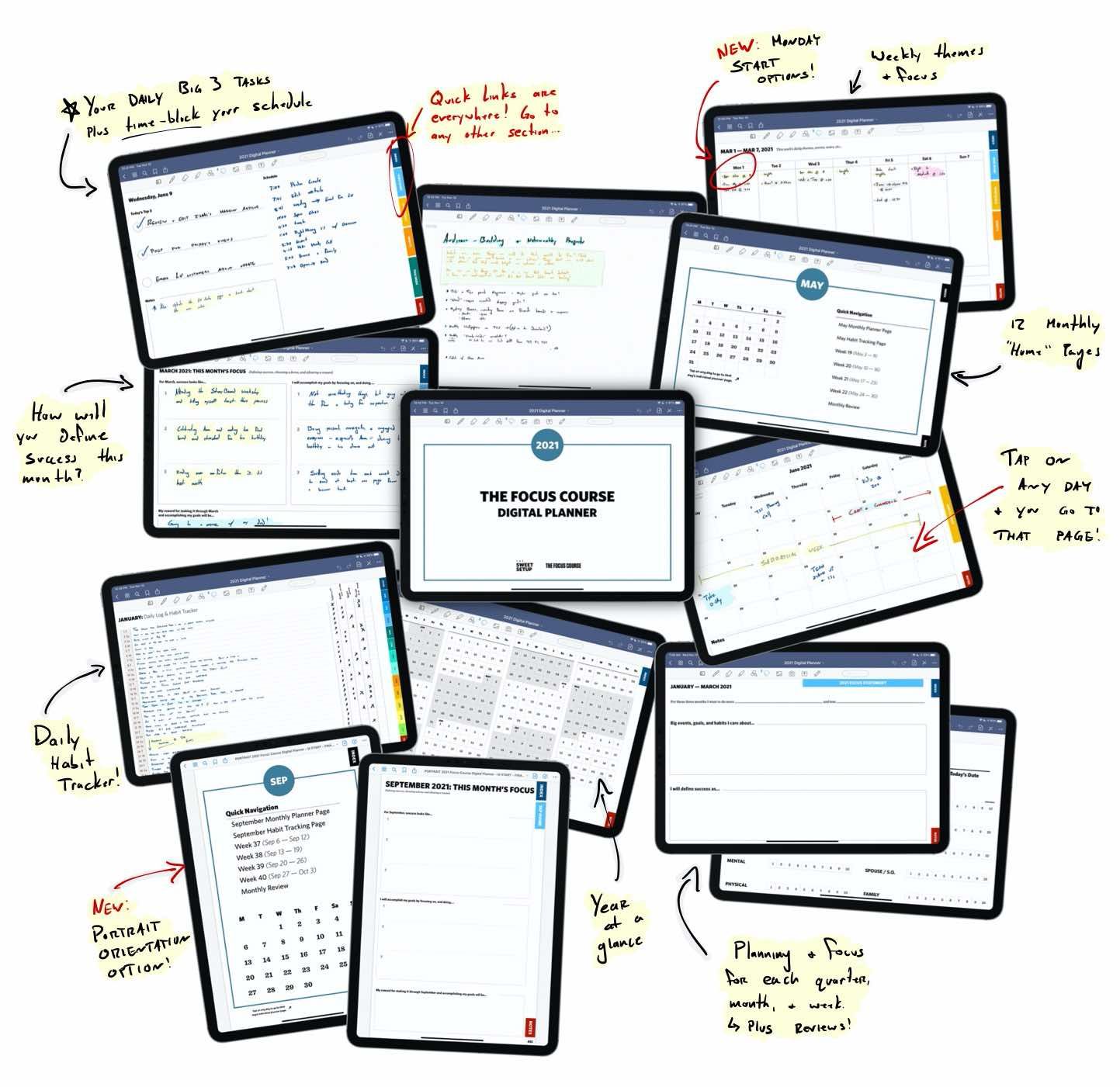
From my Alma mater, The Sweet Setup, is the new 2021 Digital Planner built for the iPad.
Based on a proven system for clarity, margin, and focus.
Use the Planner to:
- Get clear on the areas of life that matter most to you.
- Make choices about how you will spend your time and energy each day.
- Maintain margin and breathing room in your life.
- Celebrate and recognize your progress.
- Keep a manageable list of tasks (instead of an overflowing, overwhelming list).
- Time block your day for maximum productivity and reduced stress.
Download now, and see for yourself. Comes with a 30-day, money-back guarantee.
Unite 4 for Mac⇢
My thanks to Unite 4 for sponsoring the site this week. It’s the best way that I have seen to turn any website into a lightweight, customizable app in mere seconds on your Mac. Unite 4 includes hundreds of new features and improvements. Go check it out.
Sponsor: Unite 4 for macOS⇢
Unite 4 for macOS allows you to turn any website into an app on your Mac. Using a lightweight, WebKit powered browser as a backend, you can easily create isolated, customizable apps from any site.

Unite 4 includes dozens of new features, including support for native notifications, new customization options, and much more. Unite apps also serve as a great alternative for resource hogging Electron apps or half-baked Catalyst apps.
TextExpander⇢
Repetitive typing, little mistakes, searching for answers — they’re all taking precious time away from you and your team. With TextExpander, you can take it back.
My thanks to TextExpander for sponsoring 512 Pixels this week.
Sponsor: TextExpander⇢
TextExpander removes the repetition out of work so you can focus on what matters most. Say goodbye to repetitive text entry, spelling and message errors, and trying to remember the right thing to say. I haven’t typed my email, address or common email replies by hand for years.
TextExpander can be used in any platform, any app, anywhere you type. Take your time back and increase your productivity. 512 Pixels readers get 20% off their first year.
Sponsor: TextExpander⇢
TextExpander removes the repetition out of work so you can focus on what matters most. Say goodbye to repetitive text entry, spelling and message errors, and trying to remember the right thing to say. TextExpander can be used in any platform, any app, anywhere you type.
A computer without TextExpander just feels incomplete to me.
Take your time back and increase your productivity. 512 Pixels readers get 20% off their first year.
Soulver for macOS⇢
My thanks to Soulver for macOS for sponsoring 512 Pixels this week. It’s a wonderful mashup of notepad and calculator that I use on the Mac multiple times a week in running my business.
Sponsor: Soulver 3 for macOS⇢
Soulver 3 for macOS is a unique tool that brings the power of natural language processing, unit and currency conversions, calendar math and a whole lot more to the Mac in a native, rich application that integrates with system features including the command line, Automator, URL schemes and third-party services like Alfred.
I’ve been a Soulver user since … forever. It’s one of those Mac applications so wired into my workflow that I can’t imagine working without it. I use it for all sorts of administrative tasks, from verifying Relay FM membership payments to personal budgeting and more. The ability to bring in reference tokens from previous lines and setting up variables makes this work efficient and less error-prone, both of which are good things.
SheetPlanner⇢
My thanks to SheetPlanner for sponsoring 512 Pixels this week. It helps you organize information, manage your projects, and schedule your tasks and activities with unparalleled power and flexibility. A free 21 day trial is available on the Mac App Store.
Sponsor: SheetPlanner: The Ultimate Tool for Organizing Information, Managing Projects and Getting Things Done⇢
SheetPlanner helps you organize information, manage your projects, and schedule your tasks and activities with unparalleled power and flexibility.
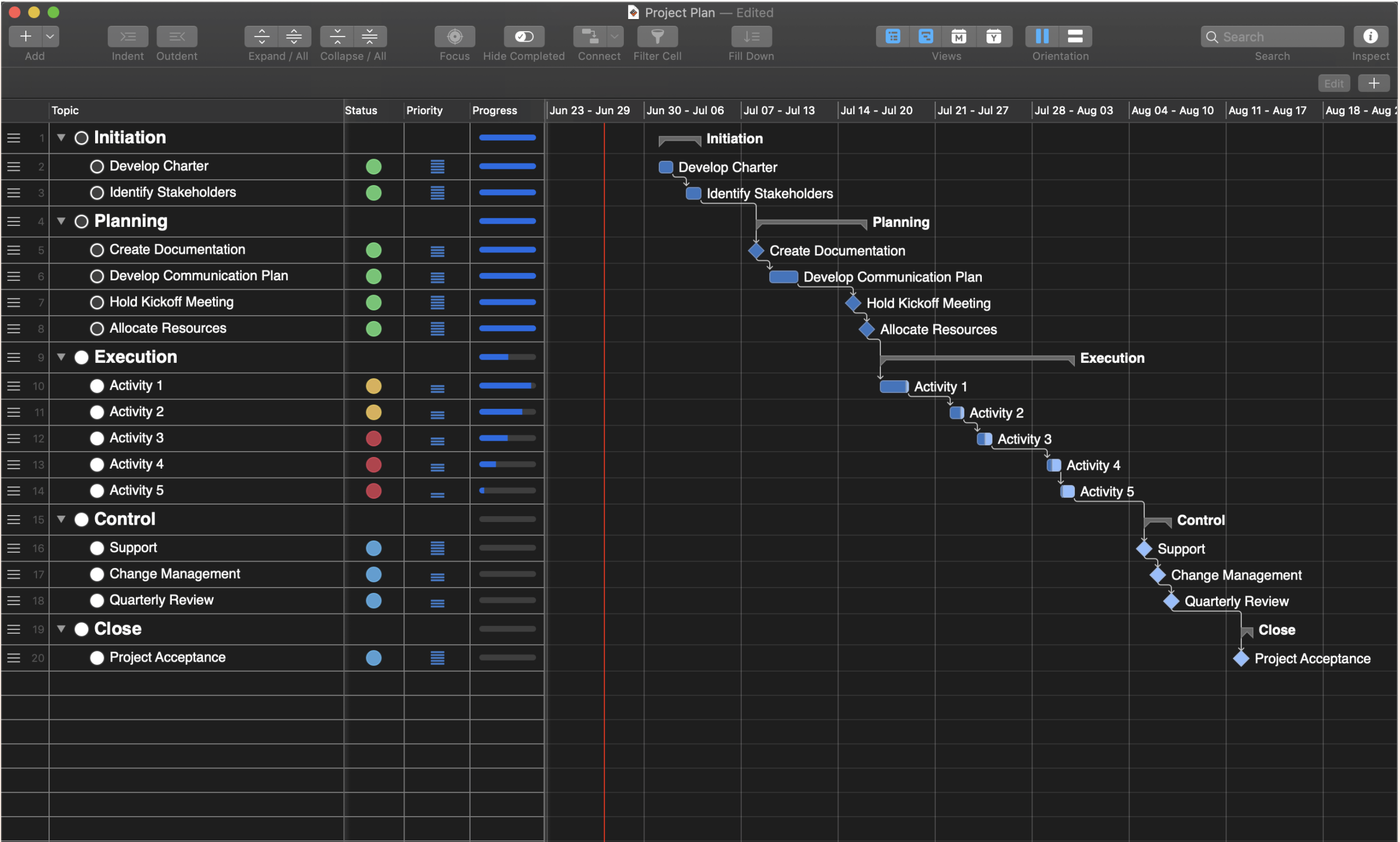 Get organized…
Organize information using the Outliner to provide structure. Populate the start, finish and progress columns to create a schedule and track progress. Add custom, text, number, date, symbol, list and picture columns to track additional information.
Make a plan…
Visualize tasks with start and finish dates on the Timeline. Change the Timeline scope to get a high level view of your project over multiple years or zoom in to weeks or even days for more precision. See the progress of each task in the Timeline. Customize the color of Timeline bars. Preview and print the Timeline.
Mac Power Users #556: Video Conferencing Deep Dive, with Liana Lehua⇢
Liana Lehua joins in this week to share the best workflows and gear for improving video conferencing and home audio and video. Liana and David also discuss business apps, widgets, and revisit the iPad vs. MacBook question.
My thanks to our sponsors this week:
- Sanebox: Stop drowning in email!
- MarsEdit: Powerful web publishing from your Mac. Get 20% off.
- Squarespace: Make your next move. Enter offer code MPU at checkout to get 10% off your first purchase.
- Indeed: Get a free $75 credit to boost your job post.