
This week, Casey Liss rejoins the program to discuss his new app Callsheet and to give David and me a tour of the apps and services he uses to manage his media.
512 Pixels
Some Tasty Numbers Concering X⇢
Matt Binder at Mashable, reporting on data from Travis Brown about Elon Musk’s 153 million followers:
Of the 153,209,283 X accounts following Musk at the time the data was collected, around 42 percent of Musk’s followers, or more than 65.3 million users, have zero followers on their own account. Just over 72 percent, or nearly 112 million, of these users following Musk have less than 10 followers on their account.
When it comes to content creation on the platform, more than 62.5 million Musk followers have zero tweets. This would include users who have deleted all of their tweets by the time this data was collected over the past few weeks as well as accounts that have never before tweeted. More than 100 million Musk followers have less than 10 tweets posted to their account.
If that wasn’t concerning enough, this paragraph has to sting:
However, according to this latest collection of @ElonMusk follower data, only around 453,000 Musk followers or 0.3 percent subscribe to X Premium. Mashable reported earlier this week that there were around 830,000 X Premium subscribers in total based on another data set compiled by Brown.
David Sparks’ Apple Watch Survey⇢
While these answers aren’t necessarily representative of the world at large, I love to see my fellow Ultra wearers come out strong.
Relay FM Turns 9
I honestly cannot believe that our weird little side project is now nine years old, and that I’ve been doing it full-time for eight. Over the last near-decade, I’ve gotten to work — and become friends — with so many amazing people.
To celebrate, we’ve got some very exciting news out to our members, via our Discord and the newsletter!
Connected #463: GOD SAVE THE KING, BABY⇢
To celebrate Relay FM’s 9th birthday, Myke and I host a feelings podcast on this week’s Connected.
Kbase Article of the Week: iMac - Technical Specifications⇢
This bit was pretty spicy 25 years ago:
USB: 2 yes ADB: n/a Video: none Floppy: none SCSI: none Geoports: none
What Happens to the iMac Now?⇢
…Apple hasn’t updated the iMac in well over 800 days — which is the longest gap in recent memory and double the average gap between updates over its history. And that conspicuous hole in the M2 lineup has been making me wonder: in a future where MacBooks rule the market and most of the desktops Apple produces are niche, enthusiast products, where will the iMac fit?
The iMac at 25
Today marks 25 years since the original iMac was introduced. It saved Apple and changed the world.1 We live in a Notebook World today, but if Apple was going to reinvent itself in 1998, it was going to be with a desktop:

In a world of beige boxes, the iMac was new and different. Sure, it ran the same old (and kinda busted) Mac OS, but the design — and the move to USB — made huge waves, some of which are still felt today.
There’s a lot of great stuff out there today to mark the occasion, including this wonderful article by Jason Snell for The Verge:
After the wild early days of the personal computer revolution, things had become stagnant by the mid-1990s. Apple had spent a decade frittering away the Mac’s advantages until most of them were gone, blown out of the water by the enormous splash of Windows 95. It was the era of beige desktop computers chained to big CRT displays and other peripherals.
[…]
With Jobs’ brains, Jony Ive’s designs, and the new PowerPC G3 chip supplied by Motorola, the company began to form a plan. Essentially, Jobs went back to his playbook for the original “computer for the rest of us,” the Mac, to sell simplicity. The Mac’s mouse-driven graphical interface may have changed the course of the PC world, but its all-in-one design just hadn’t clicked. Jobs decided it was time to try again.
Back in 2016, I set out to collect every model of iMac G3 that was produced over the machine’s six generations. The result of that was one of my favorite projects to ever grace the pages of 512 Pixels. That page has links to all of my iMac G3 coverage, including my look back at the original’s announcement:
-
I even wrote a book about the computer and how it gave Apple the runway it needed to get Mac OS X out the door. ↩︎
Rebuilding my Alfred Workflow for Searching Apple’s Support Site
Over the last couple of weeks, I’ve noticed that my custom Alfred search to find things on Apple’s support website had broken, so I’ve reworked it a bit to match Apple’s adjusted search URLs.
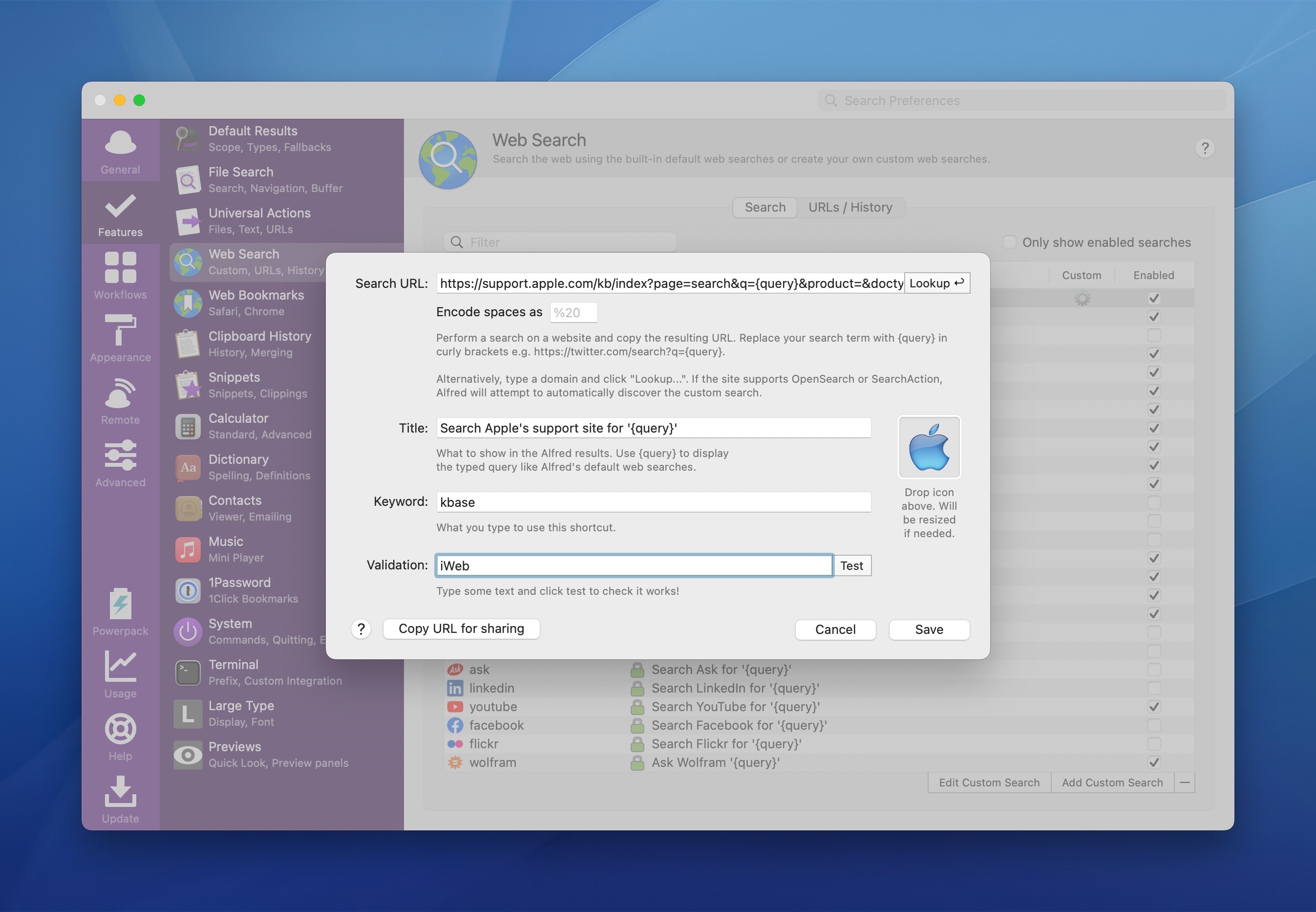
In Alfred’s preferences, under Features, you can add a new Web Search. You can add a keyword, label and — most importantly — the URL Alfred will need to pass to the browser to fire your search results:
https://support.apple.com/kb/index?page=search&q={query}&product=&doctype=¤tPage=1&includeArchived=true&locale=en_US
To install this directly into your copy of Alfred 5, click here.
Love Notes to Newton Now Streaming⇢
I backed this project years ago — and interviewed its creator, Noah Leon — and it’s very cool to see it available on YouTube for everyone:
Take some time this week and watch it.
Studio Neat Launches Keen⇢
Tom and Dan are back on Kickstarter with a new product named Keen, a very clever utility knife:
Like our Mark One pen, Keen is a simple object with a single interface, in this case the slider. Our job was so make that interaction as satisfying as possible, so that Keen is a delight to use every time you pick it up. We spent a lot of time getting the feel of the blade deployment just right. It is spring loaded, requiring just the right amount of force to slide out, and to not be too fatiguing when held out. When cutting, the slider is held by your thumb, then simply released to suck the blade back in. Not only is this satisfying every time, it’s safer, as the blade can never be left in the “out” position. An internal magnet helps secure the blade when closed, and adds a satisfying snap to the deployment.
Insta-backed.
Sponsor: Unite 4 for macOS
Unite 4 for macOS allows you to turn any website into an app on your Mac. Using a lightweight, WebKit-powered browser as a backend, you can easily create isolated, customizable apps from any site.
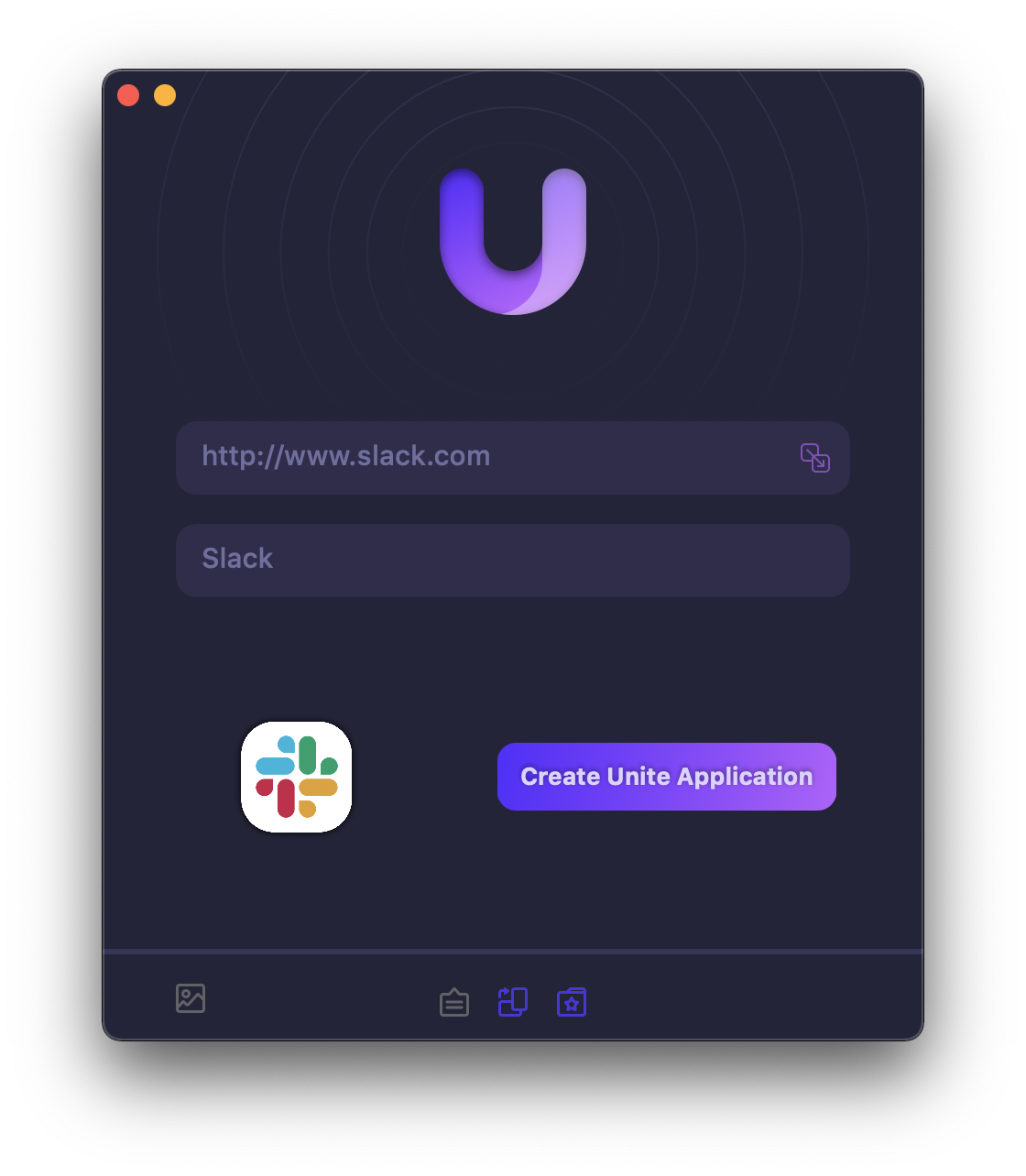
Unite 4 includes dozens of new features, including support for native notifications, new customization options, and much more. Unite apps also serve as a great alternative for resource-hogging Electron apps or half-baked Catalyst apps.
Some examples of apps you could create in mere minutes with Unite:
- A Gmail web client that behaves like a native mail client.
- A status bar app for Apple Music or Overcast
- An isolated workspace for apps that may track you like Facebook
- A Google Meet app that works efficiently without using Chrome
- A fully featured Instagram app that has a resizable window, unlike the M1 version.
- A Robinhood, Figma, or Roam Research app for your desktop.
512 Pixels readers get 20% off this week when you purchase Unite 4 at bzgapps.com/unite512 or when you use the promo code ‘512Pixels’ at checkout.
You can also try Unite for 14 days absolutely free or use it as part of your subscription if you’re a Setapp subscriber!