512 Pixels

Sponsor: TextExpander⇢

TextExpander’s customizable and shareable snippets of text allow your team to fly through repetitive tasks quickly by expanding the things you type regularly — all you have to do is type a short abbreviation and TextExpander does the rest of the work for you.

Here’s How It Works:

  • Create It: Collect your most commonly used emails, phrases, messaging, URLs, and more to create snippets and templates in TextExpander that are always accessible with a quick search or abbreviation.
  • Share It: Give your team or different departments across your company access to the content they need to use every day.
  • Use It: Expand the content you need with just a few keystrokes on any device, across any app you use — no APIs or integrations needed.
  • Optimize It: Add customizations like fill-ins and optional sections to keep that human touch. Anytime you make changes to snippets they update everywhere so your team is always on the same page.

It’s that easy!

Check out TextExpander and say goodbye to repetitive typing.

iCloud Photo Stream Being Shuttered⇢

Apple Support:

My Photo Stream1 is shutting down on July 26, 2023. Learn more about this transition and how to keep your photos up to date across all your devices and safely stored in iCloud.

As part of this transition, new photo uploads to My Photo Stream from your devices will stop one month before, on June 26, 2023. Any photos uploaded to the service before that date will remain in iCloud for 30 days from the date of upload and will be available to any of your devices where My Photo Stream is currently enabled. By July 26, 2023, there will be no photos remaining in iCloud, and the service will be shut down.

The photos in My Photo Stream are already stored on at least one of your devices, so as long as you have the device with your originals, you won’t lose any photos as part of this process. If a photo you want isn’t already in your library on a particular iPhone, iPad, or Mac, make sure that you save it to your library on that device.

Photo Stream is one of the original components of iCloud, and was kept around even after iCloud Photo Library launched in 2014. Here’s how Apple pitched the feature when iCloud was new:

Take a photo on an iOS device. Or import a photo from your digital camera to your computer. iCloud automatically pushes a copy of that photo over any available Wi-Fi or Ethernet connection to the Photos app on your iOS devices, iPhoto or Aperture on your Mac, and the Pictures Library on your PC. You can even view your Photo Stream album on your Apple TV. So you can show off your shots to friends and family from whichever device you’re using at the time.

iCloud manages your Photo Stream efficiently so you don’t run out of storage space on your iPhone, iPad, or iPod touch. If you have Photo Stream enabled on your iOS device, every single photo you take appears in a special Photo Stream album that holds your last 1,000 photos. You can’t edit or delete photos from your Photo Stream. If you want to touch up a photo or keep a favorite shot permanently, simply save it to your Camera Roll. iCloud stores new photos for 30 days, so you have plenty of time to connect your iOS device to Wi-Fi and make sure you always have your most recent shots handy.

The basic idea was that your last 1,000 photos streamed by on your iOS devices, but could saved permanently. If you had a Mac or PC in the mix, they were all saved there:

Keeping a complete set of your photos on your Mac is as simple as turning on Photo Stream in iPhoto or Aperture. Every new photo you take appears in a Photo Stream album just as it does on your iPhone, iPad, and iPod touch. But since your Mac has more storage than your iOS device, it automatically imports every picture from your Photo Stream into your photo library so you can edit, delete, and share the ones you want.
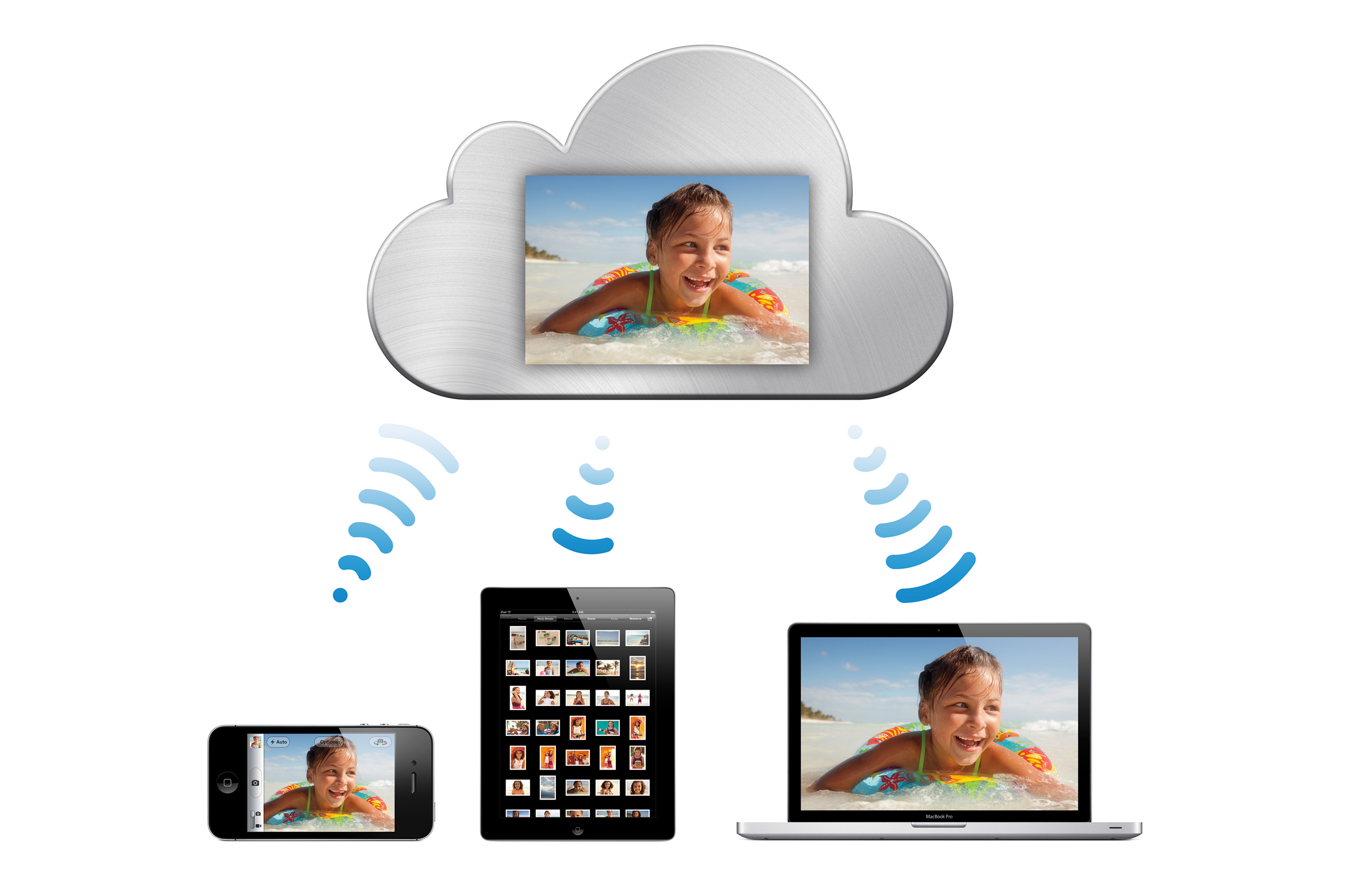
iCloud Photo Stream

Photo Stream — just like that press image above — was very much of its time. The limitations that it came with were confusing for some users, leading to folks worrying that they would accidentally lose photos.

Honestly, I didn’t blame anyone back then for being a bit wary of the feature. It was about this time that I turned to Dropbox for my photo storage, only returning to Apple well into the iCloud Photo Library era.


  1. Best I can tell, Apple never called it “My Photo Stream” when the feature was new. I don’t know when the “My” was added. It’s possible Apple appended it just for this announcement. ↩︎

More on Ford and Tesla⇢

Tim Stevens, writing on his very excellent Substack:

That’s my favorite joke from my software engineering days, one that I’m sure is older than me by decades and probably predates the invention of digital computers. The sad part is, it’s a joke I’ve been able to use again even long after I left that career behind.

Today, I get to dust it off for the rather disheartening news that Ford is, seemingly, abandoning the single biggest global charging standard for its EVs, the standard that already defeated another major charging standard, the standard that finally, after years of confusion, aligned every major global EV manufacturer — well, except for one.

This change is a frustratingly bad move for consumers and I’ll gladly tell you why, but first a little background.

Ford to Add Support for Tesla Superchargers⇢

Ford PR has some good news for its customers:

  • Starting early next year, Ford EV customers will have access to more than 12,000 Tesla Superchargers across the U.S. and Canada, in addition to the over 10,000 DC fast-chargers that are already part of the BlueOval Charge Network. This will give Ford EV customers unprecedented access to fast-charging.
  • Mustang Mach-E, F-150 Lightning and E-Transit customers will be able to access the Superchargers via an adapter and software integration along with activation and payment via FordPass or Ford Pro Intelligence.
  • In 2025, Ford will offer next-generation electric vehicles with the North American Charging Standard (NACS) connector built-in, eliminating the need for an adapter to access Tesla Superchargers.
  • The reliable Tesla Supercharger network has already established charging corridors across the U.S. and Canada.

I’ll leave the merits of the NACS connector to others, but from a consumer stand point, this seems like great news.1 Tesla has a ton of chargers, and with Ford continuing to build out their own network, drivers will have even more locations where they can charge quickly.

If EVs are every going to be as convenient as traditional vehicles, drivers will need to be able to easily charge just about anywhere, without having to worry about standards or adaptors. I don’t have to worry about what kind of gas pump I pull up to my truck, and EV drivers should have the same peace of mind.2


  1. It does mean that North America may end up with a different standard than the rest of the world, if other brands follow Ford in giving up the CCS standard. A lot of folks think CCS should win everywhere. Granted, it’s not clear if Ford is replacing CCS with NACS, or if they will offer both charging ports on future vehicles, and of course, there’s not a single CCS connector as different companies have implemented it differently. Ah yes, standards. ↩︎

  2. I really think the Toyota Tundra I just bought could be my last ICE vehicle; I would have loved a Lightning but it just wasn’t in the cards this time around. ↩︎

Final Cut & Logic for iPad Released

Final Cut Pro and Logic Pro are out now for select iPad models. I played with Logic for a few minutes, and was pretty disappointed when it failed to import the template I use to edit Connected, running in to the same error Dan Moren got. I should be able to adapt my files for the iPad, but being an iPad mini user, I don’t see me switching over very often. All of that said, I am psyched that these apps are finally here.

Don’t miss Jason Snell’s hands-on with them.

Mimestream 1.0 Launches⇢

Neil Jhaveri, writing about my favorite email client for the Mac:

Mimestream combines the power of macOS with Gmail’s advanced features for a new kind of email client that lets you move through your email effortlessly. Unlike other email clients that use the decades-old IMAP protocol, Mimestream uses the Gmail API for a new kind of lightning-fast experience that’s full of features. Built using the latest technologies from Apple, using Mimestream is a breath of fresh air that you’ll see and feel.

Today’s launch culminates a public beta of over 2 years, with more than 167,000 users joining the beta. During this time, we released 220+ updates, made 2500+ improvements, added 100+ new features, and grew the company from a solo founder to a team of 5. Mimestream is mature, reliable, ready to take on your most serious email workloads, and will continue improving.

I’ve been using Mimestream for most of its beta, for both my personal Gmail account and my work Google accounts. It’s fantastic, and an insta-buy for me. I know it doesn’t support iCloud and other email providers, but if you’re in Google Land, this is the way to go.

Sponsor: Unite 4 for macOS⇢

Unite 4 for macOS allows you to turn any website into an app on your Mac. Using a lightweight, WebKit powered browser as a backend, you can easily create isolated, customizable apps from any site.

Unite 4 includes dozens of new features, including support for native notifications, new customization options, and much more. Unite apps also serve as a great alternative for resource hogging Electron apps or half-baked Catalyst apps.

Some examples of apps you could create in mere minutes with Unite:

  • A Gmail web client that behaves like a native mail client.
  • A status bar app for Apple Music or Overcast
  • An isolated workspace for apps that may track you like Facebook
  • A Google Meet app that works efficiently without using Chrome
  • A fully featured Instagram app that has a resizable window, unlike the M1 version.
  • A Robinhood, Figma, or Roam Research app for your desktop.

512 Pixels readers get 20% off this week when you purchase Unite 4 at bzgapps.com/unite512 or when you use the promo code ‘512Pixels’ at checkout.

You can also try Unite for 14 days absolutely free or use it as part of your subscription if you’re a Setapp subscriber!