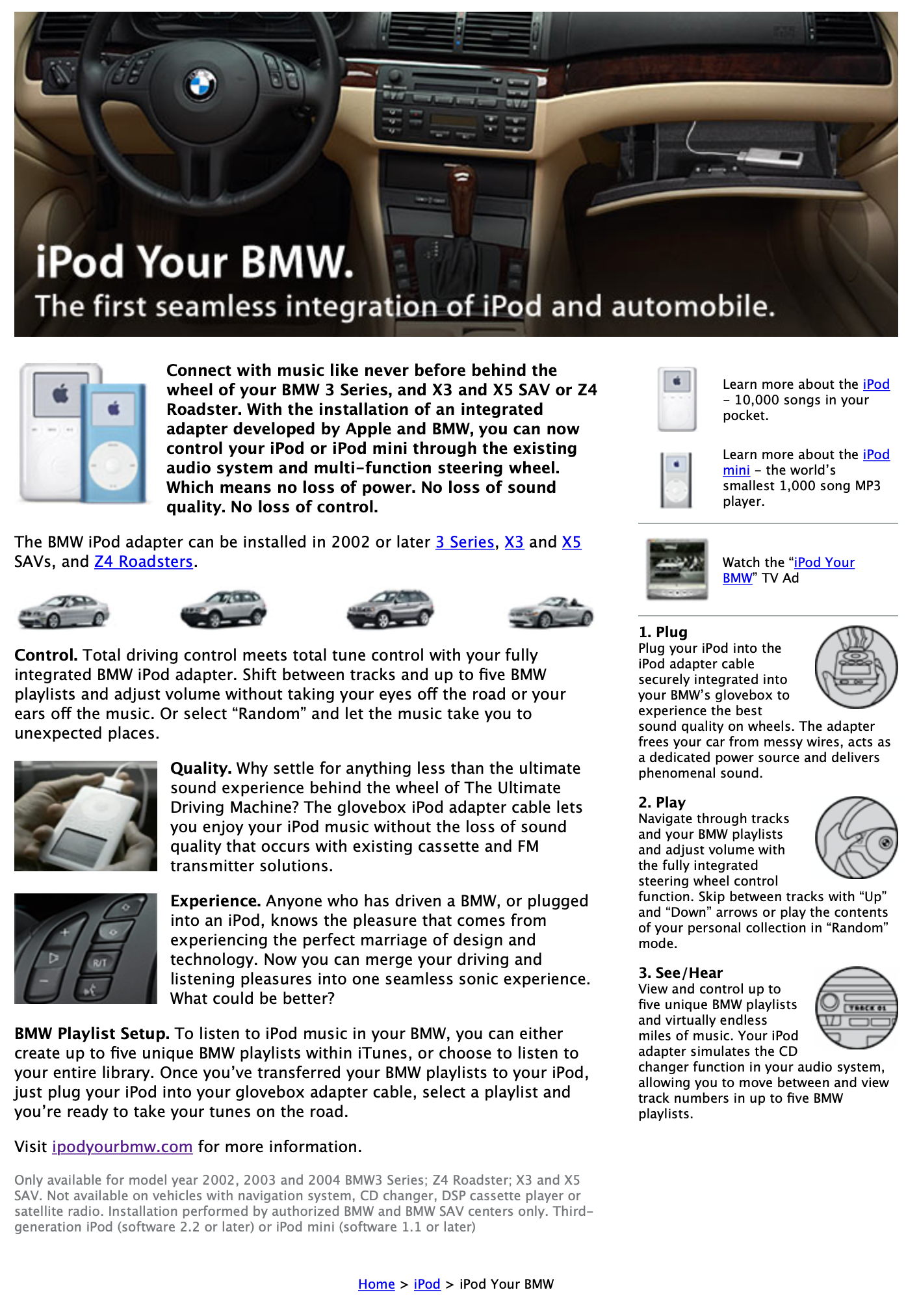
Is there a single support document that more Mac nerds want to be updated than this one?
512 Pixels
Opening Some Old Mac Mystery Boxes ⇢
Join me tomorrow at 2 PM Eastern as I unbox some old Macs I received over the summer. I didn’t get a chance to open them as they came in, so I’m not sure what I even have, so this should be an adventure.
Mac Power Users #615: The Clipboard Manager Roundup ⇢
This week on Mac Power Users, David and I explore some of the best options when it comes to supercharging the copy and paste game, both on the Mac and even mobile devices like the iPad and iPhone. There are some exciting software titles in this space, and I’m glad we took them for a spin in this episode.
The 512 Pixels Holiday Gift Guide for People Like Me
It’s that time of year again, so if you have people in your life like me, here are some gift ideas that may prove helpful:
- Macintosh “Hello” Enamel Pin: $8 on Etsy
- Think Different license plate frame: $19.95 on the Missing Byte
- 2020 WWDC Reversible Emoji Medium Jacket: $87.47 on eBay
- Recapped Macintosh SE/30: $550 on eBay
- Ford F-150 Lightning (in the Lariat trim) with the extended-range battery and twin-panel moonroof, painted in Carbonized Gray: Price and date TBD
Connected #372: WhatsApp beta 2.21.24.5: What’s New? ⇢
There’s a new version of iOS 15 right around the corner, Apple has announced a new self-service repair program and Twitter is up to … stuff.
Apple Announces Self-Repair Service Program ⇢
Big news on the right to repair front:
Apple today announced Self Service Repair, which will allow customers who are comfortable with completing their own repairs access to Apple genuine parts and tools. Available first for the iPhone 12 and iPhone 13 lineups, and soon to be followed by Mac computers featuring M1 chips, Self Service Repair will be available early next year in the US and expand to additional countries throughout 2022. Customers join more than 5,000 Apple Authorized Service Providers (AASPs) and 2,800 Independent Repair Providers who have access to these parts, tools, and manuals.
The program will start with common iPhone repairs, including the display, battery and camera.
It’s been over a decade since I repaired Macs for a living, but I’m pretty sure I never looked this cool doing it.
Apple hasn’t given a ton of detail about how the program will work, but we do have this:
To ensure a customer can safely perform a repair, it’s important they first review the Repair Manual. Then a customer will place an order for the Apple genuine parts and tools using the Apple Self Service Repair Online Store. Following the repair, customers who return their used parts for recycling will receive credit toward their purchase.
The new store will offer more than 200 individual parts and tools, enabling customers to complete the most common repairs on iPhone 12 and iPhone 13.
Old parts can be returned to Apple for recycling in exchange for credit against future Apple purchases.
I find this all super interesting, and good news on the whole. People who have the skills to repair their own products should have an opportunity to use official, first-party components.
In terms of the cost of parts and tools (and what a self-service repair does to your warranty), we don’t know much, but I am hopeful this will be a viable option for the more savvy consumers out there.
Kbase Article of the Week: About the Mac OS 9 Utilities Read Me ⇢
This document contains information about the utilities provided with Mac OS 9.
My favorite may be the 5xxx/6xxx Tester:
This program tests Performa and Power Macintosh 5200, 5300, 6200, and 6300 computers for a possible hardware problem. If you have a Performa or Power Macintosh 5200, 5300, 6200, or 6300 series computer, you should use the tester before installing Mac OS 9. See the document inside the Tester folder for instructions on using the tester.
IMPORTANT: The Power Macintosh or Performa 6320, 6360, and 5260 computers do not have this hardware problem. If you have a Power Macintosh or Performa 6320, 6360, or 5260 computer you do not need to use the tester program.
The document doesn’t get into what the hardware problem is, but this 1996 article from CNET shines some light on the issue:
As CEO Gil Amelio prepares to unveil a turnaround plan for the company next week, Apple Computer suffers more bad news, this time hardware defects that are forcing the company to recall certain models of Power Macs, Performas, and PowerBooks.
The company yesterday notified its resellers of hardware problems in various Macintoshes, including the 5200 and 5300 Power Macintoshes; PowerPC-based Performas with the model numbers 52xx, 62xx, 53xx, and 63xx; and PowerBook 5300 and 190s.
[…]
Apple is describing its response as a “repair extension program” rather than a full-fledged recall because it is not asking Power Macintosh and Performa users to send their computers into the company. Instead, Apple said it will pay for repairs–which include unexpected freezes and intermittent changes in a monitor’s hue–when a user takes the system into an authorized service shop.
Apple is encouraging users to take care of the problems now but will continue to reimburse for repairs up to seven years after the company stops manufacturing both systems, whenever that occurs.
Apple is ordering a full recall, however, of the PowerBook models, asking dealers to return all unsold stock. Users also will be asked to send their PowerBooks–which have cracks in the plastic casing near the display hinge and problems with AC connectors–to a central Apple repair depot. Users can expect repairs to take less than two weeks, according to spokeswoman Nancy Morrison.
The PowerBook 5300 model appears to be jinxed. Last fall, workers discovered a battery defect in the model that could cause it to catch fire.
Firing Shortcuts from a Stream Deck ⇢
The Stream Deck has been a favorite of Mac users who are into automation for a while now, but the device’s utility has grown substantially for a couple of reasons. First, you can use the Stream Deck to run Shortcuts, which expands the device into an entirely new realm of automation.
Second, the Stream Deck opens up new ways to approach all automation on your Mac that aren’t possible with any single Mac app, allowing you to mix and match different kinds of automation in one interface. It’s a powerful combination that unlocks the ability to organize the automation tools you use to fit with the way you think and work.
HYPER Announces new Notebook Dock ⇢
HYPER has unveiled a new USB-C dock for the MacBook Pro that adds a whopping 15 ports to the device. Juli Clover at MacRumors has the details:
There are three HDMI ports and three DisplayPorts, all of which support 4K displays at up to 60Hz, along with a Gigabit Ethernet port, a 100W USB-C PD port for charging purposes. two USB-C ports that support 10Gb/s transfer speeds, a USB-A port that supports 10Gb/s transfer speeds, two additional 5Gb/s USB-A ports, and an SD/micro SD card slot that supports transfer speeds of 104MB/s.
The dock is designed to sit under the MacBook Pro, propping the notebook up a bit and giving it strong Titanium PowerBook vibes:
![]()
![]()
The dock connects via USCB-C, and multiple cables are required, but they are short and included with the dock.
You can back the device on Indiegogo, where it has already met its funding goal and then some. Pricing starts at $124 for early bird backers.
If I used my MacBook Pro as a desktop replacement, I would be very tempted by this thing.
Sponsor: TextExpander ⇢
Do you ever type the same thing over and over and over again? Whether it’s customer support answers, sales emails, or document edits, typing things repetitively or using copy and paste can be a burden. That’s where TextExpander comes in. With TextExpander, you and your team can:
- Keep your message consistent
- Save time and be more productive
- Be accurate, every time
The way we work is changing rapidly. Make work happen wherever you are by saying more in less time and with less effort using TextExpander. Get 20% for being a 512 Pixels reader with this link.
Mac Power Users #614: The 2021 MPU Gift Guide ⇢
Believe it or not, it is time for the annual MPU Holiday Gift Guide once again.
Drafts ⇢
My thanks to Drafts for sponsoring the site this week. It lets you quickly capture, sync, process and share text, from any of your Apple devices.